Posts Tagged With “Compliance Management”
- Team Extension
- Content Management Systems (CMS)
- Application Lifecycle Management (ALM)
- Mendix Development Services with HYS Enterprise
- Transport Management Software (TMS)
- Microservices Migration
- IT Security Services
- IT Infrastructure Support
- Web and Mobile Application Maintenance
- Functional Software Testing
- Manual Software Testing
- Digital Banking
- Custom Contact Center Software
- Application Re-Engineering
You might also like
How to Build AI Agents: A Step-by-Step Roadmap
Key takeaways
- An AI agent is autonomous software that is designed to perceive environments, reason, and act on its own. They have emerged as a solution to meet increasing demand for automation and intelligent decision-making [8].
- Their role has expanded drastically since the demand for business process automation grows exponentially. According to recent industry data, the market for business workflow automation is expected to expand at a 12.37% annual rate over the next eight years, growing from $22.3 billion in 2026 to $56.68 billion by 2034 [7].
- AI agent frameworks need quality data to rely on while learning. For this purpose, provide trusted and accurate data sources for training and benchmarking agentic reasoning.
- The architecture of agent frameworks includes four core components: LLMs (the brain of workflow execution), prompts or other instructions, data sources to train and learn information from, and, finally, memory and an execution loop.
- AI agent frameworks are the key to the question “How to build AI agents?” Tools like EpicStaff provide a visual interface and advanced customizations needed to build secure and efficient workflows.
- AI agent use cases include building a logistics AI-first platform called “Move Your Machine”.
What Is an AI Agent?
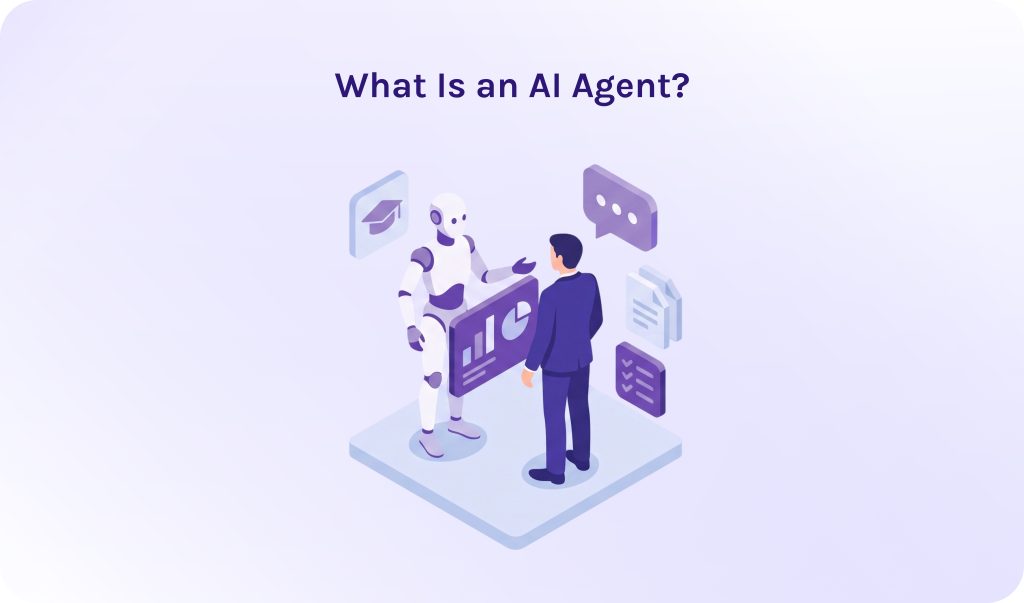
An AI agent is an autonomous software entity that acts like a real team member, being able to handle complex tasks and make important decisions on its own. They can analyze the environment they are working in, plan next steps, identify bottlenecks, and find solutions to solve them. One more essential capability is that AI agents can remember context and data they learned during task execution.
The best example of an AI agent I can recall is JARVIS from “Iron Man”, strange as it may sound. J.A.R.V.I.S. is the ultimate mental model for an AI agent, precisely because Tony Stark doesn’t talk to him like a search bar; he talks to him like a trusted chief operating officer. He can remember previous conversations, do research on his own, show only reliable results, analyze bottlenecks, and give pieces of advice on how to get rid of them. JARVIS is actually the gold standard for how most people conceptualize AI agents.
Read More: Mastering AI Agent Orchestration for Complex Workflows
AI Agents vs. AI Agent Workflow
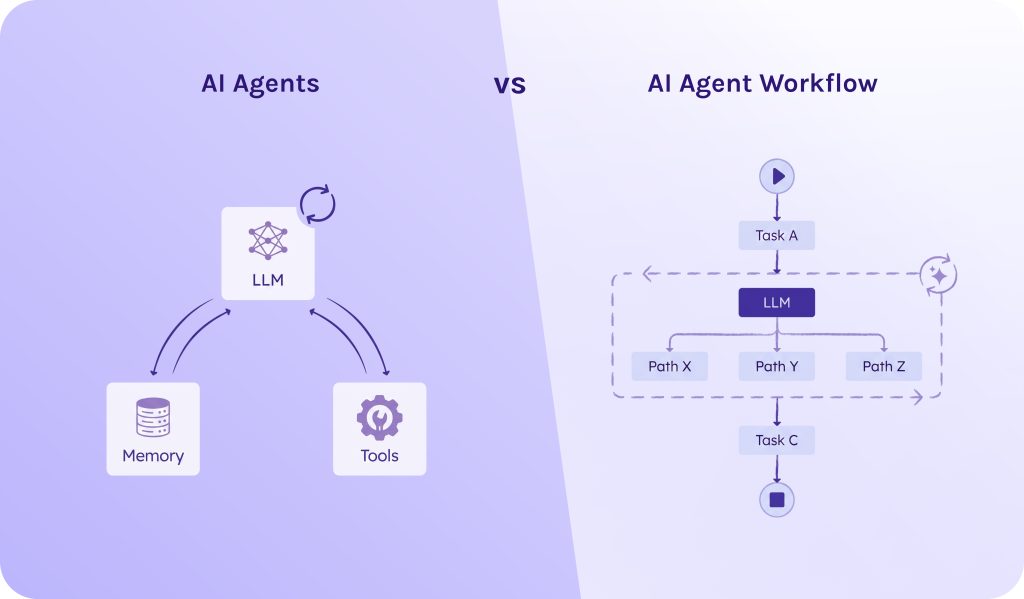
Quite often you may hear about “agentic workflows,” and it sounds pretty similar to AI agents. In fact, they are two sides of the same coin:
- An AI agent is an autonomous worker who is responsible for his part of the work.
- An AI agent workflow is an orchestrated sequence of steps where LLMs perform distinct tasks within defined guardrails.
In simple words, an AI agent is one that makes decisions autonomously. Whereas an AI agent workflow is how steps are connected together.
Read More: Low Code Platform: Complete Guide to Low-Code Development Platforms in 2026
Core Architecture: Anatomy of a Modern AI Agent
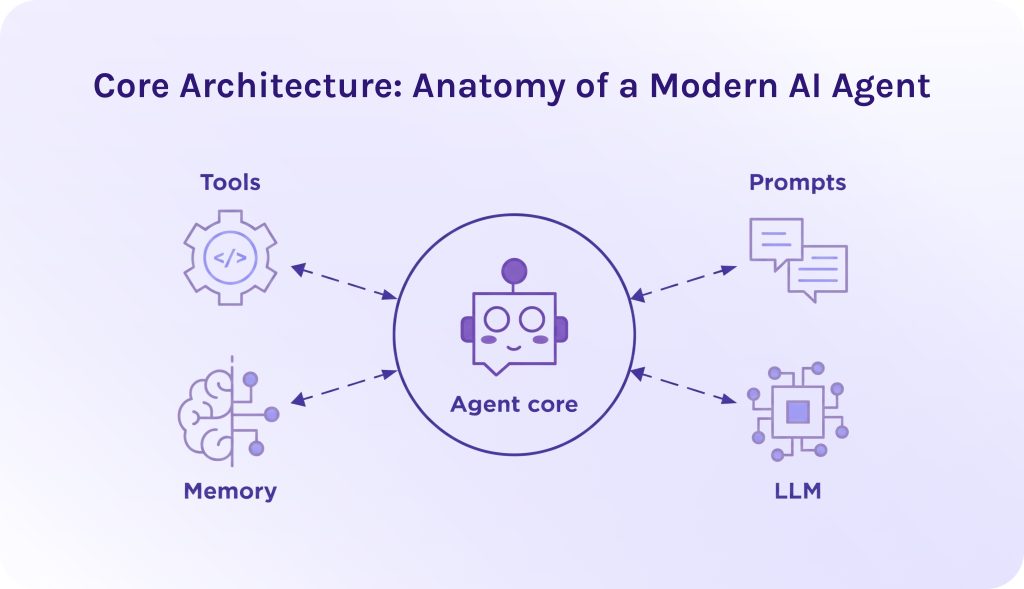
To answer the question “How to create an AI agent?”, we need to understand what parts it should contain.
Obviously, to build robust AI agent platforms, you need to understand that simple prompt engineering isn’t enough anymore. That’s why now we’ll learn more about agentic AI architecture. It relies on a tightly integrated system where four core components continuously cycle through an execution loop.
1. The Model (Brain).
The large language model (LLM) here acts like a cognitive engine. It is responsible for:
- Task decomposition. It breaks down large user goals into a sequence of smaller sub-tasks.
- Reasoning and synthesis. It is capable of parsing ambiguous inputs and evaluating real-time feedback.
- Tool routing. Analyzing tool definitions to decide which tool to invoke, when exactly it would be needed, and, ultimately, what parameters to pass.
2. Instructions & Prompts.
These are instructions to the AI agent platforms that form the operational boundary and operational protocol.
- Persona and scope. Defines the role (when you write “Act like an experienced SEO optimization specialist”) and, consequently, tone and bounds of authority.
- Safety guardrails. These are hard rules explicitly stating forbidden actions (e.g., “Never delete production databases”).
- Execution formatting. Structuring output syntax (like JSON schemas) so the runtime can reliably parse decisions.
3. External Tools & Data Sources.
To execute tasks, agentic AI needs data it can rely on. You can imagine it as the hands and eyes of AI agents that would help them dynamically interact with the external world.
- Data sources. AI agents can browse the web, connect to databases (it doesn’t matter if they’re SQL or NoSQL), REST APIs, and continuous streaming protocols (e.g., WebSockets).
- Executable tools. It can be code execution sandboxes or, for instance, SaaS platform SDKs.
- Standard protocols. AI agent frameworks leverage standardized discovery layers, such as Anthropic’s Model Context Protocol (MCP), to auto-discover and attach tools dynamically.
4. Memory & The Execution Loop.
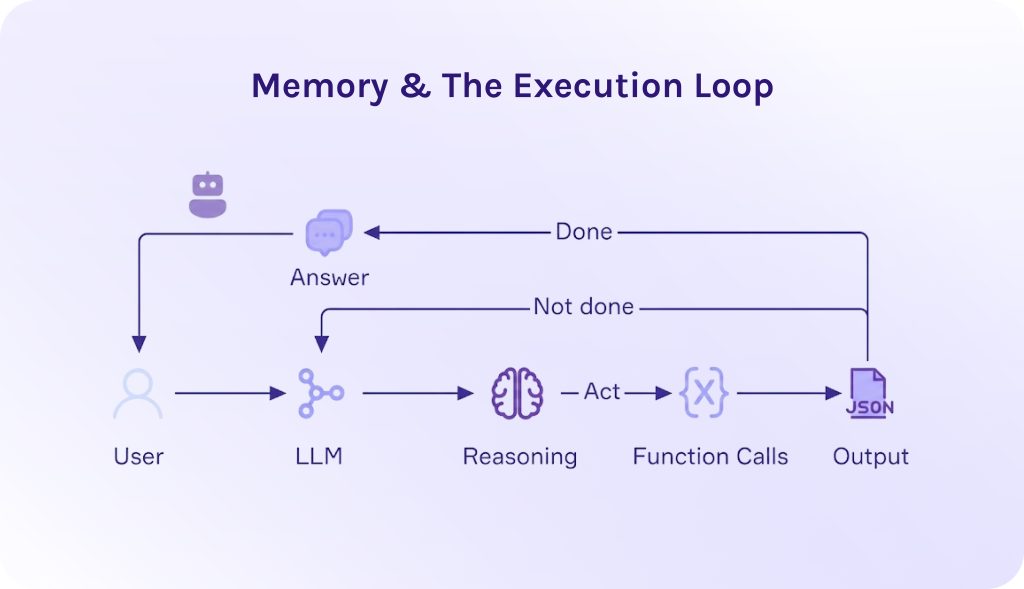
An AI agent operates in an iterative loop, most commonly the ReAct (Reasoning + Acting) framework:
During this loop, memory manages information state across two tiers:
- Short-term (working memory): Captures the immediate conversation window and recent tool outputs within the context window.
- Long-term memory: Uses vector databases (for semantic retrieval / RAG) and key-value stores to recall past execution logs over extended periods.
Workflow Execution Cycle Example
When tasked with “Find and fix the memory leak in production service X”:
- Instructions dictate the system role and mandate sandboxed testing.
- Memory retrieves historical service logs and architecture charts via RAG.
- The model (LLM) reasons about possible causes and plans a sequence of diagnostic checks.
- External tools execute terminal commands to pull telemetry, inspect code repositories, write a candidate fix, run unit tests, and open a pull request.
- The loop repeats the Think → Act → Observe sequence until all unit tests pass, presenting the user with the verified solution.
Read More: AI-Driven Automation as the Foundation of Next-Gen SaaS Models
How to Build AI Agents: Step-by-Step Implementation
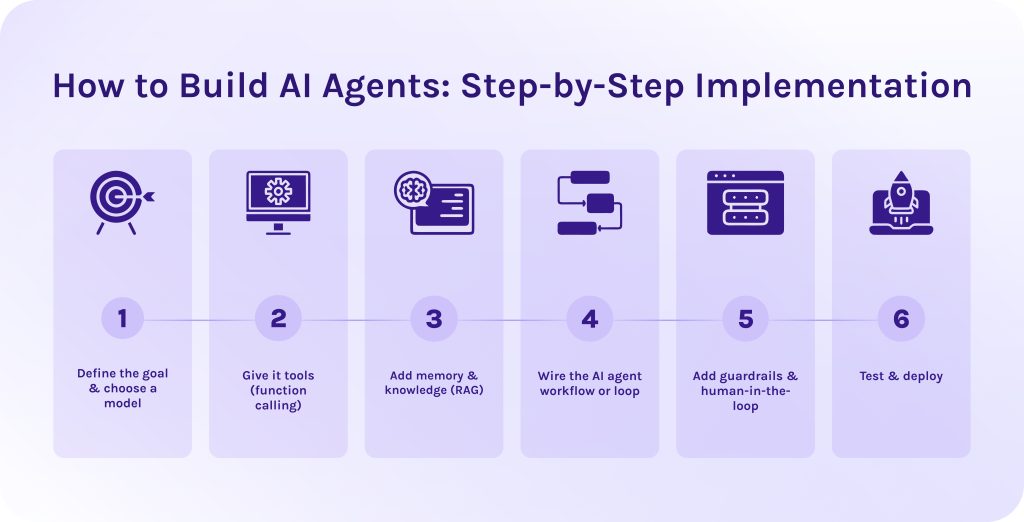
Building AI agents requires a strict and thoughtful plan. Below, we created for you the step-by-step technical implementation guide on how to build AI agents.
1. Define the goal & choose a model.
Establish cognitive requirements and context window sizes.
First of all, when starting building AI agents, select an LLM optimized for instruction following and function/tool call formatting. Here, the list of offered models is almost infinite, but the most popular solutions are OpenAI GPT-4o or, for example, Llama 3.1.
What’s more important, you need to define clear success criteria for how to measure the efficiency of completion. It includes budgeting, context window limits, used tokens, execution time, etc. Note that for every company, the list will vary; thus, you need to focus on your own requirements.
Frankly speaking, it is the most important step. The Gartner research data shows that over 40% of agentic AI projects will be cancelled by 2027, and one of the most critical reasons for it is unclear business value, not technical problems or slow execution times [1].
2. Give it tools (function calling).
Provide JSON schemas for executable tools.
The next step of how to build AI agents is to define function interfaces as strict JSON schemas so the model can construct valid calls. In the code, you should create a function that allows an AI agent to execute read-only SQL queries on a customer database.
It specifies that the tool accepts a single required argument, which must be provided as a valid SQL query string. The system description explicitly restricts the tool’s purpose to read-only operations, serving as a guideline for the LLM to understand when and how to safely use it.
3. Add memory & knowledge (RAG).
Configure short-term context and long-term vector state.
- Short-term memory. Maintain a rolling array of message objects to track conversational state. Use context truncation or summarization nodes when token limits are reached.
- Long-term memory. Connect a vector database using Retrieval-Augmented Generation (RAG) to fetch domain knowledge or past session histories based on semantic similarity.
4. Wire the AI agent workflow or loop.
Implement the ReAct loop pattern.
When you build AI agent with Python, wire up an iterative loop that handles model calls and feeds output back into the context. This loop gives an AI agent its ability to think and take actions.
Here is how the loop must work step by step:
- Storing the goal. The function starts by saving the user’s initial request into the agent’s memory system so it maintains context throughout the workflow execution.
- Starting the loop. It enters a continuous loop where the LLM evaluates the current context and decides what to do next. The model receives both the conversation history and its available functions.
- Checking for completion. The code checks if the model produced a direct text answer without requesting any external tools data. If true, the task is finished: it records the response in memory and returns the final answer to the user.
- Executing tools. If the model decides to run external tools instead of giving a final answer, the code iterates through each requested function call, runs the corresponding function, and captures the output.
- Feeding results back. The workflow execution results are saved to memory and the loop restarts. The model then reads those results to decide its next action, continuing this cycle until the goal is fully achieved.
5. Add guardrails & human-in-the-loop.
Add safety checks and explicit human checkpoints.
- Input/Output guardrails. To create robust AI agent platforms, use libraries like NeMo Guardrails or Llama Guard to filter toxic input or prompt injection attempts.
- Deterministic rules. When building AI agents, intercept high-consequence operations with manual approval steps (human-in-the-loop).
6. Test & deploy.
Set up continuous evaluation pipelines.
- Evaluation agent frameworks. Benchmark agent reliability using test sets with tools like Ragas or DeepEval to measure task completion rate and tool hallucination rates.
- Deployment. Deploy as stateless microservices connected to durable state stores using agent frameworks like EpicStaff or CrewAI.
Read More: AI Agent Management Platform: A Guide to Enterprise AI Agent Orchestration and Governance
Single-Agent vs. Multi-Agent Systems
When choosing between single AI agent and multi-agent systems, you need to take into account:
| Metric | Single-agent system | Multi-agent system |
| System complexity | Low; single prompt and single LLM loop. | High; requires inter-agent communication and state management. |
| Context window overhead | High risk of context saturation (“context anxiety”) as execution steps accumulate. | Low per agent; context is isolated or reset between transitions. |
| Tool capacity | Poor scaling; performance drops when managing >10–15 diverse tools simultaneously. | Excellent scaling; each specialist agent manages 2–5 dedicated tools. |
| Execution cost | Lower base cost per turn. | Higher token usage due to delegation overhead and synthesis calls. |
| Latency | Sequential execution; bottlenecked by single-thread step completion. | Low for independent subtasks (via parallel fan-out execution). |
Opt for a single AI agent when:
- The goal has a continuous linear flow (like basic research loops).
- The task requires fewer than ~10 distinct tools.
- Unified, uninterrupted short-term memory is critical to the entire execution.
Opt for an AI agent orchestration system when:
- Tasks require multiple parallel processes in different domains (e.g., SQL generation + security auditing + financial modeling).
- Sub-tasks can run concurrently to reduce wall-clock execution time.
- Long-running execution loops hit context limits, requiring context resets and state handoffs.
Read More: Top 10 AI Software Development Companies (2026 Guide)
Real-World AI Agent Use Cases
As an illustrative example of the efficiency of a properly selected AI agent for your business. The partnership between Dutch logistics platform Move Your Machine (MYM) and governance-focused AI agent framework EpicStaff, developed by HYS Enterprise, represents one of the most compelling real-world enterprise AI agent use cases in modern supply chain management.
The main struggle that MYM faced was too many manual operations and further business losses connected to them (efficiency, delays, budgets, etc.) Thus, instead of relying on human operators to juggle phone calls and spreadsheets, MYM deployed an autonomous multi-agent system to handle heavy machinery transportation across Europe.
Custom AI Agent Development with EpicStaff
Using EpicStaff’s visual workflow orchestration, the agent combines Python-based calculation logic with LLM reasoning and persistent state memory.
- Perception & parsing. The agent receives unstructured machinery details submitted by a user.
- Real-time pricing. It processes spatial and distance data through Python nodes built into EpicStaff, executing pricing formulas dynamically.
- Carrier matching & dispatch. The agent automatically filters available transport partners, selects the optimal carrier, and reserves the capacity.
- Persistent context. EpicStaff retains agent state across sessions (using Redis/PostgreSQL), allowing the agent to remember customer preferences and recurring routes.
Business impact
- Quote speed. Reduces quote generation time from hours to under 60 seconds.
- Cost efficiency. Cuts administrative overhead by eliminating manual dispatcher data entry. Plus, the platform is maintained by a team of two people instead of twenty.
- Scalability. Handles fluctuating quote volumes 24/7 without requiring additional headcount.
Custom AI agent development doesn’t have to mean starting from scratch or losing control over your operational logic. Get in touch with our engineering team today to kickstart your custom AI agent journey.
Read More: What Are the Top 10 n8n Alternatives to Watch This Year
Conclusion
How to build AI agents? Well, as we’ve walked through, there are many robust AI agent frameworks presented in the market, and EpicStaff is one of them. This solution allows you to create your own digital crew and assign each agent to a specific task, like a true project team.
Here are some important moments to remember:
- Building a scalable agent requires a tight loop between a high-reasoning LLM, explicit instructions and prompts, dynamic external tools or data sources, and robust short/long-term memory.
- Leverage specialized agent frameworks like EpicStaff to give non-technical operations teams visual control while developers handle backend Python logic and system integrations.
- With high failure rates in unguided AI pilots, prioritize specific high-friction business bottlenecks with measurable ROI before scaling to full multi-agent orchestration.
- Deploying targeted AI agent use cases, such as heavy machinery logistics (e.g., Move Your Machine) or software engineering automation, delivers measurable ROI by turning hours of manual work into automated processes.
Hope that in this article you’ve understood how to create an AI agent, and this guide will help you navigate through the whole process seamlessly. Wish you luck!
FAQs
1. How to build AI agents?
- Clearly define the goal and business value that agentic AI will bring. Without it, most projects are likely to fail.
- Choose an LLM model suitable for your business requirements.
- Connect to the external tools data through SQL queries in JSON schema to make database calls.
- Configure short-term and long-term memory (RAG).
- Implement the ReAct loop.
- Add safety guardrails and human-in-the-loop checkpoints.
- Ultimately, test your agentic AI workflow and deploy it.
2. Is it free to build an AI agent?
Yes, you can build an AI agent for free using open-source frameworks or free tiers on no-code tools. However, scaling to complex production workflows usually incurs costs for underlying cloud infrastructure or, for instance, database hosting.
3. What is the hardest part of building AI agents?
According to the research, the hardest part of AI agent development is to ensure that reasoning is robust and reliable [6]. Especially in real-world environments that suffer from hallucinations and compounding errors, minimizing risks is a great challenge.
4. What are the top 3 AI agents?
While the landscape of autonomous software evolves rapidly, the top 3 AI agents in 2026 depend on your specific domain and operational needs:
5. What are the 5 types of AI agents?
According to IBM, there are five following types of AI agents [3]:
6. Do I need to know how to code to build an AI agent?
No, you don’t need to know how to code to build a working AI agent. Modern platforms that allow you to create multiple AI agents don’t require programming skills. They offer drag-and-drop, visual agent builders where you can move preprogrammed nodes and connect them, creating complex automation workflows. However, if you need to create more advanced workflows or custom functionality, you might require the help of software developers with knowledge of Python or JavaScript.
7. Why do most AI agents fail in production?
8. Is it true that 95% of AI projects fail?
Yes, it is true. Research published by the MIT “State of AI in Business” report revealed that despite tens of billions of dollars invested in enterprise generative AI pilots, 95% yielded no measurable financial return or failed to scale to full production [4].
Most failures occur during the transition from a “Proof of Concept” (PoC) to a secure, enterprise-grade production environment. The 5% of companies succeeding are those focusing on back-office workflow optimization and strict ROI tracking from day one.
9. How much does it cost to build my own AI agent?
The cost to build an AI agent ranges from $0 for a basic DIY bot up to $250,000+ for a multi-agent enterprise platform. Where you land depends on three factors: who builds it (DIY, agency, in-house), how complex it is, and ongoing operational costs [5].
10. What’s the difference between an AI agent and a chatbot?
Both, an AI agent and a chatbot, use natural language to process information and give responses. However, the core difference lies in architectural and memory usage:
References
- https://www.gartner.com/en/newsroom/press-releases/2025-08-26-gartner-predicts-40-percent-of-enterprise-apps-will-feature-task-specific-ai-agents-by-2026-up-from-less-than-5-percent-in-2025
- https://www.pwc.com/us/en/tech-effect/ai-analytics/ai-agent-survey.html
- https://www.ibm.com/think/topics/ai-agents
- https://mlq.ai/media/quarterly_decks/v0.1_State_of_AI_in_Business_2025_Report.pdf
- https://www.ai-agentsplus.com/blog/ai-agent-development-cost-pricing-guide-2026
- https://www.researchgate.net/publication/394432078_A_Research_Landscape_of_Agentic_AI_and_Large_Language_Models_Applications_Challenges_and_Future_Directions
- https://www.fortunebusinessinsights.com/business-process-automation-market-116500
- https://www.researchgate.net/publication/393019883_Applications_of_AI_Agents_A_Comprehensive_Review
Top Manufacturing Scheduling Tools in 2026: Real-Time Production Data & AI Driven Strategies
What Are Modern Manufacturing Scheduling Tools?
First of all, let’s discuss the definition of manufacturing scheduling software.
Modern manufacturing scheduling tools are specialized software designed to help manufacturers optimize processes within their factories in real time. Manufacturing organizations almost never have just one project. Usually, they must manage huge project portfolios and align them with plant-floor capacity to solve complex project portfolio management (PPM) challenges, like resource allocation and constantly shifting priorities.
To do it properly, production scheduling software:
- Uses dynamic algorithms.
- Directly integrates with IoT sensors.
- Updates information in ERP (enterprise resource planning) systems in real time.
- Automatically schedules jobs around real constraints.
- Provides the ability to test production changes before applying them to the actual shop floor.
- Provides visibility into all ongoing processes and projects.
Read More: Aerospace Project Management: Key Challenges and How to Address Them
Why Are Spreadsheets Obsolete?
For a long time, Excel and similar spreadsheets were default tools for shop floor planning and managing. However, today, running efficient manufacturing projects using only spreadsheets is almost impossible and not efficient at all. Modern high-mix, low-volume (HMLV) environments have made manual spreadsheets obsolete due to structural limitations:
| Core capability | Excel & Static spreadsheets | Modern manufacturing scheduling tools |
| Data synchronization | Manual data entry; static snapshots that become outdated instantly. | Gather real-time information directly from physical sensors, drones, ERPs, and MES platforms. |
| Constraint handling | Infinite capacity assumption; ignores real-time machine bottlenecks. | Finite capacity scheduling (takes into account resource constraints). |
| Re-scheduling efficiency | Hours of manual cell edits when a machine breaks. | Automated automated re-optimization in seconds via dynamic algorithms. |
| Data integrity | Prone to human error and version control issues. | Centralized single source of truth with audit trails and user permissions. |
If you feel that your team has outgrown traditional spreadsheets, it’s time to pay your attention to more dedicated tools. Schedule a consultation with HYS Enterprise experts to develop your own shop floor scheduling tool or explore the full potential of Epicflow resource management software.
Read More: Top Telecom Project Management Challenges and How to Overcome Them
The Core Evolution: From Static Gantt Charts to AI-Driven Production Scheduling
As was said earlier, static tools like classic spreadsheets or Gantt charts can no longer handle data volumes, required by modern manufacturing enterprises. Moreover, the use of static, manual scheduling tools simply leads to a larger number of errors, resulting in inaccurate data and fragile production schedules that collapse at the first sign of an unplanned shop floor disruption. So, companies needed to invent a response to this problem. But how they went through it?
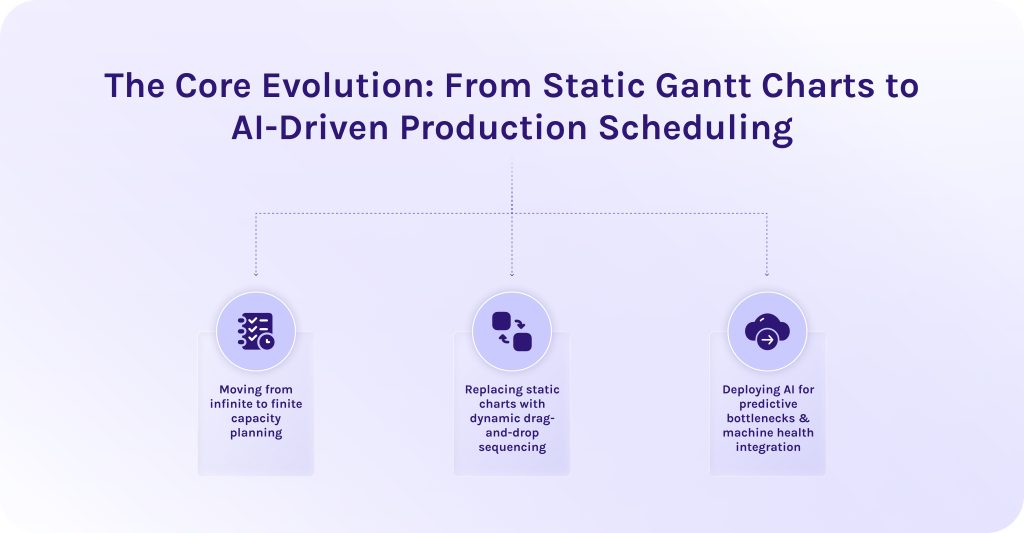
1. Moving from infinite to finite capacity planning.
Early production schedules assumed infinite capacity planning. It is a false assumption that all your resources will always be available by default. Strange as it may sound, but for a long time companies relied heavily on this strategy, not without costly consequences, of course, resulting in severe operational drag across the factory floor.
Operations research from the University of Hawaii shows that 88% of complex enterprise spreadsheets contain errors [1]. In manufacturing, formula oversights and broken cell links lead to incorrect lead times and flawed material requisitions.
In turn, modern manufacturing scheduling tools shifted to finite capacity planning. This approach anchors schedules strictly to real-world operational constraints. It ensures jobs are queued only when all resources are confirmed, preventing unrealistic deadlines and costly delays.
2. Replacing static charts with dynamic drag-and-drop sequencing.
Top production scheduling tools for manufacturing provide dynamic dashboards, thanks to which companies no longer need to constantly re-enter formulas manually. Drag-and-drop interfaces allow managers to reprioritize jobs on the fly, triggering immediate auto-recalculation across the entire operation [2]:
- Dependent downstream tasks shift automatically.
- Changeover times recalculate based on job grouping (e.g., matching tooling or color sequences).
- Immediate visual alerts signal whether a manual adjustment will cause a bottleneck.
3. Deploying AI for predictive bottlenecks & machine health integration.
The latest version of best manufacturing scheduling tools integrates artificial intelligence directly with shop floor IoT telemetry and MES platforms.
- AI uses predictive algorithms to resolve resource bottlenecks. Machine learning models continuously analyze production velocity. Thanks to AI scheduling tools, they can identify emerging line slowdowns hours before buffer stock builds up and dynamically re-routing jobs tasks.
- AI synchronizes predictive maintenance. Early failure signals from machine sensors trigger automated schedule adjustments, preventing costly equipment breakdowns.
Read More: The Transformative Role of Generative AI in IoT
Essential Features of Top Production Scheduling Tools for Manufacturing
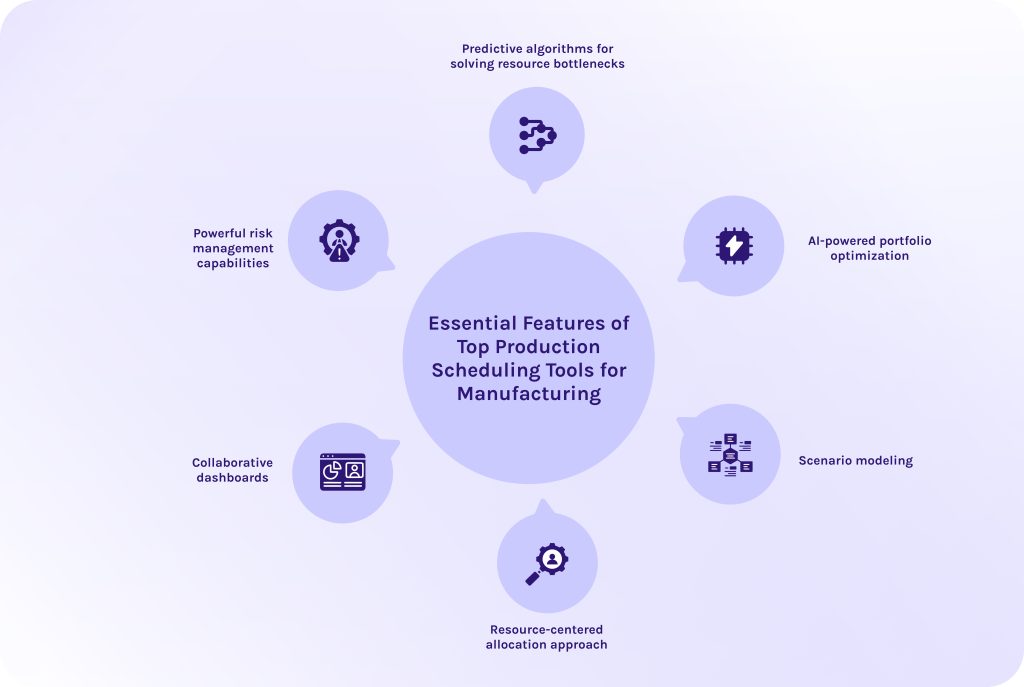
When you approach the stage of selecting scheduling software, look forward these features:
1. Predictive algorithms for solving resource bottlenecks.
Manufacturing scheduling tools must continuously analyze various production metrics. Thus, by processing historical throughput and live operational data, predictive algorithms detect emerging bottlenecks early, not allowing them to escalate further. Then, algorithms can re-prioritize activities to optimize processes or automatically reallocate resources to cover unsolved pain points.
2. AI-powered portfolio optimization.
Manufacturing is a highly competitive field, where stakes are so high that a single bottleneck can derail entire production cycles. Here, teams operate under a constant pressure of competing for shared factory resources [3].
Thus, some of the best manufacturing scheduling tools, like Epicflow developed by HYS Enterprise, are now equipped with AI-powered portfolio engines. Artificial intelligence in manufacturing dynamically balances competing priorities across simultaneous project streams. The software evaluates plant-wide trade-offs to optimize overall yield, preventing low-margin jobs from blocking strategic client deliverables.
3. Scenario modeling.
AI-driven production scheduling software offers one more critical feature – scenario modeling. It allows teams to test operational changes risk-free before committing them to the master plan. For instance, you can simulate:
- Inserting an urgent customer order into the active queue.
- How reprioritizing will impact project portfolio efficiency and revenue.
- Simulating the loss of a key machine or specialized tooling setup.
- How reallocating critical resources will impact delivery due dates.
- Assessing the impact of adding weekend overtime or extra shifts on overall delivery dates.
4. Resource-centered allocation approach.
Manufacturing scheduling tools that rely on a resource-centered approach build the schedule around the actual physical state of critical resources. These tools for manufacturing perceive all resources as interdependent constraints. A work order is released to the floor only when 100% of its required resources are verified and prepped.
5. Collaborative dashboards.
Modern manufacturing scheduling tools provide central visual hubs accessible across departments. Collaborative boards link different teams and departments with each other so that everyone uses a single source of truth. Furthermore, if data in these dashboards updates or becomes no longer relevant, each team member is aware of it, avoiding operational silos and misalignment [5].
6. Powerful risk management capabilities.
Risk management modules built-in production scheduling tools continuously score the health and feasibility of the master schedule against external volatility. Thanks to predictive algorithms we discussed earlier, the scheduling software flags high-risk work orders susceptible to delays of any other problems. Managers receive automated risk warnings alongside recommended mitigation paths to protect schedules and projects.
If you’re struggling with managing too many competing priorities at once, it’s time to think about adopting smart modern software for manufacturing enterprise workflow automation. Contact Epicflow experts to see a personalized demo of our AI portfolio optimizer.
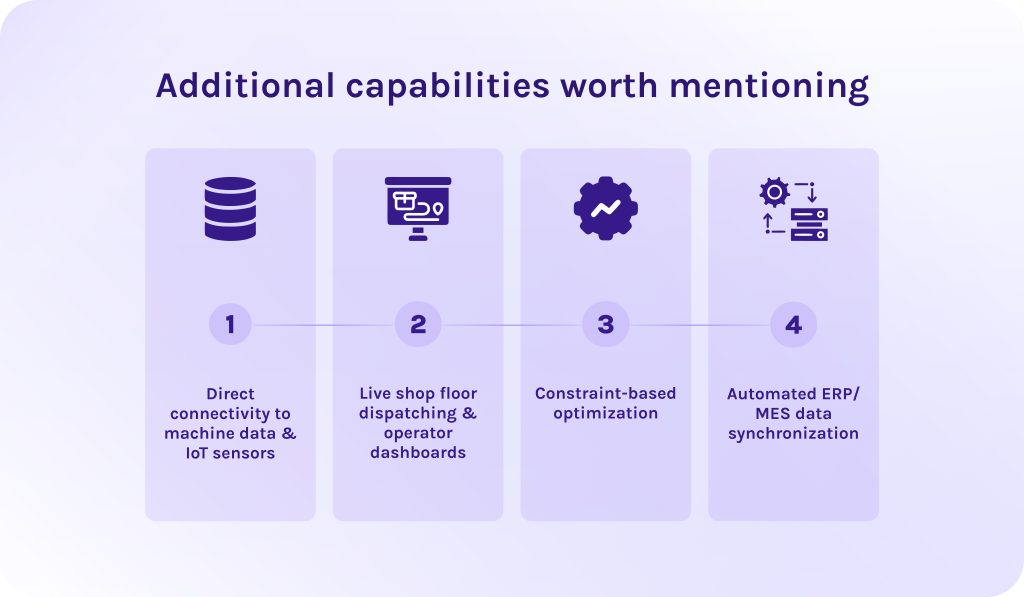
Additional capabilities worth mentioning
1. Direct connectivity to machine data & IoT sensors.
More specialized manufacturing production scheduling solutions can directly connect to machine PLCs (programmable logic controllers) and industrial IoT (internet of things) sensors via standard protocols (OPC UA, MTConnect). When a machine experiences unexpected downtime, the manufacturing scheduling software converts that signal into instant schedule updates, recalculating downstream times automatically [4].
2. Live shop floor dispatching & operator dashboards.
Another additional feature that tools for manufacturing can include are interactive touch-screen terminals stationed directly at workstations. Supervisors push real-time work queues to operators on the floor. Operators view updated data and report component shortages on the fly.
3. Constraint-based optimization.
As we discussed earlier, the core engine leverages finite capacity algorithms to evaluate all operational constraints simultaneously before assigning job start times. It validates different metrics to eliminate impossible scheduling overlaps.
4. Automated ERP/MES data synchronization.
Sometimes manufacturing scheduling tools connect high-level business software (ERP systems) and execution systems (MES).
-
- Bi-directional ERP link. Automatically imports customer sales orders, bill of materials (BOMs), and target due dates, while pushing recalculated completion times and actual material usage back to the ERP.
- Bi-directional MES link. Gathers live quality inspection metrics straight from the shop floor layer to maintain continuous schedule alignment.
Read More: The Definitive Guide to Enterprise Project Management Software for 2026
In-Depth Comparison: Top Production Scheduling Tools for Manufacturing
1. Epicflow
Target industry & shop floor fit
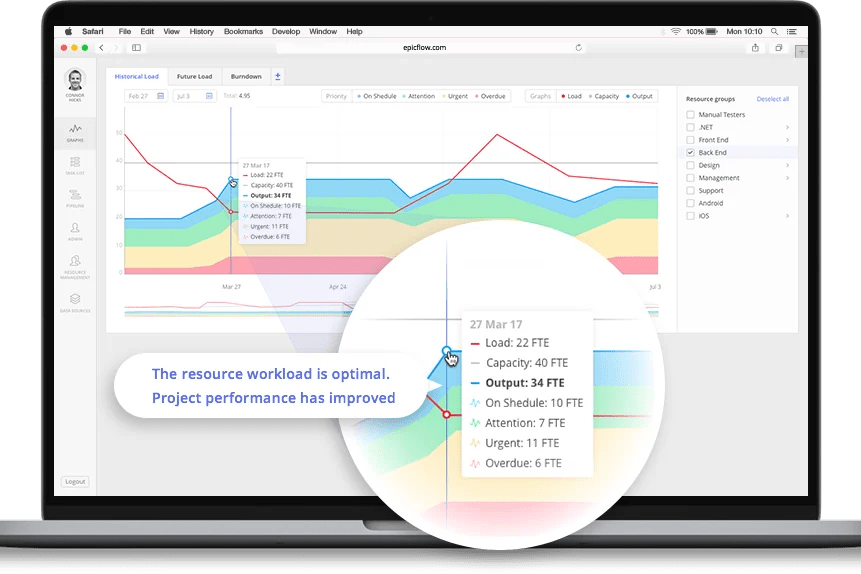
Epicflow is an enterprise resource management platform whose main strength lies in suitability for any high-stakes industry with complex corporate workflows and shared resource pool. This manufacturing scheduling software is purpose-built for complex, multi-project manufacturing environments and high-tech R&D setups where project portfolio management (PPM) challenges overlap with shop floor execution. It excels when multiple high-value project builds compete simultaneously for shared resources, whether it is engineering teams or specialized machinery.
Key scheduling strengths
- AI Portfolio Optimizer. An innovative AI-powered engine that continuously analyzes resource loads across all active projects and prioritizes task queues based on value-per-constrained-hour.
- Resource-centered load balancing. This technology allows companies to automatically level workloads by evaluating cross-functional skill sets, preventing specialist burnout and resource over-allocation.
- API-based data synchronization. Epicflow seamlessly connects with enterprise ERPs (e.g., SAP) and project management ecosystems (e.g., Jira, MS Project).
Handling real-time data and dynamic rescheduling
Epicflow dynamically evaluates project velocity and buffers. If some part of the process breaks, its predictive engine runs instant scenario simulations (“what-if” testing). It automatically re-sequences downstream project tasks across the entire portfolio without requiring planners to make manual edits.
Pros
- Users value its ease of use.
- Helps prioritize projects relying on actual data and business value.
- Has strong resource scheduling and managing features.
- Provides unmatched portfolio visibility.
- Protects shared human and technical resources from being wasted.
Cons
- Requires rigorous upfront data governance.
- Less focused on discrete machine telemetries.
System requirements & deployment
- Deployment: 100% cloud-native SaaS or private cloud hosting.
- System requirements: Modern web browser and standard REST API connectivity.
2. MachineMetrics
Target industry & shop floor fit
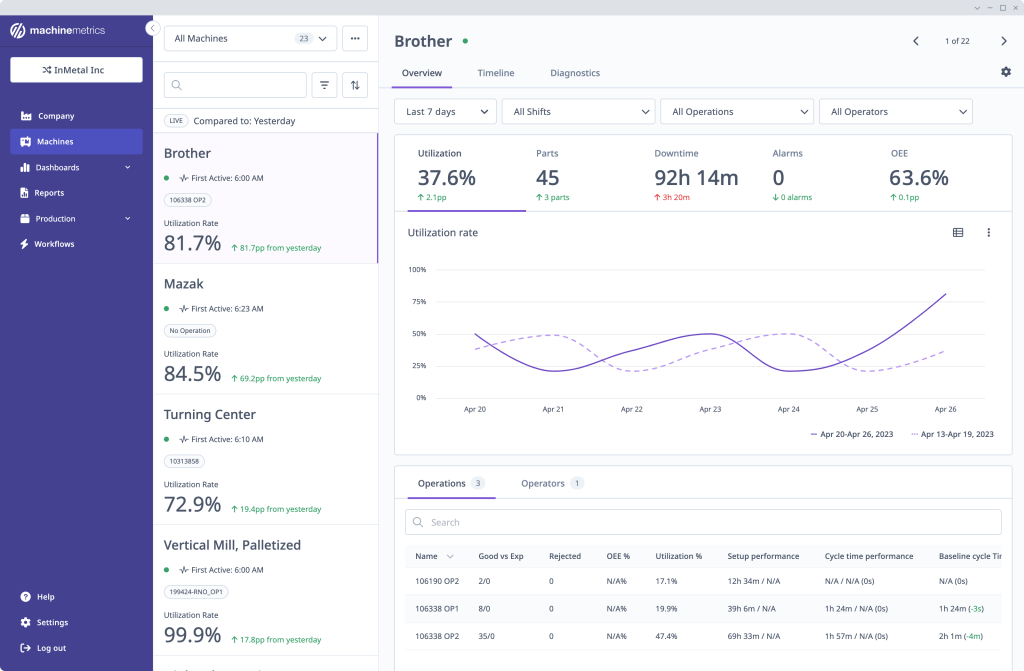
This production scheduling software is an industrial IoT (IIoT) machine data and execution platform tailored for machine-intensive discrete manufacturing. It is designed specifically for plant floors that require direct and quick equipment visibility.
Key scheduling strengths
- Universal machine connectivity. MachineMetrics connects directly to machine PLCs via edge hardware supporting various protocols.
- Automated job matching. The software ingests PLC telemetry to automatically identify running jobs and log labor/run times directly back to ERP records.
- OEE & downtime tracking. This feature allows organizations to automatically categorize machine downtime reasons and calculate true Overall Equipment Effectiveness (OEE).
Handling real-time data and dynamic rescheduling
This software for managing a production schedule operates as a real-time data engine. When a machine runs below standard target speeds, the system generates real-time schedule adjustments and recalculates estimated time to complete (ETTC) for active work orders.
Pros
- Fast plug-and-play machine connectivity.
- Eliminates manual tracking errors.
- Provides deep machine-level operational visibility.
Cons
- Focused primarily on machine telemetry, less versatile.
- Requires integration with an external ERP or APS system.
System requirements & deployment
- Deployment: Cloud-analytics platform paired with on-premise hardware edge devices.
- System requirements: MachineMetrics Edge hardware connected via Ethernet/Wi-Fi directly to machine control cabinets (PLCs) or digital I/O modules.
3. JobPack
Target industry & shop floor fit
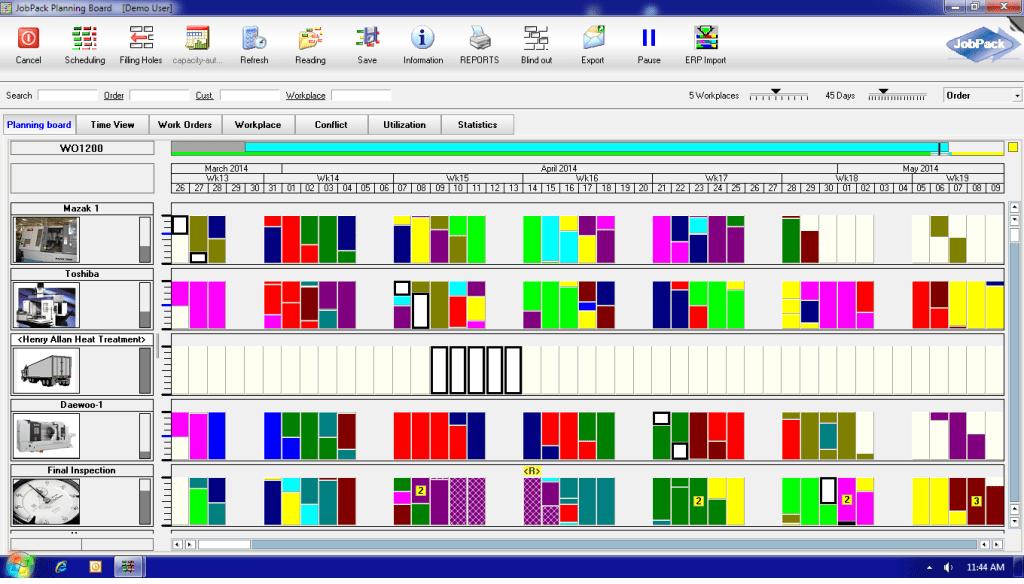
This manufacturing production scheduling solution is a dedicated manufacturing execution system (MES) built specifically for discrete job shops and aerospace component manufacturing.
Key scheduling strengths
-
- Visual drag-and-drop planning board. Features an interactive Gantt board that displays project data on different levels.
- Finite capacity scheduling engine. Calculates schedules strictly around real-world constraints.
- Integrated machine monitoring. Captures live machine indicators alongside the schedule board.
Handling real-time data and dynamic rescheduling
JobPack connects long-range ERP orders with shop floor execution. It has a native “what-if” planning mode that allows schedulers to test the impact of any changes in the scope of work without disrupting live production data. Once approved, the software instantly re-optimizes job sequences across all affected work centers.
Pros
- Built directly for precision machining and job shop logic.
- Has a robust finite-capacity engine.
- Has an excellent risk-free scenario testing.
Cons
- User interface can feel complex and dense for novice planners.
- Initial setup requires detailed machine routing inputs.
System requirements & deployment
- Deployment:
- On-premise server deployment.
- Hosted private cloud.
- Hybrid cloud architecture.
- System requirements:
- Windows Server environment for local deployments.
- ODBC/API connectors for ERP data exchange.
4. NetSuite
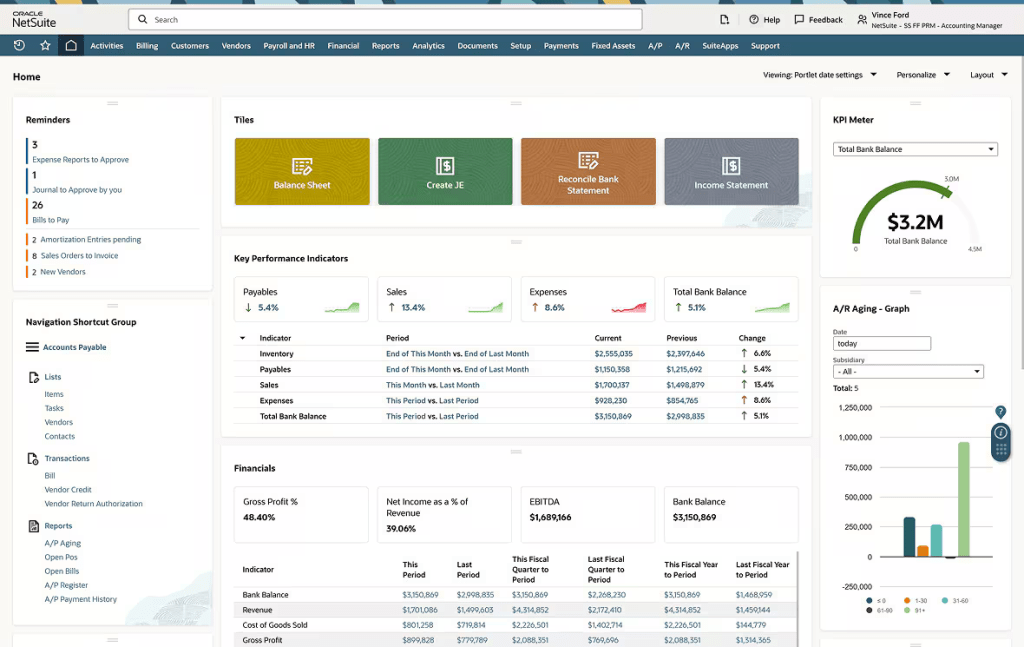
Target industry & shop floor fit
Among other manufacturing scheduling tools, NetSuite Advanced Manufacturing is designed precisely for discrete and process manufacturers who require a unified cloud system to manage everything from financials to supply chain.
Key scheduling strengths
-
- Unified business ecosystem. Directly connects all essential business processes to the production schedule without external middleware.
- Rough-cut & detailed finite scheduling. Supports high-level capacity planning down to detailed work center scheduling based on various machine data metrics.
- Interactive mobile touch-screen tablets. This solution provides digital shop-floor dispatching boards for operators to track manufacturing activities in real time.
Handling real-time data and dynamic rescheduling
The manufacturing production scheduling system continuously updates flow across all business functions. When a raw material shipment is delayed in procurement, NetSuite automatically flags the affected work order on the schedule board, preventing operators from staging the job. Planners can automatically recalculate production sequences across multiple facilities to keep shipping commitments aligned.
Pros
- Completely eliminates data silos between different departments.
- Scales seamlessly across multi-plant global environments.
Cons
- High total cost of ownership (TCO).
- Complex and lengthy implementation process.
System requirements & deployment
- Deployment: 100% multi-tenant cloud SaaS platform (meaning it serves different groups of clients at once, keeping their data secure).
- System requirements: High-speed internet access and modern HTML5-compliant web browsers across desktops and shop-floor mobile tablets.
5. JITbase
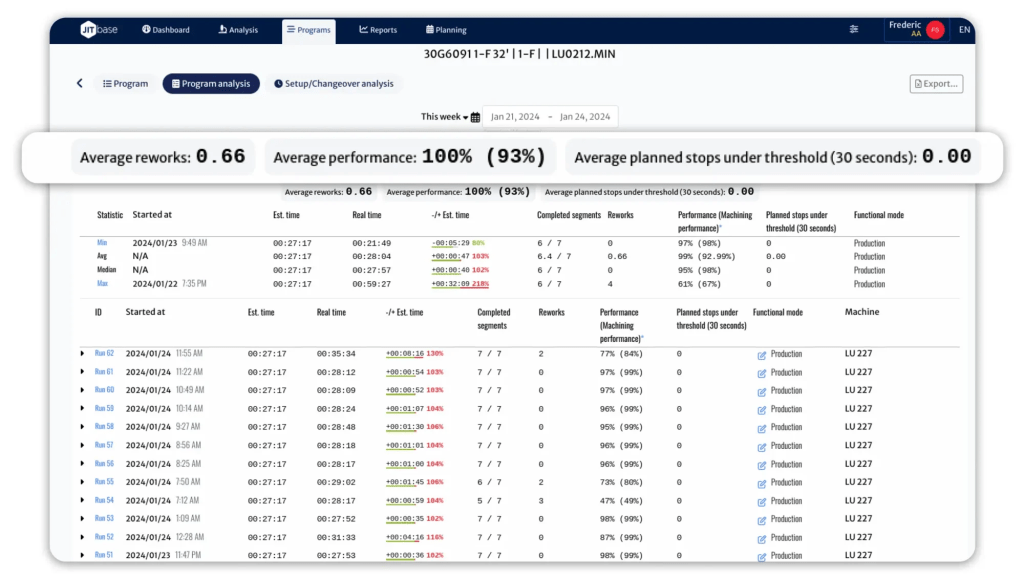
Target industry & shop floor fit
The penultimate solution on our list of the best manufacturing scheduling tools is JITbase. It is a smart shop-floor management and operator routing platform designed specifically for CNC machining environments. Additionally, this AI-driven production scheduling tool can be used in any other environment where operator availability dictates machine output.
Key scheduling strengths
- Smart Operator Routing (OPS). Uses machine learning to calculate the optimal path and sequence for shop floor operators.
- Direct IIoT CNC connectivity. Connects directly to CNC controllers to calculate exact remaining run-times and detect cycle interruptions.
- Machine-to-operator scheduling sync. Links real-time machine telemetry directly with human work queues. It, in turn, ensures that an operator is pre-positioned at a station right as a cycle ends.
Handling real-time data and dynamic rescheduling
JITbase focuses on dynamic micro-scheduling. As machines run, cycle times naturally drift due to certain conditions such as material inconsistencies or, for instance, tool wear. Moreover, it continuously reads these variances in real time and automatically re-routes operator task lists on mobile/wearable devices, minimizing non-productive machine wait time.
Pros
- Uses dedicated AI scheduling tools to optimize processes.
- Dramatically reduces machine idle times.
- Fast installation.
- Highly tailored to CNC workflows.
Cons
- Has narrow operational focus.
- Primarily targets shop floor operator activities.
System requirements & deployment
- Deployment: Cloud SaaS backend paired with local Edge-connectors.
- System requirements:
- Lightweight edge devices on CNC networks.
- Mobile tablets or smart devices for floor operators.
6. Katana
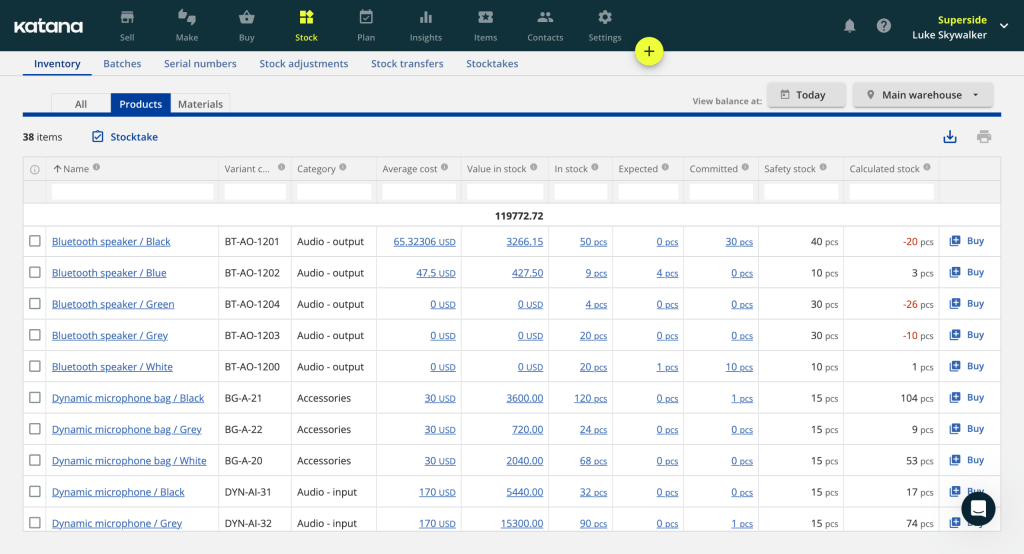
Target industry & shop floor fit
Katana is a cloud-first production scheduling software for manufacturing companies. It is built for small-to-midsize manufacturers (SMEs) and direct-to-consumer/e-commerce brands.
Key scheduling strengths
- Visual drag-and-drop master board. This feature displays real-time job priority lists and order readiness.
- Real-time material auto-allocation. This software for manufacturing production scheduling automatically commits available raw material stock to work orders based on sequence priority.
- Native e-commerce & accounting APIs. Integrates out-of-the-box with platforms like Shopify, WooCommerce, QuickBooks Online, and Xero.
Handling real-time data and dynamic rescheduling
Dynamic scheduling in Katana is handled visually. If a planner drags a high-priority rush order to the top of the master schedule board, Katana automatically re-allocates raw materials from lower-priority jobs down the line in real time. This gives shop supervisors instant feedback on material availability and updated estimated completion dates.
Pros
- Exceptionally intuitive interface.
- Extremely low learning curve.
- Quick implementation.
- Excellent visual material-to-order tracking.
Cons
- Lacks advanced IIoT machine-sensor connectors out-of-the-box.
- Not designed for heavy discrete setups.
System requirements & deployment
- Deployment: 100% cloud-native SaaS.
- System requirements: Modern web browser or Katana Shop Floor App supported on IOS and Android devices.
Read More: Top 10 Open Source Workflow Automation Tools in 2026 (Free & Self-Hosted)
Feature Matrix: Manufacturing Scheduling Tools Comparison
| Tool | Core strength | Trial | Demo | User reviews |
| Epicflow | Dynamic resource management and multi-project bottleneck forecasting. | Yes (for Growth plan) | Yes | G2: 4.4/5
Capterra: 5/5 SoftwareAdvice: 5/5 |
| MachineMetrics | Industrial IoT machine data collection and automated machine telemetry analytics. | No | Yes | G2: 4.3/5
Capterra: 5/5 SoftwareAdvice: – |
| JobPack | Visual finite-capacity drag-and-drop scheduling specifically tailored for discrete job shops (CNC/machining). | No | Yes | G2: 5/5
Capterra: 4.5/5 SoftwareAdvice: 4.5/5 |
| NetSuite | Unified cloud ERP ecosystem that connects high-level demand planning, inventory, and shop floor management. | Yes (3 days) | Yes | G2: 4.1/5
Capterra: 3.9/5 SoftwareAdvice: 4.5/5 |
| JITbase | Smart machine monitoring combined with automated shop floor route optimization. | Yes | Yes | G2: –
Capterra: – SoftwareAdvice: – |
| Katana | Intuitive visual shop floor control and real-time material master allocation. | Free version available | No | G2: 4.4/5
Capterra: 4.6/5 SoftwareAdvice: 4.6/5 |
Read More: Jira Capacity Planning: The Complete Resource Planning Guide
Conclusion
Let’s quickly recap everything covered in this article:
- Manufacturing scheduling tools are software solutions designed specifically for keeping manufacturing processes and resources safe and sound.
- Static scheduling tools for manufacturing fall behind more innovative ones given that they represent only a snapshot of the information that quickly becomes outdated.
- There aren’t the best tools for creating a production schedule. You should choose software depending on the size of your team, size of the project portfolio, needed features, usability, ability to scale the software with time, and, ultimately, adjust it to your requirements.
Whether you need integration with your existing tech stack or master advanced resource balancing, HYS Enterprise experts are here to help. Reach out to our specialists today to audit your current workflows and draw your digital transformation path.
FAQs
1. What are manufacturing scheduling tools?
Manufacturing scheduling tools are specialized software for manufacturing organizations that aim to optimize production workflows and minimize associated risks. They continuously balance finite resource constraints, such as employee work hours, machine capacity, equipment availability, raw materials, and tooling to build the shortest path to efficient project execution.
2. What are some tools used in production scheduling?
For efficient manufacturing production scheduling there are six top solutions:
3. How do production scheduling tools differ from general ERP systems?
4. What role do AI and automation play in modern production scheduling?
5. What is the difference between finite capacity and infinite capacity planning?
6. What are the five types of software used in manufacturing?
7. Why are traditional spreadsheets no longer sufficient for production scheduling?
Because traditional spreadsheets rely heavily on manual data entry. Moreover, they are static, which means that they operate as static snapshots, making them incapable of tracking real-time data.
In such dynamic environments as manufacturing, where data updates constantly and changes are a part of a daily routine, this lack of real-time visibility leads to many risks that could’ve been avoided by using modern, dynamic production scheduling software.
8. How do these tools help reduce setup and changeover times?
Manufacturing scheduling tools use smart algorithms to group jobs with similar characteristics together. Therefore, it minimizes non-productive machine adjustments between runs. They also send digital setup instructions and material pre-staging alerts directly to operator dashboards.
9. How does real-time machine data integrate with scheduling tools?
It’s pretty easy to understand. Real-time production data transmits live operational telemetry like machine outages directly from PLCs or IoT devices via standardized protocols. The scheduling engine automatically ingests this data to update job completion estimates and dynamically recalculate downstream work sequences the moment a floor disruption occurs.
10. Can manufacturing scheduling tools integrate with existing MES and ERP software?
Yes, modern manufacturing scheduling tools are designed to integrate directly with existing ERP and MES platforms. For this purpose, they use standardized APIs or OPC UA protocols.
References
- https://www.researchgate.net/publication/1912352_Spreadsheet_Errors_What_We_Know_What_We_Think_We_Can_Do
- https://www.researchgate.net/publication/331692377_Production_scheduling_in_agent-based_supply_chain_for_manufacturing_efficiency_improvement
- https://www.researchgate.net/publication/389672275_Effective_Production_Planning_and_Scheduling_Literature_Review
- https://www.researchgate.net/publication/221993895_Architecture_of_manufacturing_scheduling_systems_Literature_review_and_an_integrated_proposal
- https://www.researchgate.net/publication/351048848_Scheduling_Optimization_Modelling_A_Case_Study_of_a_Woven_Label_Manufacturing_Company
- https://www.researchgate.net/publication/389672275_Effective_Production_Planning_and_Scheduling_Literature_Review
- https://www.researchgate.net/publication/388732184_A_review_of_AI-powered_production_scheduling_in_smart_factories_Impacts_on_lead_times_and_resource_utilization
- https://www.researchgate.net/publication/362043042_Application_of_Scheduling_Systems_in_Smart_Manufacturing
- https://www.researchgate.net/publication/355001729_Smart_manufacturing_scheduling_A_literature_review
Best Tools for Project Cost Management 2026: Comparison & Guide
What is Project Cost Management and Why Is It Critical in 2026?
Project cost management is the process of planning, estimating, financing, managing, and controlling costs so that a project can be completed within the approved budget. It forms a fundamental pillar of traditional project management alongside scope and schedule management [3].
The Anatomy of Project Costs and Budgeting
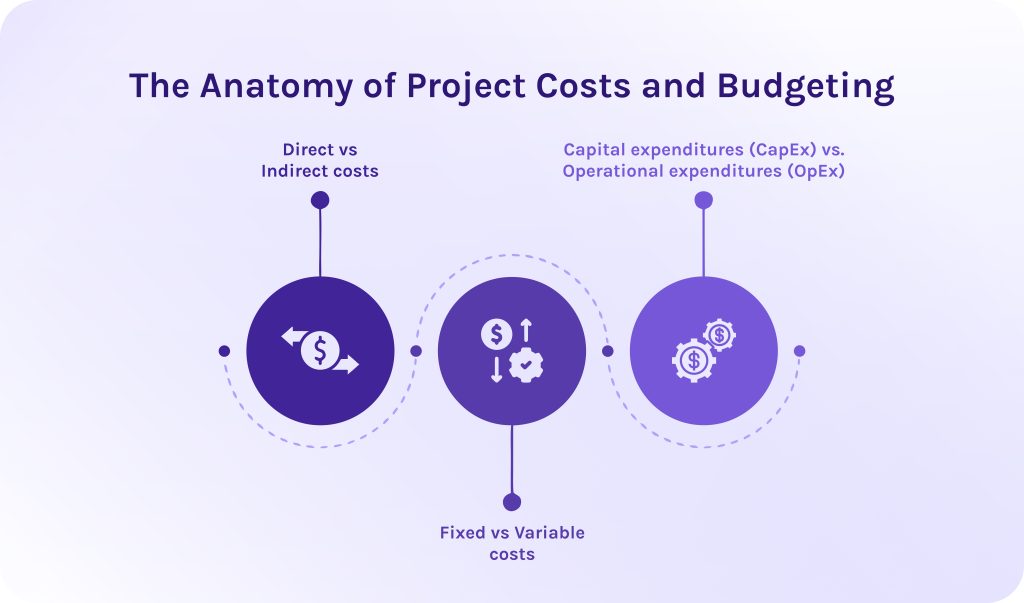
To build a resilient project budget, project managers categorize financial outlays across multiple variables:
- Direct vs. indirect costs: Direct costs are those that describe project deliverables, like working hours, cost of raw materials for manufacturing, cost of software license, or production supplies. On the other side, indirect costs support the whole business but cannot be tied to an exact product or service. For example, it can be office rent or medical insurance for employees.
- Fixed vs. variable costs: Fixed costs remain static regardless of project volume or execution length. However, if we’re talking about variable costs, they fluctuate based on different factors.
- Capital expenditures (CapEx) vs. Operational expenditures (OpEx): CapEx represents major long-term investments, whereas OpEx covers day-to-day operational costs incurred during project execution.
Combining these cost factors creates the total project budget, which is anchored to a baseline schedule.
Read More: The 15 Best Manufacturing Capacity Planning Tools in 2026
Why Is Cost Management Critical in 2026?
Modern economic conditions, marked by persistent wage inflation and fluctuating vendor rates, have made financial visibility non-negotiable.
Industry research indicates that over 40% of enterprise projects finish over budget, with scope creep accounting for an average budget overrun of 27%. Across all industries, approximately 11% to 12% of total project investment is lost due to poor performance and financial mismanagement [2].
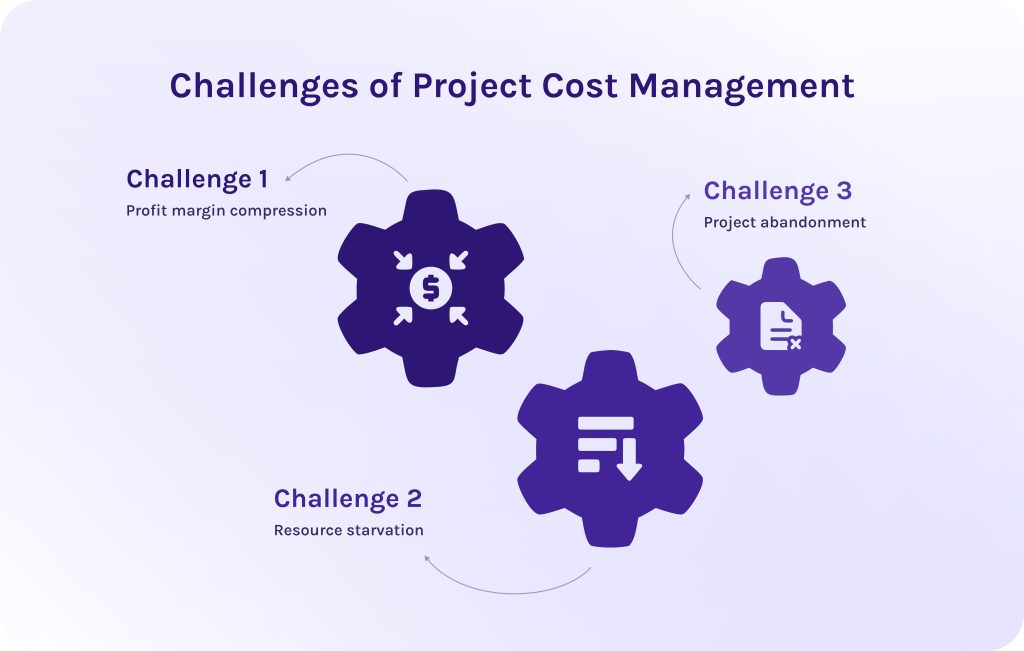
When project costs run over baseline, the downstream consequences severely impact an organization:
- Profit margin compression. Unplanned project cost overruns directly erode client margins or consume operational budgets.
- Resource starvation. Projects exceeding their budget limits often draw capital and personnel away from other strategic initiatives, consequently destabilizing broader portfolio performance.
- Project abandonment. Severe overruns frequently trigger outright project cancellations, causing companies to lose their initial sunk costs without receiving any functional deliverables.
However, modern project cost management tools unify resourcing and finance into a single operational interface:
- Cost estimating tools in project management automatically calculate project burn rate when employees log time against a project task, multiplying those hours by their specific billable rate.
- Cost control tools in project management dynamically forecast capacity and project cost needs.
- Project management software with cost management features allows companies to sync directly with corporate ERP and accounting software.
Ready to eliminate manual tracking delays and protect your project margins? Contact HYS Enterprise today to learn how our software integration and custom development experts can unify your resourcing and financial systems into a seamless, high-performance solution.
Read More: 3 Essential Types of Capacity Planning Strategies and When to Use Them
Essential Project Cost Management Tools and Techniques
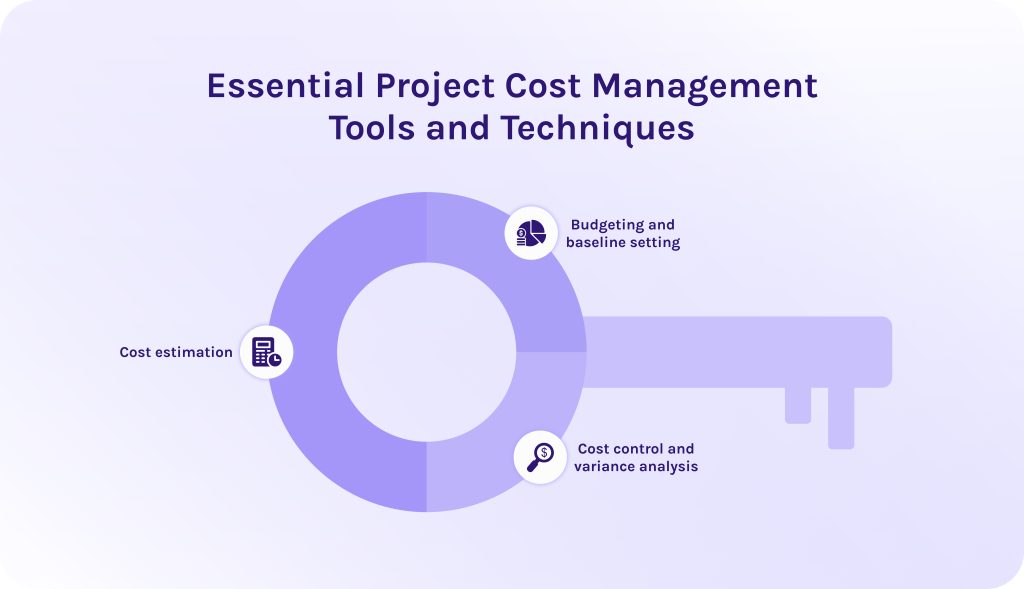
To manage project costs effectively, you need to master balancing between:
- strategic estimation,
- baseline budgeting,
- real-time control.
In this regard, if you combine specialized cost management tools in project management with proven analytical techniques, it’ll keep projects on track financially throughout their execution lifecycle.
1. Cost estimation.
Cost estimation is an essential process of predicting what financial resources are required to complete all project deliverables, which occurs in the early project planning phase. Selecting the right cost estimating tools in project management depends on how much project data and scope detail are available.
2. Budgeting and baseline setting.
Once estimates are complete, project budgeting software aggregates cost items into a time-phased cost baseline that sets approved project funding limits over time. Accordingly, modern budget management tools allow PMs to lock in approved baselines and visualize projected cash-flow curves against actual spend targets over time.
3. Cost control and variance analysis.
Cost control tracks actual expenditures against the cost baseline. It is used to detect performance variations early and execute timely corrective actions. So, in this case, cost analysis tools project management frameworks rely on continuous data monitoring.
Thanks to dedicated cost estimation tools in project management, teams can aggregate all needed information automatically. These tools trigger immediate alerts when variance thresholds are breached, preventing budget overruns before they escalate.
Read More: The Definitive Guide to Enterprise Project Management Software for 2026
Key Features to Look For in Cost Management Software
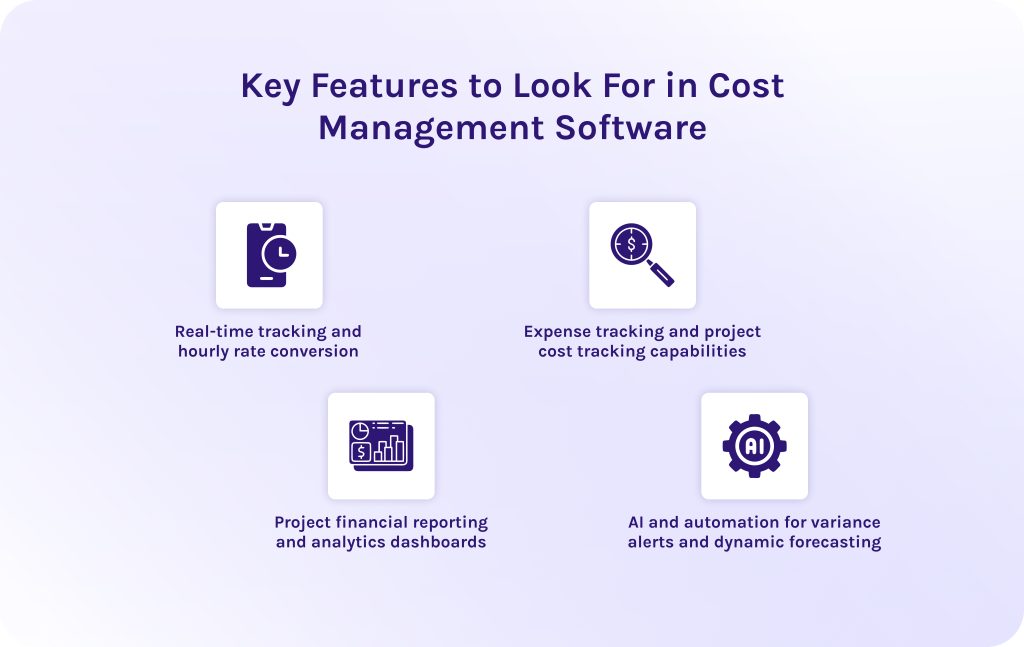
Selecting effective project cost management tools requires looking beyond basic task management. Robust platforms bridge day-to-day project execution with live financial oversight, ensuring core project management features directly support budget health.
1. Real-time tracking and hourly rate conversion.
Labor is often the single largest variable expense in any project budget. Cost management features like dynamic rate cards and automated skill multipliers instantly calculate gross margins while accounting for internal costs and overtime rules. As team members log hours via mobile or desktop apps, live burn tracking updates cumulative spending against the budget baseline to catch cost overruns immediately.
2. Expense tracking and project cost tracking capabilities.
Dedicated cost tracking features help companies monitor spending and ensure that non-labor expenses do not silently erode project profit margins. For instance, capabilities like direct receipt capture and purchase order tracking log committed funds and physical outlays instantly. This, in turn, prevents unexpected budget depletion before vendor invoices are even paid.
Additionally, tagging expenses as CapEx or OpEx at entry simplifies tax compliance and guarantees clean synchronization with corporate accounting systems.
3. Project financial reporting and analytics dashboards.
The proper project cost management tools translate massive data sets into clear reports for both project managers and C-suite executives. Portfolio-level rollups aggregate metrics across departments to give leadership macro-level visibility into overall company financial health.
4. AI and automation for variance alerts and dynamic forecasting.
Advanced project management software powered with cost tracking features uses artificial intelligence to automate complex but repeatable workflows and simplify decision-making. Features like predictive algorithms calculate realistic final costs based on historical team velocity. Additionally, AI-powered scenario planning models the financial impact of scope shifts and resource changes, allowing teams to evaluate trade-offs instantly before making costly decisions.
Read More: Tired of MS Project? 16 MS Project Alternatives for Modern Teams
Top Project Cost Management Tools 2026 (Detailed Comparison)
Obviously, there is no best cost management software as all these tools are suitable for different companies in different cases. We gathered seven leading cost analysis tools for project management and created a detailed review of each solution.
1. Microsoft Project
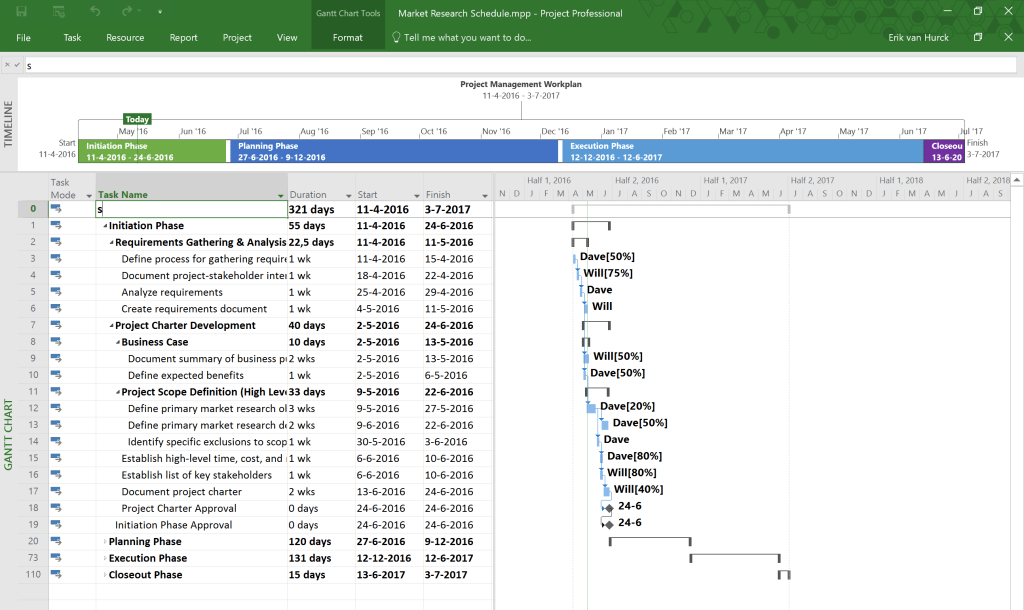
Microsoft Project is one of the most widely known project management tools present in the market. It has become so popular thanks to a combination of portfolio management and financial control into a centralized environment. Developed by Microsoft, this project and cost management software is an inevitable part of the Microsoft ecosystem and will be the best choice for teams deeply integrated into it.
Best use case
This software for project cost management will be a decent choice for enterprise organizations in completely different sectors, from government to IT, that manage multi-million-dollar programs and demand advanced budget management tools.
Key cost control features
- Baseline vs. actual cost comparisons.
- Custom resource cost rates.
- Rate-table shifts over time.
- Native EVM metrics ($CPI, SPI, EV, PV, AC$).
Time tracking & resourcing capabilities
- Detailed resource assignment sheets with work contouring.
- Integration with enterprise resource planning (ERP) timesheet modules.
Pros
- Users value its depth for enterprise reporting and financial baseline control.
- Native integration with the Microsoft 365 ecosystem.
Cons
- Has a steep learning curve.
- Rigid structure makes it over-engineered for lightweight workflows.
Pricing
- Planner Plans (Cloud) start at ~$10/user/month (Plan 1) up to $55/user/month (Plan 5).
- Desktop/on-premise licenses available separately.
2. Epicflow
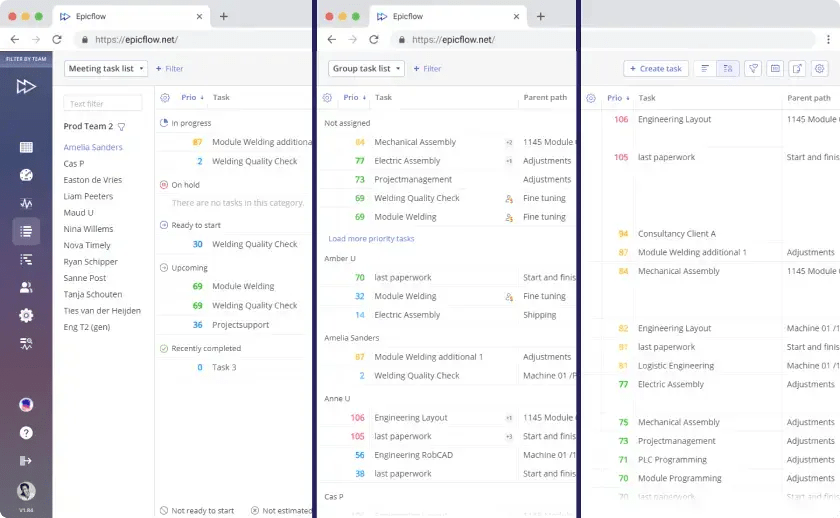
The next solution on our list of project cost management tools is Epicflow. It is a multi-project resource management and capacity planning platform powered by artificial intelligence. It aims to help companies handle their complex project portfolios. It is built on principles of critical chain project management (CCPM). It continuously balances workload distribution across shared resource pools to keep multi-project operations flowing efficiently.
Best use case
Suits perfectly large PMOs and complex multi-project organizations (e.g., in defense, aerospace, or software) where multiple teams draw from shared, finite resource pools and demand predictive bottleneck resolution.
Key cost control features
- Predicts budget overruns through AI-powered predictive analysis.
- “What-If” financial impact simulations.
- Dynamic load balancing.
Time tracking & resourcing capabilities
- Skill- and role-based resource scheduling.
- Advanced capacity forecasting.
- Automatic task prioritization based on load.
- Third-party time-tracking integrations.
Pros
- It allows companies to solve resource bottlenecks easily.
- It helps allocate budget to the highest value initiatives.
- It prevents costly delays before they impact budgets.
- Seamlessly connects with Jira and MS Project.
Cons
- Primarily focuses on resource constraints.
- Custom enterprise setup required.
Pricing
Has custom pricing for the enterprise plan. However, it also has a growth plan for smaller teams, at a price of €22.5 monthly/billed annually.
Reach out today to schedule a consultation and transform your complex budgeting processes into a scalable competitive advantage.
3. Harvest
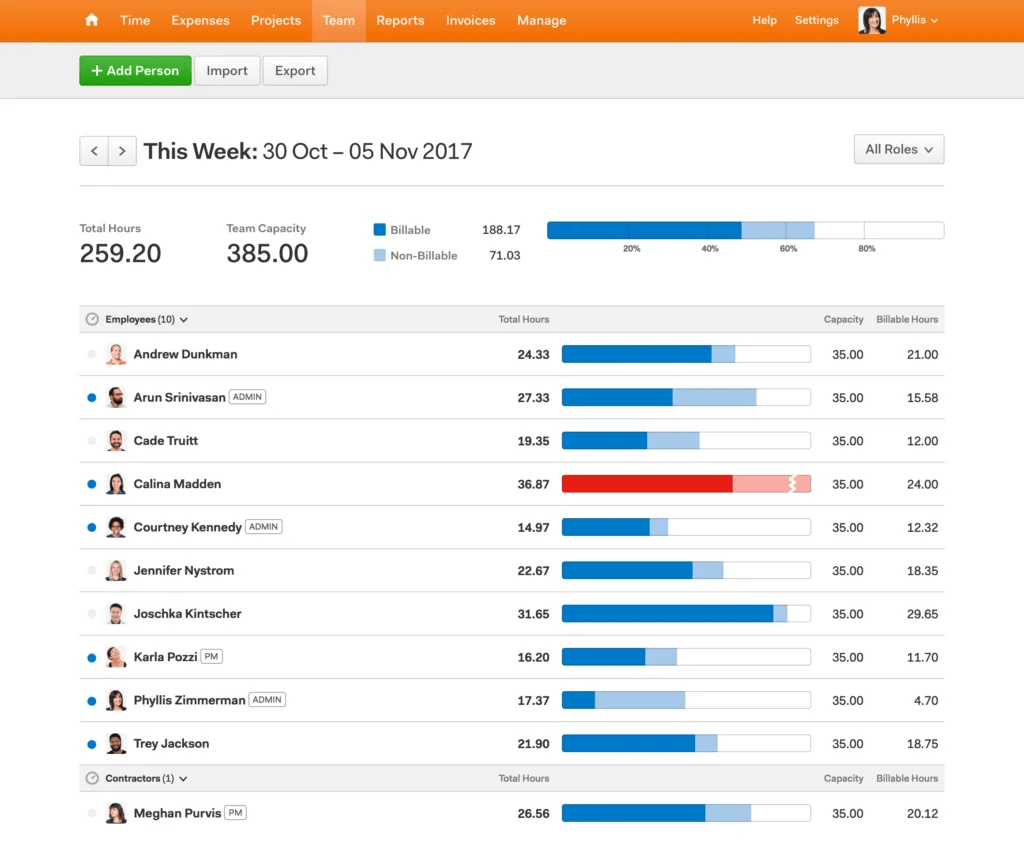
Harvest is a cloud-based project budget management platform designed to translate tracked labor into actionable project billing data. It focuses on simplicity, enabling individual contributors to seamlessly record hours and providing managers with real-time financial reporting.
Best use case
This cost and project management software is the best solution for operations teams and small-to-midsize service businesses that bill clients on an hourly or fixed-fee basis.
Key cost control features
- Project cost tracking.
- Real-time visual progress bars.
- Fixed-fee vs. time-and-materials budget monitoring.
- Quick receipt/expense logging.
Time tracking & resourcing capabilities
- Intuitive desktop/mobile timers.
- Integrated timesheet approval workflows.
- Synergy with sister tool Forecast for capacity planning.
Pros
- Extremely easy to adopt.
- Direct integration with Stripe and QuickBooks for immediate client invoicing.
Cons
- Lacks deep project scheduling tools.
- Critical path analysis and advanced financial modeling are absent.
Pricing
- Free plan (1 seat, 2 active projects).
- Pro plan is ~$10.80/user/month (billed annually).
4. Wrike
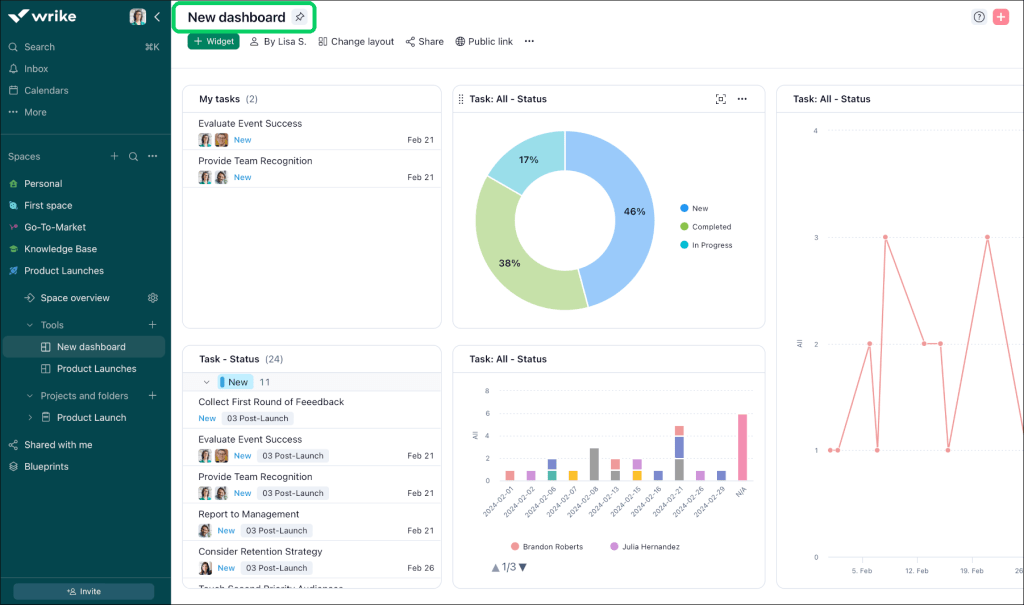
Among other project cost management tools, Wrike is a highly flexible work management platform designed to connect cross-functional teams. Moreover, it helps streamline work processes through customized workflows.
Best use case
Wrike is the best fit budgeting software for mid-to-large enterprises and cross-departmental operations that require centralized project management alongside real-time budgeting.
Key cost control features
- Project budget fields.
- Custom financial formulas.
- Real-time cost burn-up/burn-down reporting charts.
- Automated budget alerts.
Time tracking & resourcing capabilities
- Built-in task timers.
- Role-based billable/cost rates.
- Workload balancing views.
- Aggregated team timesheets.
Pros
- Highly adaptable dashboards and automation engine.
- Users value its strong cross-departmental collaboration features.
Cons
- Advanced financial calculations and full resource workload management require higher-tier subscriptions.
Pricing
- Free plan available.
- Team plan starts at $10/user/month.
- Business plan at $25/user/month.
- Higher enterprise tiers (Pinnacle/Apex) are custom-quoted.
5. NetSuite OpenAir
The next solution on our list of project cost management tools is an enterprise professional services automation (PSA) solution. It is designed to manage end-to-end professional services operations, from initial opportunity through project execution to automated billing.
Best use case
NetSuite OpenAir will be an ideal choice for organizations that operate multi-currency and multi-entity environments that demand strict regulatory compliance and deep ERP accounting integration.
Key cost control features
- Advanced project accounting.
- Complex billing rules.
- Real-time margin visibility.
- Foreign currency conversion.
Time tracking & resourcing capabilities
- Global resource scheduling.
- Skill matrix matching.
- Utilization tracking.
- Detailed mobile timesheets with receipt photo-capture.
Pros
- Effortlessly handles complex corporate taxation and multi-entity global operations.
- Deep ERP-level financial management.
Cons
- Has a dated user interface compared to modern SaaS products.
- Complex setup.
- Expensive implementation.
Pricing
Quote-based enterprise licensing (typically starting with a base platform fee around 999–2,500+/month plus per-user fees around 129–199/user/month, with discounted self-service seats for time and expense entry).
6. ClickUp
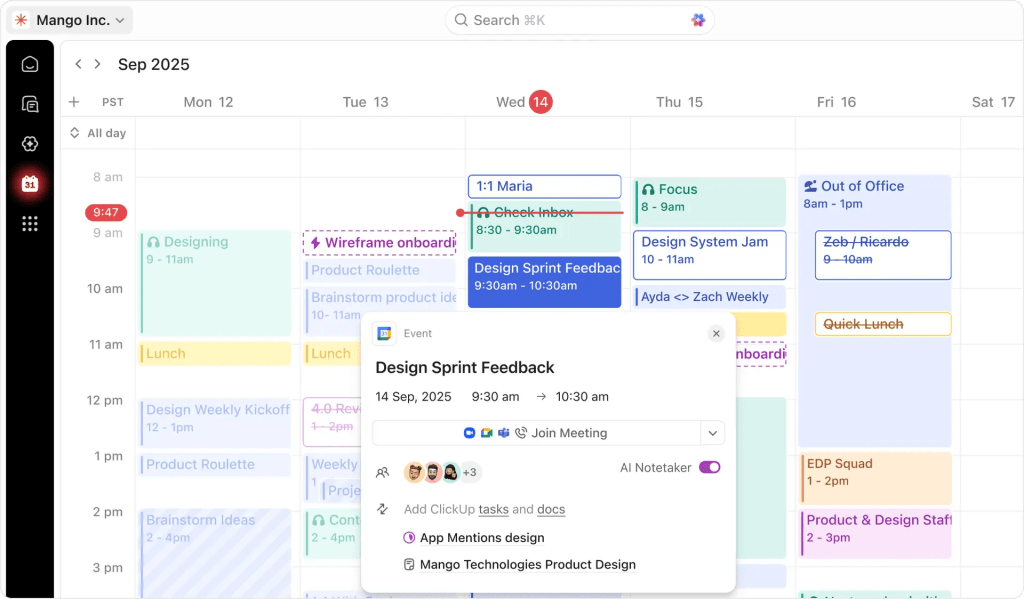
The penultimate project budgeting software on our list is ClickUp. It is an all-in-one productivity and work management platform that unifies project planning and customizable financial dashboards into a single flexible workspace.
Best use case
This project cost management tool is ideal for fast-growing startups and mid-sized tech teams seeking a highly configurable solution that unifies tools for project and cost management into a single system.
Key cost control features
- Formula-based custom fields for automatic budget calculations.
- Spend metrics tracking.
- Project targets.
- Customized dashboard widgets for real-time burn analysis.
Time tracking & resourcing capabilities
- Global native time tracking.
- Billable/non-billable time flags.
- Real-time comparison of estimated vs. actual hours logged.
- Capacity and workload allocation views.
Pros
- Highly customizable platform.
- Low entry cost for small-to-mid teams.
- Combines budget monitoring with extensive task automations.
Cons
- Granular flexibility can cause configuration bloat.
- According to user reviews, performance can lag when running complex dashboards on massive workspaces.
Pricing
- Free forever plan.
- Unlimited plan starts at $7/user/month.
- Business plan at $12/user/month (annual billing).
- ClickUp Brain AI available as an optional add-on.
7. Scoro
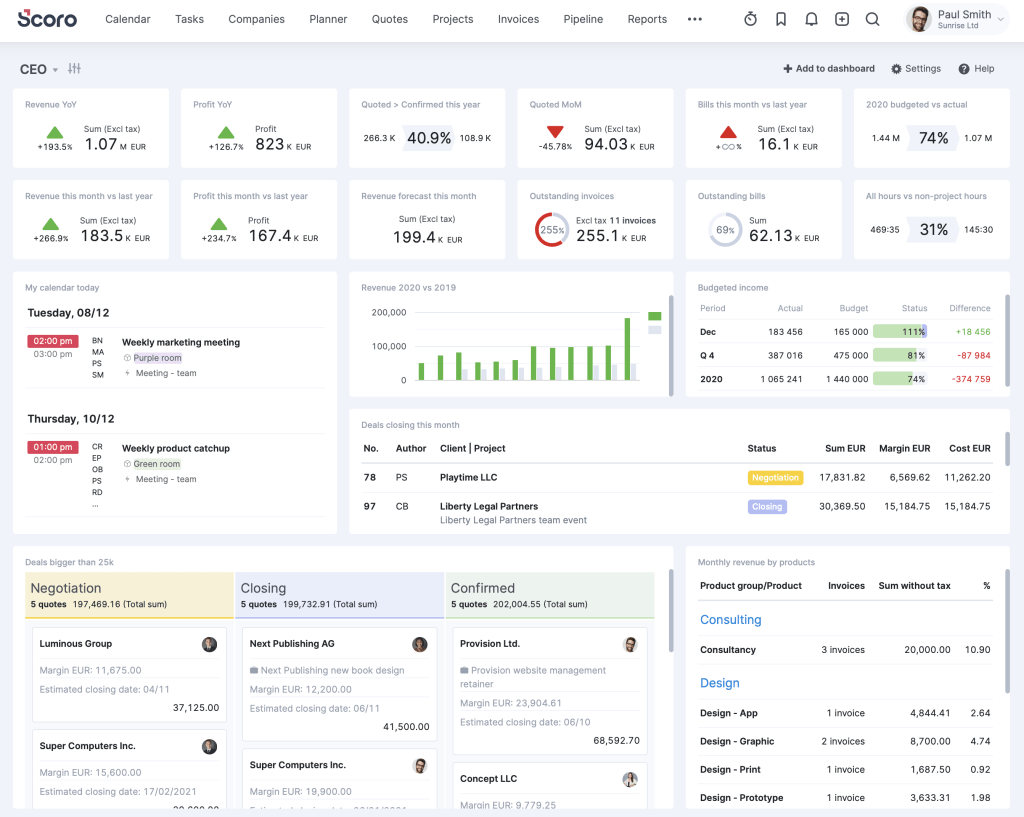
The last but not least solution on our project management cost tools is Scoro, which is an end-to-end professional services automation (PSA) platform. This cost management software connects every step of the quote-to-cash workflow, from initial sales proposals to live project accounting.
Best use case
Among other cost control tools in project management, this solution suits professional services firms that need end-to-end operational alignment.
Key cost control features
- Quoting-to-budget transformation tools.
- Internal labor cost rates.
- Real-time profitability tracking.
- Supplier purchase order management.
- Detailed budget vs. actual analytics.
Time tracking & resourcing capabilities
- Built-in time recording.
- Automatic timesheet creation.
- Dynamic utilization rates.
- Advanced capacity planning.
Pros
- Unifies project management and core financial controls into a unified interface.
- Provides immediate clarity on client and project profit margins.
Cons
- Higher baseline expense due to a mandatory 5-user minimum across standard tiers.
- Steeper onboarding curve compared to other tools.
Pricing
- Core/Essential plan starts at ~19.90-26/user/month.
- Growth/Standard at ~32.90-37/user/month.
- Performance/Pro at ~49.90-63/user/month.
All plans are subject to a 5-user minimum requirement.
Read More: Top 7 Best Strategic Portfolio Management Tools for Your Organization
How We Selected the Best Project Cost Management Tools 2026: Our Methodology
We evaluated 7 project cost management tools based on five common standards:
- Pricing transparency.
- Ease of adoption.
- AI and automation features.
- Integration ecosystem.
- Depth of financial capabilities.
Our analysis of top project management tools for 2026 cost management has been done based on deep research of verified user reviews from Capterra, G2, and SoftwareAdvice to understand if what marketing says is any different from reality. Secondly, we studied official documentation of each software solution and pricing pages to estimate transparency of offered capabilities and pricing.
Read More: Best Engineering Project Management Tools: Complete Guide & Comparison
Top Project Cost Management Tools Comparison
| Tool | Target audience | Primary strength | Pricing |
| Microsoft Project | Enterprise and large PMOs | – Native EVM metrics. – Baseline vs. actual. – Rate-table shifts over time. |
Planner Plans start at $10/user/mo. |
| Epicflow | Multi-project PMOs | – CCPM principles. – AI-driven overrun prediction. – “What-If” financial simulations. |
€22.50/user/mo Growth tier |
| Harvest | Small-to-mid services | – Simple project cost tracking. – Real-time budget bars. |
Free plan available;
Paid from $9/user/mo. |
| Wrike | Mid-to-large cross-functional teams | – Custom budget fields. – Formulas. – Real-time burn-up/down charts. – Automated alerts. |
Free plan available;
Paid from $10/user/mo. |
| NetSuite OpenAir | Global enterprise and professional services | – Advanced project accounting. – Multi-currency complex billing rules. |
Quote-based (~$399–$899 base + ~$49/user/mo). |
| ClickUp | Fast-growing startups | – Formula-based custom fields. – Target tracking. – Customizable financial dashboards. |
Free plan available;
Paid from $7/user/mo. |
| Scoro | Mid-to-large professional services | – End-to-end quote-to-cash workflow. – Labor cost rates. – Supplier PO management. |
Paid from $17/user/mo (5-user minimum). |
Read More: AI in Project Portfolio Management: 7 Key Trends & Features
How to Choose the Right Project Cost Management Tools for Your Business
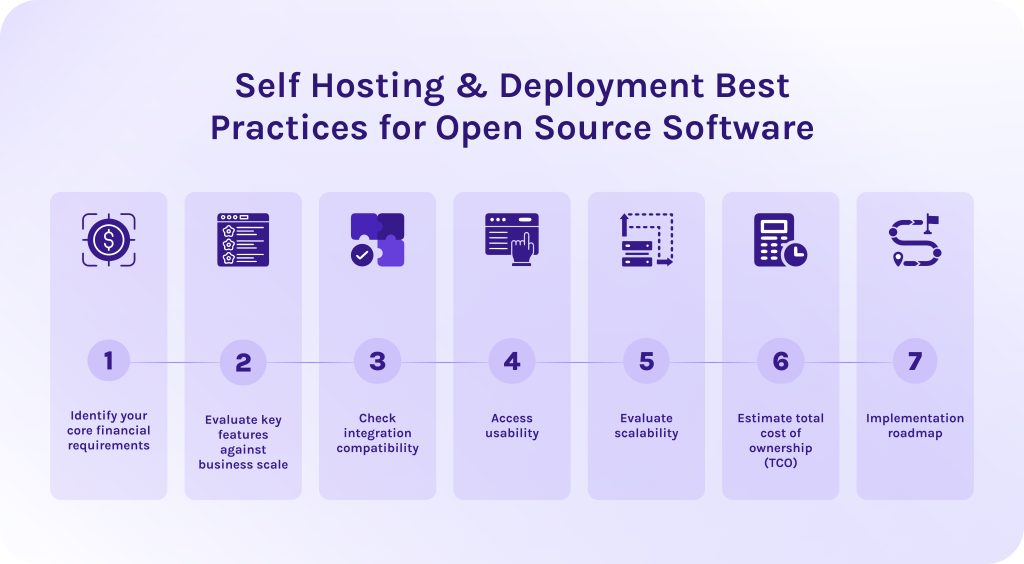
To select the right cost management tools in project management, you need to change the mindset of your team, not only the software. Now, you need to think about strategy rather than about tracking past expenses. Effective budget management requires software that protects profit margins and gives complete visibility over your project budget management.
Step #1 – Identify your core financial requirements.
This step focuses entirely on what your financial processes look like internally, independent of any software product. You are auditing how your business currently handles money on projects and identifying the specific functional capabilities you need to manage project finances accurately.
Step #2 – Evaluate key features against business scale.
The next step of choosing budgeting software is matching candidate software features to your requirements. Here, you evaluate feature depth against your operational scale.
Step #3 – Check integration compatibility.
This step ensures your cost control software connects directly with your existing software ecosystem. It’ll eliminate manual data entry and all errors connected to it.
- First of all, check for native integrations embedded into the cost management software. It can be ERP systems, accounting platforms such as SAP, tools for time tracking and human resources needs. No less important is to look for integrations with CRM systems and standard project management tools.
- Also, check for the ability to connect with third-party vendors through APIs and middleware like Zapier.
Step #4 – Access usability.
Then, look for the project budgeting software that your team can easily adopt and use further. The most mathematically sophisticated cost management tool is useless if team members bypass it because features are too complex.
- The cost control tool must possess an intuitive user interface that reduces friction.
- Each operation should include as few clicks as possible.
- The learning curve shouldn’t be steep.
Step #5 – Evaluate scalability.
Seamless scalability is a must-have for growing companies as well as for huge market players, as their project portfolios will also grow and develop. Scalability ensures the project cost management tools software grows seamlessly alongside your organization without suffering performance degradation. The proper tools shouldn’t require complete architectural overhauls to be efficient.
Step #6 – Estimate total cost of ownership (TCO).
The price listed on the official vendor’s website rarely reflects the true spending you’ll need to make. Thus, calculating TCO helps you avoid costly surprises. Here, you need to calculate all direct and indirect expenses over a 3 to 5 year lifecycle. Take into account paid tiers, licensing, spending on the implementation and training, the possibility of paid integrations, and further customization of the cost management tools in project management.
Step #7 – Implementation roadmap.
To minimize possible risks while implementing cost management software, the last thing you should do is create a structured deployment plan. Below, we’ve listed the main steps that it should include:
- Align stakeholders and define success criteria. Assemble an implementation team and define explicit KPIs.
- Configure workflows and clean legacy data. Before using your new project budgeting software, set up your basic accounting rules. Then, clean up your old spreadsheets. Remove all duplicate or outdated numbers so you transfer only accurate data into the new software.
- Build and test critical integrations. Connect your new project cost management tool to already existing apps so they can automatically share information. Run test transactions to verify bidirectional sync accuracy.
- Test with a controlled project group. Roll out the software to a single department or 2-3 representative active projects for 30 days. After this period, gather feedback from PMs and finance personnel to improve workflows before further scaling.
- Execute role-based training and go-live. Conduct tailored training sessions by role. Decommission legacy tools and make the new software the official system of record.
Read More: Value Management Office (VMO): The Complete Guide to Lean Portfolio Management
Conclusion
There are no “best” project cost management tools. The main secret is to define your operational bottlenecks and choose the software accordingly.
- If your main struggle is to manage budgets across too many multiple concurrent projects, choose Epicflow, Microsoft Project, or NetSuite OpenAir.
- If you’re struggling with managing cross-functional teams, Wrike will help you to get your second wind.
- If you need to manage finances across small teams or faster-growing startups, think about taking a closer look at Harvest, ClickUp, or Scoro.
Whatever your choice will be, remember that no software can fix an undefined process. The ultimate success of your project cost management platform depends on the clarity of your core financial workflows and consistent team adoption.
Contact HYS Enterprise experts to build custom project cost management software tailored specifically to your financial workflows.
Frequently Asked Questions (FAQs)
1. What is project cost management?
Project cost management is an essential activity for any business as it helps companies plan and monitor their budget. It gives team leaders clear visibility into spending at every project phase, preventing overruns and maximizing overall resource efficiency at the same time.
2. What are some effective tools for managing project budgets?
During our research, we highlighted 7 top project cost management tools: Microsoft Project, Epicflow, Harvest, Wrike, ClickUp, Scoro, NetSuite OpenAir.
3. How to manage budgets as a project manager?
To manage project budget effectively, you need to:
- Establishing a realistic baseline.
- Continuously track actual costs against that baseline using real-time project management software.
- Identify financial variances early.
- Use techniques like earned value management (EVM).
- Managing scope creep.
- Keeping open communication with stakeholders.
4. What is the 70-10-10-10 budget rule?
This rule dictates how an individual should distribute their resources. It says that 70% of take-home income goes to living expenses, 10% to short-term savings, 10% to long-term investments (or debt payoff), and 10% to giving or fun money.
5. What are project cost management tools?
Project cost management tools are specialized software that helps companies allocate and monitor their budget. More advanced cost estimation tools for project management even allow businesses to forecast expenditures throughout a project’s lifecycle, thanks to integrated predictive algorithms, detecting cost overruns before they breach the approved budget.
6. How does project cost tracking software differ from general business accounting software?
- Cost tracking tools are focused on real-time spending tied specifically to individual projects.
- business accounting software, in turn, manages overall company-wide financial health and taxes.
7. What key features should I look for in project cost management tools?
- Real-time tracking.
- Hourly rate conversion.
- Expense tracking.
- Project cost tracking.
- Project financial reporting.
- Analytics dashboards.
- AI and automation.
- Variance alerts.
- Dynamic forecasting.
8. How do AI and automation improve project cost control?
AI and automation significantly enhance cost control, thanks to the ability to forecast budget variances in real time. Furthermore, these advanced technologies can automatically track expenses as team members log hours or submit invoices. It eliminates manual data entry errors, making your corporate data more accurate and reliable.
9. What is earned value management (EVM), and why do software tools use it?
Earned value management (EVM) is a project management methodology that integrates different metrics connected to the project schedule and scope of work to objectively measure a project’s performance and progress. Modern project cost management tools use EVM to give teams early visibility into budget variances and timeline delays.
10. Can project cost management tools integrate with existing accounting systems?
Yes, project cost management tools often integrate with modern accounting systems. They can do it through APIs or pre-built connectors. This helps companies avoid work duplication by syncing real-time data from different tools directly into a single source of truth.
References
- https://arxiv.org/pdf/1304.4476
- https://speakwiseapp.com/blog/project-management-statistics
- https://www.researchgate.net/publication/283210199_Project_Cost_Management
- https://www.researchgate.net/publication/270846677_Project_Cost_Management_-_Global_Issues_and_Challenges
- https://www.researchgate.net/publication/340031558_Project_Cost_Management
- https://www.researchgate.net/publication/363053257_Project_Cost_Management
- https://www.researchgate.net/publication/379982301_Cost_Management_Practices_and_Performance_of_Ministry_of_Education_Funded_School_Construction_Projects_in_Marigat_Sub_County
- https://www.researchgate.net/publication/329380727_Elements_of_project_cost_management
- https://www.researchgate.net/publication/308801931_SOFTWARE_SUPPORT_IN_PROJECT_COSTS_MANAGING
- https://www.researchgate.net/publication/396930146_The_Principles_and_Practices_of_Project_Cost_and_Financial_Management
- https://www.researchgate.net/publication/282853561_Cost_management_of_projects_using_a_standard_PMBOK_in_engineering_projects
- https://www.researchgate.net/figure/Cost-management-through-the-project-lifecycle_fig1_287400855
Comprehensive Guide to Risk Management Tools: Frameworks and Best Practices Reviewed
What Are Risk Management Tools and Why Are They Vital?
Before we proceed to the main section of the article, we need to understand the basics.
What are risk management tools?
Risk management tools are specialized software designed to help organizations systematically identify and mitigate potential risks before they disrupt operations. Moreover, these tools help evaluate consequences of risks and track their actual impact on your processes [2].
Tools for risk management move far beyond static spreadsheets. They gather data about your day-to-day activities, strategic plans, technical aspects of work into a single source of truth and automate risk management workflows. Furthermore, risk management platforms enable project leads and executive teams to monitor threat levels in real time and execute proactive response strategies.
Read More: Ultimate Guide: The Best Backlog Management Tools in 2026
What is an enterprise risk management platform?
At a broader level, risk management tools scale into enterprise risk management (ERM) frameworks. ERM platforms connect risk data across multiple departments, aligning:
- Governance.
- Compliance.
- Day-to-day execution.
- Strategy.
- Prioritization.
- Resource allocation.
Modern tools strengthen business resilience in several vital ways:
- They provide centralized risk registers. Risk management software replaces fragmented files with a unified database where teams can gather all data about identified hazards, risk owners, and response plans [3].
- They automate risk scoring. Risk management platforms evaluate likelihood and severity of each risk and prioritize high-impact threats using specialized criteria.
- They track regulatory compliance. Risk management software tools automatically capture audit trails and align internal controls with industry standards like ISO 27001 or SOC 2 [5].
- They provide real-time dashboards and system alerts. Automated risk management tools give leadership a portfolio-wide visibility and send instant notifications when threat thresholds are breached [4].
Ultimately, embedding risk management platforms into standard workflows turns risk management into a repeatable, data-driven discipline that protects capital and ensures business continuity.
Read More: 8 Best Strategic Portfolio Management Tools & Software in 2026
Core Principles: The Risk Management Process and Techniques
An effective risk management process replaces guesswork with a system that relies on actual, quality data. Standardizing how threats are handled helps organizations combine structured risk management techniques with modern software to maintain control over project delivery.
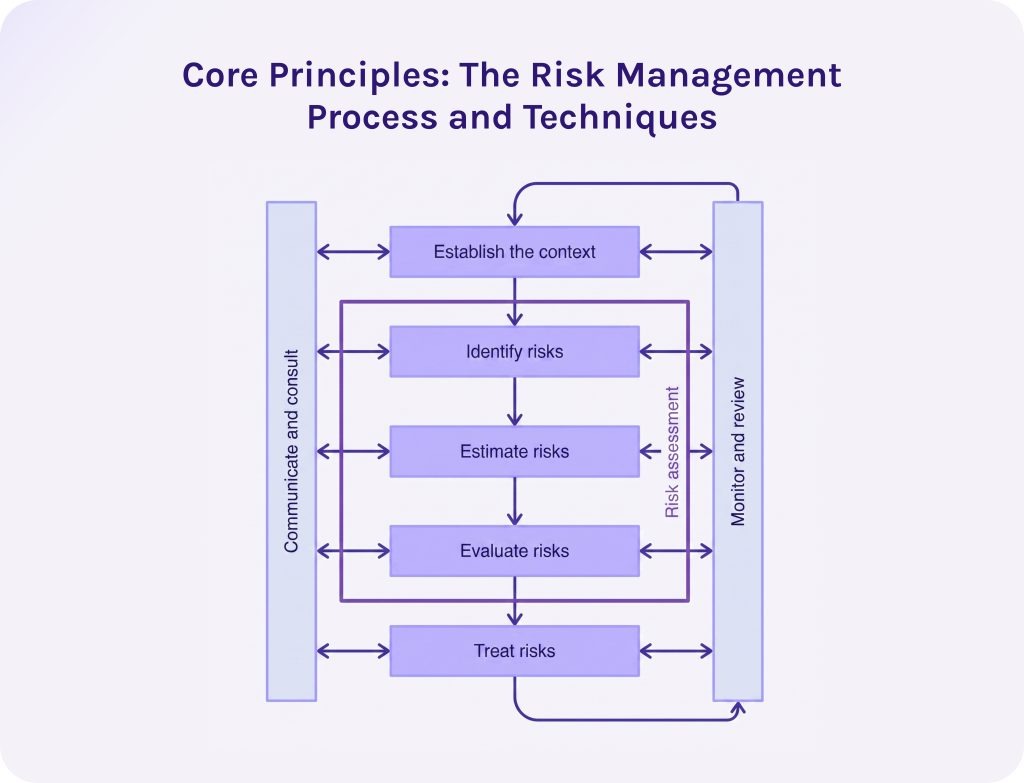
1. Risk identification and analysis (pinpoint potential risks and uncover core vulnerabilities.)
The first stage focuses on surfacing potential risks before they disrupt operations. Teams apply targeted risk management tools and techniques to collect threats and understand why they occur:
- Risk analysis. Teams map out dependencies between risks and operations and make assumptions why they actually happen to spot early warning signs.
- Root cause analysis. Then, teams use structured methods like the 5 Whys or Fishbone (Ishikawa) Diagrams to isolate the core drivers behind potential failures. It ensures that teams address actual vulnerabilities rather than work with imaginary threats [6].
2. Risk evaluation and prioritization (gauge potential impact and assign priority levels.)
Not all hazards carry equal weight. A formal risk assessment evaluates each item based on two core metrics: probability (likelihood of occurrence) and severity (financial or operational impact).
- Qualitative scoring. Categorizing items on a risk assessment matrix or probability-impact matrix (e.g., high, medium, low) to highlight critical items immediately [7].
- Quantitative risk analysis. Running numerical simulations (such as Monte Carlo analysis) to estimate precise financial cost overruns and schedule delays.
3. Response to risks and their control (mitigation strategies deployment and execution of response plans).
The final stage translates insights into exact action. Teams document these measures within a structured risk management plan, which outlines owners, triggers, and contingency budgets. Standard risk mitigation strategies include:
- Risk avoidance. Changing project scope or architecture to bypass the hazard entirely.
- Risk mitigation. Creating safeguards to reduce either the likelihood or the operational impact.
- Risk transfer. Reallocating financial liability to third parties via insurance or vendor contracts.
- Risk acceptance. Acknowledging low-impact threats and setting aside explicit contingency reserves.
Read More: Overcoming Project Portfolio Management Challenges: A Guide to Scaling Enterprise Delivery
Essential Frameworks and Tools for Risk Management
Effective risk management and governance relies on combining qualitative analysis with quantitative tools to anticipate disruptions. When you structure your evaluation around established methodologies it helps you categorize project risks and systematically plan responses.
1. Risk Register
We can consider a risk register as the master database for tracking every identified threat throughout a project’s lifecycle. Its main purpose is to become a single source of truth for every team member and stakeholder.
Key components
- Unique risk ID. A unique identifier presented as alphanumeric code and assigned to each entry for easy tracking and referencing across logs.
- Description of the hazard. It is a concise summary detailing the specific event, its potential causes, and its immediate consequences.
- Category. Classification tag (e.g., technical, financial, legal) used to group, filter, and analyze related project risks.
- Trigger conditions. Here you write specific early warning signs or events that indicate a risk is actively occurring.
- Inherent risk score. It is a rating of a threat’s potential impact and likelihood.
- Assigned risk owner. The specialist responsible for continuously monitoring project risks and executing the risk mitigation strategy.
- Action plan. The step-by-step risk mitigation strategy and contingency steps designed to handle the threat.
Core benefit
The risk register prevents project risks from falling through the cracks. It establishes clear accountability for monitoring and mitigation.
2. Risk assessment matrix.
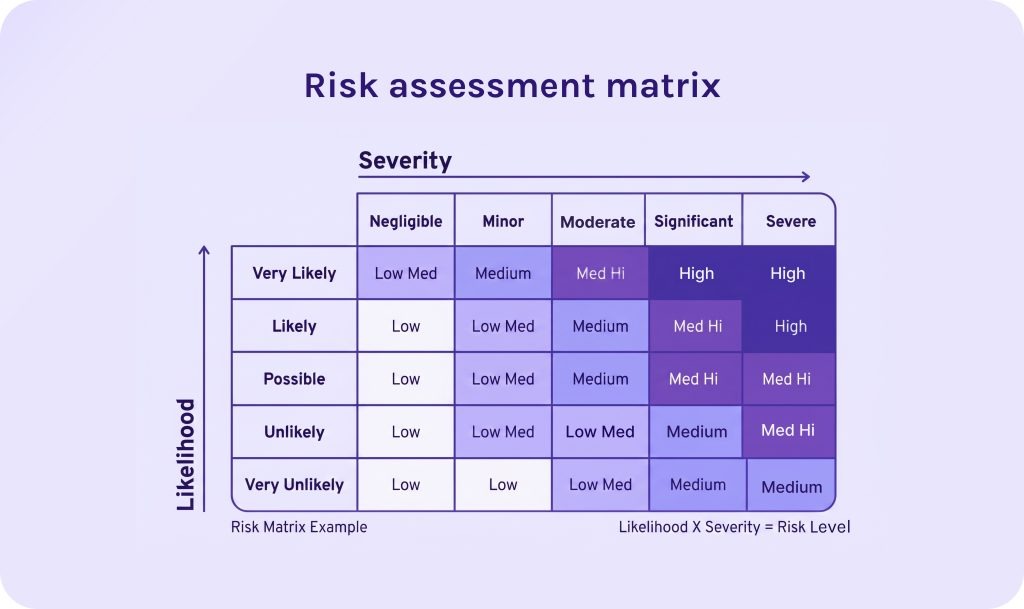
A risk assessment matrix evaluates threats by plotting two distinct variables: likelihood (the probability of occurrence) versus severity (the impact of the consequence).
Quantitative scoring
Typically uses a 3*3 or 5*5 scale where risk score = likelihood * severity
Core benefit
This risk management tool isolates high-impact, high-probability “red zone” threats that demand immediate capital and contingency planning.
3. SWOT & PESTLE analysis.
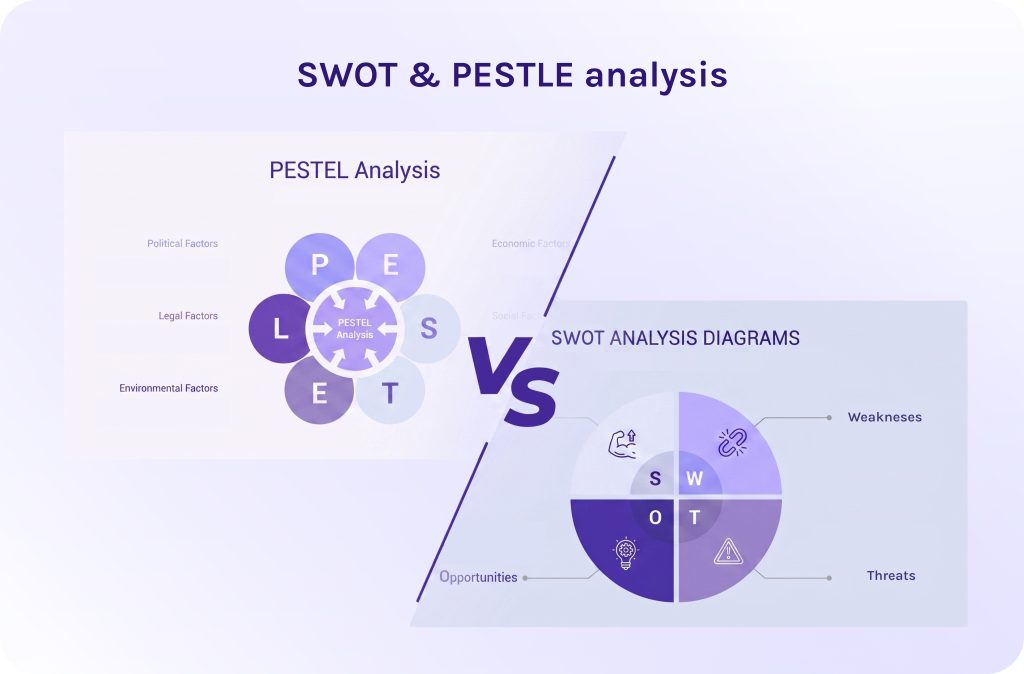
Before drilling down into itemized project logs, organizations use high-level analytical frameworks to map broader operational vulnerabilities:
SWOT analysis (strengths, weaknesses, opportunities, threats)
This framework examines internal capability gaps (weaknesses) alongside external market hazards (threats) to align strategic objectives with actual risk capacity [8].
PESTLE analysis
Analyses macro-environmental factors (political, economic, sociocultural, technological, legal, and environmental) to surface external risks before kick-off [9].
Read More: Best Scenario Planning Tools to Consider in 2026
Risk Management Tools in Project Management
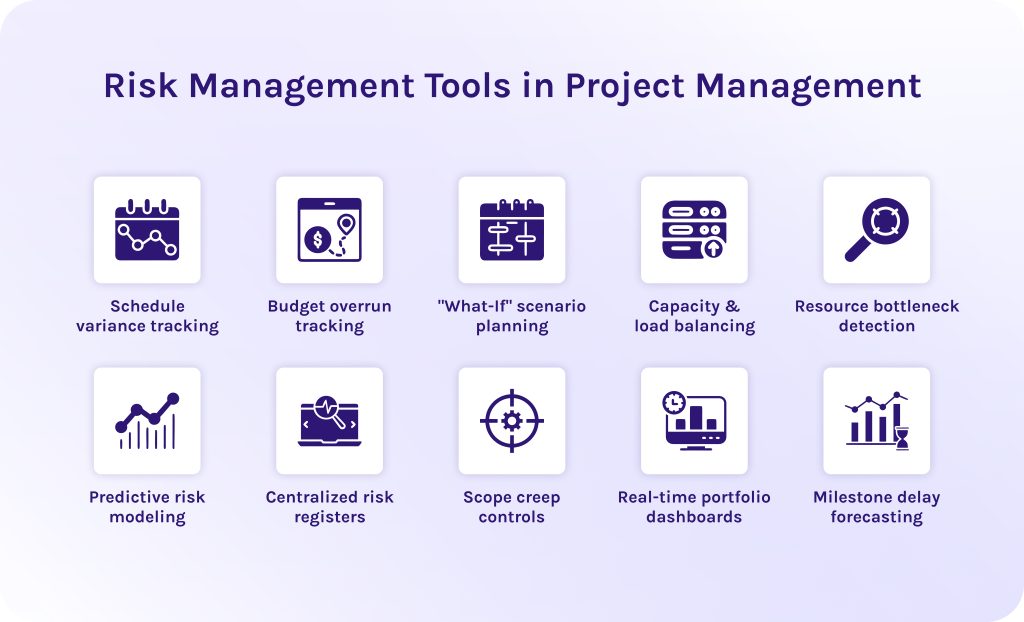
If we are talking about project delivery, project risk management tools connect high-level operational strategy and daily execution. Modern project management risk tools embedded within platforms like Epicflow or Jira continuously monitor key execution variables, like delays or capacity bottlenecks across the full project lifecycle.
Project managers utilize specialized risk management software capabilities to mitigate execution uncertainty across ten critical dimensions:
- Schedule variance tracking. Risk management tools in project management dynamically links task dependencies and critical paths to recalculate downstream impacts automatically whenever a prerequisite task slips.
- Budget overrun tracking. Automated cost-tracking features match real-time hours spent against earned value to keep financial expenditure aligned with project progress.
- “What-If” scenario planning. Advanced risk management tools for project management provide sandbox environments that allow project managers to simulate variations to model risk impacts before committing changes.
- Capacity & load balancing. Automated scheduling tools for risk management dynamically redistribute unassigned tasks across available team members to prevent burnout and smooth out demand spikes.
- Resource bottleneck detection. Real-time workload heat maps identify single-point-of-failure skill dependencies and over-allocated teams before operational stalls occur.
- Predictive risk modeling. Machine learning engines within risk management tools process historical project data to calculate the exact statistical likelihood of schedule or cost overruns on upcoming work.
- Centralized risk registers. Modern risk management software tools provide detailed logs that maintain an up-to-date repository of all identified project hazards, assigning specific owners and trigger conditions to each item.
- Scope creep controls. Project management risk tools instantly alert project leads when unplanned revisions or feature additions threaten.
- Real-time portfolio dashboards. Dynamic visual interfaces offered by modern risk management tools consolidate health metrics across multiple initiatives to give leadership immediate visibility into active threats.
- Milestone delay forecasting. Predictive algorithms within risk management tools for project management monitor project progress against baseline schedules to flag critical milestone risks weeks before deadlines are breached.
Read More: Jira Capacity Planning: The Complete Resource Planning Guide
Domain-Specific Risk Management Tools & Platforms
Organizations often deploy specialized risk management tools tailored to distinct operational domains. It helps them get exact features they need, specific integrations, and compliance frameworks required for their specific risk exposure.
1. Enterprise risk management (ERM) tools.
Enterprise risk management tools focus primarily on long-term strategy and overall organizational performance across every department, from finance and IT to legal.
Primary function
Align corporate risk management with long-term strategic goals. Enterprise risk management tools help organizations consolidate data across financial, reputational, regulatory, and market domains to guide executive decision-making [11].
Key features
- Executive risk heatmaps.
- Scenario modeling.
- Strategic goal tracking.
- Board-level reporting dashboards.
- Integrated risk management frameworks.
2. Operational risk management tools.
Operational risk management tools work perfectly on a narrower level. It utilizes a process-oriented approach focused on protecting day-to-day business execution [12].
Primary function
Operational risk management tools help companies identify and deal with threats stemming from internal process breakdowns, system failures, or even human errors [12].
Key features
- Key risk indicator (KRI) tracking.
- Automated internal control testing.
- Incident tracking logs.
- Root-cause analysis (RCA) workflows.
- Loss event databases.
3. Third-party risk management tools.
Third-party risk management (TPRM) software focuses mainly on evaluating and mitigating different types of risks introduced by external vendors. They are also called vendor risk management tools or supplier risk management tools [10].
Primary function
Top-rated supplier risk management tools centralize due diligence and continuous vendor monitoring to ensure third parties do not introduce cybersecurity vulnerabilities or compliance failures into your organization [10].
Key features
- Automated vendor security questionnaires (SIG/CAIQ).
- Continuous dark-web and credential exposure monitoring.
- Security posture ratings.
- SLA tracking.
- Audit-ready compliance reporting.
4. Supply chain risk management tools.
Supply chain risk management tools track physical logistics, material sourcing, vendor dependencies, and global events to protect manufacturing and distribution continuity [13].
Primary function
Map multi-tier supplier networks to identify operational bottlenecks and possible vulnerabilities in logistics or material shortages. It helps to optimize processes before threats cause production downtime or delivery delays [13].
Key features
- Multi-tier sub-tier mapping.
- Real-time geopolitical and weather disruption tracking.
- Predictive transport delay alerts.
- ESG sourcing monitoring.
- Automated corrective action plan (CAP) tracking.
5. Cyber risk management tools.
Cyber risk management tools designed specifically to handle digital threats to an organization’s network and cloud infrastructure. They help companies keep their sensitive data safe and sound.
Primary function
This type of risk management tools is used for continuous exposure monitoring and cyber risk quantification to protect digital infrastructure from data breaches and ransomware.
Key features
- Automated security ratings.
- Dark web intelligence feeds.
- Financial risk quantification (e.g., FAIR model simulations).
- Vulnerability scoring.
- Cloud security posture management.
6. IT risk management tools.
IT risk management tools focus on broader technology operations, mapping technological vulnerabilities to daily business processes and regulatory IT controls.
Primary function
These risk management tools ensure stability and compliance of IT infrastructure.
Key features
- IT asset inventory tracking.
- Disaster recovery planning.
- IT service management (ITSM) integration.
- Automated patch compliance monitoring.
- Control mapping (NIST, ISO 27001, CIS).
7. Integrated risk management tools.
Integrated risk management tools are unified ecosystems that break down operational siloes by combining enterprise risk, IT risk, vendor risk, and compliance into a single shared framework.
Primary function
These risk management software tools provide a comprehensive view of interconnected risks across strategic, digital, operational, and financial domains to improve cross-departmental decision-making.
Key features
- Unified risk taxonomy engines.
- Cross-functional dependency mapping.
- Centralized workflow automation.
- Integrated KRI tracking.
- Holistic executive dashboards.
8. Open-source risk management tools.
Open-source risk management tools are software solutions for risk management with publicly available source code. They offer flexible, community-maintained frameworks for organizations seeking cost-effective threat tracking without vendor lock-in or licensing fees.
Primary function
These risk and compliance management tools provide customizable frameworks for source-code auditing and alongside ability to tailor this exact software to your specific requirements.
Key features
- Open vulnerability database integration (CVEs/NVD).
- Software composition analysis (SCA).
- API-driven DevSecOps pipeline integrations.
- License compliance scanning.
- Community-maintained security patches.
9. AI tools for risk management.
AI tools for risk management leverage predictive analytics, machine learning, and natural language processing to evaluate both operational risks and governance challenges introduced by enterprise AI models.
Primary function
This software for risk management automates real-time risk scoring and runs predictive scenario simulations to identify risks early and help companies create mitigation strategies.
Key features
- Predictive due-date/cost forecasting.
- Automated “what-if” simulations.
- Shadow-AI discovery.
- Automated mapping to frameworks like the EU AI Act and NIST AI RMF.
Read More: The Next Generation of PMO Tools: How to Choose the Perfect One for You
Top 5 Risk Management Tools Comparison: Best Risk Management Tools
As we discussed earlier, spreadsheets are too error-prone for modern businesses. They are highly susceptible to manual errors and lack real-time visibility required to manage complex risks at scale. Meanwhile, modern risk management tools support business growth and flag project risks in advance. Below is a detailed analysis of leading risk management tools.
1. Epicflow
Epicflow is an AI-driven platform designed primarily to manage constrained resources across multiple projects at once, doesn’t matter 2 or 200. It has a dedicated suit of AI risk management tools built specifically to tackle capacity bottlenecks and project schedule uncertainty.
Key features
- Automated cross-project task reprioritization.
- Predictive due-date forecasting.
- Multi-variable “what-if” scenario sandboxes.
- Predictive bottleneck detection.
- Historical data analysis.
Risk management strengths
Excels at surfacing invisible operational risks, such as team burnout, skill shortages, and resource over-allocation, long before they derail milestones.
Compliance framework support
- Supports operational framework governance.
- Integrates natively with enterprise systems like Jira, MS Project, and SAP.
Target industry & Use cases
-
- Complex engineering.
- Enterprise risk management.
- IT portfolio management.
- Product development.
- Multi-project environments facing tight resource constraints.
- IT risk management.
2. MetricStream
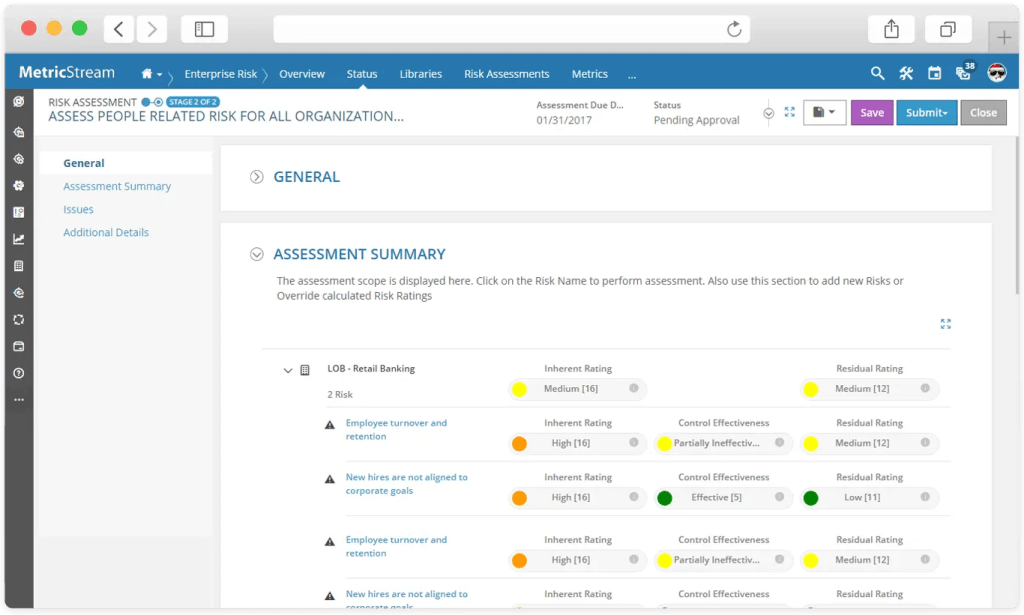
This platform stands out from the other IT risk management tools on our list because it was primarily designed for large global organizations that require deep operational, cyber, and financial risk oversight.
Key features
- Centralized risk registers.
- Risk scenario modeling.
- Automated internal controls testing.
- Enterprise policy management.
Risk management strengths
Powerful real-time heat maps and Key Risk Indicator (KRI) dashboards that roll operational unit metrics up to executive board levels.
Compliance framework support
Native mapping for ISO 27001, SOC 2, HIPAA, GDPR, Sarbanes-Oxley (SOX), and NIST.
Target industry & Use cases
- Banking.
- Financial services.
- Healthcare.
- Energy.
- Heavily regulated global enterprises.
3. Fusion Risk Management
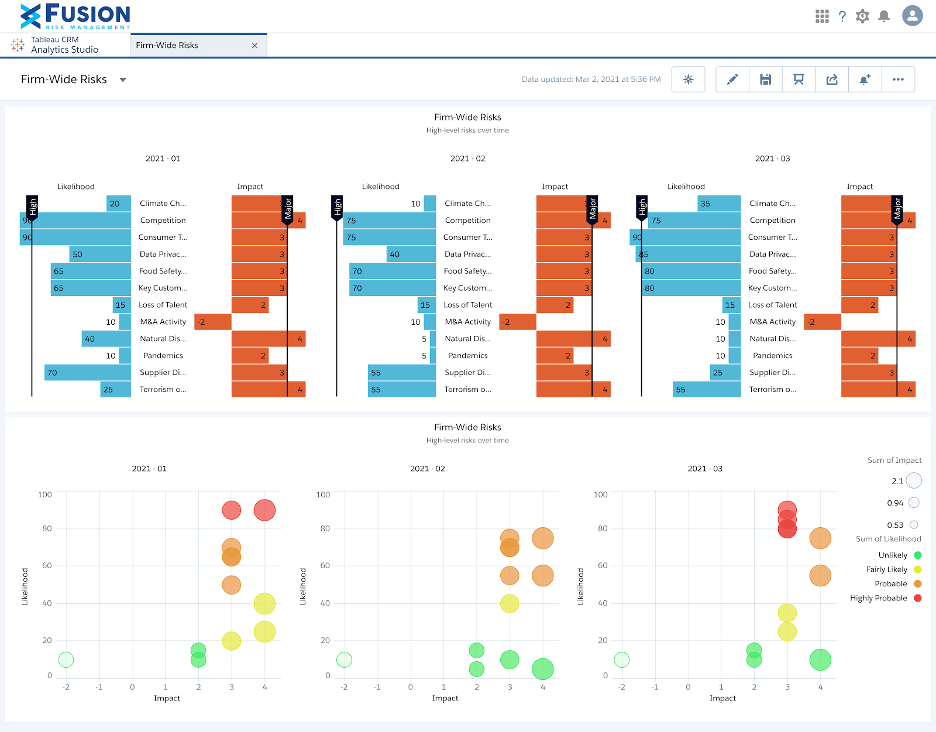
This tool from our project management risk tools list is an example of an enterprise-grade platform specifically designed to build operational resilience, map system dependencies, and ensure continuous business continuity across complex organization-wide initiatives.
Key features
- Visual dependency mapping across processes, systems, vendors, and personnel.
- Business impact analysis (BIA) workflows.
- Crisis event activation.
Risk management strengths
Links potential risks directly to operational dependencies, allowing organizations to visualize failure propagation during system outages or supply chain disruptions.
Compliance framework support
ISO 22301 (Business Continuity), DORA, FFIEC, and global financial resilience frameworks.
Target industry & Use cases
- Financial institutions.
- Critical infrastructure.
- Supply chain operations.
- Enterprise IT resilience teams.
4. Resolver
Resolver is an incident-centric risk management tool that connects threat assessment and active event response.
Key features
- Integrated incident logging.
- Case management.
- Root-cause analysis workflows.
- Automated risk scoring.
- Threat intelligence tracking.
Risk management strengths
Connects what could happen (risk register) with what actually happened (incident data) to validate whether risk assessments were accurate or overly optimistic.
Compliance framework support
ISO standards, PCI-DSS, internal audit governance, and corporate compliance checklists.
Target industry & Use cases
- Corporate physical security teams.
- Cyber risk management.
- Loss prevention.
- Enterprise incident managers.
- Healthcare risk units.
5. Riskonnect
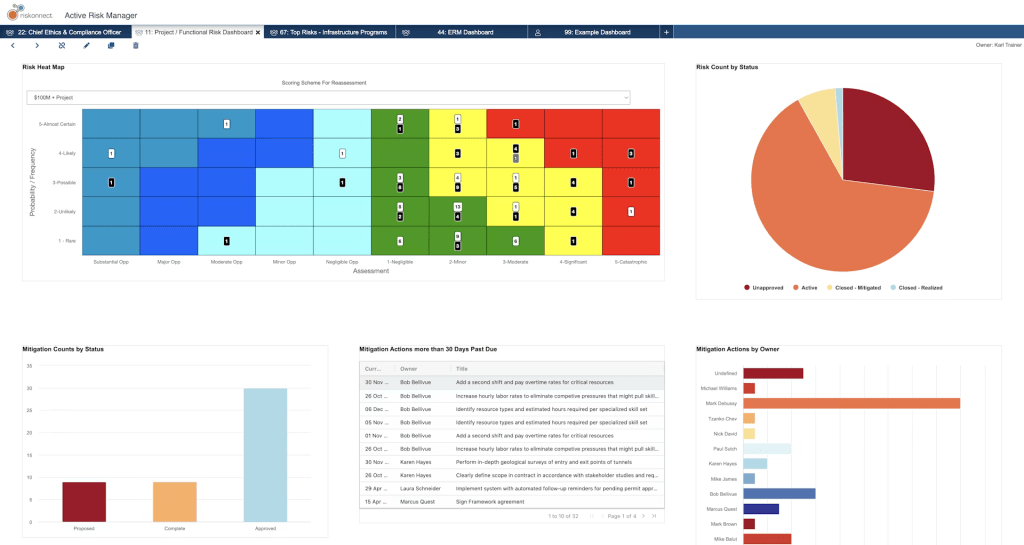
This is the last solution on our list of tools for risk management. Riskonnect is a cloud-native GRC platform that leverages machine learning to break down operational silos across risk, compliance, and audit departments.
Key features
- AI-driven risk pattern detection.
- Automated Monte Carlo impact simulations.
- Third-party risk management (TPRM).
- AI governance tracking.
Risk management strengths
Offers automated risk recommendations and continuous monitoring alerts when key risk indicators breach preset tolerance thresholds.
Compliance framework support
Regulatory mapping agent for dynamic regulatory changes, ESG standards, and corporate governance controls.
Target industry & Use cases
- Multi-national enterprise GRC teams.
- Insurance/risk pool managers.
- Supply chain oversight.
- Heavily audited industries.
Read More: The 15 Best Manufacturing Capacity Planning Tools in 2026
Summary Comparison Table: Top Risk Management Tools
| Tool | Key focus | Automation and AI | Industry fit | Deployment |
| Epicflow | Multi-project risk management | AI predictive due-date forecasting.
Automated task reprioritization. What-If multi-variable scenario modeling. Predictive risk analysis. |
Ideal for engineering, product development, IT portfolio teams, and multi-project environments. | SaaS / cloud |
| MetricStream | Enterprise GRC | AI-first connected GRC engine.
Automated internal control testing. Real-time predictive analytics & KRI alerts. |
Best for global, heavily regulated enterprises (banking, healthcare, energy, public sector). | Cloud, hybrid, on-premise |
| Fusion Risk Management | Operational resilience | Automated dependency mapping.
Dynamic business impact analysis. Scenario readiness & disaster recovery simulations. |
Designed for mid-market to enterprise financial institutions, critical infrastructure, and supply chains. | Cloud (built on Salesforce) |
| Resolver | Incident and threat response | Automated incident-to-risk linkage.
Machine-assisted root-cause analysis. Intelligent triage & threat scoring. |
Fit for corporate security, loss prevention, risk oversight teams, and healthcare systems. | SaaS / cloud |
| Riskonnect | Integrated risk management | AI-driven risk pattern detection.
Monte Carlo financial impact modeling. Automated third-party monitoring. |
Suited for large enterprises consolidating insurable risk, claims, ERM, and third-party risks oversight into one platform. | SaaS / cloud |
Read More: AI in Project Portfolio Management: 7 Key Trends & Features
How to Choose the Right Risk Management Tools
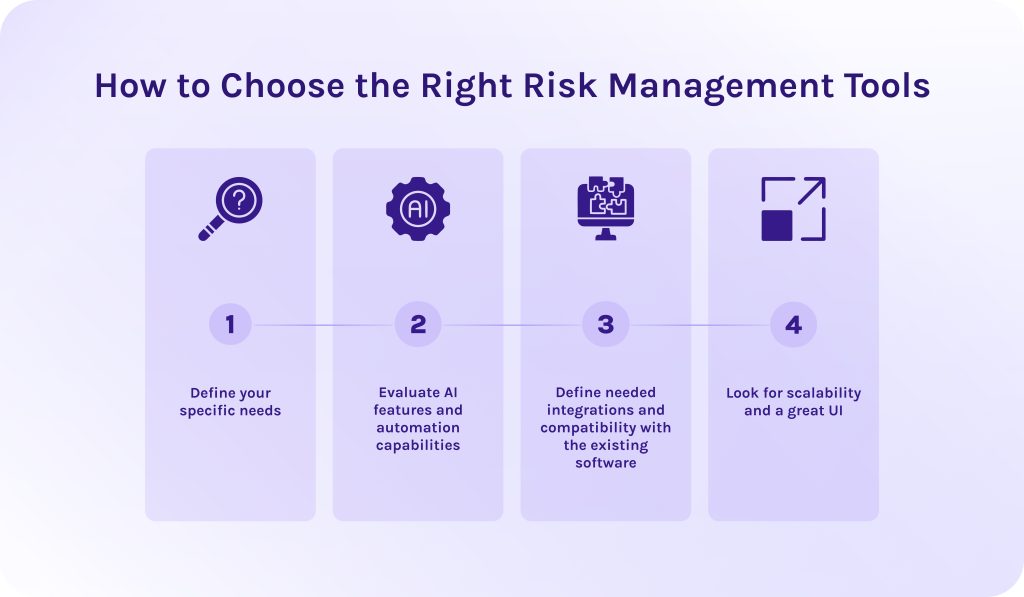
- Define your specific needs. First of all, you need to identify your main pain points to fill the efficiency gaps. Align risk management software tools requirements with your primary exposure area.
- Evaluate AI features and automation capabilities. Prioritize AI tools for risk management that offer features for workflow automation and predictive analytics to enhance your operations.
- Define needed integrations and compatibility with the existing software. Ensure the risk management software seamlessly connect with your existing tech stack so data flows automatically without manual re-entry.
- Look for scalability and a great UI. Opt for an intuitive interface with role-based dashboards that non-risk specialists can easily adopt. At the same time, risk management tools architecture should scale seamlessly as your organization grows.
Read More: 3 Essential Types of Capacity Planning Strategies and When to Use Them
Final Words
- Risk management is an essential activity which defines the company’s strategy for handling various risks. It dictates the process of risk identification, analysis, and creation of mitigation plans to address problems in a most efficient possible way.
- Risk management tools are software solutions that automate the most important parts of the risk management process: identification, assessment, mitigation plan creation, keeping risk register tidy and structured.
- Organizations with mature risk management frameworks gain the strategic agility to calculate and execute higher-risk market opportunities safely.
- Top 5 risk management tools includes Epicflow, Riskonnect, Fusion Risk Management, Resolver, and, ultimately, MetricStream.
- Despite risk management software itself, companies can use other risk management tools, for instance: risk register, risk assessment matrix, SWOT & PESTLE analysis.
Frequently Asked Questions (FAQs)
1. What are risk management tools?
Risk management tools are software applications and platforms that help organizations systematically identify potential risks and mitigate their impact. They centralize data into real-time dashboards and automated workflows, enabling teams to protect project budgets and schedules before issues arise.
2. What are 5 risk management tools?
The most popular risk management tools available on the market today are Epicflow, MetricStream, Resolver, Fusion Risk Management, Riskonnect.
3. Why are enterprise risk management tools so important?
Enterprise risk management (ERM) tools are vital because they consolidate threat data across all departments into a single system. Moreover, they automate risk scoring and compliance tracking to help organizations prevent costly project overruns and turn market uncertainty into a strategic advantage.
4. How do AI tools enhance project risk management?
Project risk management tools powered by artificial intelligence (AI) use predictive analytics and machine learning algorithms to analyze historical data and identify potential risks early. As well, they automate real-time risk scoring and scenario simulations. AI helps teams proactively resolve threats before they somehow will affect project delivery.
5. Which firms offer AI risk management tools?
6. What is a risk mitigation plan?
Risk mitigation plan is a document that outlines specific actions and resources required to reduce the probability of identified project risks. It also assigns a dedicated owner to each high-priority risk and detailing exact steps to prevent issues or contain damage if they occur.
7. How do vendor risk management tools work?
These risk management tools the evaluation of third-party suppliers. They send digitized security questionnaires and continuously monitor vendors’ security postures, financial health, and compliance credentials. Then, they compile these data streams into centralized real-time dashboards, triggering instant alerts when a vendor’s risk profile breaches defined safety thresholds.
8. Is Jira a risk management tool?
Yes, Jira can function as a risk management tool. Though it depends on how it is configured.
9. What are risk management tools and techniques?
10. What are the 5 examples of risk management?
References
- https://www.proofhub.com/articles/project-management-statistics
- https://www.researchgate.net/publication/363584438_Risk_Management_in_Software_Development_Projects_A_Systematic_Literature_Review
- https://www.researchgate.net/publication/354694992_Risk_Register_Database_to_Improve_Organizational_Resilience_and_Knowledge_Management
- https://www.researchgate.net/publication/396037094_Real-Time_Risk_Assessment_Dashboards_Using_Machine_Learning_in_Hospital_Supply_Chain_Management_Systems
- https://www.researchgate.net/publication/389097754_Navigating_Regulatory_Compliance_and_Risk_Management_How_ESG_Metrics_and_Sustainability_Reporting_Shape_Financial_Controllership_and_Governance
- https://www.researchgate.net/publication/387868490_Root_Cause_Analysis_Techniques_and_Best_Practices_-_For_Current_product_improvement_which_can_be_implemented_in_New_product_design
- https://www.researchgate.net/publication/383213866_Qualitative_Risk_Assessment
- https://www.researchgate.net/publication/319367788_SWOT_ANALYSIS_A_THEORETICAL_REVIEW
- https://www.researchgate.net/publication/394298616_How_to_Create_the_Best_PESTEL_Analysis
- https://www.researchgate.net/publication/378575253_Third_Party_Risks_and_their_Impact_to_the_Overall_Risk_Posture_how_to_Improve_it
- https://www.researchgate.net/publication/260514687_Enterprise_Risk_Management_ERM
- https://www.researchgate.net/publication/366594028_Operational_risk_management
- https://www.researchgate.net/publication/390235627_Supply_Chain_Risk_Management_Theory_and_Practice