
In this article, we will review the following points:
- Meaning and importance of backlog management tools.
- What the most essential features are to help you select the most suitable software for your project
- Discover the benefits that your projects can get with applying the best backlog management practices.
- The top 10 best backlog management tools, setting new standards in 2026.
And finally, we’ll explore how to choose the right one from those tools. Let’s get started.
What Are Backlog Management Tools?
To begin with, the backlog management tools are the software platforms that enable project managers to arrange and continuously monitor backlog items (such as user stories, bugs, tasks, etc.), instead of using manual spreadsheets and lists. Additionally, by providing the complete picture of all ongoing processes, they become a helpful hand for developers and product teams as well.
The main purpose of product backlog management tools is to help organizations build more efficient workflows, meet the deadlines, and reach better outcomes within the limited budget.
Now, let’s move to the section where we’ll discuss the core features you should look out for when selecting a product backlog tool.
Read More: Best Engineering Project Management Tools: Complete Guide & Comparison
Key Features of Backlog Management Tools?
The effectiveness of backlog management tools lies in their suitability for your business objectives. Thus, you need to evaluate the backlog management features upon their ability to cover your pain points. Remember to keep your eye on the following features:
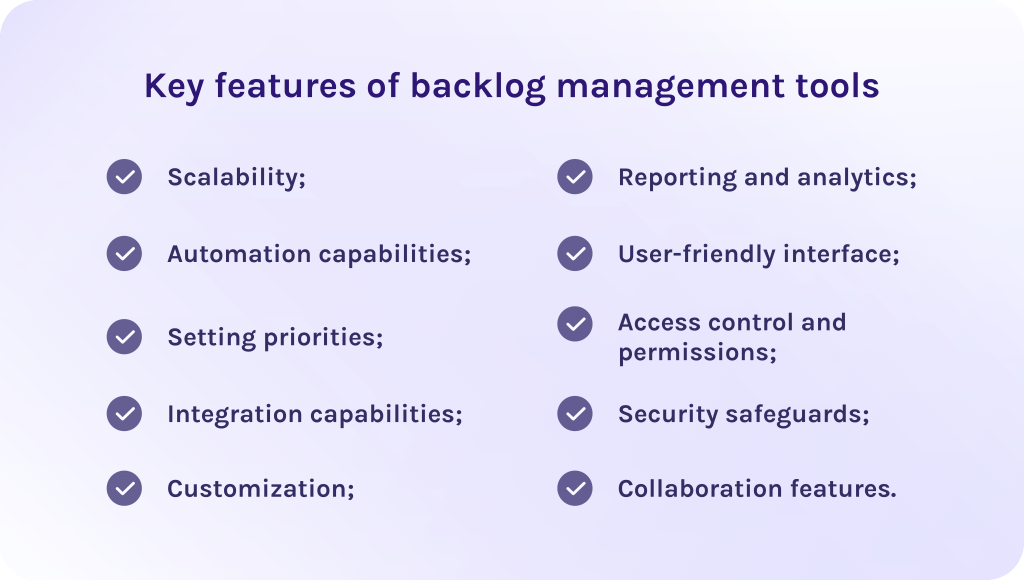
1. Scalability.
Let’s begin with the ability of the backlog tool to support larger amounts of data and a bigger number of users without losing its efficiency. It, consequently, makes it more preferable for the vast majority of expanding organizations.
2. Automation capabilities.
According to the article, automation of some routine tasks can lead to decreasing the development time by up to 30% significantly improving project delivery timelines. As the result, it reduces human errors and frees time for more important initiatives.
3. Setting priorities.
Teams can concentrate on finishing the most important tasks first, by ranking them according to their importance, risk, business value, or urgency. This results in better maintenance and more organized workflows.
4. Integration capabilities.
It’s important to verify that the product backlog tool is compatible with the other project management platforms you currently use. Thus, you won’t waste time on connecting different tools together.
5. Customization.
In fact, the ability to modify the backlog management tool to meet the unique requirements of your business results in much better efficiency and final outcomes.
6. Reporting and analytics.
Enables teams to plan their upcoming sprints more precisely with detailed data about current performance. Moreover, it is extremely important for executives and stakeholders to make more confident strategic decisions.
7. User-friendly interface.
Intuitive user interface helps your employees quickly get used to the tool and use it in the most efficient possible way. Besides, backlog management tools that have a steep learning curve take a lot of time to adapt to and in some cases may be overwhelming while using.
8. Access control and permissions.
In a nutshell, this feature allows project management teams to control who has access to the various parts of the product backlog. It, as a result, protects sensitive project data from unauthorized users.
9. Security safeguards.
Every quality backlog management system comes with support of various security protocols. It’s very important that such tools enable you to mitigate the risk of cyberattacks or data leaks.
10. Collaboration features.
These features are collaborative dashboards or workspaces like drawboards where teams can brainshtorm ideas or discuss essential problems. Thus, such features help agile teams stay up-to-date with changes. This features are as important as breathing, especially for remote or shared teams so they can edit backlog in real time.
Let’s now consider how backlog management tools benefit your business.
Read More: Tired of MS Project? 16 MS Project Alternatives for Modern Teams
Benefits of Backlog Management Tools
Product backlog management tools are essential in order to achieve better vision into project progress and make timely changes to stay productive as well as keep all project-related data consistently relevant. Now, let’s talk more about the role of the backlog management tools in more detail.
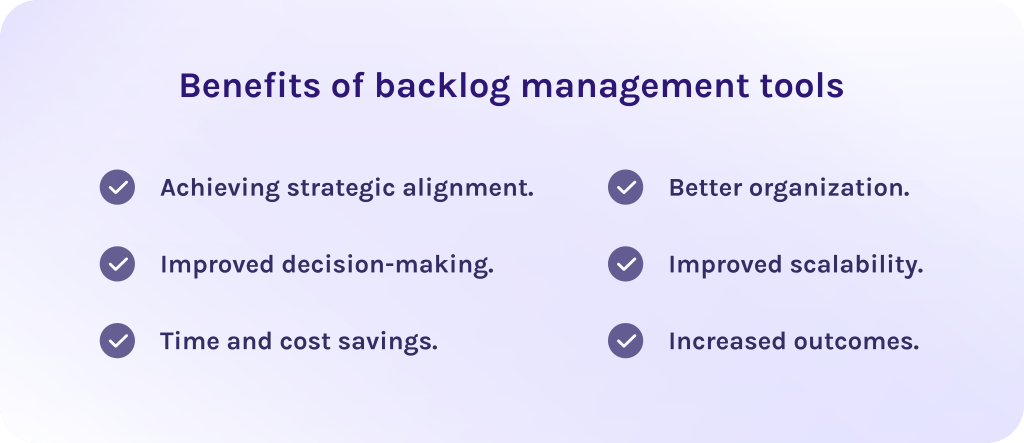
1. Achieving strategic alignment.
The PMI report says that companies that invest in prioritization are more likely to meet their strategic goals. In fact, responders said that 72% of their projects have successfully met business goals, while only 28% experienced scope creep, and 17% experienced less budget loss when the project failed.
Indeed, prioritization of tasks within the product backlog helps teams to stay aligned to strategic business goals. Furthermore, strong prioritization makes it possible to score tasks due to their importance or urgency so that teams are focused on the most essential ones.
2. Improved decision-making.
According to another report, backlog management tools that provide advanced reporting and visual dashboards thereby showing real-time data, allow project management specialists to timely identify bottlenecks and improve workflows. As the result, you get 30% increase in throughput, which means more work can be completed per unit time due to clearer prioritization and structured backlogs.
3. Time and cost savings.
Automation as well as the intuitive interface of the backlog management tool minimize the learning curve for your employees. Thus, it takes much less money and time to adapt and makes it easy to implement the software into your processes.
4. Better organization.
Even the best software won’t bring you expected results if it doesn’t bring the structure. Moreover, unorganized spreadsheets make your current situation even worse because employees cannot get needed information quickly, causing delays and missed deadlines. However, it was reported that 80% of teams that use product backlog management tools report improved collaboration.
5. Improved scalability.
The product backlog tool will accommodate the increasing complexity of your projects, support a bigger number of users, and offer more advanced features if needed. Therefore, this ensures that you don’t need to switch to the new software each time your projects are changing or scaling.
6. Increased outcomes.
In fact, all benefits described above contribute to the most essential one – achieving desired business outcomes. This makes backlog management tools an indispensable part of efficient project management for companies struggling to streamline their product backlogs and achieve strategic objectives more efficiently.
Now that the benefits of backlog management tools are clear, we can finally move to the main section of the article – the list of the best digital tools for product backlog management.
Read More: Product Portfolio Management Tools: Complete Guide to Choosing the Best Solution in 2026
How We Evaluated These Backlog Management Tools
We aimed to be as objective as possible, while creating this list of the best backlog management tools. That is why we created our own evaluation framework to objectively look at strong and weak sides of each software.
- Pricing transparency: The most important moment was to choose tools that don’t hide their actual pricing and don’t add hidden fees to the software. Reliable vendors only.
- Pros: We searched through user reviews on platforms like G2 and Capterra to gather relevant and verified feedback about strong sides of each backlog management solution.
- Cons: Each tool, obviously, has its weaknesses too. That is why we gathered user feedback not only about strong sides but about pain points as well.
- Core features: We checked all necessary features for efficient project management and security compliance.
Top 10 Backlog Management Tools
1. Jira Software
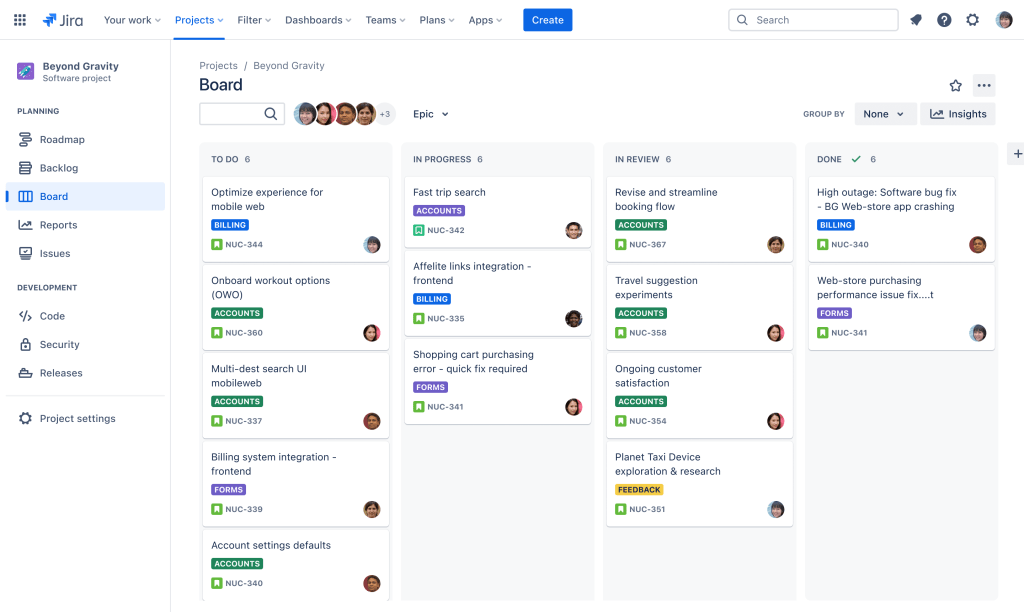
Jira Software heads this list of backlog tools. It is designed for software engineering teams and acts the most natural in Agile teams. It provides flexible Scrum and Kanban boards combined with sprint planning capabilities, which results in high reliability of project delivery. Built to scale, it allows organizations to align daily development tasks directly with broader product strategy and release goals.
Best for:
Agile software teams that need a deep product backlog.
Key backlog features:
- Dedicated backlog view with drag-to-rank.
- Sprint creation directly from the backlog.
- Story-point estimation.
- Backlog grooming via bulk edit.
- Custom issue types and fields.
- JQL filtering.
- Scrum boards and sprint backlog support.
- Timelines/roadmaps for dependency mapping.
Other features:
- Atlassian intelligence.
- Advanced Roadmaps.
- Automation rules.
Pricing:
- Free forever for up to 10 users (2 GB storage).
- Standard – $7.91 per user / month.
- Premium – $14.54 per user / month (unlimited storage, 99.9% uptime SLA).
- Enterprise – custom pricing (99.95% SLA, up to 150 sites).
Pros:
- Possesses the deepest backlog model of any tool here.
- The free tier is genuinely usable for ≤10 users.
- Enormous integration ecosystem.
- The de-facto industry standard, so hiring and onboarding are easy.
Cons:
- Configuration overhead.
- The admin/permission model gets complex at scale.
- Can feel heavy for a 3-person team.
Integrations:
GitHub, GitLab, Bitbucket, Slack, Confluence, Figma, Jenkins, Zendesk, 3,000+ marketplace apps.
2. Azure DevOps
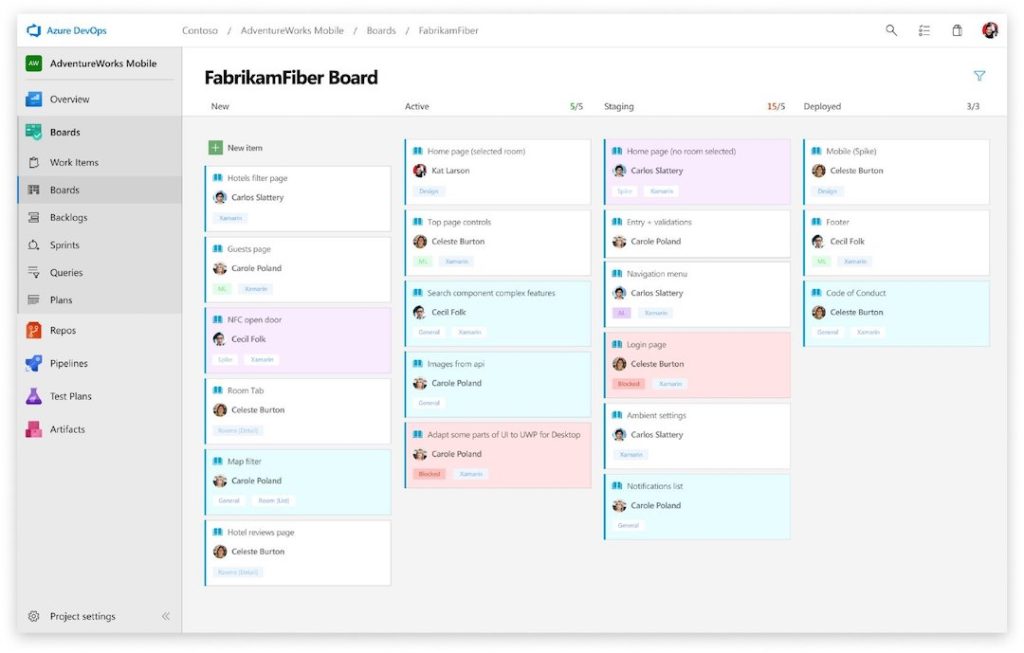
Azure DevOps is a comprehensive cloud-native application lifecycle management (ALM) platform developed by Microsoft. It provides an end-to-end toolchain for software development teams to plan projects, collaborate on code, build and deploy applications, and manage testing. It helps organizations automate software delivery and implement continuous integration and continuous delivery (CI/CD) pipelines across any platform or cloud provider.
Best for:
Enterprise and .NET/Microsoft-ecosystem teams that want backlog, repos and CI/CD under one licence.
Key backlog features:
- Backlogs view with epics → features → user stories/PBIs → tasks.
- Sprint/iteration planning with capacity.
- Portfolio backlogs.
- Delivery Plans.
- Query-based work-item tracking.
- Built-in Scrum, Agile and CMMI process templates.
Other features:
- Azure Repos (Git).
- Azure Pipelines.
- Azure Artifacts.
- Test Plans.
- GitHub Advanced Security integration.
Pricing:
- Basic free for the first 5 users, then approximately $6 per user/month.
- Basic + Test Plans is a higher tier.
- Azure Pipelines includes 1 free Microsoft-hosted CI/CD job with 1,800 min/month and 1 free self-hosted job with unlimited minutes.
- Extra parallel jobs $40 (hosted) / $15 (self-hosted).
- Azure Artifacts 2 GiB free then from $2/GiB.
Pros:
- Cheapest credible enterprise option at $6/user.
- Backlog and source control in one product.
- Strong hierarchy for large portfolios.
- Free for small teams.
Cons:
- Dated UI compared to Linear or Shortcut.
- Process-template changes are hard to reverse.
- Strongest value only inside the Microsoft stack.
Integrations:
Integrates with GitHub, Teams, Slack, Power BI, Visual Studio, Jenkins.
3. monday dev
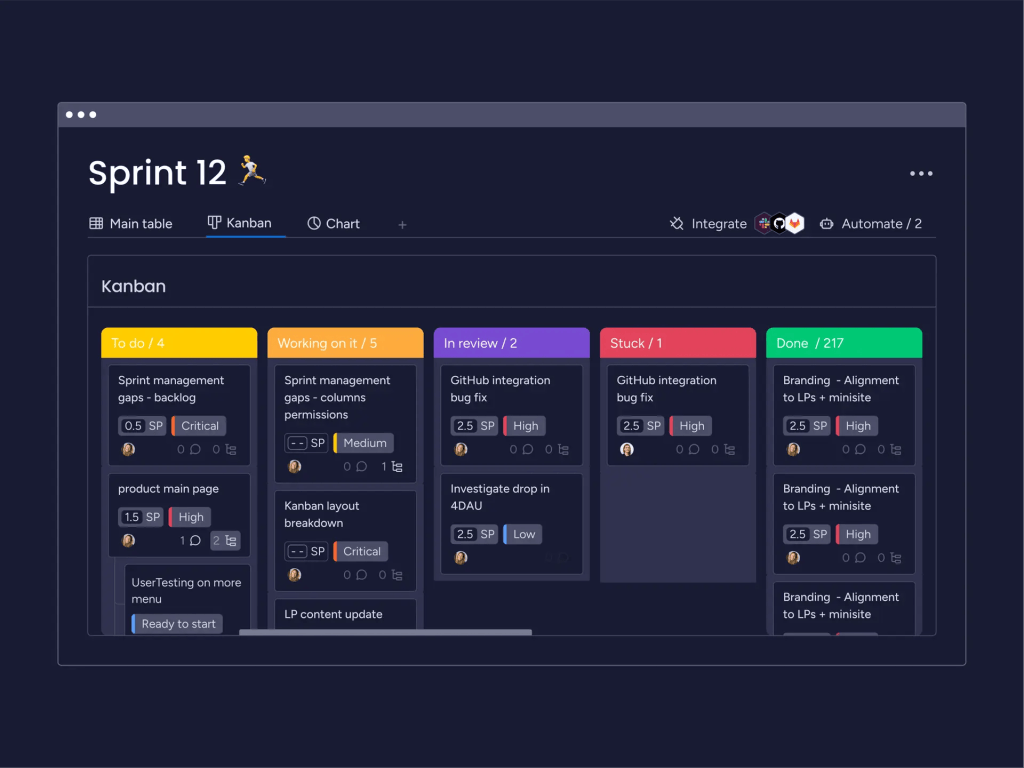
From the other product backlog management tools, monday dev stands out as a part of the monday.com ecosystem. It is especially suitable for Agile teams aiming to manage all processes throughout the development lifecycle and use all-in-one project management solutions to achieve their strategic business goals faster.
Best for:
Teams that want to manage sprint planning and other backlog activities all in one place.
Key backlog features:
- Sprint retrospectives.
- Bug and issue tracking.
- Product roadmapping.
- Sprint planning and management features.
- Gantt chart.
- Kanban board.
- KPI and progress monitoring.
Other features:
- Burndown charts.
- GitHub/GitLab two-way sync.
- Minimum-seat requirement.
- Task and workflow management.
Pricing
- Has a free plan up to 2 seats.
- Basic – €9 seat /month.
- Standard – €12 seat /month.
- Pro – €19 seat /month.
- Enterprise – custom pricing.
Pros:
- This product backlog tool has an intuitive and extremely customizable user interface.
- Powerful reporting capabilities.
- Easy to adjust workflows as teams need to scale.
- Offers simple backlog tracking for complex portfolio and cross-project planning.
- Easy to integrate with other tools.
Cons:
- Some features can be overwhelming for teams new to monday.com.
- Can become costly as the team grows.
- The mobile version lacks some features that are available in the desktop version.
- monday plans start at 3 seats.
Integrations
Seamlessly integrates with other popular tools, for instance, GitHub, GitLab, Jira, Microsoft Outlook, Slack, Trello, etc.
4. ClickUp
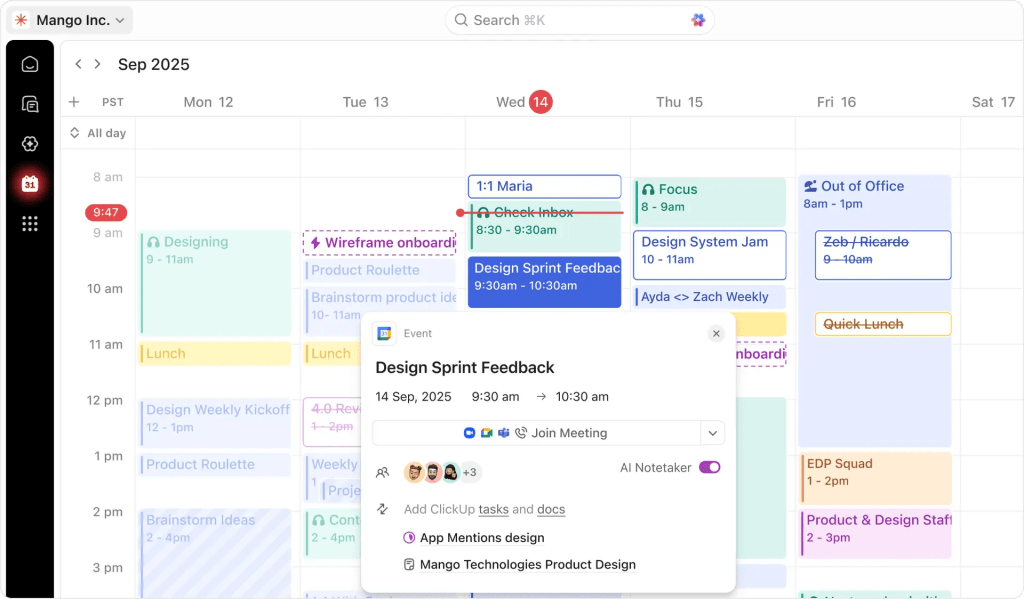
This is the most well-known visual productivity platform with an extensive set of backlog management tools. Moreover, it is designed to cover as many project management needs as possible by providing Kanban visual boards, prioritization features, and detailed charts. It mostly appeals to freelancers, small teams, agencies, and startups seeking a robust all-in-one project management platform but at the same time fits companies of all sizes across different industries.
Best for:
Perfectly suitable for businesses of all sizes, as it offers an extensive set of pricing plans and features.
Key backlog features:
- Sprints ClickApp.
- Prioritization.
- Time tracking.
- Kanban boards.
- Gantt charts.
- Budget and resource management.
- Product data management.
- Bug and issue tracking.
- Sprint planning and task management.
Other features:
- AI assistant.
- ClickUp Brain.
Pricing
- Free forever.
- Unlimited – $7 per user/month.
- Business – $12 per user/month.
- Enterprise – custom pricing.
Pros:
- Has a free plan letting you try the software out.
- Enhances team collaboration with the help of real-time communication features.
- Has customizable dashboards.
- Has powerful project management capabilities.
- Excellent tool for task management.
Cons:
- The user interface may feel overwhelming for some users.
- Performance/latency on large workspaces
Integrations
Supports a huge variety of integrations, such as Slack, Google Workspace, Asana, OneDrive, Zapier, GitHub, Miro, Microsoft Office, and so on.
5. Productboard
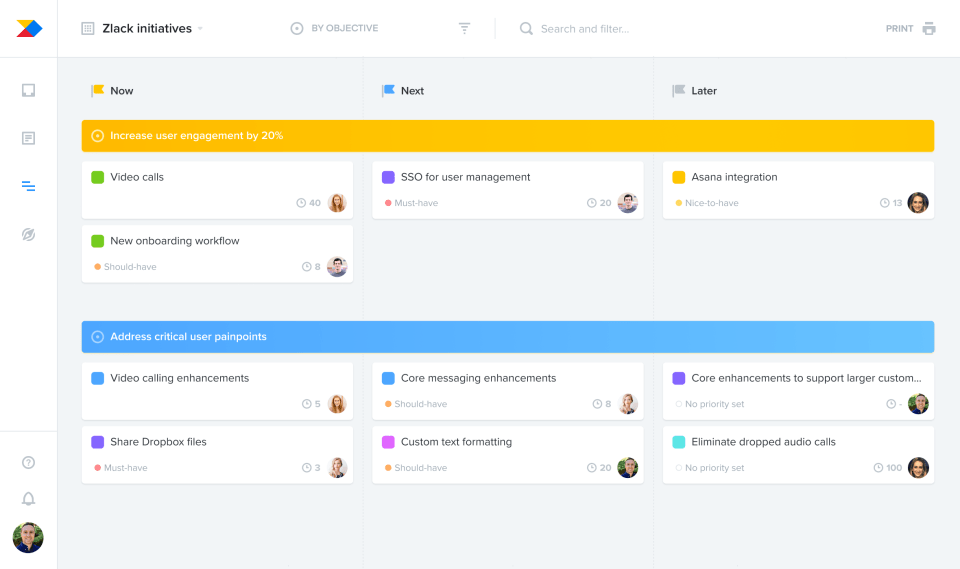
Among the established tools for backlog management, this vendor provides a reliable product management platform focused on customer-driven prioritization. What does it mean? It helps agile teams gather user feedback, align it with business goals on a roadmap, and create a well-structured product backlog that the engineering team can execute.
Best for:
Best for product managers who need to tie feature requests directly to user feedback and roadmaps.
Key features:
- Features prioritization matrix.
- User feedback portal.
- Collaboration features.
- Idea management.
- Product roadmapping.
- Task management.
- Reporting and analytics.
Pricing:
- Has a forever free plan with 50 AI credits per month.
- Plus – $19 maker/month + 250 AI credits per month.
- Business – $59 maker/month, 2 makers minimum + 500 AI credits per month.
- Enterprise – custom pricing, 5 makers minimum + 800 AI credits per month.
Pros:
- Has a huge variety of integration capabilities.
- Workflow management helps to minimize risks.
- Visualization of the product roadmap.
- Strong prioritization that ensures that teams are focused on the most valuable work.
- Feedback management.
Cons:
- Per-maker pricing escalates sharply.
- Lacks customization and robust collaboration features.
- Has a steep learning curve.
- No native changelog.
- Engineering work still lives in more advanced tools like Jira, while this tool is rather a roadmapping layer.
Integrations
Has extensive integration capabilities with lots of well-known tools like Jira, Azure DevOps, GitHub, Trello, Shortcut, Slack, Microsoft Teams, Salesforce, Zendesk, Intercom, Figma, Miro, Amplitude, Mixpanel, Zapier, plus a public API.
6. Microsoft Planner
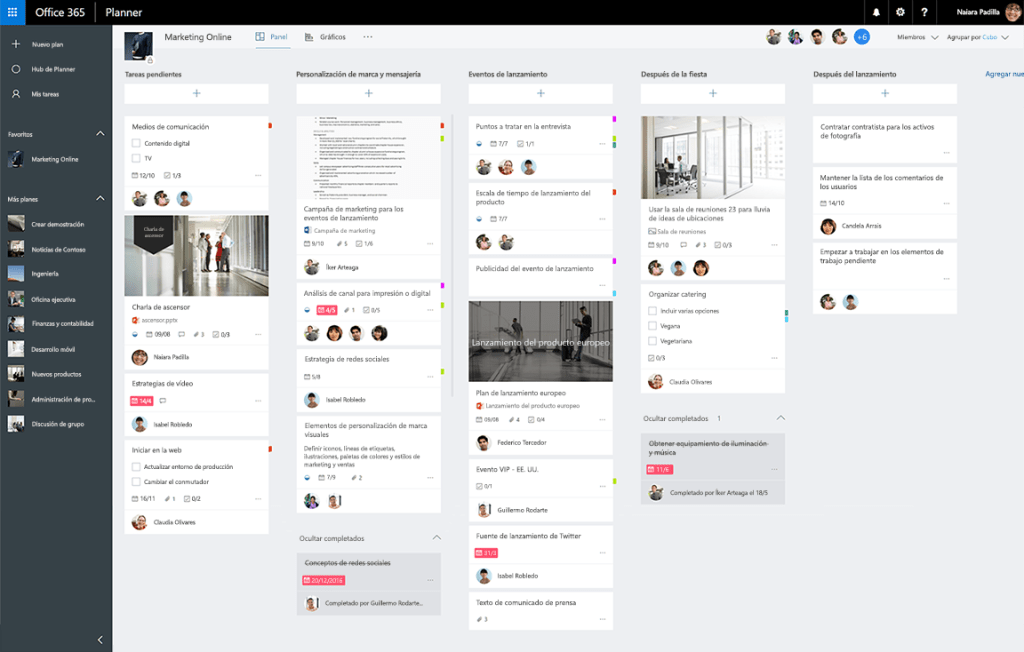
As a lightweight task and work management app, Microsoft Planner stands out for being a part of the Microsoft ecosystem. Furthermore, it can be used for backlog management, as it offers features for tracking tasks and their prioritization. Thus, it is a perfect choice for teams that don’t have much experience using backlog tools.
Best for:
Teams that are already using Microsoft 365 software and need a simple task and backlog management.
Key backlog features:
- Collaboration tools.
- Prioritization.
- Project and progress tracking.
- Task management and scheduling.
- Real-time notifications.
- Visual workflow management.
Pricing
Has a free version. Paid plans start from $10 per user/month.
Pros:
- Has a user-friendly interface.
- Seamless integration with other Microsoft 365 tools.
- Intuitive and simple task assigning and tracking.
- Lightweight and easy to use.
Cons:
- Not suitable for managing complex workflows and large teams.
- Lacks advanced reporting and customization options.
Integrations
Seamlessly integrates with any software from the Microsoft ecosystem.
7. Linear
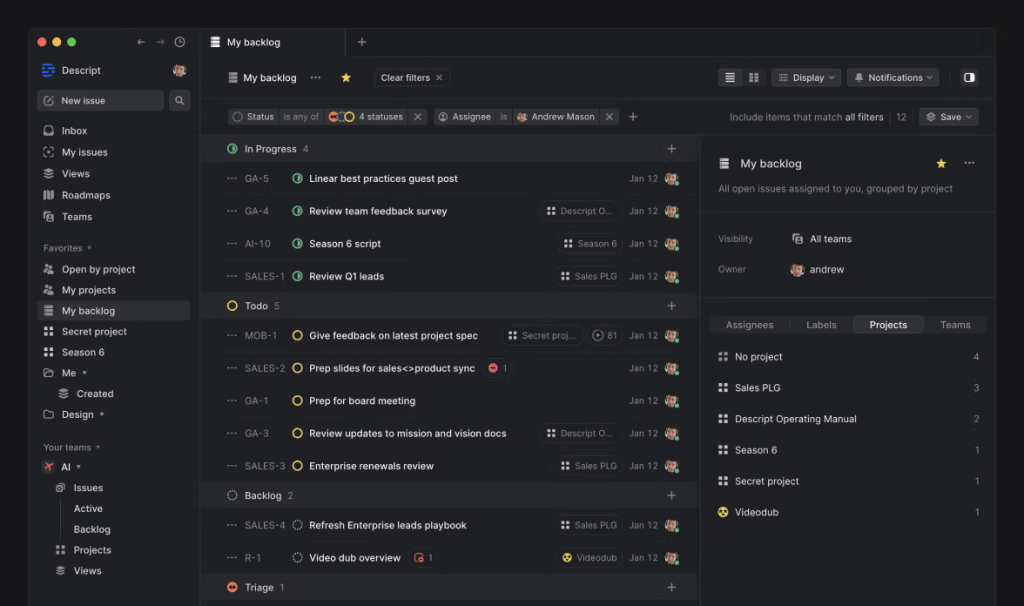
Linear is a modern issue-tracking and product management platform designed specifically for software engineering and high-velocity technology teams. It can be used for backlog management, as it enables product teams to organize backlogs and manage all activity connected to them (sprint planning and handling triage requests). It’s a perfect solution for teams that need backlog tools to keep developer friction to an absolute minimum.
Best for:
Fast-moving software product teams that want speed and opinionated defaults over configurability.
Key backlog features:
- Backlog/Triage/Todo/In-Progress workflow states.
- Triage inbox for incoming requests.
- Cycles (timeboxed sprints) with automatic rollover of unfinished issues.
- Projects and Initiatives.
- Estimates.
- Keyboard-first bulk re-prioritisation.
Other features:
- Linear Insights.
- Linear Asks.
- Triage Intelligence.
- Agent platform.
Pricing
- Free – unlimited members, 2 teams, 250 issues.
- Basic $10/user/month – 5 teams, unlimited issues.
- Business $16/user/month – unlimited teams, private teams and guests, Insights, Asks, Zendesk/Intercom.
- Enterprise custom, annual only, SAML/SCIM.
Pros:
- Has the fastest UI in the category.
- The 250-issue free tier is a real backlog for a small team.
- Cycles automate the “what didn’t finish” problem.
Cons:
- Deliberately limited customisation.
- No Gantt.
- Weaker for non-engineering stakeholders.
- The free tier’s 250-issue cap is restrictive for mature backlogs.
Integrations
Seamlessly integrates GitHub, GitLab, Slack, Figma, Sentry, Zendesk, Intercom.
8. Shortcut
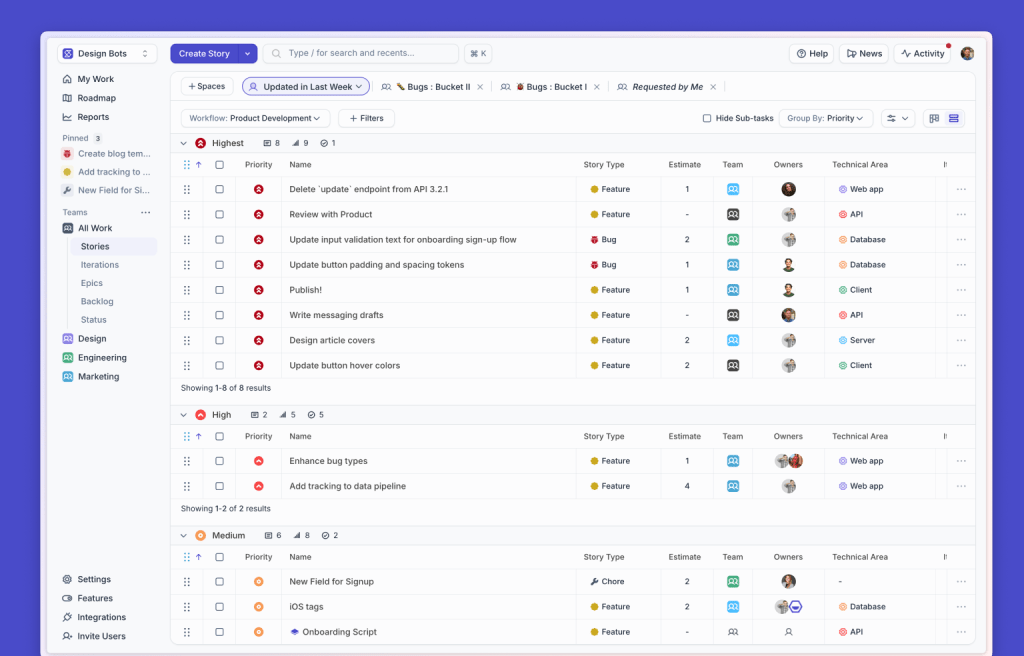
This solution on our list of backlog management tools is a collaborative project management and issue-tracking platform built specifically for modern software development teams. Positioned as the middle ground between the dense complexity of Jira and the speed-first minimalism of Linear, Shortcut combines high-level product roadmapping with granular engineering task management. It allows different teams to connect daily code commits directly to strategic organizational goals through a visual workspace.
Best for:
Would be a decent choice for fast-growing software companies looking for a scalable, developer-friendly project management tool without Jira’s administrative overhead.
Key backlog features:
- Stories with a dedicated backlog/unstarted state.
- Epics.
- Iterations (sprints).
- Roadmap view.
- Objectives (OKR-style).
- Kanban and story-map views.
- WIP limits.
- Custom workflows per team.
Other features:
- Docs.
- Reports suite.
- Automations.
Pricing:
- Has a free plan with Kanban boards and iterative spring planning.
- Team Plan – $8.50 per user/month, adds work-in-progress limits and automations.
- Business Plan – $12 per user/month, removes limits and adds strategic objectives.
- Enterprise Plan – custom pricing.
Pros:
- Helps with movement from high-level roadmaps down to individual sprints.
- Much lighter admin than Jira.
- Has a free 14-day full access with no credit card.
Cons:
- Smaller integration marketplace.
- Less suited to non-software teams.
- Reporting is thinner than Jira’s.
Integrations:
Integrates with GitHub, GitLab, Slack, Figma, Sentry, Zapier.
9. Backlog by Nulab
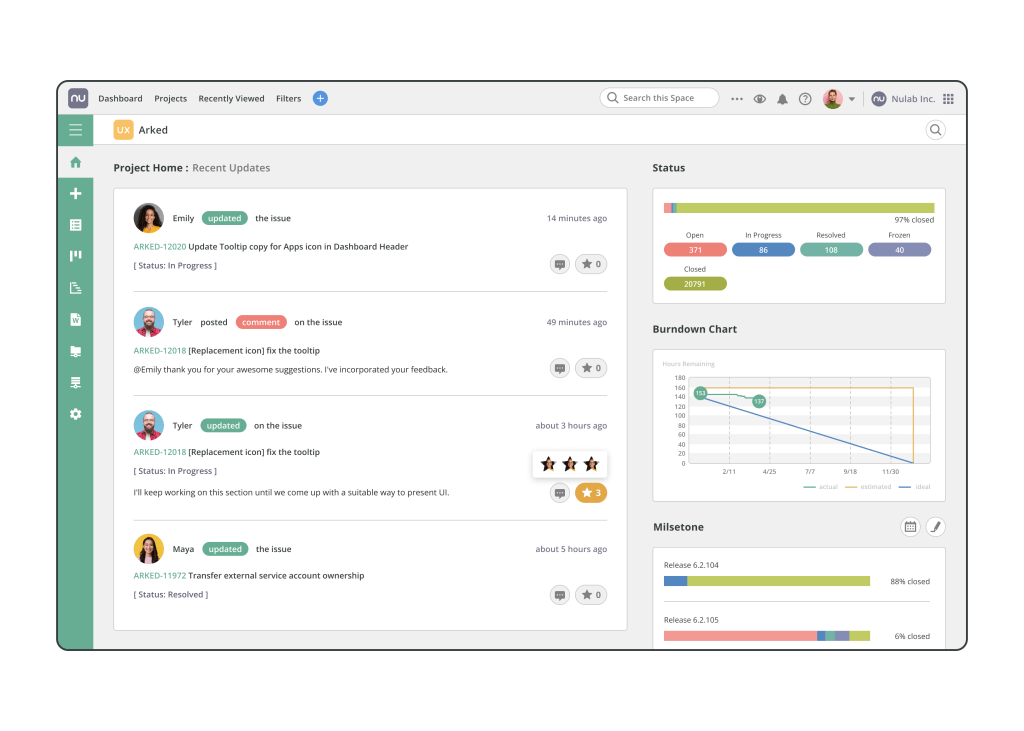
Backlog is another tool for backlog management, trusted by over 4 million users worldwide, aiming to help teams streamline their project management activities such as backlog items, tasks, user stories, bugs, code changes, etc. By combining traditional project management functions with issue tracking and version control, it creates a unified platform for team collaboration and backlog management.
Best for:
Cross-functional teams that need features for backlog tracking and sprint planning in one place.
Key backlog features:
- Gantt chart.
- Kanban board.
- Resource management.
- Advanced reporting and analytics
- Sprint planning.
- Backlog management.
- Issue tracking.
Other features:
- Built-in Git and SVN hosting with pull-request review and commits linked to tasks.
- AI Assistant (creates/updates tasks, summarises documents, generates progress reports and daily to-do lists).
- Wiki/file repository.
- SAML authentication and user provisioning on Enterprise (Nulab Pass bundle).
Pricing:
- Has a free version for up to 10 users.
- Starter – $35 per month for up to 30 users.
- Standard – $100 per month, unlimited users, up to 100 projects, and 30 GB storage.
- Premium – $175 per month, adds an AI assistant and unlimited projects.
- Enterprise – custom pricing, adds advanced features. Additionally, has a 30-day free trial.
Pros:
- Simple bug identification.
- Offers robust collaboration tools.
- Easy to use.
- Task management is pretty straightforward.
- Create project visibility.
Cons:
- Smaller third-party integration ecosystem than Jira or ClickUp.
- Reporting less customisable.
- Performance degrades with very high project counts (retain this from the current copy).
Integrations
Supports a huge variety of integrations with tools like LambdaTest, Jira, Redmine, Cacoo, Microsoft Excel, Slack, Copilot Professional, and others.
10. Trello
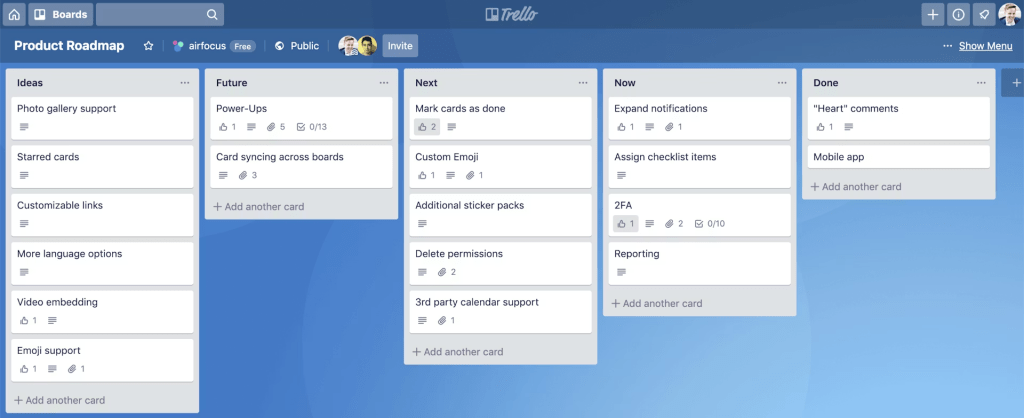
The final pick introduces one of the product backlog tools that almost everyone is familiar with – Trello. It describes itself as a productivity powerhouse that provides intuitive Kanban and task boards to organize activities from the product backlog. Moreover, it also offers integrations with essential PM tools to streamline complex workflows and create your own corporate ecosystem.
Best for:
Small teams and enterprises that need a simple and easy-to-use backlog management tool.
Key features:
- Customizable dashboards, lists, and task cards.
- AI assistant.
- Backlog management.
- Collaboration tools.
- Customizable templates.
- Kanban board.
Pricing
Has a free trial and a free version. Paid plans start from $5 per user/month.
Pros:
- Has efficient Kanban boards.
- Affordable for the vast majority of companies.
- Has a user-friendly interface.
- Simple member addition.
- Easy to use and get used to.
Cons:
- Has limited security and permissions.
- Limited customizability.
- Hard to manage multiple boards without a Premium plan.
Integrations
Offers integrations with Jira, Microsoft, Slack, Dropbox, Google, Confluence, Clockify, etc.
Read More: Jira Capacity Planning: The Complete Resource Planning Guide
Backlog management tools table of comparison
| Tool | Best for | Free plan | Starting paid price | Key backlog capability | Key integrations |
| Jira Software | Agile software engineering & product teams | Yes (≤10 users) | $7.91/user/month (annual) | Advanced sprint planning & backlog grooming | GitHub, GitLab, Bitbucket, Slack |
| monday dev | Cross-functional product & development teams | Yes (limited) | €9/seat/month (annual) | Visual backlog boards with automated dev workflows | GitHub, GitLab, Jira, Figma |
| ClickUp | Teams consolidating tasks, docs, & roadmaps | Yes (limited) | $7/member/month (annual) | Customizable multi-view backlogs with native docs & AI | GitHub, GitLab, Slack, Zapier |
| Azure DevOps | Enterprise engineering & Microsoft cloud teams | Yes (≤5 users) | $6/user/month (monthly) | Deep integration between backlog items & CI/CD pipelines | GitHub, Visual Studio, Teams, Slack |
| Linear | High-velocity startups & product-led engineering | Yes (limited) | $10/user/month (annual) | Lightning-fast, keyboard-driven triage & backlog management | GitHub, GitLab, Figma, Sentry |
| Productboard | Product managers prioritizing feature requests | Trial only | $19/maker/month (annual) | Prioritizing backlogs based on direct customer feedback | Jira, Azure DevOps, GitHub, Slack |
| Shortcut | Scale-ups balancing engineering tasks & roadmaps | Yes (≤10 users) | $8.50/user/month (annual) | Clean 3-tier hierarchy linking stories to business goals | GitHub, GitLab, Bitbucket, Slack |
| Backlog | Dev & cross-functional teams needing simplicity | Yes (≤10 users) | $35/flat/month (up to 30 users) | Unified issue tracking, Git repos, & Gantt charts | Unified issue tracking, Git repos, & Gantt charts |
| Trello | Small teams wanting lightweight Kanban backlogs | Yes (limited) | $5/user/month (annual) | Lightweight drag-and-drop boards for simple backlog lists | Slack, Jira, Google Drive, GitHub |
| Microsoft Planner | M365 teams needing basic task backlogs | No (included with M365) | $6/user/month (M365 Business Basic) | Simple visual task buckets tied into Microsoft 365 | Teams, SharePoint, Power BI, Outlook |
Read More: The Next Generation of PMO Tools: How to Choose the Perfect One for You
How to choose a backlog management tool?
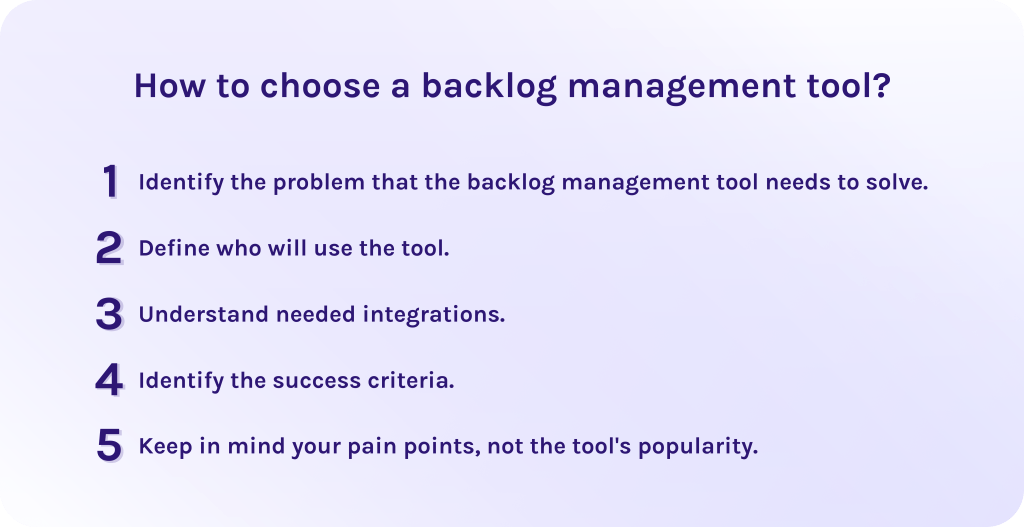
1. Identify the problem that the backlog management tool needs to solve.
Begin with identifying what gaps in product backlog management your new tool should address. Consequently, it will help to understand the most important features and functions you must look for.
2. Define who will use the tool.
Then, understand the target audience of the tool. Will it be just the company’s management, or will all employees have access? Decide whether you need access control and permissions and how intuitive the user interface must be. Eventually, evaluate the needed speed of work for advanced users.
3. Understand needed integrations.
Define whether the tool can connect to your existing software or not. Should it replace some of your tools or support them? It is important to seamlessly fit it into your processes but not ruin them entirely.
4. Identify the success criteria.
How do you know that the backlog management tool is integrated successfully? Identify specific metrics that will help you to measure the efficiency and results of integration. For example, it can be improving the performance visible in the percentage of completed tasks per sprint. Moreover, criteria should be clearly defined and achievable.
5. Keep in mind your pain points, not the tool’s popularity.
Finally, evaluate the tools according to your particular needs, not by the beauty of the interface or the tool’s popularity. In fact, many popular platforms may not fit your business strategy, while that one less famous might cover all your pain points.
Read More: 10 AI Project Management Tools to Pay Your Attention to in 2026
Final Words About Backlog Management Tools
In conclusion, let’s briefly summarize the main points of the article.
- Backlog management tools are the software platforms that allow project managers to streamline and continuously monitor backlog items (e.g., user stories, bugs, various chores) to avoid manual lists and spreadsheets.
- The importance of backlog management tools lies in helping organizations build more efficient workflows, meet the deadlines, and reach better outcomes within the limited budget.
- The right backlog management software should be scalable and customizable enough to grow further with your business and fit your specific needs. Also, it should support reporting and analytics to allow you to identify the bottlenecks and improve workflows. You should look for task prioritization and tracking, automation of some manual processes, and collaboration features as well. And finally, the proper software must be secure and easy to navigate to integrate it into your workflows quickly and efficiently.
- Adapting the backlog management software pays off in better strategic alignment, decision-making, and higher outcomes while time and cost spending become lower.
FAQs About Backlog Management Tools
1. What is backlog management?
Backlog management is a strategic practice of maintaining and refining a list of work items so that it reflects up-to-date priorities and is ready for execution. It ensures that the team always works on the most valuable tasks.
2. What is the product backlog?
Product backlog is a list of all desired work on a product. It is continuously updated by the Product Owner and includes prioritized features, bug fixes, improvements, technical work, and so on depending on their strategic value.
3. What is backlog software?
Backlog software is a specialized project management software for Agile teams that allows companies to organize and manage a list of upcoming tasks in real time. Additionally, it contains future requests and bug fixes.
4. What is product backlog refinement?
Product backlog refinement (formerly backlog grooming) is a process where the team reviews and reprioritizes items in the backlog. It ensures they are ready for upcoming sprint planning.
5. How do you manage a backlog?
To manage your corporate product backlog properly, you need to:
- Assign business value to each user story.
- Prioritize user stories based on assigned value.
- Refine high-priority tasks with clear acceptance criteria.
- Regularly clear out obsolete items during backlog grooming sessions.
6. What are the top 3 project management tools?
- monday.dev – This software is the best option for visual customization and team adoption. It is highly flexible and helps automate corporate workflows smoothly.
- ClickUp – The best all-in-one PM software presented in the market. It combines task management with deep customizability and goal tracking in a single platform.
- Confluence – Best solution for keeping project knowledge and tech documentation safe and sound. Blends structured documentation with task tracking, integrating seamlessly with Jira to connect project plans directly to code execution.
7. Who does product backlog refinement?
Often, it is the responsibility of the product owner. These specialists set priorities and clarify the vision for each item. But also the development team and, in some teams, a scrum master are responsible for backlog refinement.
8. What’s the best project management tool for backlog refinement?
Epicflow and Jira are widely considered top-tier tools for backlog refinement because they offer fast drag-and-drop prioritization, bulk estimation, custom filters, and seamless integration with developer workflows.
9. What are the three types of backlog?
- Product backlog. This is the widest project backlog that serves as a single source of truth for the entire product vision. It contains all product features, improvements, requirements and bug fixes. The owner of the product backlog is the product owner (PO).
- Sprint backlog. It is the set of tasks that should be delivered during the specific period of time (sprint, usually 1-4 weeks). It, in turn, contains user stories, technical tasks, and acceptance criteria. It is owned by the development team and project manager.
- Portfolio backlog. It aligns enterprise strategic goals with software development capacity. It is owned by portfolio managers and executives.
10. What are examples of Agile tools?
Popular Agile tools include Jira, Azure DevOps, and Linear for complex software tracking. For lightweight board-based collaboration perfect examples are Trello, Monday.com, and ClickUp.
References
- https://www.researchgate.net/publication/322161086_Project_Management_Tools_for_Agile_Teams
- https://www.researchgate.net/publication/405926561_Leveraging_AI_and_Machine_Learning_to_Improve_Agile_Backlog_Prioritization
- https://www.researchgate.net/publication/379527852_Enhancing_Agile_Development_in_Tech_Companies_Backlog_Management_Tool_Integration_and_Stakeholder_Collaboration
- https://www.researchgate.net/publication/330823863_The_Product_Backlog
- https://www.researchgate.net/publication/384857528_The_Smart_Product_Backlog_A_Classification_Model_of_User_Stories
- https://www.researchgate.net/publication/378328559_A_Deep_Dive_into_Product_Backlog_Prioritization_Technique_in_Scrum
- https://www.softwareadvice.com/
- https://www.capterra.com/
- https://www.g2.com/
- https://www.researchgate.net/figure/Product-Backlog-quality-Product-Backlog-management-Product-Backlog-items-description_fig8_310316562
- https://www.researchgate.net/figure/Finding-the-techniques-for-effective-product-backlog-management_fig2_395862714
- https://www.researchgate.net/publication/339673232_Product_Backlog_and_Requirements_Engineering_for_Enterprise_Application_Development