
Key Takeaways
- Manufacturing capacity planning helps manufacturing organizations to match their resources with upcoming market demand for their products in the most efficient possible way.
- Manufacturing capacity planning tools are specialized software that allows manufacturing companies to calculate their actual capacity and adjust their resources according to future demand.
- To choose the best manufacturing capacity planning software for your organization, first of all, understand why exactly you need this tool and which pain points it will cover. Then, create a short list of preferred solutions, look for necessary features, the ability to scale in the future, and integrate the solution with your current software. Ultimately, contact the vendor for a demo version to test the tool in real-world conditions.
Read More: Jira Capacity Planning: The Complete Resource Planning Guide
15 Top Capacity Planning Tools for Manufacturing: Shortly About Each One
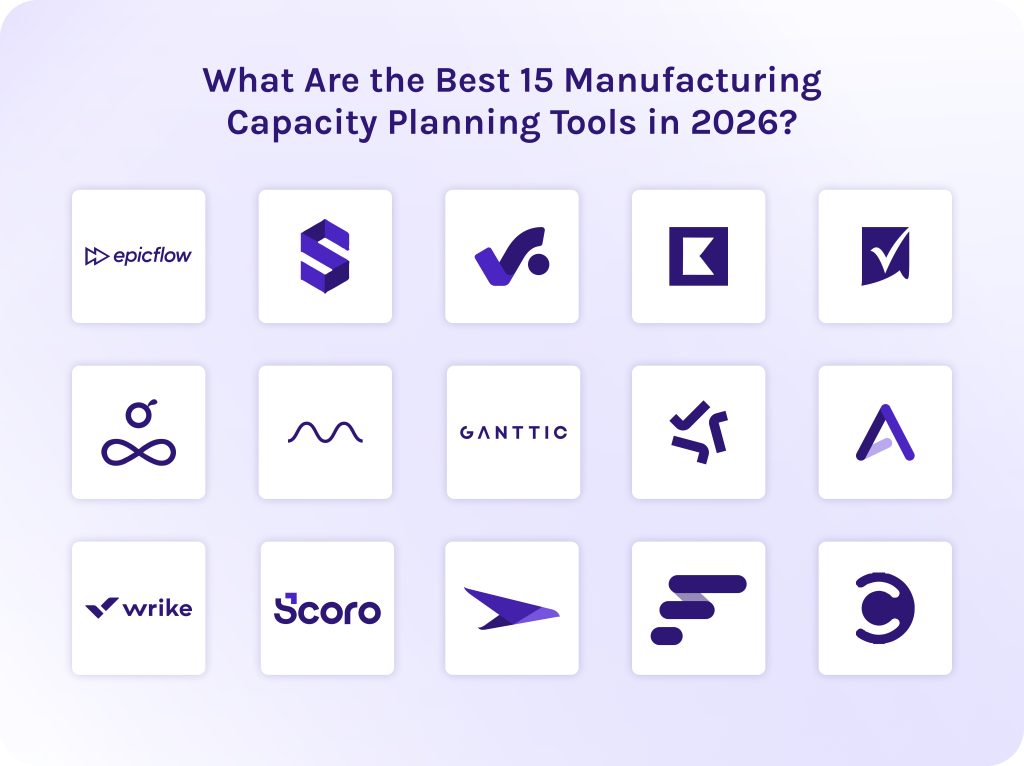
Our team has revised statistics on using manufacturing capacity planning software and highlighted the following solutions users like the most:
- Epicflow – best for multi-project bottleneck prediction and advanced capacity planning.
- Saviom – best for enterprise-level workforce forecasting.
- Productive – best for agency profitability tracking.
- Kantata – best for professional services automation (PSA).
- Smartsheet – best for spreadsheet-like planning.
- Resource Guru – best for simple scheduling.
- Hub Planner by Milient – best for visual availability heat maps.
- Ganttic – best for heavy equipment and asset scheduling.
- Tempo Capacity Planner – best for Jira ecosystems.
- Accelo – best for client-facing operations.
- Wrike – best for cross-departmental collaboration.
- Scoro – best for end-to-end business management.
- Planview – best for corporate portfolio management (PPM).
- Float – best for creative team scheduling.
- Celoxis – best for complex portfolio tracking with deep analytics.
Read More: Best Engineering Project Management Tools: Complete Guide & Comparison
Manufacturing Capacity Planning Tools: Table of Comparison
| Software | Best for | Pricing | Reviews |
| Epicflow | Mid-to-large engineering firms, R&D labs, and software organizations juggling shared constrained resources. | Growth: 22.5€ monthly/billed annually.
Enterprise: custom pricing. |
G2: 4.4/5
Capterra: 5/5 SoftwareAdvice: 5/5 |
| Saviom | Mid-to-large-sized companies for robust capacity planning and resource forecasting. | The official site of the platform doesn’t show exact pricing. | G2: 4.5/5
Capterra: 4.3/5 SoftwareAdvice: 4.3/5 |
| Productive | Small-to-mid-sized companies that need tightly integrated resource scheduling and financial health tracking. | Essential: $10/month.
Professional: $25/month. Ultimate: Custom pricing. |
G2: 4.6/5
Capterra: 4.6/5 SoftwareAdvice: 4.6/5 |
| Kantata | Mid-to-large organizations looking for deep resource allocation and optimization. | The official site of the platform doesn’t show exact pricing. | G2: 4.2/5
Capterra: 4.2/5 SoftwareAdvice: 4.2/5 |
| Smartsheet | For organizations that require strong manufacturing capacity planning software with Excel-familiar interface. | Pro: $9 per member/month.
Business: $19 per member/month. Enterprise: custom pricing. Advanced Work Management: custom pricing. |
G2: 4.4/5
Capterra: 4.5/5 SoftwareAdvice: 4.5/5 |
| Resource Guru | Companies that need simple team scheduling and visual workload balancing. | Grasshopper Plan: $5 per person, per month.
Blackbelt Plan: $8 per person, per month. Master Plan: $12 per person, per month. |
G2: 4.6/5
Capterra: 4.7/5 SoftwareAdvice: 4.7/5 |
| Hub Planner by Milient | Teams that need to optimize utilization rates and balance cross-project employee capacity. | The official site doesn’t view exact pricing, please, contact the vendor. | G2: platform doesn’t have reviews on this software.
Capterra: 4.2/5 SoftwareAdvice: 4.2/5 |
| Ganttic | Tracking high-value physical assets alongside human labor. | Pricing depends on the number of resources. | G2: 4.6/5
Capterra: 4.3/5 SoftwareAdvice: 4.3/5 |
| Tempo Capacity Planner | Engineering, manufacturing, IT, and software development teams operating heavily within Jira. | The cost depends on the number of users. | G2: platform doesn’t have reviews on this software.
Capterra: 4.2/5 SoftwareAdvice: 4.2/5 |
| Accelo | Automated, client-facing operations. | The official site doesn’t view exact pricing, please, contact the vendor. | G2: 4.3/5
Capterra: 4.5/5 SoftwareAdvice: 4.5/5 |
| Wrike | Cross-departmental collaboration and enterprise workflow automation. | Free: $0 user/ month.
Team: $10 user/month. Business: $25 user/month. Pinnacle: custom pricing. Apex: custom pricing. |
G2: 4.2/5
Capterra: 4.4/5 SoftwareAdvice: 4.4/5 |
| Scoro | End-to-end business management and unified operations. | Core: $19.90 per user/month.
Growth: $32.90 per user/month. Performance: $49.90 per user/month. Enterprise: custom pricing. |
G2: 4.5/5
Capterra: 4.5/5 SoftwareAdvice: 4.5/5 |
| Planview | Enterprise portfolio management (PPM) and high-level strategic capacity planning. | The official site of the platform doesn’t view exact pricing. | G2: 4.1/5
Capterra: 4.3/5 SoftwareAdvice: 4.3/5 |
| Float | Fast-moving professional service teams. | Starter: $7 per person/month.
Pro: $12 per person/month Enterprise: custom pricing. |
G2: 4.3/5
Capterra: 4.5/5 SoftwareAdvice: 4.5/5 |
| Celoxis | Complex project portfolio management (PPM) and deep resource analytics for mid-to-large-sized organizations. | Core: $10 per standard user.
Essentials: $25 per standard user. Professional: $35 per standard user. Business: $45 per standard user. Enterprise: custom pricing. |
G2: 4.6/5
Capterra: 4.5/5 SoftwareAdvice: 4.5/5 |
Read More: Top 8 Software Development Companies in Poland 2026: Rankings & Reviews
What Are Manufacturing Capacity Planning Tools?
Manufacturing capacity planning tools are specialized software solutions that manufacturing companies and production facilities use to calculate their maximum operational output. Thus, these tools help organizations align their existing resources with customer demand.
In a modern manufacturing company, capacity planning tools are typically integrated into or sit on top of three core operational software types:
- Advanced planning and scheduling (APS) software. This is the most precise tool for true capacity planning. It uses finite capacity scheduling, meaning it recognizes that machines can only run for a fixed number of hours and that people can only work specific shifts. APS tools automatically rebuild the schedule if a machine breaks down [2].
- Enterprise resource planning (ERP) systems. Traditional ERPs manage high-level business data (sales orders, financials, purchasing). Most modern manufacturing ERPs include a capacity requirements planning (CRP) module that converts incoming sales orders into the total machine-hours and labor-hours required to build them [3].
- Manufacturing execution systems (MES). While an ERP plans the future, an MES tracks the present on the factory floor. It is a tool for monitoring real-time capacity by tracking metrics like downtime, machine speeds, and overall equipment effectiveness (OEE) [4].
Read More: Ultimate Guide: The Best Backlog Management Tools in 2026
What Is the Value of Manufacturing Capacity Planning Tools for Modern Enterprises?
- Capacity planning tools for manufacturing eliminate production bottlenecks. The software highlights exactly where work-in-progress (WIP) material will stack up, allowing planners to proactively reallocate labor.
- They protect on-time delivery. Manufacturing capacity planning tools validate that a schedule is realistic relative to machine capacity before promising a delivery date to a customer. Thanks to it, manufacturers avoid missing deadlines.
- Such software justifies CapEx (capital expenditures). Historical capacity logs give leadership data-backed justification for purchasing new physical assets.
Read More: 3 Essential Types of Capacity Planning Strategies and When to Use Them
How Did We Create the List of the Best Manufacturing Capacity Planning Tools?
During our investigation, we developed our own evaluation framework to estimate capacity planning tools for manufacturing according to several independent criteria.
- Best for: We categorized each manufacturing capacity planning tool based on its true structural strength rather than its broad marketing claims.
- Key features: We looked past standard task boards and prioritized the specific functionalities that keep a factory floor running smoothly.
- Pricing: We investigated user tier bands, seat minimums, annual contract discounts, and the underlying pricing model. We called out whether a manufacturing capacity planning software bills per individual user seat or per active physical resource or asset.
- Pros: We learned the positive sides of each manufacturing capacity planning tool to be as precise as possible.
- Cons: As well, we checked out the pain points of each manufacturing capacity planning software to ensure full objectivity.
- Integrations: We analyzed each platform’s API flexibility and native connectors to ensure it can connect to your existing software.
- Reviews: We tracked historical review data on platforms like G2, Capterra, and SoftwareAdvice to isolate patterns. If multiple verified users across these manufacturing capacity planning tools complained about some problems, we stripped away the vendor’s marketing spin and listed it directly under our Cons section.
Read More: A Guide to the Best Risk Management Software: Top ERM Tools in 2026
What Are the Best 15 Manufacturing Capacity Planning Tools in 2026?
1. Epicflow
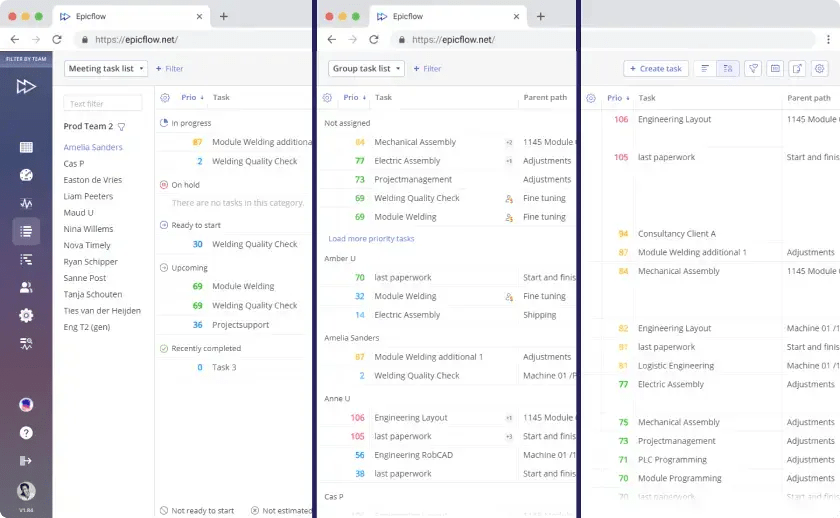
Epicflow heads our list of manufacturing capacity planning tools. It is an AI-powered project portfolio management (PPM) and resource scheduling platform built specifically for multi-project corporate environments. It is built on Critical Chain Project Management (CCPM) theory, it is capable of tracking live team bandwidth and capacity planning variables across thousands of concurrent dependencies to prevent bottlenecks before they slip into critical paths [5].
Best for:
Mid-to-large engineering firms, R&D labs, and software organizations juggling shared talent and cross-project bottlenecks.
Key features:
- Dynamic prioritization.
- AI portfolio optimizer.
- What-if analysis.
- Epics AI assistant.
- Capacity planning.
- Predictive analytics.
Pricing
- Growth: 22.5€ monthly/billed annually.
- Enterprise: custom pricing. You should contact the vendor directly.
Pros:
- Prevents team from burnout.
- Helps to spot risks and bottlenecks early.
- Bi-directional data pipelines ensure changes in Epicflow instantly update your secondary connected tools.
- Exceptional CCPM alignment.
Cons:
- Doesn’t offer a free-forever option.
- Overkill for simple operations.
Integrations
Supports seamless integration with Jira, Oracle Primavera, MS Project Server, and SAP.
Reviews
- G2: 4.4/5
- Capterra: 5/5
- SoftwareAdvice: 5/5
2. Saviom
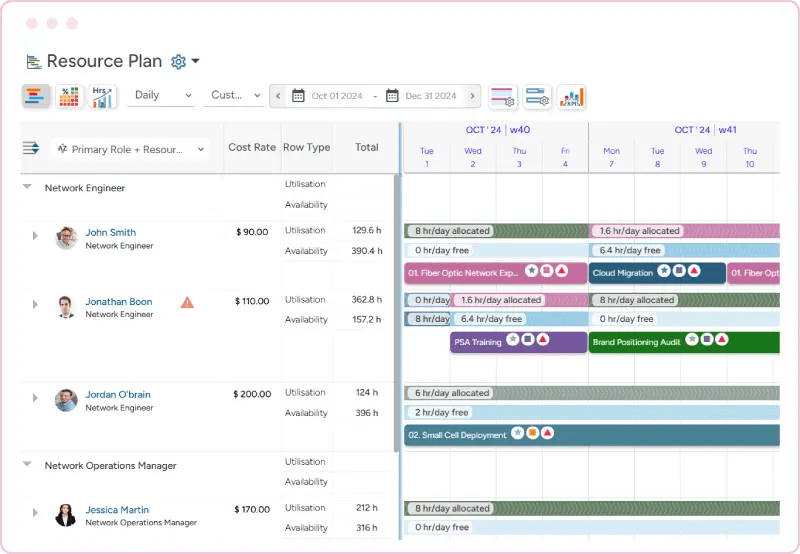
This manufacturing capacity planning software can be a decent choice for enterprise resource management (ERM) and workforce capacity planning. Saviom is built from the ground up around resource-first optimization to help large organizations maximize employee utilization.
Best for:
Mid-to-large-sized companies for robust capacity planning and resource forecasting.
Key features:
- Multidimensional resource scheduling.
- Predictive capacity planning and resource forecasting.
- Enterprise skill matrix.
- Real-time utilization analytics.
- Project portfolio management.
Pricing
The official site of the platform doesn’t show exact pricing. Please contact the vendor.
Pros:
- This tool is extremely adaptable.
- Natively lets resource managers allocate large groups of personnel or complex machinery to multiple timelines at once.
- Has an exceptionally mature predictive sandboxing tool.
Cons:
- Has a steep initial learning curve.
- Lacks native project-budget tracking.
Integrations
Integrates with Microsoft Excel and Outlook, Salesforce Platform, and WorkflowMax.
Reviews
- G2: 4.5/5
- Capterra: 4.3/5
- SoftwareAdvice: 4.3/5
3. Productive
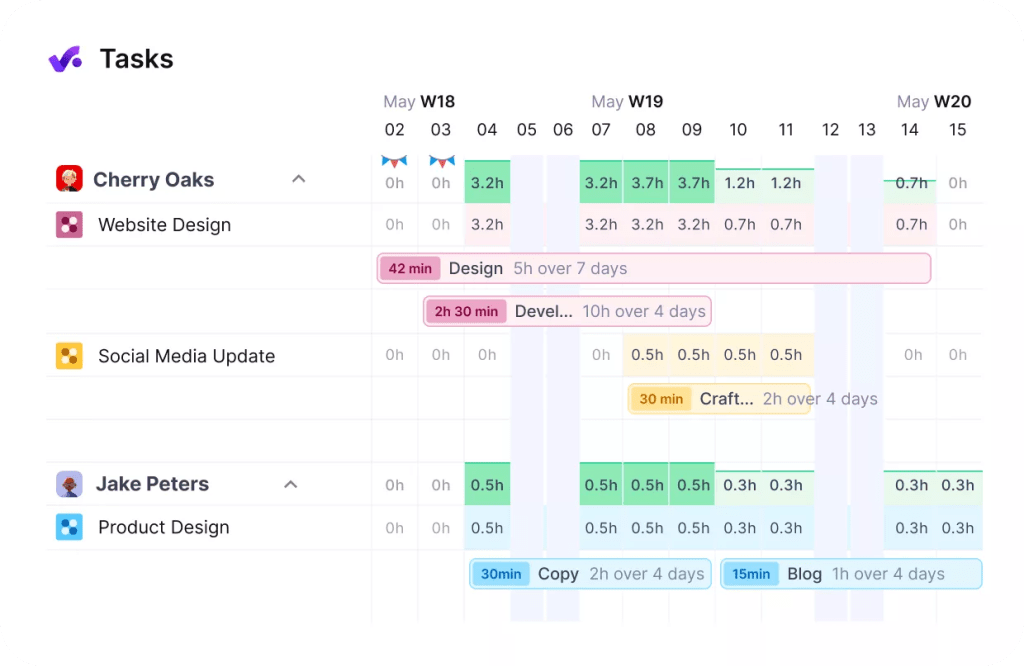
Productive (Productive.io) is an all-in-one agency management platform that can be used for manufacturing capacity planning. It replaces a fragmented software stack and combines project management, resource scheduling, time tracking, and real-time profitability metrics within a unified system.
Best for:
Small-to-mid-sized companies that need tightly integrated manufacturing capacity planning and financial health tracking.
Key features:
- Resource planning.
- Time tracking.
- Project management.
- Gantt charts.
- Budgeting and profitability tracking.
- Scenario builder.
Pricing
- Essential: $10/month.
- Professional: $25/month.
- Ultimate: Custom pricing, contact the vendor directly.
Pros:
- Offers one of the cleanest financial tracking on the market.
- Extremely intuitive user experience.
- Eliminates administrative friction.
Cons:
- Core planning features are gated.
- No free-forever option.
Integrations
Has a wide range of integrations with Slack, HubSpot CRM, Google Calendar, BambooHR, Zapier, and others.
Reviews
- G2: 4.6/5
- Capterra: 4.6/5
- SoftwareAdvice: 4.6/5
4. Kantata
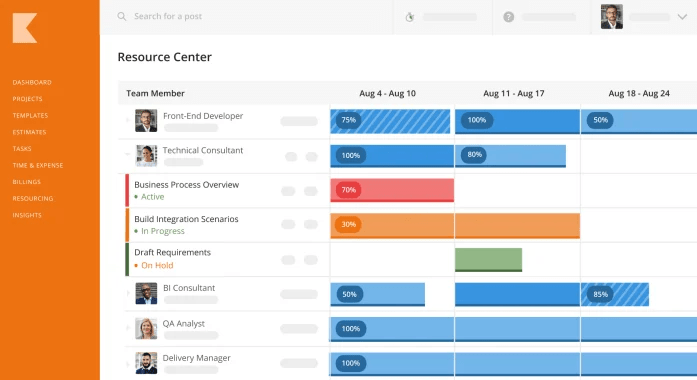
Kantata (formed by the merger of Mavenlink and Kimble) is a PSA solution and manufacturing forecasting software tailored explicitly for service-led organizations. It unifies complex workforce capacity planning, cross-project scheduling, project financials, and business intelligence under a single umbrella.
Best for:
Mid-to-large organizations looking for deep, financial-centric resource allocation and optimization.
Key features:
- AI-driven staffing optimizer.
- Real-time margin and revenue forecasting.
- Agentic business intelligence.
- Sentiment analysis.
Pricing
The official site of the platform doesn’t show exact pricing. Please contact the vendor.
Pros:
- Has an exceptional end-to-end visibility.
- Reduces bench time.
- Strong governance.
Cons:
- Has a steep learning curve.
- Has a lengthy implementation timeline.
Integrations
Supports lots of integrations with Google Workspace, Jira, PayPal, Microsoft 365, NetSuite, Salesforce, Zapier, Slack, and others.
Reviews
- G2: 4.2/5
- Capterra: 4.2/5
- SoftwareAdvice: 4.2/5
5. Smartsheet
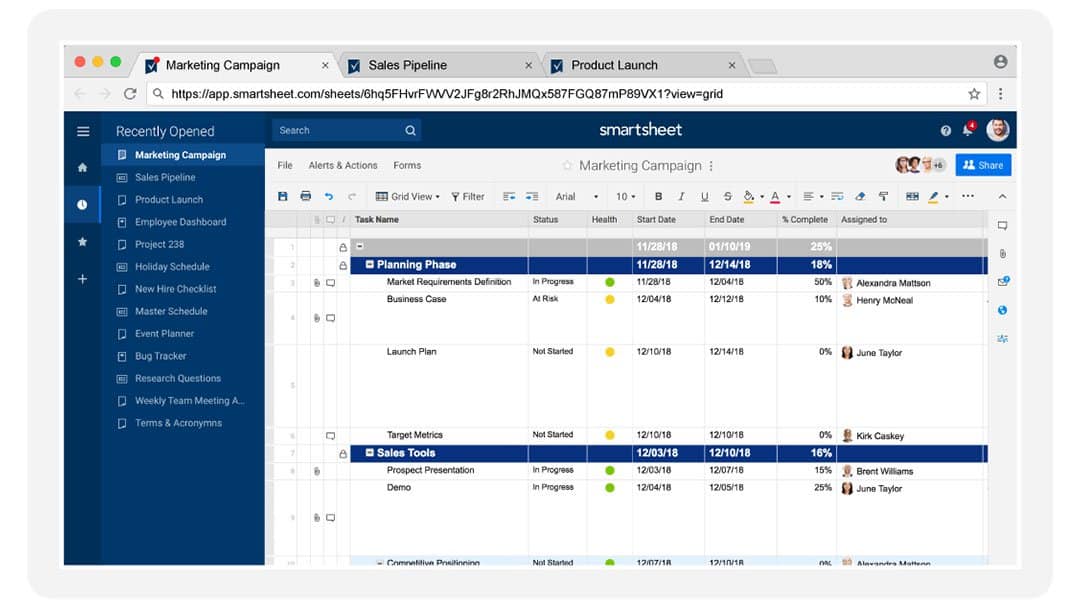
This production capacity planning software is extremely valued by users who love the layout of Excel or Google Sheets but need enterprise-grade functions like automation or portfolio management.
Best for:
For organizations and PMOs that require strong manufacturing capacity planning software with an Excel-familiar interface.
Key features:
- Project portfolio management.
- Capacity planning.
- AI-powered features and integrations.
- Automated workflows.
- Scenario planning.
- Security features and encryption.
Pricing
- Pro: $9 per member/month.
- Business: $19 per member/month.
- Enterprise: custom pricing.
- Advanced Work Management: custom pricing.
Pros:
- Has an extensive feature set for security.
- Users with strong Excel skills can adapt to the platform almost immediately.
- Can compile disparate data rows from hundreds of individual sheets into a single dashboard.
- Allows unlimited external clients or stakeholders to view dashboards and reports for free.
Cons:
- It does not offer a free-forever plan.
Integrations
Has a seamless integration with Microsoft Office, Google Workspace, Zapier, Okta, Salesforce, Slack, OneDrive, SAP, Trello, etc.
Reviews
- G2: 4.4/5
- Capterra: 4.5/5
- SoftwareAdvice: 4.5/5
6. Resource Guru
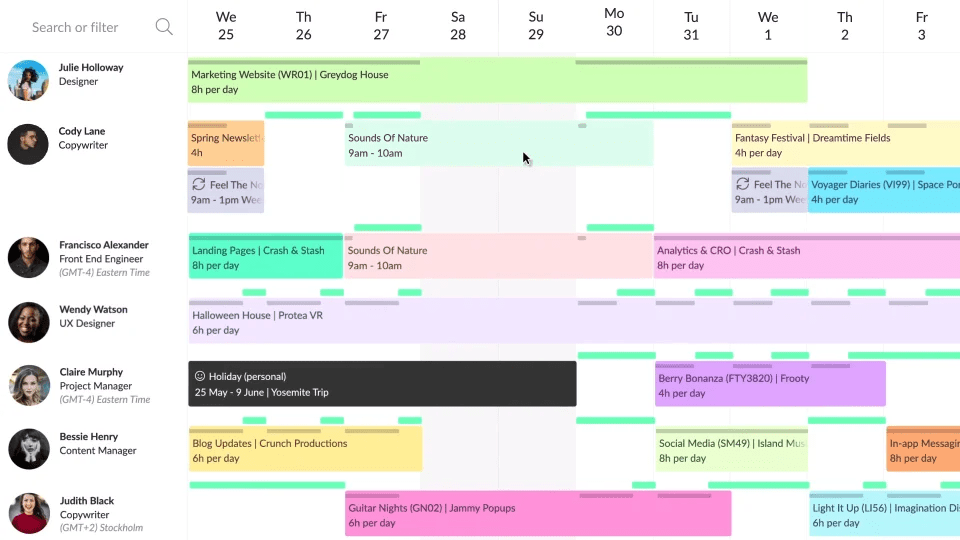
Resource Guru is a lightweight manufacturing capacity planning tool designed to replace clunky spreadsheets. It relies on a drag-and-drop calendar interface that focuses strictly on giving managers a bird’s-eye view of team availability and non-human asset usage.
Best for:
Companies that need simple, clash-free team capacity planning and visual workload balancing.
Key features:
- Leave management.
- Capacity planning.
- Resource management.
- Non-human resource allocation.
Pricing
- Grasshopper Plan: $5 per person, per month.
- Blackbelt Plan: $8 per person, per month.
- Master Plan: $12 per person, per month.
Pros:
- Simple learning curve.
- Lets you smoothly scale up or down.
- Gives every individual employee their own uncluttered dashboard showing exactly what they are assigned to work on.
Cons:
- Lacks the deep project tools.
- Lacks automated task handoffs between stages.
Integrations
Has integrations with Zapier, Calendly, Asana, Jira, and others.
Reviews
- G2: 4.6/5
- Capterra: 4.7/5
- SoftwareAdvice: 4.7/5
7. Hub Planner by Milient
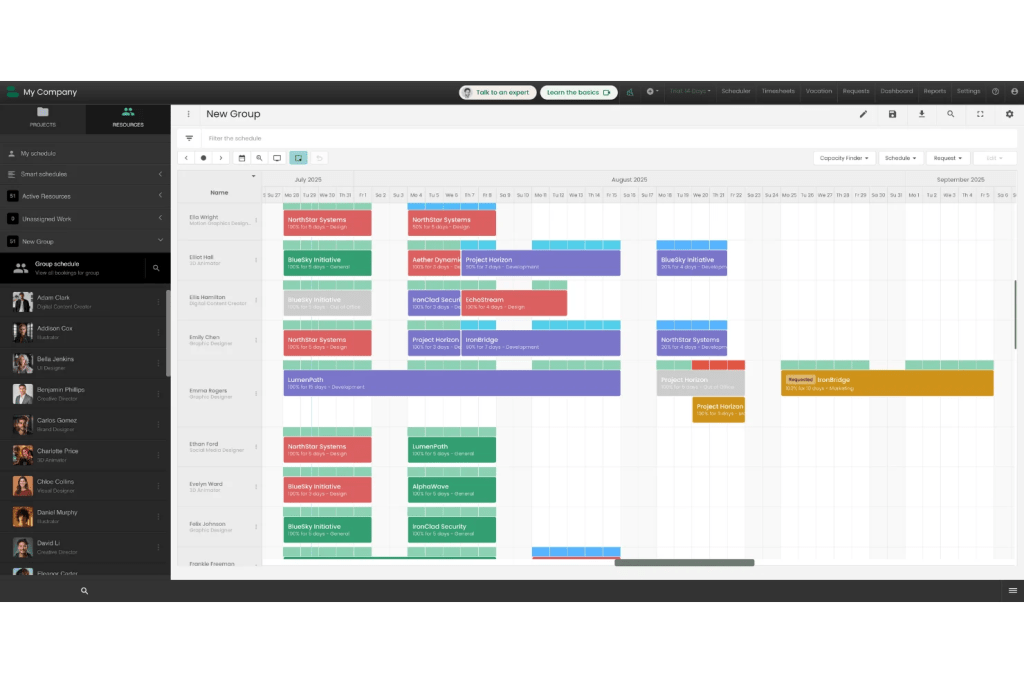
Hub Planner (developed by Milient) is a dedicated resource scheduling and time-tracking application that can be used for manufacturing capacity planning. It helps companies to eliminate resource conflicts in fast-paced operational environments.
Best for:
PMO teams that need to optimize utilization rates and balance cross-project employee capacity.
Key features:
- Project management.
- Resource management and utilization.
- Time tracking.
- Knowledge management.
Pricing
The official site doesn’t view exact pricing, please, contact the vendor.
Pros:
- The main calendar timeline is highly intuitive.
- Excellent budget analytics.
- Offers a free trial to test live workloads before committing.
Cons:
- Lacks granular task boards.
- Has initial data setup overhead.
Integrations
Has integrations with GitHub, Basecamp, and Zapier.
Reviews
- G2: platform doesn’t have reviews on this software.
- Capterra: 4.2/5
- SoftwareAdvice: 4.2/5
8. Ganttic
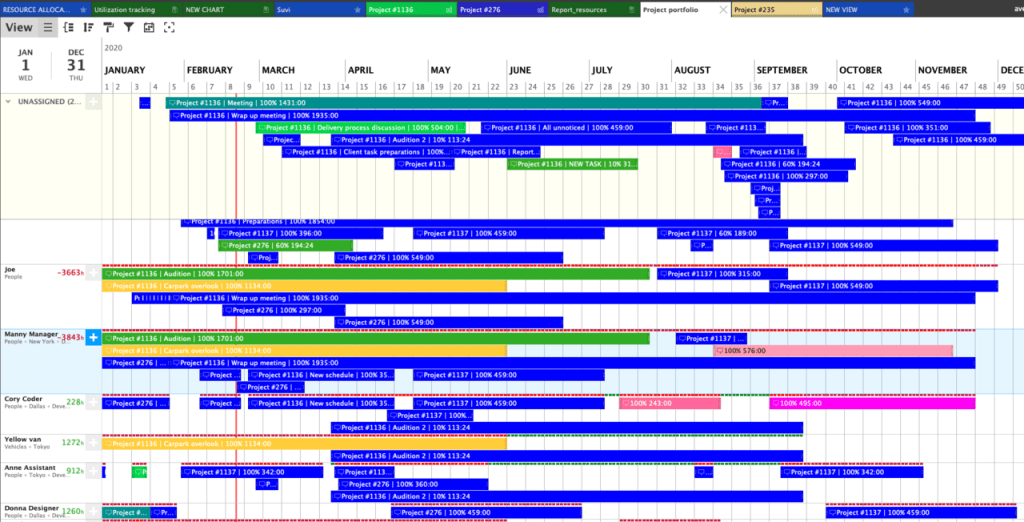
Among other manufacturing capacity planning tools, Ganttic is a highly flexible, visual machine capacity software focused heavily on timeline scheduling and resource capacity tracking. If we compare it to the other capacity planning tools for manufacturing, Ganttic utilizes a unique, resource-based pricing structure. This makes it an ideal fit for operations that need to share a master production schedule with an unlimited number of managers, viewers, or clients while only paying for the specific assets being scheduled.
Best for:
Tracking high-value physical assets (machinery, vehicles, factory floor space) alongside human labor on a shared Gantt timeline.
Key features:
- Advanced resource allocation and scheduling.
- Project portfolio management.
- Capacity planning.
- Equipment scheduling.
- Online Gantt chart.
- Custom data fields in dashboards.
Pricing
Pricing depends on the number of resources.
Pros:
- Highly cost-effective for large teams.
- One of the few planners built to treat tools and heavy machinery with the same scheduling depth as human staff.
- Easy-to-use UI.
- Lower-paid tiers get access to the exact same premium features and API tools as the top plans.
Cons:
- Lacks some features of dedicated PM software.
- No native automated financial billing.
Integrations
Has integrations with Google Calendar, Microsoft Azure, Zapier, OneLogin, and Microsoft OutLook.
Reviews
- G2: 4.6/5
- Capterra: 4.3/5
- SoftwareAdvice: 4.3/5
9. Tempo Capacity Planner
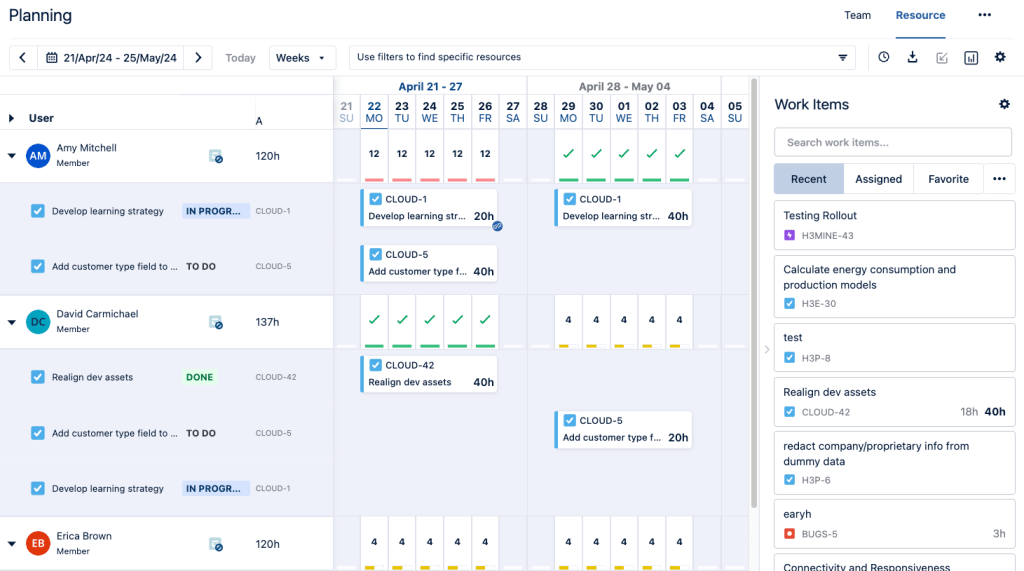
This manufacturing capacity planning platform stands out for being a native part of the Atlassian Jira ecosystem. It is a highly specialized resource management and workforce scheduling tool that eliminates the need for external scheduling syncs. Moreover, it allows project managers to plan and allocate team workloads directly against active Jira tickets.
Best for:
Engineering, manufacturing, IT, and software development teams operating heavily within Jira.
Key features:
Pricing
The cost depends on the number of users.
Pros:
- Seamless integration with all tools from the Jira ecosystem.
- It significantly simplifies sprint planning.
- Per-user costs drop significantly as your team scale moves into higher enterprise bands.
Cons:
- If your company uses project management tools other than Jira, Tempo is highly impractical.
- Basic standalone reporting.
- Lacks deep asset tracking.
Integrations
Has seamless integration with Tempo Timesheets, Jira, Structure PPM, and others.
Reviews
- G2: platform doesn’t have reviews on this software.
- Capterra: 4.2/5
- SoftwareAdvice: 4.2/5
10. Accelo
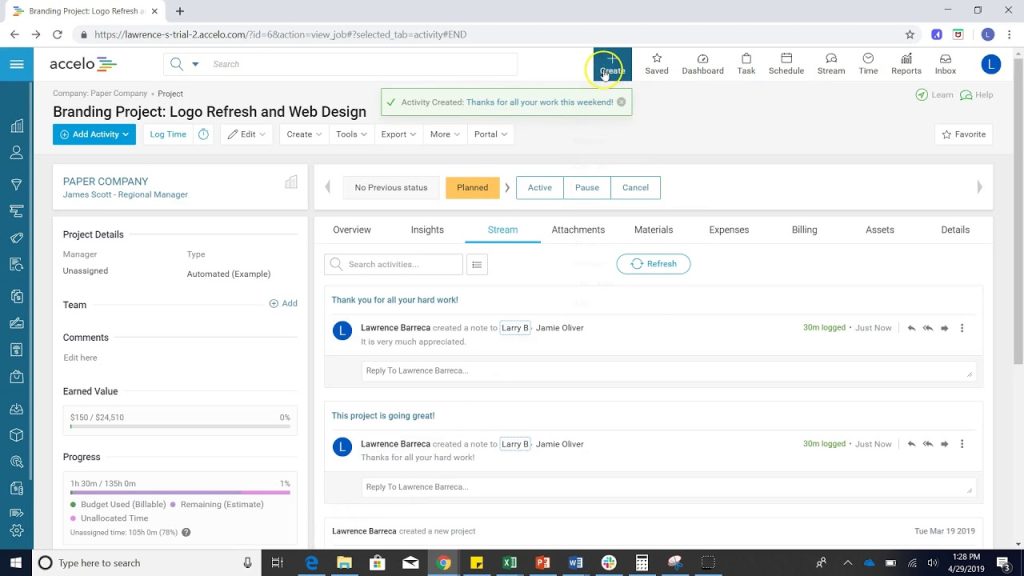
Accelo is a cloud-based professional services automation (PSA) platform engineered specifically for service-oriented businesses like engineering firms. It manages the entire “quote-to-cash” lifecycle under one roof, connecting initial sales pipelines directly to real-time project scheduling and resource capacity.
Best for:
Automated, client-facing operations and unified “quote-to-cash” management.
Key features:
- Automatic email and time tracking.
- Dynamic resource capacity dashboard.
- Integrated CRM.
- Business intelligence.
- Artificial intelligence.
Pricing
The official site doesn’t view exact pricing, please, contact the vendor.
Pros:
- Eliminates data silos.
- Excellent revenue leakage protection.
- Centralized client histories.
Cons:
- Has a steep learning curve.
- Setup costs are too expensive for smaller companies.
Integrations
Has integrations with Google Analytics, Expensify, HubSpot, Zendesk, PayPal, Jira, Zapier, etc.
Reviews
- G2: 4.3/5
- Capterra: 4.5/5
- SoftwareAdvice: 4.5/5
11. Wrike
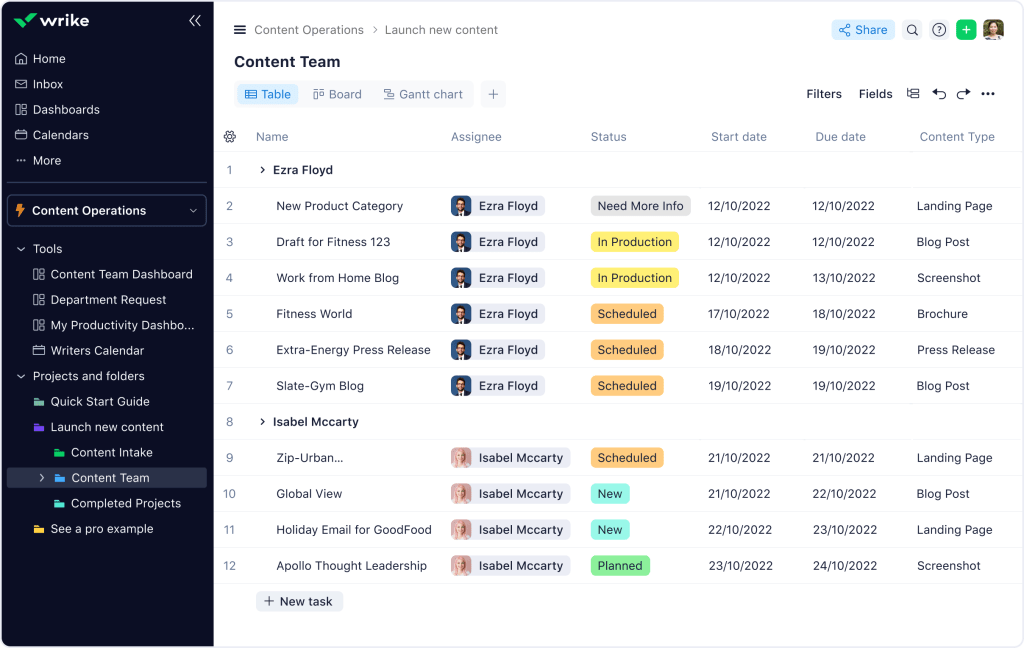
From the other manufacturing capacity planning software, Wrike stands out as a highly versatile platform built to scale across massive organizations and cross-functional teams. It helps teams with standard project management functions (like Gantt charts and milestones) and is also tailored to more modern approaches like Agile.
Best for:
Cross-departmental collaboration and enterprise workflow automation across mid-to-large corporate teams.
Key features:
- Dynamic request forms.
- Interactive cross-project Gantt charts.
- Incident management.
- Resource scheduling and management.
- Budget management.
- Wrike AI agent and Copilot.
Pricing
- Free: $0 user/ month.
- Team: $10 user/month.
- Business: $25 user/month.
- Pinnacle: custom pricing.
- Apex: custom pricing.
Pros:
- Has a free version.
- Highly flexible.
- Has advanced AI capabilities.
- Can easily manage thousands of nested projects and tasks without losing system speed.
Cons:
- Some advanced features are locked behind an expensive Business tier.
- Complex setup.
Integrations
Has integrations with Gmail, Slack, Jira, Salesforce, HubSpot, Airtable.
Reviews
- G2: 4.2/5
- Capterra: 4.4/5
- SoftwareAdvice: 4.4/5
12. Scoro
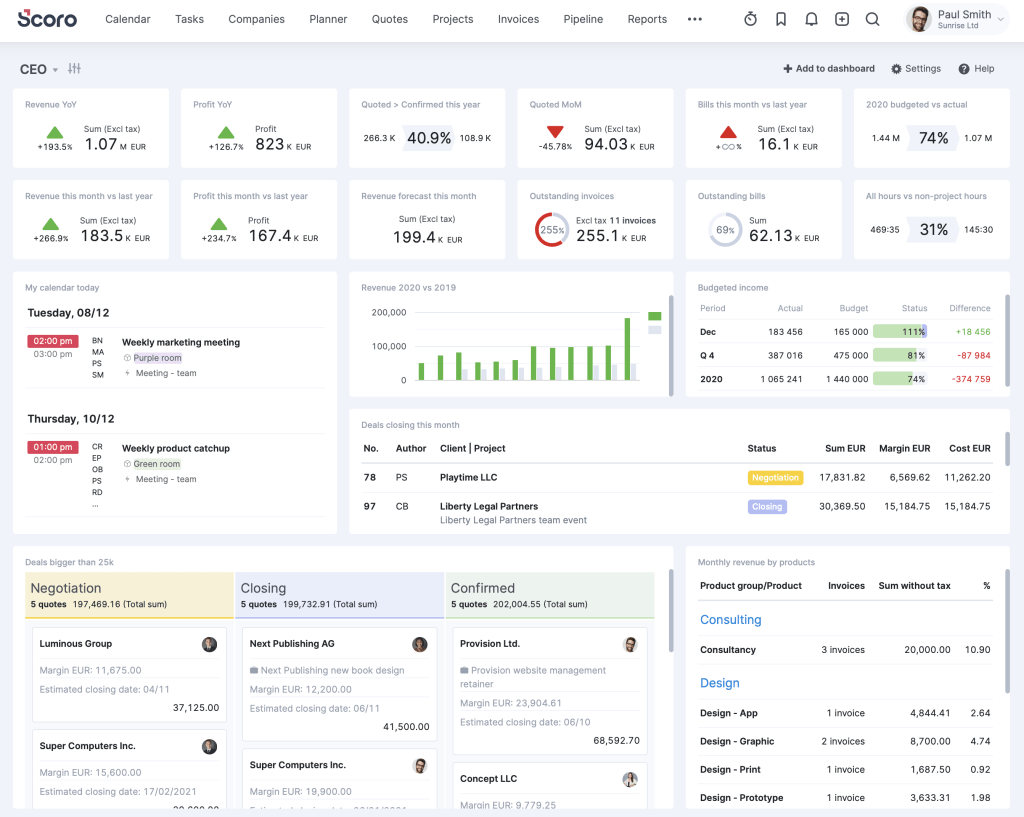
This solution on our list of manufacturing capacity planning software is an all-in-one business management platform. It eliminates the chaos of app fragmentation by combining project management, advanced resource allocation, time tracking, billing, and full CRM client pipelines into a single, cohesive interface.
Best for:
End-to-end business management and unified operations.
Key features:
- Automated billing.
- Integrated CRM pipeline.
- Advanced project management.
- AI automation.
- Resource and capacity planning.
Pricing
- Core: $19.90 per user/month.
- Growth: $32.90 per user/month.
- Performance: $49.90 per user/month.
- Enterprise: custom pricing.
Pros:
- Replaces up to 4 or 5 separate tools.
- Has exceptionally deep financial reporting.
- Reduces administrative bloat.
Cons:
- Advanced resource allocation features are completely locked out of lower tiers.
- Has a steep adoption curve.
Integrations
Has integrations with Airtable, Slack, Zoho CRM, Asana, Harvest, Jira, etc.
Reviews
- G2: 4.5/5
- Capterra: 4.5/5
- SoftwareAdvice: 4.5/5
13. Planview
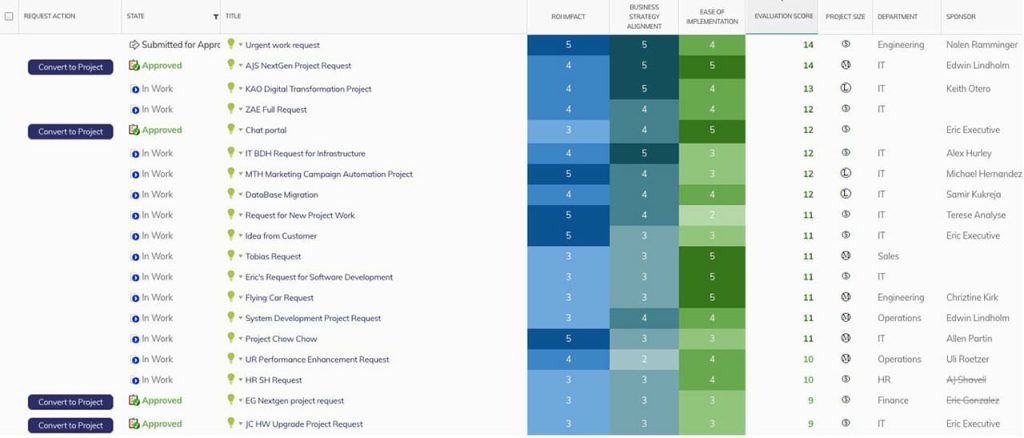
Planview positions itself as a heavy-duty portfolio and work management platform designed for global organizations and corporate PMOs. It connects high-level C-suite strategy and day-to-day execution, which afterall allows manufacturers to efficiently coordinate multi-million dollar budgets and advanced capacity planning.
Best for:
Enterprise portfolio management (PPM) and high-level strategic capacity planning for large corporations and complex PMOs.
Key features:
- Strategic portfolio and project management.
- Cross-functional capacity planning and forecasting.
- What-if scenario modelling.
- Integrates agile-lean frameworks.
- Budgeting.
- Project prioritization.
Pricing
The official site of the platform doesn’t view exact pricing.
Pros:
- Highly scalable and can handle projects with tens of thousands of employees.
- Has powerful predictive analytics.
- Highly flexible and can be tailored to match almost any specific corporate workflow.
Cons:
- Has a steep learning curve.
- Initial implementation can take months.
- Too heavy for small teams.
Integrations
Has integrations with ServiceNow, Microsoft Office, Slack, NetSuite, Zendesk, etc.
Reviews
- G2: 4.1/5
- Capterra: 4.3/5
- SoftwareAdvice: 4.3/5
14. Float
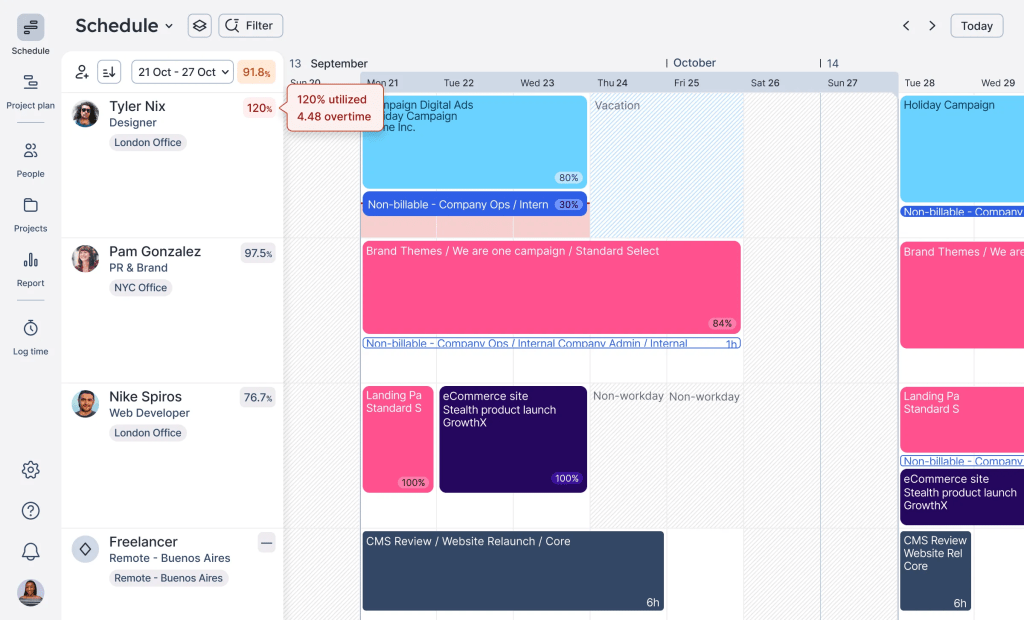
The penultimate solution on our list of capacity planning tools for manufacturing is Float. It is a highly visual resource management tool tailored specifically for fast-moving environments. Would be a great tool for teams that need an intuitive interface and advanced capabilities unified in one manufacturing capacity planning platform.
Best for:
Fast-moving teams looking for a highly intuitive manufacturing capacity planning tool with visual real-time scheduling.
Key features:
- Project capacity planning.
- Advanced resource management.
- Project planning and estimates.
- Time tracking.
- Customizable dashboards.
Pricing
- Starter: $7 per scheduled person/month.
- Pro: $12 per scheduled person/month
- Enterprise: custom pricing.
Pros:
- Users say that its resource management features help to simplify scheduling.
- Has a clear and intuitive user interface.
- Has a pretty affordable pricing.
Cons:
- Onboarding process is not that deep.
- Doesn’t possess some advanced functions, for example, approval loops.
Integrations
Has seamless integrations with Asana, Jira, Slack, Trello, Google Calendar, and others.
Reviews
- G2: 4.3/5
- Capterra: 4.5/5
- SoftwareAdvice: 4.5/5
15. Celoxis
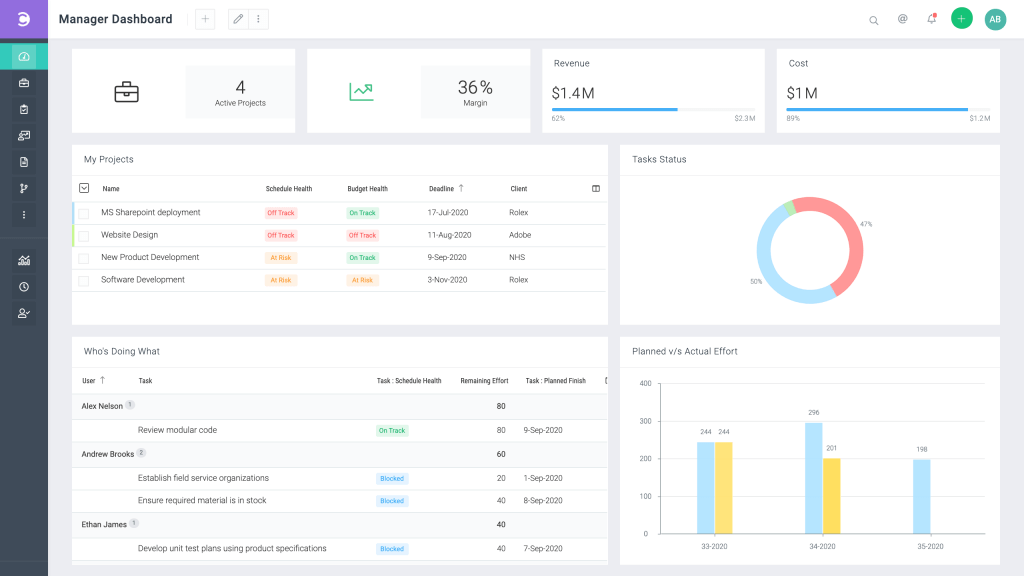
The last but not least solution that we included in our list of best manufacturing capacity planning software is Celoxis. It is an all-in-one platform for project portfolio management (PPM) that is designed to handle complex, multi-project environments. It is perfectly suitable for mid-to-large enterprises that need to combine robust project planning with AI-driven data insights.
Best for:
Complex project portfolio management (PPM) and deep resource analytics for mid-to-large-sized organizations.
Key features:
- Advanced project planning and tracking.
- Project portfolio management.
- AI virtual assistant Lex.
- Dynamic, customizable dashboards.
- Resource management.
- Collaboration between teams and stakeholders.
Pricing
- Core: $10 per standard user.
- Essentials: $25 per standard user.
- Professional: $35 per standard user.
- Business: $45 per standard user.
- Enterprise: custom pricing.
Pros:
- Users value its interactive dashboards for the ability to monitor the real-time progress of the entire project portfolio.
- All-in-one solution that combines features for finances, resource management, and some advanced functions under one roof.
- Provides 24/5 live client support.
Cons:
- Has a steep learning curve.
- User interface sometimes feels cluttered for new users.
- It does not offer a free-forever tier for small teams.
Integrations
Has a seamless integration with Jira, Zapier, Google Drive, Salesforce, Zendesk, Microsoft Office, Slack, Harvest, and others.
Reviews
- G2: 4.6/5
- Capterra: 4.5/5
- SoftwareAdvice: 4.5/5
Read More: Microsoft Project Online Retirement 2026: Migration Guide and Alternatives
What Features Should You Look For in Manufacturing Capacity Planning Tools?
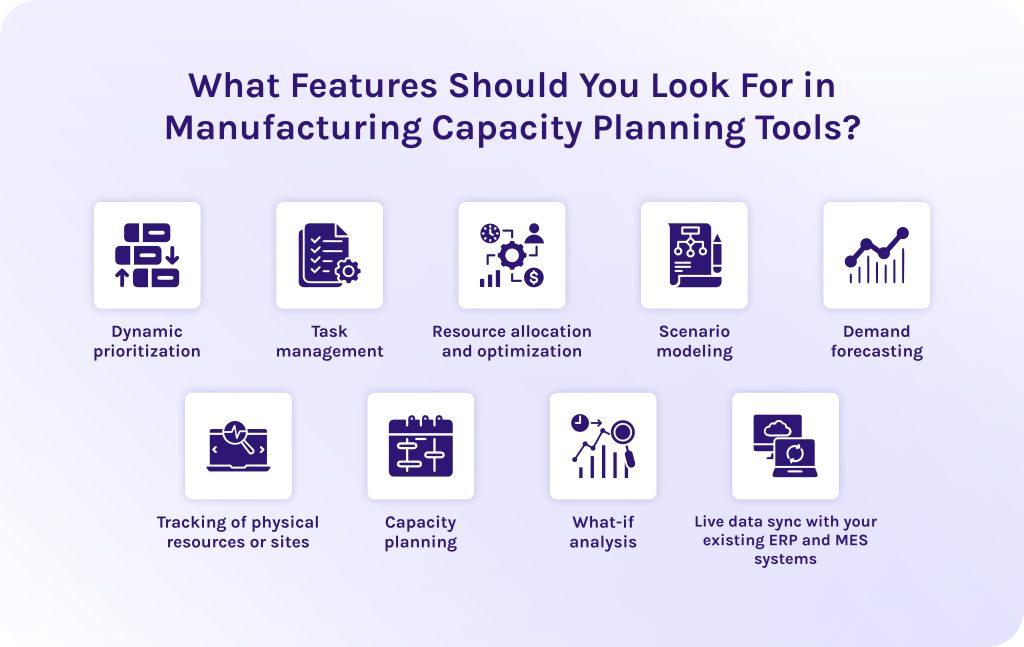
- Dynamic prioritization. The manufacturing capacity planning tool must automatically recalculate and adjust order schedules in real time as delays or emergent orders impact the production queue.
- Task management. Production capacity planning tools must possess tracking capabilities that break high-level manufacturing orders down into clear and sequenced sub-tasks for operators on the floor.
- Resource allocation and optimization. Capacity planning tools for manufacturing should intelligently match equipment, specialized tools, and human operators to production tasks based on real-time availability and individual skills.
- Scenario modeling. This feature provides a secure sandbox environment where leadership can simulate broad organizational shifts or changes in production capacity before implementing them on the live floor.
- Demand forecasting. Advanced predictive algorithms should analyze historical sales patterns and open pipeline opportunities to accurately estimate future raw material and capacity needs.
- Tracking of physical resources or sites. A centralized database must monitor the real-time operational state and location of physical equipment and multiple manufacturing facilities.
- Capacity planning. The manufacturing capacity planning tool must calculate exact production maximums based on finite constraints to ensure the facility optimizes utilization rates without overcommitting resources.
- What-if analysis. This feature in manufacturing capacity planning tools allows managers to test different disruptions to see their exact impact on delivery deadlines.
- Live data sync with your existing ERP and MES systems. Ultimately, one of the most important manufacturing capacity planning capabilities is bidirectional integration with other tools. It pulls material inventories and sales pipelines from your business systems while ingesting live production speeds directly from the shop floor.
Read More: Best Scenario Planning Tools to Consider in 2026
How to Choose Your Perfect Manufacturing Capacity Planning Software?
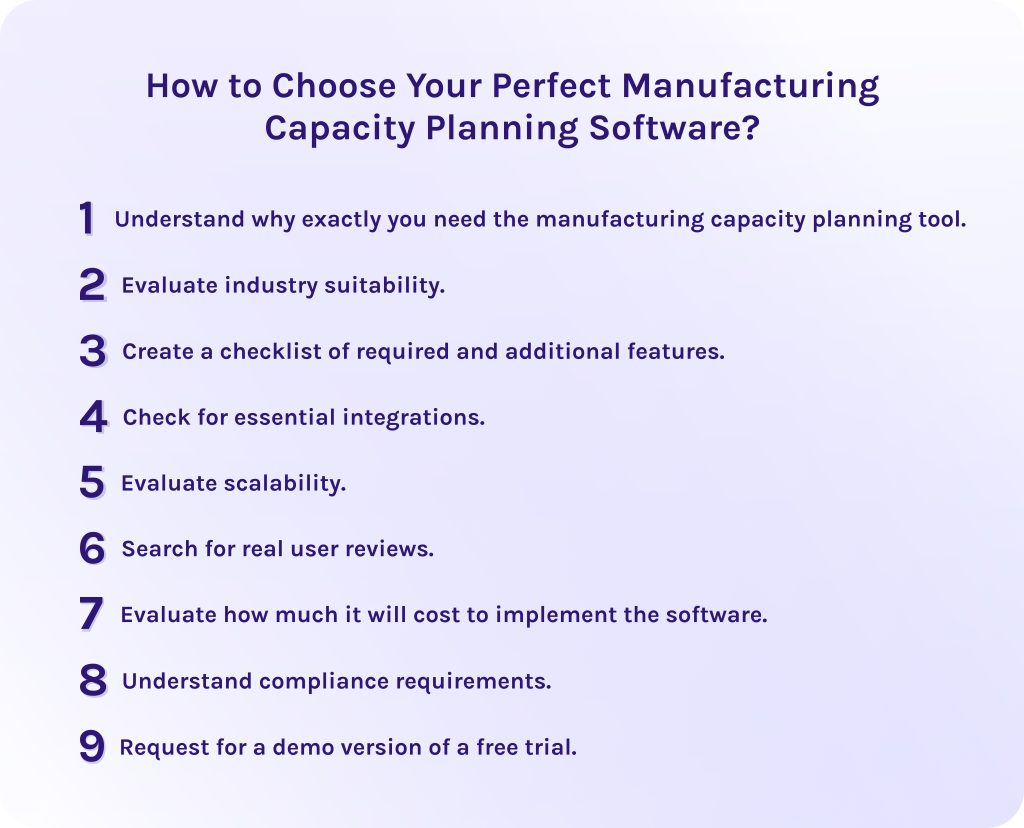
Now, you may wonder, “Okay, there are so many solutions, how do I know which one is the best for me?” Well, the answer isn’t that simple. As different capacity planning software for manufacturing don’t have equal toolsets or even primary industry fit, they are all effective in different situations. Thus, I’ve created an evaluation framework that you can use as a crib sheet when selecting capacity planning tools for your organization.
1. Understand why exactly you need the manufacturing capacity planning tool.
Understanding why we need this digital upgrade will help you avoid unreasonable spending. The reasons, in fact, can vary from company to company as all our needs are different. Therefore, I personally don’t recommend looking at the competitors. Rather, analyze your individual needs and understand what value manufacturing capacity planning brings to you.
2. Evaluate industry suitability.
Check if the production capacity planning software meets all the needed requirements. Depending on it, you may require different features or a different level of security.
3. Create a checklist of required and additional features.
Understand which manufacturing capacity planning capabilities are must-haves for you and which ones are nice-to-haves. It will help you to soberly assess the situation and avoid unnecessary spending. I recommend paying attention to more advanced features in manufacturing capacity planning software, like “what-if” analysis or predictive analytics, as they directly impact the efficiency of your business operations and ROI.
4. Check for essential integrations.
Will you be able to connect the new manufacturing capacity planning tool to your existing software for HR, CRM, finance, or internal tools? If not, you’ll spend more than you’ll gain in perspective.
5. Evaluate scalability.
Check if the manufacturing capacity planning platform is capable of handling rising volumes of data and users. You need to do it at the very beginning to avoid costly surprises or transition to another platform a few months later.
6. Search for real user reviews.
We already checked all reviewed forecasting software for manufacturing, but it doesn’t hurt to check it once again on your own. We recommend doing it on the platforms G2, Capterra, and SoftwareAdvice – they have only verified reviews from real people. You will ensure that our reviews are unprejudiced and reliable, and check the needed solutions for new feedback.
7. Evaluate how much it will cost to implement the software.
Understanding the total cost of ownership of the capacity planning software for manufacturing is as necessary as breathing. This includes implementation time, employee training, maintenance, how costly it will be to transition your already data from your current platform to the new one, and so on. Compare pricing offers of different manufacturing capacity planning vendors to select your perfect fit.
8. Understand compliance requirements.
Ensure that the selected manufacturing production planning platforms meet the specific regulations of the manufacturing industry. If it isn’t, then the consequences may be not only painful in terms of penalties, but also you risk experiencing data leakage and disclosure of trade secrets.
9. Request for a demo version of a free trial.
Test the manufacturing capacity planning tool in real-world conditions. And don’t be ashamed to ask any questions you may have, even those that sound awkward in your head. You will thank yourself later, trust me.
Read More: Stop Guessing, Start Scaling: Top 8 Capacity Planning Software [2026]
Final Words
In a nutshell, manufacturing capacity planning tools are software solutions that help manufacturers allocate their constrained resources in a way that helps to avoid inefficiencies. Two of the riskiest situations that might happen – your resources are overbooked or, on the contrary, they are underutilized, which in both cases leads to losses in ROI and missed deadlines.
In turn, the software for manufacturing capacity planning helps you prioritize the most valuable projects and tasks and allocate the most valuable resources there to get the maximum efficiency and the best outcomes.
FAQs
1. What are capacity planning tools?
Capacity planning tools are software that helps a business figure out if it has the actual resources to successfully complete its current and upcoming projects. It can be any resources required: people, time, equipment, or money.
2. What are the three types of capacity planning?
- Workforce capacity planning – The process of identifying labor hours and staff required to meet production goals without burnout and underallocation. This involves managing overtime, tracking team skills, and hiring extra specialists if needed to ensure you have enough resources without creating unnecessary labor waste.
- Product capacity planning – A process of calculating the total quantity of specific goods your facility can realistically produce. Here, you match raw material availability and machine throughput speeds against sales forecasts.
- Tool capacity planning – The process of managing the specialized machinery or software required to perform the work to avoid bottlenecks and degradation of efficiency with logger work hours or increased pressure.
3. What are the four types of capacity?
- Workforce capacity – The total available labor hours of your team. It measures how much work your employees can physically handle in a given timeframe.
- Production capacity – The maximum output a facility can manufacture. It calculates the absolute limit of what your machinery and physical plant can produce over a specific period.
- Project capacity – The number of large-scale initiatives an organization can manage at once.
- Infrastructure capacity – The limit of your underlying technical and physical support systems. In manufacturing, this refers to your physical space, warehouse storage limits, and utilities.
4. Can I use Jira for capacity planning?
Yes, you can use Jira for capacity planning. It has built-in features like Advanced Roadmaps (available in Premium and Enterprise plans) that give you the ability to track team velocity. For more complex scheduling, you can use specialized plug-ins like Tempo Capacity Planner or Structure.
5. What’s the best tool for project capacity planning?
The selection of the best capacity planning tool depends primarily on your industry and working conditions.
- Epicflow – best for multi-project resource capacity planning.
- Scoro – perfect choice for managing end-to-end business operations.
- Smartsheet – ideal solution for teams that want a tool similar to Excel sheets.
- Saviom – best for enterprise-level workforce forecasting.
- Resource Guru – ideal for simple scheduling.
- Productive – best for agencies that need to track their profitability.
- Celoxis – best for companies that need deep analytics within complex portfolio tracking.
- Accelo – ideal solution for client-facing operations.
- Kantata – perfect choice for professional services automation (PSA).
- Wrike – decent choice for cross-departmental collaboration.
- Float – best for creative team scheduling.
- Ganttic – ideal solution for heavy equipment and asset scheduling.
- Hub Planner by Milient – perfect choice for visual availability heat maps.
- Tempo Capacity Planner – best for Jira ecosystems.
- Planview – ideal solution for corporate portfolio management (PPM).
6. What is the meaning of manufacturing capacity?
Manufacturing capacity is the maximum volume of products a factory or facility can realistically produce within a specific period of time. It uses the company’s existing machinery, labor, equipment, and resources.
7. What are the three key questions in capacity planning?
- What kind of capacity do we need? – This identifies the exact type of resource required to meet upcoming demand.
- How much capacity is needed? – This quantifies the exact volume or scale of the requirement.
- When is the capacity needed? – This establishes the critical timeline and scheduling of the resources.
8. What is manufacturing capacity planning?
Manufacturing capacity planning is a process of matching a company’s resources with forecasted customer demand. The goal is to balance the production schedule so that the facility can fulfill orders on time without overworking resources or letting expensive equipment sit idle.
9. How do you calculate manufacturing capacity?
To calculate manufacturing capacity, multiply your total number of usable machines or workers by the available operating hours, the unit output rate, and your efficiency factor.
Manufacturing capacity = X(human employees or tools) x X(hours per each shift) x X(number of shifts) x (efficiency rate).
In fact, most modern manufacturing capacity planning platforms can calculate it automatically, using real-time data from your system.
10. How is OEE calculated simply?
To calculate OEE (Overall Equipment Effectiveness) simply, you multiply three percentages together: availability, performance, quality.
OEE = Availability x Performance x Quality.
11. What is a KPI for capacity?
The most important KPI (Key Performance Indicator) for capacity is the Capacity Utilization Rate. To calculate it, you need:
Capacity Utilization Rate = (Actual output / Maximum potential capacity) x 100
12. What is the main focus of capacity planning?
The main focus of capacity planning is to balance a company’s available resources with projected customer demand. It leads to higher productivity and less burnout, because an organization has exactly enough production capability to fulfill orders on time without overworking.
13. How can manufacturing capacity be increased?
You can increase manufacturing capacity only by optimizing your processes. You need to optimize bottlenecks and minimize setup times to improve overall line speed. As well, if you implement predictive maintenance, it will also significantly reduce unplanned downtime.
14. What is the 80/20 rule in manufacturing?
The 80/20 rule in manufacturing says that roughly 80% of operational outcomes are caused by just 20% of the inputs or issues. It helps managers to maximize efficiency by focusing their resources and capacity planning on the vital few factors that have the biggest impact.
References
1. McKinsey “Reimagining industrial supply chains” (2020). Retrieved from:
https://www.mckinsey.com/industries/industrials/our-insights/reimagining-industrial-supply-chains
2. “Advanced Planning and Scheduling (APS) Systems: A Systematic Literature Review” (2021). Retrieved from:
https://www.researchgate.net/publication/355663349_Advanced_Planning_and_Scheduling_APS_Systems_A_Systematic_Literature_Review
3. “Enterprise Resource Planning (ERP) Systems: Emergence, Importance and Challenges” (2014). Retrieved from:
https://www.researchgate.net/publication/279515314_Enterprise_Resource_Planning_ERP_Systems_Emergence_Importance_and_Challenges
4. “An Overview of Next-generation Manufacturing Execution Systems: How important is MES for Industry 4.0?” (2019). Retrieved from:
https://www.researchgate.net/publication/332600803_An_Overview_of_Next-generation_Manufacturing_Execution_Systems_How_important_is_MES_for_Industry_40
5. https://www.epicflow.com/
6. “Capacity Planning” (2011). Retrieved from:
https://www.researchgate.net/publication/230285584_Capacity_Planning
7. “The challenges of capacity planning” (1993). Retrieved from:
https://www.researchgate.net/publication/223616425_The_challenges_of_capacity_planning
8. “Contingency theory of capacity planning: The link between process types and planning methods” (2011). Retrieved from:
https://www.researchgate.net/publication/229215223_Contingency_theory_of_capacity_planning_The_link_between_process_types_and_planning_methods
9. “Capacity planning an essential tool for managing Web services” (2002). Retrieved from:
https://www.researchgate.net/publication/3426592_Capacity_planning_an_essential_tool_for_managing_Web_services