
Key Takeaways:
- The goal of risk management software is to help companies define, mitigate, or prevent risks related to organizational success.
- An effective risk and compliance management tool should facilitate risk identification and assessment, have an intuitive interface, and promote safe teamwork. Additionally, it should integrate with your current tools as well as give real-time reports regarding risk-related actions.
- The tools used for risk management increase overall productivity and decision-making, which allows companies lower expenses while simultaneously improving security.
- Choosing the right solution requires defining the purpose of the tool and key features the organization needs to cover its pain points.
What Is Risk Management Software?
Let’s, first of all, discuss what risk management is.
The definition of risk management can be described as the process of defining, mitigating, or preventing risks associated with organizational success. Every company today faces numerous challenges that aren’t bad per se, but they can either help companies to succeed and make them stronger or lead to bigger problems.
The risk management software aims to help companies deal with various risks. Also, it allows you to identify potential risks and take some actions to mitigate their damaging impact on different business processes. Moreover, it is typically used in highly regulated industries such as finance, healthcare, governance, manufacturing, and others.
Now that we understand what risk management is, let’s move to its key features that will drive efficiency and stability to your processes.
Key Features of the Best Risk Management Software
Here are some core functions robust ERM tools should possess.
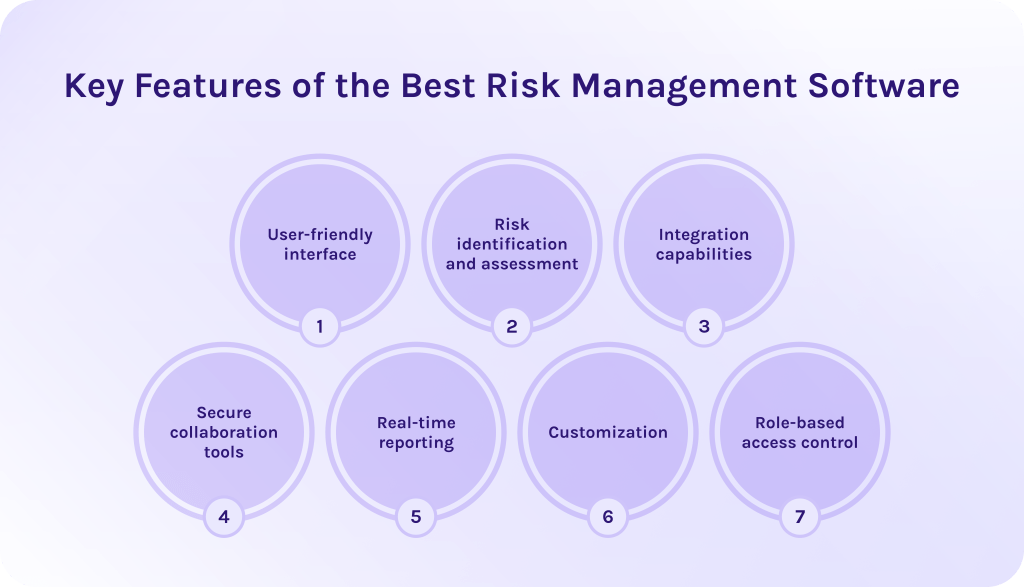
1. User-friendly interface.
Employees can easily get used to the tool and navigate without confusion if it has an intuitive user interface.
2. Risk identification and assessment.
A risk management platform’s main feature is the ability to identify potential risks and mitigate them before they disrupt your workflows. This includes a risk register, which stores all information about risks and their impact on current and future processes, giving you the opportunity to prioritize projects and actions according to this data.
3. Integration capabilities.
The robust risk management software should seamlessly integrate with your existing tools such as HR, CRM, accounting systems, and other platforms. In turn, it allows companies to spend less money on integration and adapt the risk management software to their specific needs.
4. Secure collaboration tools.
This functionality of project risk management software helps teams collaborate effectively to solve problems associated with risk and compliance faster. Moreover, it ensures that all information is secure and allows companies to avoid data leaks.
5. Real-time reporting.
A robust risk management platform provides real-time dashboards to visualize an overview of your risk-related data and activities.
6. Customization.
The proper tools for risk management should be adaptable to your unique business requirements. Furthermore, you should be able to customize dashboards, fields, reports, and workflows to meet industry requirements and legal standards.
7. Role-based access control.
The tool must allow different permissions for different users to protect sensitive data thereby keeping it secure.
And last but not least: the risk and compliance management tool should be flexible to adjust quickly to changing requirements. Accordingly, it will help to maintain your processes efficiently and with minimum losses.
Benefits of Risk Management Software
Traditional project management tools often don’t provide robust risk management functionalities. Therefore, the main benefit of risk and compliance management software is the ability to timely identify risks, store all information about them and define how they influence your workflows. In turn, you can take timely actions to prevent problems in advance. Want to know more risk management software advantages? Here they are in great detail:
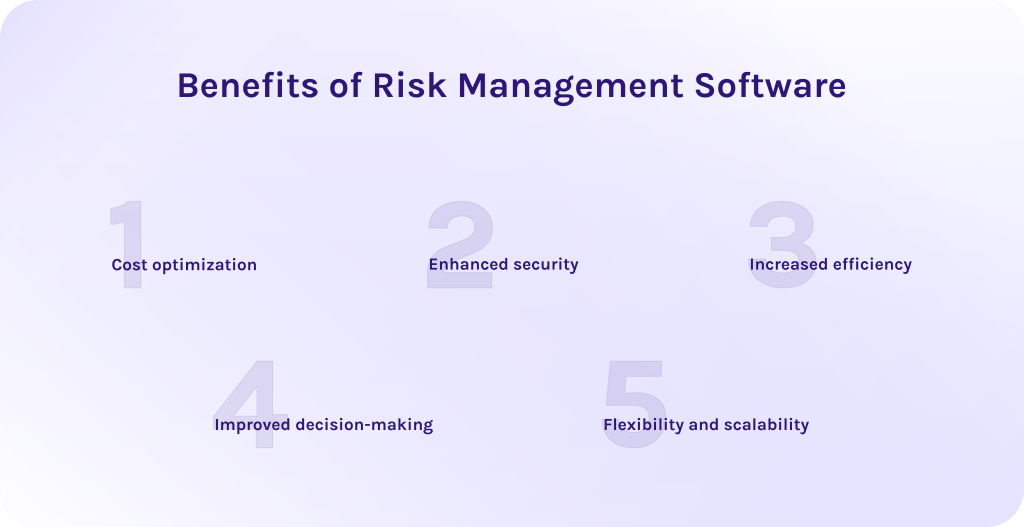
1. Cost optimization.
When you know about possible risks in great detail and have a mitigation plan, it significantly reduces cost spending associated with risks’ consequences. If the risk has already happened, it will cost you a pretty penny. However, if you have mitigated it in advance, you’ll avoid costly disruptions and penalties.
2. Enhanced security.
Even if the subscription to risk management platforms can feel too costly in some cases, it pays off in increased security. In addition, it allows you to manage compliance standards and timely adjust to the changes. It is especially important for the IT sector or other companies that deal with large amounts of sensitive data and strict regulations.
3. Increased efficiency.
The best software for risk management allows companies to automate their risk management workflows, reporting, approvals, and data collection. In turn, it significantly reduces time on repetitive tasks as well as enables team members to spend it on a more high-level job.
4. Improved decision-making.
Only if you have a proper risk management platform, you’ll have a clearer vision of all risks across the company. Moreover, you’ll be able to collect more data in greater detail to make more informed decisions.
5. Flexibility and scalability.
The tool must be scalable enough to support integration with a wider range of tools in the future and fit your changing requirements.
Now, we are ready to move to the most important part of the article – overview of the best risk management software.
Top 12 Best Risk Management Software
1. OneTrust
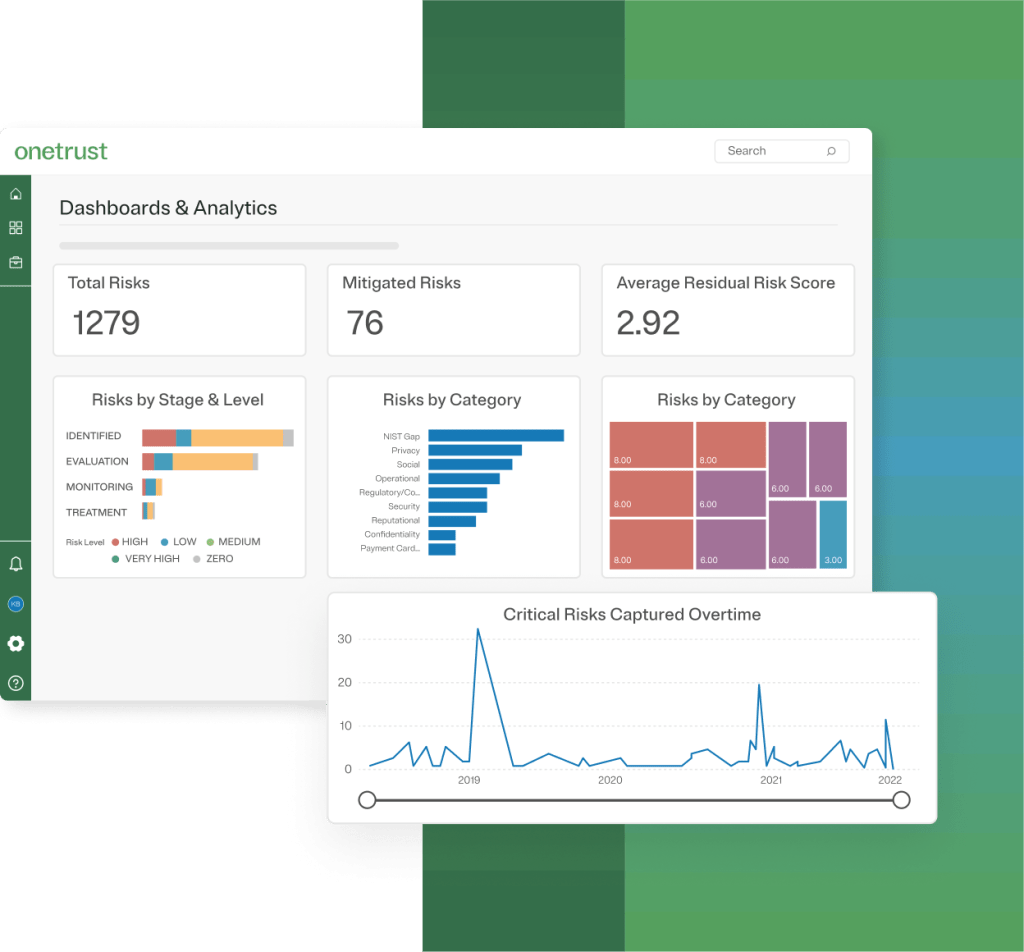
At the top of our list of the best risk management software is OneTrust. It is one of the largest and most widely known platforms for risk management, GRC (governance, risk, compliance), privacy, and security programs. More so, it stands out not only for its enterprise risk management capabilities but also for its deep support of global privacy laws as well as ethics compliance. Additionally, it is worth noticing that some resources rank this tool as one of the best third party risk management software.
Best for:
Simply put, it is ideal for organizations that need scalability alongside strong risk management capabilities. Also, it is suitable for highly regulated industries such as healthcare, technology, finance, and government.
Key features:
- Risk and compliance management.
- IT and cybersecurity risk management.
- Automated GRC compliance.
- Ethics risk management.
- Vendor and third-party risk management.
- Evidence collection and automated control mapping.
- Large pre-built template library.
- Continuous monitoring.
Integrations
Has a lot of integration capabilities, for instance, with HubSpot, Asana, Slack, Dropbox, Mailchimp, BambooHR, and more.
Pros:
- Has a free trial and a free version.</span>
- Trusted by many companies.
- Highly scalable and flexible.
- Has extensive AI capabilities.
- Has an intuitive user interface so that users can quickly get used to the tool.
Cons:
- Smaller companies may find the platform too large and complex for basic risk needs.
- Has a steep learning curve.
- Pricing isn’t public; you can get it only upon a request.
- Cost varies based on different factors. As complexity grows, the price changes as well.
2. MetricStream
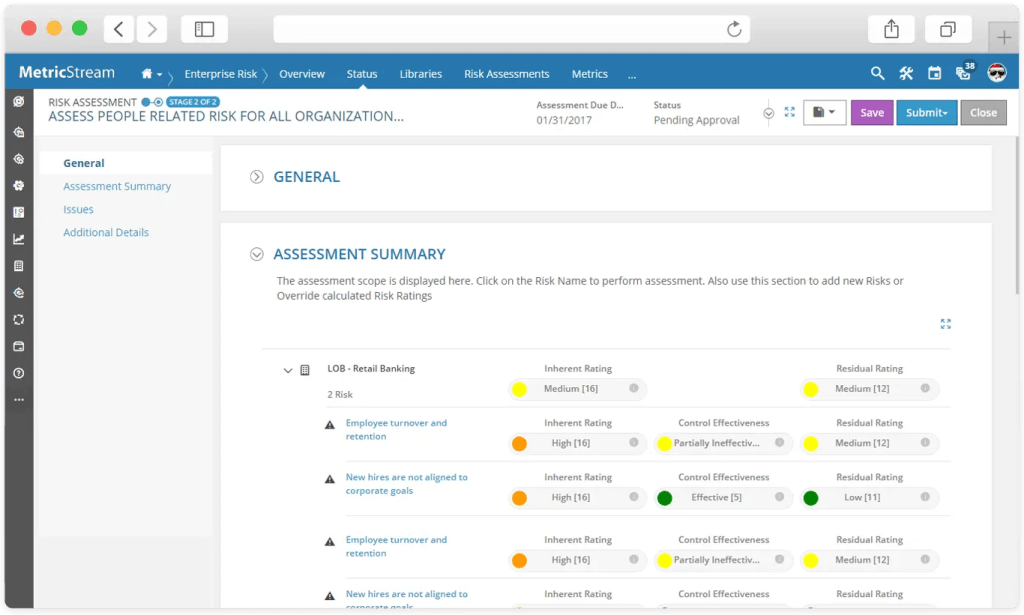
MetricStream is a cloud-based ERM tool aimed at businesses that want to boost their enterprise risk management processes. Futhermore, it supports complex, cross-departmental risk programs at scale and provides the flexibility to handle all types of risks. It is also known for depth, scalability, and a huge variety of modules, creating a single source of truth for enterprise-wide risk assessment.
Best for:
Large enterprises and multinational corporations in highly regulated industries looking for deep risk management software.
Key features:
- Audit management.
- IT risk management.
- Real-time continuous monitoring.
- Advanced reporting and analytics.
- Third-party risk management.
- Standardized approach to risk assessment and mitigation.
- Incident tracking.
- Policy and document management.
Integrations
There are no built-in integrations, but you can use Content Integration Service (CIS) for outbound integration. Or integrations are available through the API layer.
Pros:
- Highly scalable for enterprise workloads.
- Has a strong reputation in the market.
- Excellent support for regulated industries.
- Deep functionality oriented towards compliance-heavy environments.
Cons:
- High cost compared to mid-market GRC tools.
- Doesn’t offer a free trial or a free version.
- There are no built-in integrations.
- Has a steep learning curve.
- The complexity of this ERM tool can be overwhelming for basic risk programs.
3. Hyperproof
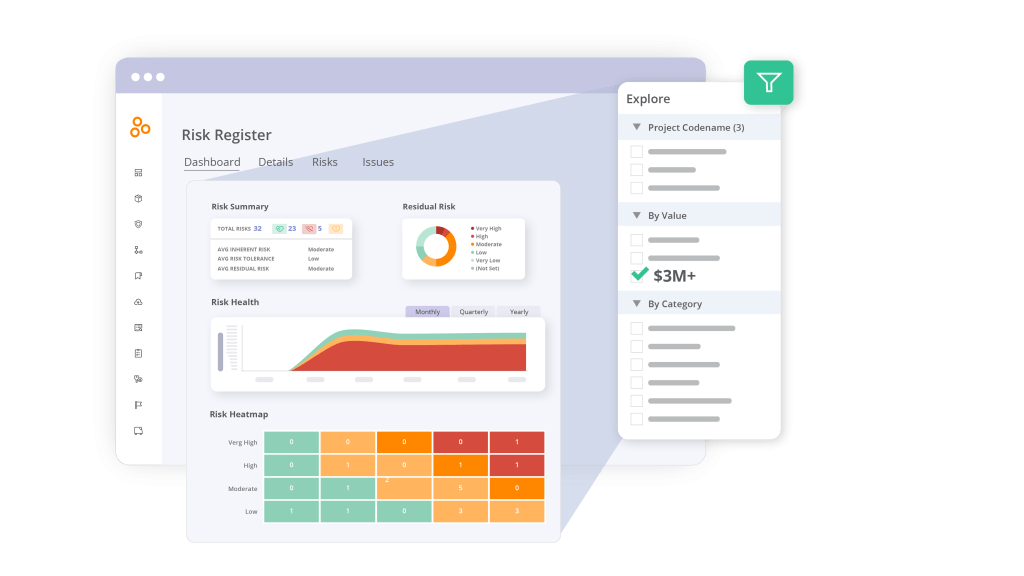
Hyperproof is a cloud-based GRC platform that aims to help organizations to automate and improve project risk management as well as empower compliance and security. Moreover, it provides a centralized AI-powered system with various features and integration capabilities, enabling teams to streamline planning and governance. To sum up, with Hyperproof, you can avoid repetitive compliance-related work and focus more on strategic objectives.
Best for:
Mid-market or enterprise companies that need to manage multiple compliance frameworks and want to expand their IT compliance.
Key features:
- Real-time compliance tracking.
- Third-party risk management.
- Automated task assignments.
- AI-driven risk mitigation.
- Centralized vendor risk management.
- Real-time comprehensive reporting.
- Pre-built compliance framework templates.
Integrations
Hyperproof supports a wide range of integrations, including AWS, Jira, Azure, Google Drive, Dropbox, and so on.
Pros:
- Simplicity in managing multiple frameworks.
- Unified risk and compliance platform.
- Supports multiple frameworks and compliance standards.
- Has flexible features for enterprise risk management.
- Helps manage third-party vendors.
Cons:
- As of December 2025, the tool doesn’t offer a free plan or trial. Pricing isn’t public, and you can get it only upon a request.
- Actual pricing may not be affordable for some businesses (from $12,000).
- It may have a steep learning curve.
- Reporting and analytics are limited.
4. SAI360
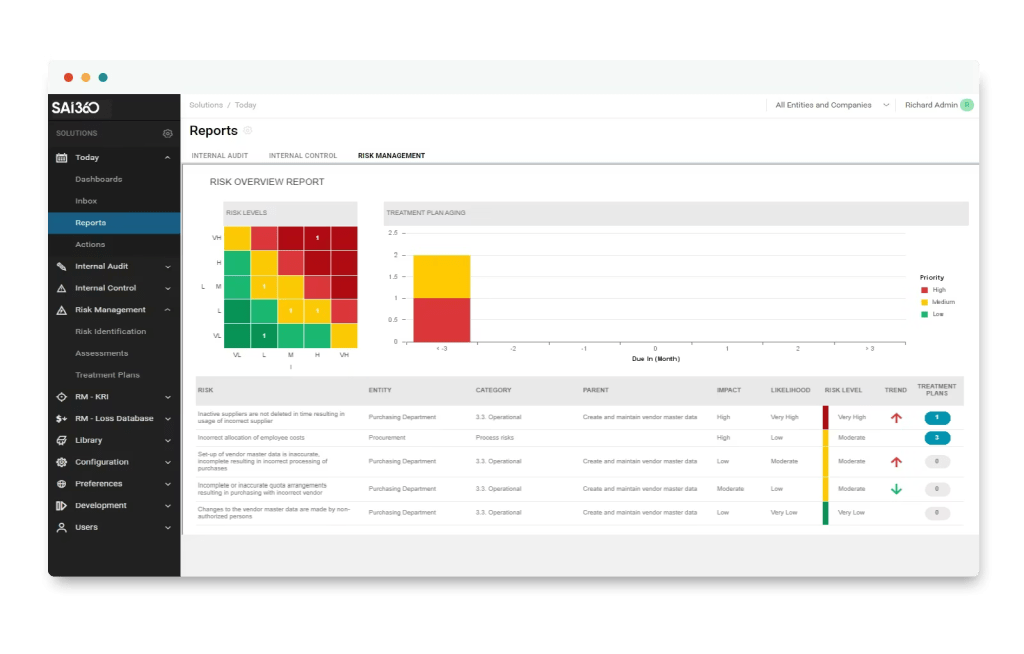
The extensive set of tools for enterprise risk management and risk assessment makes SAI360 a popular choice for different companies. Additionally, its strength lies in AI-powered capabilities as well as risk and compliance expertise across all industries, helping businesses to streamline regulatory alignment and manage a wide range of internal and external risks.
Best for:
This solution is the best enterprise risk management software for organizations operating in highly regulated industries and needing integrated GRC compliance.
Key features:
- Real-time risk assessment.
- AI integration for decision-making.
- Third-party risk management capabilities.
- Behavioral analytics.
- Risks mapping and scoring.
- Real-time dashboards and monitoring.
- Reporting and analytics.
Integrations
Supports a huge number of integrations with the following services: OpenSesame, Slack, Jira, Workday Workforce Management, Bamboo, and others.
Pros:
- Real-time monitoring and decision-making support.
- Strong for regulated industries.
- Broad coverage of risk, compliance, audit, vendor, and ethics modules.
- Mature workflows for enterprise governance.
Cons:
- Limited customization.
- Has no free trial or free version. Pricing is available upon request.
- May be too complex for small businesses.
- Customization can be complex.
5. Corporater

In a nutshell, Corporater is a business and risk management platform that allows its users to manage and mitigate risks in order to ensure security and compliance. This ERM tool’s distinguishing feature is its unique approach to risk assessment. What does it mean? This risk management software integrates risk data with strategic planning, KPIs, performance dashboards, and BI analytics. Due to it, this solution is one of the best software for risk management that helps to meet your particular business needs as well as align the risk management process with your specific objectives.
Best for:
Suitable for large and medium organizations from compliance-heavy industries that look for the solution to meet their specific business needs.
Key features:
- Comprehensive risk management dashboards.
- Flexible configurations.
- Risk identification and scoring.
- Real-time analytics and trends.
- Evidence and control tracking.
- Continuous monitoring.
Integrations
The list of integrations is not viewed on the Corporater’s website.
Pros:
- Brilliant UI/UX.
- Powerful data integration capabilities.
- Shows a complete overview of risks and their potential impact.
- Strong for risk alignment and strategy.
- Extensive customization for reports and dashboards.
Cons:
- Has a high initial setup cost and requires huge investments for customization.
- May be overkill for smaller companies.
- Setup and configuration may be complex.
6. Archer
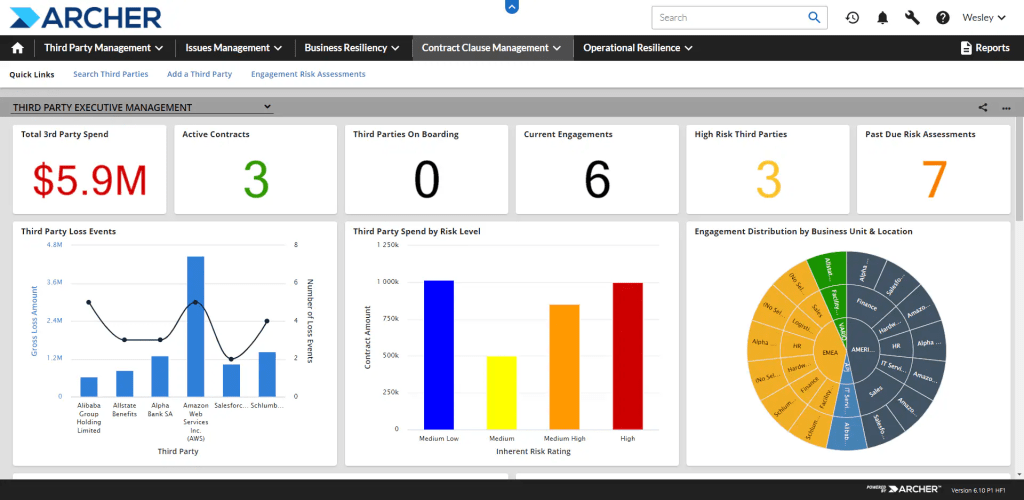
Among available risk management software, this ERM tool is known for its mature risk workflows and enterprise-scale governance. Consequently, this tool is a preferable choice for organizations that need strict regulatory alignment. In addition, I should mention its robust modules for enterprise risk management, third-party risk management, and management of environmental, social, and governance (ESG) programs.
Best for:
Large organization with complex governance requirements, needing comprehensive GRC management.
Key features:
- IT risk management.
- Operational risk management.
- Risk assessment and mitigation.
- Vendor risk management.
- Audit and compliance management.
- Risk management and monitoring.
Integrations
Archer supports integrations with external tools via REST APIs or Archer Exchange.
Pros:
- Deep third-party risk management.
- Great flexibility and level of customization.
- Workflow is based on strong access controls.
- The platform has a user-friendly interface.
- Comprehensive risk assessment tracking.
Cons:
- The user interface may feel outdated and less intuitive compared to other solutions.
- Limited reporting capabilities compared to others present in the market.
- Creating report layouts requires a high level of expertise.
7. LogicGate Risk Cloud
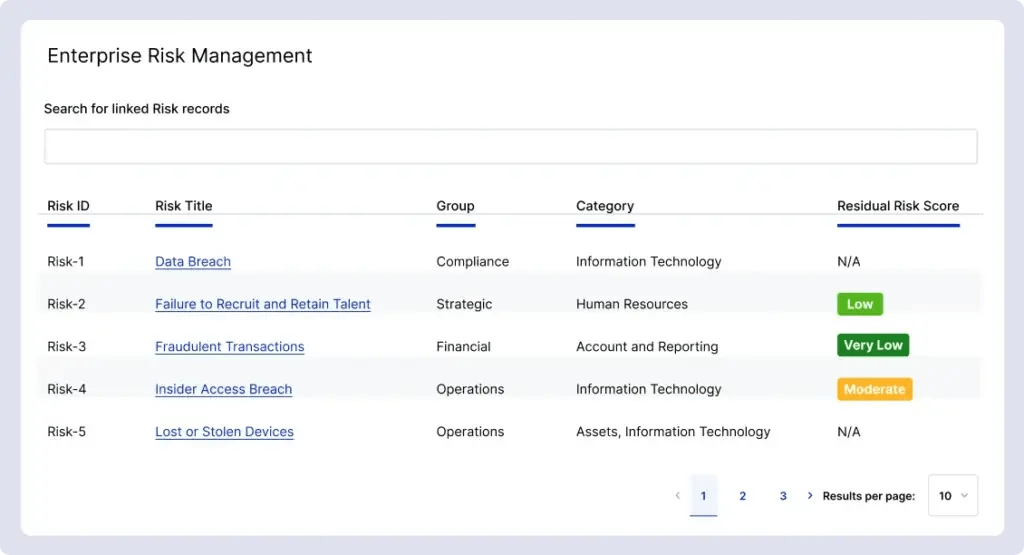
Compared to other ERM tools from the list of the best software for risk management LogicGate Risk Cloud can be a perfect choice for mid-sized companies or enterprises that need an agile GRC solution. Moreover, the solution offers a cloud-based no-code risk and compliance platform, aimed to help companies automate and streamline their risk management processes with maximum efficiency. Admittedly, its drag-and-drop visual workflow customization makes this service perfect for non-technical teams.
Best for:
Mid-sized organizations searching for a project risk management tool that combines simplicity and managing complex enterprise-grade risks.
Key features:
- No-code visual workflow builder.
- Pre-built templates.
- Risk scoring and reporting.
- Risk assessment.
- Behavior tracking and analytics.
- Change management.
Integrations
LogicGate Risk Cloud supports integrations with various software providers, including Google Workspace, Slack, Jira, Basecamp, Microsoft 365, ClickUp, Confluence, and more.
Pros:
- The interface is clean and easy to navigate.
- Your teams can configure workflows without programming.
- Good balance between simplicity and enterprise functionality.
- Agility.
- Easy backend configuration.
- Great connectivity of modules.
Cons:
- Performance can be slower while processing large datasets or complex workflows.
- Initial setup can be challenging.
- Has no free version or trial. Pricing is available only upon request.
8. Riskonnect
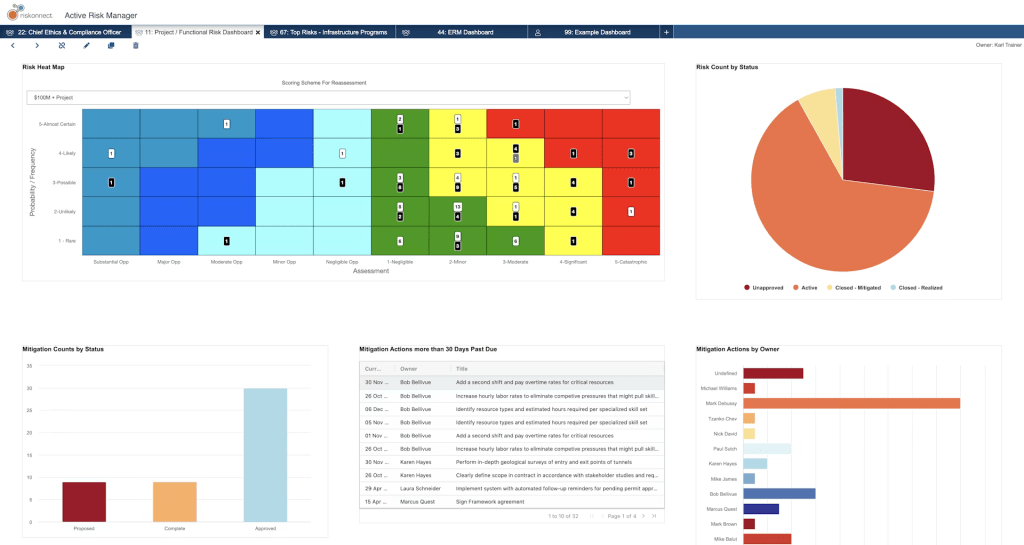
Riskonnect Risk Management Information System is an integrated risk management (IRM) system designed to unify diverse risks and compliance. In simple terms, it connects data across departments to bring all information about risks into a consolidated view. This feature makes Riskonnect stand out from its competitors.
Best for:
Medium to large enterprises with cross-functional risk requirements that need an integrated risk management (IRM) platform.
Key features:
- Cybersecurity risk management.
- Advanced risk management and governance.
- Risk data collection.
- Real-time reporting and analytics.
- Enterprise risk management.
- Visualization tools.
- Risk assessment.
Integrations
Supports integrations with OpenAI, TyMetrix, Oracle Primavera, Azure, AWS, Slack, Meta, etc.
Pros:
- Centralized platform for all risk-related information.
- Powerful reporting and automation.
- Easy to use for most users.
- Great customer support.
Cons:
- Has no free trial or free version. Pricing is available only upon request.
- May require training before using.
9. Diligent

Diligent is the other solution from the list of the best risk management software. This ERM tool emphasizes board-level visibility and strategic alignment, making it a perfect choice for companies where strict governance plays a central role. Additionally, it may also be the perfect solution for organizations that are in transition from spreadsheet-based systems to more advanced ones. It should be noted, that Diligent has powerful AI analytics helpful in processing data from internal systems as well as from third-party ones.
Best for:
For large organizations or enterprises looking for a unified platform equipped with powerful AI features to centralize and manage their GRC programs.
Key features:
- Risk reporting and analytics.
- AI tools to automate risk management workflows.
- Vendor risk management.
- Centralized risk register.
- Key Risk Indicator (KRI) dashboards.
- Scenario planning and risk modeling.
- Evidence collection.
- Integration with risk and compliance data.
Integrations
Has a lot of integration capabilities, for instance, with Google Suite, Microsoft, Oracle, Salesforce, and so on.
Pros:
- Centralized management of GRC functions.
- Easy to use and navigate.
- Executive or board-level risk reporting.
- Intuitive dashboards and visualization.
- Allows aligning risks with corporate strategy.
Cons:
- The tool has a steep learning curve.
- Audit issues.
- Limited features and complex setup.
- Has no free plan or free trial. Some sources say that pricing starts from $5,000 per year.
10. Resolver
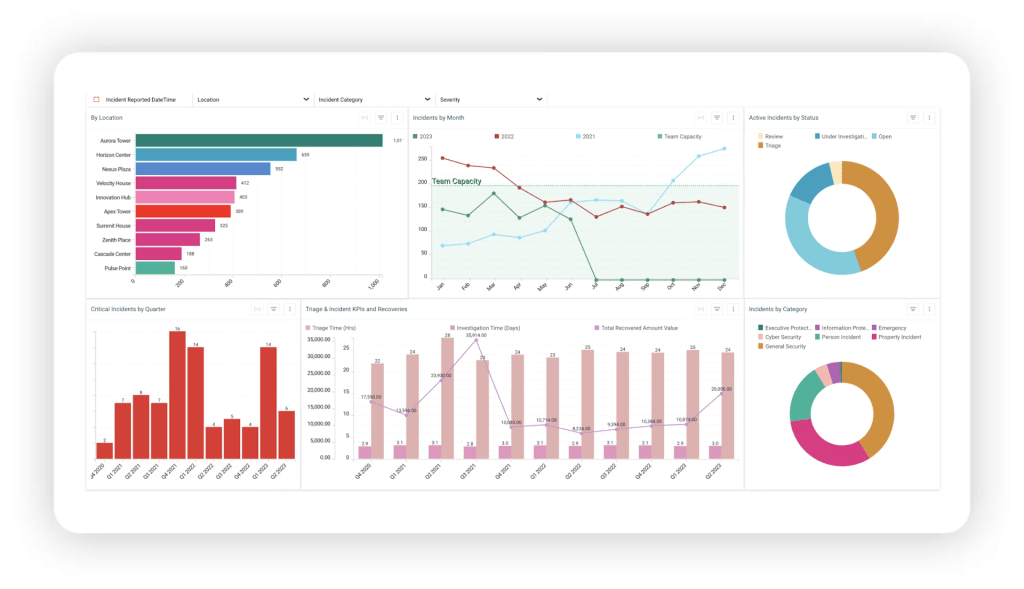
Resolver’s incident and risk management software is a cloud-based solution for companies seeking to connect risks, incidents, controls, mitigation, and reporting in one place. Moreover, this ERM tool is widely used among the organizations in industries where incident trends and operational risks have a major business impact, such as critical infrastructure organizations, real estate, governance, gas and oil, pharmaceuticals, manufacturers, and so on.
Best for:
Mid-to-large enterprises that prioritize incident-driven risk and audit processes.
Key features:
- Enterprise risk management.
- Third-party risk management.
- Real-time reporting and monitoring.
- Incident and evidence management.
- Risk and compliance management.
- Customizable reports and templates.
Integrations
Resolver has various integration capabilities, including Workato, ServiceNow, Okta, Slack, Jira, Microsoft Azure, Workday HCM, etc.
Pros:
- Has a lot of training and support features helpful in onboarding and further maintenance.
- Comprehensive risk tracking and insights.
- You can customize reports and processes to meet your organization’s needs.
- Extensive set of solid features for risk management and supplier/vendor risk management.
- Deadline tracking and reminders.
- Great for audit centralization.
Cons:
- Has no free trial or free version. The pricing isn’t public, but some platforms report that paid plans start from $10,000 per year.
- Initial setup requires more time and effort.
- Some users want more customization and integrations between features.
- Expensive and sometimes hard to maintain.
11. StandardFusion
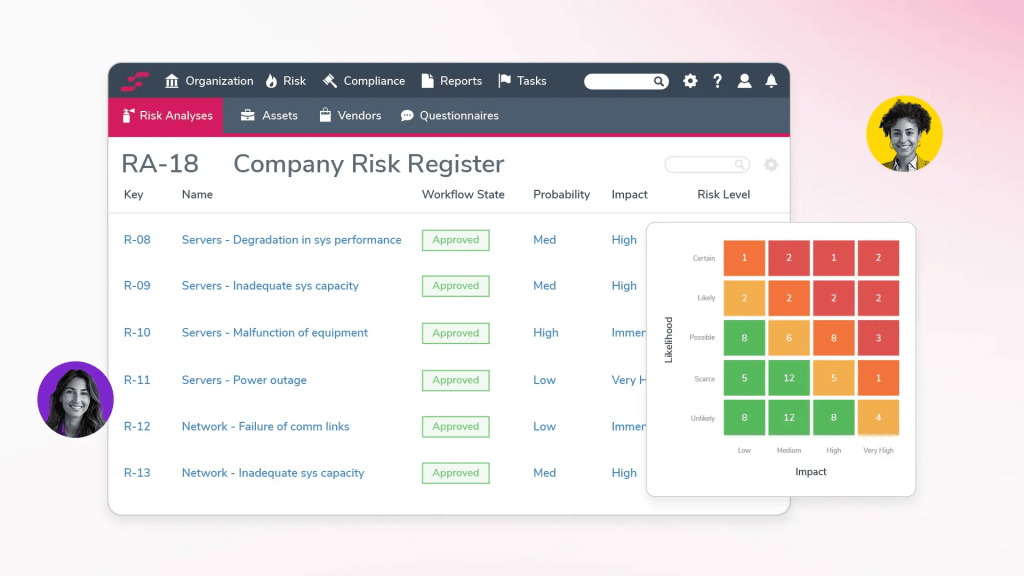
StandardFusion is a GRC platform that focuses on simplifying risk management, compliance, governance, audit, and policy management. Precisely, it is a lightweight solution for companies that want an intuitive and accessible ERM tool. Furtermore, StandardFusion supports a variety of well-known security frameworks, allowing organizations to manage these standards in the unified system.
Best for:
Small to mid-sized organizations that want to implement an easy-to-use GRC tool.
Key features:
- Robust risk management module.
- Risk assessment and analysis.
- Enterprise risk management.
- Incident management capabilities.
- Continuous monitoring.
- Supports multiple compliance frameworks.
- Strong automation capabilities.
- Collaborative workspace.
- Vendor/third-party risk management.
Integrations
Supports a huge number of integrations with the following services: Microsoft Office, Asana, Jira, Slack, Azure, Confluence, Google, Notion, Okta, and others.
Pros:
- Easy to use.
- The tool has effective risk management features.
- Highly customizable.
- Simplifies compliance management.
- Excellent customer service.
Cons:
- Limited customization for non-admin roles.
- Steep learning curve.
12. AuditBoard
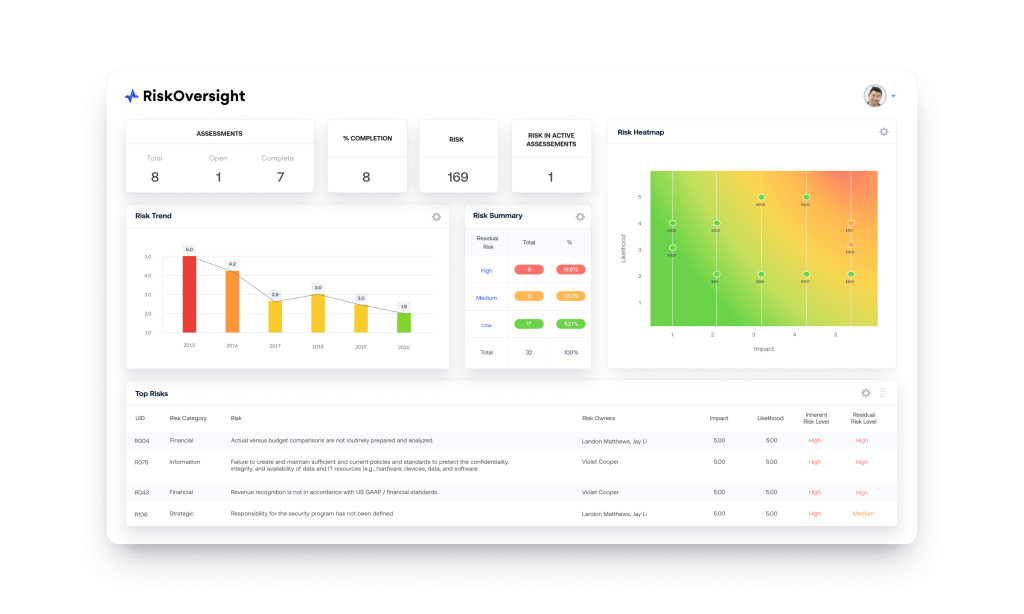
AuditBoard is the last ERM tool from our list of the best software for risk management. It is a connected risk management platform that is designed to streamline audit, risk, and compliance in a single register. Moreober, its user-friendly interface allows users to quickly get used to the tool as well as manage complex risk data for better decision-making.
Best for:
Mid-sized to large enterprises that prioritize integrations and visibility across departments.
Key features:
- Risk register.
- Self-assessments of risk and control.
- Vendor and third-party risk management.
- Incident and risk assessment management.
- Real-time reporting and analytics.
- Customizable dashboards and reports.
- Workflow automation.
Integrations
Has a wide range of integration, for example, with Jira, Microsoft 365, Oracle SSO, Slack, Wrike, Asana, HubSpot CRM, and so on.
Pros:
- Provides a centralized system, making it easy to manage audits, track issues, and access documentation all in one place.
- Extremely intuitive, easy to use and navigate.
- Streamlined audit processes.
- Provides the ability to customize features.
- The centralization of everything SOX.
Cons:
- Has no free trial or free version. The pricing isn’t public; you can get it only upon a request.
- Steep learning curve for new users.
- Users find some customization options limited.
- You can add vendors only manually, without specified automation tools.
Best Risk Management Software Table of Comparison
| Software | Standout Feature | Best For |
| OneTrust | Deep support of global privacy laws, third-party risk management, and ethics compliance. | For organizations that need scalability alongside strong risk management capabilities. |
| MetricStream | Supports complex, cross-departmental risk programs at scale and provides the flexibility to handle all types of risks. | Large enterprises and multinational corporations in highly regulated industries looking for deep risk management software. |
| Hyperproof | Provides a centralized AI-powered system with various features and integration capabilities. | Mid-market or enterprise companies that need to manage multiple compliance frameworks and want to expand their IT compliance. |
| SAI360 | AI-powered capabilities and risk and compliance expertise across all industries. | This solution is the best enterprise risk management software for organizations operating in highly regulated industries and needing integrated GRC compliance. |
| Corporater | Integrates risk data with strategic planning, KPIs, performance dashboards, and BI analytics. | Suitable for large and medium organizations from compliance-heavy industries that look for the solution to meet their specific business needs. |
| Archer | Mature risk workflows and enterprise-scale governance. | Large organization with complex governance requirements, needing comprehensive GRC management. |
| LogicGate | Drag-and-drop visual workflow customization makes this service perfect for non-technical teams. | Mid-sized organizations searching for a project risk management tool that combines simplicity and managing complex enterprise-grade risks. |
| Riskonnect | It connects data across departments to bring all information about risks into a consolidated view. | Medium to large enterprises with cross-functional risk requirements that need an integrated risk management (IRM) platform. |
| Diligent | It emphasizes board-level visibility and strategic alignment. | For large organizations or enterprises looking for a unified platform equipped with powerful AI features to centralize and manage their GRC programs. |
| Resolver | Opportunity to connect risks, incidents, controls, mitigation, and reporting in one place. | Mid-to-large enterprises that prioritize incident-driven risk and audit processes. |
| StandardFusion | Focuses on simplifying risk management, compliance, governance, audit, and policy management. | Small to mid-sized organizations that want to implement an easy-to-use GRC tool. |
| AuditBoard | Designed to streamline audit, risk, and compliance in a single register. | Mid-sized to large enterprises that prioritize integrations and visibility across departments. |
How to Choose the Best Risk Management Software
You may ask: “Which risk management software is the best?” Well, I’m going to disappoint you: there is no one versatile answer. In fact, not all tools for risk management will be equally effective for your organization. Therefore, we’ve created a list of criteria you can use to evaluate tools and choose the best enterprise risk management software that will cover all your company’s pain points.
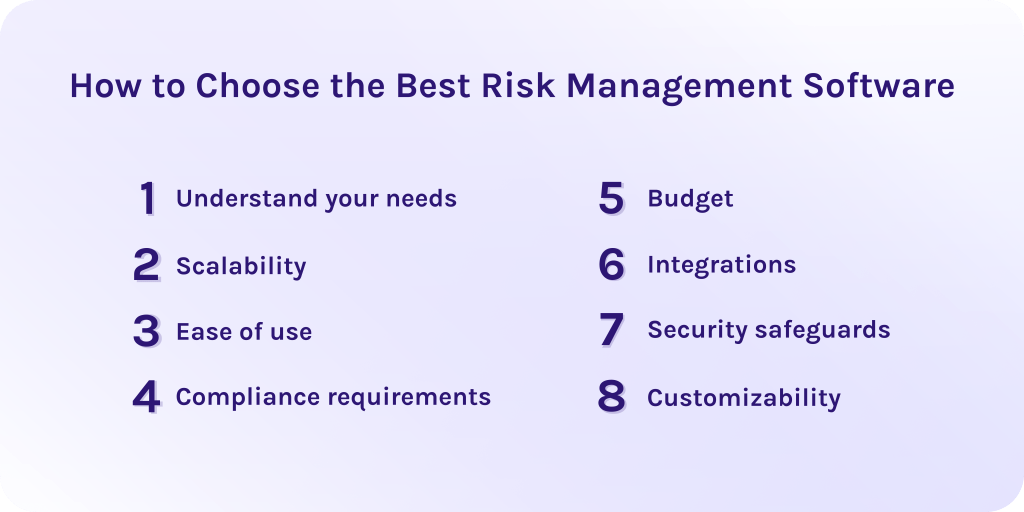
1. Understand your needs.
Clearly define the purpose of the tool. To be more precise, answer one simple question: why do we need that tool? Reasons may differ in different companies, as we all want to address our specific challenges.
2. Scalability.
Check if the risk management software is scalable and flexible enough to grow further with your business. Consider if it can handle more complex data streams and larger workflows.
3. Ease of use.
Does the tool have a user-friendly interface so your team members can quickly get used to it? Or how costly and time-consuming it will be to train them.
4. Compliance requirements.
Ensure that the tool meets all needed industry standards and supports regulatory compliance specifically for your segment.
5. Budget.
How costly will it be to implement the tool and train your employees to get used to it? Consider the cost of subscription, initial setup, and further maintenance. Compare pricing across the tools and check for the hidden fees to escape unpleasant surprises.
6. Integrations.
Check if the tools can integrate with your current software, for example, CRM, HR, accounting, project or portfolio management, or other critical systems.
7. Security safeguards.
Evaluate how secure it will be to use the tool to protect sensitive data. Check for permissions, access control, encryption, and compliance with global data security and protection standards like GDPR.
8. Customizability.
Can you make the tool suitable for your particular needs? Check if the tool allows you to customize reports, dashboards, workflows, etc.
The analysis of these factors will help you to choose the best project risk management software that will ensure effective risk management and improve project outcomes.
Final Thoughts about the Best Risk Management Software
Risk management is an essential process of identifying risks and creating strategies to lower their impact on your business. In this case, risk management software becomes a helpful hand, as it has advanced features which help to deal with risks effectively. Ultimately, it offers risk registers, supports compliance standards, and has built-in analytics and dashboards so you can always be aware of what is going on in your risk-related activities.
Moreover, the choice of the right risk management software depends on your organization’s pain points and needed features. You need to evaluate where your processes often get stacked thereby emphasizing features that can solve these problems.
Hope that this guide will help you to boost your risk management processes and you’re ready to choose your perfect tool. To get more insights into modern software tools, subscribe to HYS Enterprise blog.
If you have thoughts about developing your own risk management software, don’t hesitate to contact our experts. Developers from HYS Enterprise have significant expertise in creating modern and efficient software solutions that boost businesses.
Best Risk Management Software FAQs
What is the best risk management software?
There isn’t one specific best risk management software for every organization. The right choice depends on your business goals, industry, size, and risk program maturity. But the top platforms, in our opinion, are:
- AuditBoard
- OneTrust
- MetricStream
- LogicGate
- Riskonnect
- SAI360
- Hyperproof
- Resolver
- StandardFusion
- Corporater
- Diligent
- Archer
What are the benefits of the risk management software?
Risk management software helps to improve the efficiency and security of ongoing and future processes, optimize cost spending, improve decision-making, and give flexibility and scalability to grow as your business grows.
What is risk management software?
Risk management software are digital solutions that companies usually use to identify, evaluate, monitor, and mitigate risks. Its main purpose is to help businesses to deal with risks in a way that will increase efficiency and expected outcomes.
How to choose the best risk management software?
While choosing the right project risk management software, you should consider such points as your company’s specific needs, how scalable and customizable the tool is, how costly it will be to implement the tool, and if it is easy to use, secure, and compliant. And finally, check if it supports integration with your current software.
What is the best risk management software for a startup growing quickly?
Startups typically need ERM tools that are easy to implement, don’t require many costs, and are scalable enough so you’ll be able to expand their capabilities. Look for risk management software that offers robust risk and compliance features, various integrations, and modular pricing, which means you’ll pay for every extension, not all in one sitting.
What is the difference between ERM tools and traditional risk management software?
- Traditional risk management software focuses on particular risks as isolated threats or basic risk registers.
- Enterprise risk management (ERM) tools offer an organization-wide approach with advanced analytics and features to support overall business strategy rather than each single risk.
How does risk management software support decision-making?
Risk management software helps to prioritize risks due to their impact on business processes and provides real-time dashboards that show risk statuses and tendencies. Also, it is worth noticing that such tools offer predictive analytics and other AI-powered features, allowing you to create mitigation strategies in advance.
