
Why Trust Our Best Stress Testing Software Reviews?
Our team has extensive experience in software development and quality assurance since 2007. As we work with software that needs constant testing and upgrading, we know how important it is to choose the proper stress testing software tools, because we’ve been struggling with it as well.
As it was one of our main pain points, we decided to do research to help others. We evaluated over 50 software stress testing tools available in the market to understand which of them are truly reliable under extreme conditions.
What Is Stress Testing Software for QA?
Stress testing software for QA (quality assurance) specialists refers to platforms used to test your platform in unusual conditions of extreme load and pressure. Thereby, it helps IT specialists to test the system in order to identify breakpoints, bottlenecks, and limitations to manage them before problems appear in reality.
Stress testing software with an example.
Let me give you a clear example. Imagine a business launching a limited-edition line of Christmas clothing. As soon as the marketing team started to promote it, a large wave of customers rushed to the website all at once. However, the site wasn’t prepared to handle such heavy traffic. So, what are the consequences?
- Servers become overloaded.
- Pages load slowly or crash.
- Customers aren’t able to buy your product.
As a result, the campaign’s efficiency is greatly reduced and potential sales are lost.
But in this case, the stress testing software for QA might have prevented this problem. Quality assurance experts would be able to assess how the website performs under peak loads by simulating extreme traffic conditions before the campaign launch. Thus, to optimize the system and avoid the issues before they arise, they define server limitations, database bottlenecks, slow response time, and other possible points of failure.
Stress testing vs load testing
- Load testing software measures system performance under expected operational conditions. It applies a controlled ramp from low to high traffic within anticipated limits. Thereby, it verifies that capacity meets service-level agreements under everyday use.
- In contrast, stress testing in software testing intentionally pushes a system deliberately beyond normal operating limits. It evaluates error handling and recovery mechanisms to discover the absolute breaking point.
Within this ecosystem, spike testing focuses on sudden, dramatic increases in user load to observe immediate system stability, while soak testing (or endurance testing) subjects the application to sustained load over extended periods to detect memory leaks and performance degradation.
Read More: AI-Driven Automation as the Foundation of Next-Gen SaaS Models
Benefits of Stress Testing Software for QA
The Moldtud research says that in 2024 45% of enterprises faced critical failures due to unexpected system loads. Whereas, using stress testing tools will be repaid a hundredfold: the system becomes more stable and reliable, giving executives and stakeholders confidence that the platform can handle the peak load without failures. Let’s take a quick look at the other benefits of using stress testing software for QA.
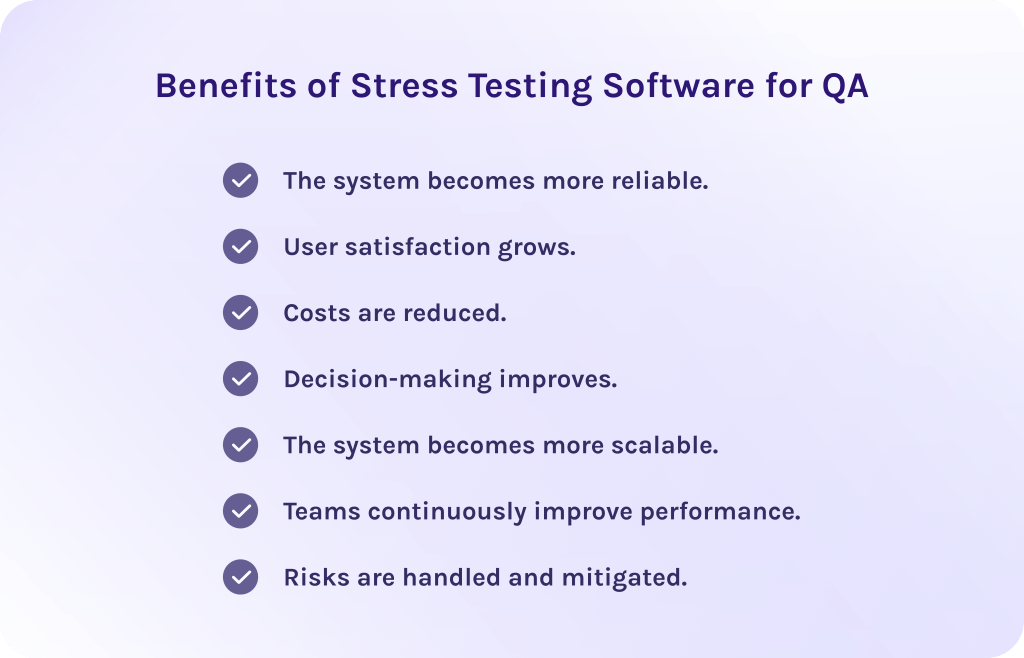
1. The system becomes more reliable.
Tools for stress testing help team members and executives to ensure that the software behaves predictably under extreme conditions as it simulates high traffic and heavy data flows. Thus, teams can verify that the system remains stable even when pushed beyond normal operating limits. Failures become less frequent, while overall reliability significantly increases.
2. User satisfaction grows.
The recent research shows that 40% of users can abandon the site if it downloads more than 3 seconds. Therefore, if you want your site to be stable and efficient in its performance, stress testing software for QA is a necessity. Teams can identify system performance bottlenecks through testing tools before they affect actual users, which improves user experience with the system and increases product trust.
3. Costs are reduced.
Stress testing software for QA helps detect potential risks in advance, giving specialists enough time to address problems and optimize system capacity. Thanks to it, working with stress testing tools is far more cost-effective than fixing issues after deployment. Companies can avoid costly post-launch fixes and maintain the system more efficiently.
4. Decision-making improves.
Stress testing tools offer up-to-date information on system constraints and possible points of failure. As a result, stakeholders will rely on facts, instead of assumptions, to make better decisions.
5. The system becomes more scalable.
Tools for stress testing offer essential information about how the system behaves under increasing load, which is critical for further growth. Stress testing shows where the software may struggle as demand increases and how well it scales. Thus, teams can plan capacity upgrades and make sure the system won’t face performance degradation.
6. Teams continuously improve performance.
Regular stress testing helps teams track system performance trends and improve system behavior over time. More so, by testing repeatedly and making improvements, organizations create a culture of continuous optimization which results in consistently high performance.
7. Risks are handled and mitigated.
Tools for stress testing help to define critical vulnerabilities that might cause the system’s failure under extreme conditions. Addressing this weakness early significantly reduces the likelihood of outages and service disruptions. Moreover, thanks to effective stress testing, companies can maintain business continuity and protect their reputation.
Stress testing software for QA isn’t just a tool for testing the capabilities of your software. It is designed to support your strategic goals by improving reliability, decision-making, cost savings, user satisfaction, and risk mitigation. Now, let’s move further to key features of stress testing software for QA.
Read More: What is Program Management? A Deep Dive into Strategic Success and Program Leadership
Key Features of Stress Testing Software for QA
Below we’ve listed features that will ensure efficiency of the stress testing tool. Notice, that for every organization it may differ due to their particular requirements.
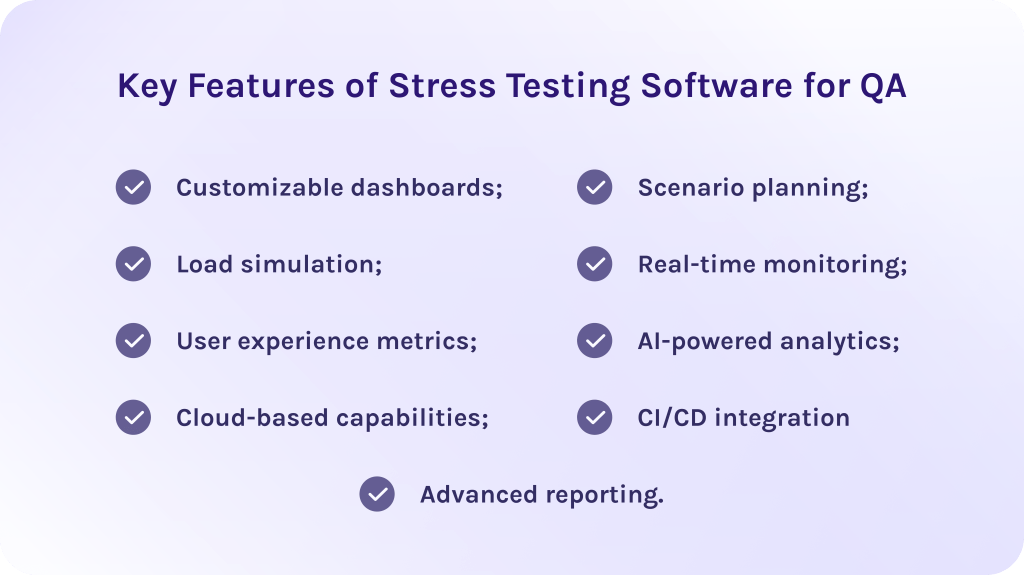
- Customizable dashboards: Effective stress testing platform allows teams to customize the testing interface to their specific needs. Determining the most essential metrics, i.e. GPU usage or memory consumption, one can obtain more precise information on the system performance.
- Load simulation: The correct stress testing tool should be able to simulate heavy user traffic and extreme workloads to evaluate how the system would respond to the pressure.
- User experience metrics: The insights about user-centric metrics help teams to understand exactly how system stress directly impacts end-user satisfaction. These metrics can be response time, load time, and so on.
- Real-time monitoring: Thanks to it, teams can observe the system’s behavior when tests are running. Engineers can immediately see response times, load, speed, and resource usage, which can help to easily determine which parts of the performance are bottlenecking and where failure could occur.
- CI/CD integration: Integration with CI/CD pipelines ensures that stress and performance testing are the parts of the development lifecycle. Thus, by using load testing automation tools, teams get the ability to identify where performance starts to regress to keep the system on the expected level of quality.
Other advanced features
- AI-powered analytics: Modern stress testing tools use AI to process the information about system performance and predict potential bottlenecks. Moreover, this feature enhances the coverage of the tests and helps in identifying the problems that the simple manual testing would otherwise miss.
- Cloud-based capabilities: Cloud-based stress testing allows organizations to simulate traffic from multiple geographic locations using scalable cloud infrastructure. Hence, this ensures realistic testing conditions and helps validate performance for global platforms.
- Scenario planning: Allow users to create complex, realistic test scenarios that closely reflect real-world user behavior. This includes multi-step workflows, conditional logic, and various load patterns.
- Advanced reporting: Comprehensive reporting features provided by stress testing software for QA give you clear summaries of test results. Additionally, these reports are vital for decision-making, as they provide the data about risks, tendencies, bottlenecks, and points for improvement.
Let’s now proceed to the list of the best stress testing software for QA in 2026.
Read More: Empowering Your Workflow: Unveiling the Surprisingly Diverse Uses of Large Language Models
How We Selected and Tested These Tools
To build our own evaluation framework, we initially screened over 50 stress testing tools. We narrowed the pool by applying strict exclusion criteria:
- Platforms lacking active maintenance.
- Solutions with opaque enterprise-only pricing models.
- Tools unable to simulate modern protocols were immediately disqualified.
Pricing and licensing terms for all finalized tools were last verified in September 2026.
Our evaluation uses a weighted scoring rubric modeled on industry benchmarks to assess each candidate objectively across two operational tracks (software load testing and hardware stress testing):
| Criterion | Weight | What we checked |
|---|---|---|
| Load simulation realism & ceiling | 25% | Max concurrent virtual users, ramp-up curves, geographic distribution, spike patterns |
| CI/CD integration & automation | 20% | Jenkins, GitHub Actions, GitLab CI, Azure DevOps; CLI; version control |
| Metrics, reporting & observability | 15% | Response time, latency, throughput, error rate, CPU/memory dashboards |
| Scalability & distributed execution | 15% | Distributed load generation, cloud execution, high concurrency |
| Ease of use & script maintainability | 10% | Setup time, GUI vs code, script reuse, docs quality |
| Protocol / component coverage | 10% | HTTP(S), WebSockets, GraphQL, DBs (app lane); CPU/GPU/RAM/disk (hardware lane) |
| Pricing & licensing transparency | 5% | Free tier, published pricing, quote-only |
Top 11 Best Stress Testing Software for QA in 2026
1. Apache JMeter
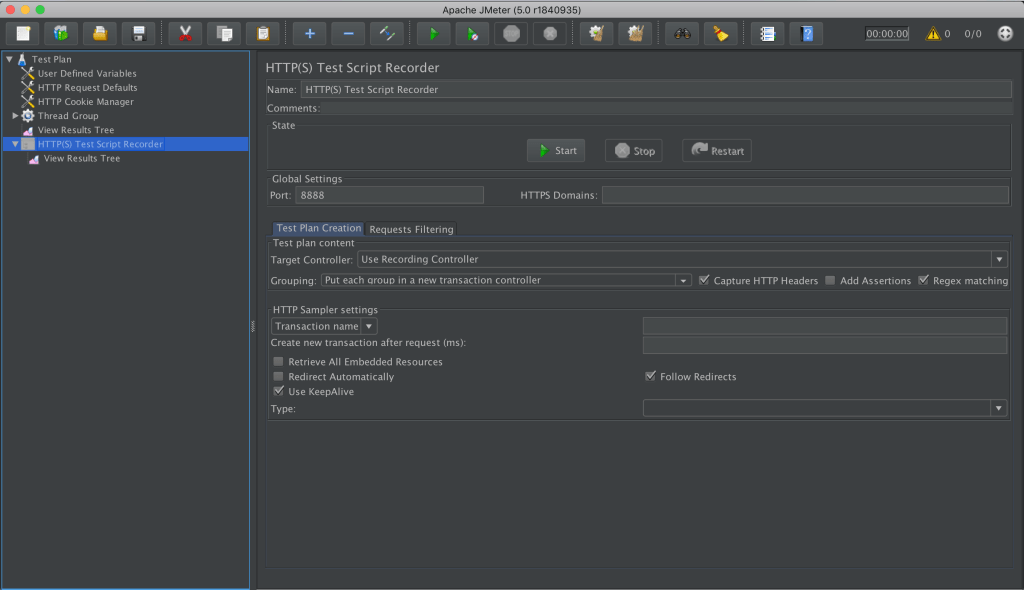
The first tool in our list suits perfectly to cover your testing needs. It is an open-source stress and performance testing software widely used for testing web applications. At first, it was built for load testing but over the years it became a versatile solution for both functional and stress testing. As well, it’s important to note that this server stress test software has strong community support and documentation, which makes adaptation less time-consuming.
Best for:
Teams looking for a free, open-source testing solution with robust features.
Key features:
- Support of diverse protocols (HTTP, HTTPS, REST, FTP, and others)
- Load and stress testing of web applications and APIs.
- Distributed testing.
- Has a user-friendly GUI.
- Open-source nature makes it highly customizable.
Integrations
Supports integrations with a variety of other well-known applications such as Selenium, AWS, Git, Jira, and others.
Pros:
- Open-source software.
- Has a large community support.
- Load testing for a variety of applications.
- Independent.
- Highly customizable.
- Supports distributed load testing.
Cons:
- Has limited support and real-time testing options.
- Lacks cloud adoption.
- Excess memory consumption.
Pricing:
It is completely free to use under the Apache License.
2. Gatling
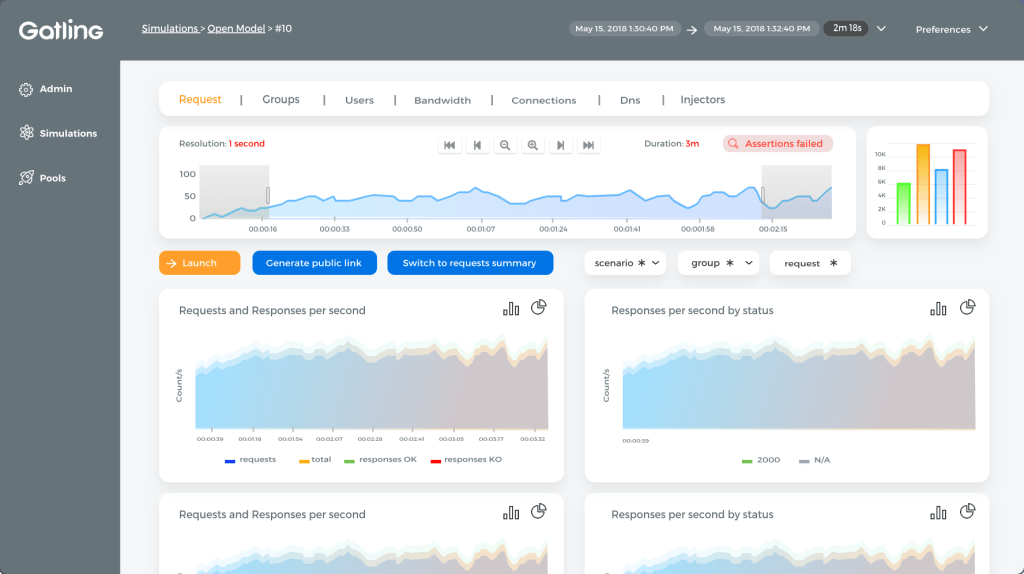
The last platform in our list of tools for stress testing is Gatling. It is an effective stress testing tool that focuses primarily on scalability and system performance. Gatling uses an asynchronous architecture that allows it to generate high loads with minimal system resources. It is especially popular among development teams that prefer code-based testing and integration with modern DevOps workflows.
Best for:
DevOps and technical specialists who prefer writing tests in code.
Key features:
- Scripting in various programming languages such as JavaScript, TypeScript, Java, etc.
- Also has a no-code interface, allowing users to design tests without coding.
- CI/CD integration.
- Load and stress testing of web apps and APIs.
- High-performance, asynchronous load engine.
- Real-time reports.
Integrations
Supports integrations with a variety of other well –known applications such as Azure DevOps, Jenkins, Slack, GitHub, Google, AWS, and others.
Pros:
- Ideal for API and microservices testing.
- Has an efficient and scalable load generation.
- Strong DevOps and CI/CD compatibility.
- Open-source core available.
- Detailed reporting.
Cons:
- Limited protocol support compared to some enterprise tools.
- Has a learning curve for non-developers.
Pricing:
Has a free trial. Paid plans start from €89/month.
Has a free trial. Paid plans start from €89/month.
3. Grafana k6
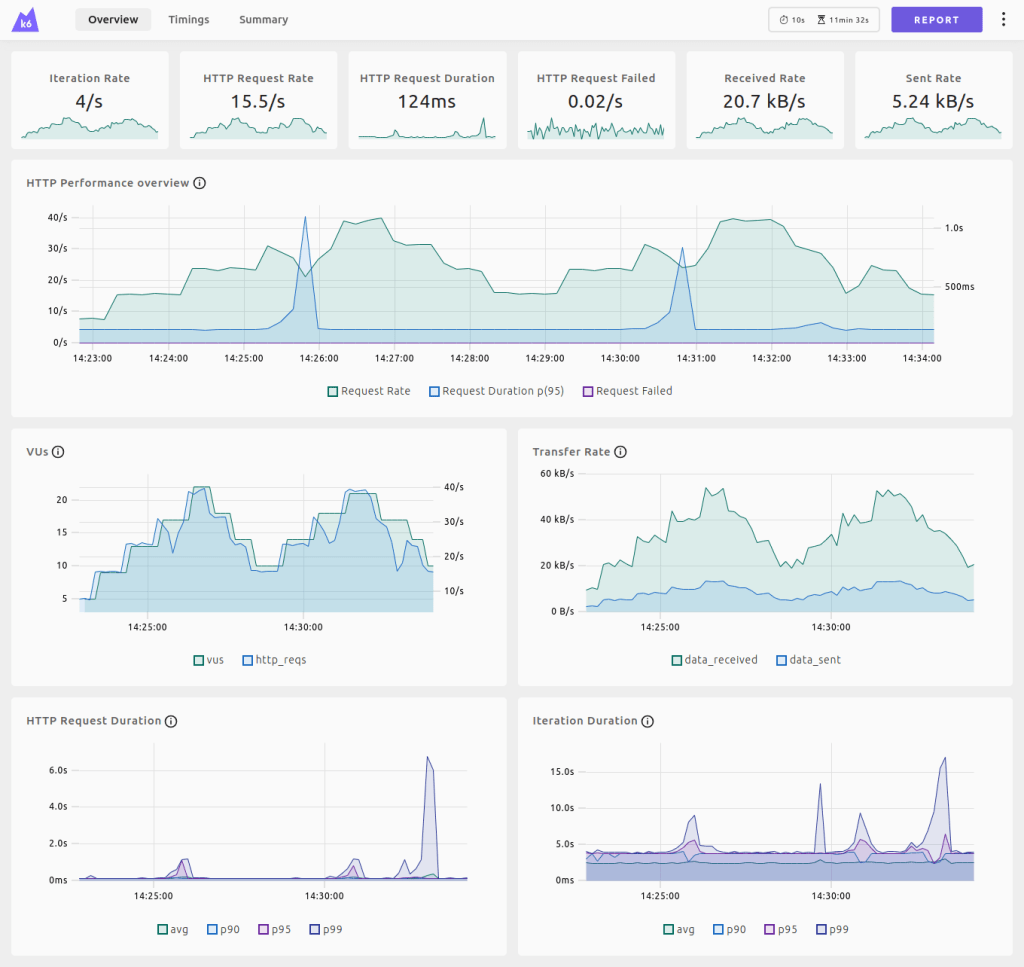
Grafana k6 is an open-source, developer-centric stress testing tool designed for engineering teams focused on reliability and scalability. Built in Go, it features an asynchronous execution engine that allows it to generate high virtual-user loads using minimal system resources. k6 is especially popular among software engineers and SREs who favor a “test-as-code” approach that seamlessly integrates with modern CI/CD pipelines and observability stacks.
Best for:
Developers and QA automation specialists who prefer writing performance test scripts in JavaScript or TypeScript.
Key features:
- Scripting in JavaScript (ES6) and TypeScript that makes it native and accessible for web developers.
- Visual UI and no-code script generation via browser recording tools (Grafana k6 Studio).
- Native CI/CD pipeline automation.
- High-performance, low-overhead Go-based execution engine.
- Native command-line execution.
- Real-time metrics output to Grafana dashboards, Datadog, Prometheus, JSON, and standard outputs.
- Support for HTTP/1.1, HTTP/2, WebSockets, gRPC, and custom extensions via xk6.
Integrations
Supports native integrations with Grafana Cloud, Datadog, Prometheus, InfluxDB, GitHub Actions, GitLab CI, Azure DevOps, Jenkins, CircleCI, and AWS.
Pros:
- Developer-friendly scripting using familiar JavaScript syntax.
- Strong open-source core with an active community.
- Highly efficient, low-memory footprint allows running large-scale tests on standard hardware.
- Built-in threshold and check systems.
- Exceptional integration with the broader Grafana observability ecosystem.
Cons:
- Does not render full web pages natively out-of-the-box.
- Requires k6 browser module for browser-level testing.
- Advanced multi-node distributed testing natively requires Grafana k6 Cloud or custom Kubernetes operators.
- Limited out-of-the-box support for legacy enterprise protocols (e.g., SAP, Citrix).
Pricing:
100% free open-source core (CLI). Grafana Cloud k6 offers a free tier (includes 500 virtual user hours per month), with self-serve pay-as-you-go plans starting at $19/month platform fee plus usage.
4. Locust
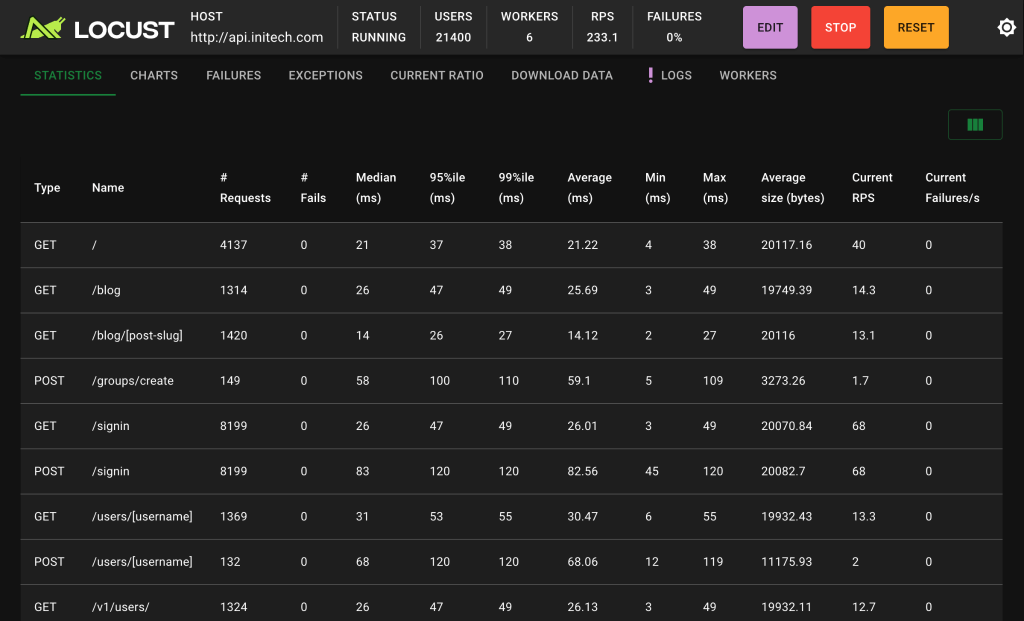
Locust is an open-source load testing tool that allows engineering teams to define user behavior directly using standard Python code. This stress testing tool operates under a “code-as-test” philosophy. It uses an event-driven engine (gevent) that enables a single machine to simulate thousands of concurrent users with minimal system overhead. This flexibility makes Locust particularly popular among Python developers and QA engineers who need to construct complex, highly dynamic user flows and custom protocol tests.
Best for:
Python developers and QA automation engineers who want to write flexible load test scenarios in pure Python code.
Key features:
- Pure Python test scripting without complex XML configurations.
- Highly scalable architecture.
- Command-line interface (CLI) mode.
- Flexible event-driven execution using gevent coroutines.
- Real-time web UI.
Integrations
Integrates seamlessly with Docker, Kubernetes, GitHub Actions, GitLab CI, Jenkins, Grafana, Datadog, Prometheus, and any standard Python testing framework (such as pytest).
Pros:
- Highly flexible.
- Easy onboarding for teams already comfortable with Python.
- Simple distributed load generation across multi-node clusters.
- Clean, real-time web interface for dynamic parameter adjustments during running tests.
- 100% open-source software with a large community and active ecosystem.
Cons:
- Single-worker CPU execution throughput can be lower than Go-based (k6) or C-based engines without distributed setup.
- Requires manual setup for advanced metrics collection
- Lacks native GUI-based visual test recording out-of-the-box for non-technical users.
Pricing:
100% free and open-source software under the MIT license. Commercial cloud orchestration options are available through third-party platforms (such as AWS Distributed Load Testing or Locust Cloud).
5. BlazeMeter
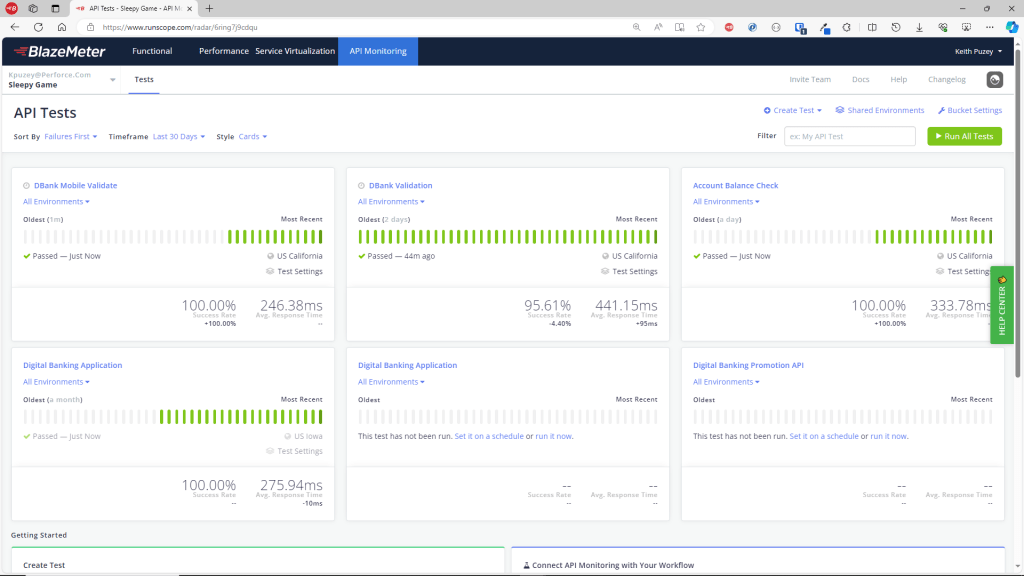
BlazeMeter is another strong player among stress testing tools. It is cloud-based performance and stress testing software for QA and DevOps teams, designed directly to help specialists to simulate heavy workloads and validate system reliability before release.
Best for:
DevOps and QA teams for continuous cloud-based stress testing.
Key features:
- Full integration with Apache JMeter.
- Load and stress testing for web, API, and microservices architectures.
- Real-time monitoring and performance analytics.
- Advanced reporting.
- Test automation.
- Cloud-based load generation.
Integrations
Supports integrations with a wide range of tools, including Jira, JMeter, Selenium, GitHub, New Relic, Splunk, etc.
Pros:
- User-friendly interface and simple workflows.
- Easy to simulate global traffic.
- Detailed analytics and reporting.
- Supports many testing frameworks.
- Has a seamless integration with JMeter, making it a perfect tool for teams that are already using JMeter.
Cons:
- It may be a bit complex to navigate.
- May be costly for large or frequent test runs.
Pricing:
Has a free Starter plan with limited options. Paid plans are tiered according to load volume and feature set. Exact pricing is available from the vendor upon request.
6. Tricentis NeoLoad
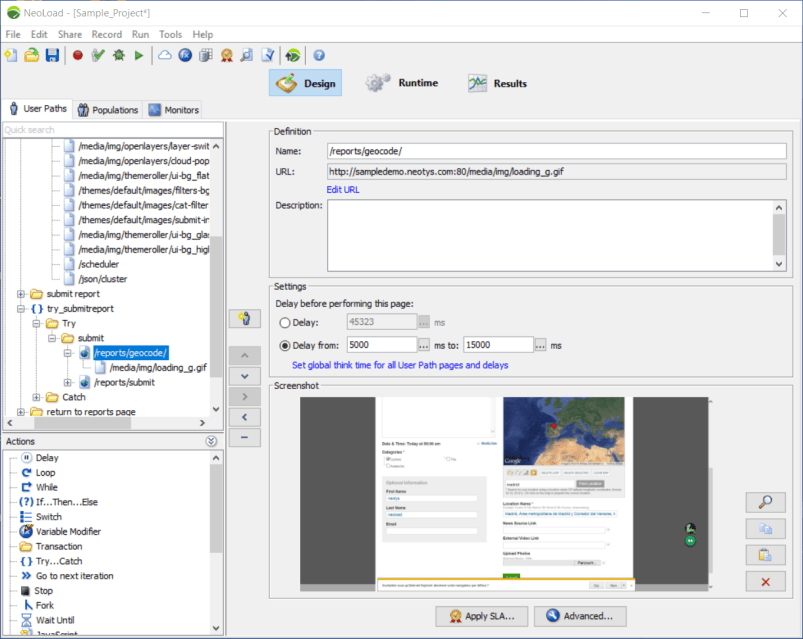
This stress testing software for QA is focused on large, enterprise-scale stress tests. Additionally, it allows users to create various tests without needing extensive coding knowledge, making it a perfect solution for both technical and no-code specialists. NeoLoad is widely used in DevOps and CI/CD-driven organizations that require continuous performance testing.
Best for:
DevOps teams working with enterprise-grade complex stress and performance testing.
Key features:
- Automatic test reporting.
- Distributed load generation.
- AI-assisted test optimization and result analysis.
- Testing support for CI/CD pipelines.
- Creating tests without coding with optional advanced scripting.
- Stress and performance testing for web, mobile, and API applications.
Integrations
Supports a diverse integration with CI/CD and other tools, such as Jenkins, Bamboo, Splunk, Jira, Azure DevOps, and more.
Pros:
- The tool has a user-friendly interface with low scripting requirements.
- Strong CI/CD and DevOps integration.
- Scales well for enterprise environments.
- Codeless test creation.
- Supports legacy systems.
Cons:
- May be too complex for small teams or simple use cases.
- Limited customization for some features.
Pricing:
Has a free trial. Pricing starts from $20,000 per year.
7. WebLOAD
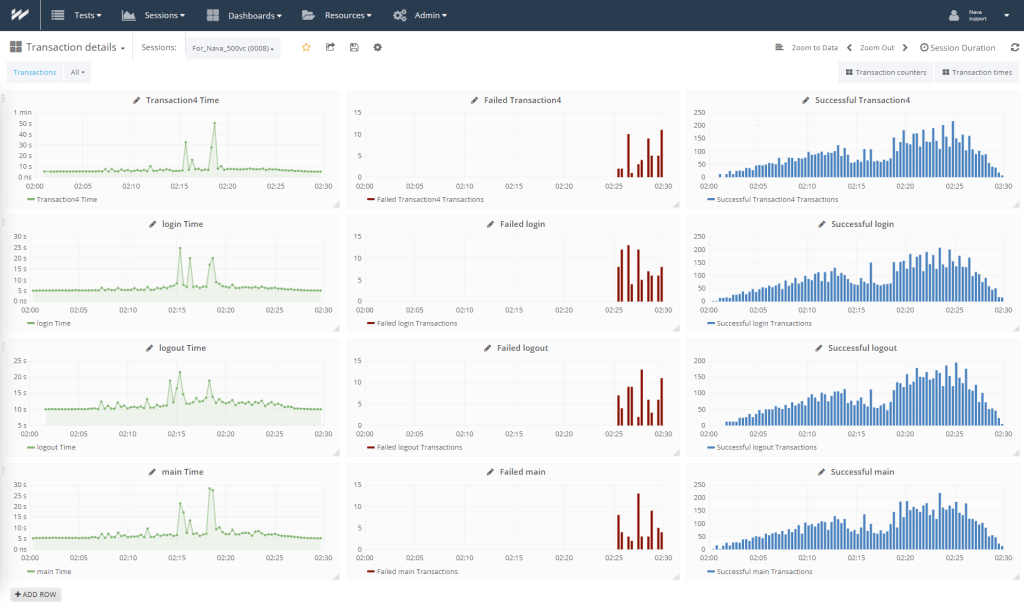
Compared to other testing tools, WebLoad will be a decent choice for enterprises or large organizations that need stress testing software for QA for testing complex web applications. Thus, it enables companies to simulate heavy user traffic and complex usage scenarios to identify performance bottlenecks before they impact production environments.
Best for:
Enterprise and large-scale stress tests.
Key features:
- Advanced scripting capabilities for complex testing needs.
- Real-time analytics.
- AI-driven analytics for bottleneck detection.
- Supports a wide range of protocols.
- CI/CD and cloud integration.
Integrations
Supports integrations with a wide range of tools, including Jira, Splunk, Azure DevOps, GitHub, New Relic, and so on.
Pros:
- Supports many integrations.
- Strong analytics and reporting.
- Suitable for enterprise environments.
- Supports large user loads.
- Advanced scripting options.
Cons:
- Higher cost compared to other tools.
- Has a steep learning curve for non-technical users.
- May be overkill for small projects or simple tests.
Pricing:
It is a commercial product with pricing based on features and scale. Exact pricing is available upon a request from the vendor.
8. MemTest86
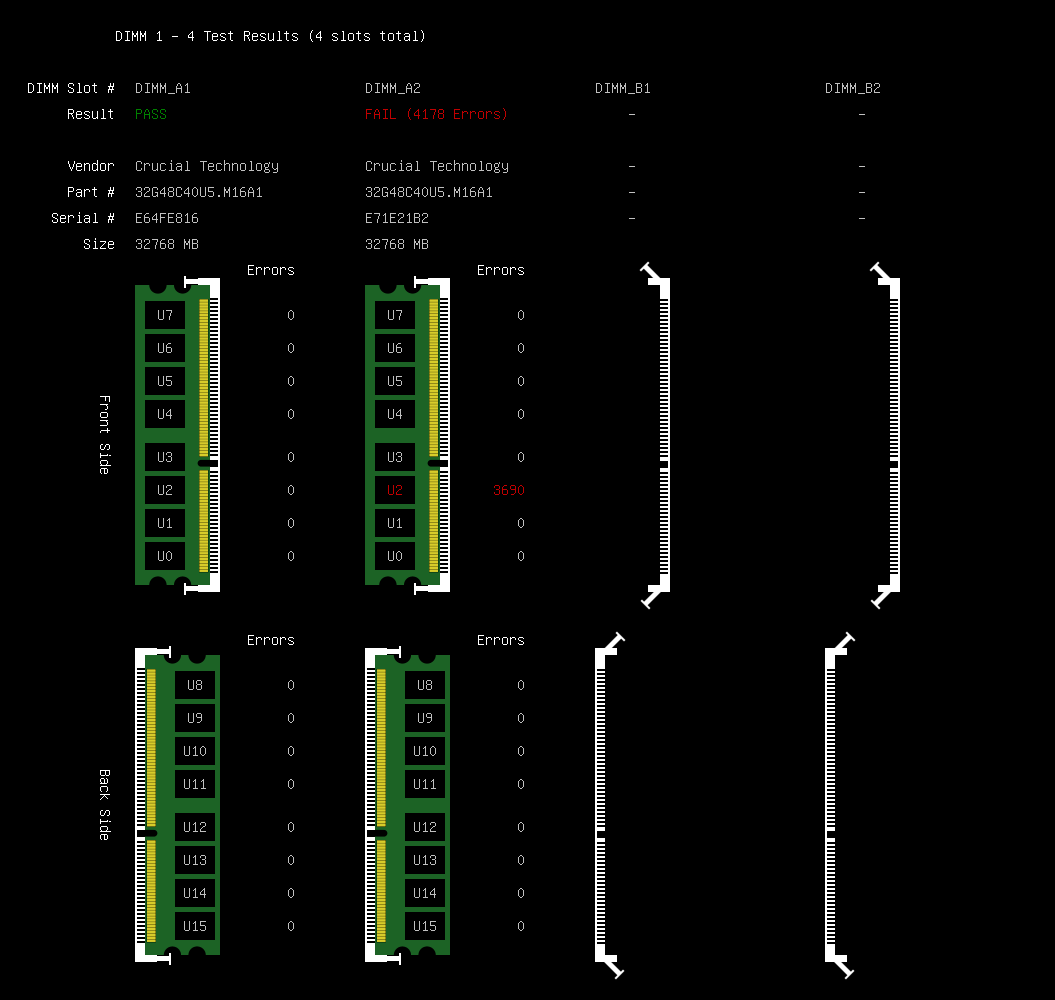
MemTest86 stands out from other stress testing software for QA because of its ability to deeply test and detect faults and stability issues in the system RAM (Random Access Memory). More so, it runs independently of an operating system, allowing it to thoroughly test memory hardware under stress.
Best for:
Deep stress testing and diagnosing system memory (RAM) by QA teams and hardware specialists.
Key features:
- 13 stress testing algorithms.
- Comprehensive RAM testing.
- Boots from USB flash drive.
- Supports network boot for large-scale deployments.
- Offers multi-language support.
Integrations
Compatible with PassMark Management Console.
Pros:
- Highly accurate and reliable memory testing.
- Useful for detecting hard-to-find memory issues.
- Can be installed on any version of Linux, Mac, or Windows operating systems, supporting all types of RAM.
- Provides detailed diagnosis reports.
- Does not rely on the operating system.
Cons:
- Focuses on RAM testing but not the whole system.
- It may be complex to get used to.
- Requires booting from external media.
Pricing:
Has a free version. Professional version pricing starts from $55.
9. GPU-Z
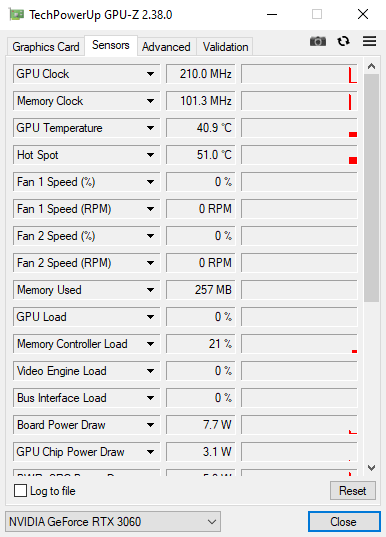
GPU-Z is a lightweight tool for hardware monitoring designed to provide detailed information about graphic cards and GPUs. It allows users to view real-time data on GPU specifications and performance characteristics. While it isn’t a stress testing software itself, GPU-Z is often used alongside stress testing software to monitor GPU behavior under load.
Best for:
Gamers, enthusiasts, and hardware testers who need to track information about their GPU’s performance and load.
Key features:
- Real-time sensor monitoring.
- Detailed GPU information.
- Data about memory usage and performance.
- Logging sensor data for later analytics.
- Lightweight and portable.
Integrations
Compatible with a wide range of graphic cards, making it suitable for different users.
Pros:
- Free and easy to use.
- Provides detailed and accurate data about hardware performance.
- A useful additional tool for stress testing and diagnosis.
- Very lightweight, with minimal system impact.
- Real-time GPU monitoring.
Cons:
- Not a stress testing tool itself.
- Limited reporting and analytics.
- Focused only on GPU hardware.
Pricing:
GPU-Z is completely free to use.
10. HeavyLoad
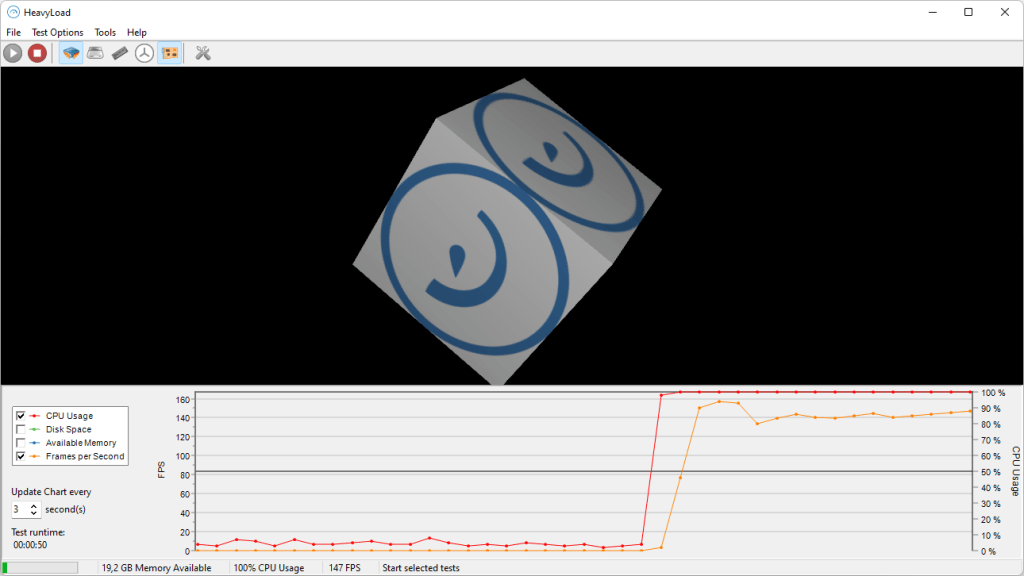
Among other stress testing software for QA, HeavyLoad can simulate heavy system loads in various PC components such as CPU, GPU, memory, storage, and others to evaluate the system’s performance under extreme conditions. Moreover, it is commonly used to identify performance bottlenecks and hardware limitations in Windows-based systems.
Best for:
IT specialists, QA engineers, and other technical specialists for stress testing system hardware under extreme conditions.
Key features:
- High loads simulation.
- File writing control.
- Multi-core processor support.
- Network stress testing.
- Customizable stress tests to target particular system components.
Integrations
You can export data through CSV or XML files.
Pros:
- Has a straightforward GUI, making it easy to set up and run tests.
- Free to use.
- Easy to set up and operate.
- Covers multiple system components in one tool.
- Useful for hardware diagnosis.
Cons:
- Limited reporting and analytics.
- Not suitable for API or application stress testing.
Pricing:
Available for free with no licensing cost.
11. MSI Afterburner
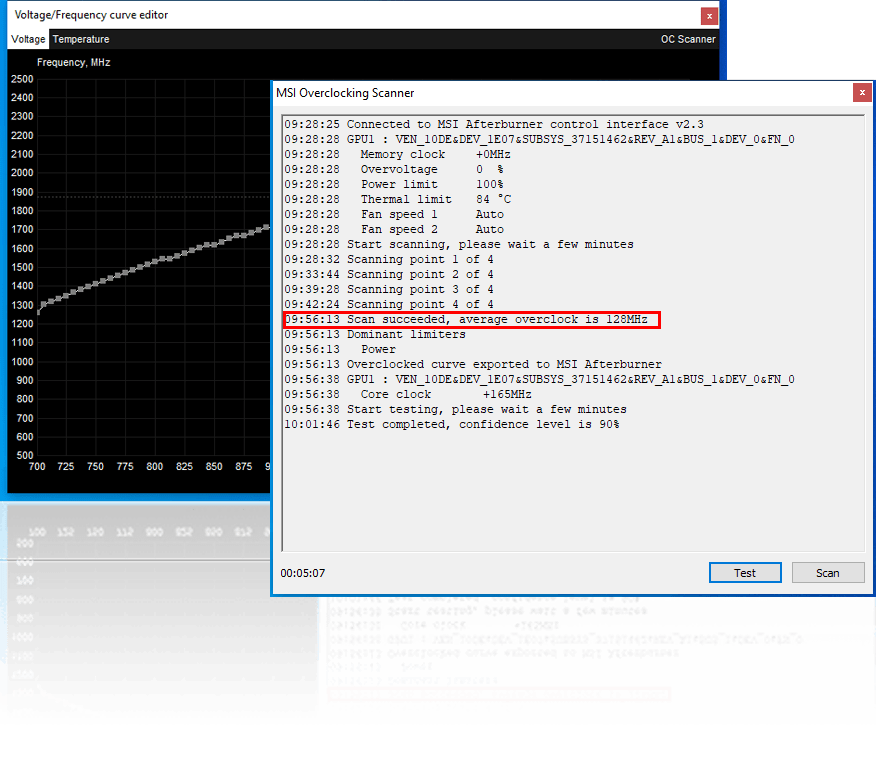
MSI Afterburner is another solution from the list of tools for stress testing. It is a widely used graphics card utility designed for GPU and performance monitoring. Developed by MSI, it supports a huge variety of graphic cards from different manufacturers, not only from MSI. While it is also not a tool for running stress tests but can be used alongside stress testing software to monitor GPU performance stability under a heavy load.
Best for:
Gamers and software testers that need real-time GPU monitoring during stress tests.
Key features:
- Real-time hardware monitoring.
- Customizable on-screen display.
- Screen recorder.
- GPU overclocking and voltage control.
- Fan speed and profile management.
Integrations
Compatible with a wide range of graphic cards, making it suitable for different users regardless of their GPU brand.
Pros:
- Free to use.
- Includes video recording function.
- Highly customizable interface.
- Wide GPU compatibility.
- Can be used as an additional tool for running stress tests.
Cons:
- Not a standalone stress testing tool.
- Limited reporting and analytics.
- Focused primarily on GPU performance.
Pricing:
MSI Afterburner is completely free to use.
Best stress testing software for QA comparison table
| Tool | Lane | Free tier | What you get for free | Catch |
| Apache JMeter | Application (Load & Stress) | Yes (100% Open Source) | Full access to all features, protocols, and unlimited local/distributed virtual users. | Lacks cloud adoption, has a steep UI curve, and requires high memory/resource overhead under heavy loads. |
| Gatling | Application (API & Web) | Yes (Free Trial) | Free trial access to evaluate cloud/enterprise execution and scripting. | Open-source core requires Scala knowledge for advanced scripting; paid cloud plans start at €89/month. |
| Grafana k6 | Application (Developer / SRE) | Yes (CLI Core & Cloud Tier) | 100% free open-source CLI engine + 500 virtual user (VU) hours/month on Grafana Cloud. | Does not render full web pages natively out-of-the-box; advanced multi-node distributed scaling requires paid cloud or custom Kubernetes setups. |
| Locust | Application (Python-based) | Yes (100% Open Source) | Full access to all features, event-driven engine, and distributed testing with standard Python code. | Single-worker throughput can be lower than compiled engines; lacks native GUI test recording for non-developers. |
| BlazeMeter | Application (Cloud Scale) | Yes (Free Starter Plan) | Basic tier allowing up to 50 concurrent virtual users and up to 10 test runs per month. | Very restricted free limits; high cost for frequent, large-scale continuous integration test runs. |
| Tricentis NeoLoad | Application (Enterprise) | Yes (Free Trial) | Full-featured evaluation trial to test enterprise codeless automation and AI capabilities. | Enterprise-only solution with a massive price tag (starts at $20,000/year); overkill for small teams. |
| WebLOAD | Application (Enterprise Web) | Yes (Free Trial / Request) | Evaluation build to test complex enterprise web protocols and AI-driven analytics. | Commercial product with quote-only pricing; steep learning curve for non-technical users. |
| MemTest86 | Hardware (System RAM) | Yes (Free Version) | Full USB bootable RAM testing tool with 13 standard stress algorithms and reporting. | Tests system RAM exclusively (no CPU/GPU coverage); requires booting outside the primary operating system. |
| GPU-Z | Hardware (GPU Observability) | Yes (100% Freeware) | Unlimited access to lightweight real-time GPU sensor monitoring, specification details, and data logging. | Does not generate load by itself; must be paired alongside a separate stress engine to monitor behavior. |
| HeavyLoad | Hardware (Full System PC) | Yes (100% Freeware) | Full, unrestricted stress testing across multi-core CPU, GPU, RAM, storage I/O, and network. | Windows-focused; offers basic reporting/analytics and cannot be used for application or API load testing. |
| MSI Afterburner | Hardware (GPU & Thermal) | Yes (100% Freeware) | Full GPU monitoring, real-time on-screen display (OSD), fan curve tuning, and video capture. | Not a standalone load generator; limited to GPU hardware metrics and requires external stress tools. |
Read More: The Next Generation of PMO Tools: How to Choose the Perfect One for You
How to choose the best stress tesing software for QA?
Sometimes choosing the best stress testing tool is easier said than done. You should evaluate and analyze many factors, and it would be great for you not to get confused. With this intention, we’ve prepared some useful tips for selecting the right stress testing software for QA. Just answer a few questions:
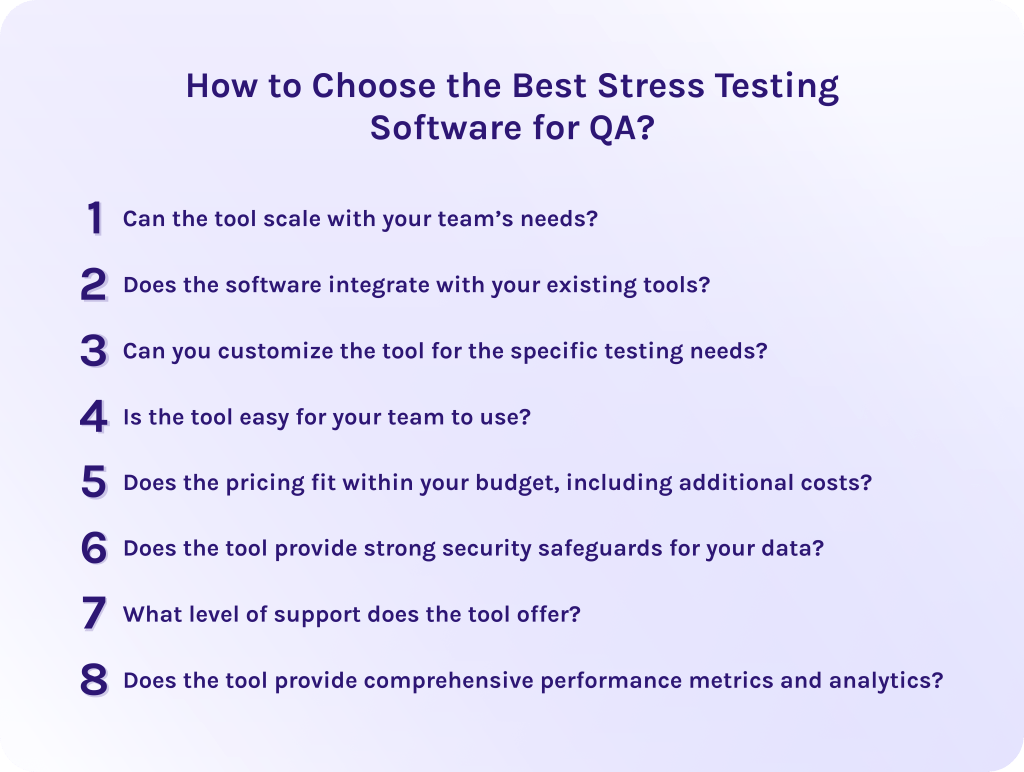
1. Can the tool scale with your team’s needs?
As your application and user base grow, your testing requirements will evolve. Therefore, the right stress testing tool should support increasing workloads and more complex test scenarios without performance limitations.
2. Does the software integrate with your existing tools?
Seamless integration with CI/CD pipelines, dev tools, and other applications is essential, as it embeds stress testing into existing workflows without disruptions and blocks, reducing manual effort.
3. Can you customize the tool for the specific testing needs?
Every system has its unique performance risks. Thus, look for stress testing tools that allow you to tailor different metrics and scenarios in a way that they reflect real-world usage in your specific industry.
4. Is the tool easy for your team to use?
A steep learning curve can slow down testing processes and overall productivity. However, if the tool has an intuitive interface, accessible documentation, and support, it won’t take much effort for your employees to get used to the platform and use it as efficiently as possible.
5. Does the pricing fit within your budget, including additional costs?
Consider that the tool might have limitations or additional options accessible only for an extra price. Choose the tool with the most appropriate and transparent pricing to avoid unexpected costs as testing scales.
6. Does the tool provide strong security safeguards for your data?
Most systems operate with large amounts of sensitive data that should be protected. For that reason, ensure that software has robust security measures like encryption or compliance with relevant standards.
7. What level of support does the tool offer?
Select the tool that provides reliable customer support. As well, evaluate whether it has technical assistance, training and onboarding resources, and community support.
8. Does the tool provide comprehensive performance metrics and analytics?
Choose the tools that offer detailed insights critical for identifying bottlenecks. With advanced analytics your team will use test results as improvement points to make data-driven decisions.
Read More: The Definitive Guide to Enterprise Project Management Software for 2026
Final Thoughts
In conclusion, stress testing software for QA specialists is as important as air. It helps to push the system into unusual conditions and evaluate its performance under a heavy load.
Why exactly do you need such a tool? Well, it brings lots of benefits, from improving overall efficiency and user satisfaction to reducing costs and making the system more reliable.
Thus, to choose the right stress testing software, evaluate your needs in scalability, support, and analytics. As well, estimate the budget, complexity of your system, and needed integrations to match the software with your current workflows.
Hope that this guide helped you to understand the importance of stress testing and now you finally have enough information to select your perfect platform. To stay in touch and get more tech news about software and industries trends, subscribe to our blog.
Moreover, if you want to develop your own stress testing solution, don’t hesitate to contact HYS Enterprise experts to get comprehensive consultation.
FAQs
1. What is the best stress test software?
The right choice of stress testing software depends on many factors related to your specific needs. To choose the perfect solution, answer the following questions:
- Can the tool scale with your team’s needs?
- Does the software integrate with your existing tools?
- Can you customize the tool for the specific testing needs?
- Is the tool easy for your team to use?
- Does the pricing fit within your budget, including additional costs?
- Does the tool provide strong security safeguards for your data?
- What level of support does the tool offer?
- Does the tool provide comprehensive performance metrics and analytics?
2. Can AI improve stress testing?
Yes, artificial intelligence (AI) can significantly improve stress testing. It can, for example, generate unpredictable user traffic patterns or analyze performance. As well, if you use modern agentic AI systems, they can auto-heal broken test scripts as your application changes.
3. What is stress testing in software testing?
Stress testing is a process of testing the performance of your software or application under extreme conditions. There are specialized systems that can push the software beyond its normal operational limits to find its absolute breaking point. Its primary goal is to evaluate the system’s stability and points of failure.
4. How to automate QA testing?
5. What is a stress test in QA?
A stress test in quality assurance is a type of performance testing that evaluates how the system behaves under extreme conditions. In other words, a stress test is pushing the application beyond normal operating limits to identify its weaknesses and breaking points.
6. What are the different types of stress testing?
- Distributed stress testing – tests multi-node applications by sending load concurrently from multiple clients to locate bottlenecks across distributed servers.
- Transactional stress testing – simulates extreme volumes of end-to-end user transactions to verify transactional integrity and data consistency.
- Exploratory stress testing – applies unconventional, unexpected conditions and sudden load spikes to observe unusual failure states.
- Application stress testing – exposes defects, memory leaks, and data locking issues by targeting high-traffic software functions.
- System stress testing – overloads the full infrastructure to evaluate total system limit boundaries.
7. What is the free software for stress test?
Apache JMeter is the most widely used open-source tool for performance and stress testing web applications and APIs. Modern code-first alternatives include Grafana k6 (using JavaScript) and Locust (using Python). For hardware stress testing (CPU/RAM), open-source utilities like HeavyLoad push physical components to their stability limits.
8. What should I consider when choosing stress testing software?
- Scalability. Check if it can easily generate high-volume virtual traffic from multiple geographic regions.
- CI/CD integration. Verify seamless integration with your DevOps pipeline alongside a licensing or cloud usage model that fits your budget.
- Your current tech stack support. Ensure the tool supports your app’s communication protocols and used technologies.
9. What is the difference between stress testing and load testing in software?
Load testing measures how a system performs under expected peak user demand. In turn, stress testing intentionally pushes the system beyond its normal limits to identify its breaking point and failure recovery mechanism.
10. What is stress test software?
Stress testing software is an application used to simulate extreme workloads and high user traffic to estimate system performance and reliability. Such tools help to identify:
- Bottlenecks.
- System limitations.
- Breaking points.
It helps to solve problems before the release and avoid costly fixes and delays.
References
- https://www.researchgate.net/publication/321868288_Stress_Testing_Programs
- https://www.researchgate.net/publication/325488038_Software_Stress_Assessment_Test_A_Preliminary_Investigation
- https://www.researchgate.net/publication/404639490_Stress_testing_tools_where_we_stand_and_where_to_go
- https://www.researchgate.net/publication/281730548_A_comparative_evaluation_of_state-of-the-art_load_and_stress_testing_approaches
- https://www.researchgate.net/publication/306059983_WebSurge_A_Profile-Based_Stress_Testing_Tool_with_Distributed_User_Agents_for_Web_Applications
- https://www.researchgate.net/publication/332759795_A_Pragmatic_Evaluation_of_Stress_and_Performance_Testing_Technologies_for_Web_Based_Applications
- https://www.researchgate.net/publication/408153370_System_Shift_and_Stress_Testing_a_Systems_Reading_Tool_for_Detecting_Pre_Shift_Vulnerability_in_Complex_Organizations
- https://www.researchgate.net/publication/390266316_Literature_review_on_the_stress_tests_developed_and_applied_in_non-food_supply_chains
- https://www.researchgate.net/publication/221175884_Stress-Testing_General_Purpose_Digital_Library_Software
- https://www.researchgate.net/publication/369723924_ANALYSIS_OF_APPLICATION_PERFORMANCE_TESTING_USING_LOAD_TESTING_AND_STRESS_TESTING_METHODS_IN_API_SERVICE
- https://www.researchgate.net/publication/399967521_Software_Testing_Techniques_and_Strategies
- https://www.scribd.com/presentation/847497242/3-Stress-Testing
- https://www.researchgate.net/publication/282551435_A_Survey_on_Load_Testing_of_Large-Scale_Software_Systems
- https://www.researchgate.net/publication/244968229_Design_of_stress_testing_focused_on_resource