

Key takeaways:
- PMO (project management office) is a structure within the organization that is responsible for creating unified standards for the entire project portfolio [5].
- PMO tools are specialized software created for experts from a project management office to help them create and manage standards across the entire project portfolio.
- Traditional project management tools are often focused on task management and successful delivery of a single project, while PMO software helps govern how each initiative aligns with the strategic goals.
What is a PMO?
Since we’re talking about tools to help them scale, let’s define what PMO actually is.
A PMO abbreviation stands for Project Management Office, which is a group or department within the organization that defines and controls the standards for project management [6].
Without it, teams often find themselves overwhelmed with silosed tasks and requirements, using different tools and measuring success differently.
Read More: 3 Essential Types of Capacity Planning Strategies and When to Use Them
What is the role of PMO in organizations?
- Governance. These specialists set rules for project management across the entire organization. They decide which project management methodologies you will use, which templates and tools the company needs to scale effectively.
- Transparency. They provide dashboards to leadership so they can see if projects are on time and under budget.
- Strategic alignment. They make sure the team isn’t just working on some tasks, but working on the most important ones that actually move the company’s goals forward.
What are the three types of PMO?
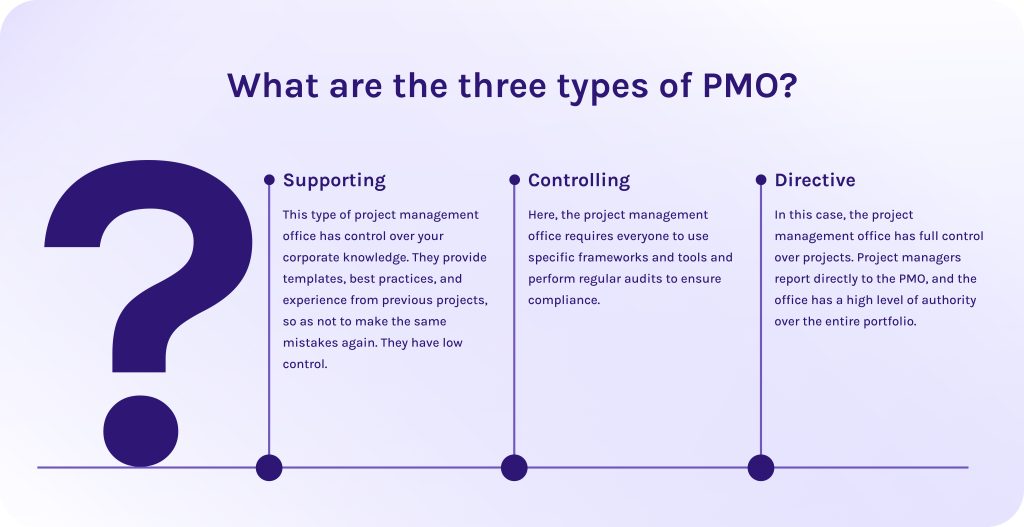
Depending on how much control they have, PMOs usually fall into one of three categories:
- Supporting. This type of project management office has control over your corporate knowledge. They provide templates, best practices, and experience from previous projects, so as not to make the same mistakes again. They have low control.
- Controlling. Here, the project management office requires everyone to use specific frameworks and tools and perform regular audits to ensure compliance.
- Directive. In this case, the project management office has full control over projects. Project managers report directly to the PMO, and the office has a high level of authority over the entire portfolio.
Read More: What is Program Management? A Deep Dive into Strategic Success and Program Leadership
What are the PMO tools?
In turn, project management office tools are specialized software designed to cover the specific needs of PMO specialists. They create a single source of truth for all team members, providing indispensable features for overseeing all ongoing projects within the portfolio.
These solutions help not only monitor task management, this functionality can be found in any project management tool. Instead, PMO tools are equipped with functionalities for effective resource management (simultaneously with capacity planning and workload management), risk management, and the newest AI-powered features like predictive analytics, scenario planning, bottleneck detection, etc.
Want to know more about project management software? Explore HYS Enterprise blog to learn only relevant insights about trendy yet powerful software solutions.
Read More: A Complete Guide to the Leading Resource Management Tools in 2026
What is the difference between traditional PM tools and PMO tools?
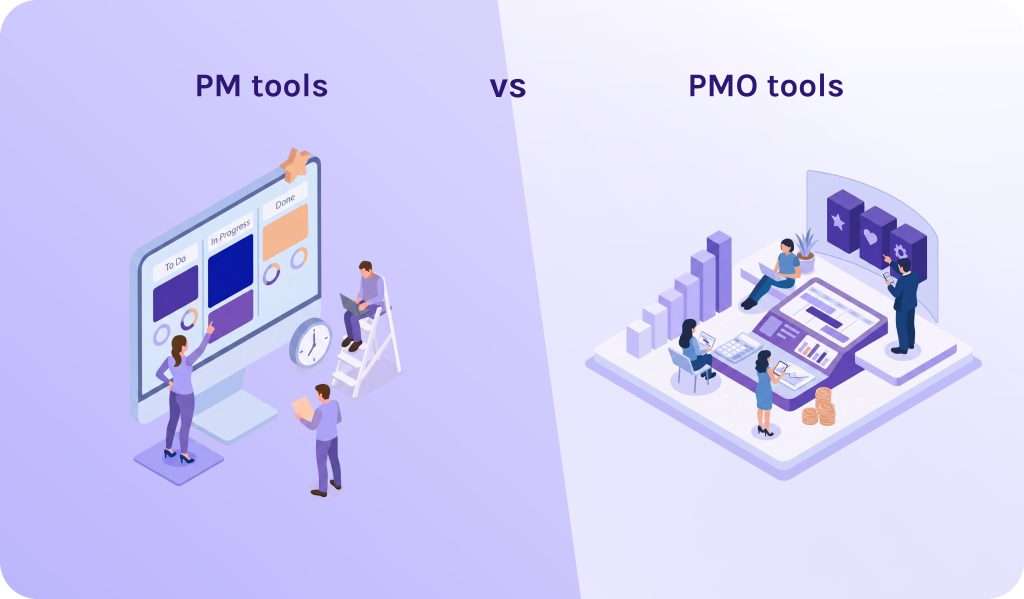
- PM tools are designed for managing simple workflows in one project. They can’t handle complex dependencies and detect resource conflicts when a human project manager accidentally tries to allocate one specialist to multiple initiatives at once.
- PMO tools are focused on the strategy. PMO software manages how multiple different projects within your portfolio affect each other and the company’s objectives. Moreover, they ensure that every project, regardless of the team, reports data in the exact same format so that an executive can compare apples-to-apples.
Read More: Product Portfolio Management Tools: Complete Guide to Choosing the Best Solution in 2026
What are the reasons why your business should use PMO tools?
As for the first half of 2026, it’s clear that if you manage only every single project without taking into account their mutual effect on the corporate strategy, you risk falling behind the competitors. However, modern PMO tools ensure that every person is working on the right activities and every dollar and project are moving the company towards its strategic goals. What are other more specific reasons why you should be using project management office software?
- They create a single source of truth for all team members. In a scaling company, data often gets trapped in silos as different departments use different tools. A PMO platform aggregates this data into one dashboard. Thanks to it, leadership can stop chasing status updates and start making decisions based on real-time health metrics.
- They support strategic alignment. As you grow, it’s easy to accidentally fund pet projects that don’t drive revenue. PMO tools software ensures that every project in the pipeline maps directly to a high-level corporate OKR or KPI.
- They can detect resource conflicts and alert them. Project management office software constantly scans your project portfolio to find resource conflicts. It is the situation, when, for example, the same three lead developers are assigned to ten “priority one” projects. Quite often, it ends up in burnout and inadequate requirements. Thanks to the modern PMO tools, organizations now can move people where they are needed most before they burn out.
- They automate governance. A PMO’s job is to ensure standards are met. Manually checking every project is impossible as you scale. Thus, one of the main goals of project management office solutions is to automate the guardrails. For example, a project cannot move to the execution phase until a risk assessment is uploaded.
- They help to track return on investment (ROI). PMO tools integrate with your ERP (financial software) to show real-time actual spendings compared to what was planned, flagging cost overruns weeks before they become a crisis.
- They shift your risk management approach from reactive to predictive. If you use a traditional project management tool, it shows the problem only when it has already happened. In turn, a PMO software tool uses AI-driven anomaly detection to tell you when a project will be late and why exactly, alerting about bottlenecks weeks ahead.
- They enable hybrid flexibility. Large companies rarely use just one methodology. Your software developers might use Agile, while your construction or marketing teams use Waterfall. PMO tools are built to aggregate data from multiple methodologies into one cohesive view.
- They solve the “shadow PMO” problem. When a company scales without a central tool, departments start buying their own software. This creates data silos. A PMO platform acts as a central data hub that integrates with these peripheral apps via API.
Read More: 10 AI Project Management Tools to Pay Your Attention to in 2026
What are the benefits of using PMO tools?
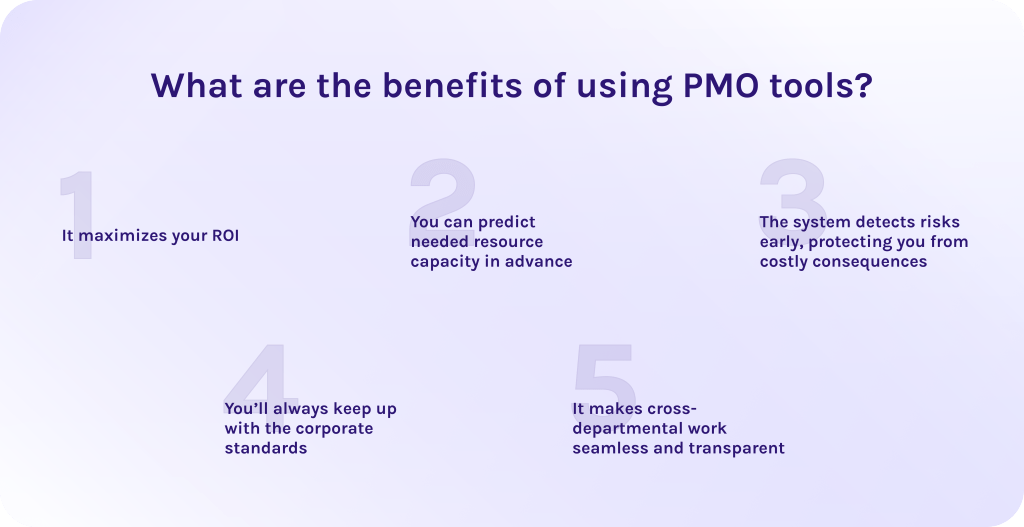
You can measure the efficiency of the chosen project management tool only if it delivers measurable results and strengthens your market position. Here are some of the benefits of implementing PMO tools software into your workflows.
1. It maximizes your ROI.
The biggest risk for any scaling company is fruitless effort which wastes time and money. That is why modern PMO tools ensure that every project is linked to a high-level corporate objective. It allows you to score and prioritize projects based on their actual value to the company, ensuring limited budgets are spent on the most impactful work.
2. You can predict needed resource capacity in advance.
One of the top reasons why projects fail is that teams are overbooked. Institute Project Management study shows that the biggest threat for projects is inadequate resource planning [3]. Thus, instead of trying to manually figure out who is free, a PMO software tool provides you visual instruments to oversee your employees workload across all departments. Advanced tools even use artificial intelligence to suggest the best person for a task based on their historical performance and skills.
3. The system detects risks early, protecting you from costly consequences.
Traditional project management is reactive which means that you’ll know about the delay or conflict when it already happened. In turn, PMO tools are predictive. The software monitors different factors like slowing task velocity or budget burn inconsistencies, and flags them for human intervention before the project hits delay or bottleneck.
4. You’ll always keep up with the corporate standards.
As you scale, create new departments, and hire more specialists, keeping the quality of processes becomes more and more difficult. However, PMO software ensures that everyone follows the same tools, templates, documentation formats, approvals, and communication rules. Moreover, it guarantees that no project skips critical steps like risk assessment or budget approval before moving forward.
5. It makes cross-departmental work seamless and transparent.
PMO tools foster a culture of accountability. When everyone can see the interdependencies, teams start collaborating horizontally instead of working in silos.
Follow our LinkedIn page to always keep up with the latest industry updates.
Read More: Best Critical Path Software and Modern CPM Tools for Project Management
What key functions should you look for in the best PMO software for enterprises?
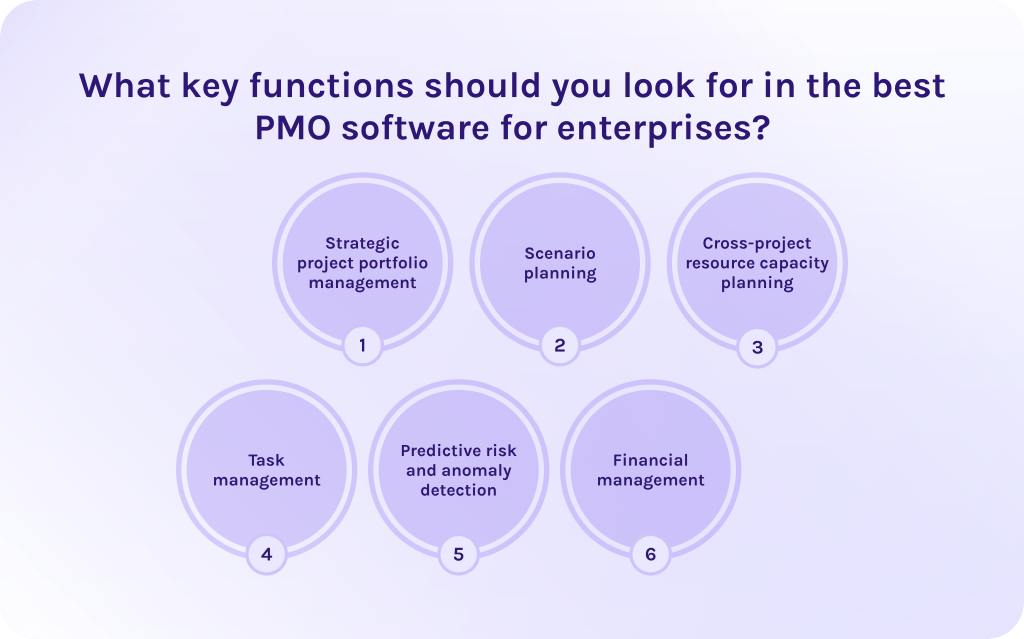
Below, we’ve listed the features in PMO tools that will deliver measurable results, relying only on the real-time data and accurate numbers.
- Strategic project portfolio management. SPM (strategic portfolio management) ensures that all projects within the portfolio are tied to a high-level corporate goal and are working on supporting this goal. Research shows that organizations using SPM techniques have an 81% execution success rate, compared to just 45% for traditional organizations [1].
- Scenario planning. PMO tools allow organizations to simulate future possible outcomes by testing changes in a safe sandbox before applying them. Organizations utilizing scenario planning software achieve a 17% higher rate of ROI delivery than those relying on static planning methods [1].
- Cross-project resource capacity planning. This feature in PMO tools allows teams to identify resource bottlenecks and solve them before they affect the entire project portfolio. Predictive resource modeling achieves an 85% efficiency rate in utilization, compared to the 70% typical of traditional manual allocation [2].
- Task management. In modern PMO software, task management is no longer about moving stickers between columns in Kanban board. Here, you can assign specialized talent to tasks, depending on their skills and availability, and immediately see how this move will affect other initiatives.
- Predictive risk and anomaly detection. Predictive algorithms are specialized software that can identify bottlenecks, based on your historical data. Using machine learning, modern PMO tools find mistakes that humans miss, leading to costly consequences. Modern ML models achieve 85% accuracy in predicting project failure before it happens [2].
- Financial management. This function integrates your PMO software with your ERP (enterprise resource management) system. Thanks to it, organizations can optimize their cost spending and ensure alignment with the plan.
Read More: Best Scenario Planning Tools to Consider in 2026
How did we select the best project management office software?
To create this list of the best PMO tools, our team evaluated over 50 solutions. We checked the following moments to compare tools equally without prejudices.
- Pricing availability: We evaluated if the project management tool has free plans or free trial to get started with. Also, we checked if the exact pricing of the tool is available or you will need to request for it. Each pricing was compared to the tool’s feature set to estimate the value for money.
- Features: We looked for the most essential PMO capabilities in each reviewed tool: resource management, risk management, visualization features, portfolio management, collaboration, financial management, automation, and ability to scale without performance degradation.
- User reviews: We did research through the most popular review platforms “G2” and “Capterra” to understand real user reviews and compare them to marketing claims.
- Integrations: We checked for the PMO platform’s native integrations to understand how easy it will be to integrate it into your current workflows.
- AI PMO capabilities: We reached for AI features and future plans of each software to understand their AI maturity level and speed of innovation cycles.
- Real-world use cases: We searched for the real success cases to make sure that your investment will result in measurable success metrics.
What are the best PMO tools in 2026?
1. Epicflow
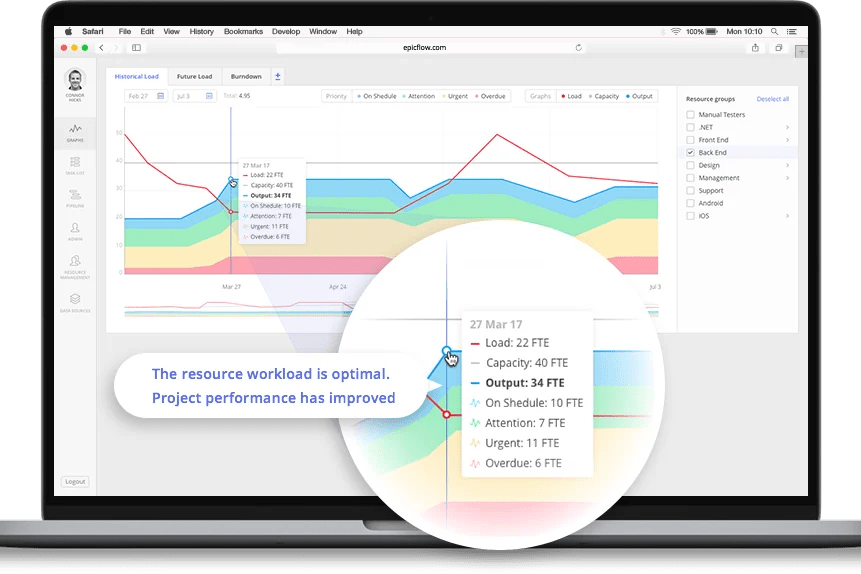
Epicflow, developed by HYS Enterprise, is an AI-driven resource and project portfolio management solution that is capable of managing dozens of projects simultaneously. Its unique approach is built on the Theory of Constraints (TOC). It is a methodology that says that every complex system is limited by at least one constraint (or bottleneck) that prevents it from achieving more of its goal [4].
Best for:
Large-scale organizations, especially within highly regulated industries like aerospace or manufacturing, where organizations manage hundreds of projects simultaneously with complex resource dependencies.
Key features:
- AI portfolio optimizer. Uses machine learning to suggest the best project sequence to maximize strategic KPIs like profit or business value.
- Scenario planning and risk management. Includes a “what-if” analysis sandbox to simulate the impact of adding new projects or changing resource availability without affecting live data.
- Dynamic prioritization. Uses an algorithm to automatically rank every task across the entire company portfolio based on due dates and capacity.
User reviews:
- Pros: Users frequently praise Epicflow for its “unmatched” ability to handle multi-project resource conflicts and its predictive accuracy.
- Cons: Users admit that this PMO software requires training to get used to. As well, it requires accurate data input to get quality results.
Ratings:
- G2: 4.4/5 [8].
- Capterra: 5/5 [7].
If you’re ready to explore the full potential of Epicflow in practice – contact our experts for a detailed consultation.
2. Celoxis
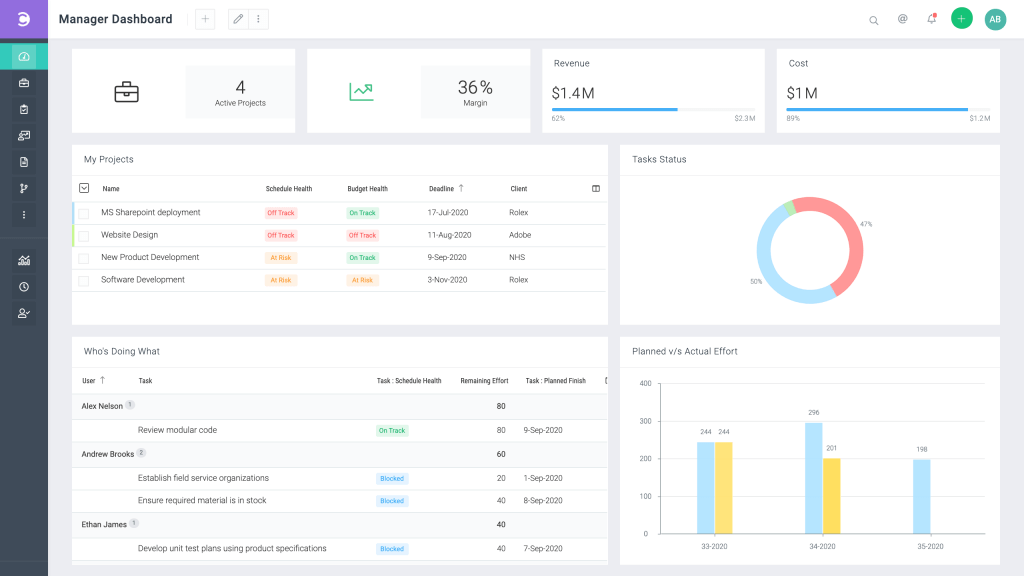
Celoxis is one of the best PMO software presented on the market widely known for being an all-in-one ecosystem. It eliminates the need for multiple third-party integrations and provides professional-grade project, resource, and financial management in a single platform.
Best for:
Mid-to-large enterprises that require an all-in-one PMO platform with heavy emphasis on financial tracking and business intelligence.
Key features:
- Financial management. Integrated tools for tracking project spend, actual vs. estimated costs, and profit margins.
- Advanced Gantt charts. A unified view that allows you to manage dependencies across different departments and project types.
- Customizable workflows. Highly flexible “stage-gate” approval processes that can be tailored to match specific corporate governance standards.
User reviews:
- Pros: Users value its quick customer support and depth of its financial data.
- Cons: The interface can feel a bit traditional compared to newer “Work OS” platforms.
Ratings:
- G2: 4.6/5 [8].
- Capterra: 4.4/5 [7].
3. Monday.com
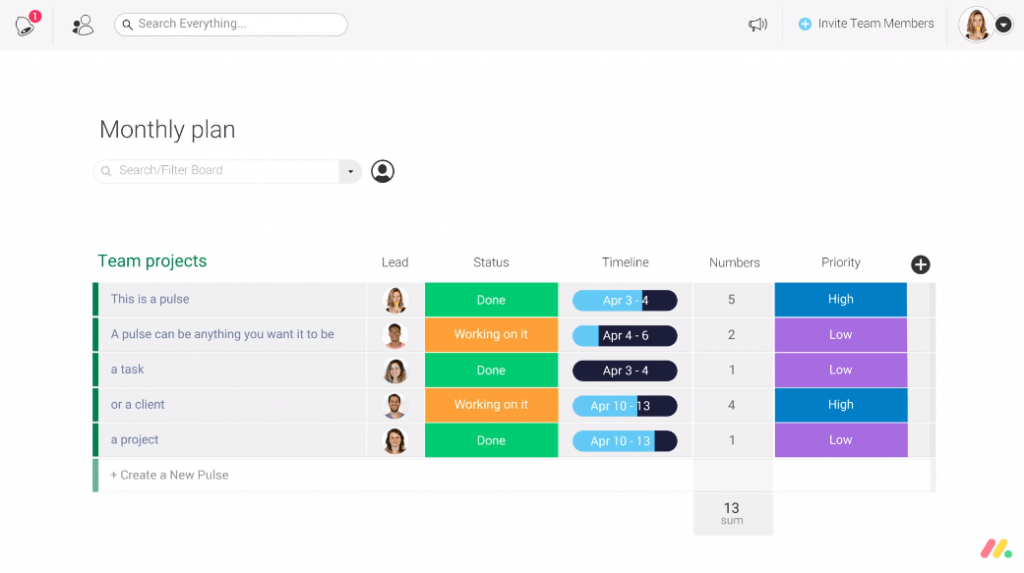
This PMO platform is famous for its simplicity and low entry point. Especially good for small-to-mid businesses or startups that seek meeting their PMO needs without the heavy administrative overhead of traditional enterprise systems.
Best for:
High-growth companies and cross-functional teams that value user adoption, visual clarity, and the ability to customize workflows quickly.
Key features:
- Monday work management. A dedicated PMO suite that includes project intake forms, portfolio dashboards, and risk-level roll-ups.
- Workflow automation. No-code business process automation that handles repetitive tasks.
- AI assistants. This feature was added in one of the latest updates. These are AI agents that automatically draft status updates, summarize long project threads, and identify high-risk tasks.
User reviews:
- Pros: Lots of users point to its exceptional UI/UX and its high flexibility for both Agile and Waterfall teams.
- Cons: Advanced PMO capabilities are locked behind the Pro and Enterprise tiers, which can become expensive at scale.
Ratings:
- G2: 4.7/5 [8].
- Capterra: 4.6/5 [7].
4. Smartsheet
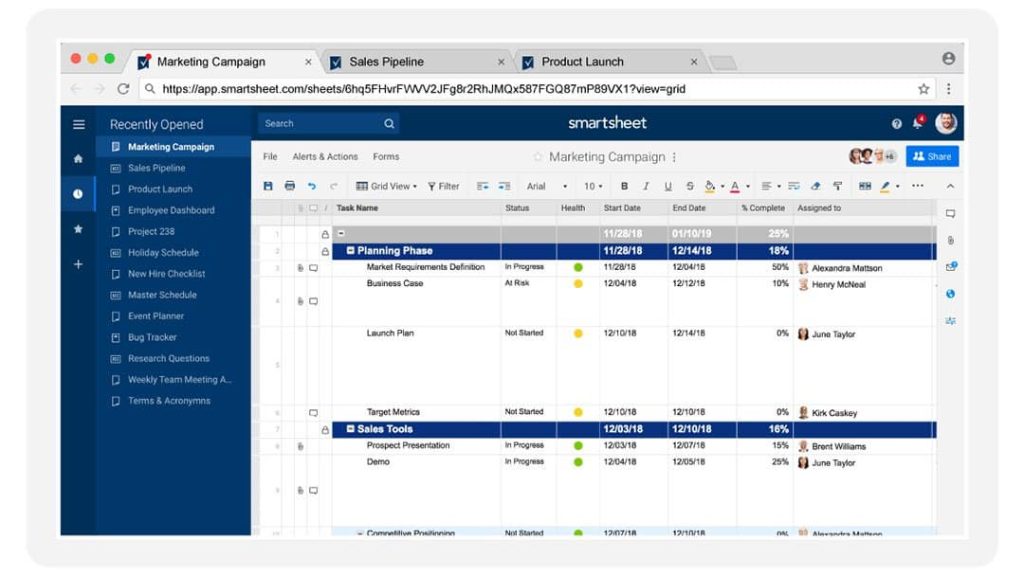
Smartsheet is an effective project management tool whose strength lies in its familiarity to basic, spreadsheet-based PMO tools.
Best for:
Large-scale enterprises and EPMOs (Enterprise Project Management Offices) that require spreadsheet-like PMO software and the ability to automate complex project rollouts at a massive scale.
Key features:
- Resource management. Provides a deep visibility into team capacity and enables you to forecast hiring needs.
- AI-powered insights. The project management tool now includes specialized AI agents that analyze historical data to predict project risks and generate content.
- Control Center. This capability allows you to automate the creation of new projects using standardized blueprints. When you update the global blueprint, the changes cascade to all active projects automatically.
User reviews:
- Pros: Users love the spreadsheet-style interface and “Control center”, which is frequently cited as the best tool on the market for maintaining consistency across thousands of projects.
- Cons: The learning curve for advanced features can be steep.
Ratings:
- G2: 4.4/5 [8].
- Capterra: 4.5/5 [7].
5. Wrike
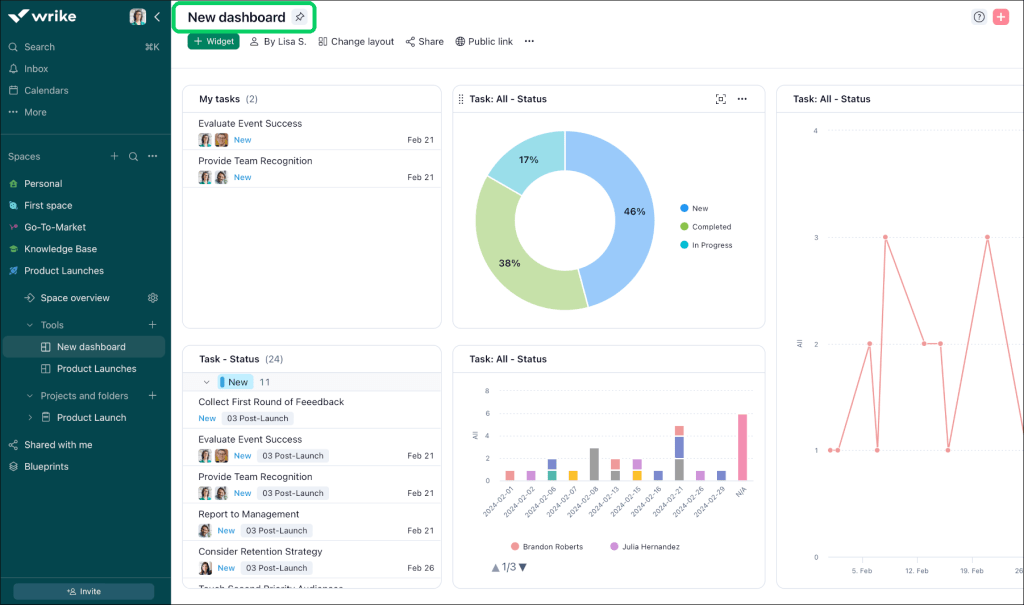
Among other competitors, Wrike stands out for its ability to handle complex, multi-departmental work without making it feel cluttered. It’s a go-to PMO platform for companies needing to connect different teams into one smooth workflow.
Best for:
Cross-functional enterprises and marketing-heavy PMOs that require a sophisticated balance between creative production and rigorous project governance.
Key features:
- AI-driven risk prediction. Risk prediction based on machine learning algorithms which scan historical patterns to provide a full view of potential delays.
- Advanced resource workload. Provides a real-time, drag-and-drop view of team capacity.
- Has robust cross-project Gantt charts. Offers some of the most robust interactive Gantt charts in the industry, featuring auto-rescheduling and dependency management that holds up even in massive portfolios.
User reviews:
- Pros: Frequently praised for its unmatched customization and ability to handle complex workflows without slowing down.
- Cons: It has a steep learning curve and might feel overwhelming for new users.
Ratings:
- G2: 4.2/5 [8].
- Capterra: 4.4/5 [7].
6. Jira
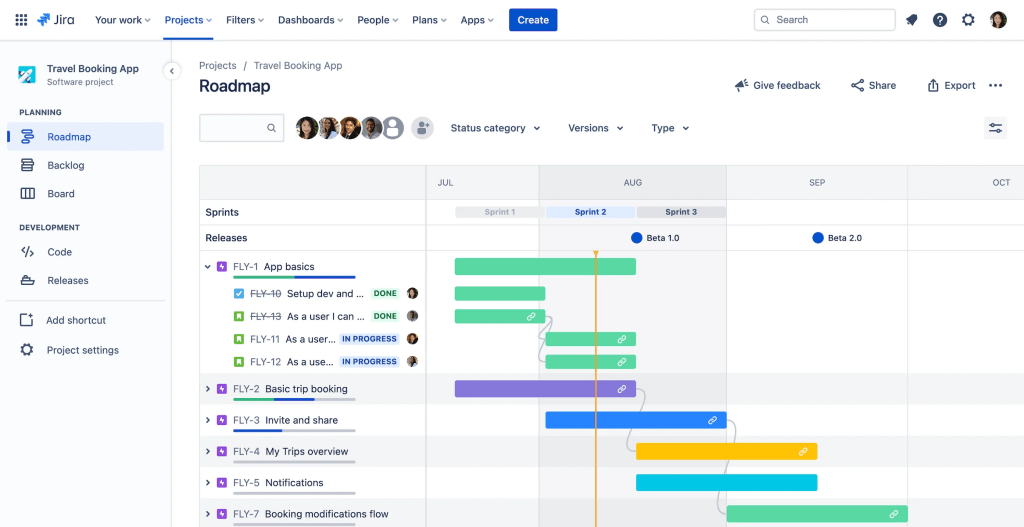
Jira remains a gold standard for technical and software-centric PMOs. While this software for the project management office started as a bug tracker, it has evolved into a massive ecosystem where humans and AI collaborate to link code and high-level strategy.
Best for:
Technical organizations, such as software development houses, that use Agile project management methodology.
Key features:
- JQL (Jira Query Language). It is a powerful search language that allows PMOs to create highly specific reports.
- Has advanced roadmaps. Allows PMOs to plan across multiple teams, track dependencies, and model capacity based on team velocity.
- Jira Align. Specifically designed for the PMO, this rolls up team-level work into “Themes” and “Strategic Bets,” providing real-time visibility into how technical tasks contribute to CEO-level goals.
User reviews:
- Pros: Unmatched for technical depth and flexibility.
- Cons: Often criticized for being overly complex for non-technical users.
Ratings:
- G2: 4.3/5 [8].
- Capterra: 4.5/5 [7].
7. Planview
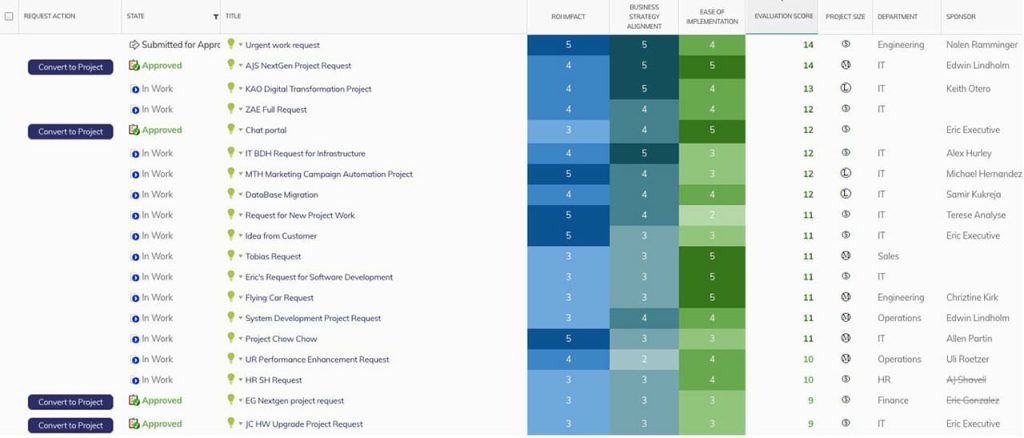
Planview is designed specifically for the enterprise project management office (EPMO) and Global 2000 companies. This project management tool is a decent choice for organizations that need to connect multi-million dollar strategic plans to the daily work of thousands of employees.
Best for:
Large-scale enterprises that have advanced PMO needs in connecting strategy with execution.
Key features:
- Strategic roadmapping. This feature in the software for project management allows executives to visualize long-term outcomes and link them directly to project funding.
- AI personal assistant. It is an AI agent that can summarize portfolio health and predict budget overruns.
- Financial planning. It shows the actual business value delivered per dollar spent.
User reviews:
- Pros: Users like its unmatched visibility and ability to handle massive complexity.
- Cons: Because it is so powerful, it requires dedicated specialists to manage and configure.
Ratings:
- G2: 4.1/5 [8].
- Capterra: 4.3/5 [7].
8. Asana
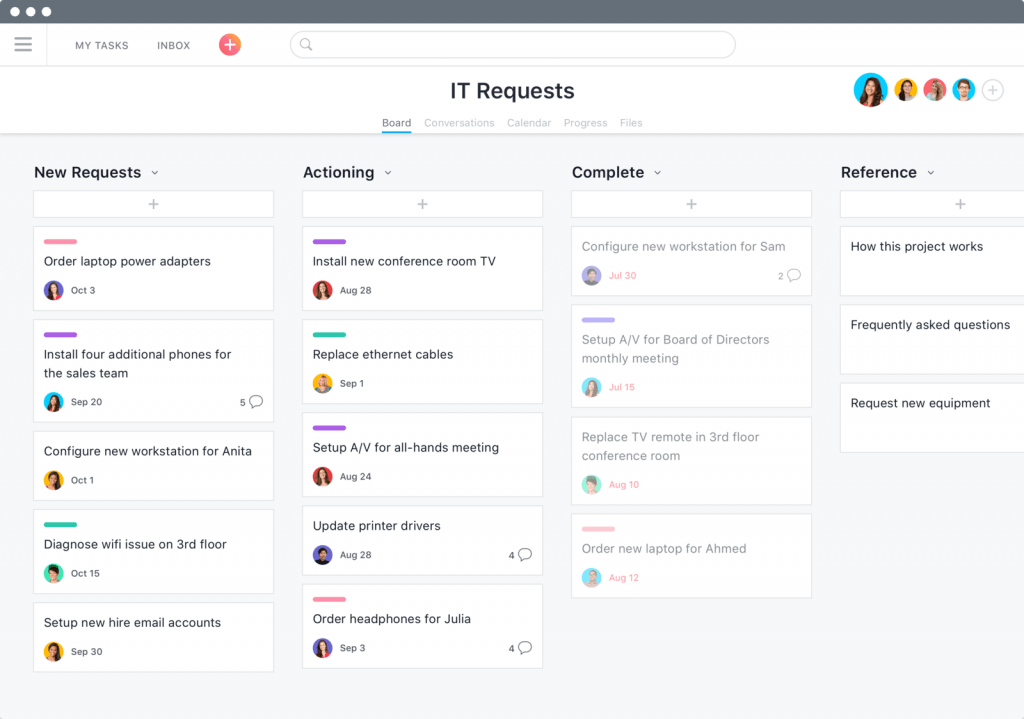
The main distinguishing feature of Asana is that it focuses on Objectives and Key Results (OKRs). Thanks to its clear interface, it’s extremely easy to get used to this PMO software and start to use its advanced AI-powered features.
Best for:
High-growth and goal-driven companies that want an intuitive PMO platform that links everyday tasks with strategic objectives.
Key features:
- Goal tracking. It allows the project management office (PMO) to set company-wide OKRs and link them directly to the projects and portfolios that support these goals.
- Project portfolio management. Executives can see all ongoing initiatives and team capacity across the entire portfolio to prevent burnouts and bottlenecks.
- Asana AI studio. A no-code environment where the PMO can build custom AI-powered workflows, combining LLMs with Asana’s rule engine.
User reviews:
- Pros: Consistently rated as having the cleanest and the most intuitive interface among the competitors.
- Cons: The pricing can be steep for mid-sized teams.
Ratings:
- G2: 4.4/5 [8].
- Capterra: 4.5/5 [7].
9. Microsoft Project
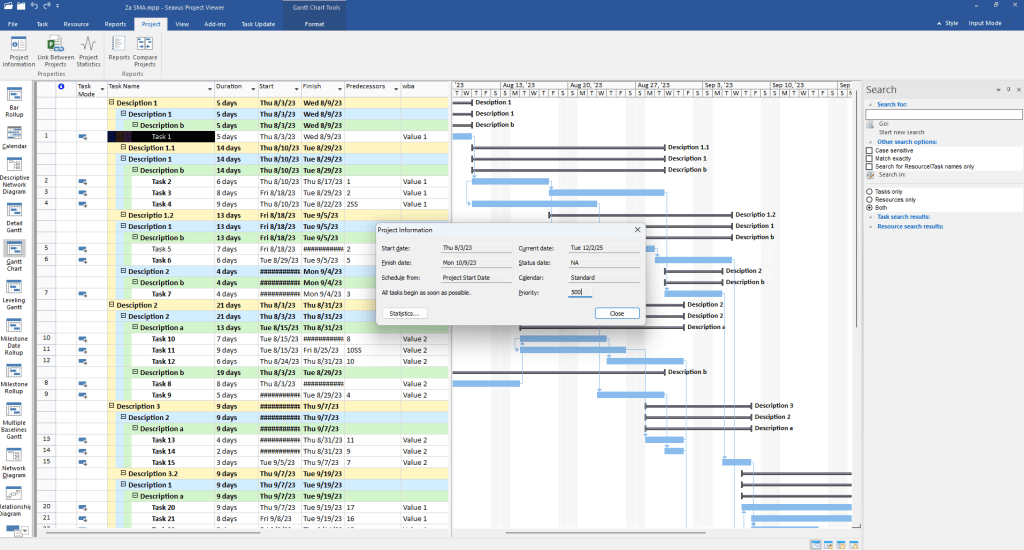
Microsoft Project for years was a gold standard for companies already using Microsoft software tools. However, in September of 2025, Microsoft officially announced the retirement of MS Project. It will be integrated into a new Microsoft Planner creating a unified work management ecosystem.
Best for:
Organizations already deep in the Microsoft 365 ecosystem that need professional-grade scheduling and seamless integration with Teams, Power BI, and Copilot.
Key features:
- Resource leveling. A feature that automatically reschedules tasks to resolve over-allocations based on resource calendars.
- Power BI integration. This allows PMOs to create high-level portfolio reports that combine project data with financial data from Excel or Dynamics 365.
- Hybrid planner view. Teams can switch between a Grid (spreadsheet), Board (Kanban), and Timeline (Gantt) view within the same project, allowing for flexibility across different working styles.
User reviews:
- Pros: Users praise the ease of moving data between different Microsoft applications, as this tool is a part of the Microsoft ecosystem.
- Cons: PMO needs to transit to new tools which has caused some confusion. Still, the learning curve remains very steep and the most powerful features are very expensive.
Ratings:
- G2: 4/5 [8].
- Capterra: 4.8/5 [7].
Read More: Tired of MS Project? 16 MS Project Alternatives for Modern Teams
10. Zoho Projects
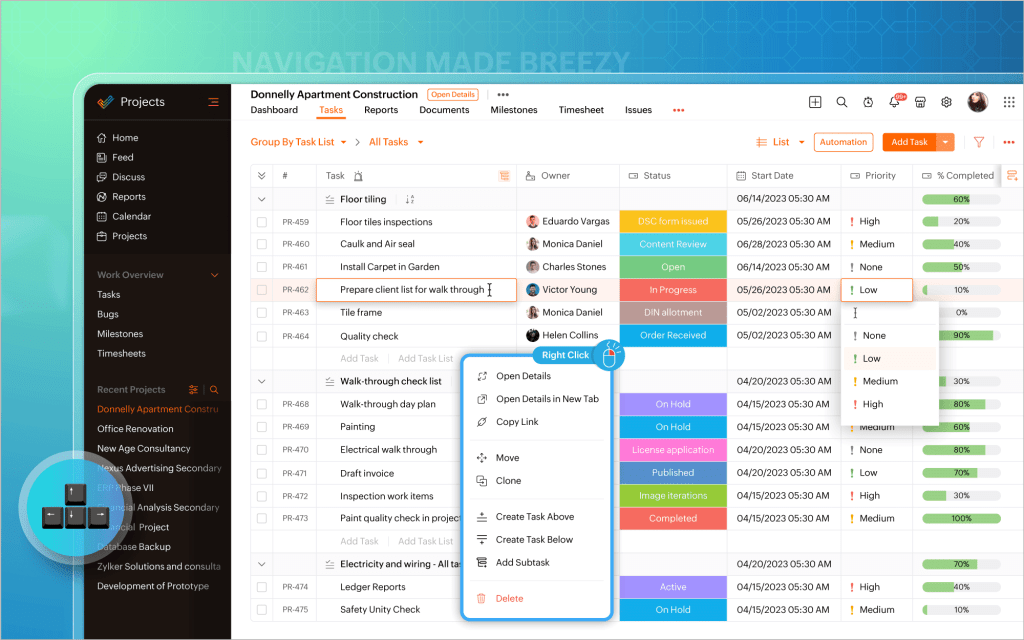
Extremely affordable project management tool for companies that are already deep into the Zoho ecosystem and use other Zoho tools.
Best for:
Small-to-mid-sized businesses (SMBs) and scaling departments that need advanced reporting and time tracking without the high price tag.
Key features:
- Workflow automation. It allows the project management office to build a visual map of a process. Tasks cannot move to the next stage until specific conditions are met, ensuring total adherence to corporate standards.
- Advanced resource utilization. You can see across all projects to identify who is overbooked using color-coded heatmaps.
- Advanced Gantt charts. It supports four types of task dependencies and allows the project management office to set a Baseline to compare the original project plan against the actual progress.
User reviews:
- Pros: Users consistently give it high marks for its affordability and ecosystem integration.
- Cons: While powerful, the interface is often described as less polished than in the other PMO tools software.
Ratings:
- G2: 4.3/5 [8].
- Capterra: 4.5/5 [7].
Comparison table of the best PMO tools in 2026
| Software | Best for | Pricing | Review score |
| Epicflow | Advanced multi-project resource and portfolio management. | From 22.5€ monthly. | G2: 4.4/5
Capterra: 5/5 |
| Celoxis | Enterprises that need a PMO platform with heavy emphasis on financial tracking and BI. | From $10. | G2: 4.6/5
Capterra: 4.4/5 |
| Monday.com | Cross-functional teams that value visual intuitiveness and ease of use. | From €12 per seat/month | G2: 4.7/5
Capterra: 4.6/5 |
| Smartsheet | Large-scale enterprises and EPMOs that require spreadsheet-like PMO tools. | From $9
per member/month. |
G2: 4.4/5
Capterra: 4.5/5 |
| Wrike | Cross-functional enterprises and PMOs with a strong focus of marketing. | Has a free version. Paid starts from $10 per user/month. | G2: 4.2/5
Capterra: 4.4/5 |
| Jira | Technical organizations, such as software development companies. | Has a free version. Paid starts from $7.91 per user/month. | G2: 4.3/5
Capterra: 4.5/5 |
| Planview | Large-scale enterprises that have advanced PMO needs in connecting strategy with execution. | Available upon a request. | G2: 4.1/5
Capterra: 4.3/5 |
| Asana | High-growth and goal-driven companies. | Has a free version. Paid starts from $10.99 per user/month. | G2: 4.4/5
Capterra: 4.5/5 |
| Microsoft Project | Project planning and execution within the Microsoft ecosystem. | From $10 per user/month. | G2: 4/5
Capterra: 4.8/5 |
| Zoho Projects | If you are already using other tools from the Zoho ecosystem for effective project management. | Has a free version. Paid starts from €4 per user/month. | G2: 4.3/5
Capterra: 4.5/5 |
* Note that this information is relevant on 26 of May 2026. Check actual pricing on the vendor’s official website.
Read More: Ultimate Guide: The Best Backlog Management Tools in 2026
How to choose an ideal PMO platform for your business needs?
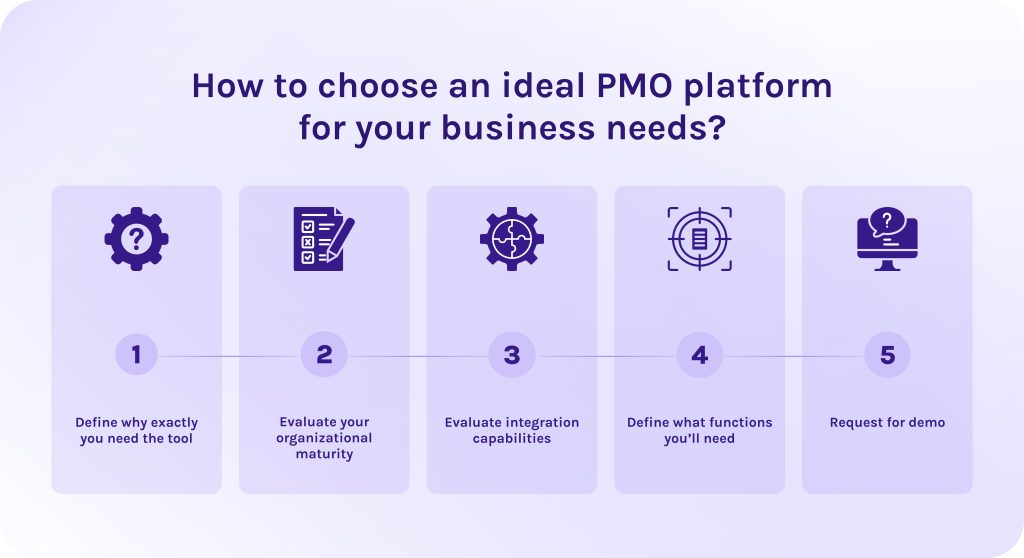
Choosing the ideal PMO platform requires looking beyond simple task tracking. Here, you need to focus on how the software supports your organization’s unique structure.
1. Define why exactly you need the tool.
Identify the specific organizational pain point the tool is meant to cure. Prioritize one main problem that cascades in other bottlenecks further. If its constrained resources choose Epicflow, if you need to stop the chaos between different departments, choose Smartsheet, and so on.
2. Evaluate your organizational maturity.
A project management software that is too complex will very likely be ignored. While the one that is too simple will be quickly outgrown.
- If your maturity is low, choose more visual tools like Monday.com or Asana to get teams out of spreadsheets and into a shared digital space.
- If your maturity is high, focus on optimization and choose solutions like Planisware or Celoxis that offer advanced financial modeling, “what-if” scenario planning, and deep resource analytics.
3. Evaluate integration capabilities.
Ensure the tool for project management has native integrations (or a robust API) for your ERP and other platforms. Software developers shouldn’t have to leave Jira, and your sales team shouldn’t have to leave their tools. The ideal PMO platform pulls data from those tools automatically to build its high-level reports.
4. Define what functions you’ll need.
It can be advanced resource planning, risk management, skill-based assignment, scalability, collaboration features, advanced analytics and scenario planning, and, of course, task management. Needed features depend on the needs you identified earlier.
5. Request for demo.
Never buy based on a pre-recorded video. When requesting a demo, come prepared to see your actual workflow in action. Our personal advice: invite a non-technical team member to the demo. If they find the interface of the project management software confusing, your organization-wide adoption will likely fail.
What to do when you have already chosen the tool but don’t know how to implement it into your workflows? Contact HYS Enterprise experts today for a comprehensive audit of your current project management maturity and a roadmap for a successful 2026 PMO rollout.
Read More: A Guide to the Best Risk Management Software: Top ERM Tools in 2026
Conclusion
I would like to finish this article with a spot-on quote:
“Every project is an opportunity to learn, to figure out problems and challenges, to invent and reinvent.”
– David Rockwell
Successful adoption of PMO software in modern organizations requires significant patience and deep analysis of what went wrong in your company. With the help of such software, you can improve and automate almost any business process, from smart resource allocation to predicting possible bottlenecks weeks or even months ahead. But software isn’t the only thing you need to succeed, it is the strategic mindset behind the tool that ultimately drives transformation.
Even the most advanced AI-driven platform is only as effective as the culture of transparency and accountability it supports. To truly scale, you must pair your technology with a leadership team that is willing to trust the data, adapt to the insights it reveals, and view every corrected bottleneck not as a failure, but as an essential step toward operational excellence.
If you didn’t choose yet, Epicflow is your chance to guess the perfect solution from the first attempt. Contact our experts to understand whether Epicflow suits your processes.
FAQs
1. What are PMO tools?
PMO tools are specialized software designed to help project management office (PMO) specialists create and manage project management standards across the entire organization.
2. What are the 5 types of PMO?
- Supportive PMO. Provides templates and best practices, so everyone in your team uses the same standards. Have low control over projects.
- Controlling PMO. Requires compliance with specific frameworks. Organizes frequent audits to monitor the performance.
- Directive PMO. Project managers are assigned by and report directly to the PMO, ensuring a high level of authority.
- Centralized PMO. All project managers report to the central office, and every project follows the unified set of tools.
- Decentralized PMO. PMO is embedded directly within the specific departments or business units.
3. What is a PMO?
A project management office (PMO) is a department or a team within the organization that is responsible for setting the project management standards for the entire organization. Their main purpose is to ensure that all departments and employees are on the same page and that ongoing initiatives are aligned with long-term business strategy.
4. Is PMO higher than project manager?
Yes, the project management office (PMO) is higher than project manager, because it provides the governance and the standards that the project manager must follow.
5. What is the best PMO software?
What PMO software is the ebay for you depends on your actual needs. Choose:
- Epicflow: for multi-project resource and portfolio management using predictive analytics.
- Asana: for goal-driven organizations for strong strategic alignment.
- MS Project: for efficient project portfolio management within the Microsoft ecosystem.
- Zoho Projects: for efficient project portfolio management within the Zoho ecosystem.
- Planview: for heavy enterprise portfolios and massive budget modeling.
- Monday.com: for quick user adoption thanks to its intuitive interface.
- Wrike: for cross-functional collaboration.
- Smartsheet: for spreadsheet familiarity but strong governance.
- Celoxis: for robust financial tracking.
- Jira: for technical PMOs in software development practicing Agile at scale.
6. Are PMO tools only for large enterprises?
No. Modern PMO software is designed for companies of all sizes, with lightweight solutions for smaller teams like Monday.com or Asana. While enterprise tools exist for massive portfolios, even small teams use PMO tools to centralize data and ensure projects align with their business goals.
7. What are the examples of PMO KPI?
- Strategic alignment – the percentage of projects linked to business goals.
- Resource utilization – comparing teams capacity to the actual demand.
- Schedule and budget variance – tracking time and cost overruns.
- Return on investment (ROI) and value delivery – how much actual revenue or efficiency is gained per dollar spent on the project portfolio.
8. How to run a successful PMO?
To run a successful PMO, you need to change your mindset from focusing on process to focusing on value. Align every project with your corporate strategy and keep real-time data for making important business decisions. Success hinges on being adaptable enough to support different team methodologies and provide the consistent guardrails that drive high-impact decisions.
9. Is there a PMO in agile?
Yes, there is PMO in agile, but its role here is slightly different. In agile, it is often called Agile PMO or Value management office (VMO). So, it focuses on making sure that teams have everything they need for efficient project planning and execution, while staying aligned with company goals.
10. What is the difference between a project management tool and PMO software?
A traditional project management tool focuses mainly on the simple task management and success of a single project. In turn, specialized software for PMO focuses primarily on cross-project resource optimization, financial tracking, and creating a single source of truth for all team members to be on the same page with corporate strategy.
References
- https://www.tempo.io/guides/2026-state-of-spm-report-guide
- https://www.researchgate.net/publication/385605548_Predictive_Analytics_for_Project_Risk_Management_Using_Machine_Learning
- https://instituteprojectmanagement.com/sa/blog/addressing-the-causes-of-project-failure-in-the-government-sector-and-strategies-for-success/
- https://www.leanproduction.com/theory-of-constraints/
- https://www.researchgate.net/publication/382360181_The_role_of_project_management_office_in_the_implementation_of_strategic_plans_in_project-based_organisations
- https://www.researchgate.net/publication/314093356_Project_Management_Office_Models_-_A_Review
- https://www.capterra.com/
- https://www.g2.com/