
What Is Resource Management Software?
At its core, resource management tools are specialized project management software designed directly to help organizations allocate limited resources in order to maximize ROI and increase efficiency using the same resources [3].
They help companies plan, track, and optimize the usage of their most valuable assets, from human capital to physical equipment and budget allocations.
What are the resources companies often manage?
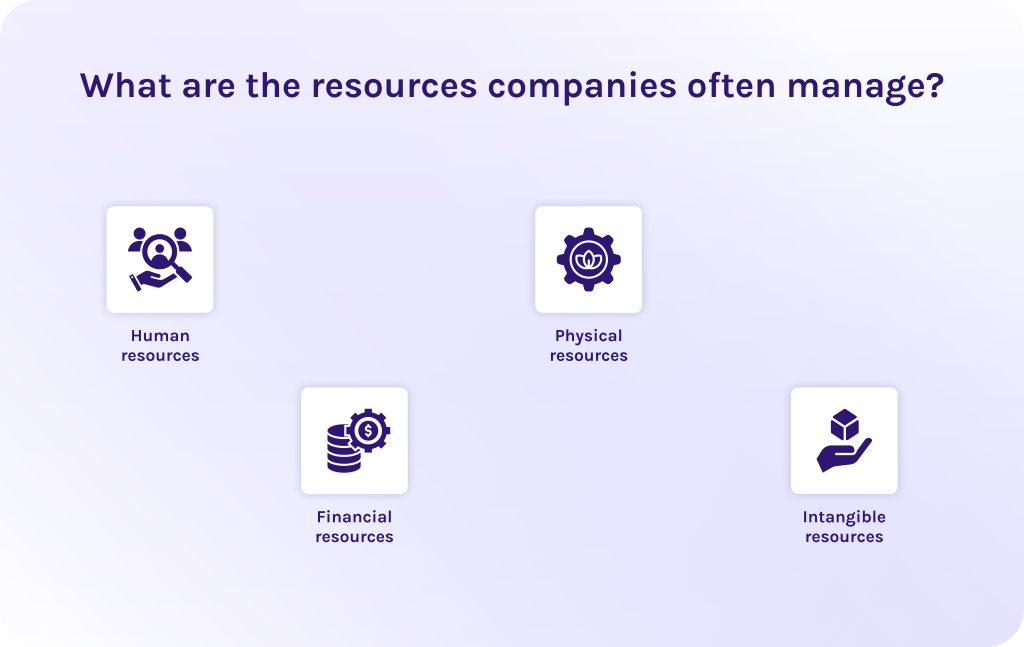
When we know what resource management tools are, we need to understand what exactly they help companies to manage. There are common types of resources and what they actually mean:
- Human resources. This involves all points connected to people – their knowledge, skills, competencies, specific expertise, etc. Here, we can also add the time that employees spend on work and managing their mental state in order to prevent burnout.
- Financial resources. This type is connected to monetary and investment. It involves project budget, cash flow required for daily operations, and some specific funds that must be tracked and spent on qualifying activities, like grants or R&D credits.
- Physical resources. It’s mostly connected to industries like manufacturing and construction where raw materials and special machinery plays a critical role. However, in software development or other industries it can be computers, IoT, cameras, and other devices.
- Intangible resources. All resources that don’t have a physical form but provide immense value to a company: knowledge, intellectual property (IP), brand reputation, patents, or even software code.
Read More: Ultimate Guide: The Best Backlog Management Tools in 2026
Who uses resource management tools in companies?
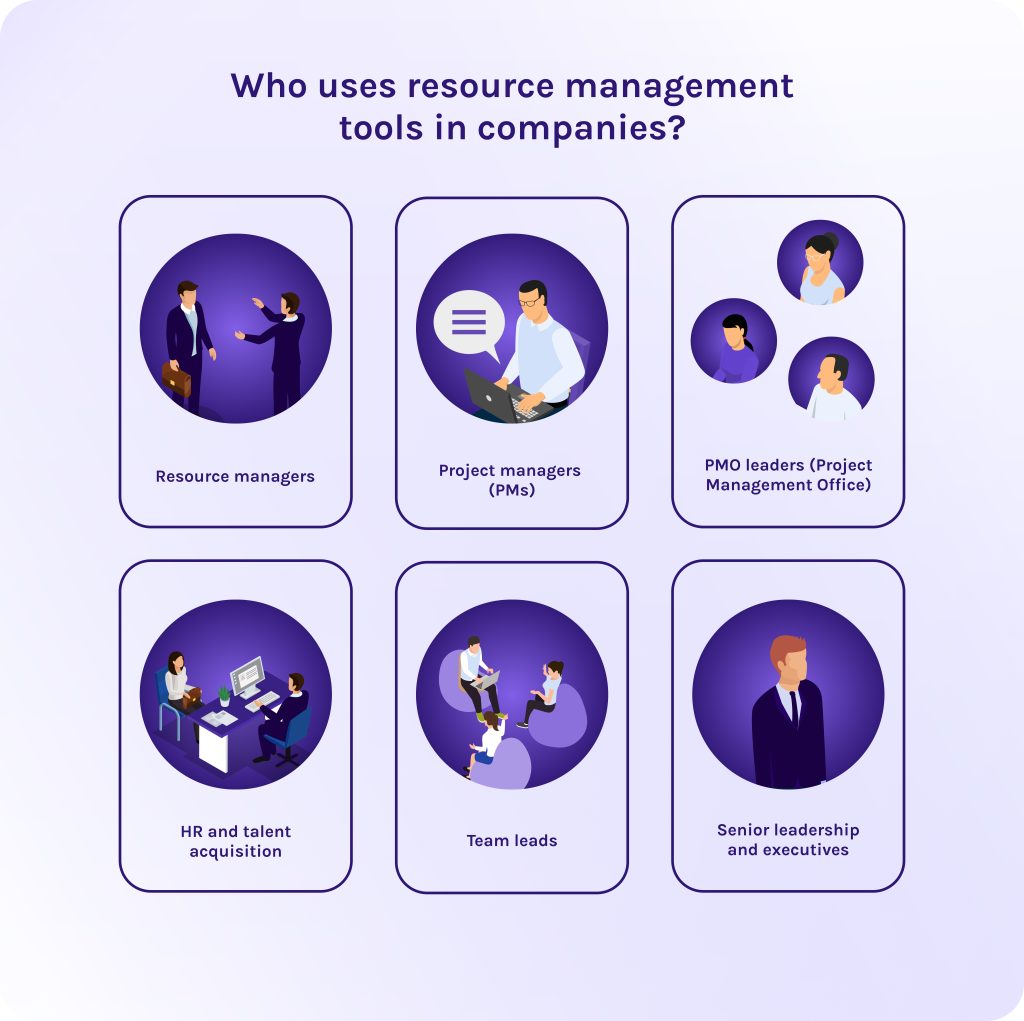
In every company, these roles may vary, but in general, there is a common set of specialists who find IT resource management tools indispensable in their work:
- Resource managers. In many companies, there is a specific role for the person who is responsible for resource management. Their main goal is to balance the workload across the entire organization and prevent double-booking of specialists across different departments [4].
- Project managers (PMs). These specialists use tools for resource management to align project timeline with available resources to ensure that the work will be done without delays [5].
- PMO leaders (Project Management Office). Portfolio managers look at all projects within the portfolio as a single whole to ensure the company is working on the most profitable or strategic initiatives. Their main goal is strategic alignment and portfolio health [6].
- HR and talent acquisition. Project management resource planning tools help HRs to plan future staffing and recruitment.
- Team leads. These specialists are focused on skills and growth of their team.
- Senior leadership and executives. Executive leadership uses high-level reporting from resource management tools to monitor the financial health of the business.
Read More: A Guide to the Best Risk Management Software: Top ERM Tools in 2026
Key Features of Resource Management Tools
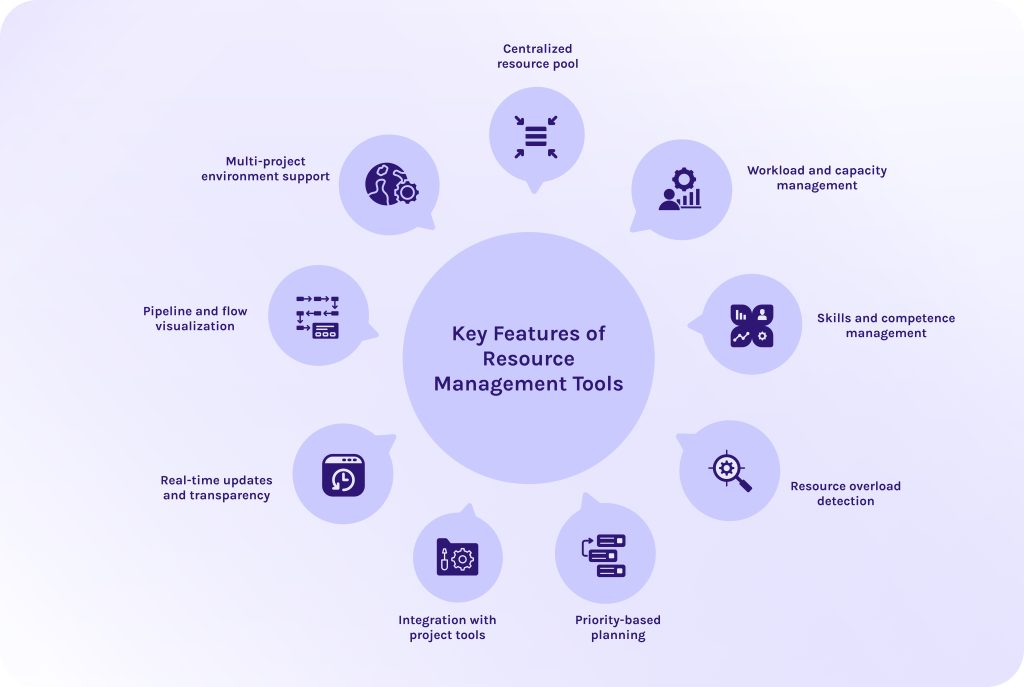
We prepared a list of essential features for tools for resource management and now I’ll explain why each of them is a game-changer for any specialist we were discussing above.
- Centralized resource pool. The best resource management tools act as a single source of truth or, if you want, as a unified directory of every person, piece of equipment, and software license available.
- Workload and capacity management. It compares the work that needs to be done against the actual hours your team is available to work.
- Skills and competence management. This feature allows you to tag individuals by their specific expertise. It ensures the right person is assigned to the right activities, preventing junior staff from drowning in senior-level tasks [7].
- Resource overload detection. This function in enterprise resource management tools serves as an early warning system for burnout, allowing you to move tasks before a team member reaches a breaking point.
- Priority-based planning. The tool helps you allocate your best people to your highest-value projects.
- Integration with project tools. When a task is updated in the project tool, the resource availability updates automatically, keeping the data fresh without manual entry.
- Real-time updates and transparency. Tools for resource management provide a live dashboard where every stakeholder can see the current status.
- Pipeline and flow visualization. This allows you to see work moving through different stages (like a Kanban board or a Flow diagram) and where the bottleneck occurs.
- Multi-project environment support. It ensures that, for example, a designer’s time is split correctly across three different projects without accidental double-booking.
If your resource management strategy is now based on the gut feeling instead of reliable data, we have bad news for you – you may have been falling behind the competitors and even didn’t know about it. Our experts at HYS Enterprise specialize in building and implementing custom resource ecosystems that turn 73% failure rates into 100% success stories.
Contact our experts today to learn how resource management tools can increase your ROI and strengthen your competitive position.
Read More: Product Portfolio Management Tools: Complete Guide to Choosing the Best Solution in 2026
Top Resource Management Software Solutions for 2026
Let’s consider the best project resource management tools in 2026 you can use for better results and improved delivery rates.
1. Monday Work Management
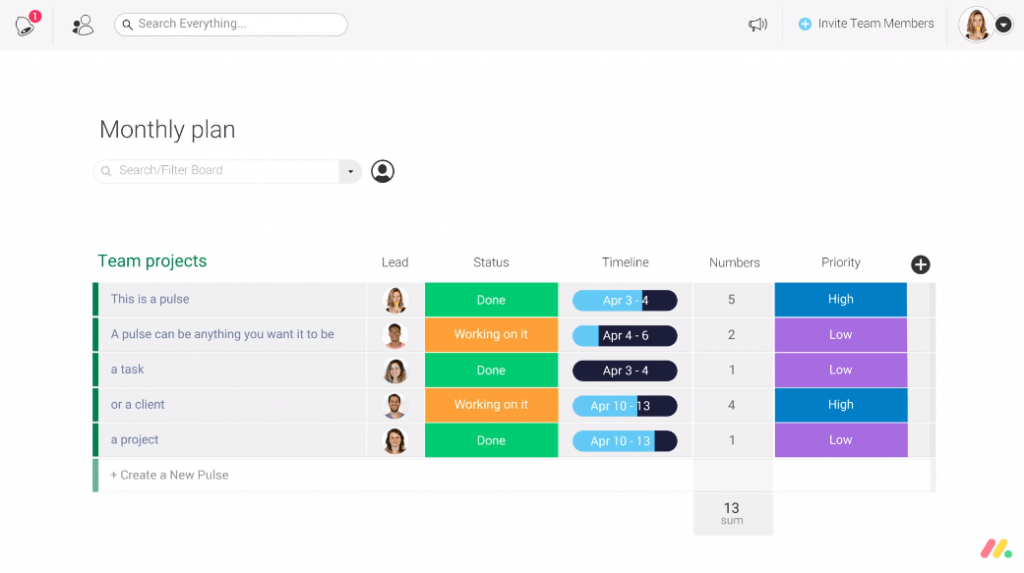
Monday is a highly flexible platform where resource management is deeply integrated into the daily workflow.
Best for
Teams and organizations that need a flexible work management platform to organize their projects and workflows in one place.
Key features
- Resource management and allocation.
- Resource utilization.
- Customizable dashboards and workflows.
- Tracking of all ongoing processes with visual boards.
- Tools for commenting and file sharing.
- Business process automation.
- Wide range of integrations with third-party apps.
Why choose it?
The first advantage is that this resource management tool has a low learning curve and is extremely easy to get used to. You can flip between different internal tools with a single click. This allows different team members to view the same data in the way that makes the most sense to them.
2. Forecast
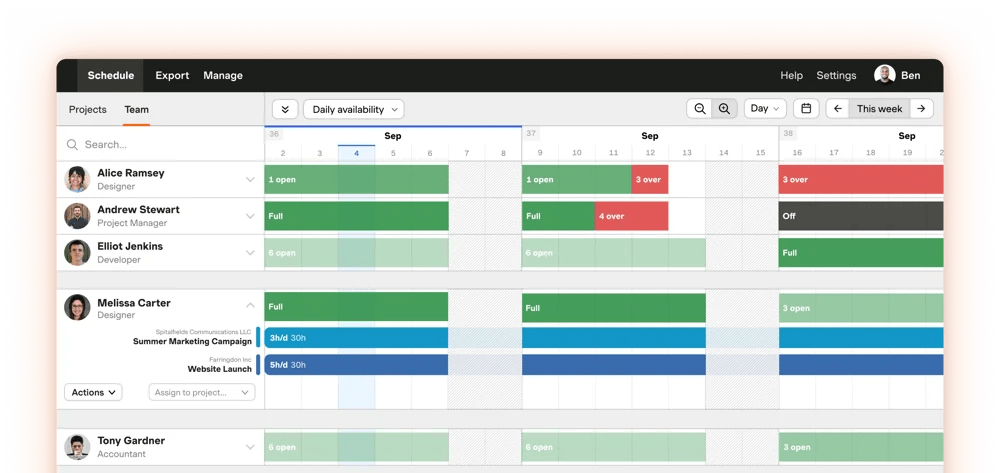
Forecast (now part of the Harvest family) is one of the most popular project resource management tools built for professional services and agencies where “time is money.”
Best for
Best resource management software for agencies and consultancies that need to track profitability.
Key features
- AI-assisted project and resource planning.
- Workload management.
- Time tracking.
- Budgeting.
- Task and project scheduling with visual timelines.
Why choose it?
It links resource scheduling directly to financial outcomes, showing you the real-time burn rate of your project budget.
3. Float
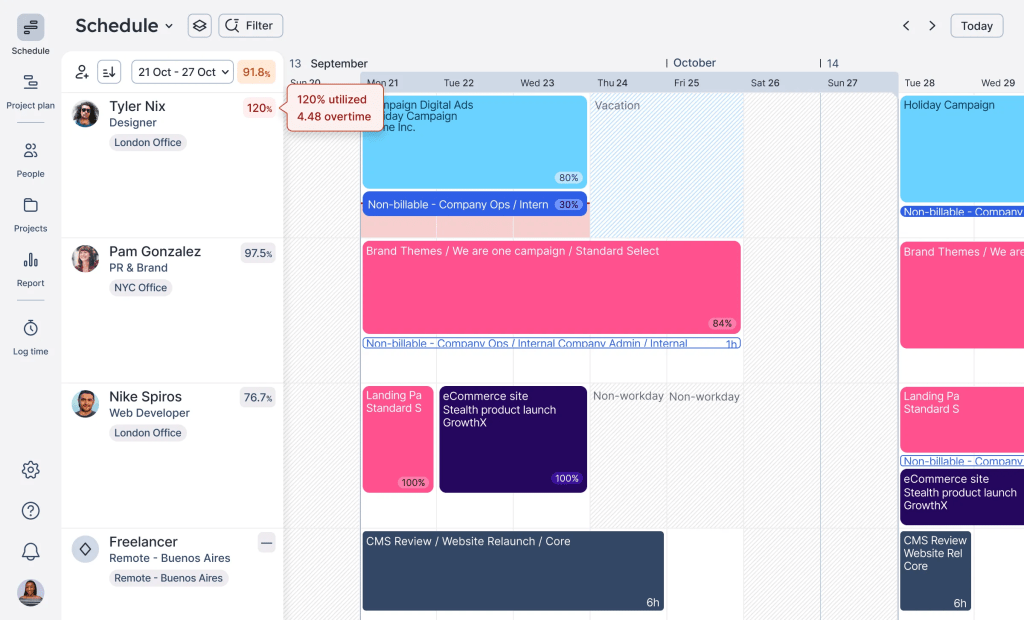
Float is widely considered the most intuitive resource management tool for teams that need to shift schedules daily.
Best for
Creative agencies and fast-moving small-to-medium teams.
Key features
- Real-time resource management.
- Resource utilization.
- Capacity and availability tracking.
- Visual representation of the workload.
- Project management and task planning.
Why choose it?
It focuses heavily on the ability to see how much buffer time each task has before it delays the final delivery.
4. Resource Guru
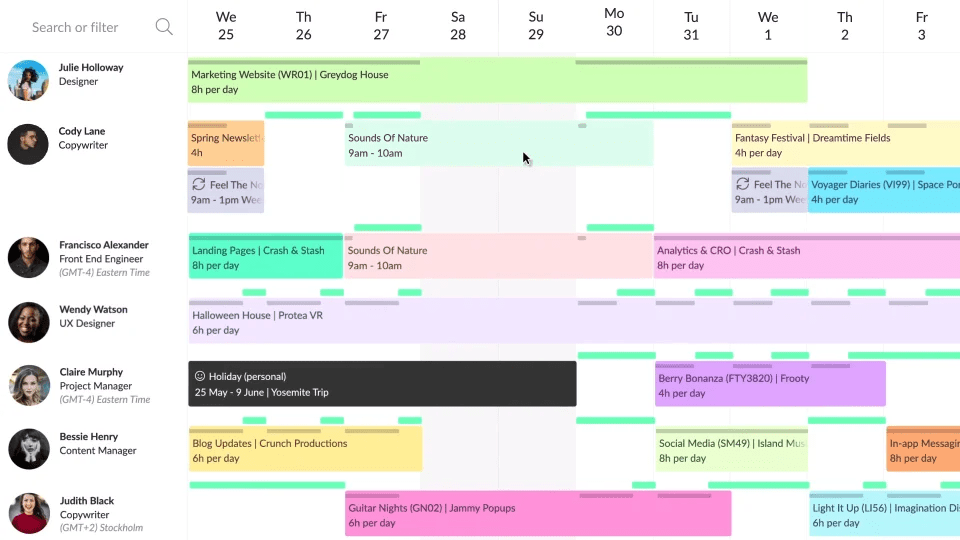
If you find other tools too scattered, Resource Guru is one of the project management tools for resource allocation that focuses on a “people-first” calendar approach rather than complex task lists.
Best for
Small to mid-sized teams that need a simple resource scheduling tool.
Key features
- Visualization of the workload.
- Tracking of the resource availability and capacity.
- Demand management.
- Resource scheduling and booking.
- Sick leave and absence management.
Why choose it?
Has a unique “Leave Management” system that tracks sick leaves and employee availability on certain days, integrating seamlessly with the project calendar, so PTO never surprises the manager.
5. Teamdeck
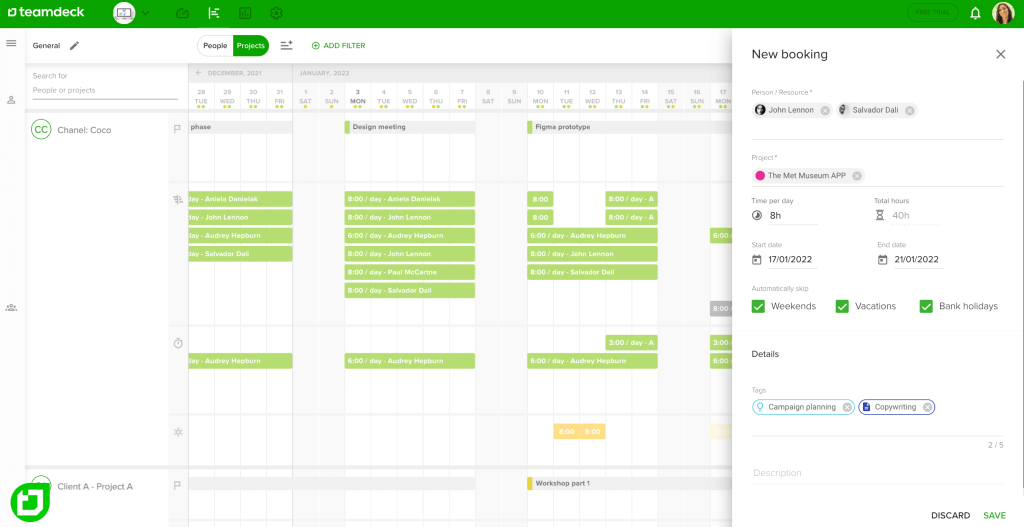
Teamdesk is another well-known solution on our list of the best-rated project resource management tools that is a favorite for medium-to-large businesses that need a calendar-based overview without the distractions of a full project management suite.
Best for
Workforce planning and project oversight.
Key features
- Resource planning and scheduling.
- Capacity management.
- Availability management.
- Leave management.
- Resource utilization tracking.
Why choose it?
This resource management software offers high transparency which allows team members to see their own schedules and establish their hourly availability (perfect for part-timers and freelancers).
6. Smartsheet
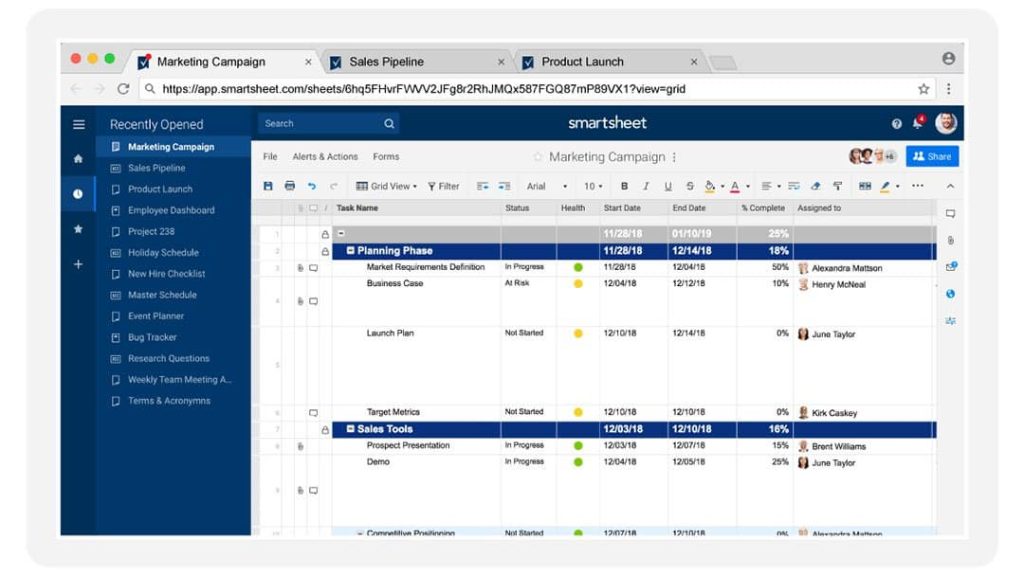
If your team still uses simple sheets but needs a power of dedicated IT resource management tools, Smartsheet might be your perfect choice. It combines Excel-familiar design with capabilities like resource allocation and utilization or risk management.
Best for
Large organizations with complex, data-heavy portfolios.
Key features
- Resource management.
- Resource allocation.
- Project and task tracking.
- Workflow automation.
- Reporting tools.
Why choose it?
This software for resource utilization is one of a few that supports complex bill-rate setups and links time-tracking directly to margin forecasts, making it a favorite for finance and operations leaders.
7. Wrike
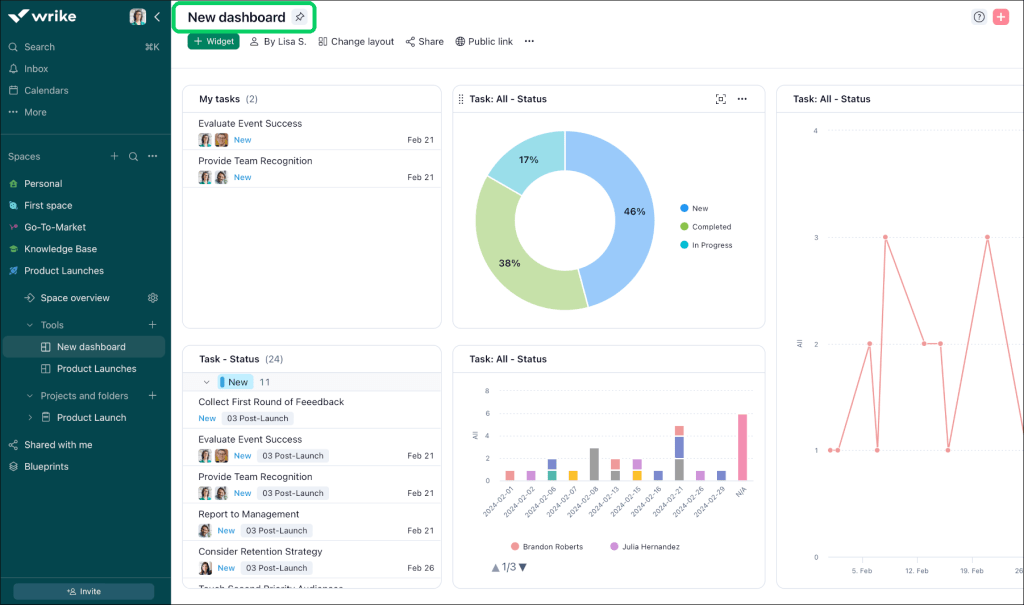
You may know Wrike for being one of top resource management tools for projects designed for companies where employees often report to multiple managers or work across several departments simultaneously.
Best for
Marketing departments and high-volume creative agencies.
Key features
- Workload management.
- Resource allocation across projects.
- Real-time workload tracking.
- Resource forecasting.
- Cross-project visibility.
Why choose it?
It is one of those project resource management tools that includes rigorous version control and proofing tools, ensuring that resource management also includes managing the quality of the output.
8. Saviom
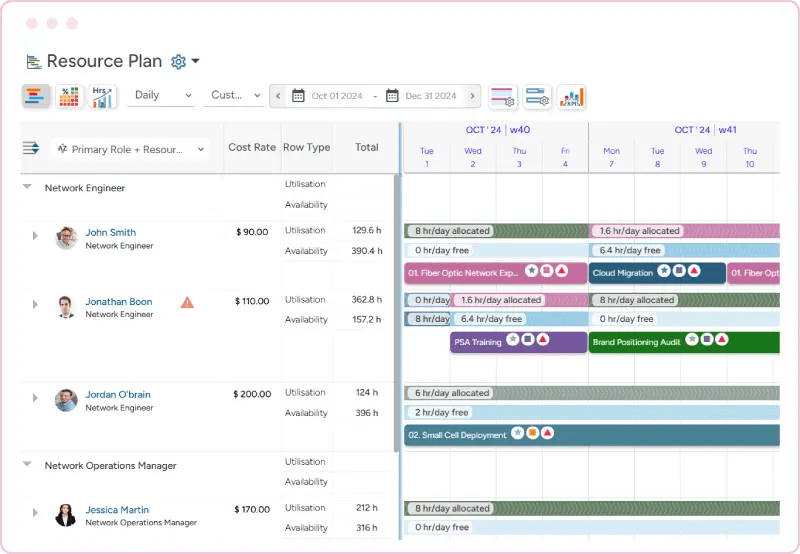
Saviom is the “heavy hitter” on this list, one of the most popular enterprise resource management tools designed for global companies that need 360-degree visibility.
Best for
Large-scale resource planning and optimization and “what-if” scenario modeling.
Key features
- Advanced resource planning and scheduling.
- Capacity planning and forecasting.
- Resource utilization management.
- Multi-project resource management.
- Skills and competency management.
Why choose it?
It functions more like a business intelligence (BI) tool than a simple calendar, focusing heavily on driving maximum profitability and resource utilization across thousands of employees.
9. ClickUp
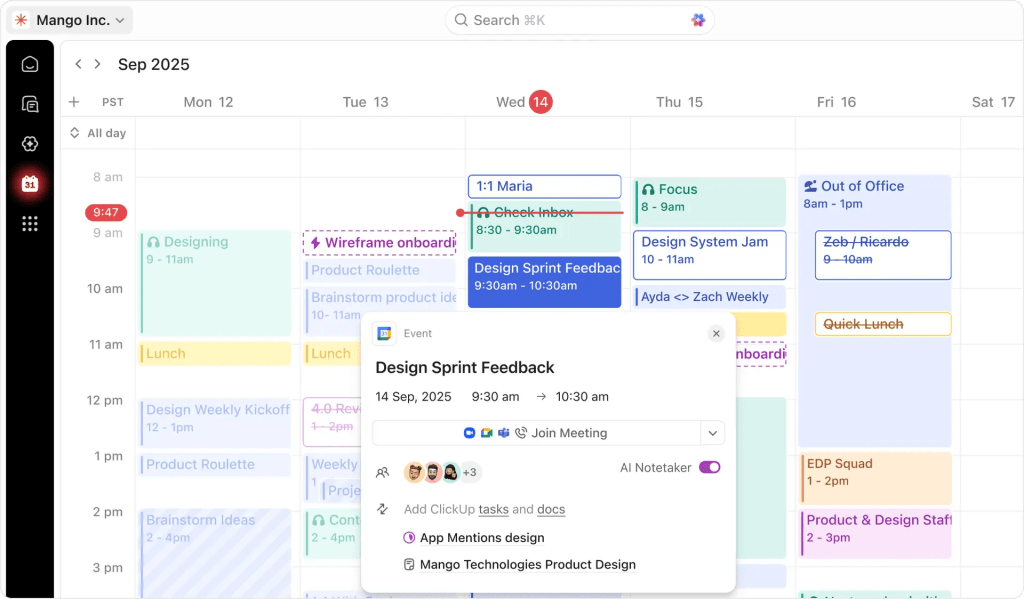
ClickUp is one of the most versatile project management resource planning tools for teams that want to consolidate their entire tech stack into one platform.
Best for
Startups and agile teams that want one tool for tasks, docs, and goals.
Key features
- Task and resource allocation.
- Time estimates and planning.
- Workload management.
- Time tracking.
- Customizable dashboards.
- Automation of workflows.
Why choose it?
This resource management software is highly customizable and includes native AI that can summarize project threads, draft plans, and flag delivery risks automatically.
10. Hive
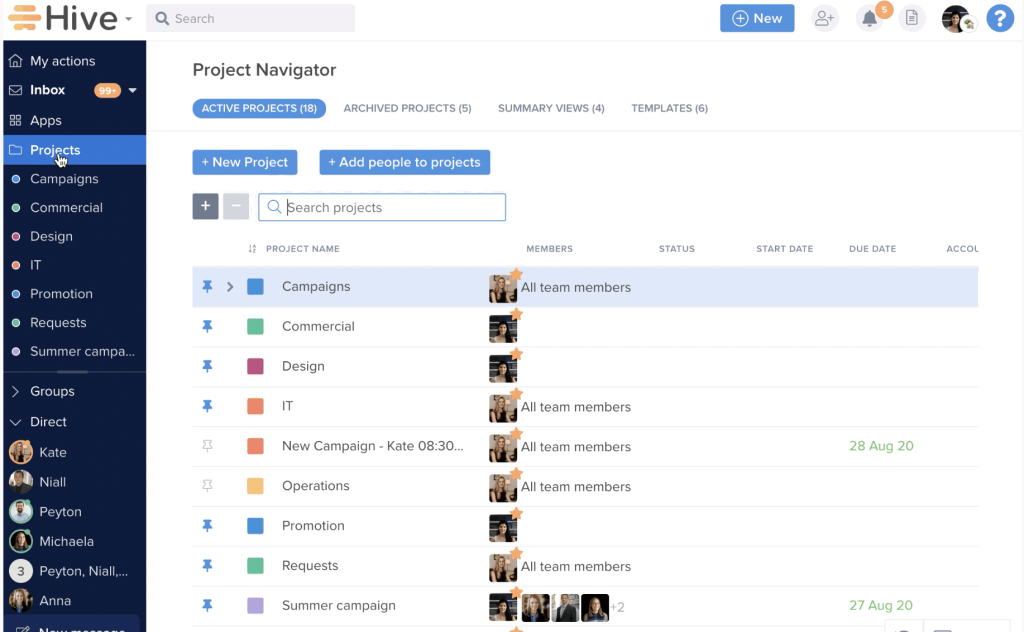
Hive is the next software solution on our list of project resource management tools designed for teams that need their communication and their resource management to happen in the exact same place.
Best for
Teams that need to replace the “tool sprawl” that slows teams down.
Key features
Why choose it?
Hive’s biggest advantage is its ability to pull your email (Gmail/Outlook) and internal messaging directly into the platform. You can turn an email into a task with one click, ensuring no resource-related request gets lost in an external inbox.
11. Asana
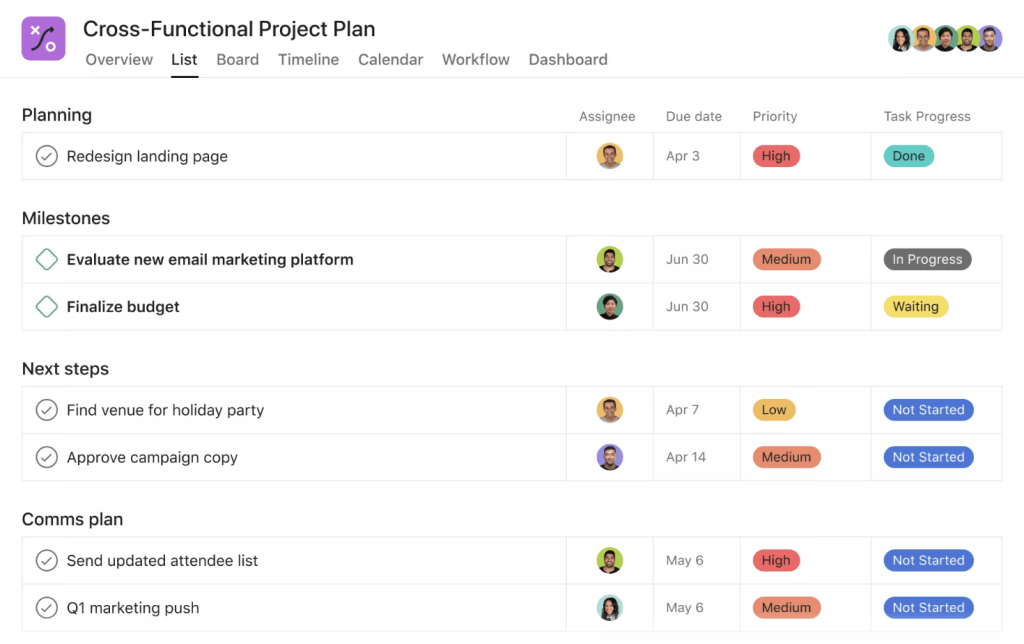
Asana is one of the resource allocation tools in project management that focuses on the relationship between tasks, individuals, and company-wide goals, making it the primary choice for organizations that value clarity and goal-alignment.
Best for
Cross-functional collaboration and clarity in hybrid/remote teams.
Key features
- Capacity planning.
- Workload management.
- Task assignment and project management.
- Automation and workflow management.
- Project and portfolio visibility.
- Resource utilization management.
Why choose it?
It is arguably the most user-friendly tool on this list of top project management resource tools. Choose Asana if you need a solution that your team will actually enjoy using daily, reducing the friction of adoption.
12. Kantata
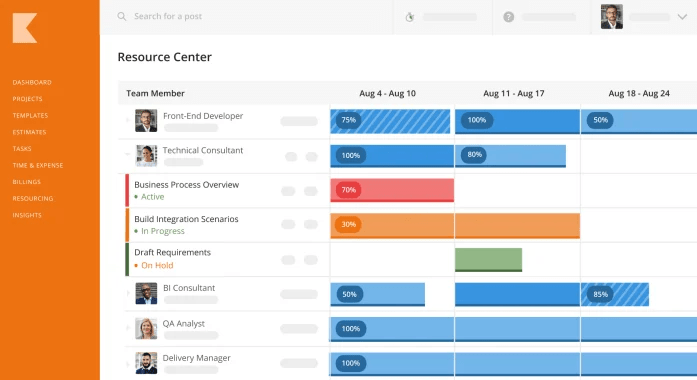
While resource management tools like Monday or Asana are general-purpose, Kantata is purpose-built for the professional services industry (consultancies, agencies, IT services firms) where the product being sold is the expertise and time of people.
Best for
Professional services organizations (PSOs) and consultancies that bill for expertise.
Key features
- Resource allocation and planning.
- Capacity management.
- Demand management.
- Resource utilization tracking.
- Skill-based resource management.
- Scenario planning.
- Project and portfolio visibility.
Why choose it?
Choose Kantata platform for resource management if you manage a “people-oriented” business where utilization rates and margins are your primary metrics. It’s built to handle the unpredictability of client-facing work.
13. Productive
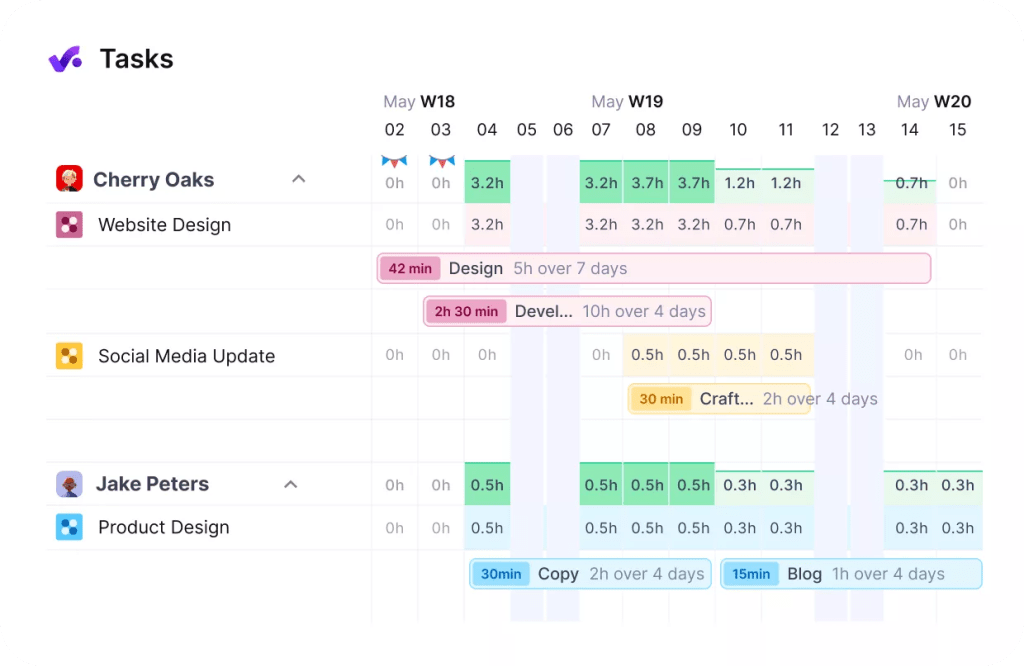
Among other resource capacity management tools, Productive is tailored specifically for the modern, agile agency or consultancy that needs to move fast without losing sight of their profit margins.
Best for
Agencies that want an all-in-one project management platform to replace 3-4 separate tools.
Key features
- Resource planning and scheduling.
- Time tracking.
- Capacity management.
- Resource utilization tracking.
- Budgeting and financial tracking.
- Leave management.
Why choose it?
It is the ultimate choice for small-to-mid agencies tired of switching between Slack, Excel, and Harvest. It centralizes project, financial, and resource management in one place.
14. Adobe Workfront
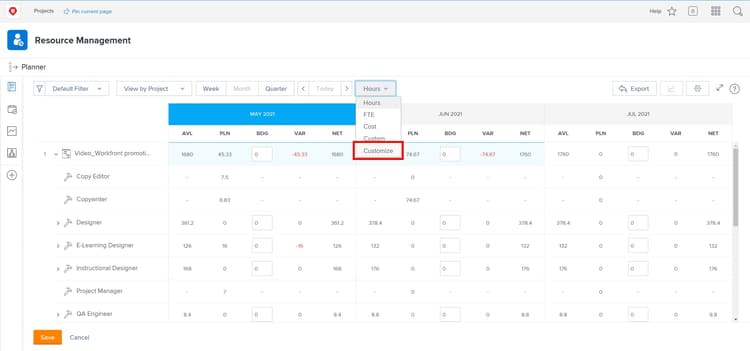
Adobe Workfront is a resource management software, specifically optimized for massive organizations that need to connect complex marketing and creative workflows with corporate strategy. Following its deep integration into the Adobe Experience Cloud, it has evolved from a standard project tool into a single source of truth for high-volume enterprise operations.
Best for
Enterprise-level marketing and creative teams integrated with Adobe Creative Cloud.
Key features
- Resource allocation and planning.
- Capacity and workload management.
- Resource forecasting.
- Skill and role-based assignment.
- Scenario planning.
- Time tracking.
Why choose it?
Choose Workfront platform for resource management if you are a massive organization (1,000+ users) that needs rigorous governance, standardized intake forms, and industrial-strength reporting.
Read More: Best Critical Path Software and Modern CPM Tools for Project Management
Best Resource Management Tools Table of Comparison
| Tools | Best for | Pricing | Free trial or demoversion |
| 1. Monday Work Management | Versatile solution for visual teams. | $9-$19 per user per month. | 14-day trial & free plan. |
| 2. Forecast | AI-driven financial forecasting. | From $5 per user per month. | Free 30-day trial. |
| 3. Float | Fast, visual scheduling for agencies. | $7-$12 per user per month. | Free 30-day trial. |
| 4. Resource Guru | Simple resource scheduling. | From $4.16 per user per month. | Free 30-day trial. |
| 5. Teamdeck | Light-weight workforce planning. | $49-$249 per month. | Free trial & demo. |
| 6. Smartsheet | Data-heavy enterprise portfolios. | From $9 per user per month. | Free trial. |
| 7. Wrike | Complex cross-functional workflows. | Has a free version. Paid starts from $10 per user per month. | Free 14-day trial. |
| 8. Saviom | Global enterprise capacity planning. | Custom pricing. | Free 60-day trial & demo. |
| 9. ClickUp | Startups and agile teams that want an all-in-one tool. | Has a free version. Paid starts from $7 per user per month. | Has a demoversion. |
| 10. Hive | Integrated chat and email collaboration. | Usage-based pricing. | Has a demoversion. |
| 11. Asana | Goal-alignment and task clarity. | Has a free version. Paid starts from $10.99 per user per month. | Free version. |
| 12. Kantata | Professional services. | You should request for pricing. | Demo required. |
| 13. Productive | Agency-wide profitability & CRM. | From $10 per user per month. | Demo & free trial. |
| 14. Adobe Workfront | Enterprise creative governance. | Custom pricing. | Info is not provided on the official site. |
If you’re looking for a perfect fit resource management software and don’t know which tool to choose – don’t worry, you’re not alone. That is why we’re here to help you because selecting the right tool is only half the battle. The next step is integrating it into your unique workflow where the real ROI happens.
Let HYS Enterprise help you navigate the 2026 software landscape to find and implement the solution that maximizes your team’s efficiency.
Read More: Best Scenario Planning Tools to Consider in 2026
How to Choose the Right Resource Management Platform
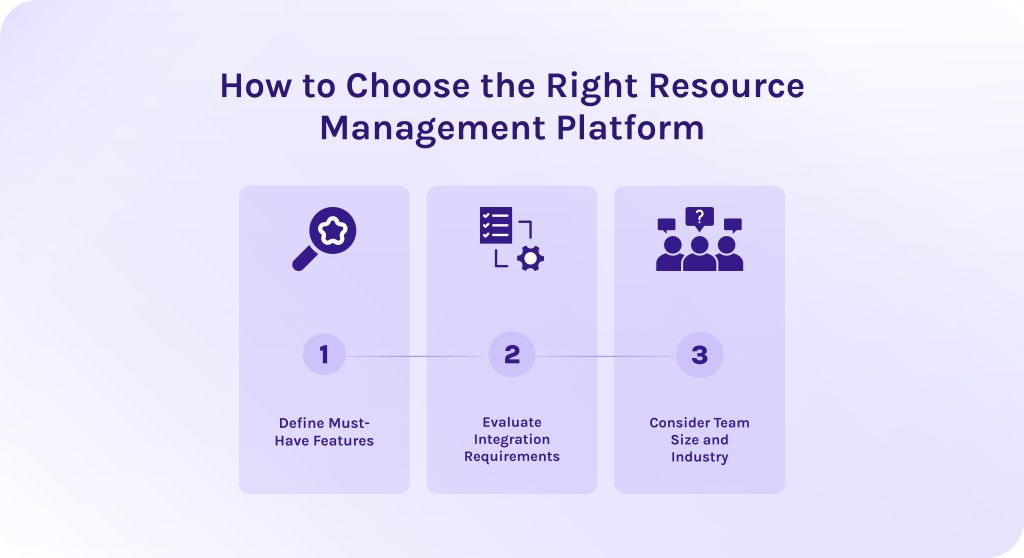
1. Define Must-Have Features.
Identify the specific pain point that brought you to this search. What problems are you trying to solve by implementing resource management tools into your workflows? It may be:
- Overbookings.
- Underutilization.
- Bottleneck identification.
Ensure the tool includes AI-assisted leveling. In 2026, manual scheduling is becoming more of a weakness than strength. Now, you need a resource management tool that can suggest the best path forward when a conflict arises.
2. Evaluate Integration Requirements.
Your resource management software should be the connective tissue of your tech stack. If your developers live in Jira, your tool must have a bi-directional sync. If your Sales team uses Salesforce, the software for resource management needs to pull in those pipeline deals to forecast upcoming work.
3. Consider Team Size and Industry.
Obviously, for teams of different sizes you’ll need different resource management tools.
- For small/Agile teams. Prioritize speed and UX. Resource management tools like Float or Monday are great because the overhead of managing the tool is low.
- For enterprise/regulated industries. Prioritize governance and security. Resource management tools like Adobe Workfront or Saviom provide the audit trails and standardized request forms necessary for large-scale operations.
- Industry or niche specifics. Also consider specifics of the industry in which you work. You may need more advanced financial features over workflow automation, for instance.
Read More: 10 AI Project Management Tools to Pay Your Attention to in 2026
Final Thoughts
Resource management isn’t a fantastic magical creature that is impossible to find. If 10-15 years ago companies were struggling to find anything beyond a basic spreadsheet to track their team’s time, today the challenge has shifted from a lack of tools to a surplus of data. However, today, the gap between success and failure is no longer defined by how hard your team works, but by how intelligently their effort is allocated.
IT resource management tools aren’t your daydream anymore. They are the future where your projects cross the finish line on time, your margins remain healthy, and your employees stay engaged rather than exhausted.
The right resource management tool can be the difference between a team that is constantly firefighting and one that is consistently growing. If you’re ready to optimize your resources and boost your profitability, HYS Enterprise is here to guide the way.
Contact our experts now to get the detailed consultation.
FAQs
1. What are resource management tools?
Resource management tools are software solutions designed to help organizations plan, schedule, and optimize the resources, like people, money, equipment, and time needed to complete projects.
2. What problems do resource management tools solve?
Resource management tools in project management are designed to solve certain problems, like:
- Resource overload and underutilization.
- Lack of visibility across projects.
- Unrealistic resource planning and missed deadlines.
- Conflicting priorities between projects.
- Bottlenecks and flow inefficiency.
- Frequent firefighting and constant re-planning.
- Scope creep.
3. How resource management tools reduce bottlenecks?
Project and resource management tools are focused on flow control and controlling the project’s progress on each step:
- It detects risks early, thanks to intelligent features like predictive algorithms and scenario simulation.
- It automatically prioritizes the most important tasks and projects based on their business impact.
- It focuses on proper allocation of constrained resources across all ongoing initiatives in a way to ensure all of them have needed resources to deliver measurable outcomes on time within the budget.
4. Who typically uses resource management tools in organizations?
Resource management tools are typically used by the following specialists:
- Resource managers – responsible for allocating resources and preventing resource overload.
- Project managers – plan and execute projects, relying on accurate resource availability and realistic timelines.
- PMO (Project Management Office) – oversees project portfolios and ensures alignment with strategic goals.
- Team leads – manage team capacity and skills, and coordinate day-to-day task execution.
- Executives and senior management – use aggregated insights to support decision-making and project prioritization.
5. What are the 4 types of resources managers manage?
Usually, managers are responsible for managing the following types of resources:
- Financial resources – This encompasses all the monetary assets available to fund operations and projects (budgets, credit lines, cash flow, and investments.)
- Human resources – This type of resource refers to people and their skills and talent available to the organization.
- Physical resources – These are the tangible assets required to do the work. Depending on your industry, this could be anything from raw materials to high-end machinery.
- Informational resources – Intangible resources are non-physical assets that give a company a competitive edge. It can be intellectual property (IP), brand reputation, software code, data, and other organizational knowledge.
6. What features should you look for in resource management software?
The proper resource management software should possess the following features:
- Workload and capacity management.
- Skills and competence management.
- Resource overload detection.
- Priority-based planning.
- Integration with project tools.
- Real-time updates and transparency.
- Pipeline and flow visualization.
7. What are the top 10 project management tools?
From our perspective, top resource management tools for projects are Monday Work Management, Forecast, Float, Resource Guru, Teamdeck, Smartsheet, Wrike, Saviom, ClickUp, and ultimately, Hive.
8. How do resource management tools help with overallocation and burnout?
- These tools make overload visible and help managers balance them.
- They can automatically detect resource overloads and assign underutilized staff to the necessary tasks to help overloaded workers.
- Before committing to a new project, managers can run simulations with the help of features like scenario planning or what-if scenario simulation. It helps understand possible consequences of your decisions.
- Resource management software tools also help to balance work activities with meetings, conferences, presentations, and other business activities.
9. What are the key steps in resource management?
- Resource planning. This involves defining the scope of the project and identifying the specific resources required—human labor, software, hardware, and physical space.
- Resource scheduling. This step aligns the project timeline with resource availability to prevent bottlenecks. Here, you assign resources to specific calendar dates and take into account holidays and sick leaves.
- Resource allocation. You delegate specific tasks to your team members or assets based on their skills and availability.
- Resource leveling. Adjusting the project start and end dates based on resource constraints.
- Monitoring. You must constantly compare your actual usage against your planned usage.
10. What integrations should resource management tools support?
Your perfect resource management software should support the following integrations:
- Project management systems. Your resource tool needs to see the actual tasks people are working on to understand capacity.
- Time tracking and timesheets. To manage resources effectively, you need to know the difference between planned and actual time.
- Human resources systems. Your resource management tool needs to know who is on the team, what their skills are, and when they are taking PTO (Paid Time Off).
- ERP (enterprise resource planning) systems and financial systems. It allows you to track the cost of resources against the project budget in real-time.
- CRM (client relationship management) systems. The resource tool can alert you early if you need to hire more people.
References
- https://zipdo.co/project-management-statistics/
- https://thestory.is/en/journal/chaos-report/
- https://www.researchgate.net/publication/4310094_Resource_Management
- https://www.researchgate.net/publication/354422851_Exploring_the_resource_manager_role_in_a_project-based_organization
- https://www.researchgate.net/publication/351430798_Project_Manager_Role_in_Project_Management_Success
- https://www.researchgate.net/publication/384646908_Evolving_Role_of_PMO_in_Contemporary_Project_Management
- https://www.researchgate.net/publication/220363490_Competencies_and_human_resource_management_implications_for_organizational_competitive_advantage