Scenario Planning Tools Shortlist
Before we begin our discussion, let’s take a quick look at the shortlist of tools for scenario planning. To provide the most relevant solutions, not just popular ones, we’ve evaluated nearly 20 platforms and have chosen 10, depending on their capabilities: financial forecasting, resource reallocation predictions, future outcome predictions according to exact conditions.
As well, we looked for tools that support necessary features like what-if analysis, forecasting, advanced resource management combined with the ability to visualize the results via charts and dashboards. Thus, here’s our shortlist of the best scenario planning software:
- Epicflow: an all-in-one portfolio management platform that combines efficient portfolio-level resource management with AI-powered scenario planning under one roof. Thanks to these functions, teams can run multiple “what-if” scenarios, optimizing resource allocation across projects and minimizing risks at the same time.
- Anaplan: cloud-based tool developed directly to help huge enterprises with planning and managing performance.
- Mosaic: scenario planning solution whose main purpose is to help organizations manage their resources and projects more effectively.
- Vena: cloud-based solution that seamlessly integrates with Excel sheets and provides capabilities of advanced planning and reporting.
- Workday Adaptive Planning: a comprehensive ERM solution that helps businesses in different industries increase the efficiency of their operations.
- Synario: this software for forecast scenario planning can be used in many industries, even highly regulated ones like education and finance.
- Planful: perfect for financial forecasting thanks to its ability to perform multiple financial scenarios simultaneously.
- Cube: financial planning focused tool for FP&A teams seeking fast integration with the systems they are already using.
- Datarails: this solution, as well, seamlessly integrates with Excel spreadsheets and provides predictive algorithms.
- Prophix: one of the best scenario planning budget forecast tools in the market, tailored for medium sized companies.
Read More: How Generative AI in Telecom is Revolutionizing Industry
What Is Scenario Planning Software and How Does It Work?
Scenario planning software is a digital solution powered by artificial intelligence that is capable of simulating different scenarios relying on historical and real-time data. It analyzes huge amounts of information and then, based on it, makes assumptions of what could possibly happen. It is way more reliable than guessing on your own because people simply can’t analyze vast datasets, complex dependencies, and constantly changing variables with the same speed and accuracy as advanced algorithms.
Human decisions often can be influenced by cognitive biases or, for instance, incomplete information. In turn, scenario planning tools can significantly lower these limitations. But how exactly?
- They can streamline unstructured data and analyze it.
- They can identify patterns that humans have missed.
- They can model multiple alternative futures simultaneously.
Thus, thanks to all of it, businesses can compare best-case, worst-case, and most-likely scenarios and measure the impact of their actions and decisions without touching actual project data.
Read More: AI-Driven Automation as the Foundation of Next-Gen SaaS Models
Must-Have Features in Scenario Planning Tools
Above we talked about the definition of scenario planning tools; thus, now, it’s time to consider the most valuable features for modern businesses.
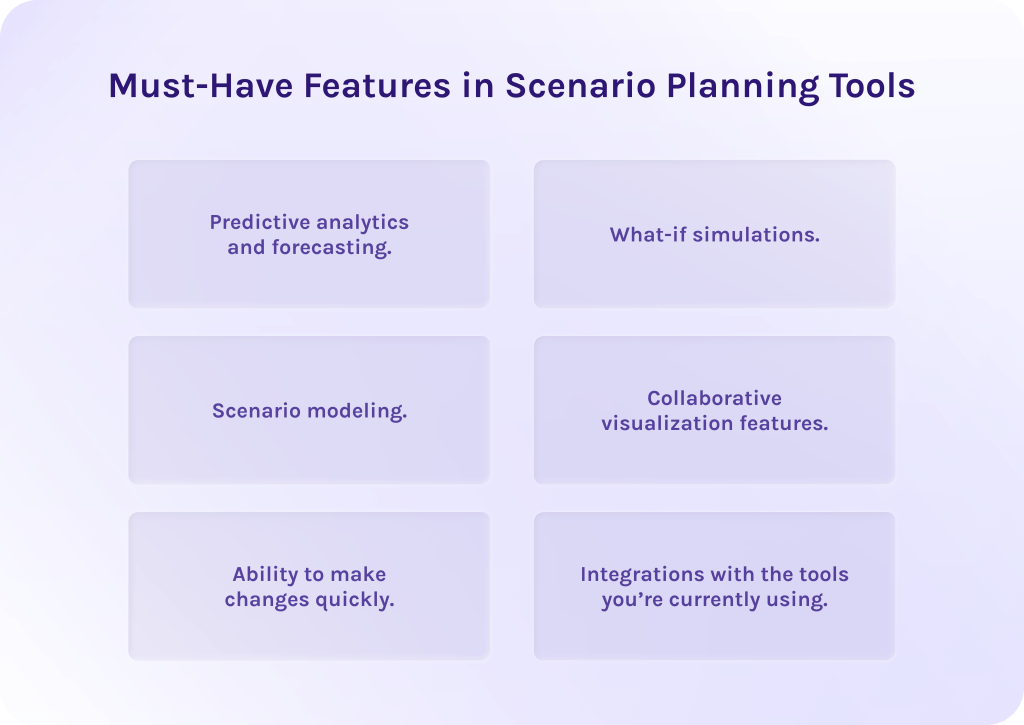
- Predictive analytics and forecasting. This might be one of the most important functions of the scenario planning tools, as it processes real-time and historical data to forecast possible results depending on different conditions. It is extremely useful in terms of financial forecasting and estimating the optimal amount of time needed to develop projects.
- What-if simulations. This feature helps to test the impact of changes on the single project or even the entire portfolio. You can test, for example, what would happen if you reassign a key specialist to another project. You’ll immediately see the impact of changes, but actual project data will stay unaffected.
- Scenario modeling. This functionality helps companies to simulate various scenarios and compare them to find the perfect balance between the possible risks and outcomes, because sometimes it is likely that outcomes will significantly outweigh potential risks.
- Collaborative visualization features. The tools like collaborative dashboards help teams to stay on track with changes and access the most relevant project data. It is especially valuable for stakeholders and top management for making strategic decisions and simulating their consequences.
- Ability to make changes quickly. As well, such tools help to quickly access needed data and make changes based on it.
- Integrations with the tools you’re currently using. Ultimately, the proper software should support integration with your existing tools to guarantee seamless data flow and not ruin the entire chain of processes.
By the way, Epicflow, project portfolio management software, supports robust scenario planning capabilities and empowers businesses to make more conscious and confident decisions. Contact Epicflow experts today to learn more about its capabilities.
Read More: The Transformative Role of Generative AI in IoT
Benefits of Using Scenario Planning Tools
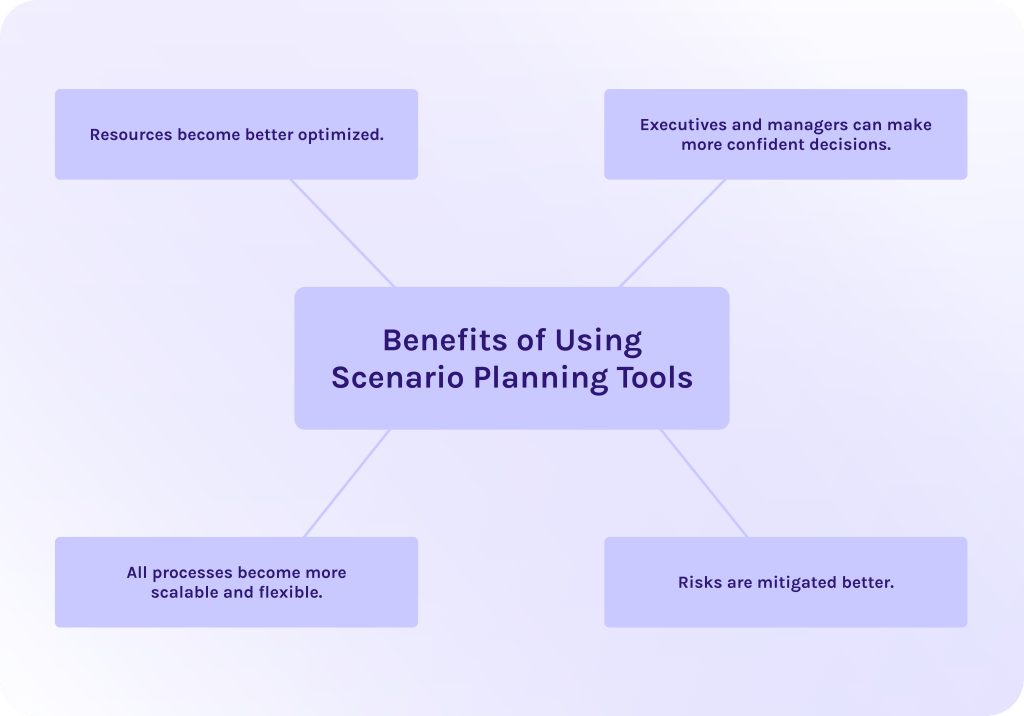
Using scenario planning tools before making any exact changes in your projects pays off a hundredfold: mainly because you’ve evaluated what will happen if you ultimately decide to take that particular action in advance. But what are the other benefits of tools for scenario planning in corporate strategy?
1. Resources become better optimized.
First things first, such software helps to allocate limited resources more wisely, taking into account skills, availability, and workload. Thanks to the visualizing capabilities of this kind of tool, you can view potential bottlenecks and conflicts in dashboards or charts. Thus, when you know in advance what resources will be needed, when, and for how long, you can efficiently address the problem of underutilized staff or, vice versa, overloaded resources.
2. Executives and managers can make more confident decisions.
As well, if you know about a problem before it appears, you can make decisions and take actions to mitigate its impact or even avoid it completely as early as possible. It is especially valuable for top management and project leaders who need to make complex strategic decisions and arrange priorities to align processes with business strategy.
3. All processes become more scalable and flexible.
Moreover, scenario planning makes it possible to adapt quickly to changes in scope of work or market demand. Thanks to early risk assessment, companies can ensure that future scaling won’t cause any problems and will be executed smoothly.
Additionally, teams can test different approaches to growth before actually implementing them, thereby spotting potential points of failure that humans didn’t recognize at first. When you know about possible consequences, it is more likely that your actions will follow the most efficient and secure strategy to avoid costly surprises.
4. Risks are mitigated better.
All the benefits discussed above together lead to one main point – risk mitigation becomes much more simple and effective. You can experiment with improvements without affecting real project data, which allows you to identify potential issues before they impact actual operations. In this case, you can reveal vulnerabilities that might otherwise go unnoticed, probably leading to much worse consequences than just money losses.
In addition, software for scenario planning can lower your operational expenses, as you don’t need to deal with that amount of inefficiencies you’ve dealt with previously.
Read More: Unveiling the Surprisingly Diverse Uses of Large Language Models
Scenario Planning Tools Comparison Table
| Scenario planning tool | Best for | Key features | Pros | Cons |
| Epicflow | Complex multi-project environments | What-if scenario modeling, AI portfolio optimizer, forecasting | AI-powered portfolio optimization, dynamic project prioritization, bottleneck detection | Overwhelming for small projects, requires training |
| Anaplan | Large enterprises with complex planning | Scenario modeling, what-if analysis, forecasting | Enterprise-scale connectivity, AI agents, highly customizable | High cost, steep learning curve |
| Mosaic | Breaking silos between finance & operations | What-if modeling, driver-based forecasting, financial planning | Real-time scenario comparison, integrated data, collaborative workflows | Complex initial setup, learning curve |
| Vena | Companies moving beyond spreadsheets | Budget forecasting, what-if analysis, reforecasting | Excel-familiar interface, reduces manual errors, review/approval processes | Implementation can be difficult, pricing requires custom quote |
| Workday Adaptive Planning | Businesses using ERM & portfolio management | What-if analysis, AI forecasting, reforecasting | User-friendly, accurate analytics, highly scalable | Learning curve, complex initial setup |
| Synario | Advanced scenario modeling for finance teams | What-if scenarios, unlimited scenario comparison, advanced modeling | Robust Excel-like interface, real-time collaboration, strong support | Learning curve |
| Planful | Mid to large organizations needing end-to-end finance | What-if analysis, financial forecasting, close & consolidation | Wide integrations, easy navigation, pre-built templates | Steep learning curve |
| Cube | Companies upgrading from spreadsheets | Multi-scenario analysis, AI forecasting, automated consolidation | Excel/Google Docs integration, real-time collaboration, intuitive interface | Limited integration, scaling issues |
| Datarails | Small to medium companies relying on Excel | Financial forecasting, what-if analysis, real-time updates | Excel-native, simple to use, strong support | Learning curve, initial setup complex |
| Prophix | Mid-market to large finance teams | Financial forecasting, scenario modeling, what-if analysis | Comprehensive platform, reduces manual effort | Steep learning curve, some reporting not intuitive |
Top 10 Scenario Planning Tools in 2026: In-Depth Reviews
Epicflow
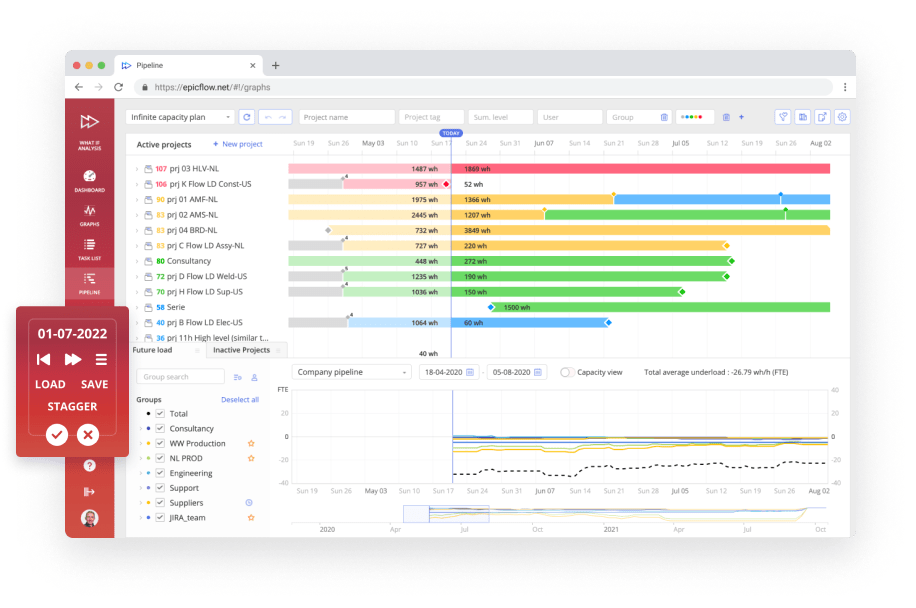
Epicflow is a top tool if we are talking about tools for scenario planning in IT decision-making. Additionally, it is a perfect choice not only for IT companies but even for projects from highly regulated industries like manufacturing, finance, or even aerospace and defense. Its main purpose is to help organizations that operate within the multi-project environments to efficiently allocate limited resources and optimize processes to overcome frequent challenges and achieve desired outcomes.
Moreover, it is powered with advanced scenario planning features and the world’s first AI portfolio optimizer, which is able to dynamically reprioritize projects and tasks due to resource constraints. It uses artificial intelligence to simulate the ideal portfolio structure to maximize business value and outcomes of each particular project as well as overall portfolio.
By using Epicflow, businesses can significantly reduce time-consuming guessing and rely on data-driven insights to make the most efficient decisions.
Best for:
Businesses that operate within the complex multi-project environment.
Key scenario planning features
- What-if scenario modeling. Helps you model various scenarios of what will happen if you make some changes to the particular project or portfolio. Thanks to it, companies can find the most proper way to solve the issues or, for instance, model the consequences of resource reallocation.
- Scenario analysis. This capability allows companies to run scenario simulations in the independent environment without touching actual project data. Managers can compare the outcomes and share them with stakeholders to understand which strategic actions to take next. This feature is a part of the bigger one – AI portfolio optimizer, which helps to prioritize projects within the portfolio and allocate constrained resources efficiently across to reach the most efficiency and maximize value.
- Forecasting. Epicflow is capable of analyzing historical and current portfolio data to forecast future resource demand, seasonal tendencies, and potential bottlenecks before they occur. It is especially valuable for project and portfolio managers to analyze potential risks and opportunities, compare their impact, and choose the best option.
Other essential features
- Intelligent resource planning and scheduling.
- Workload balancing.
- Epica AI virtual assistant.
- Financial analytics and forecasting.
- Dashboards, Gantt chart, and other visualization tools.
- Dynamic project and task prioritization.
Industries
Epicflow serves as a reliable partner not only in software development but also in manufacturing, telecommunications, pharmaceutical, government, automotive, aerospace and defense.
Pros
- The first AI-powered portfolio optimization engine.
- Dynamic project prioritization based on available resources and business success metrics.
- Automatic bottleneck detection and intelligent suggestions of how to deal with them.
- Not adapted to multi-project environments but designed for them.
- Robust AI features and analytics.
Cons
- May be less suitable for small projects or less complex ones, may feel overwhelming.
- Requires training and onboarding.
Price
Starts from €22.5 per user/month. Enterprise pricing is custom. To explore tailored options and see how Epicflow can streamline and optimize your project portfolios and improve delivery performance, contact the Epicflow experts for a personalized consultation and detailed pricing proposal.
Read More: Best Free ERP Software: Open Source and Free ERP Systems Compared
Anaplan
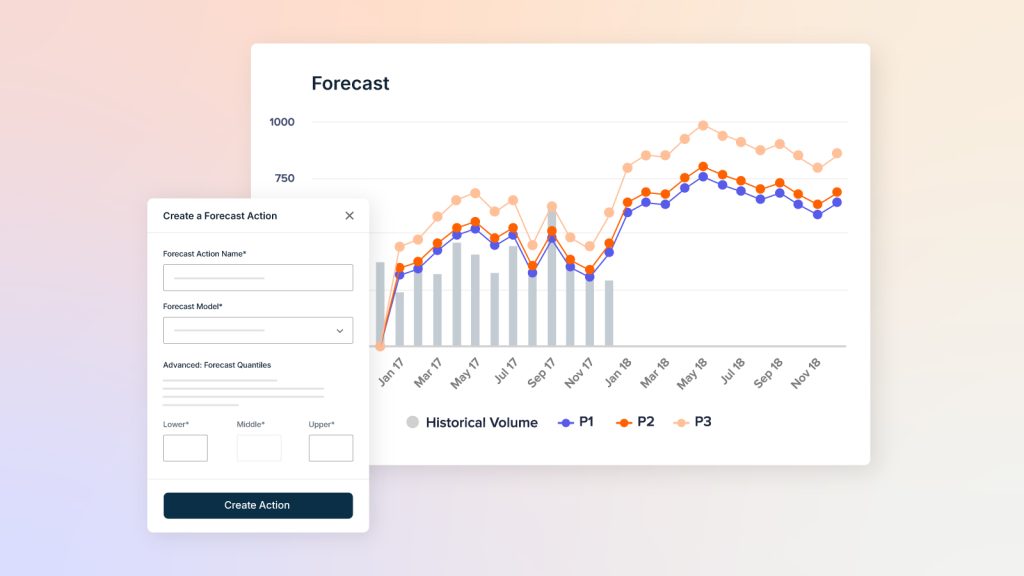
The next solution on our list of scenario planning tools creates a single source of truth with all functions needed to automate financial forecasting and planning as well as simulate various scenarios to evaluate possible outcomes. Its main goal is to help teams reduce manual human effort and automate as much as possible to bring more efficiency.
Best for:
Large enterprises with complex planning needs.
Key scenario planning features
- Scenario modeling.
- What-if analysis.
- Forecasting and planning.
Other essential features
- Diverse collaboration capabilities.
- Visual dashboards for better understanding of metrics and outcomes.
- Diverse integrations.
Pros
- Unlike some other tools, this supports enterprise scale connectivity.
- Has integrated AI agents that act like autonomous helpers for various needs.
- Highly customizable.
Cons
- High cost.
- Has a steep learning curve.
Mosaic
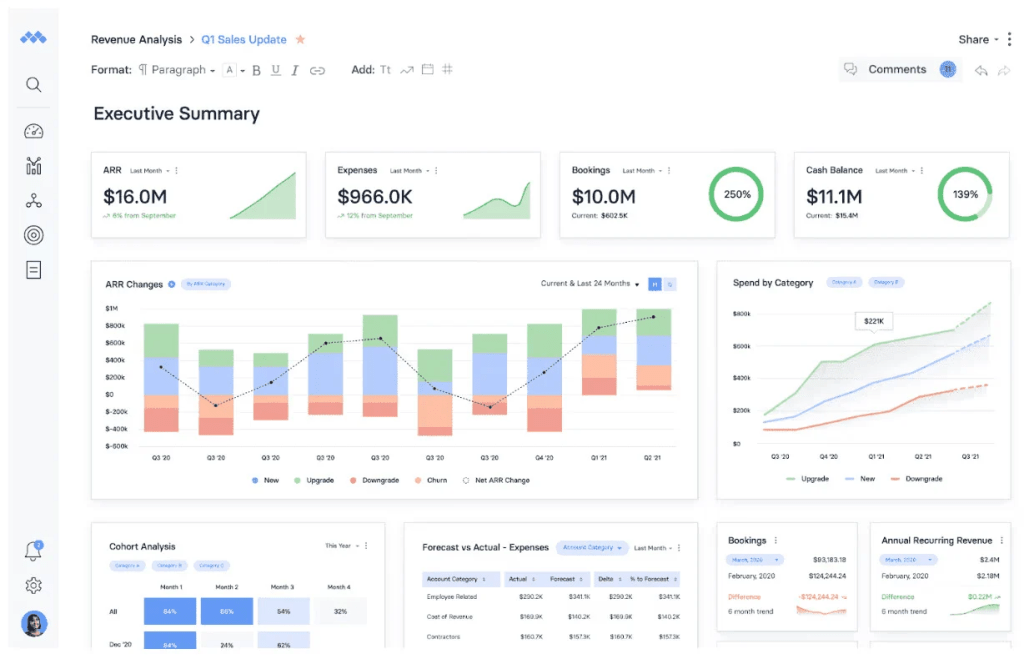
This software is also one of the top tools for scenario planning in finance, as it offers a wide range of tools for financial forecasting and scenario modeling. It helps companies to automate processes that were previously done manually, allowing finance teams to plan with greater accuracy and speed up decision-making cycles at the same time.
Best for:
Mosaic is a strong fit for businesses that want to break down planning silos between finance and operations.
Key scenario planning features
- What-if scenario modeling.
- Financial planning and analysis.
- Driver-based forecasting.
Other essential features
- Has a diversity of visualization features (dashboards and Gantt chart).
- Multiple project planning.
- Resource management.
Pros
- Has a real‑time scenario modeling and comparison.
- Integrated data model from multiple systems.
- Collaborative workflows and shared analysis.
Cons
- Initial setup may be complex.
- May have a steep learning curve.
Vena
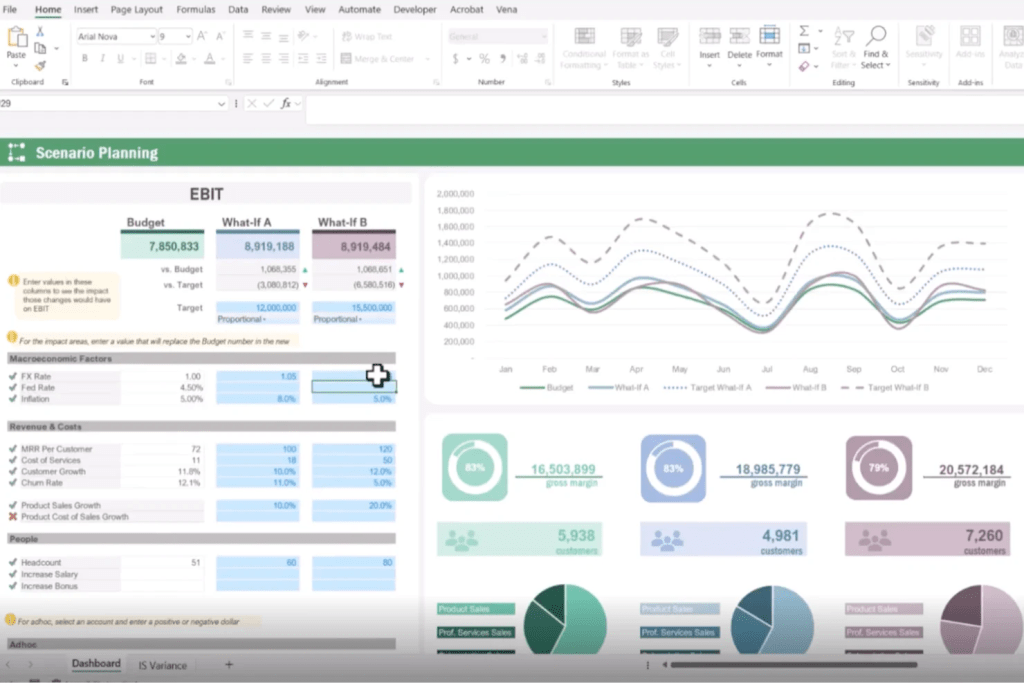
This solution is famous for its Excel-familiar interface and attracts more users thanks to its robust scenario planning capabilities. Vena enables teams to forecast budgets while keeping data consistent and centralized. Its strength lies in combining Excel familiarity with a cloud-based database, so finance teams can leverage their existing spreadsheet skills without sacrificing governance or version control.
Best for:
Companies that want to move beyond simple Excel spreadsheets to more intelligent solutions, while keeping Excel familiar interface.
Key scenario planning features
- Budget forecasting.
- What-if analysis.
- Reforcasting.
Other essential features
- Robust role-based permissions and access management.
- Has a built-in goal setting.
- Has a wide range of integration capabilities.
Pros
- Extremely similar to Excel.
- Reduces manual consolidation and errors.
- Built-in review/approval processes and audit trails to improve controls.
Cons
- Some users report that it might be difficult to implement.
- Pricing isn’t publicly listed and typically requires a custom quote, which makes comparison harder.
Workday Adaptive Planning
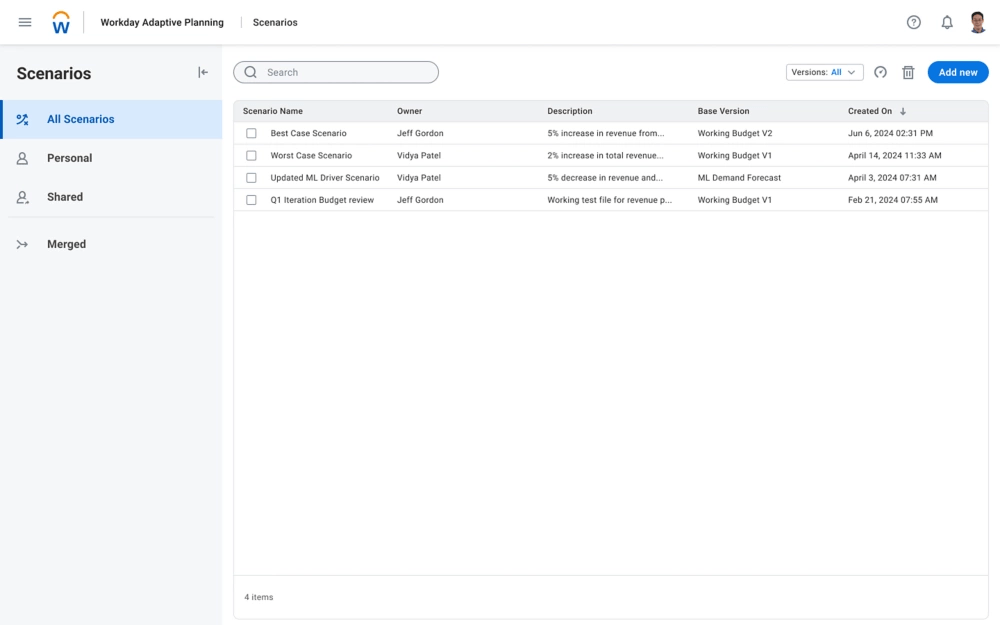
This platform is a part of the monday.com ecosystem. This is one of the best scenario planning tools for investment portfolios, as it combines financial forecasting tools and overall portfolio management in one ecosystem. Its intelligent insights powered by AI enable companies to operate more confidently and take actions based on data-driven insights.
Best for:
Companies of any size that are already familiar with other tools from the monday.com ecosystem and use them proactively.
Key scenario planning features
- What-if analysis.
- AI-powered predictive algorithms.
- Forecasting and reforecasting.
Other essential features
- Version control.
- Wide range of third-party integrations.
- Headcount planning.
Pros
- Extremely user-friendly and easy to use.
- Analytics is highly accurate.
- Extremely scalable.
Cons
- May have a learning curve.
- Initial setup may be complex and requires training.
Read More: Ultimate Guide: The Best Backlog Management Tools
Synario
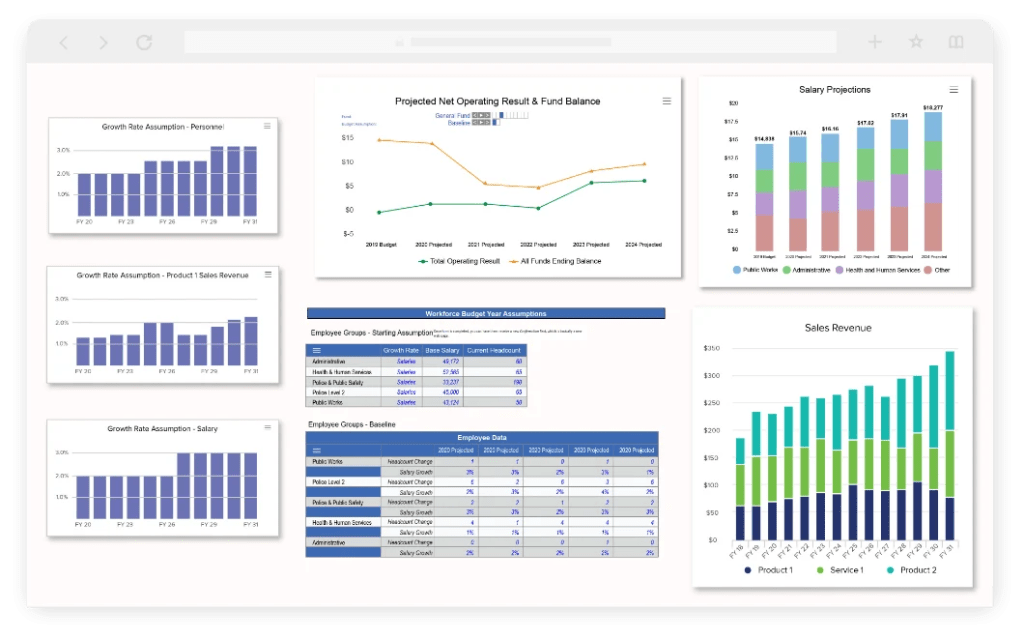
Synario is well-known for being one of the best scenario planning tools for finance teams. It’s specifically designed to replace error-prone spreadsheets with an object-oriented modelling engine that automatically maintains relationships across financial statements and scenarios.
Best for:
Organizations that need advanced scenario modeling and what-if analysis to move ahead of basic spreadsheets.
Key scenario planning features
- What-if scenarios.
- Ability to build and compare unlimited financial scenarios from the same model.
- Advanced scenario modeling.
Other essential features
- Real-time cloud-collaboration capabilities.
- Diverse visualization features.
Pros
- Some users admit that this tool feels pretty similar to Excel.
- Has robust support and training.
Cons
- May have a learning curve.
Planful
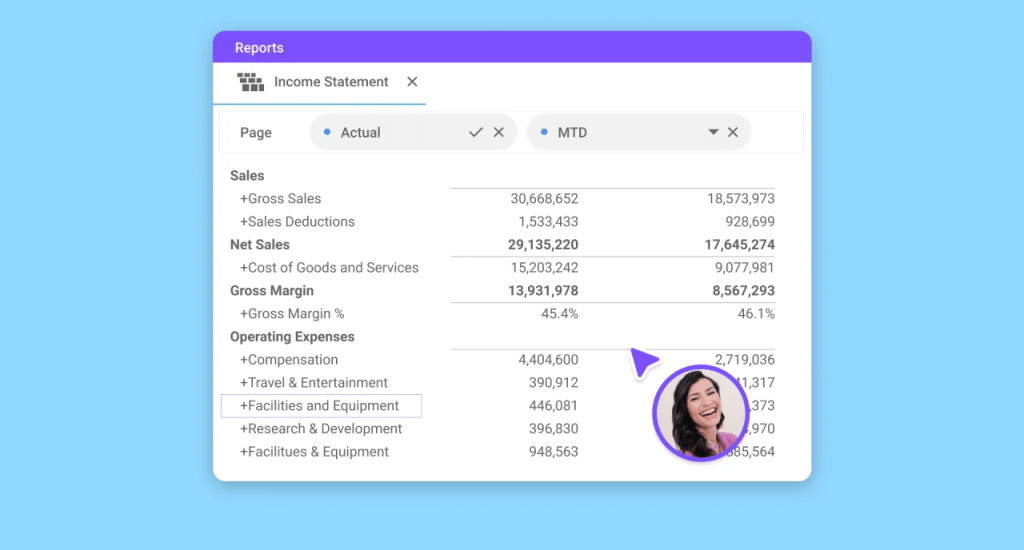
Among the other scenario modeling cloud-based planning tools that the market offers, Planful is considered to be one of the most scalable ones. It offers robust financial forecasting alongside efficient automation capabilities to replace manual spreadsheets and processes with AI-powered, intelligent ones.
Best for:
Mid-sized and larger organizations that need end-to-end financial solutions.
Key scenario planning features
- What-if scenario analysis.
- Financial forecasting.
- Financial close and consolidation.
Other essential features
- Provides customizable dashboards to visualize data.
- Offers tools for collaboration.
- Provides role-based access control to avoid unauthorized access.
Pros
- Has a wide range of integrations.
- Easy to use and navigate.
- Has various pre-built templates.
Cons
- May have a steep learning curve.
Cube
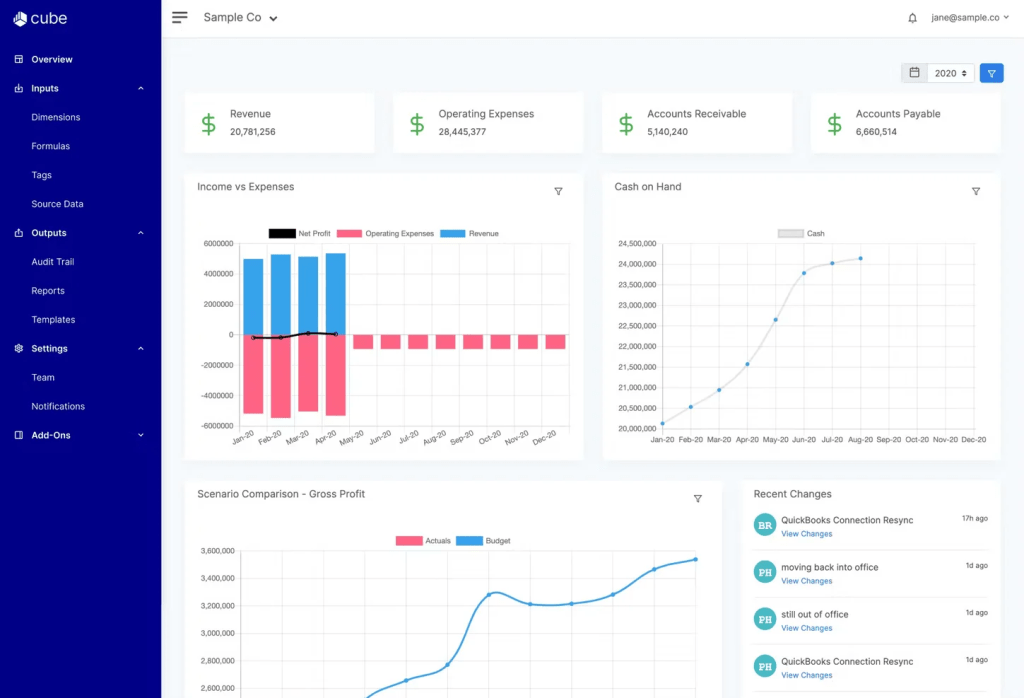
Among other tools, Cube might be one of the best financial scenario planning tools. It seamlessly integrates with Excel spreadsheets and Google Docs to extend the capabilities of financial forecasting with AI-powered tools.
Best for:
Companies that want to upgrade from manual spreadsheets to more intelligent tools that support Excel integration.
Key scenario planning features
- Multi-scenario analysis.
- AI-powered forecasting.
- Automated data consolidation.
Other essential features
- Offers various visualization features like charts and dashboards.
- Has a role-based access control.
- Automated reporting.
Pros
- Integrates easily with Google Docs and Excel sheets to use already existing data in a more intelligent way.
- Provides real-time data synchronization.
- Has built-in financial tools to enable teams to collaborate in real time.
- Some users admire its easy-to-use interface.
Cons
- Small range of integration capabilities.
- Has problems with scaling and may lower when capacity becomes larger.
Read More: Best Stress Testing Software for QA (Full Comparison)
Datarails
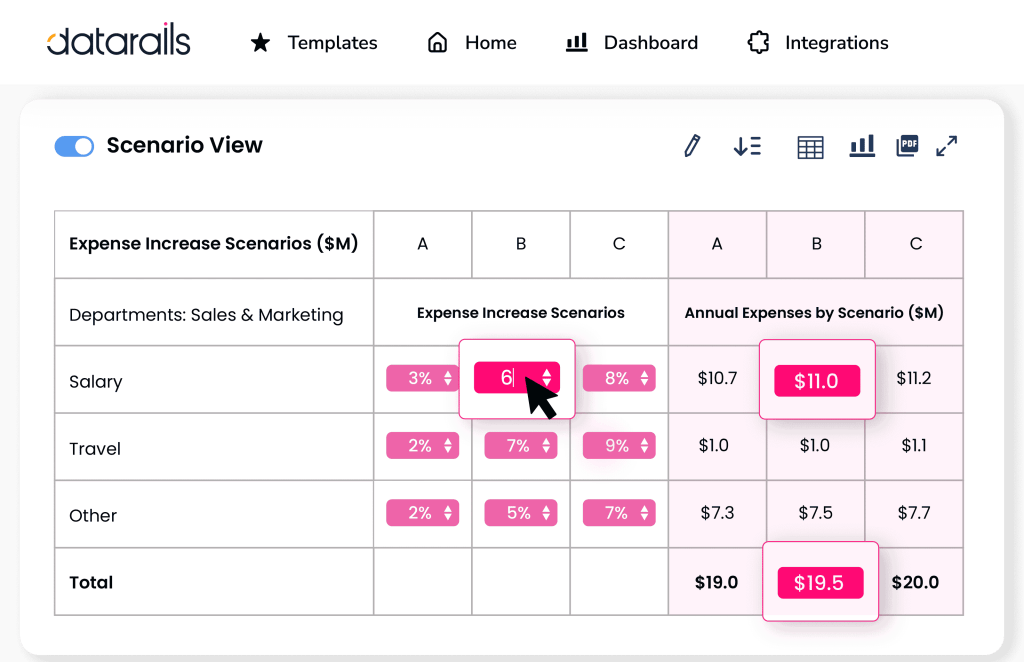
The penultimate solution in our list is Datarails – one of the best tools for scenario planning in finance. It is considered to be a platform for financial planning and analysis combined with the ability to centralize financial data and automate traditional spreadsheet workflows.
Best for:
May be a perfect choice for small to medium sized companies that rely heavily on Excel spreadsheets but already need a transition to more advanced tools.
Key scenario planning features
- Financial forecasting.
- What-if analysis.
- Real-time updates so scenarios update as source data changes.
Other essential features
- Excel-native integrations.
- Automated reporting.
- AI-assisted insights.
Pros
- Users admit its simplicity and ease of use.
- Provides ability to stay with Excel while adopting a more intelligent solution.
- Has strong customer support.
Cons
- May have a learning curve.
- Setup can be complex initially.
Prophix
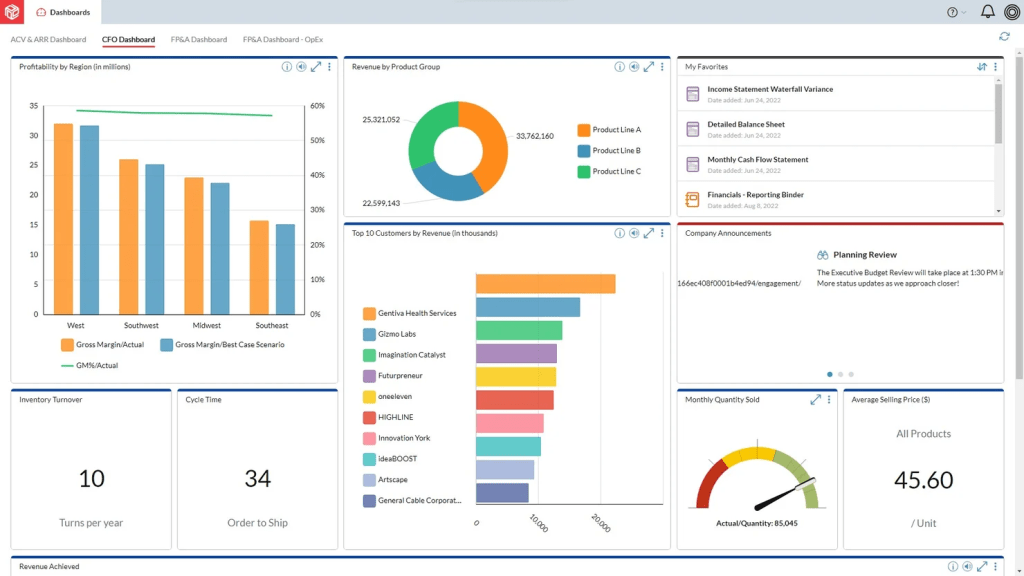
And the Prophix is a last but not least solution in our list. It is considered to be one of the best tools for scenario planning in corporate strategy. Why so? Because it provides a place where companies can centralize their budgeting, forecasting, and diverse analytics, creating a single source of truth, especially valuable for CFOs and stakeholders.
Best for:
Finance teams in mid-market to large enterprises needing consolidated financial planning and reporting.
Key scenario planning features
- Financial forecasting.
- Scenario modeling.
- What-if analysis.
Other essential features
- Built-in integration with Excel.
- Ready-to-use dashboards.
- Role-based access for security.
Pros
- A comprehensive financial platform.
- Reduces manual effort across planning cycles.
Cons
- May have a steep learning curve.
- Some users find report creation less intuitive.
If you’re struggling to choose the right scenario planning tool for your organization, Epicflow offers a powerful, AI-driven solution designed to optimize multi-project environments and run advanced “what-if” scenarios with ease. Schedule a personalized demo with Epicflow experts today to see how your team can maximize project and portfolio outcomes.
Read More: A Guide to the Best Risk Management Software: Top ERM Tools
How to Select the Right Scenario Planning Tool for Your Organization
Selecting the right tool was never an easy task, but it becomes even more complicated when we are talking about modern scenario planning software. What moments should you pay your attention to while choosing the most suitable tool for your company? We’ve explored multiple research studies to indicate the exact steps you need to take to select the best scenario planning software for your unique needs.
1. Understand which pain points the tool needs to cover.
First of all, before searching for exact tools, think about why you actually need it. Perhaps there are some inefficiencies in the workflows you need to manage. It can be, for instance, poor risk assessment, constantly occurring problems connected to resource allocation, or even issues with prioritizing the projects within your portfolio. As well, remember that the tool will be used not only by technical specialists but also by project management leaders, product owners, C-level management, and others. Thus, when you find answers to the statements above, you’ll get a full picture of features required.
2. Define the must-have and additional features.
Once you’ve identified the pain points, you can look for the features that will cover them. To be sure that you’ve remembered all of them, let’s list them again:
- What-if analysis.
- Predictive analytics.
- Scenario modelling.
- Different types of forecasting.
- Dynamic reprioritization based on changes made.
- Ability to visualize the results of the modelling and analytics with the help of dashboards or charts.
- Integrations with your current tools.
As well, such software should support resource allocation features and overall project portfolio performance analysis to deliver maximum business value.
3. Check whether the tool is easy to use for different types of users.
Usability is the core of the tool’s efficiency. Thus, the easier the AI scenario planning tools are, the better the outcomes will be. Look for a tool with an intuitive interface and interactive dashboards where team members can simultaneously make changes and collaborate on making strategic decisions. Moreover, don’t forget to check the role-based permission capabilities to secure some parts from unauthorized access.
4. Evaluate if the software supports scaling in the future.
This step is extremely important because if the tool is scalable enough to cover your future needs, you won’t need to adopt another one in the foreseeable future. Check if it can handle more projects or even portfolios, if you will be able to access more tools, and last but not least, if it can handle more users without performance degradation.
5. Request the demo version or free trial.
And the final step you should take is to contact the vendor. You are choosing not only a software solution but a reliable partner for a long-term partnership. Thus, check the quality of technical support, training options to teach your team to work with the platform, and also ask about the ability to test the software for a couple of weeks to get hands-on experience and evaluate if you really require this option or if it would be better to look for another one.
Read More: How to Efficiently Allocate Resources for High-Priority Projects and Initiatives
Conclusion
- Scenario planning tools help answer “What could happen if we take certain actions?” by analyzing large datasets and modeling multiple scenarios.
- Key features include predictive analytics, what-if simulations, scenario modeling, collaborative dashboards, and integration with existing systems.
- Using these tools optimizes resources, reduces risks, and enables faster, more confident decision-making.
- Top tools in 2026, such as Epicflow, serve different business sizes and planning needs, from multi-project environments to financial forecasting.
- The right scenario planning software empowers businesses to plan strategically, adapt quickly, and avoid costly surprises.
Epicflow makes scenario planning simple with its AI-powered portfolio optimizer and real-time what-if scenario capabilities. Get in touch with Epicflow to explore how it can help your organization achieve better strategic outcomes faster.
FAQs
1. What’s the difference between scenario planning and forecasting?
Scenario planning is when the system analyzes historical data, previous experiences to generate multiple outcomes that you might get if you take certain actions. In turn, forecasting processes one possible result that is most likely to happen. The difference between these approaches lies in their purpose and depth.
- Scenario planning gives you the answer to “What could happen if we do this?”
- Forecasting, in turn, answers the question, “What is likely to happen?”
2. How much does scenario planning software cost?
The cost varies from tool to tool depending on the set of features provided and the complexity of integration. Simpler scenario planning tools with basic features can cost from $10-100 per month, often per each user. More advanced software may also include hidden costs for training and additional features; thus, prices increase consequently.
3. Can small businesses benefit from scenario planning tools?
Exactly, even small businesses can achieve desired outcomes with the help of AI planning tools for scenario analysis. Such software helps smaller organizations to:
- Make their processes more agile and flexible.
- Allocate resources more efficiently.
- Protect money and redirect costs to more important strategic initiatives.
- Take more conscious actions with more confidence.
4. What is the best tool for scenario planning?
The best tool is one that can be easily tailored to your specific business needs and scale further as the business grows. Epicflow is a perfect choice for large enterprises running multiple simultaneous projects, as it offers an Enterprise plan with advanced features like predictive analytics, what-if scenario running, and financial and resource demand forecasting as well.
5. What is scenario planning software?
Scenario planning software is a digital tool, often powered by AI, that helps organizations simulate and analyze multiple possible future outcomes based on historical and real-time data. Unlike simple forecasting, which predicts the most likely result, scenario planning software allows businesses to ask, “What could happen if we take this action?” and evaluate the impact of different decisions without affecting actual operations.
6. What are the 5 steps of the scenario planning process?
The actions you need to take to make scenario planning as efficient as possible are the following ones:
- Step 1. Define what you want to achieve. For example, the company wants to increase the productivity of one particular project to deliver the service within the next 3 months.
- Step 2. Think about reasons that can impact the result. It might be regulatory shifts or, for instance, changes in business priorities.
- Step 3. Develop your own best-case, worst-case, and base-case scenarios.
- Step 4. Analyze the impact of scenarios on your current situation. Think about where bottlenecks can occur, what resources you need to bring the changes to life, and also analyze how financial outcomes will look like for each scenario. Remember, before you implement the changes, there is always room for improvement.
- Step 5. Plan what actions you need to take. Create strategies and contingency plans according to the scenarios.
7. What is an example of scenario planning?
The logistics firm wants to optimize its supply chain routes. Managers generate possible outcomes for rapid market growth and increased demand, for decreased demand combined with new tariffs, and, finally, for stable demand but with rising fuel costs.
8. What are the three types of scenarios?
In the scenario planning, the common types of scenarios are the following ones:
- Best-case: represents the most optimistic scenario in the almost ideal conditions.
- Worst-case: this, in turn, shows the most pessimistic result with awful conditions.
- Base-case: shows the most realistic scenario that is most likely to happen based on previous experience but tailored to the current conditions.
9. What tools assist in scenario planning?
The tool that would be your perfect assistant in scenario planning must support forecasting, predictive analytics, what-if scenario simulation. The perfect example of such a tool can be Epicflow – the portfolio management software with powerful scenario planning capabilities. It analyzes project data in real-time, giving managers the opportunity to avoid bottlenecks and efficiently allocate resources to the right project at the right time, depending on their availability.
10. What data is required for effective scenario planning?
To test as many scenarios as possible, a scenario planning tool needs accurate and structured data from multiple areas of the business. At a minimum, effective scenario planning requires:
The data must be relevant and accurate to generate quality answers.
References:
- https://www.researchgate.net/publication/383050417_Scenario_planning
- https://www.researchgate.net/publication/350734857_Scenario_Planning_What_is_it_and_how_to_use_it
- https://www.researchgate.net/publication/242707360_Scenario_Planning_An_Innovative_Approach_to_Strategy_Development
- https://www.researchgate.net/publication/220042263_Scenario_Planning_A_Tool_for_Strategic_Thinking
- https://www.researchgate.net/publication/382583432_Scenario_planning_A_dynamic_and_collaborative_tool_for_uncertain_conditions
- https://www.researchgate.net/publication/375405531_Creating_Better_Futures_Scenario_Planning_as_a_Tool_for_a_Better_Tomorrow
