
What are open source AI tools?
Open source artificial intelligence (AI) is a program built on machine learning algorithms whose underlying components, like the codebase, training architecture, models, frameworks, and other parts, are freely available for users to download and modify. In simple English, you can download it for free and install it on your own infrastructure to customize it for your specific needs [8].
It can be any specific type of AI-powered software with publicly available source code: framework, standalone software, model, library, large language models (LLMs), etc.
Key components of open-source AI tools
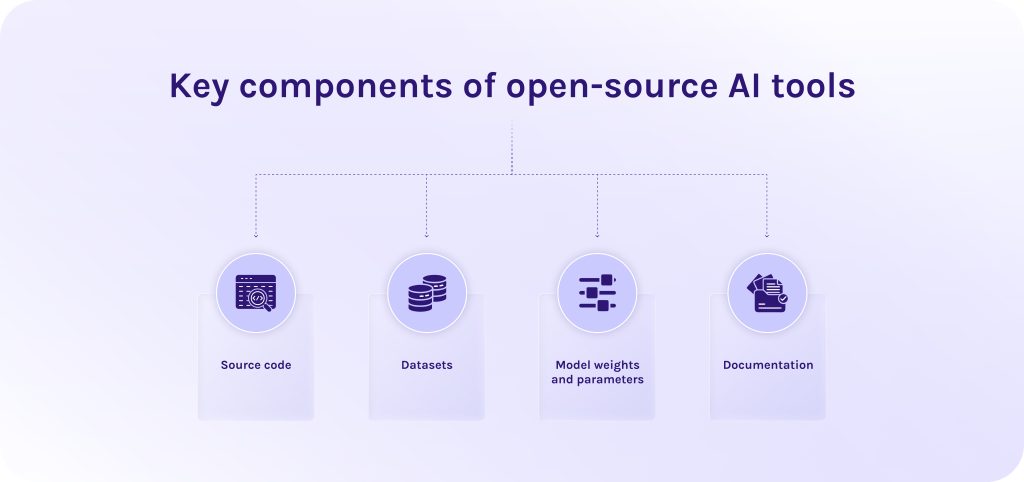
To understand, what makes AI applications truly open, we need to take a closer look at the following points:
- Source code: The programming code used to design the model, train it, and, ultimately, run it on your own hardware [9].
- Datasets: It is the training data used to teach the model (though access to full training datasets varies widely across open-source projects) [9].
- Model weights and parameters: The mathematical values learned during training that define how the model makes decisions and generates responses [9].
- Documentation: Detailed guides on how the model was trained. It enables researchers to replicate or adapt the process [9].
Read More: Top 10 Open Source Workflow Automation Tools in 2026 (Free & Self-Hosted)
What are the benefits of open source AI tools?
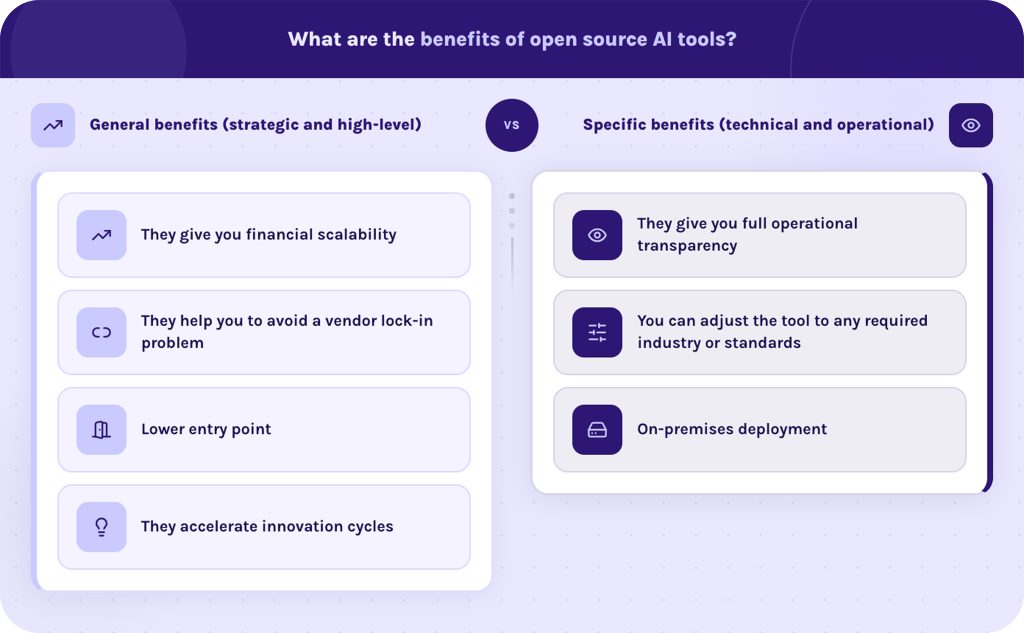
We divided this section into two parts because we wanted to show general advantages of open-source AI models and tools as well as more specific ones.
1. General benefits (strategic and high-level)
- They give you financial scalability. AI open source tools open up long-term cost efficiency. Especially, their significance can be seen at enterprise scale [10].
- They help you to avoid a vendor lock-in problem. Organizations retain full architectural sovereignty. An AI platform provider cannot suddenly change API pricing or, for instance, deprecate a critical model version [10].
- Lower entry point. Open source AI apps lower the barrier to entry for startups or individual developers, preventing a monopoly by a few dominant tech conglomerates [10].
- They accelerate innovation cycles. Global open-source developer communities continuously improve open source AI automation tools faster than any single private company can [10].
2. Specific benefits (technical and operational).
- They give you full operational transparency. When you have access to the source code, you can set up the AI tools as you want. You have an incredible opportunity to set any security measures you require, your team can deeply audit the software for biases and adjust it to your specific needs [10].
- You can adjust the tool to any required industry or standards. Developers can directly modify model weights and parameters using custom proprietary datasets. This enables specialized models (e.g., medical diagnostics, legal analysis) to outperform broad models on specific tasks v.
- On-premises deployment. AI workflow automation tools can be hosted within local data centers or isolated private clouds. It ensures strict compliance with regulations like GDPR or HIPAA [10].
Don’t let privacy risks or vendor lock-in hold your team back. Take complete control over your AI workflows today – learn more about EpicStaff.
Read More: AI Agent Management Platform: A Guide to Enterprise AI Agent Orchestration and Governance
What are the challenges and concerns of open source AI tools?
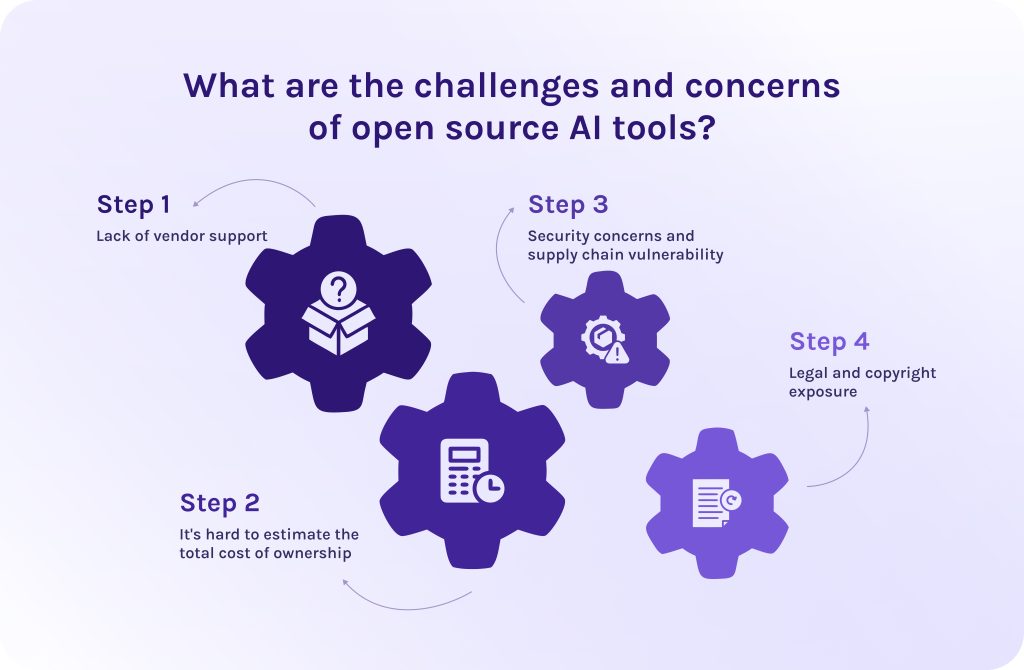
Despite all the benefits that we mentioned above, there are some moments you should be ready for when implementing AI open source tools.
- Lack of vendor support. Nobody will help you to fix the server issues or monitor the performance of the software. It all becomes your responsibility to manage safety and alignment.
- It’s hard to estimate the total cost of ownership. Self-hosted AI systems require expensive GPU infrastructure and specialized engineering talent to set it all up and maintain quality support.
- Security concerns and supply chain vulnerability. Open source AI platforms are vulnerable to compromised dependencies and data poisoning.
- Legal and copyright exposure. Unclear training data sources create copyright liabilities and non-standard commercial licenses can restrict enterprise usage.
Read More: What Is Business Process Automation? Strategy, Tools, Benefits, and Enterprise Use Cases
What are common types of open source AI tools?
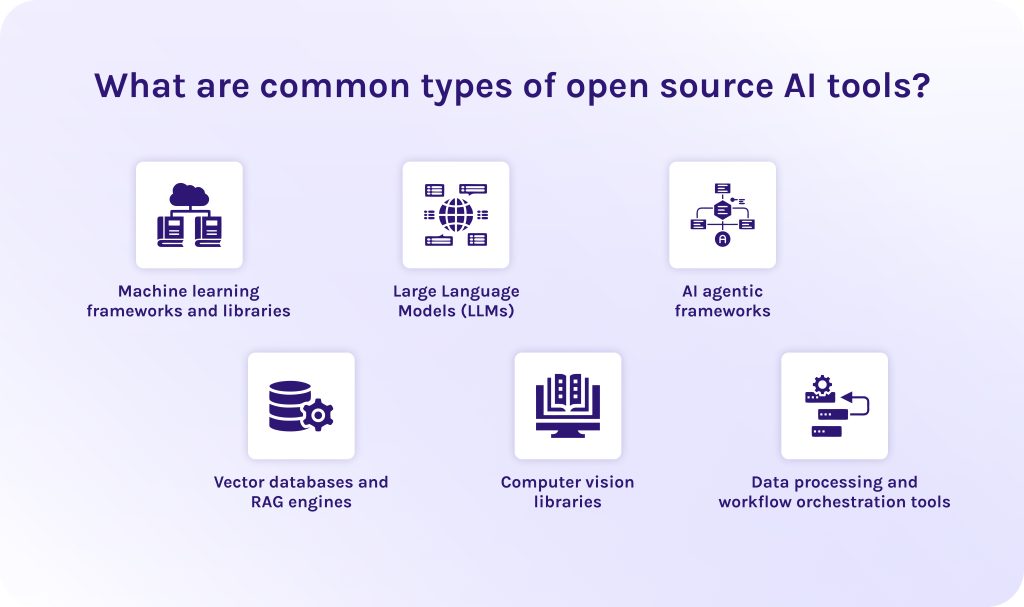
Earlier in this article, we mentioned different types of open source AI apps. Now, it’s time to take a closer look at each category and how they fit into the modern AI ecosystem.
1. Machine learning frameworks and libraries.
These are the foundation of any AI platform. They provide developers with the specific mathematical algorithms and tools required to design, train, and deploy neural networks from scratch or improve existing ones.
Key capabilities:
- Tensor operations.
- Automated differentiation.
- GPU acceleration.
- Model training pipelines.
Popular examples:
PyTorch, TensorFlow, JAX.
2. Large Language Models (LLMs).
Open-source large language models (LLMs) are pre-trained models whose weights and architectures are made publicly available. Companies can download and self-host these models for completely different purposes: to process text, write code, or locally perform complex reasoning [11].
Key capabilities:
- Natural language processing.
- Text generation.
- Code synthesis.
- Task-specific improvement.
- Sentiment analysis.
Popular examples:
Meta’s Llama series, Mistral, Google’s Gemma.
3. AI agentic frameworks.
AI agentic frameworks enable autonomous AI entities called AI agents to communicate with each other and make independent decisions. Thus, AI open source tools allow models to plan multi-step workflows, use external software tools, store memories, and collaborate with other AI agents to complete complex tasks.
Key capabilities:
- Workflow automation.
- Multi-agent collaboration.
- Integration of third-party tools.
- Task planning.
- Memory management.
Popular examples:
EpicStaff, n8n, AutoGen, CrewAI, LangChain, and LlamaIndex.
4. Vector databases and RAG engines.
To prevent AI models from hallucinating and to give them access to private enterprise data, developers use vector databases and retrieval-augmented generation (RAG) engines. They convert unstructured data (like PDFs or docs) into searchable mathematical vectors and allow LLMs to retrieve relevant context in real time [12].
Key capabilities:
- Similarity search.
- Semantic indexing.
- Seamless context retrieval for LLMs.
Popular examples:
Milvus, Qdrant, Chroma, and Pinecone (open-core/community editions).
5. Computer vision libraries.
Computer vision (CV) is a technology that uses artificial intelligence (AI) to enable computers to see the world as human beings do. Thanks to it, computer software and hardware can “see,” interpret, and extract meaningful information from any visual information, like images, photos, videos [13].
The human eye captures light and shadows, can differentiate colours and recognize patterns. Computer vision uses camera sensors and complex algorithms to break down images into numerical pixel data. This technology is now widely used in manufacturing, military drones, and healthcare. The most common example of it is Apple ID on your Iphone that unblocks your phone without password, only recognizing your face.
Key capabilities:
- Image segmentation.
- Object detection.
- Facial recognition.
- Video processing.
Popular examples:
OpenCV, YOLO (You Only Look Once), and Detectron2.
6. Data processing and workflow orchestration tools.
AI platforms are only efficient when you feed it with quality data. Workflow automation platforms can automate the collection, cleaning, transformation, and movement of massive datasets across pipelines. Moreover, they can orchestrate complex end-to-end machine learning operations (MLOps).
Key capabilities:
- ETL (extract, transform, load) pipelines.
- Task scheduling.
- Dataset versioning.
- Workflow monitoring.
Popular examples:
Apache Airflow, Prefect, DVC (Data Version Control), Ray.
Read More: How Agentic AI in Manufacturing is Driving the Next Industrial Revolution
Top Open Source AI Platforms
1. EpicStaff
EpicStaff is the first solution on our list of open source AI tools. It is a self-hosted AI agent orchestration platform designed to serve both non-technical specialists and developers for creating high-quality automated workflows. It combines a visual node-canvas front end with a flexible Django and Python backend, allowing teams to write custom code and tools, while operations teams can design and execute multi-agent AI workflows on their own.
Best for
Companies developing custom multi-agent agentic solutions that require strict governance and on-premises/private cloud hosting.
Key features
- Drag-and-drop workflow editor.
- Custom Python code injection.
- Native support for MCP (model context protocol).
- AI agent connection to internal tools and DBs.
- Built-in agent memory that preserves context and state across multiple sessions.
- Retrieval-augmented generation (RAG).
- Execution logs and session histories.
Pros
- Combines non-technical visual workflow design with full Python flexibility for developers.
- Completely self-hosted via Docker.
- Keeps proprietary company data on internal infrastructure.
- Provides robust governance.
Cons
- It has a smaller ecosystem compared to huge market players like n8n or Apache Airflow.
- Requires self-management of Docker/Podman environments.
License
EpicStaff’s codebase is openly accessible on GitHub for self-hosting on private infrastructure.
Explore EpicStaff’s GitHub repository and start building your own AI agent tools today.
2. TensorFlow
The next solution for workflow automation is TensorFlow. It is an end-to-end, open-source platform for machine learning and deep learning developed by the Google Brain team. It handles the entire machine learning lifecycle, from data preprocessing to model training and optimization [14].
Best for
Organizations needing a robust infrastructure to serve machine learning models at scale.
Key features
- TF Serving (high-performance C++ servers).
- LiteRT / TFLite (mobile/embedded).
- TensorFlow.js (in-browser).
- TensorBoard Visualization.
- Keras API integration.
- TensorFlow extended (TFX) for building production ML pipelines.
- Native optimization for Google TPUs (Tensor Processing Units).
- multi-GPU distributed training.
Pros
- Offers one of the most mature ecosystems for deploying models into production.
- Continuously maintained by Google.
- Has extensive enterprise documentation and pre-trained models.
- Scalable data pipelines.
- Efficiently handles massive datasets with parallel loading.
Cons
- Has a steep learning curve.
- Requires a high engineering overhead.
- Less suited for AI research.
- Older codebase legacy leaves the API feeling more complex.
License
Open-source license that allows free commercial use, modification, distribution, and private use without royalty fees.
3. PyTorch
From the other open source AI solutions, PyTorch stands out for following the “Python-first” philosophy. It is an open-source deep learning framework originally developed by Meta’s AI Research lab (FAIR) and now governed by the PyTorch Foundation under the Linux Foundation. It has become the world’s dominant framework for artificial intelligence research, generative AI models, large language models (LLMs), and cutting-edge deep learning development.
Best for
Designing experimental neural network architectures where rapid iteration and dynamic code execution are required.
Key features
- Automatic differentiation system.
- Calculates gradients dynamically.
- torch.compile engine.
- Built-in multi-GPU and multi-node training tools.
- Hosts major ecosystem acceleration and deployment tools like vLLM and DeepSpeed.
- Dynamic computational graph.
Pros
- Perfect fit for AI research.
- Some users say that it feels like a natural extension of Python and NumPy.
- Has a low barrier to entry for Python developers.
- Massively active open-source contributor network.
- Has comprehensive tutorials.
- Deeply adopted across tech giants (Meta, Microsoft, OpenAI).
Cons
- Harder edge/mobile deployments.
- Higher memory footprint.
- Higher resource consumption.
License
Has a 3-clause BSD license. It is a flexible open-source license that allows commercial use, modification, distribution, and private hosting without imposing royalty or copyleft requirements.
4. Hugging Face
Hugging Face is often described as the “GitHub of artificial intelligence”. It is a centralized platform and open-source ecosystem where developers and researchers discover and share machine learning models and AI tools. Moreover, it maintains essential open-source Python libraries that standardize how state-of-the-art open-weights AI models are loaded and run.
Best for
Teams and researchers who need a unified space to version-control models and showcase demo applications.
Key features
- Open LLM leaderboard.
- A no-code/low-code AutoTrain for fine-tuning custom models.
- transformers Python library.
- Hugging Face Hub.
- Hosting millions of open models and datasets.
Pros
- Unrivaled variety of open-weights models and datasets available in one ecosystem.
- Drastically reduces integration complexity.
- Switching between different underlying model architectures requires minimal code changes.
- Active open community.
Cons
- Because anyone can upload to the public Hub, models and datasets vary widely in quality and safety.
- Hosted models are uploaded by third parties under different licenses, requiring users to carefully verify permissions for each artifact.
- Paid tier dependencies for high compute.
License
Core libraries are licensed under the permissive Apache License 2.0. The Hub itself operates as a hosting platform. Individual model weights and datasets hosted on Hugging Face are subject to the specific license chosen by their authors.
5. Scikit-Learn
Scikit-Learn (often imported as sklearn) is a foundational open-source machine learning library for the Python programming language. Built on top of Python’s scientific computing stack (NumPy, SciPy, and Matplotlib), Scikit-Learn provides simple and efficient tools for predictive data analysis and classical machine learning algorithms.
Best for
Building models for structured datasets (CSVs, database tables) using various advanced algorithms.
Key features
- Principal component analysis (PCA).
- t-SNE for feature selection and high-dimensional data visualization.
- Support Vector Machines (SVMs).
- Gradient boosting.
- K-Means.
- Decision trees.
- Logistic regression.
- Random forests.
Pros
- Extremely user-friendly.
- Runs efficiently on standard CPUs without requiring expensive GPU setups.
- Broadly taught in academic programs.
- widely integrated into production environments across different industries.
Cons
- Not suitable for deep learning or unstructured media.
- Lacks support for multi-layer neural networks.
- Operates primarily in-memory on a single machine.
- Handling massive distributed datasets requires specialized frameworks like Apache Spark (Mllib) or Dask.
License
BSD 3-clause license that permits commercial use, modification, distribution, and private hosting without royalty obligations.
6. Keras
This tool from our list of AI solutions is Keras. It is an open-source deep learning framework designed for human-centric API design and rapid experimentation. Originally created by François Chollet in 2015, Keras modernizes deep learning through Keras 3, which acts as a multi-backend abstraction layer. This allows developers to write neural network architectures once and run them natively on top of PyTorch, TensorFlow, JAX, or OpenVINO.
Best for
Teams that want total ecosystem optionality (writing code while switching seamlessly between PyTorch, JAX, and TensorFlow backends based on hardware performance needs).
Key features
- Built-in computer vision and NLP extensions.
- Native PyTorch modules.
- Flexible model building APIs.
- Multi-backend architecture.
Pros
- Actionable error messages.
- Extreme user friendliness.
- Allows organizations to switch computing backends freely.
- Reduces time-to-first-experiment.
Cons
- Extremely niche hardware optimizations.
- Custom CUDA kernels still require dropping down into raw framework code.
- Dependency management overhead.
License
It operates under Apache License 2.0.
7. Anaconda
The last AI platform on our list is Anaconda. It is an open-source software distribution platform for Python and R designed specifically for scientific computing and data science. Anaconda provides environment isolation, package management (via its proprietary conda package manager), and a suite of pre-installed data science tools (e.g., Jupyter Notebook, Spyder, NumPy, Pandas) out of the box.
Best for
Teams working on multiple projects concurrently that require different Python versions or incompatible package releases.
Key features
- Anaconda Assistant.
- A desktop graphical user interface (GUI).
- Conda package and Environment manager.
- Anaconda’s package repository.
Pros
- Handles complex cross-language libraries smoothly.
- Strong GUI support.
- Navigator offers an easy entry point for non-technical specialists.
Cons
- conda’s dependency solver can be slow when building large environments.
- Usage of Anaconda’s default package repository and installers is restricted for commercial entities over a certain size.
- The default Anaconda Distribution installer is quite large.
License
Open-source under the 3-clause BSD license. Commercial and organizational usage of packages fetched from Anaconda’s default repository (defaults channel) requires a paid subscription for commercial businesses with more than 200 employees/contractors.
Read More: Top 10 AI Software Development Companies (2026 Guide)
Best open source AI tools in 2026: Table of comparison
| Tool | Purpose | Primary use case | Target audience | Key strength |
| EpicStaff | AI agent orchestration platform | Visually building multi-agent workflows | Operations teams, AI engineers | Self-hosted, visual drag-and-drop workflow builder over Python/Django backend |
| TensorFlow | Deep learning framework | End-to-end model building and large-scale enterprise deployment | Enterprise ML engineers, production teams | Robust production ecosystem, cross-platform deployment |
| PyTorch | Deep learning framework | AI research and neural network development | AI researchers, ML engineers | Dynamic computation graph, intuitive Pythonic code, dominant research ecosystem |
| Hugging Face | Model ecosystem | Accessing, sharing, and fine-tuning open-source models | Developers, NLP engineers, researchers | Massive model hub, transformers library, spaces |
| Scikit-Learn | Classical machine learning library | Tabular data analysis and data preprocessing | Data scientists, analytics teams | Easy-to-use API, standard for non-deep learning ML algorithms |
| Keras | High-level neural network API | Rapid prototyping and building of deep learning architectures | Beginners, fast prototyping developers | User-friendly, multi-backend support (runs on TensorFlow, PyTorch, JAX) |
| Anaconda | Python/R distribution | Package management and local development setup | Data scientists, students, researchers | Simplifies package installation, handles complex C/Python dependencies |
Read More: 10 AI Project Management Tools to Pay Your Attention to in 2026
How did we select the tools?
To choose these AI platforms, we used five core criterias:
- Best for: We evaluated target audience and ideal use case for each AI automation and navigation platform.
- License: We specified legal terms and constraints that dictate how these AI platforms can be used.
- Key features: We looked for core capabilities that define what the software can actually do.
- Pros: As well, we highlighted core strengths and competitive advantages.
- Cons: We evaluated limitations and negative sides of each platform.
Read More: A Guide to the Best Risk Management Software: Top ERM Tools in 2026
How to choose the right open source AI platform?
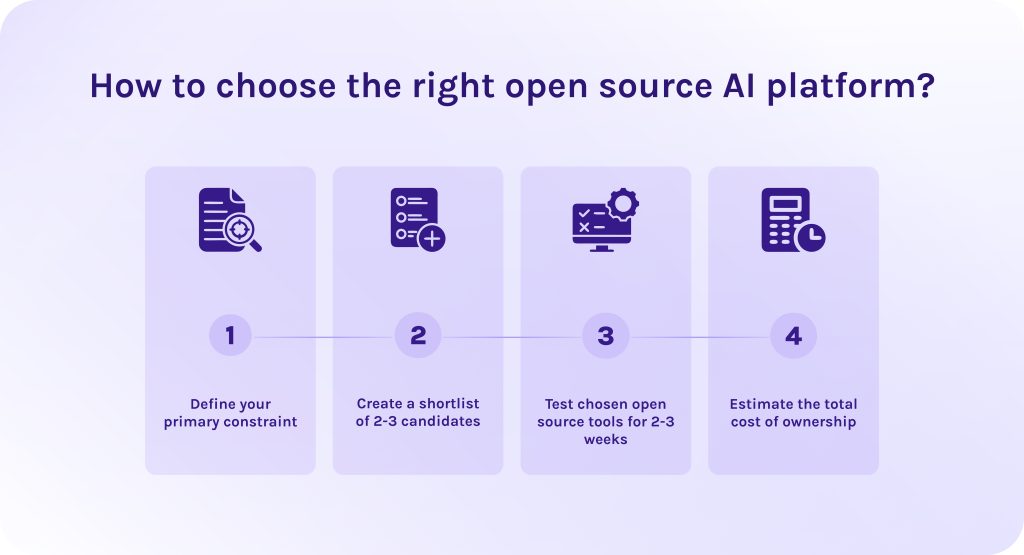
1. Define your primary constraint.
The first step is to identify where your processes get stuck and create bottlenecks. It may be high latency, problems with security, too high hardware spending, or, for example, setup speed. Understanding your main pain points will help to optimize budget and not to pay for extra functions.
2. Create a shortlist of 2-3 candidates.
When you already did research, choose only 2-3 candidates that suit you the most. Pick AI tools that can be easily integrated into your existing workflows and compatible with your tech stack. Thanks to it, you won’t ruin your current workflows, only efficiently extending them.
3. Test chosen open source tools for 2-3 weeks.
Test AI solutions that you’ve chosen for a few weeks using your actual enterprise data. It’ll help you to measure complexity of the solution, its memory usage and performance indicators.
4. Estimate the total cost of ownership.
Estimate if it’s affordable for you and cost-efficient to use these exact open source AI apps. Compare estimations of different tools and choose the best option for you.
Read More: Best Free ERP Software: Open Source and Free ERP Systems Compared
Conclusion
Let’s quickly recap tools we’ve discussed in this article:
- Choose EpicStaff when operations teams and software engineers need a visual canvas with Python support to build AI agents and multi-agent business workflows.
- Choose PyTorch when you need to develop LLMs and custom neural networks that require dynamic execution and heavy open-source community support.
- Choose Anaconda when setting up a local data science environment and managing complex Python/C dependencies.
- Choose TensorFlow when you need to deploy enterprise-grade deep learning models at scale.
- Choose Scikit-Learn when building statistical machine learning models and complex algorithms.
- Choose Keras when you want to rapidly prototype deep learning models using a simple, human-friendly API.
- Choose Hugging Face when you want to discover or customize pre-trained open models without training neural networks from scratch.
Don’t forget to contact EpicStaff experts and start your AI journey today.
FAQs
1. What are open source AI tools?
Open source AI apps are various frameworks, libraries, models, and autonomous platforms whose code is publicly available for anyone to use, modify, and even redistribute. They allow developers to customize and self-host artificial intelligence capabilities without depending on closed proprietary APIs.
2. What are the best open source AI tools?
Currently, the best open-source AI software are EpicStaff, TensorFlow, PyTorch, Hugging Face, Scikit-Learn, Keras, and Anaconda.
3. What is the best current open-source AI?
There is no one best tool. You need to choose an exact tool depending on your needs and current company situation. From our analysis, the best solutions presented on the market are: TensorFlow, Hugging Face, EpicStaff, Anaconda, PyTorch, Scikit-Learn, Keras.
4. What are open source AI coding tools?
Open source AI coding tools are software applications whose source code is publicly accessible. They enable developers to generate, refactor, debug, and autocomplete code with total data privacy and model flexibility.
5. What are the risks of using open-source AI?
- Unchecked dependencies. Open-source models or frameworks can introduce malicious code into your production environment.
- Uncontrolled use or “shadow” technologies. Developers frequently download and run unvetted open-source tools locally, bypassing enterprise access controls and logging protocols.
- Hidden infrastructure costs. Self-hosting requires specialized talent and infrastructure to run it and maintain. It, in turn, can erode predicted savings.
- Lack of technical support. There is no vendor hotline you can call at when a self-hosted model goes down or underperforms during an outage.
- Constrained talent. You need specialized labor to manage and maintain AI applications which isn’t that easy to hire due to talent shortages.
- Unclear training data. Many open-source models do not fully disclose their training data, exposing enterprise users to potential copyright infringement claims if the model was trained on copyrighted text or code.
6. How to govern open source AI tools?
- Pick pre-approved tools. Maintain an internal list of safe, licensed open-source AI platforms that employees are allowed to use.
- Implement automated LLM security filters. Use safeguards to prevent sensitive data leaks and scan a system for vulnerabilities.
- Check the legal terms. Enforce clear policies on license types and ensure models meet regulatory standards like the EU AI Act to avoid copyright issues.
7. Can I use AI without paying?
Yes, you can use AI completely free using cloud platforms or local models. Popular services offer generous free access tiers. Open-source models like Meta’s Llama can be downloaded and run on your own device at zero software cost.
8. Which AI is best for beginners?
EpicStaff is the best AI agent orchestration platform for beginners. This solution combines a drag-and-drop visual interface for beginners or non-technical users with the ability to customize workflows with Python code.
9. What are the benefits of using open source AI tools?
- They lower operating costs. Open source AI solutions help companies avoid ongoing subscription and API fees.
- You own all of your data and keep it private. Self-hosted AI tools keep sensitive corporate data entirely in-house because you don’t share your private data with third-party vendors.
- You gain better flexibility. Organizations can modify source code as they wish and tailor this AI platform to fit your specific enterprise workflows without vendor lock-in.
- Rapid innovation and community support. You can access a vast global ecosystem of developers continuously pushing updates and optimizations.
- Greater transparency. Companies can audit the underlying code and model architectures directly to inspect security and ensure compliance.
10. How to choose the best open source AI solution?
- Define your primary constraint.
- Create a shortlist of 2-3 candidates.
- Test chosen automation and navigation tools for 2-3 weeks.
- Estimate the total cost of ownership.
References
- https://www.mckinsey.com/capabilities/quantumblack/our-insights/open-source-technology-in-the-age-of-ai#/
- https://www.researchgate.net/publication/394547659_Review_of_Open-Source_AI_Tools_for_Healthcare_IT_Infrastructures
- https://www.researchgate.net/publication/381953424_The_Impact_of_Open-Source_Software_on_Artificial_Intelligence
- https://www.researchgate.net/publication/378177382_Open-Source_AI_An_Approach_to_Responsible_Artificial_Intelligence_Development
- https://www.researchgate.net/publication/400603065_Artificial_Intelligence_in_Open_Source_Software_Engineering_A_Foundation_for_Sustainability
- https://www.researchgate.net/publication/393350419_Open_Source_AI_and_Automated_Science
- https://iaeme.com/Home/article_id/IJOSAIT_01_01_001
- https://www.researchgate.net/publication/221328899_Open_Source_AI
- https://www.researchgate.net/publication/28810296_Open_Source_Software_and_Libraries
- https://www.researchgate.net/publication/288520793_Open_Source_Concepts_Benefits_and_Challenges
- https://www.researchgate.net/publication/387140760_The_Open_Source_Advantage_in_Large_Language_Models_LLMs
- https://www.researchgate.net/publication/386201822_Open-RAG_Enhanced_Retrieval_Augmented_Reasoning_with_Open-Source_Large_Language_Models
- https://www.researchgate.net/figure/Pros-and-cons-of-computer-vision-open-source-libraries_tbl1_348792739
- https://www.researchgate.net/publication/366619480_Introduction_to_TensorFlow