
What is enterprise project management software?
At its core, project management software for enterprise is an advanced software solution designed for large organizations to plan and efficiently execute complex projects that are connected by constrained resources and their dependencies.
Basic project management tools can’t even stand next to these complex systems. While traditional PM software is used for managing single projects and exact engineering teams, sophisticated enterprise PM software helps companies:
- Optimize resource allocation.
- Manage multiple projects and teams at once.
- Control risks and create mitigation plans.
- Predict possible bottlenecks and deal with them as early as possible.
Read More: The Next Generation of PMO Tools: How to Choose the Perfect One for You
What are the key differences from standard project management tools?
The easiest way to understand enterprise project management is to compare it to standard project management software, which we were quickly discussing above.
| Standard project management | Enterprise project management | |
| Primary user | Individual teams and project managers | C-suite executives, PMOs, department heads |
| Scope | Single projects and team collaboration | Portfolios of hundreds of interconnected projects |
| Resource management | Basic task assignment and individual workloads | Global resource forecasting and capacity planning |
| Customization and security | Standard out-of-the-box features and basic permissions | Highly customizable workflows and strict data compliance (SOC2, HIPAA) |
What are the core functions of enterprise project management?
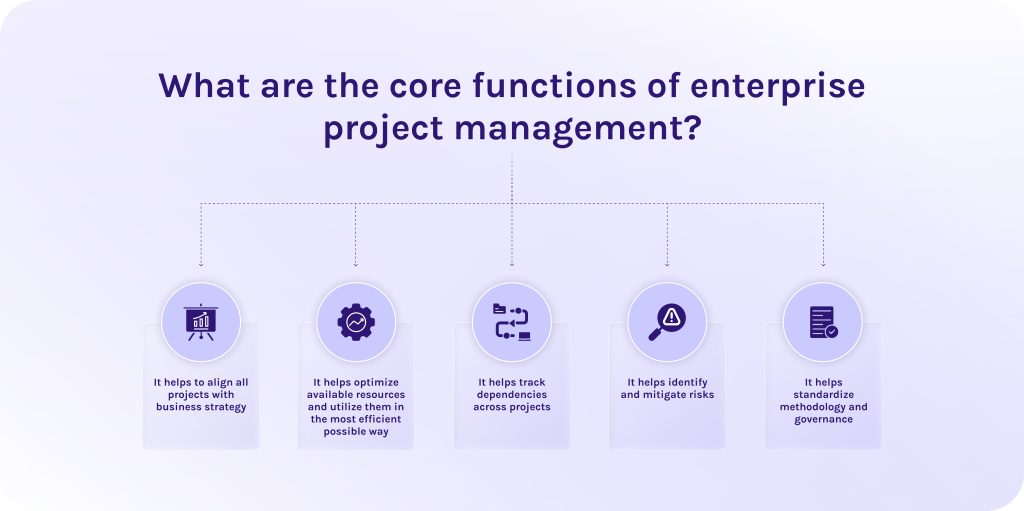
Why do companies need enterprise project management? That is the question we’ll address below.
- It helps to align all projects with business strategy. Enterprise project management ensures that every project undertaken directly supports the company’s long-term goals. In this case, it prevents wasting budget on low-priority initiatives [1].
- It helps optimize available resources and utilize them in the most efficient possible way. Also, enterprise project management provides a full picture of the workforce’s skills and availability, which allows organizations to maximize efficiency and prevent team burnout.
- It helps track dependencies across projects. Thanks to enterprise project management, you can map out connections between different initiatives, which, in turn, helps managers see how a delay in one department will impact timelines across the entire company [1].
- It helps identify and mitigate risks. As well, it becomes easier to track risks because specialized software systematically identifies potential bottlenecks and financial risks early. Consequently, you can create backup plans before a crisis occurs.
- It helps standardize methodology and governance. Ultimately, enterprise project management establishes a unified framework for how projects should be managed, reported, and secured. All that, in combination, ensures consistent quality and compliance across all business units.
Read More: 3 Essential Types of Capacity Planning Strategies and When to Use Them
What are the key features of enterprise project management software?
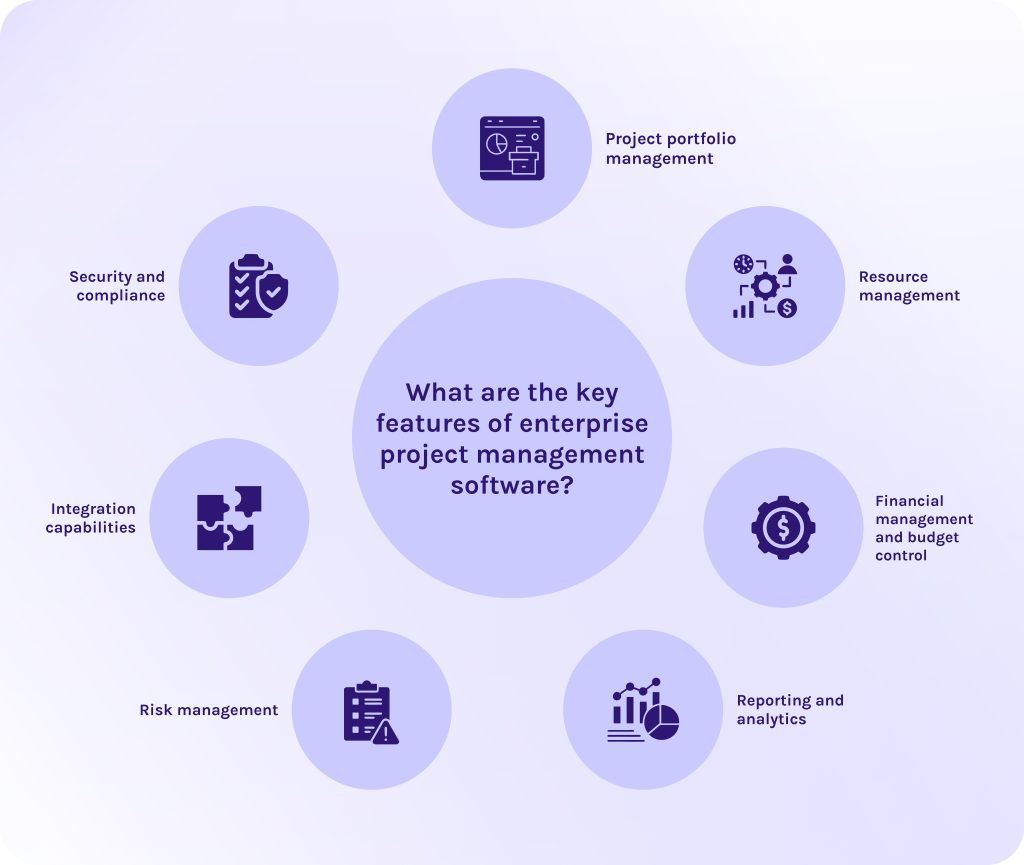
Project portfolio management
This feature in enterprise PM software aggregates all company initiatives into a single dashboard and allows executives to prioritize high-value projects to align them with overarching business strategies. This ensures resources are spent only on goals that move the company forward [2].
Resource management
This feature in modern EMP software tracks the availability, skills, and workloads of dozens of employees across the entire organization. It helps managers forecast hiring needs and prevent team burnout by accurately balancing assignments [3].
Financial management and budget control
The main need of every business is to accurately track its budget spending. These enterprise project management software features provide real-time tracking of project expenses against original forecasts. This, in turn, allows organizations to maintain strict financial governance and catch budget overruns before they happen.
Reporting and analytics
This is the most important enterprise project management software capability for executives. It uses business intelligence to generate dashboards and reports for stakeholder review. These automated insights help leadership make data-driven decisions based on accurate performance metrics [5].
Risk management
This component of advanced project management software allows teams to identify and deal with potential bottlenecks or project threats before they impact timelines. By mapping out mitigation strategies early, large-scale problems are minimized [4].
Integration capabilities
Thanks to this capability in EMP software, you can seamlessly connect with other critical enterprise systems like ERPs, CRMs, HR platforms, databases, etc. This ensures data flows smoothly across the company without manual duplication [6].
Security and compliance
All enterprise data is private, and the consequences of its leakage might be irreversible. For this reason, tools for enterprise project management provide enterprise-grade security protocols that include:
- Single sign-on (SSO) [8].
- Role-based access controls [8].
- Strict adherence to data regulations like GDPR, HIPAA, or SOC 2 [8].
This guarantees that sensitive corporate data and intellectual property remain protected.
Read More: Tired of MS Project? 16 MS Project Alternatives for Modern Teams
Best enterprise project management software comparison
| Software | Best for | Pricing | User reviews |
| Asana | Cross-functional collaboration and clear goal/OKR mapping across departments. | Personal: $0 (Free)
Starter: $10.99/user/month Advanced: $24.99/user/month Enterprise: Custom pricing |
Capterra: 4.5/5
G2: 4.4/5 SoftwareAdvice: 4.5/5 |
| Epicflow | Complex multi-project pipelines and workflows. | Growth: €22.50/user/month (annual billing)
Enterprise: custom pricing |
Capterra: 5/5
G2: 4.4/5 SoftwareAdvice: 5/5 |
| Monday work management | Non-technical teams looking for a highly visual “Work OS”. | Free: €0
Basic: €9/seat/month Standard: €12/seat/month Pro: €19/seat/month Enterprise: Custom pricing |
Capterra: 4.6/5
G2: 4.7/5 SoftwareAdvice: 4.6/5 |
| Wrike | Versatile work management across diverse departments. | Free: $0
Team: $10/user/month Business: $25/user/month (annual only) Pinnacle / Apex: Custom pricing |
Capterra: 4.4/5
G2: 4.2/5 SoftwareAdvice: 4.4/5 |
| Smartsheet | Teams who want a spreadsheet-familiar interface. | Pro: $9/member/month
Business: $19/member/month Enterprise / Advanced: Custom pricing |
Capterra: 4.5/5
G2: 4.4/5 SoftwareAdvice: 4.5/5 |
| ClickUp | All-in-one software tool. | Free Forever: $0
Unlimited: $7/user/month Business: $12/user/month Enterprise: Custom pricing |
Capterra: 4.6/5
G2: 4.6/5 SoftwareAdvice: 4.6/5 |
| Jira | Technical software engineering teams. | Free: $0
Standard: $7.91/user/month Premium: $14.54/user/month Enterprise: Custom pricing |
Capterra: 4.5/5
G2: 4.3/5 SoftwareAdvice: 4.4/5 |
| Microsoft Planner | Deep native collaboration inside the Microsoft 365 ecosystem. | Basic: Included in M365 suites
Plan 1: $10/user/month Plan 3: $30/user/month M365 Copilot: +$30/user/month |
Capterra: 4.3/5
G2: 4.2/5 SoftwareAdvice: 4.3/5 |
| Zoho Projects | Operational teams focused on pipeline metrics. | Free: €0
Premium: €4/user/month Enterprise: €9/user/month Ultimate: €14/user/month |
Capterra: 4.5/5
G2: 4.3/5 SoftwareAdvice: 4.5/5 |
Read More: 10 AI Project Management Tools to Pay Your Attention to in 2026
Top enterprise project management software
Asana for cross-functional teams
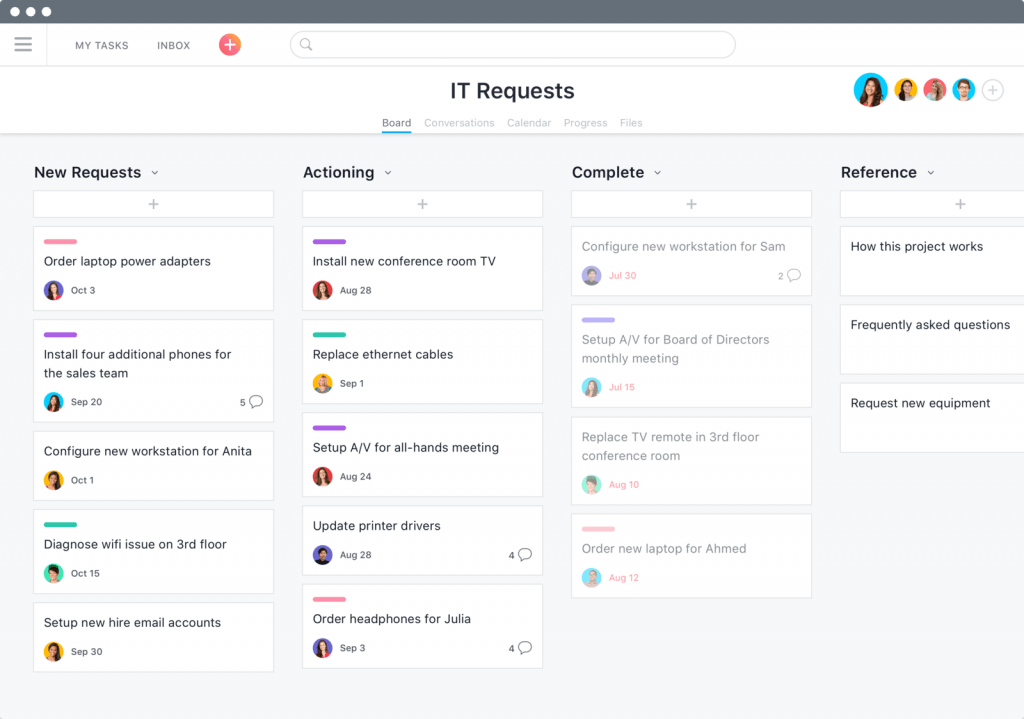
Asana is one of the leading enterprise project management software solutions that focuses mostly on team collaboration and project alignment. This project management app is designed to connect completely different teams into unified workflows.
Best for
Mid-to-large enterprises where employees regularly report to multiple stakeholders and collaborate heavily across different departmental boundaries.
Standout features
- Multi-Homing (tasks in multiple projects). This feature allows a single task to live simultaneously in multiple different projects without duplicating the data.
- Universal workflow builder. It is a no-code workflow builder that allows both technical and non-technical users to build custom rules and triggers spanning multiple departments.
- Ability to create goals and OKRs. Directly links day-to-day tasks to high-level company objectives. This gives disparate project and engineering teams visibility into why their shared project matters and tracks milestone percentages automatically as individual tasks are completed.
User reviews
- Capterra: 4.5/5
- G2: 4.4/5
- SoftwareAdvice: 4.5/5
“To me, it is just so simple to use. I find it easy to set projects up, and tasks and I love the reminder emails so I don’t miss anything. I love that my clients can message via this tool.” [10]
Nicola R., review from SoftwareAdvice.
Pricing
- Personal: $0 – forever free version.
- Starter: $10,99
- Advanced: $24,99
- Enterprise: contact sales to get exact pricing.
Epicflow for complex multi-project management
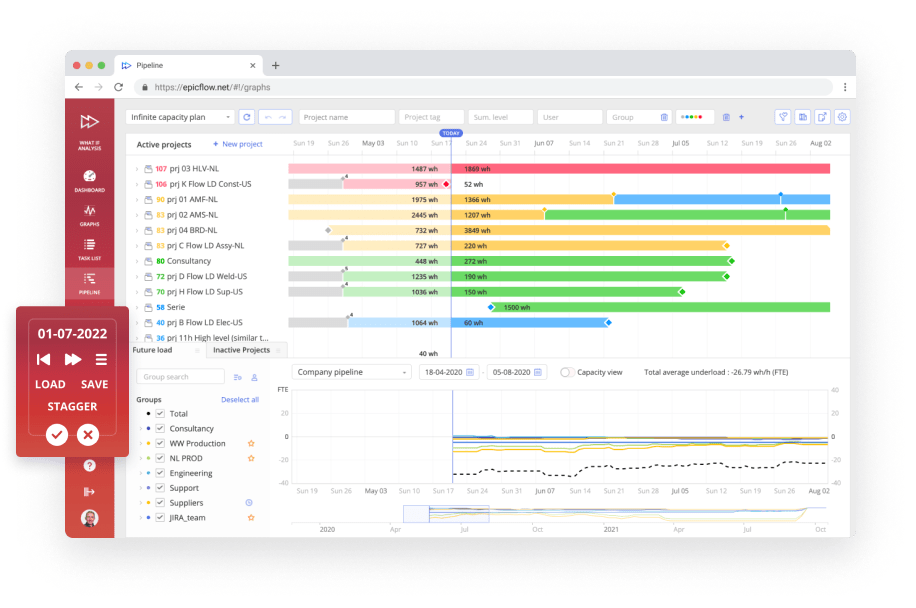
Epicflow is an AI-powered enterprise project portfolio management software that allows companies to manage complex resource dependencies and dynamically prioritize the most valuable projects. Its predictive analytics and powerful scenario analysis features help organizations predict possible bottlenecks in advance, using artificial intelligence and historical data [7].
Best for
Multi-project management in engineering, aerospace, defense, telecommunications, automotive, and heavy manufacturing sectors that rely on strict pipeline execution and specialized skill tracking.
Standout features
- What-if scenario planning. Allows managers to safely test changes in a sandbox environment to instantly see the ripple effect it will have on everyone’s workload.
- Dynamic project and task prioritization. Epicflow uses algorithms to automatically calculate task priority based on actual data demand and project buffer health across the entire portfolio.
- Seamless integrations. Integrates seamlessly with project management software platforms like Jira, MS Project, Primavera, and Oracle. It ensures real-time synchronization without replacing your current daily workflows [9].
User reviews
- Capterra: 5/5
- SoftwareAdvice: 5/5
- G2: 4.4/5
“I love that Epiclfow calculates future load and shows the possible resource constraint before it becomes a problem.”
Dean R., Marketing Product Manager – Palmer and Harvey.
Pricing
Has two paid plans:
- Growth: €22.5 monthly/billed annually. This plan also has a 30-day free trial.
- Enterprise: has custom pricing. You should contact the sales manager.
Interested in collaboration with Epicflow? Contact our experts to get a detailed consultation on how this solution can boost your efficiency.
Monday Work Management for visual project management
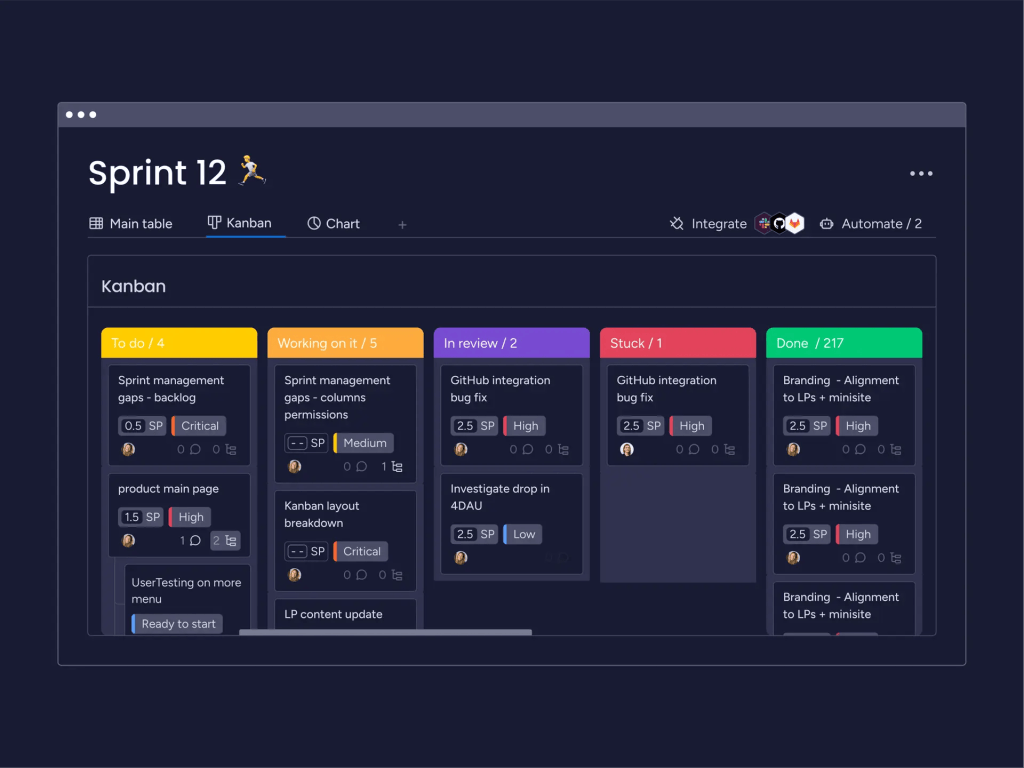
Monday Work Management is extremely flexible and clear compared to other enterprise project management software. Its strength lies in a highly intuitive interface that doesn’t feel cluttered like legacy project management apps.
Best for
Companies looking for an enterprise project management software that non-technical users and department heads can easily customize on the fly without interrupting the IT department.
Standout features
- Smart AI-powered workflows. It is a suite of embedded machine-learning features that continuously monitors project data behind the scenes. This built-in AI detects impending deadline conflicts, automatically flags portfolio-level timeline risks, and dynamically suggests optimal task reassignments based on resource allocation and a team member’s current workload and historical performance metrics.
- No-code automation builder. This is a visual automation engine with over 100 customizable triggers and actions. Thanks to it, non-technical users can instantly build complex cross-departmental workflows.
- Multi-board aggregation dashboards. Enterprise-grade dashboards that pull data from up to 50 separate project boards simultaneously.
User reviews
- Capterra: 4.6/5
- G2: 4.7/5
- SoftwareAdvice: 4.6/5
“Overall, monday.com has been a net positive for how I manage work and lead my team. It brought structure to what used to feel chaotic, and gave everyone (myself included) a clearer sense of ownership and accountability.”
Krishna S., review from SoftwareAdvice.
Pricing
-
- Free: €0 – forever free plan.
- Basic: €9 seat/month.
- Standard: €12 seat/month.
- Pro: €19 seat/month.
- Enterprise: custom pricing. You should contact the vendor.
Wrike for versatile work management
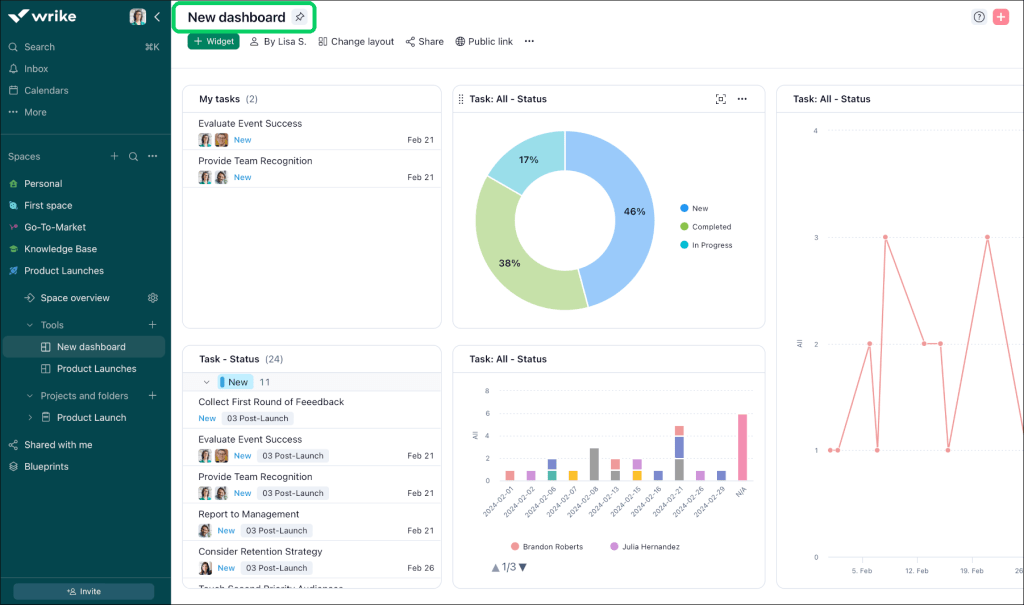
If we take a look at Wrike, its positioning differs from the other enterprise project management software. This solution positions itself as a robust enterprise work management platform. It combines the deep, structured tracking of legacy project management office (PMO) software with the flexible execution layer needed by fast-moving marketing, IT, operations, and professional services departments [11].
Best for
Mid-to-large corporations require unified visibility across vastly different team disciplines.
Standout features
- Native approvals. This feature in project management software allows stakeholders to review and approve digital assets directly inside task cards, accelerating delivery for creative and operations teams.
- Dynamic request forms. Utilizes conditional logic intake forms that auto-save user progress. When an internal or external stakeholder submits a request, Wrike reads the form answers and automatically builds out the entire project structure.
- Built-in AI agent builder. Wrike provides a no-code environment where space administrators can design autonomous, specialized AI agents. These agents can autonomously execute multi-action chains or route approval requests.
User reviews
- Capterra: 4.4/5
- G2: 4.2/5
- SoftwareAdvice: 4.4/5
“I’ve really enjoyed working with Wrike. My company has a monthly meeting setup so that we can connect with Wrike staff to make updates to our agreement or get assistance with any bugs or issues we’ve experienced in our user base.”
John S., review from SoftwareAdvice.
Pricing
- Free: $0 user/ month – forever free plan.
- Team: $10 user/ month.
- Business: $25 user/ month.
- Pinnacle: custom pricing. You should contact the vendor.
- Apex: custom pricing. You should contact the vendor.
Smartsheet for spreadsheet-like interface
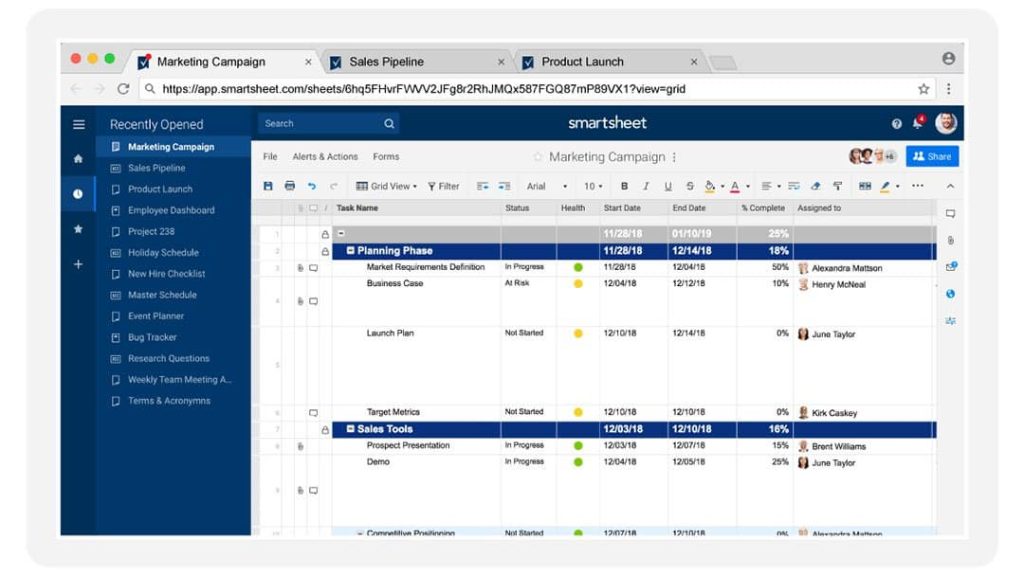
If we compare Smartsheet to other tools for project management on this list, we’ll see that its main distinguishing feature is its Excel-familiar interface. It, in turn, makes it easy for teams that were relying heavily on Microsoft Excel to migrate to this enterprise project management software.
Best for
Corporations looking to upgrade to an enterprise-grade portfolio tool without forcing their employees through a steep learning curve.
Standout features
- Control Center. This feature is designed to standardize project creation at scale. When a new initiative is approved, it automatically duplicates entire project structures.
- Links multiple sheets together. This is a data governance feature that allows managers to share specific rows or columns with external vendors or cross-functional team members without exposing the entire underlying sheet or confidential budget data.
- Advanced AI-powered features. An advanced AI integration that connects live project data to enterprise LLMs. Teams can use natural language prompts to generate complex formulas for multiple sheets at the same time or, for example, ask their AI assistant to autonomously build data-heavy dashboards from scratch.
User reviews
- Capterra: 4.5/5
- G2: 4.4/5
- SoftwareAdvice: 4.5/5
“Overall, my experience with Smartsheet has been positive. It is a reliable platform for project collaboration, task tracking, approvals, and process management.”
Basel E., review from SoftwareAdvice.
Pricing
- Pro: $9 per member/month.
- Business: $19 per member/month.
- Enterprise: custom pricing. You should contact the vendor.
- Advanced Work Management: custom pricing. You should contact the vendor.
ClickUp for all-in-one solutions
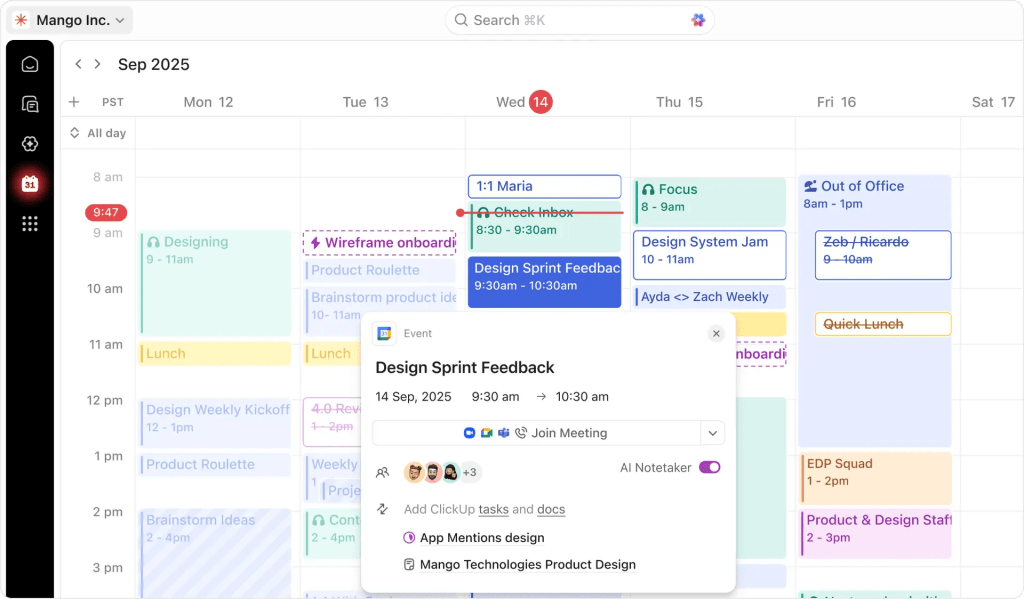
The slogan of this solution is “one app to replace them all,” and it is self-explanatory. ClickUp’s main goal is to unify all capabilities needed by enterprises into a single solution, so that teams don’t need to pay for separate subscriptions for different project management software and tools like resource management or budget tracking.
Best for
Companies looking for all-in-one enterprise software project management to cut SaaS subscription costs and eliminate data fragmentation.
Standout features
- No-code AI agents. These autonomous agents are built directly into ClickUp’s multi-LLM engine. They can process simple natural language prompts in English to manage workflows of different complexity.
- Deep workspace hierarchy. This project management software offers a unique workspace structure that allows companies to scale large portfolios across separate departments without breaking smaller business processes.
- Native AI planner. It automatically schedules tasks and balances team capacity directly within user calendars.
User reviews
- Capterra: 4.6/5
- G2: 4.6/5
- SoftwareAdvice: 4.6/5
“I really like the AI-assisted chatbot that helps me to summarize tasks, track project updates, and find tasks that are duplicates and stuck.”
Jerry L., review from SoftwareAdvice.
Pricing
- Free forever: $0 forever.
- Unlimited: $7 per user/month.
- Business: $12 per user/month.
- Enterprise: custom pricing. You should contact the vendor.
Jira for tech-oriented enterprises
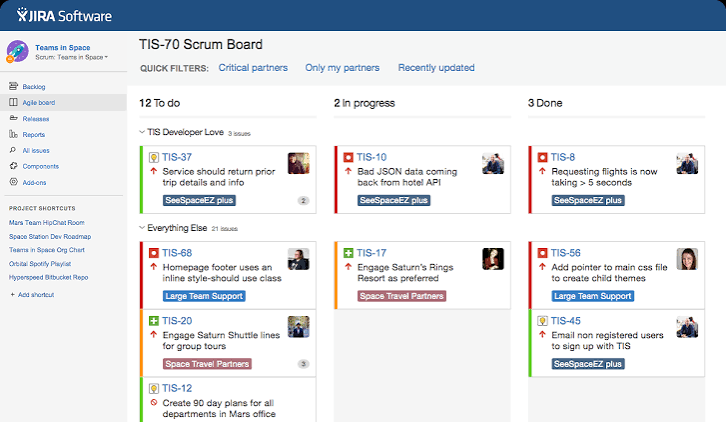
Among other tools for multi-project management in the market, Atlassian’s Jira is the one that everyone surely knows about. It is purposely built for technical companies that need to manage the software development lifecycle (SDLC) and handle highly technical workflows of engineering teams or organizations.
Best for
Large-scale technology organizations that require precise tracking of code changes, bugs, and releases.
Standout features
- Deep CI/CD pipeline and code integration. Features live synchronization with major repositories and deployment hubs like GitHub, GitLab, Bitbucket, and Jenkins. Project management specialists can track build statuses and pull requests directly inside a Jira ticket without leaving the platform.
- Change risk management. This feature analyzes historical deployment data to automatically score the technical risk of a code or system change before it goes live.
- Developers AI agents. These specialized AI agents can autonomously generate a Jira issue with reproduction steps to solve bugs or production problems.
User reviews
- Capterra: 4.5/5
- G2: 4.3/5
- SoftwareAdvice: 4.4/5
“Our transition from Google Sheets to Jira has revolutionized our operations. It has made our workflow much more professional and highly productive. By automating our shipment tracking and ticket creation alerts, we’ve eliminated human error and reclaimed significant time for the team. It is a robust tool that has streamlined our entire process.”
Sajjad M., review from SoftwareAdvice.
Pricing
- Free: $0 forever free plan.
- Standard: $7.91 per user/month.
- Premium: $14.54 per user/month.
- Enterprise: custom pricing. You should contact the vendor.
Microsoft Planner for Microsoft 365 users
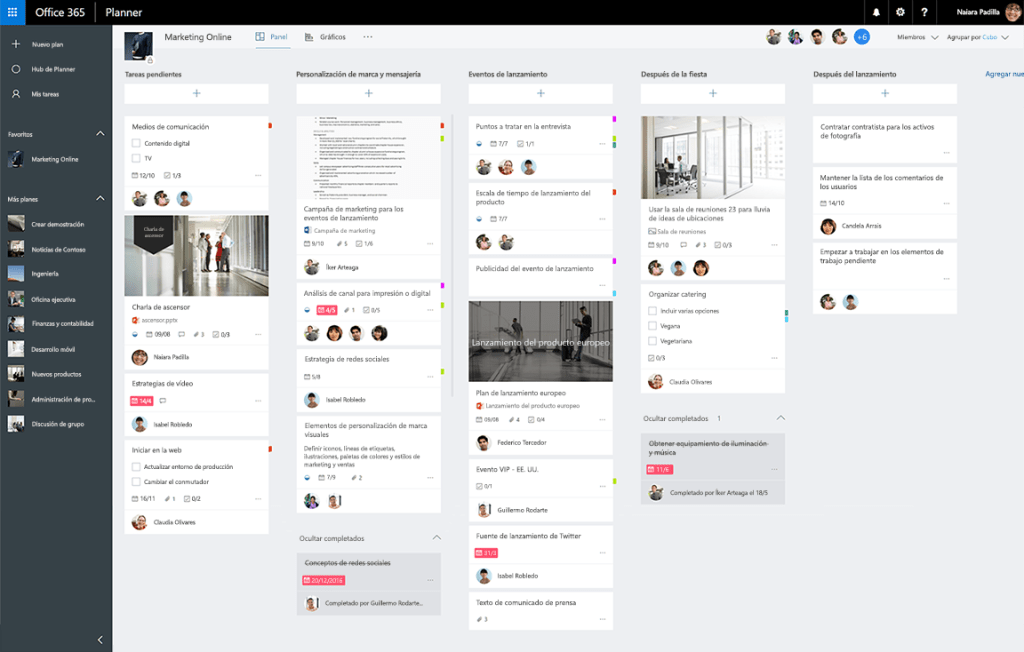
This project management solution is an indispensable part of the Microsoft Ecosystem. Microsoft Planner natively consolidates three previously separate platforms – the original Planner (team task lists), Microsoft To Do (personal management), and Project for the web (advanced scheduling) – into a single system deeply embedded within the Microsoft 365 ecosystem.
Best for
Enterprises that use Microsoft 365 and want to scale up their projects without purchasing external SaaS software for project management.
Standout features
- Copilot project management agents. Here, an AI agent is like your virtual PMO assistant. It can naturally digest unstructured Teams meeting transcripts or Outlook emails and automatically generate reports.
- Task chat embedded directly into Planner. Instead of disjoint task comments, Planner implements native messaging directly inside individual task cards.
User reviews
- Capterra: 4.3/5
- G2: 4.2/5
- SoftwareAdvice: 4.3/5
“I very useful tool for monitoring workflow/requests without being too much of a drain on time for staff using it.”
Damian W., review from SoftwareAdvice.
Pricing
- Microsoft Planner: Included in Microsoft 365.
- Planner and Project Plan 3: $30 user/month.
- Planner Plan 1: $10 user/month.
- Microsoft 365 Copilot: $30 user/month.
Zoho Projects for Kanban-focused management
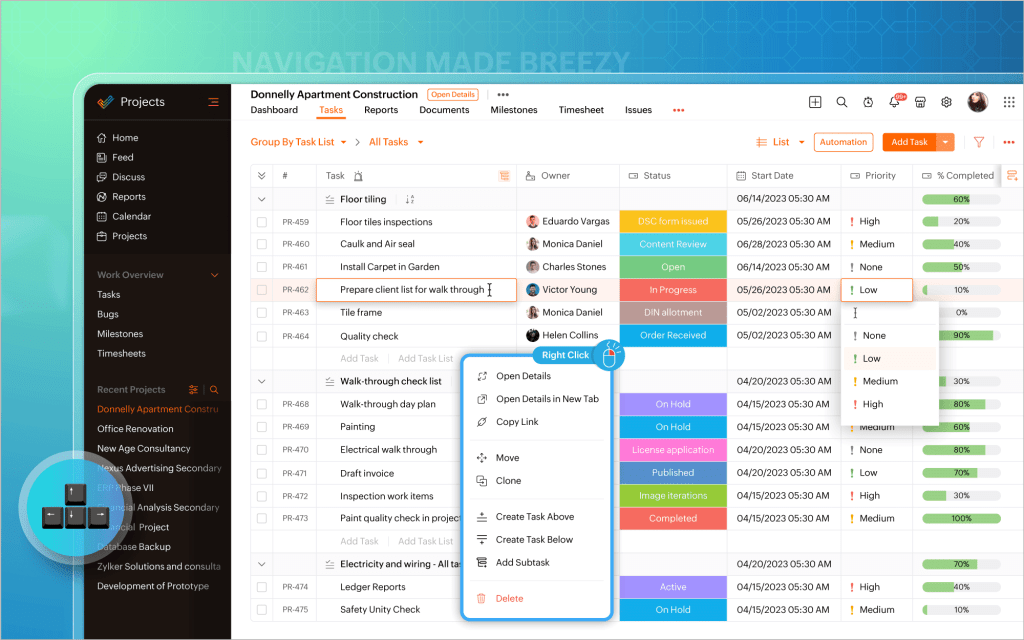
Zoho Projects is the best solution for project management in operational teams. Though it supports traditional Gantt chart views, it also has highly customizable Kanban boards, so that you can oversee your projects from multiple perspectives.
Best for
For multi-project management in operational teams like marketing agencies or customer support teams that need to visualize daily workflows.
Standout features
- Native AI assistant. Zia AI is Zoho’s digital assistant that monitors active Kanban boards. It can read through natural language prompts to surface a project and analyze its data.
- Issue and bug tracking boards. Teams can organize software bugs or service tickets by severity, classification, or module, and drop them directly into custom columns to resolve them immediately.
- Strict workflow governance. This feature allows teams to map out a visual flowchart of required steps for a task, so that it cannot simply be moved from “in progress” to “on review”.
User reviews
- Capterra: 4.5/5
- G2: 4.3/5
- SoftwareAdvice: 4.5/5
“Once set up, it is a great option for a project management tool, especially if you are already using other Zoho suite tools.”
Natalie F., review from SoftwareAdvice.
Pricing
- Free: €0 free forever plan.
- Premium: €4 per user/month.
- Enterprise: €9 per user/month.
- Ultimate: €14 per user/month.
- Zoho Projects Plus: custom pricing. You should contact the vendor.
Our selection methodology
To create a truly reliable list of best enterprise project management software, we evaluated each tool against the identical criteria:
- Core features. We audited the ability of each platform to handle high-level project portfolio management, advanced resource allocation, complex dependencies between projects, growing risks, and, ultimately, intuitiveness of visual interface. A tool had to prove it could successfully roll up thousands of granular team tasks without performance degradation.
- AI maturity. We prioritized enterprise project management software that integrates predictive analytics and autonomous agentic workflows. Moreover, we specifically looked for tools with scenario planning and predictive analytics that can forecast risks and budget overruns.
- Real-world use cases. We visited the official website of each selected vendor to look for success cases and confirmed collaborations. This helped us separate marketing claims from real success cases.
- User reviews from SoftwareADvice, G2, and Capterra. Our team analyzed dozens of verified enterprise reviews across these trusted platforms to evaluate real user experience, not only success cases.
- Price availability and transparency. This point was especially important in our research as it allowed us to compare features offered under a specific price and evaluate which tool seems more affordable or has good value for money. This ensures organizations can accurately forecast their total cost of ownership without hidden implementation or licensing fees.
- Suitability. We analyzed the compatibility of each enterprise PM software with different industries, third-party software tools, business types, and industry regulations. This helps companies select a platform tailored to their unique governance and operational needs.
Read More: What is Program Management? A Deep Dive into Strategic Success and Program Leadership
What are the benefits of using enterprise project management software?
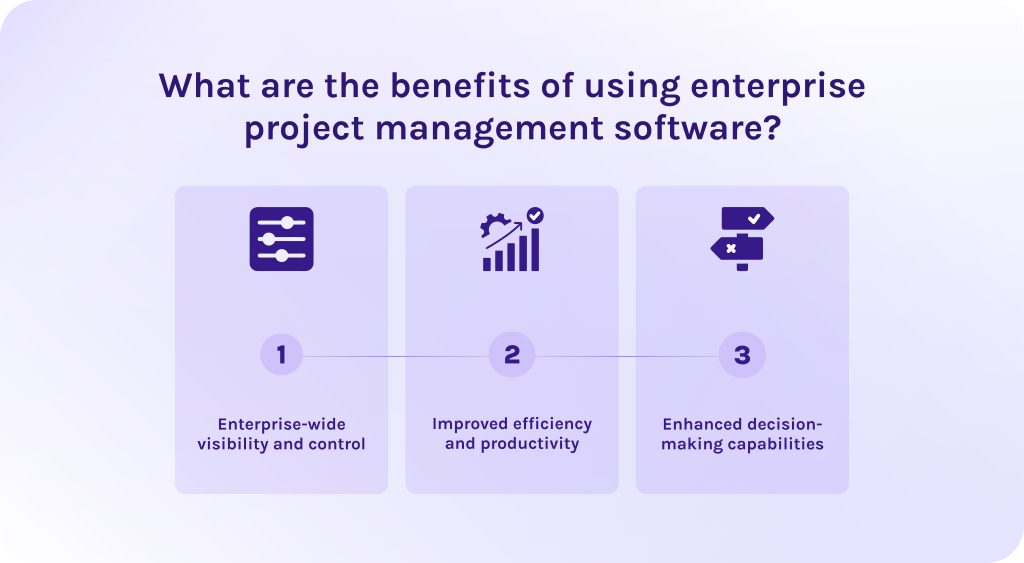
Enterprise-wide visibility and control
Project management software for enterprises breaks down departmental silos and consolidates all project data into a single source of truth. It, in turn, gives executives complete oversight of portfolios, timelines, and compliance across the entire organization.
Improved efficiency and productivity
It automates repetitive administrative tasks, streamlines cross-functional workflows, and optimizes resource allocation, allowing teams to deliver high-quality work faster with fewer bottlenecks.
Enhanced decision-making capabilities
It leverages real-time data and predictive analytics to provide stakeholders with actionable insights. It enables leadership to make accurate and strategic business choices with more confidence and understanding of reasons and consequences.
Read More: Product Portfolio Management Tools: Complete Guide to Choosing the Best Solution
Conclusion
Let’s quickly recap the main info about the best enterprise project management software:
- Epicflow – best for multi-project management.
- Asana – best for cross-functional collaboration and team alignment.
- Monday Work Management – best for visual workflows.
- Wrike – best for work management and strict corporate governance.
- Smartsheet – best for spreadsheet-heavy operations.
- ClickUp – best all-in-one platform.
- Jira – best for tech-oriented enterprises.
- Microsoft Planner – best for native integration within the Microsoft 365 ecosystem.
- Zoho Projects – best for Kanban-focused workflows.
If you want to stay up to date with the recent industry trends, subscribe to our blog using the button on the right-hand side.
FAQs
1. What is enterprise project management software?
Enterprise project management software is a cutting-edge platform that is designed to give organizations a centralized view of all their projects and resources across multiple departments. It mostly focuses on business strategy and aligning all activities with the company’s goals.
2. What are the benefits of using enterprise project management software?
- It improves decision-making as you now have access to real-time, detailed info about all projects and activities within your portfolio.
- It gives you greater visibility and control over current projects and historical data.
- It significantly improves the productivity of your teams thanks to automated workflows and centralized collaboration features.
3. How does enterprise project management software leverage AI in 2026?
Current project management enterprise software leverages different types of AI for different purposes. For example:
- Generative AI is used in project management tools for writing meeting summaries or generating marketing content.
- Agentic AI is used for complex workflow automation or creating virtual assistants.
- Predictive analytics is used for analysing historical data and predicting possible bottlenecks to come up with ways to solve them in advance.
4. Will AI replace PMO?
It’s hard to estimate what could happen in the future, but today nothing beats human leadership when it comes to managing human portfolios. AI is rather reshaping the way experienced specialists navigate complex project portfolios. Now, you can automate resource allocation, reporting, and budgeting, freeing the vast majority of time for more strategic activities.
5. Does EPM software integrate with our existing ERP?
Yes, enterprise project management software is specifically built to integrate deeply with existing ERP systems. This connection automates data syncs between project costs and corporate financial ledgers. Moreover, it eliminates manual data entry and ensures accurate tracking of labor, procurement, and overall portfolio budgets in real time.
6. What is portfolio management in enterprise project management?
Portfolio management is the process of managing the collection of an organization’s projects and programs to ensure they align directly with overall business objectives. Portfolio management primarily focuses on evaluating and prioritizing investments so that the company allocates its limited resources and budget to the highest-value initiatives.
7. Why can’t AI replace project managers?
AI can’t completely replace human project managers because it lacks the emotional intelligence needed to resolve team conflicts or manage complex stakeholder relationships. Additionally, even though artificial intelligence can analyze data, it cannot replicate the human judgment and creative problem-solving that companies need to handle unexpected crises. Finally, algorithms aren’t reliable enough yet to make multi-million dollar business decisions.
8. Are there specific enterprise project management software tools for different industries?
- If you manage projects within highly regulated industries with complex workflows, choose Epicflow or Wrike.
- If you need a solution for operations teams with lightweight design, choose Asana, Zoho Projects, or Monday.
- If you manage software development teams and IT projects, Jira is the best solution for you.
- If you need an Excel-familiar interface, choose Smartsheet.
- If you’re looking for an all-in-one robust solution, choose ClickUp.
- If you operate within the Microsoft ecosystem, choose Microsoft Planner.
9. How does enterprise project management software solve global resource allocation issues?
Project management software enterprise solves global resource allocation issues by centralizing all needed data in one place. Thanks to this visibility, companies can track resource availability in real time and balance workloads to reach optimal capacity and prevent burnout.
10. What is the biggest risk when migrating to a new EPM software?
The biggest risk when migrating to a new enterprise project management software is low employee adoption and their resistance to change. When employees feel overwhelmed by a complex new system, they often slip back into using fragmented spreadsheets and silos, completely corrupting the centralized data integrity the enterprise platform was meant to build.
References:
- https://www.researchgate.net/publication/354821294_Enterprise_Project_Management
- https://www.researchgate.net/publication/404511249_PROJECT_PORTFOLIO_MANAGEMENT
- https://www.researchgate.net/publication/340031677_Project_Resource_Management
- https://www.researchgate.net/publication/390353437_PROJECT_RISK_MANAGEMENT
- https://www.researchgate.net/publication/389070396_AI-driven_predictive_analytics_in_project_management
- https://www.researchgate.net/publication/393254870_Comparative_Analysis_of_Project_Management_Software_Functionality_Usability_and_Integration_for_Modern_Workflows
- https://www.epicflow.com/
- https://www.researchgate.net/publication/398367485_Data_Protection_and_Privacy_in_Software_Development
- https://www.epicflow.com/integrations/
- https://www.softwareadvice.com/project-management/asana-profile/
- https://www.wrike.com/vbh/