
Key takeaways
- Engineering project management tools are required to successfully run complex, multi-departmental engineering projects [6].
- Such project management software differs from traditional one because it is built to handle the rigid physical dependencies, specialized resource constraints, and complex regulatory compliance unique to the engineering lifecycle.
- Engineering project management tools and techniques help engineering companies align all initiatives with the corporate strategy, maximize outcomes, and avoid costly overspending related to poor resource allocation.
- While dealing with engineering projects, companies face difficulties with resource allocation of limited resources, constant risks and uncertainty, and, ultimately, try to navigate requirements to avoid scope creep.
What are engineering project management tools?
Engineering project management tools are specialized software that are designed to help managers from the construction and manufacturing engineering industries to direct and coordinate human and material resources throughout the life of an engineering project.
What is the difference between engineering and traditional project management?
If we start with similarities, both these disciplines aim to deliver a project on time and within budget. But when it comes to differences, engineering project management deals with physical, high-stakes constraints that traditional management rarely faces.
| Traditional project management | Engineering project management | |
| Dependencies | Logical sequences | Physical constraints (e.g., you cannot frame the roof until the foundation is cured). |
| Risks | Risks involve missed deadlines or lost revenue. | Risks involve structural integrity, environmental hazards, and worker safety. |
| Flexibility | High. Uses Agile or iterative cycles. | Low. Follows a Waterfall or linear path. |
| Resource nature | Primarily manages labor, time, and digital tools. | Manages heavy machinery, fluctuating raw material costs, and lead times. |
Read More: 3 Essential Types of Capacity Planning Strategies and When to Use Them
What are the key features of engineering project management tools?
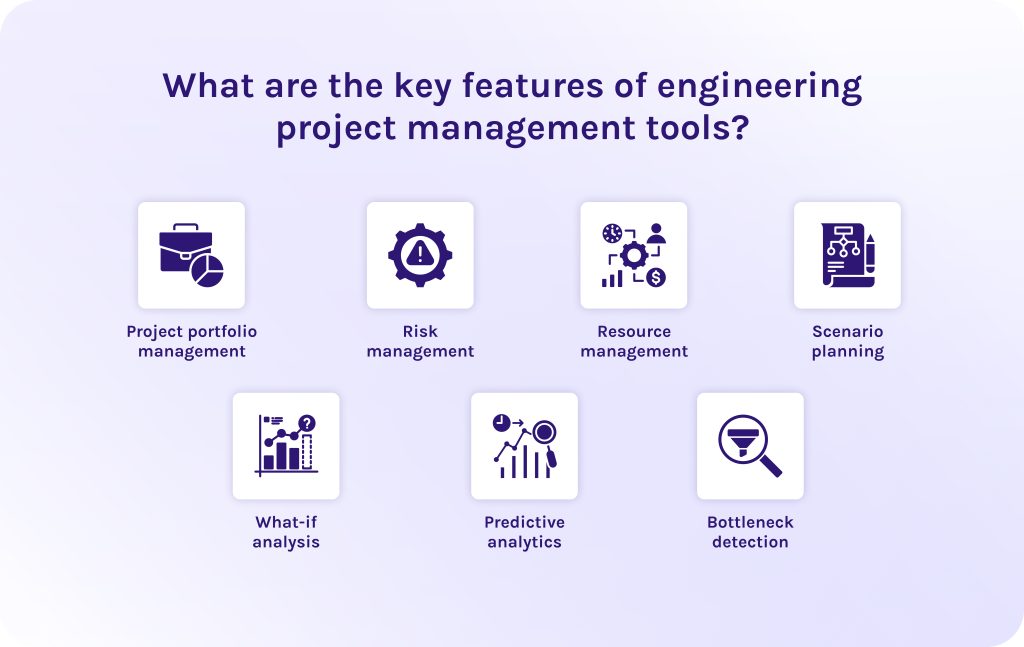
The first thing every efficient project management software for engineering companies should do is to help them handle the physical constraints of the real world.
- Project portfolio management. This feature provides a full picture of all active projects, allowing executives to align multi-million dollar investments with the firm’s strategic goals.
- Risk management. Engineering management software utilizes centralized risk registers and automated compliance tracking to identify and mitigate different hazards before they cause safety incidents.
- Resource management. As the engineering market today faces severe labor shortages, this feature in project management tools for engineering teams uses resource leveling algorithms to balance the workloads of specialized engineers and heavy machinery across the entire organization. It helps to prevent resource conflicts (situations when one specialist or a piece of equipment is required in two projects simultaneously) and avoid employee burnout.
- Scenario planning. Usually, in engineering project management tools, we have scenario planning and what-if analysis. The first one analyses your historical and current project data, taking into account external factors such as economic fluctuations or geopolitical risks like tariffs on raw materials. After that, the software for engineers gives you best-case, worst-case, and most possible scenarios, so that you can evaluate how to optimize your actions to reach the best result [7].
- What-if analysis. This feature, in turn, allows managers to simulate the impact of potential disruptions to develop robust contingency plans [8]. For instance, you can ask the project management software, “What if we replace engineer A from project A to project B?” The system will immediately give you possible consequences without touching real project data. Thanks to it, you can safely test various hypotheses to find the best ways before taking exact actions.
- Predictive analytics. Specialized algorithms in the project management tools for engineering teams analyze the historical data of your projects and current field velocity to forecast potential budget overruns or schedule slips months before they actually occur.
- Bottleneck detection. AI tools for engineering project management identify the specific critical path (the sequence of stages determining the minimum project duration) constraints, whether a delayed permit or an overbooked specialist, that threaten to stall the entire project’s progress.
Nice-to-have features in engineering project management tools, but not mandatory.
- Integration of live data received from drones. It is the ability to import daily drone scans directly into the project management software for engineers to compare what was built against what was designed.
- Ability to safely oversee the progress with AR/VR. Augmented Reality and Virtual Reality features in engineering project management tools allow site supervisors to hold up a tablet and see “through” walls to visualize the planned MEP (mechanical, electrical, plumbing) layout before the drywall is installed.
- Automated suggestions about weather adjustments. Integration with hyper-local meteorological data in AI tools for engineering project management automatically suggests schedule shifts for weather-sensitive tasks like concrete pouring or crane lifts.
Selecting the right tool is only the first step. Successful implementation requires a deep understanding of your firm’s unique technical architecture. Contact HYS Enterprise experts today to discuss how we can help you integrate advanced resource management into your existing ecosystem.
Read More: A Complete Guide to the Leading Resource Management Tools in 2026
What are the benefits of engineering project management software?
- It can predict risks and help you create mitigation strategies. Modern engineering project management tools use artificial intelligence to identify risks early. Thus, you can create backup plans and fix bottlenecks before they cause physical delays on-site.
- It can allocate constrained resources without conflicts. This software for engineers visualizes equipment and employees across the entire portfolio, so that companies can avoid costly underutilization or over-allocation.
- It creates a single source of truth, avoiding misalignment. Centralized project management tools for engineering ensure that field engineers, subcontractors, designers, and other specialists are all working with the most relevant data [9].
- You will always stay on track with compliance and regulations. Automated audit trails and safety checklists in modern engineering project management tools ensure that every phase of a build meets ISO or local building regulations.
Read More: What is Program Management? A Deep Dive into Strategic Success and Program Leadership
What are the top-rated engineering project management tools?
1. Epicflow
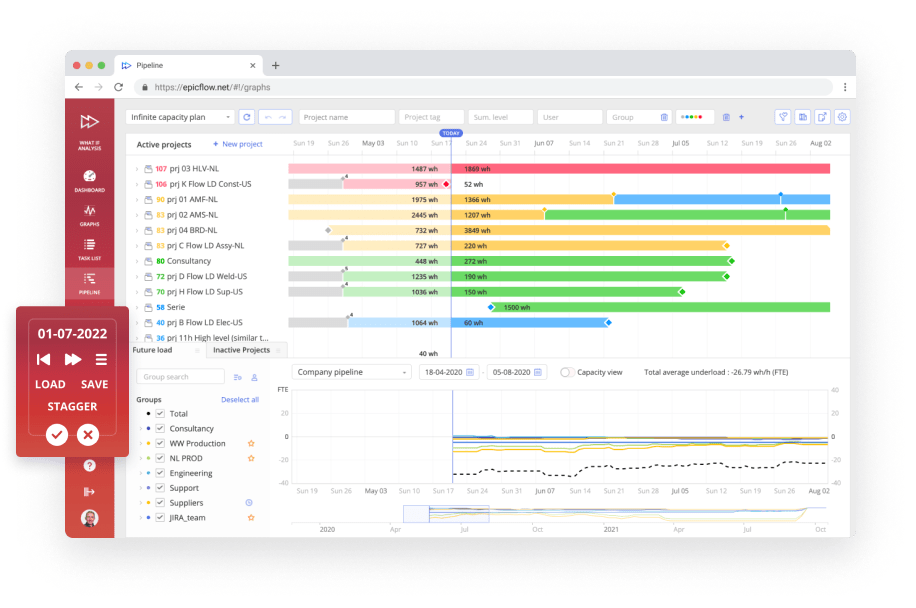
Epicflow is a specialized project portfolio management tool designed specifically for the high-complexity engineering environments where multiple projects compete for the same specialized labor.
Standout features:
- Future Load Graph: This predictive tool visualizes your team’s capacity against upcoming project demands, flagging exactly when a specialized engineer or machine will be over-allocated weeks before it happens.
- Dynamic task prioritization: Using algorithmic intelligence, Epicflow automatically reranks the daily task lists for every employee across the entire portfolio, ensuring they are always working on the most important and urgent tasks in the first place [11].
- What-if analysis: Managers can simulate the impact of adding a new project or a sudden material delay in a safe environment to see how it shifts the finish dates of every other active project [10].
Best for:
Multi-project engineering firms (civil, mechanical, or industrial) that struggle with resource contention and over-allocated specialists.
User reviews:
- Pros: Users value the visibility of this project management software into future bottlenecks and the ability to manage complex dependencies across different teams without manual rescheduling.
- Cons: Some users find the initial data setup and integration with existing ERPs to be time-consuming.
Rating:
- Capterra: 5/5 [5].
- G2: 4.4/5 [12].
- SoftwareAdvice: 5/5 [13].
Want to know more about Epicflow? Contact our experts to understand if this tool is your perfect fit.
2. Azure DevOps
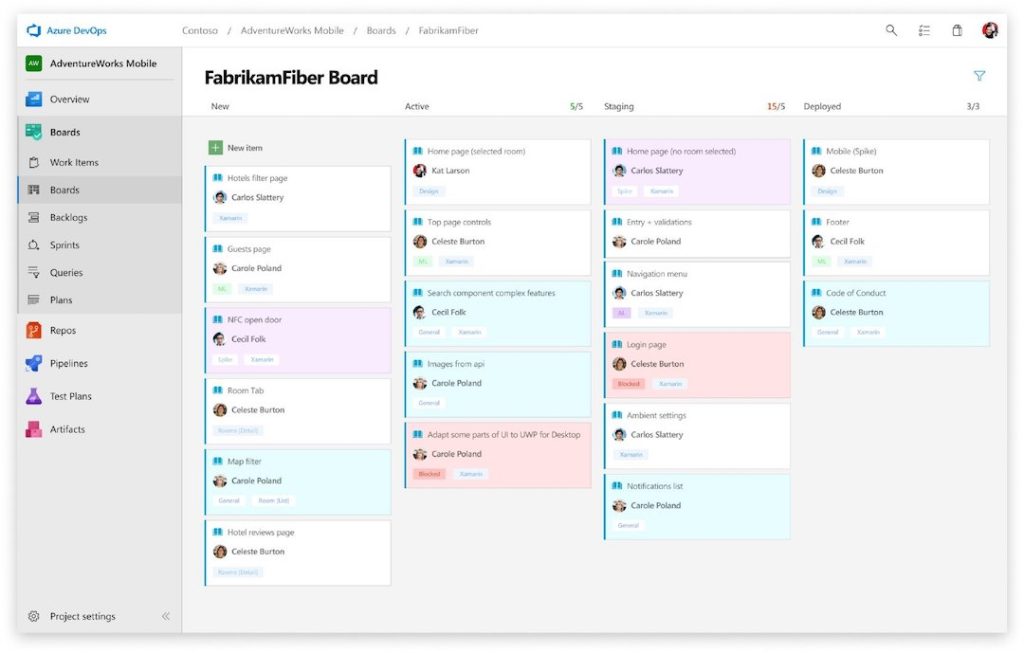
Azure DevOps has been heavily adopted by industrial engineering teams who treat physical hardware components with the same version-control necessity as code. It is an all-in-one project management platform that excels at linking high-level requirements to technical execution.
Standout features:
- Automated pipelines: Engineering teams use these pipelines, for example, to trigger automatic technical documentation updates every time a design file is committed to the repository.
- End-to-end traceability: Links high-level project requirements directly to specific design files and test results.
Best for:
Engineering teams in robotics, automotive, or aerospace firms that integrate hardware and embedded software.
User reviews:
- Pros: Users value the “seamless ecosystem” of this project management tool, where planning, code, and testing are grouped in one place.
- Cons: The UI remains a significant hurdle for new users; the tool has a steep learning curve.
Rating:
- Capterra: 4.4/5 [5].
- G2: 4.2/5 [12].
- SoftwareAdvice: Not ranked yet.
3. Factor A/E
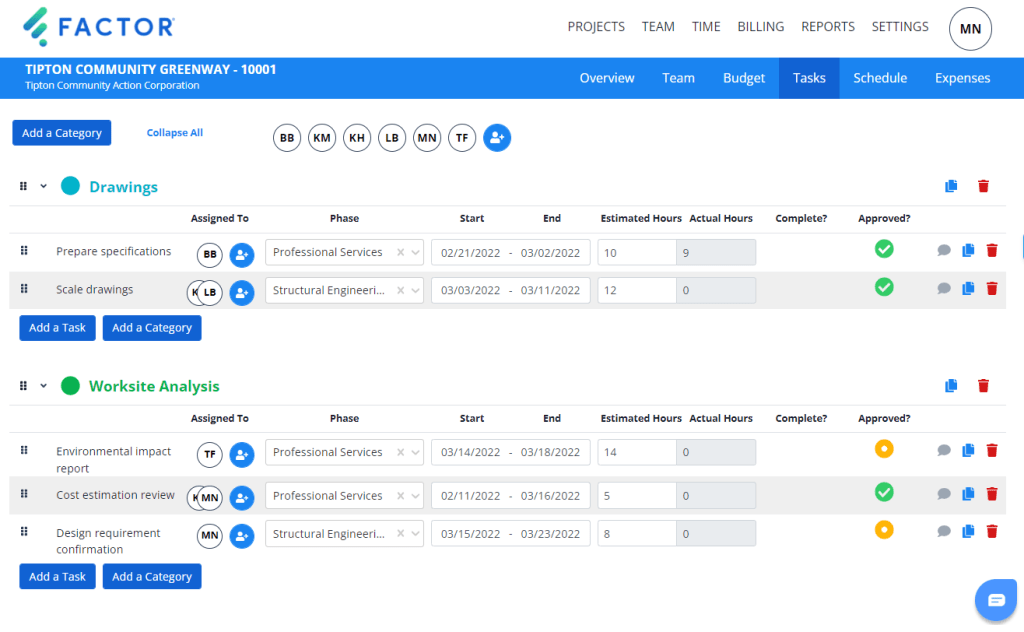
Factor A/E is an engineering management software designed specifically for the architecture and engineering (A/E) sector. It removes the generic bloat of traditional project management software to focus on the unique relationship between project phases, time-tracking, and complex consultant billing.
Standout features:
- Customizable invoicing: This engineering management software allows firms to generate invoices based on the specific fee structures (including fixed-fee, hourly, or phase-based billing).
- Sub-consultant management software: Factor A/E project management software can track third-party contracts and progress separately from internal labor, ensuring that consultant costs are clearly visible.
- Real-time profitability dashboards: These interactive dashboards, known as “The Pulse,” offer live visibility into key AEC metrics such as utilization rates or budget burn.
Best for:
Ideal for small to mid-sized design and engineering consultancies that need to bridge the gap between project management and professional services accounting.
User reviews:
- Pros: Users like this software for engineers for its non-cluttered interface and for being designed specifically for A/E firms.
- Cons: It lacks the “heavyweight” scheduling power required for massive civil infrastructure builds.
Rating:
- Capterra: 4.8/5 [5].
- G2: Not ranked yet.
- SoftwareAdvice: 4.8/5 [13].
4. Jira
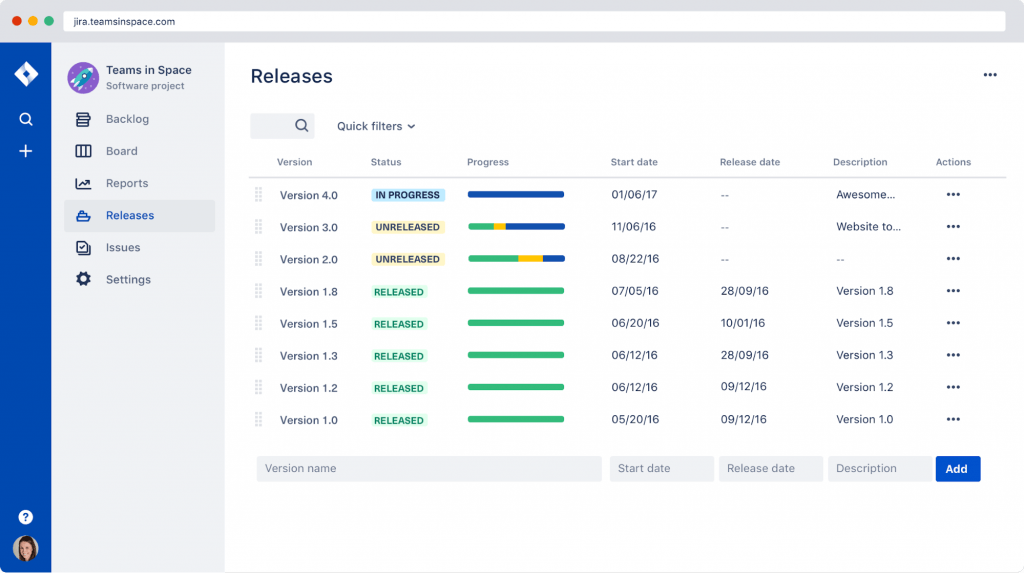
Jira remains the dominant project management software for issue tracking and technical task management. In 2026, it expanded its “Jira Work Management” capabilities to better serve non-software engineering trades, offering more robust Gantt charts and “hard” dependency mapping.
Standout features:
- JQL (Jira Query Language): Managers can use natural language to find critical data.
- Advanced dependency mapping: It provides a visual web of how technical tasks are linked, making it easy to see how a delay in one activity will stall another one.
- Jira Assets: It allows managers to track physical components as digital objects.
Best for:
Technical engineering teams that require granular, ticket-level tracking of every technical issue or design change.
User reviews:
- Pros: Unbeatable customization and “limitless” integration options.
- Cons: Can become overwhelming if not strictly configured.
Rating:
- Capterra: 4.4/5 [5].
- G2: 4.3/5 [12].
- SoftwareAdvice: 4.4/5 [13].
5. Wrike
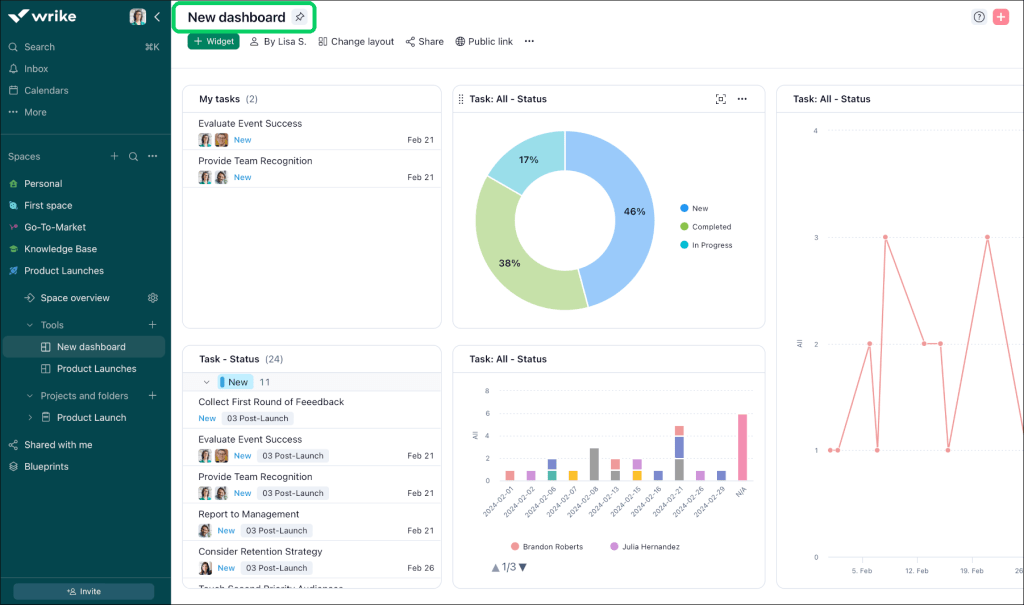
Wrike is positioned as an AI-powered enterprise work management platform that suits both complex engineering projects and creative design initiatives. It is particularly strong for companies that require a mix of Agile flexibility for design phases and Waterfall structure for physical execution, all supported by a robust cross-tagging system that prevents data silos [14].
Standout features:
- Cross-tagging: You can create a task in multiple initiatives and folders or project spaces simultaneously without duplication.
- Agentic AI: This software for engineers uses autonomous AI agents that can auto-route technical tasks based on the engineer’s workload and skills.
Best for:
Large-scale, cross-functional engineering teams that need to collaborate closely with marketing and operations teams on the same project management platform.
User reviews:
- Pros: Users frequently highlight the customization and the powerful Gantt chart functionality.
- Cons: The platform is often cited for its steep learning curve.
Rating:
- Capterra: 4.4/5 [5].
- G2: 4.2/5 [12].
- SoftwareAdvice: 4.4/5 [13].
6. Asana
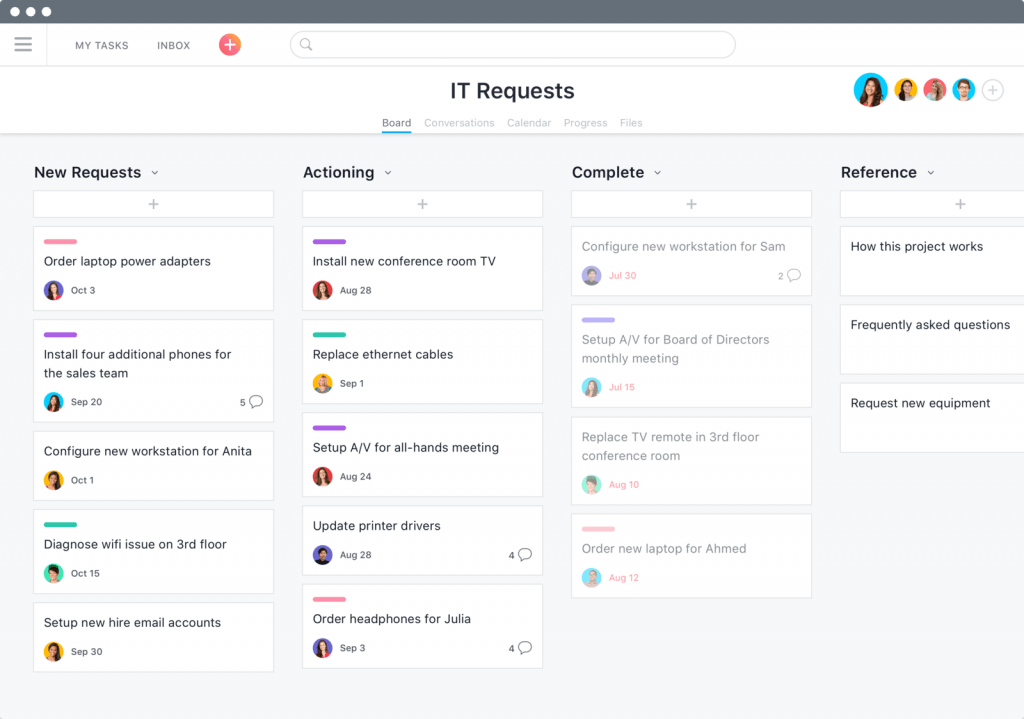
Asana is a leading work management platform that excels at connecting high-level company goals to the daily technical tasks of engineering teams. Today, it mostly focuses on technologies that show how every piece of work links to broader business objectives [15].
Standout features:
- Workload and capacity planning: A visual interface that calculates team bandwidth based on real-time task volume.
- Multi-homing feature: A unique feature allowing a single technical task to live in multiple projects simultaneously without duplicating the data.
- Asana AI Teammates: These are integrated AI agents that can identify project risks, draft status updates for stakeholders, and even “join” project chats to provide instant data on resource bottlenecks.
Best for:
Multi-disciplinary engineering firms (AEC) that need to keep design, marketing, and field engineers aligned through a clean and approachable interface.
User reviews:
- Pros: Consistently rated as the most intuitive and beautiful interface in the industry.
- Cons: Native time-tracking is still considered basic compared to specialized tools like Factor A/E.
Rating:
- Capterra: 4.5/5 [5].
- G2: 4.4/5 [12].
- SoftwareAdvice: 4.5/5 [13].
7. Deltek
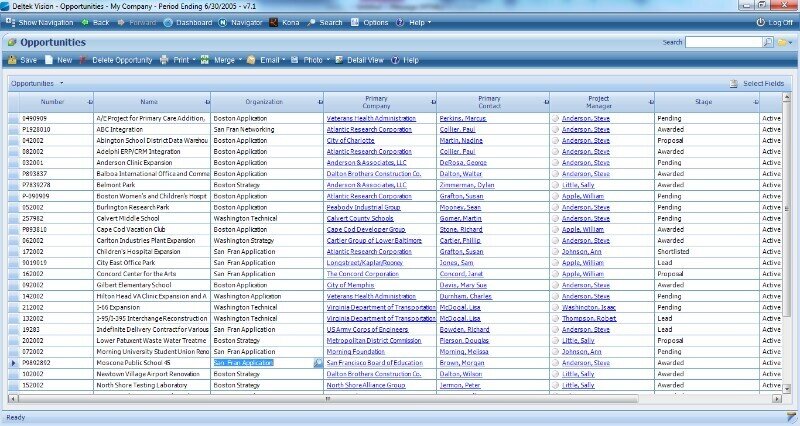
Deltek is one of the best heavyweight ERP and project management software for the engineering and government contracting sectors. It serves as the financial and operational backbone for large-scale AEC firms, offering a level of regulatory compliance and integrated project accounting that generic tools cannot match.
Standout features:
- Territory management: This feature allows engineering management specialists to organize their business development and project tracking by geographic or jurisdictional regions.
- Dela AI assistant: This project management software allows managers to use natural language queries to instantly surface contract values, detect financial anomalies in timesheets, and generate professional project summaries without manual data digging.
Best for:
Large-scale engineering firms and government contractors that manage multi-year infrastructure projects.
User reviews:
- Pros: Users highly value the “all-in-one” nature of the platform.
- Cons: Frequently criticized for a steep learning curve.
Rating:
- Capterra: 4.1/5 [5].
- G2: 4.2/5 [12].
- SoftwareAdvice: 4.1/5 [13].
8. Zoho Projects
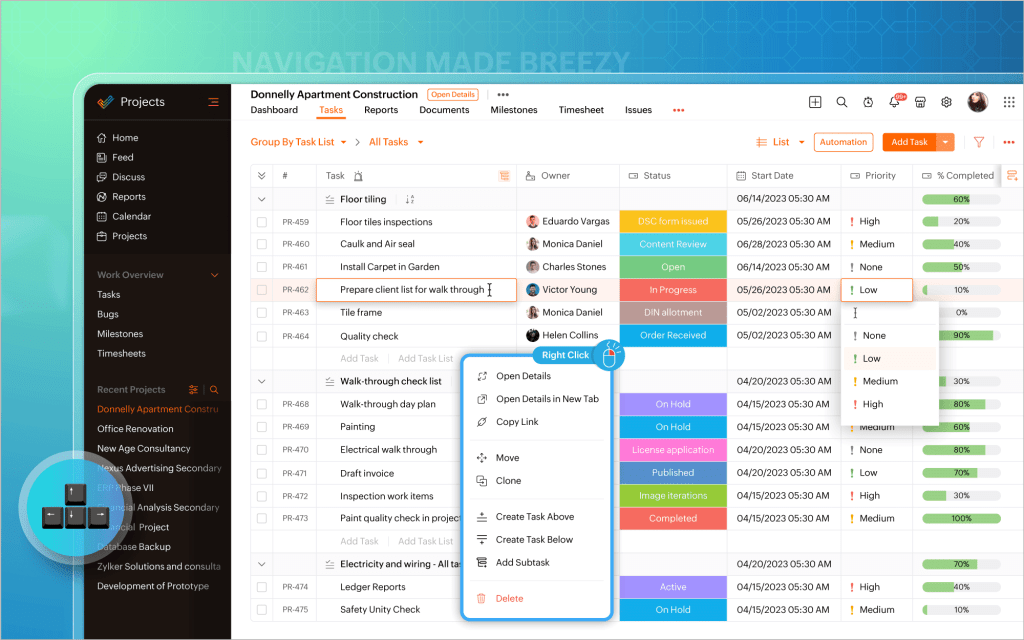
Zoho Projects is one of the most popular engineering project management tools that excels at delivering enterprise-grade features at a mid-market price point. It is widely recognized as the value-leader for engineering firms that need robust scheduling, time-tracking, and deep integration with a wider business ecosystem without the high cost of enterprise competitors.
Standout features:
- Zia AI insights: This virtual assistant provides predictive reporting to forecast project delays and identify team bottlenecks.
- Blueprint workflow automation: This software for engineers has a visual builder that allows managers to design strict, “if-this-then-that” technical processes.
Best for:
Small to mid-sized engineering firms and manufacturers that require a structured solution that tightly integrates project work with billing, client management, and support.
User reviews:
- Pros: Users frequently praise the high feature-to-cost ratio and the seamless data flow between other Zoho apps.
- Cons: Has a steep learning curve for advanced features.
Rating:
- Capterra: 4.5/5 [5].
- G2: 4.3/5 [12].
- SoftwareAdvice: 4.5/5 [13].
9. OpenProject
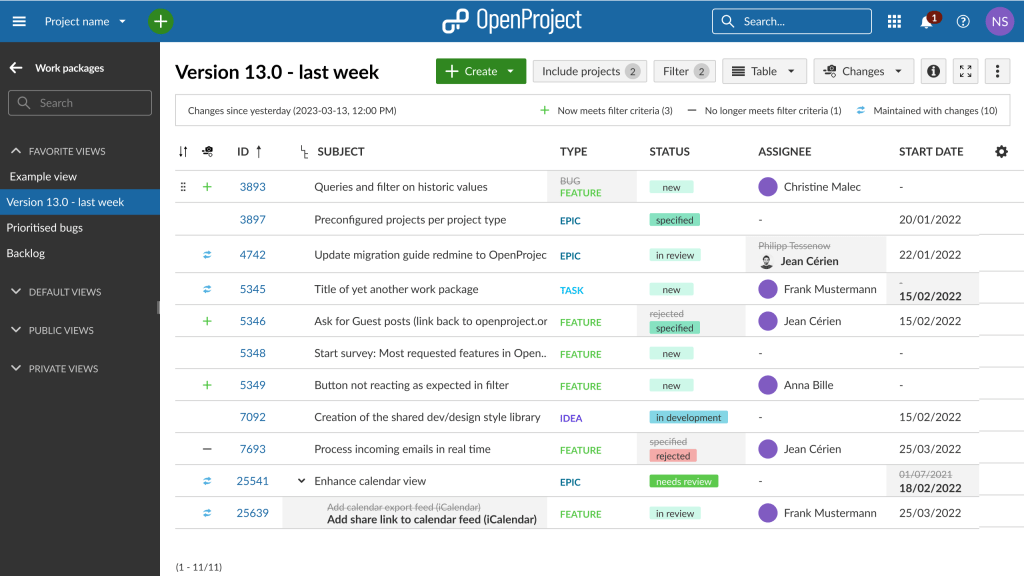
From the other engineering project management tools on our list, this solution is open-source, which means it gives your firm total data sovereignty. It allows you to self-host the platform on your own secure servers to protect sensitive intellectual property and technical designs.
Standout features:
- High data sovereignty and security: Because it is open-source, engineering companies can maintain 100% control over their sensitive technical data and intellectual property, complying with the strictest national security standards.
- Powerful Agile dashboards: It offers powerful Gantt charts that allow drag-and-drop scheduling and dependency visualisation.
Best for:
Security-conscious engineering firms and technical teams that require a transparent and self-hosted project environment.
User reviews:
- Pros: Users appreciate that this project management software gives them freedom from vendor lock-in, thanks to its open-source nature.
- Cons: The self-hosted installation requires technical expertise to set up and maintain.
Rating:
- Capterra: 4.6/5 [5].
- G2: 3.8/5 [12].
- SoftwareAdvice: 4.6/5 [13].
10. Monograph
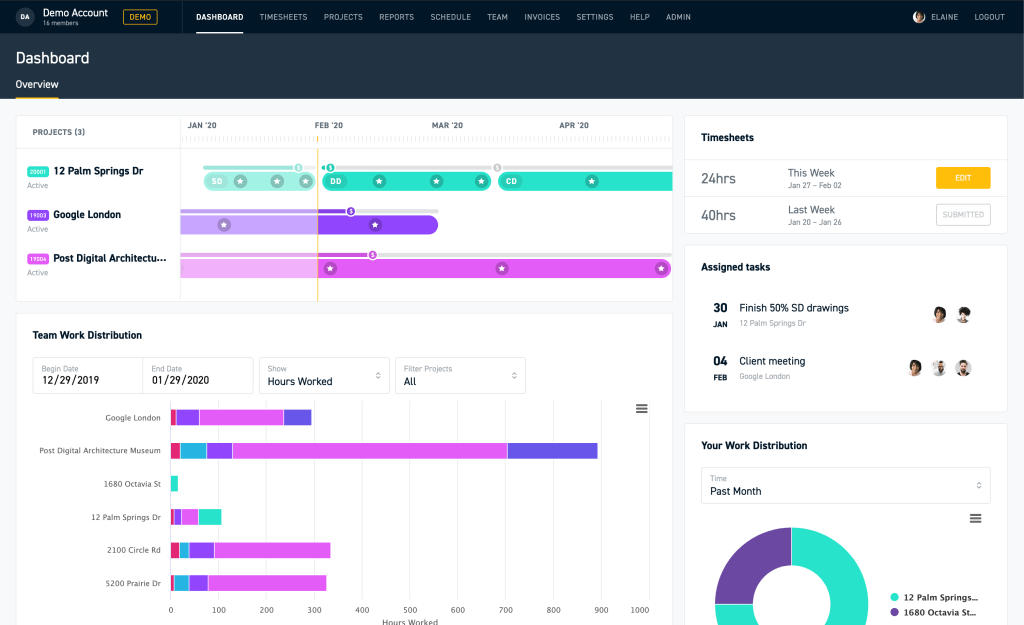
Monograph is a specialized engineering project management platform built specifically by architects and engineers for the A/E industry.
Standout features:
- Advanced staffing: Allows managers to see team members’ workloads across all projects in a single timeline.
- Integrated project planner: Connects project phases directly to schedules and fees.
Best for:
Small to mid-sized engineering and architecture companies that prioritize intuitive user experience and need to tightly link their project schedules with financial planning.
User reviews:
- Pros: Users value its intuitive interface, as it reduces their friction while using this software for engineers.
- Cons: Users admit that it has fewer features than enterprise heavyweights like Deltek.
Rating:
- Capterra: 4.5/5 [5].
- G2: 4.5/5 [12].
- SoftwareAdvice: 4.5/5 [13].
Read More: Product Portfolio Management Tools: Complete Guide to Choosing the Best Solution in 2026
Engineering project management tools table of comparison.
| Tool | Best for | Pricing | Rating |
| Epicflow | Multi-project engineering firms that struggle with poor resource allocation. | From €22.5. | Capterra: 5/5
G2: 4.4/5 SoftwareAdvice: 5/5 |
| Azure DevOps | Engineering teams in robotics, automotive, or aerospace firms. | Custom billing, depending on the number of features you need. | Capterra: 4.4/5
G2: 4.2/5 SoftwareAdvice: – |
| Factor A/E | Ideal for small to mid-sized design and engineering consultancies. | $30 per user/month. | Capterra: 4.8/5
G2: – SoftwareAdvice: 4.8/5 |
| Jira | Technical engineering teams. | Has a forever free plan. Paid starts from $7.91 per user/month. | Capterra: 4.4./5
G2: 4.3/5 SoftwareAdvice: 4.4/5 |
| Wrike | Large-scale, cross-functional engineering teams. | Has a forever free plan. Paid starts from $10 per user/month. | Capterra: 4.4/5
G2: 4.2/5 SoftwareAdvice: 4.4/5 |
| Asana | Multi-disciplinary engineering firms. | Has a forever free plan. Paid start from $10.99 per user/month | Capterra: 4.5/5
G2: 4.4/5 SoftwareAdvice: 4.5/5 |
| Deltek | Large-scale engineering firms and government contractors. | You need to contact the vendor to get the exact pricing. | Capterra: 4.1/5
G2: 4.2/5 SoftwareAdvice: 4.1/5 |
| Zoho Projects | Small to mid-sized engineering firms and manufacturers. | Has a forever free plan. Paid start from €4 per user/month | Capterra: 4.5/5
G2: 4.3/5 SoftwareAdvice: 4.5/5 |
| OpenProject | Security-conscious engineering firms. | Completely free. | Capterra: 4.6/5
G2: 3.8/5 SoftwareAdvice: 4.6/5 |
| Monograph | Engineering and architecture companies that prioritize intuitive user experience. | Starts from $45-$300/month | Capterra: 4.5/5
G2: 4.5/5 SoftwareAdvice: 4.5/5 |
How did we select the tools?
We evaluated 50+ project management software solutions, using a framework we developed earlier. It takes into account five core pillars of each tool to ensure they meet the specific needs of different industries.
- The software should handle complex dependencies – engineering projects aren’t linear. On the contrary, they have multiple dependencies in resources and priorities with other projects. We prioritized project management software that can automatically manage occurring bottlenecks without breaking the entire project timeline.
- The chosen platform must be able to manage resources and capacity – we looked for software for engineers that provides high-level visibility into workload balancing. Thanks to it, you’ll be able to deliver more with the same resources, thereby preventing burnout.
- The tool must integrate with engineering software – we favoured engineering management software that integrates seamlessly with the other necessary engineering platforms like ERP systems, version control systems, and BIM (Building Information Modeling)/CAD (Computer-Aided Design) software.
- The selected solution must have advanced risk mitigation and analytics – We selected project management tools for engineering that offer robust risk registers, automated bottleneck detection, and an AI-powered scenario planning module. If the tool can help managers predict risks, its value becomes much lower.
- User reviews must demonstrate real-world reliability – we analyzed qualitative feedback from Capterra, G2, and SoftwareAdvice to ensure the project management tools solve actual engineering pain points rather than just offering a beautiful interface.
Read More: 10 AI Project Management Tools to Pay Your Attention to in 2026
What are the common challenges in engineering project management?
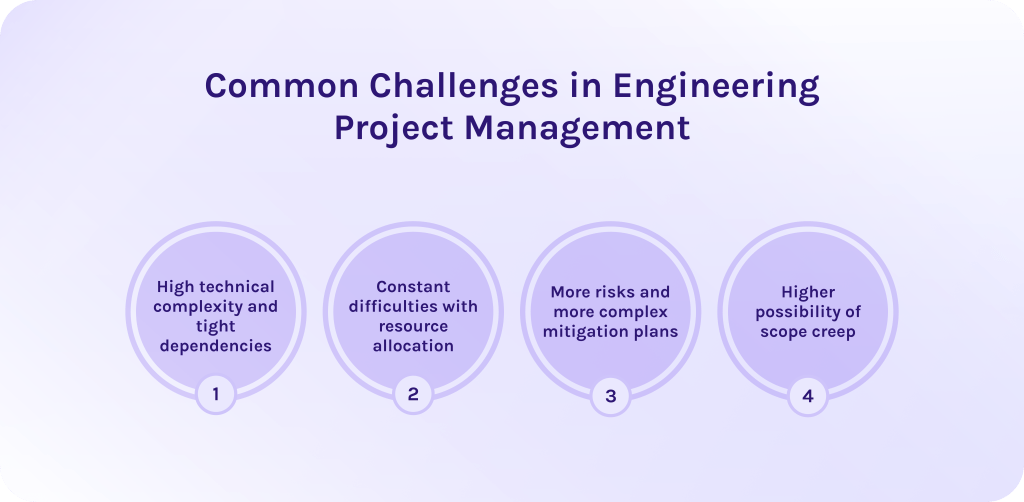
1. Technical complexity of such projects is extremely high.
Unlike other projects, for instance, in software development, complex engineering projects rely on physical dependencies. You cannot install electrical systems before the framing is complete, and you cannot frame until the concrete has reached a specific PSI (pounds per square inch). A single delay in the critical path creates a domino effect that can stall hundreds of specialized subcontractors.
2. Resource allocation is difficult due to a major labor shortage.
Engineering requires highly specialized labor (e.g., licensed structural engineers, crane operators, or BIM coordinators). With the 2026 labor shortage exceeding 500,000 workers, managing these finite resources is a constant struggle [4]. Managers must balance:
- Equipment availability: Ensuring heavy machinery isn’t sitting idle or double-booked.
- Skill-based routing: Getting the right specialist to the right site at the exact moment the dependency allows.
3. Such projects have more risks and more complex mitigation plans.
The risk profile in complex engineering projects involves life safety, environmental impact, and massive capital. Mitigation isn’t just a backup plan; it involves:
- Regulatory compliance: Navigating a web of building codes and standards.
- Environmental factors: Accounting for soil conditions, seismic activity, or extreme weather that can alter design requirements mid-build.
4. Possibility of scope creep is much higher in engineering project management.
In engineering management, scope creep is incredibly expensive. A change from an owner during the construction phase can require re-engineering structural loads, resubmitting permits, and demolishing existing work. Without robust version control between the field and the office, these changes can lead to budget bleed, where the 9.9% inefficiency loss mentioned earlier quickly doubles.
Effective project management is one piece of the digital transformation puzzle. Read other articles from our blog to explore our latest guides on agentic AI, ERP integration, and the future of industrial automation in 2026.
Read More: Best Critical Path Software and Modern CPM Tools for Project Management
What are the latest trends in project management tools for engineering?
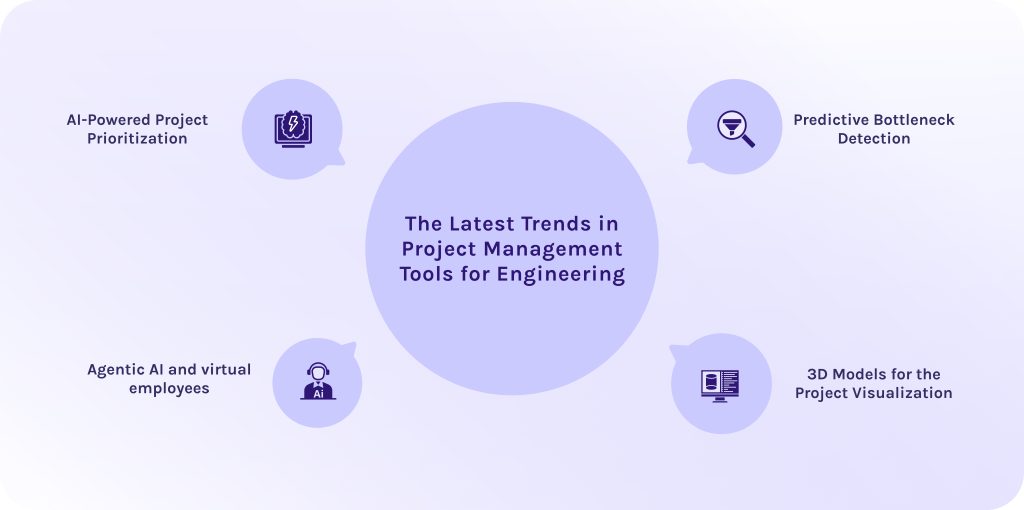
1. Software can prioritize projects using artificial intelligence.
In a landscape defined by labor shortages and fluctuating material costs, firms can no longer afford to treat every project as an equal priority. Modern project management tools for engineering teams use machine learning to analyze your entire portfolio, suggesting which projects should receive “priority” based on profit margins, resource availability, and historical performance.
Moreover, such systems can now simulate how a delay in one high-value project will impact the cash flow of three smaller ones, allowing executives to make data-driven decisions on where to allocate resources.
2. Systems can predict risks and bottlenecks in advance.
Smart project management software for engineers can continuously monitor your project portfolio and detect risks before they occur as costly delays or safety incidents on-site. These systems analyze historical performance, real-time field data, and even external variables like supply chain fluctuations and weather forecasts, using predictive algorithms.
Some engineering project management tools even use AI to scan 2D drawings and contracts to find design gaps or legal risks before a single shovel hits the dirt.
3. Agentic AI and virtual employees.
Agentic AI systems are autonomous software that can decide how to act on their own, requiring minimal human intervention. You can create multiple AI agents, each of whom will be responsible for their part of the work. For example, if a drone survey detects that the foundation is 2 days behind schedule, a specialized AI agent can automatically notify the plumbing subcontractor to push their start date and update the master schedule—requiring only a one-click approval from the human PM.
Also, these agents “listen” to site meetings or read daily logs to automatically write safety reports and change orders, reducing the administrative burden on field staff.
4. Ability to create 3D models for the project visualization.
Modern engineering project management tools overlay the project schedule and cost data directly onto the 3D model. This allows stakeholders to “scrub” through a timeline and see a virtual representation of the building’s progress at any specific date.
Using AR/VR in project management, managers in the office can figuratively walk through a 3D model that is updated daily with LiDAR scans from the site, identifying “clashes” (e.g., a pipe hitting a newly installed beam) in a virtual space before they become a physical reality.
Read More: A Guide to the Best Risk Management Software: Top ERM Tools in 2026
Conclusion
The engineering industry is extremely vulnerable to changes and uncertainty. Thus, the highest value we can get is if we gain control over this unknown. There is no magic pill you can take to know the future, but you can build resilient workflows that won’t collapse the first time facing real-world challenges.
“Expect the best, plan for the worst, and prepare to be surprised.”
— Denis Waitley, The Psychology of Winning.
Following this philosophy, companies must use engineering project management tools to expect the best through precise design, plan for the worst through robust risk management, and—above all—prepare to be surprised by the creative challenges that define the engineering industry.
Book a consultation with our experts to audit your current project management maturity and identify the high-impact tools that will safeguard your profit margins.
FAQs
1. What are the 5 project management tools?
Top five project management tools for engineering companies, from our perspective, are:
- Epicflow – best project management platform for multi-project environments with complex dependencies and constrained resources.
- Azure DevOps – ideal for engineering teams in robotics, automotive, or aerospace firms.
- Factor A/E – for architecture and engineering companies.
- Jira – ideal for technical engineering teams.
- Wrike – a decent choice for cross-functional engineering teams.
2. What is a KPI for an engineering manager?
3. What are the 4 pillars of engineering management?
4. What is engineering project management?
Engineering project management is a process of managing engineering projects. Their main distinguishing feature is that they require both planning and directing human and material resources. It, in turn, helps them deliver complex assets such as infrastructure or machinery within strict physical and safety constraints.
5. What is engineering project management software?
Engineering project management tools are a specialized digital ecosystem used to plan, execute, and monitor the physical and technical lifecycle of infrastructure and industrial projects. They integrate technical drawings, resource capacity, and regulatory compliance into a single dashboard to ensure that what is designed in the office can be built safely and profitably in the field.
6. What are the benefits of engineering project management tools?
If you use engineering project management tools, you’ll experience four following benefits:
7. What are the common challenges in engineering project management?
8. What are the latest trends in project management tools for engineering?
9. What features to look for in engineering project management tools?
The must-have features you should look for in the project management tools for engineering teams include:
10. Why is risk management important in engineering projects?
In complex engineering projects, risk management is critical because the cost of physical rework and life-safety implications is extremely high. Here, a single unmitigated error can lead to catastrophic financial loss, structural failure, or even injuries. However, when you use best risk management practices, you can protect tight margins and predict material before they stop work.
References
1. https://taskfino.com/blog/project-management-statistics#:~:text=Organizations%20waste%20%241%20million%20every,faster%20than%20most%20leaders%20realize.
2. https://kaopiz.com/en/articles/top-construction-industry-trends/#:~:text=Labor%20Shortages%20and%20Upskilling,delays%20due%20to%20staffing%20gaps.
3. Dodge Construction Network. (2025). Quantifying the Value of Project Management Software for Construction. Retrieved from: https://www.construction.com/resource/construction-management-value/
5. AGC The Construction Association. (2025). Construction Workforce Shortages Are Leading Cause Of Project Delays As Immigration Enforcement Affects Nearly 1/3 Of Firms. Retrieved from:
https://www.agc.org/news/2025/08/28/construction-workforce-shortages-are-leading-cause-project-delays-immigration-enforcement-affects
6. https://www.capterra.com/
7. ResearchGate. (2025). Using Artificial Intelligence in Engineering Project Management. Retrieved from:
https://www.researchgate.net/publication/398611867_Using_Artificial_Intelligence_in_Engineering_Project_Management
8. ResearchGate. (2000). Scenario Planning. Retrieved from:
https://www.researchgate.net/publication/41733449_Scenario_planning
9. ResearchGate. (2025). SCENARIO PLANNING AND WHAT-IF ANALYSIS FOR MANAGING UNCERTAINTY IN COMPLEX INFRASTRUCTURE PROJECTS. Retrieved from:
https://www.researchgate.net/publication/392738261_SCENARIO_PLANNING_AND_WHAT-IF_ANALYSIS_FOR_MANAGING_UNCERTAINTY_IN_COMPLEX_INFRASTRUCTURE_PROJECTS
10. ResearchGate. (2016). IMPACT OF PROJECT MANAGEMENT TOOLS ON PROJECT ESTIMATES AND BENEFITS. Retrieved from:
https://www.researchgate.net/profile/Makoto-Nakayama-2/publication/319128423_Impact_of_Project_Management_Tools_on_Project_Estimates_and_Benefits/links/599314420f7e9b989537b47f/Impact-of-Project-Management-Tools-on-Project-Estimates-and-Benefits.pdf
11. Epicflow. Retrieved from: https://www.epicflow.com/features/what-if/
12. Epicflow. Retrieved from: https://www.epicflow.com/
13. https://www.g2.com/
14. https://www.softwareadvice.com/
15. https://www.wrike.com
16. https://asana.com/