
What Is Stress Testing Software for QA?
Stress testing software for QA (quality assurance) specialists refers to platforms used to test your platform in unusual conditions of extreme load and pressure. Thereby, it helps IT specialists to test the system in order to identify breakpoints, bottlenecks, and limitations to manage them before problems appear in reality.
Stress testing software with an example.
Let me give you a clear example. Imagine a business launching a limited-edition line of Christmas clothing. As soon as the marketing team started to promote it, a large wave of customers rushed to the website all at once. However, the site wasn’t prepared to handle such heavy traffic. So, what are the consequences?
- Servers become overloaded.
- Pages load slowly or crash.
- Customers aren’t able to buy your product.
As a result, the campaign’s efficiency is greatly reduced and potential sales are lost.
But in this case, the stress testing software for QA might have prevented this problem. Quality assurance experts would be able to assess how the website performs under peak loads by simulating extreme traffic conditions before the campaign launch. Thus, to optimize the system and avoid the issues before they arise, they define server limitations, database bottlenecks, slow response time, and other possible points of failure.
Read More: AI-Driven Automation as the Foundation of Next-Gen SaaS Models
Benefits of Stress Testing Software for QA
The Moldtud research says that in 2024 45% of enterprises faced critical failures due to unexpected system loads. Whereas, using stress testing tools will be repaid a hundredfold: the system becomes more stable and reliable, giving executives and stakeholders confidence that the platform can handle the peak load without failures. Let’s take a quick look at the other benefits of using stress testing software for QA.
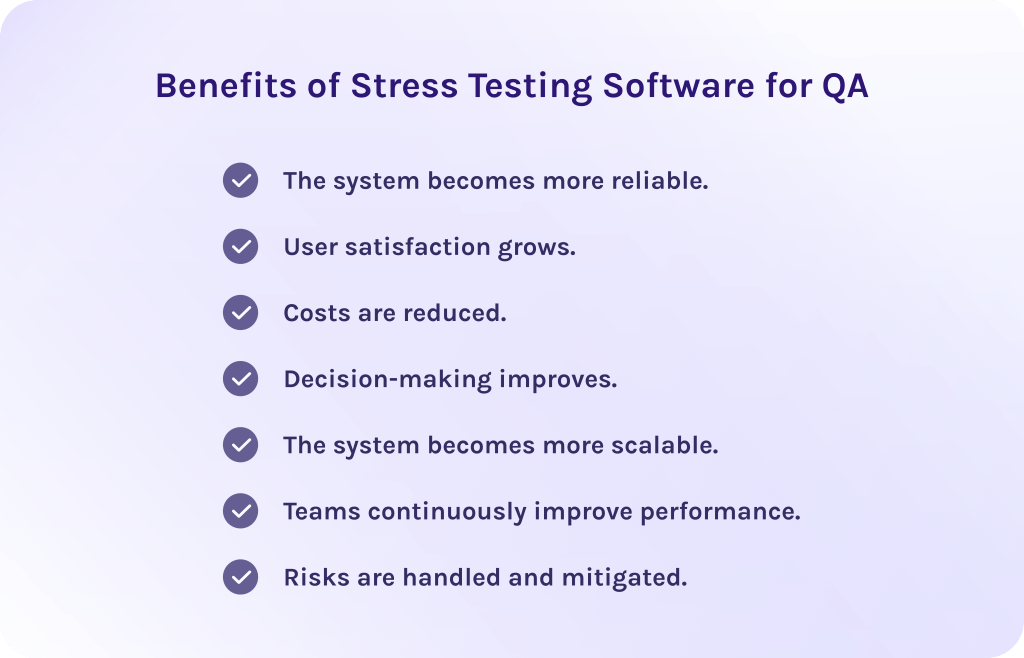
1. The system becomes more reliable.
Tools for stress testing help team members and executives to ensure that the software behaves predictably under extreme conditions as it simulates high traffic and heavy data flows. Thus, teams can verify that the system remains stable even when pushed beyond normal operating limits. As a result, failures become less frequent, while overall reliability significantly increases.
2. User satisfaction grows.
The recent research shows that 40% of users can abandon the site if it downloads more than 3 seconds. Therefore, if you want your site to be stable and efficient in its performance, stress testing software for QA is a necessity. Teams can identify system performance bottlenecks through testing tools before they affect actual users, which improves user experience with the system and increases product trust.
3. Costs are reduced.
Stress testing software for QA helps detect potential risks in advance, giving specialists enough time to address problems and optimize system capacity. Thanks to it, working with stress testing tools is far more cost-effective than fixing issues after deployment. Companies can avoid costly post-launch fixes and maintain the system more efficiently.
4. Decision-making improves.
Stress testing tools offer up-to-date information on system constraints and possible points of failure. As a result, stakeholders will rely on facts, instead of assumptions, to make better decisions.
5. The system becomes more scalable.
As well, tools for stress testing offer essential information about how the system behaves under increasing load, which is critical for further growth. Stress testing shows where the software may struggle as demand increases and how well it scales. Thus, teams can plan capacity upgrades and make sure the system won’t face performance degradation.
6. Teams continuously improve performance.
Regular stress testing helps teams track system performance trends and improve system behavior over time. More so, by testing repeatedly and making improvements, organizations create a culture of continuous optimization which results in consistently high performance.
7. Risks are handled and mitigated.
Tools for stress testing help to define critical vulnerabilities that might cause the system’s failure under extreme conditions. Addressing this weakness early significantly reduces the likelihood of outages and service disruptions. Moreover, thanks to effective stress testing, companies can maintain business continuity and protect their reputation.
As we can see, stress testing software for QA isn’t just a tool for testing the capabilities of your software. It is designed to support your strategic goals by improving reliability, decision-making, cost savings, user satisfaction, and risk mitigation. Now, let’s move further to key features of stress testing software for QA.
Read More: AI Agents vs AI Tools: What Is the Difference?
Key Features of Stress Testing Software for QA
Below we’ve listed features that will ensure efficiency of the stress testing tool. Notice, that for every organization it may differ due to their particular requirements.
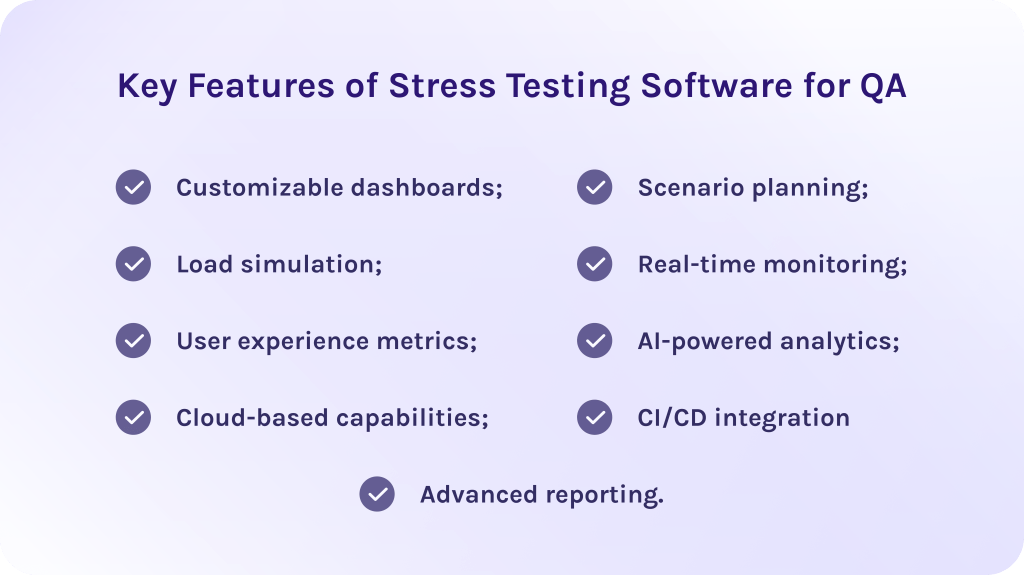
- Customizable dashboards: Effective stress testing platform allows teams to customize the testing interface to their specific needs. Determining the most essential metrics, i.e. GPU usage or memory consumption, one can obtain more precise information on the system performance.
- Load simulation: The correct stress testing tool should be able to simulate heavy user traffic and extreme workloads to evaluate how the system would respond to the pressure.
- User experience metrics: The insights about user-centric metrics help teams to understand exactly how system stress directly impacts end-user satisfaction. These metrics can be response time, load time, and so on.
- Real-time monitoring: Thanks to it, teams can observe the system’s behavior when tests are running. Engineers can immediately see response times, load, speed, and resource usage, which can help to easily determine which parts of the performance are bottlenecking and where failure could occur.
- CI/CD integration: Integration with CI/CD pipelines ensures that stress and performance testing are the parts of the development lifecycle. Thus, teams get the ability to identify where performance starts to regress to keep the system on the expected level of quality.
Other advanced features
- AI-powered analytics: Modern stress testing tools use AI to process the information about system performance and predict potential bottlenecks. Moreover, this feature enhances the coverage of the tests and helps in identifying the problems that the simple manual testing would otherwise miss.
- Cloud-based capabilities: Cloud-based stress testing allows organizations to simulate traffic from multiple geographic locations using scalable cloud infrastructure. Hence, this ensures realistic testing conditions and helps validate performance for global platforms.
- Scenario planning: Allow users to create complex, realistic test scenarios that closely reflect real-world user behavior. This includes multi-step workflows, conditional logic, and various load patterns.
- Advanced reporting: Comprehensive reporting features provided by stress testing software for QA give you clear summaries of test results. Additionally, these reports are vital for decision-making, as they provide the data about risks, tendencies, bottlenecks, and points for improvement.
Let’s now proceed to the list of the best stress testing software for QA in 2026.
Read More: Empowering Your Workflow: Unveiling the Surprisingly Diverse Uses of Large Language Models
Top 10 Best Stress Testing Software for QA in 2026
1. Apache JMeter
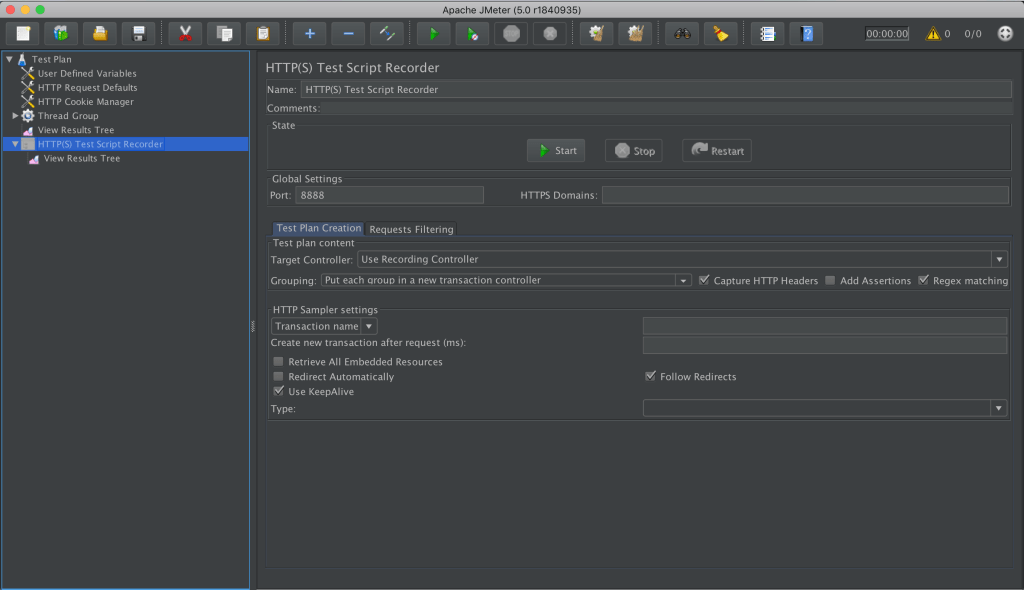
The first tool in our list suits perfectly to cover your testing needs. It is an open-source stress and performance testing software widely used for testing web applications. At first, it was built for load testing but over the years it became a versatile solution for both functional and stress testing. As well, it’s important to note that the tool has strong community support and documentation, which makes adaptation less time-consuming.
Best for:
Teams looking for a free, open-source testing solution with robust features.
Key features:
- Support of diverse protocols (HTTP, HTTPS, REST, FTP, and others)
- Load and stress testing of web applications and APIs.
- Distributed testing.
- Has a user-friendly GUI.
- Open-source nature makes it highly customizable.
Integrations
Supports integrations with a variety of other well-known applications such as Selenium, AWS, Git, Jira, and others.
Pros:
- Open-source software.
- Has a large community support.
- Load testing for a variety of applications.
- Independent.
- Highly customizable.
- Supports distributed load testing.
Cons:
- Has limited support and real-time testing options.
- Lacks cloud adoption.
- Excess memory consumption.
Pricing:
It is completely free to use under the Apache License.
2. GPU-Z
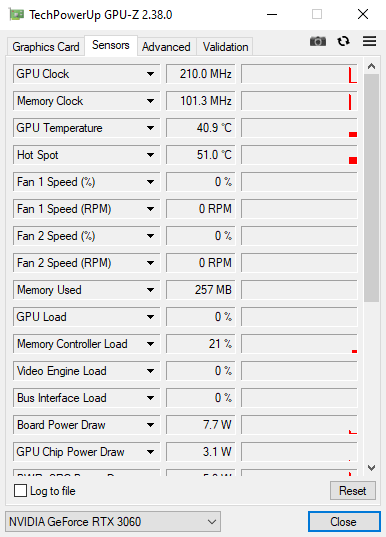
GPU-Z is a lightweight tool for hardware monitoring designed to provide detailed information about graphic cards and GPUs. It allows users to view real-time data on GPU specifications and performance characteristics. While it isn’t a stress testing software itself, GPU-Z is often used alongside stress testing software to monitor GPU behavior under load.
Best for:
Gamers, enthusiasts, and hardware testers who need to track information about their GPU’s performance and load.
Key features:
- Real-time sensor monitoring.
- Detailed GPU information.
- Data about memory usage and performance.
- Logging sensor data for later analytics.
- Lightweight and portable.
Integrations
Compatible with a wide range of graphic cards, making it suitable for different users.
Pros:
- Free and easy to use.
- Provides detailed and accurate data about hardware performance.
- A useful additional tool for stress testing and diagnosis.
- Very lightweight, with minimal system impact.
- Real-time GPU monitoring.
Cons:
- Not a stress testing tool itself.
- Limited reporting and analytics.
- Focused only on GPU hardware.
Pricing:
GPU-Z is completely free to use.
3. HeavyLoad
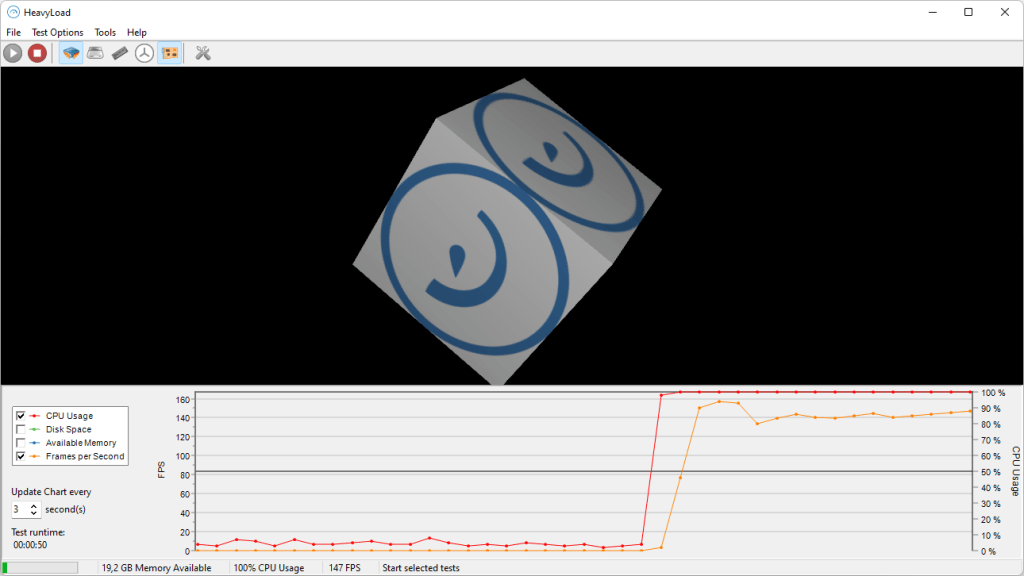
Among other stress testing software for QA, HeavyLoad can simulate heavy system loads in various PC components such as CPU, GPU, memory, storage, and others to evaluate the system’s performance under extreme conditions. Moreover, it is commonly used to identify performance bottlenecks and hardware limitations in Windows-based systems.
Best for:
IT specialists, QA engineers, and other technical specialists for stress testing system hardware under extreme conditions.
Key features:
- High loads simulation.
- File writing control.
- Multi-core processor support.
- Network stress testing.
- Customizable stress tests to target particular system components.
Integrations
You can export data through CSV or XML files.
Pros:
- Has a straightforward GUI, making it easy to set up and run tests.
- Free to use.
- Easy to set up and operate.
- Covers multiple system components in one tool.
- Useful for hardware diagnosis.
Cons:
- Limited reporting and analytics.
- Not suitable for API or application stress testing.
Pricing:
Available for free with no licensing cost.
4. WebLOAD
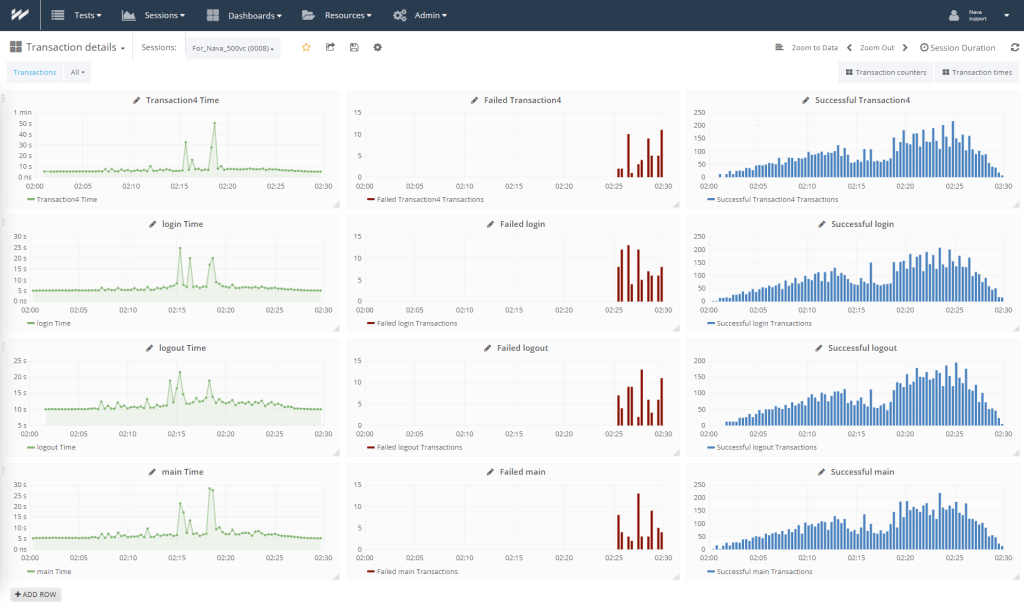
Compared to other testing tools, WebLoad will be a decent choice for enterprises or large organizations that need stress testing software for QA for testing complex web applications. Thus, it enables companies to simulate heavy user traffic and complex usage scenarios to identify performance bottlenecks before they impact production environments.
Best for:
Enterprise and large-scale stress tests.
Key features:
- Advanced scripting capabilities for complex testing needs.
- Real-time analytics.
- AI-driven analytics for bottleneck detection.
- Supports a wide range of protocols.
- CI/CD and cloud integration.
Integrations
Supports integrations with a wide range of tools, including Jira, Splunk, Azure DevOps, GitHub, New Relic, and so on.
Pros:
- Supports many integrations.
- Strong analytics and reporting.
- Suitable for enterprise environments.
- Supports large user loads.
- Advanced scripting options.
Cons:
- Higher cost compared to other tools.
- Has a steep learning curve for non-technical users.
- May be overkill for small projects or simple tests.
Pricing:
It is a commercial product with pricing based on features and scale. Exact pricing is available upon a request from the vendor.
5. MSI Afterburner
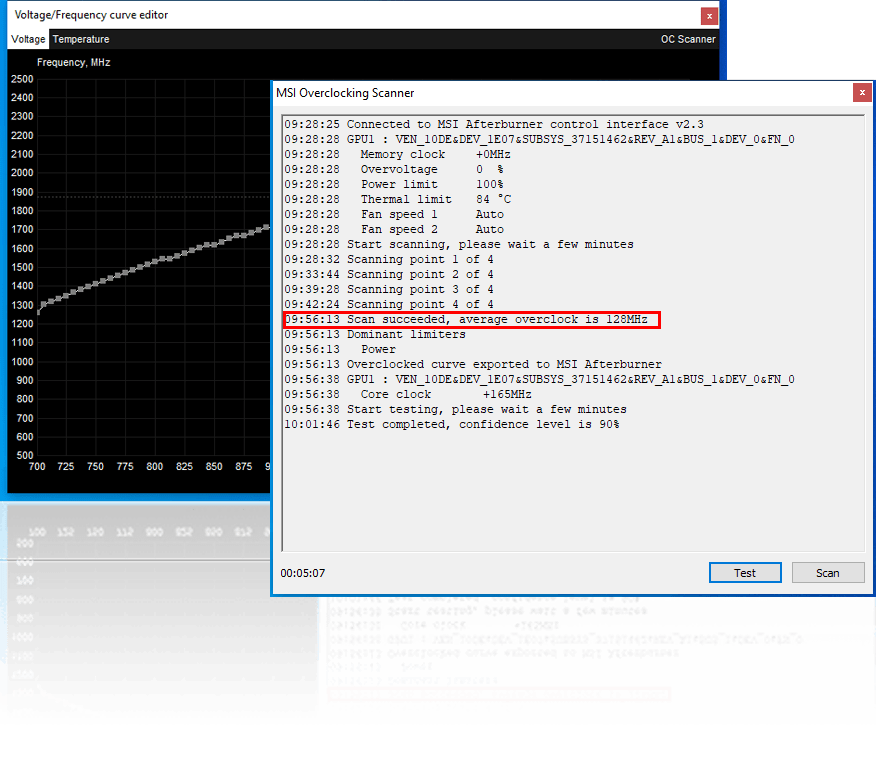
MSI Afterburner is another solution from the list of tools for stress testing. It is a widely used graphics card utility designed for GPU and performance monitoring. Developed by MSI, it supports a huge variety of graphic cards from different manufacturers, not only from MSI. While it is also not a tool for running stress tests but can be used alongside stress testing software to monitor GPU performance stability under a heavy load.
Best for:
Gamers and software testers that need real-time GPU monitoring during stress tests.
Key features:
- Real-time hardware monitoring.
- Customizable on-screen display.
- Screen recorder.
- GPU overclocking and voltage control.
- Fan speed and profile management.
Integrations
Compatible with a wide range of graphic cards, making it suitable for different users regardless of their GPU brand.
Pros:
- Free to use.
- Includes video recording function.
- Highly customizable interface.
- Wide GPU compatibility.
- Can be used as an additional tool for running stress tests.
Cons:
- Not a standalone stress testing tool.
- Limited reporting and analytics.
- Focused primarily on GPU performance.
Pricing:
MSI Afterburner is completely free to use.
6. LoadTracer
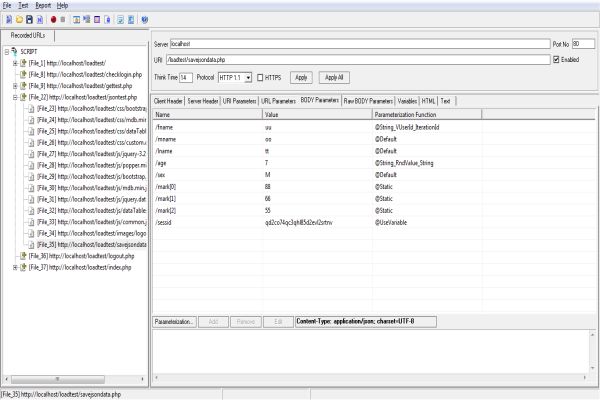
The next best stress testing software for QA in our list is LoadTracer. It is a stress and performance testing tool aimed at web applications and especially useful for teams working with Windows tools. Therefore, it allows testers to create high-load simulations and analyze the system’s stability and performance.
Best for:
Suitable for QA specialists as well as for non-technical users, as it doesn’t require coding experience and is easy to navigate.
Key features:
- Detailed reporting.
- Supports unlimited virtual users.
- Stress, scalability, and load testing.
- Users can duplicate tests across multiple platforms.
- Proxy-based operation.
Integrations
You can export data to HTML and Excel documents.
Pros:
- Easy to use and quick to set up.
- Suitable for basic stress and load testing needs.
- Clear visualization of performance data.
- Lower complexity compared to enterprise tools.
Cons:
- Not suitable for complex stress tests.
- Basic reporting and analytics.
- Lacks advanced automation and CI/CD integration.
Pricing:
LoadTracer is completely free to use.
7. MemTest86
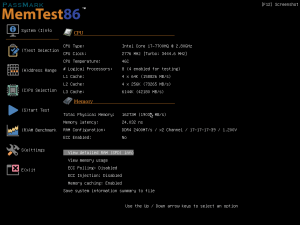
MemTest86 stands out from other stress testing software for QA because of its ability to deeply test and detect faults and stability issues in the system RAM (Random Access Memory). More so, it runs independently of an operating system, allowing it to thoroughly test memory hardware under stress.
Best for:
Deep stress testing and diagnosing system memory (RAM) by QA teams and hardware specialists.
Key features:
- 13 stress testing algorithms.
- Comprehensive RAM testing.
- Boots from USB flash drive.
- Supports network boot for large-scale deployments.
- Offers multi-language support.
Integrations
Compatible with PassMark Management Console.
Pros:
- Highly accurate and reliable memory testing.
- Useful for detecting hard-to-find memory issues.
- Can be installed on any version of Linux, Mac, or Windows operating systems, supporting all types of RAM.
- Provides detailed diagnosis reports.
- Does not rely on the operating system.
Cons:
- Focuses on RAM testing but not the whole system.
- It may be complex to get used to.
- Requires booting from external media.
Pricing:
Has a free version. Professional version pricing starts from $55.
8. Tricentis NeoLoad
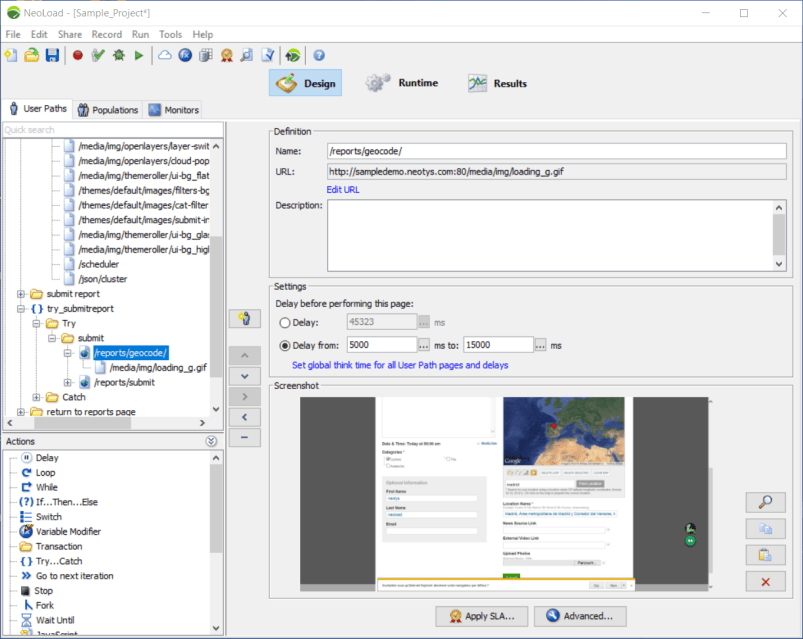
This stress testing software for QA is focused on large, enterprise-scale stress tests. Additionally, it allows users to create various tests without needing extensive coding knowledge, making it a perfect solution for both technical and no-code specialists. NeoLoad is widely used in DevOps and CI/CD-driven organizations that require continuous performance testing.
Best for:
DevOps teams working with enterprise-grade complex stress and performance testing.
Key features:
- Automatic test reporting.
- Distributed load generation.
- AI-assisted test optimization and result analysis.
- Testing support for CI/CD pipelines.
- Creating tests without coding with optional advanced scripting.
- Stress and performance testing for web, mobile, and API applications.
Integrations
Supports a diverse integration with CI/CD and other tools, such as Jenkins, Bamboo, Splunk, Jira, Azure DevOps, and more.
Pros:
- The tool has a user-friendly interface with low scripting requirements.
- Strong CI/CD and DevOps integration.
- Scales well for enterprise environments.
- Codeless test creation.
- Supports legacy systems.
Cons:
- May be too complex for small teams or simple use cases.
- Limited customization for some features.
Pricing:
Has a free trial. Pricing starts from $20,000 per year.
9. BlazeMeter
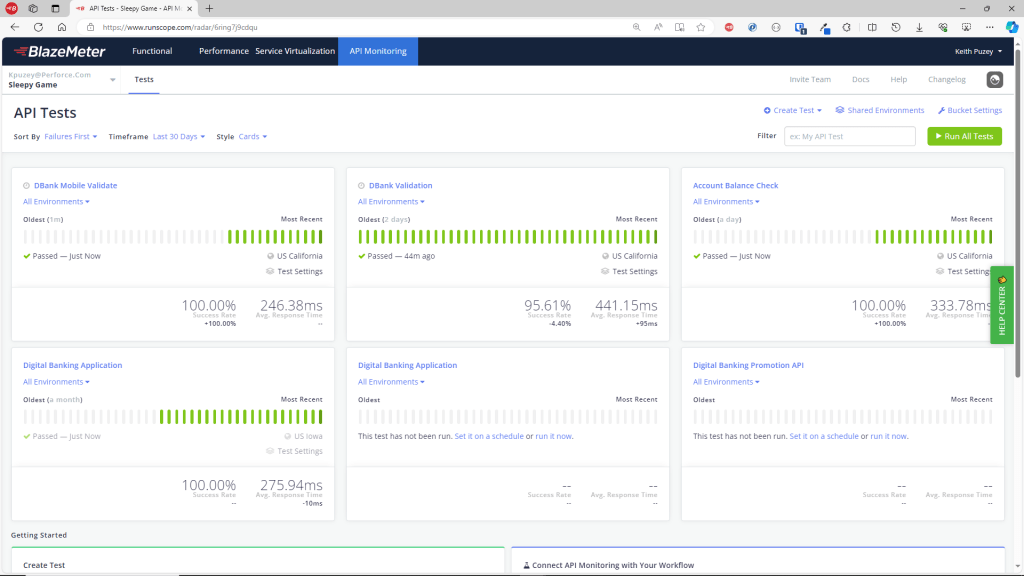
BlazeMeter is another strong player among stress testing tools. It is cloud-based performance and stress testing software for QA and DevOps teams, designed directly to help specialists to simulate high traffic loads and validate system reliability before release.
Best for:
DevOps and QA teams for continuous cloud-based stress testing.
Key features:
- Full integration with Apache JMeter.
- Load and stress testing for web, API, and microservices architectures.
- Real-time monitoring and performance analytics.
- Advanced reporting.
- Test automation.
- Cloud-based load generation.
Integrations
Supports integrations with a wide range of tools, including Jira, JMeter, Selenium, GitHub, New Relic, Splunk, etc.
Pros:
- User-friendly interface and simple workflows.
- Easy to simulate global traffic.
- Detailed analytics and reporting.
- Supports many testing frameworks.
- Has a seamless integration with JMeter, making it a perfect tool for teams that are already using JMeter.
Cons:
- It may be a bit complex to navigate.
- May be costly for large or frequent test runs.
Pricing:
Has a free Starter plan with limited options. Paid plans are tiered according to load volume and feature set. Exact pricing is available from the vendor upon request.
10. Gatling
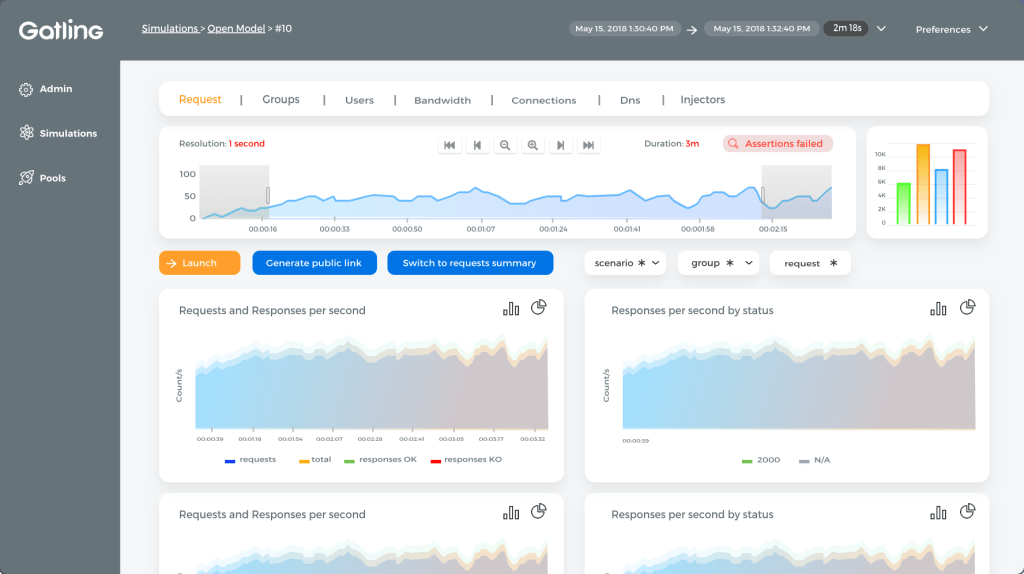
The last platform in our list of tools for stress testing is Gatling. It is an effective stress testing tool that focuses primarily on scalability and system performance. Moreover, Gatling uses an asynchronous architecture that allows it to generate high loads with minimal system resources. It is especially popular among development teams that prefer code-based testing and integration with modern DevOps workflows.
Best for:
DevOps and technical specialists who prefer writing tests in code.
Key features:
- Scripting in various programming languages such as JavaScript, TypeScript, Java, etc.
- Also has a no-code interface, allowing users to design tests without coding.
- CI/CD integration.
- Load and stress testing of web apps and APIs.
- High-performance, asynchronous load engine.
- Real-time reports.
Integrations
Supports integrations with a variety of other well-known applications such as Azure DevOps, Jenkins, Slack, GitHub, Google, AWS, and others.
Pros:
- Ideal for API and microservices testing.
- Has an efficient and scalable load generation.
- Strong DevOps and CI/CD compatibility.
- Open-source core available.
- Detailed reporting.
Cons:
- Requires knowledge of Scala for advanced scripting.
- Limited protocol support compared to some enterprise tools.
- Has a learning curve for non-developers.
Pricing:
Has a free trial. Paid plans start from €89/month.
Best Stress Testing Software for QA Comparison Table
Draw the table
| Tool | Best for | Integrations | Pricing |
| Apache JMeter | Teams looking for a free, open-source testing solution with robust features. | Supports integrations with Selenium, AWS, Git, Jira, and others. | It is completely free to use under the Apache License. |
| GPU-Z | Gamers, enthusiasts, and hardware testers who need to track information about their GPU’s performance and load. | Compatible with a wide range of graphic cards, making it suitable for different users. | GPU-Z is completely free to use. |
| HeavyLoad | IT specialists, QA engineers, and other technical specialists for stress testing system hardware under extreme conditions. | You can export data through CSV or XML files. | Available for free with no licensing cost. |
| WebLOAD | Enterprise and large-scale stress tests. | Supports integrations with Jira, Splunk, Azure DevOps, GitHub, New Relic, and so on. | Pricing is based on features and scale. Exact pricing is available upon request. |
| MSI Afterburner | Gamers and software testers that need real-time GPU monitoring during stress tests. | Compatible with a wide range of graphic cards. | MSI Afterburner is completely free to use. |
| LoadTracer | Suitable for QA specialists as well as for non-technical users. | You can export data to HTML and Excel documents. | LoadTracer is completely free to use. |
| MemTest86 | Deep stress testing and diagnosing system memory (RAM). | Compatible with PassMark Management Console. | Has a free version. Professional version pricing starts from $55. |
| Tricentis NeoLoad | DevOps teams working with enterprise-grade complex stress and performance testing. | Supports integration with CI/CD and other tools, such as Jenkins, Bamboo, Splunk, Jira, Azure DevOps, and more. | Has a free trial. Pricing starts from $20,000 per year. |
| BlazeMeter | DevOps and QA teams for continuous cloud-based, stress testing. | Supports integrations with Jira, JMeter, Selenium, GitHub, New Relic, Splunk, etc. | Has a free Starter plan. Paid plans are tiered according to load volume and feature set. Exact pricing is available upon request. |
| Gatling | DevOps and technical specialists who prefer writing tests in code. | Supports integrations with Azure DevOps, Jenkins, Slack, GitHub, Google, AWS, and others. | Has a free trial. Paid plans start from €89/month. |
How to Choose the Best Stress Testing Software for QA?
Sometimes choosing the best stress testing tool is easier said than done. You should evaluate and analyze many factors, and it would be great for you not to get confused. With this intention, we’ve prepared some useful tips for selecting the right stress testing software for QA. Just answer a few questions:
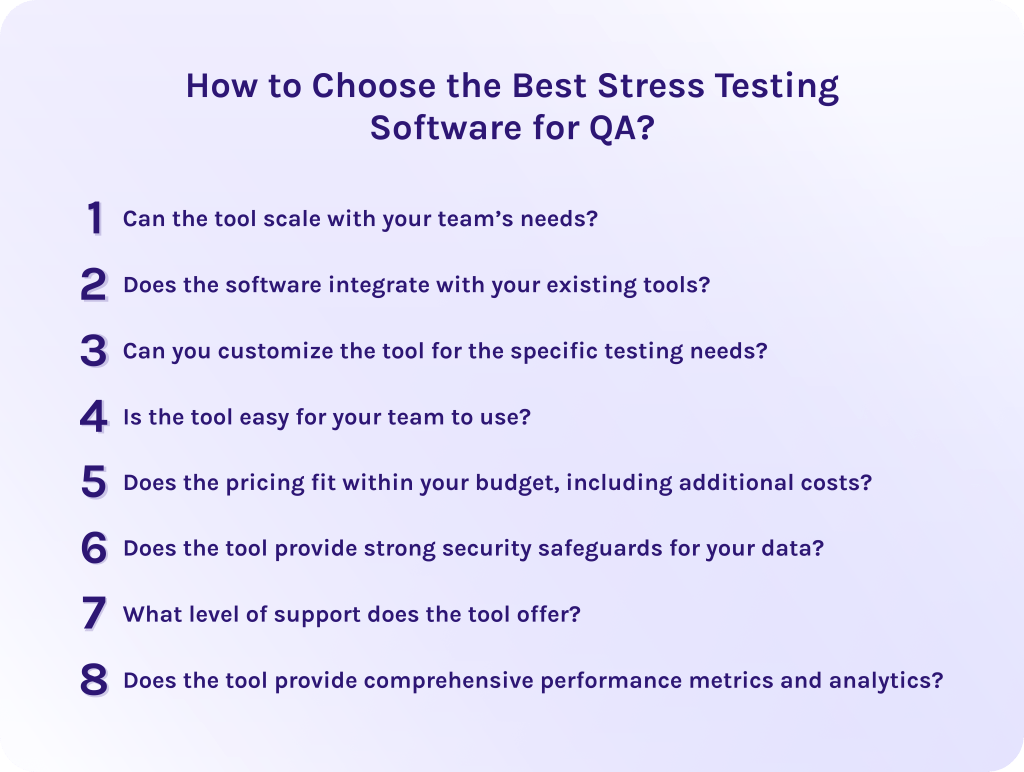
1. Can the tool scale with your team’s needs?
As your application and user base grow, your testing requirements will evolve. Therefore, the right stress testing tool should support increasing workloads and more complex test scenarios without performance limitations.
2. Does the software integrate with your existing tools?
Seamless integration with CI/CD pipelines, dev tools, and other applications is essential, as it embeds stress testing into existing workflows without disruptions and blocks, reducing manual effort.
3. Can you customize the tool for the specific testing needs?
Every system has its unique performance risks. Thus, look for stress testing tools that allow you to tailor different metrics and scenarios in a way that they reflect real-world usage in your specific industry.
4. Is the tool easy for your team to use?
A steep learning curve can slow down testing processes and overall productivity. However, if the tool has an intuitive interface, accessible documentation, and support, it won’t take much effort for your employees to get used to the platform and use it as efficiently as possible.
5. Does the pricing fit within your budget, including additional costs?
Consider that the tool might have limitations or additional options accessible only for an extra price. Choose the tool with the most appropriate and transparent pricing to avoid unexpected costs as testing scales.
6. Does the tool provide strong security safeguards for your data?
Most systems operate with large amounts of sensitive data that should be protected. For that reason, ensure that software has robust security measures like encryption or compliance with relevant standards.
7. What level of support does the tool offer?
Select the tool that provides reliable customer support. As well, evaluate whether it has technical assistance, training and onboarding resources, and community support.
8. Does the tool provide comprehensive performance metrics and analytics?
Choose the tools that offer detailed insights critical for identifying bottlenecks. With advanced analytics your team will use test results as improvement points to make data-driven decisions.
Read More: The Role of DevOps in Reducing Software Development Time
Final Thoughts
In conclusion, stress testing software for QA specialists is as important as air. It helps to push the system into unusual conditions and evaluate its performance under a heavy load.
Why exactly do you need such a tool? Well, it brings lots of benefits, from improving overall efficiency and user satisfaction to reducing costs and making the system more reliable.
Thus, to choose the right stress testing software, evaluate your needs in scalability, support, and analytics. As well, estimate the budget, complexity of your system, and needed integrations to match the software with your current workflows.
Hope that this guide helped you to understand the importance of stress testing and now you finally have enough information to select your perfect platform. To stay in touch and get more tech news about software and industries trends, subscribe to our blog.
Moreover, if you want to develop your own stress testing solution, don’t hesitate to contact HYS Enterprise experts to get comprehensive consultation.
FAQs
What is a stress test in QA?
A stress test in quality assurance is a type of performance testing that evaluates how the system behaves under extreme conditions. In other words, a stress test is pushing the application beyond normal operating limits to identify its weaknesses and breaking points.
Which tool is best for stress testing?
The right choice of stress testing software depends on many factors related to your specific needs. To choose the perfect solution, answer the following questions:
- Can the tool scale with your team’s needs?
- Does the software integrate with your existing tools?
- Can you customize the tool for the specific testing needs?
- Is the tool easy for your team to use?
- Does the pricing fit within your budget, including additional costs?
- Does the tool provide strong security safeguards for your data?
- What level of support does the tool offer?
- Does the tool provide comprehensive performance metrics and analytics?
What is stress testing software?
Stress testing software is an application used to simulate extreme workloads and high user traffic to estimate system performance and reliability. Such tools help to identify:
- Bottlenecks.
- System limitations.
- Breaking points.
It helps to solve problems before the release and avoid costly fixes and delays.
What software is used for stress analysis?
For stress analysis, specialists commonly use performance and stress testing tools such as Apache JMeter, Gatling, BlazeMeter, and others. For hardware-level analysis, tools like HeavyLoad or MemTest86 are used alongside monitoring utilities.
What are the benefits of stress testing software for QA?
Stress testing platforms help QA teams:
- Identify system limits.
- Reduce downtime risks.
- Improve reliability and scalability.
- Improve user experience.
- Reduce costs.
What are the key features of stress testing software for QA?
To select the perfect stress testing software for your specific needs evaluate the following points:
- Customizable dashboards.
- Load simulation.
- User experience metrics.
- Cloud-based capabilities.
- Scenario planning.
- Real-time monitoring.
- AI-powered analytics.
- CI/CD integration.
- Advanced reporting.
What is the best stress testing software for QA?
The best stress testing software for QA depends on project requirements. Open-source tools like Apache JMeter or Gatling are perfectly suitable for flexible, code-driven testing. In turn, enterprise solutions such as BlazeMeter offer advanced automation, scalability, and analytics.
