
What Is ERP Software and How It Works
According to the article, ERP software (Enterprise Resource Planning software) is a system that integrates key business and management functions and provides the full picture of happenings in the company, in the areas of human resources, finances, supply chain, manufacturing, and so on. However, these platforms are usually quite expensive. Therefore, there might be alternatives for you to think about if your business doesn’t need complex enterprise systems yet.
An excellent substitute is to use free ERP software, particularly for small companies and organizations with limited funding. Moreover, flexibility and long-term costs are impacted by the type of tool you select, which can be either free or open-source.
Well, we’ve approached a popular question: “What is the difference between free ERP software and open-source ERP systems?”
Difference between free and open-source ERP software
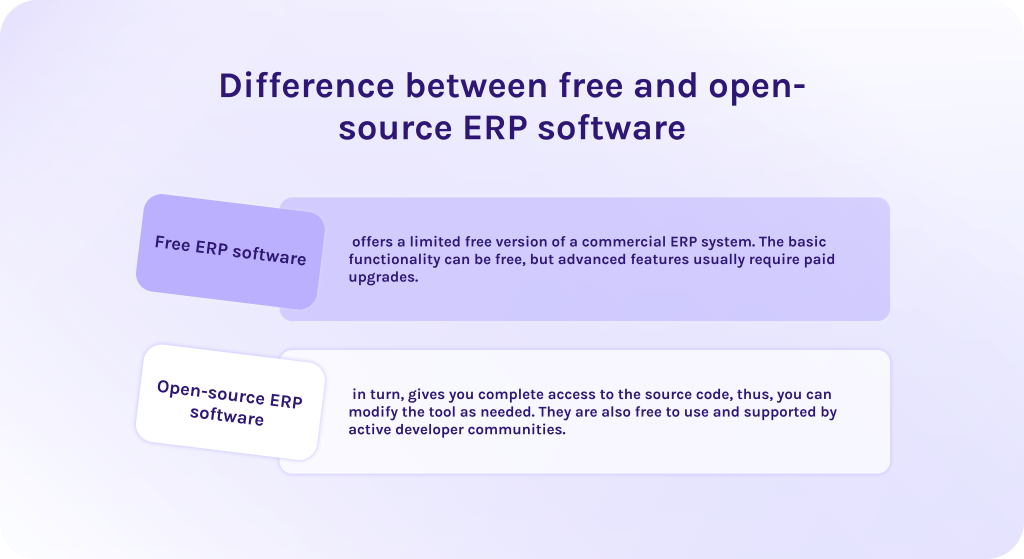
- Free ERP software offers a limited free version of a commercial ERP system. The basic functionality can be free, but advanced features usually require paid upgrades.
- Open-source ERP software, in turn, gives you complete access to the source code, thus, you can modify the tool as needed. They are also free to use and supported by active developer communities.
Let’s dive deeper into the core features of ERP free software that are important for businesses of any scale.
Key Features to Look For in Free ERP Software
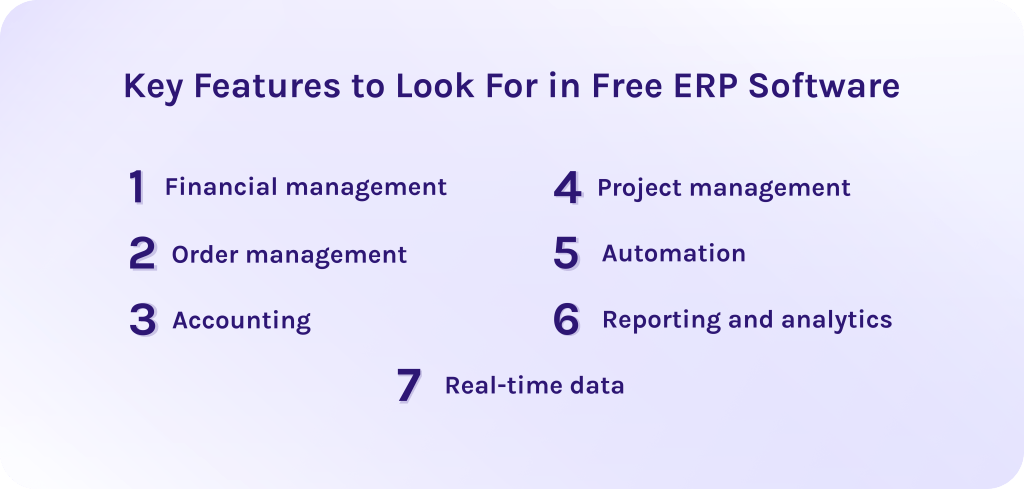
When it comes to choosing the best free ERP software, there are a few key features that can really make a difference for your business.
1. Financial management.
Free ERP systems usually come with tools for budgeting, tracking expenses, monitoring of cash flow, and generating financial reports. When you keep all this information in one place, it makes managing your finances a lot easier.
2. Order management.
Companies are able to control every step of the order process, from the very beginning. More so, it’s important that ERP software tracks orders accurately and keeps everything aligned with your inventory and financial data.
3. Accounting.
The best free ERP software supports general ledger, invoicing, and tax management. Futhermore, it improves data accuracy and ensures compliance with financial regulations.
4. Project management.
These features in the ERP software are especially valuable for successful project execution as they allow teams to:
- Plan projects.
- Identify risks.
- Create risk mitigation strategies.
- Track available resources and schedule them.
5. Automation.
In fact, automating some routine tasks helps to reduce manual inputs and load on employees. As a result, it frees up time for more important strategic tasks and leads to a smaller number of errors.
6. Reporting and analytics.
This feature of ERP systems provides information about performance of various business activities. On the one hand, the free version might not offer all the advanced features but on the other it still provides some essential tools that can help in making strategic decisions.
7. Real-time data.
Today, most ERP systems provide real-time information to its users and it’s no wonder why. Recent research indicates that the use of real-time data can increase operational efficiency by up to 45% as well as improve decision-making by 35%.
ERP systems update information across all departments in real-time, so that everyone works with the most relevant information available.
Benefits of Using Free ERP Software
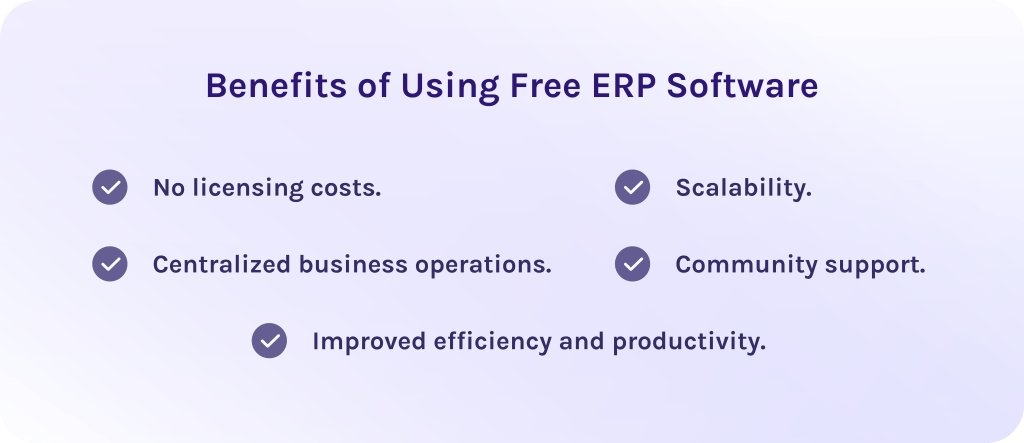
- No licensing costs: The first benefit of free ERP software is that you don’t need to pay licensing fees. Businesses can access core ERP functionality without upfront costs. Consequently, it makes these systems accessible almost for any company.
- Centralized business operations: Free ERP software reduces data silos by combining multiple business functions into a single system. Additionally, it facilitates better team coordination and streamlines workflows.
- Improved efficiency and productivity: ERP systems automate routine processes and reduce manual data entry. Moreover, it is important that even free open-source options of ERP tools can streamline workflows so that teams can focus on more valuable tasks.
- Community support: Many people contribute to ongoing changes and improvements, helping to make the software better and detect issues faster.
- Scalability: A free ERP system often has a modular architecture. It means that you can connect additional modules or remove unnecessary modules if needed without any additional costs.
Top 8 Free ERP Software
1. Odoo
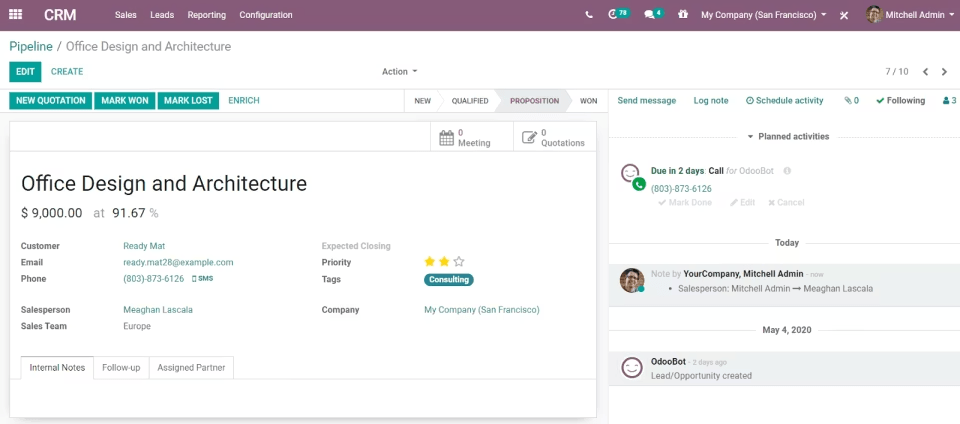
Odoo is one of the most popular free ERP software in the market. It has gained traction among customers thanks to its modular architecture and a wide range of integrations that enable users to build their system step by step and add more functionality as needed. Extremely scalable and flexible, this solution might be one of the best free ERP software for growing businesses.
Best for:
Small to mid-sized businesses that look for a free, open-source ERP software with modular architecture.
Key features:
- Budget management.
- Lead management.
- Capacity management.
- Catalog management.
- Customer relationship management.
- HR management.
Pros:
- Highly customizable.
- Offers a wide range of modules.
- Has an intuitive user interface.
- Has a diverse integration capabilities.
Cons:
- Some customizations may require technical skills.
- Initial setup might be complex.
- You need to adapt to a new version with every update.
2. ERP5
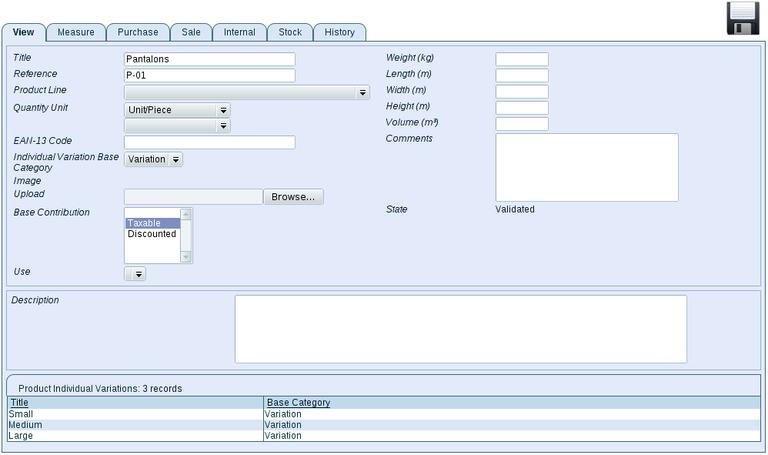
Here comes the other solution from the list of best free ERP software. ERP5 is designed to support large-scale mission-critical business operations. It covers a wide range of ERP functions such as accounting, manufacturing, CRM, logistics, HR, and others. Its ability to handle complex workflows makes it the best choice for companies with advanced operational requirements.
Best for:
Businesses that need a highly scalable free ERP system for complex workflows and large datasets.
Key features:
- Customer relationship management.
- Supports complex business logic and approvals.
- Human resources management.
- Document and project management.
- Management of manufacturing projects.
- Business process modeling (BPM).
Pros:
- Supports enterprise-level scalability.
- Highly flexible and customizable.
- No licensing fees.
- Used in industries that require high reliability.
Cons:
- Very steep learning curve.
- Not for beginners.
- Limited ecosystem.
3. iDempiere
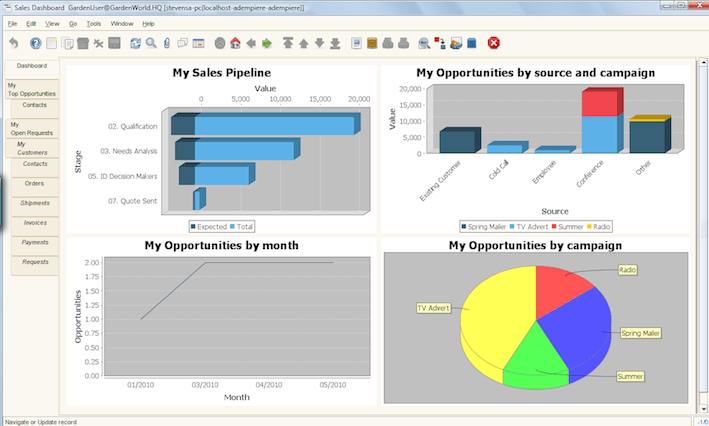
Among other ERP software options, iDempiere is designed directly for enterprise-level business processes which makes it perfectly suitable for medium to large companies that require stability and scalability. It is designed on the ADepiere codebase and combines a lot of business functions into a single platform.
Best for:
Businesses that need enterprise-grade free ERP software with strong functionality for various industries.
Key features:
- Order and supply chain management.
- Project management.
- Financial management.
- Customer relationship management.
- Asset management.
- Features for managing manufacturing projects.
Pros:
- Designed for complex business environments.
- Deep accounting and finance features.
- Completely free to use.
- Full access to the source code.
- Active open-source community.
Cons:
- Interface and workflows can feel overwhelming, especially for new uses.
- The design is more functional than intuitive.
- Not for very small businesses seeking quick deployment.
4. Dolibarr
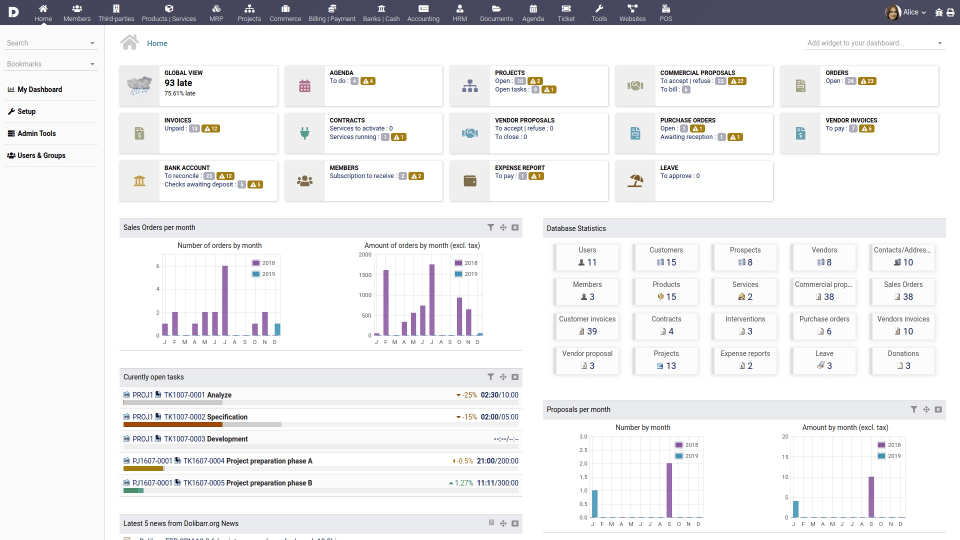
Dolibarr is the next free ERP software for small businesses. Its main purpose is to provide simplicity and accessibility alongside delivering essential business features. As one of the most user-friendly solutions, Dolibarr is ideal for small teams looking to manage core operations without the overhead of enterprise-level ERP software.
Best for:
Small businesses and startups that require a lightweight ERP software and CRM without complex setup or heavy technical requirements.
Key features:
- Inventory management.
- Project management.
- Order management.
- Customer relationship management.
- HR management.
- Purchase and accounting management.
Pros:
- Easy to use and install.
- Modular approach gives flexibility.
- Offers all-in-one solution.
- Lightweight and fast.
- Has regular updates.
- Strong documentation for beginners.
Cons:
- Limited advanced functionality.
- May have scaling limitations.
- Less powerful than large ERP systems.
5. ERPNext
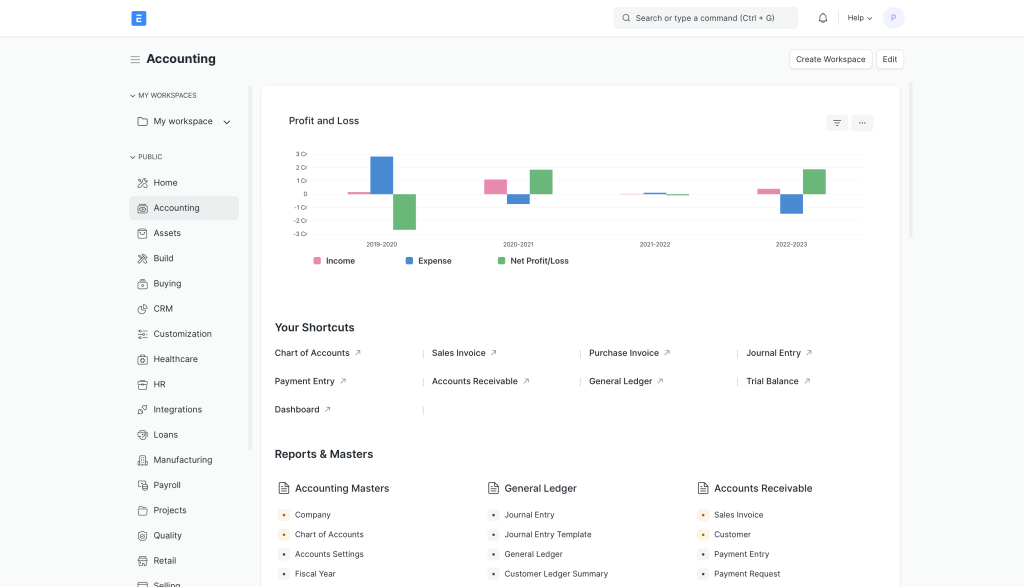
The next ERP free software is an optimal solution for small or growing businesses. ERPNext is
Developed to help companies manage their operation in a single platform. It offers a broad set of built-in modules for HR, CRM, inventory, payroll, and other important processes. Thanks to the user-friendly interface it’s extremely easy to use and navigate.
Best for:
Small to mid-sized organizations looking for easy-to-use ERP software that will cover most core business operations out of the box.
Key features:
- All-in-one ERP software.
- Customizable workflows and reports.
- Human resource management.
- Reporting and analytics.
- Inventory management.
- Order management.
- Supply chain management.
Pros:
- The user interface is easy to use and navigate.
- Has an active open-source community.
- Highly customizable.
- Fast deployment.
- Full access to the source code.
Cons:
- Advanced features require technical skills.
- Scalability may be limited for very large enterprises.
6. Apache OFBiz
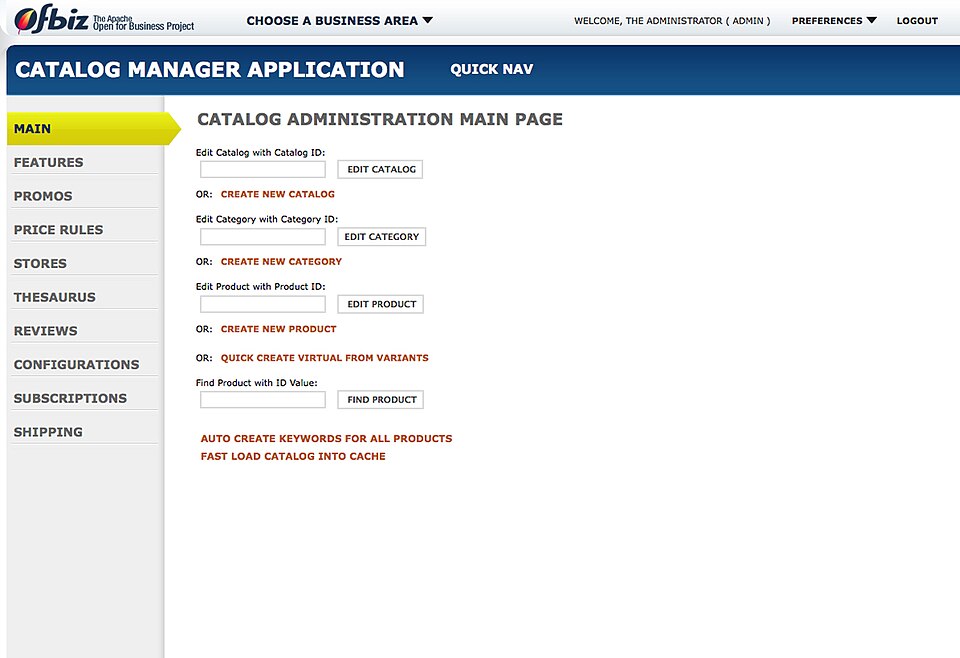
This solution is designed as a flexible, enterprise grade free ERP software. Unlike other ERP systems, Apache OFBiz is completely free and open source which means it doesn’t have any hidden costs for hosting or similar expenses. It stands out among competitors as a solution suitable for almost any industry.
Best for:
Organizations that want a fully customizable free ERP system combining ERP, CRM, supply chain, e-commerce and other business processes in one integrated system.
Key features:
- Customer relationship management.
- Inventory management.
- Vendor management.
- Financial management.
- Supply chain fulfillment.
- Payments and billing.
Pros:
- You get all necessary features and tools in one software.
- Scales well for larger businesses.
- Easy to use and navigate.
- Open-source and highly customizable.
Cons:
- The user interface can feel outdated.
- Smaller ecosystem compared to other free ERP software.
7. Axelor
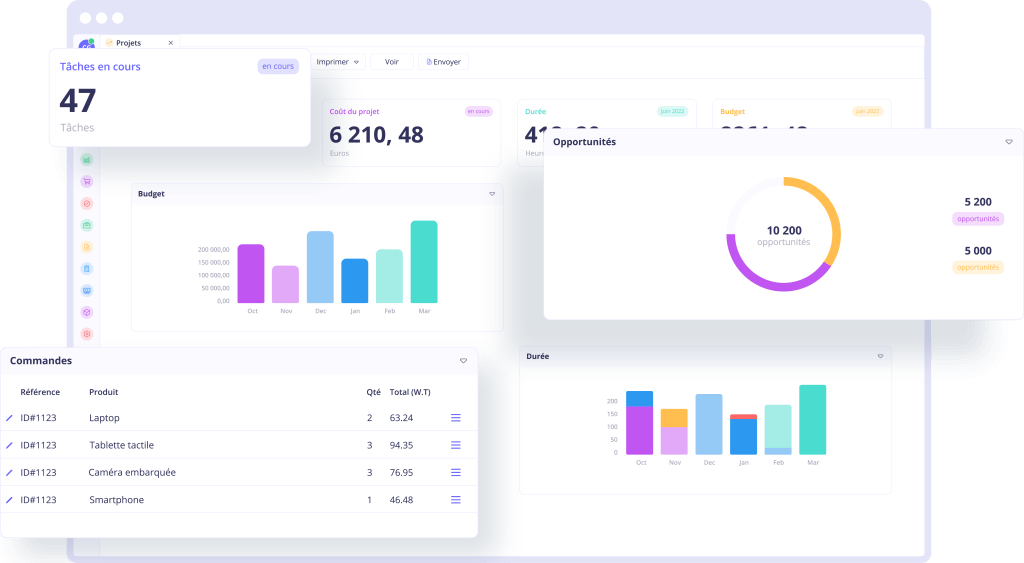
Axelor is an open-source ERP software, free to use, and perfect for comprehensive business management. It is built on a low-code/no-code platform that lets businesses adapt the system to their processes without heavy development.
Best for:
It is suitable for small to mid-sized companies looking for flexibility and scalability.
Key features:
- Budget management.
- Resource management.
- Inventory and order management.
- Project management.
- CRM and sales force automation.
- Role-based dashboards.
Pros:
- Combines low-code/no-code BPM (business processes management).
- Highly customizable.
- Helps to save time and reduce costs.
- The tool has a user-friendly interface.
- Full access to the source code.
Cons:
- Documentation may not be detailed enough.
- It may have some minor bugs.
- Might have a learning curve for advanced features.
8. BlueSeer
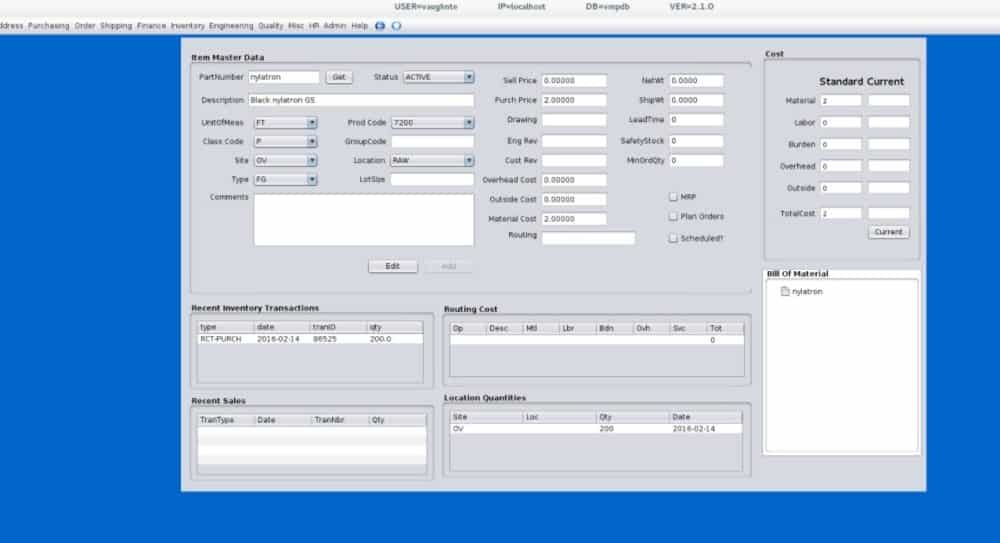
The final point of our list is BlueSeer. It is open-source ERP software developed primarily for manufacturers and distributors offering specific functions that perfectly suit these industries. For instance, the tool provides supply chain, sales, warehouse, and inventory management, making it a solid choice for managing manufacturing workflows.
Best for:
Small to medium sized manufacturing and distribution companies that need a strong tool that will cover their business needs.
Key features:
- MRP functionality.
- Inventory management.
- Sales management.
- Warehouse management.
- Accounting and purchasing management.
- Distribution management.
Pros:
- Highly customizable.
- Real-time visibility into data.
- Improved productivity.
- Completely free.
- Embedded analytics.
Cons:
- Users may experience a learning curve.
- Advanced features might be limited.
- Customization can be complex and require specific expertise.
Free ERP Software Table of Comparison
| The software | Best for | Free | Open source |
| 1. Odoo | Modular business use | ✅ | ✅ |
| 2. ERP5 | Complex, high-scale operations | ✅ | ✅ |
| 3. iDempiere | Medium/large businesses | ✅ | ✅ |
| 4. Dolibarr | Small businesses and startups | ✅ | ✅ |
| 5. ERPNext | Small-to-mid businesses | ✅ | ✅ |
| 6. Apache OFBiz | Enterprise and custom ERP | ✅ | ✅ |
| 7. Axelor | Custom workflows and modular ERP | ✅ | ✅ |
| 8. BlueSeer | Manufacturing and distribution | ✅ | ✅ |
How to Choose Free ERP Software
Choosing the right free ERP software is essential for making strategic business decisions. While they can significantly reduce costs, not all open-source options are suitable for every business.
The tips listed below will help you choose the system that best suits your company’s needs.
- Determine your particular business needs: Understand which pain point you currently have and want to work with. The right ERP software should directly address them and support your strategic goals.
- Evaluate available features and limitations: As all tools offer different features, check if they provide needed functions and what limitations they have. Decide whether they meet your organization requirements. The basics include accounting and financial management, monitoring of supply chains and inventory, CRM, sales, reporting, and analytics.
- Look at scalability: It is essential to define whether the tool can grow further with your business. Check whether you will be able to add more features and scale workflows.
- Assess cost of implementation and maintenance: Take into account additional costs for scaling the software and training your employees if needed.
- Usability: Evaluate the user-friendliness of the interface, possible obstacles while adopting a new tool, and customer support options.
Final Words about Free ERP Software
Let’s quickly summarize everything mentioned above:
- Free ERP software are the systems that help businesses manage multiple concurrent operational processes.
- Free ERP software may be just a free version of another commercial platform or standalone software with open-source code.
- These tools help you to achieve better efficiency and scalability and centralize all operations into one system while not requiring any expenses.
- The choice of the right software depends on your particular needs. Thus, identify your pain point the software should address, and evaluate features that can help you to solve those problems.
Free ERP Software FAQs
What is ERP software?
ERP software is the system that helps businesses unite all necessary business functions in one platform. They centralize data connected to finance, human resources, project management, sales and improve efficiency across various departments.
What is the best free ERP software?
For every company the best software will be different as it depends on your specific business goals. For example, if you need a lightweight and intuitive platform consider Odoo or Dolibarr. If you need a tool that will handle complex dataflows you can choose between ERP5 and BlueSeer.
Is free ERP software suitable for small businesses?
Yes, free ERP software is well suited for small businesses, especially startups and growing teams. Many free ERP tools provide essential basic capabilities while not requiring large investments. It makes them suitable for small companies or ones with limited budgets.
What is the difference between free ERP software and open source ERP software?
Free ERP software refers to systems that can be used without license fees. In turn, open-source ERP software provides full access to the source code for customization and self-hosting.
Is Excel an ERP tool?
No, Excel isn’t an ERP tool itself but can be used for basic tracking and reporting.
Are free ERP tools really free?
Free ERP tools don’t require licensing fees but may involve hidden costs for hosting or extension. Open-source software is often more transparent and avoids obligatory paid upgrades.
What are the features of free ERP software?
Free ERP software commonly includes the following features:
- Financial management.
- Order management.
- Accounting.
- Project management.
- Automation.
- Reporting and analytics.
- Real-time data.
What are the benefits of using free ERP software?
With free ERP software, you don’t need to pay any licensing costs. These systems centralize all information related to business processes, improving productivity and efficiency at the same time. Also, modular architecture of such tools makes them highly scalable and adaptable for particular business needs.
