
In this article, we will review the following points:
- Meaning and importance of backlog management tools.
- What the most essential features are to help you select the most suitable software for your project
- Discover the benefits that your projects can get with applying the best backlog management practices.
- The top 10 best backlog management tools, setting new standards in 2026.
And finally, we’ll explore how to choose the right one from those tools. Let’s get started.
What Are Backlog Management Tools?
To begin with, the backlog management tools are the software platforms that enable project managers to arrange and continuously monitor backlog items (such as user stories, bugs, tasks, etc.), instead of using manual spreadsheets and lists. Additionally, by providing the complete picture of all ongoing processes, they become a helpful hand for developers and product teams as well.
The main purpose of product backlog management tools is to help organizations build more efficient workflows, meet the deadlines, and reach better outcomes within the limited budget.
Now, let’s move to the section where we’ll discuss the core features you should look out for when selecting a product backlog tool.
Key Features of Backlog Management Tools
The effectiveness of backlog management tools lies in their suitability for your business objectives. Thus, you need to evaluate the backlog management features upon their ability to cover your pain points. Remember to keep your eye on the following features:
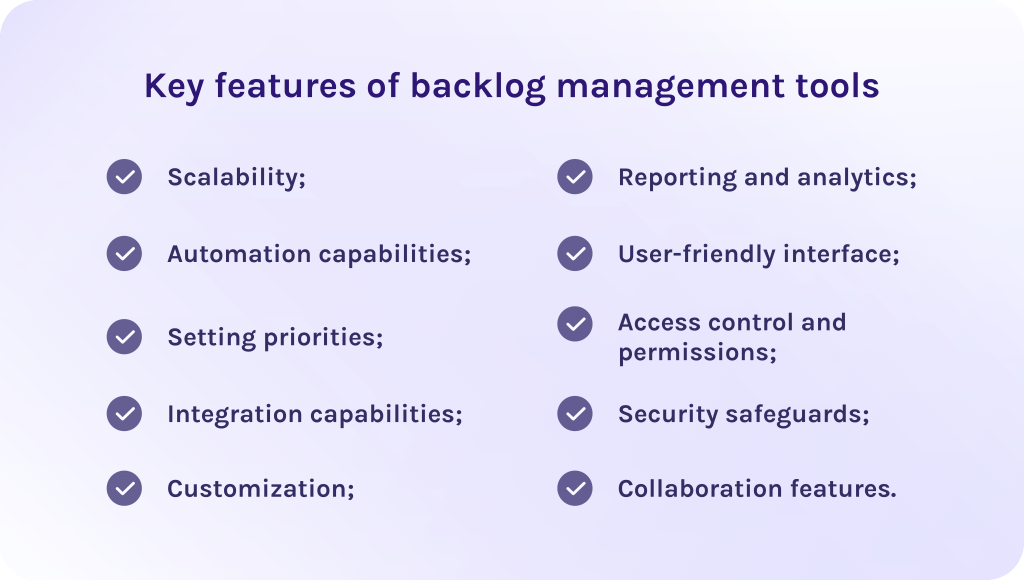
1. Scalability.
Let’s begin with the ability of the backlog tool to support larger amounts of data and a bigger number of users without losing its efficiency. It, consequently, makes it more preferable for the vast majority of expanding organizations.
2. Automation capabilities.
According to the article, automation of some routine tasks can lead to decreasing the development time by up to 30% significantly improving project delivery timelines. As the result, it reduces human errors and frees time for more important initiatives.
3. Setting priorities.
Teams can concentrate on finishing the most important tasks first, by ranking them according to their importance, risk, business value, or urgency. This results in better maintenance more organized workflows.
4. Integration capabilities.
Its important to verify that the product backlog tool is compatible with the other project management platforms you currently use. Thus, you won’t waste time on connecting different tools together.
5. Customization.
In fact, the ability to modify the backlog management tool to meet the unique requirements of your business results in much better efficiency and final outcomes.
6. Reporting and analytics.
Enables teams to plan their upcoming sprints more precisely with detailed data about current performance. Moreover, it is extremely important for executives and stakeholders to make more confident strategic decisions.
7. User-friendly interface.
Intuitive user interface helps your employees quickly get used to the tool and use it in the most efficient possible way. Besides, backlog management tools that have a steep learning curve take a lot of time to adapt to and in some cases may be overwhelming while using.
8. Access control and permissions.
In a nutshell, this feature allows project management teams to control who has access to the various parts of the product backlog. It, as a result, protects sensitive project data from unauthorized users.
9. Security safeguards.
Every quality backlog management system comes with support of various security protocols. It’s very important that such tools enable you to mitigate the risk of cyberattacks or data leaks.
10. Collaboration features.
These capabilities help agile teams stay up-to-date with changes. It is essential features, especially for remote or shared teams so they can edit backlog in real time.
Let’s now consider how backlog management tools benefit your business.
Benefits of Backlog Management Tools
Product backlog management tools are essential in order to achieve better vision into project progress and make timely changes to stay productive as well as keep all project-related data consistently relevant. Now, let’s talk more about the role of the backlog management tools in more detail.
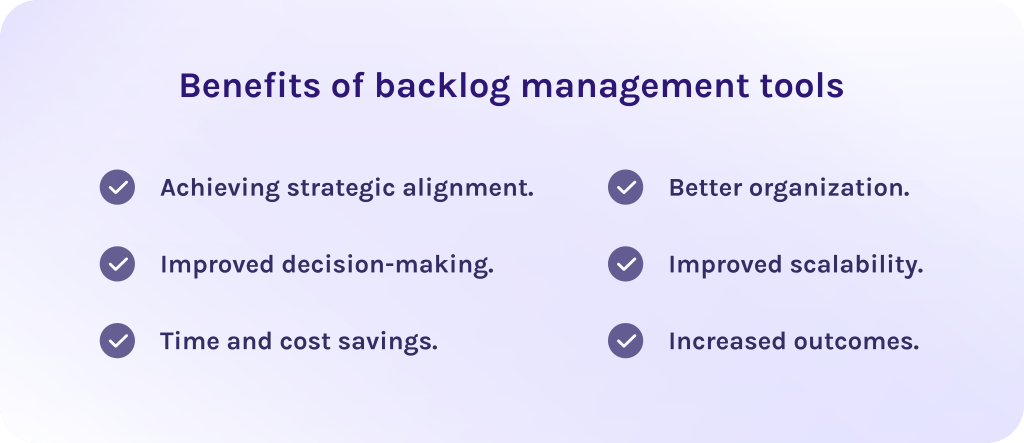
1. Achieving strategic alignment.
The PMI report says that companies that invest in prioritization are more likely to meet their strategic goals. In fact, responders said that 72% of their projects have successfully met business goals, while only 28% experienced scope creep, and 17% experienced less budget loss when the project failed.
Indeed, prioritization of tasks within the product backlog helps teams to stay aligned to strategic business goals. Furthermore, strong prioritization makes it possible to score tasks due to their importance or urgency so that teams are focused on the most essential ones.
2. Improved decision-making.
According to another report, backlog management tools that provide advanced reporting and visual dashboards thereby showing real-time data, allow project management specialists to timely identify bottlenecks and improve workflows. As the result, you get 30% increase in throughput, which means more work can be completed per unit time due to clearer prioritization and structured backlogs.
3.Time and cost savings.
Automation as well as the intuitive interface of the backlog management tool minimize the learning curve for your employees. Thus, it takes much less money and time to adapt and makes it easy to implement the software into your processes.
4. Better organization.
Even the best software won’t bring you expected results if it doesn’t bring the structure. Moreover, unorganized spreadsheets make your current situation even worse because employees cannot get needed information quickly, causing delays and missed deadlines. However, it was reported that 80% of teams that use product backlog management tools report improved collaboration.
5. Improved scalability.
The product backlog tool will accommodate the increasing complexity of your projects, support a bigger number of users, and offer more advanced features if needed. Therefore, this ensures that you don’t need to switch to the new software each time your projects are changing or scaling.
5. Increased outcomes.
In fact, all benefits described above contribute to the most essential one – achieving desired business outcomes. This makes backlog management tools an indispensable part of efficient project management for companies struggling to streamline their product backlogs and achieve strategic objectives more efficiently.
Now that the benefits of backlog management tools are clear, we can finally move to the main section of the article – the list of the best digital tools for product backlog management.
Top 10 Backlog Management Tools
1. Jira Service Management
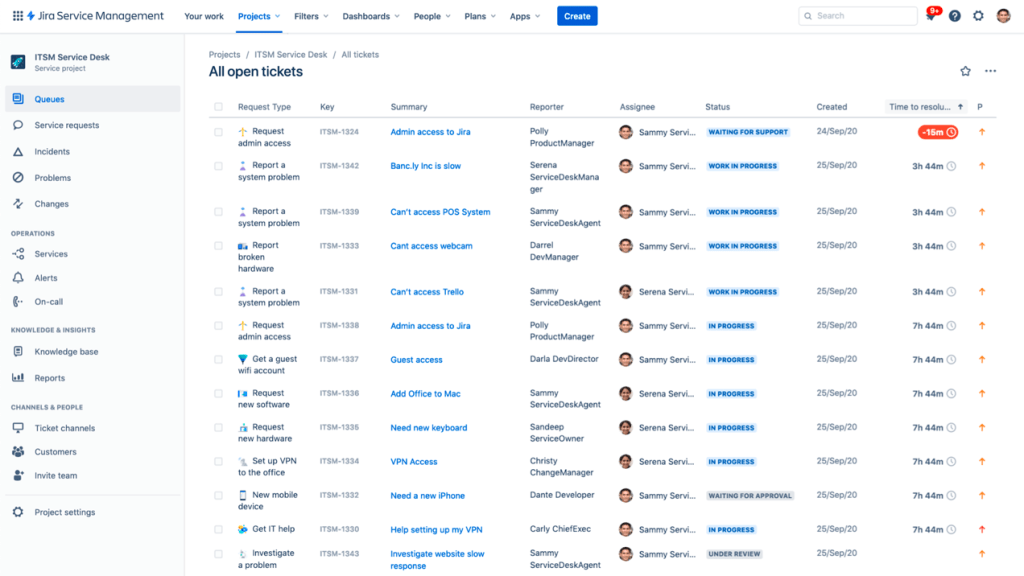
Jira Service Management heads the list of backlog tools. To start with, it is a powerful IT service management software and one of the most popular tools in the market as it combines structured workflows, automation, and robust backlog items tracking in one place. Indeed, many teams will find Jira the best choice for their business strategy as it helps them to stay focused on strategic objectives.
Best for:
Teams that are already using Jira and other Atlassian tools for corporate project management.
Key features:
- Access controls and permissions.
- Strong reporting and analytics.
- Task and progress tracking.
- Approval process control.
- Backlog management.
- Customizable templates and reports.
Pricing
Has a free plan and trial. Paid plans start from $19.04 per user/month.
Pros:
- Brings together IT service management and agile project management.
- Customizable templates and reports allow you to fit the tool to your strategic needs.
- Powerful risk management capabilities.
- A part of the Atlassian ecosystem
- Powerful automation to reduce manual effort.
Cons:
- May have a steep learning curve.
- The interface can feel overwhelming for some users.
Integrations
Has integrations with diverse tools, for instance, Slack, Confluence, GitHub, Asana, Dropbox, Microsoft Office, OneDrive, etc.
2. Confluence
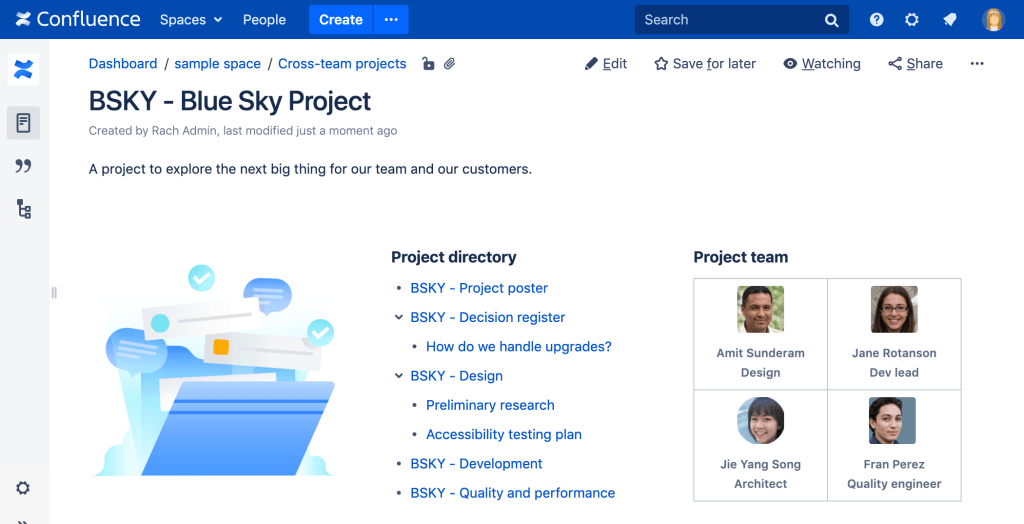
Confluence stands out from the variety of product backlog tools as a strong documentation and teamwork solution. To be more precise, it is a team collaboration and knowledge management software designed to help teams document product requirements, backlog items, user stories, and sprint plans. Moreover, it is also one of the best free backlog management tools, but to extend its capabilities, you may need to switch to paid plans.
Best for:
Suits best for teams that prioritize robust documentation and cross-department collaboration.
Key features:
- Documentation management.
- Customizable templates.
- Version control and page history.
- Real-time collaborative editing.
- Access controls and permissions.
- Text editor with templates.
- Search across pages.
Pricing
Has a free plan. Paid plans start from $5.16 per user/month.
Pros:
- Can seamlessly integrate with Jira, as they both are part of the Atlassian ecosystem.
- Excellent for documentation and knowledge management.
- Large ecosystem of plugins and templates.
- Has a user-friendly interface.
- Real-time collaboration capabilities.
Cons:
- Can become cluttered without good structure.
- May have limited automation capabilities.
- May feel like overkill for non-technical users.
Integrations
Has extensive integration capabilities with lots of widely known solutions like Jira, Trello, Microsoft, Google, Miro, Figma, Slack, and so on.
3. monday dev
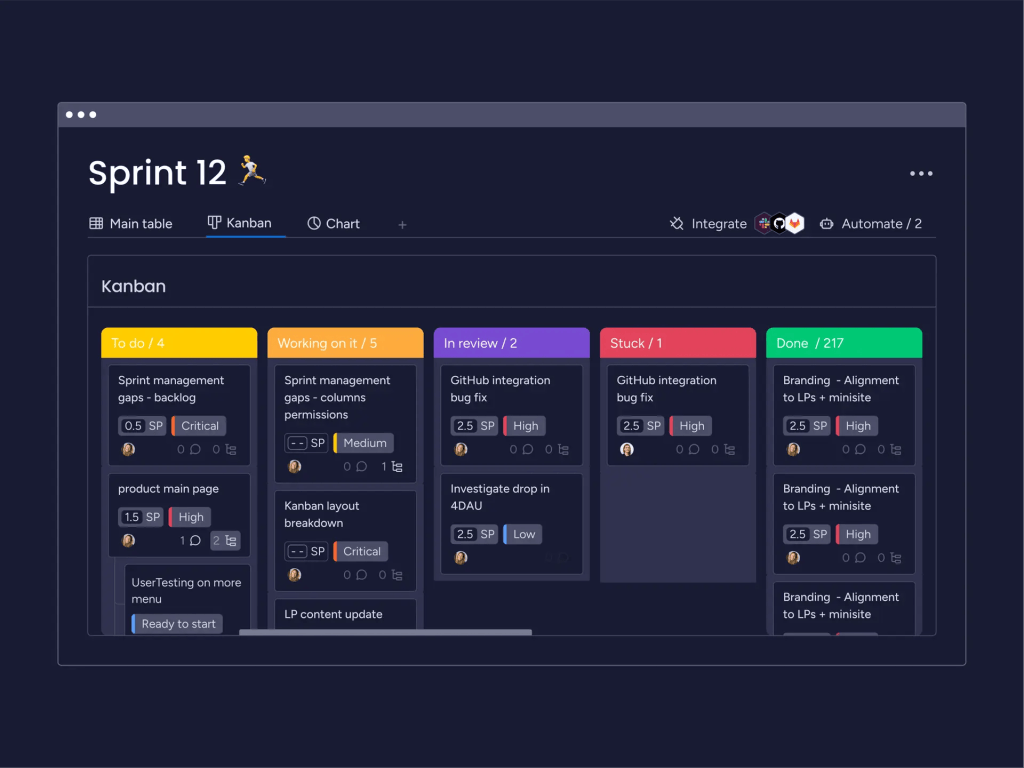
From the other product backlog management tools, monday dev stands out as a part of the monday.com ecosystem. It is especially suitable for Agile teams aiming to manage all processes throughout the development lifecycle as well as use all-in-one project management solutions to achieve their strategic business goals faster.
Best for:
Teams that want to manage sprint planning and other backlog activities all in one place.
Key features:
- Task and workflow management.
- Backlog management.
- Bug and issue tracking.
- Product roadmapping.
- Sprint planning and management features.
- Gantt chart.
- Kanban board.
- KPI and progress monitoring.
Pricing
The platform has a free trial and a free plan. Paid plans start from $9 per user/month.
Pros:
- This product backlog tool has an intuitive and extremely customizable user interface.
- Powerful reporting capabilities.
- Easy to adjust workflows as teams need to scale.
- Offers simple backlog tracking for complex portfolio and cross-project planning.
- Easy to integrate with other tools.
Cons:
- Some features can be overwhelming for teams new to monday.com.
- Can become costly as the team grows.
- The mobile version lacks some features that are available in the desktop version.
Integrations
Seamlessly integrates with other popular tools, for instance, GitHub, GitLab, Jira, Microsoft Outlook, Slack, Trello, etc.
4. ClickUp
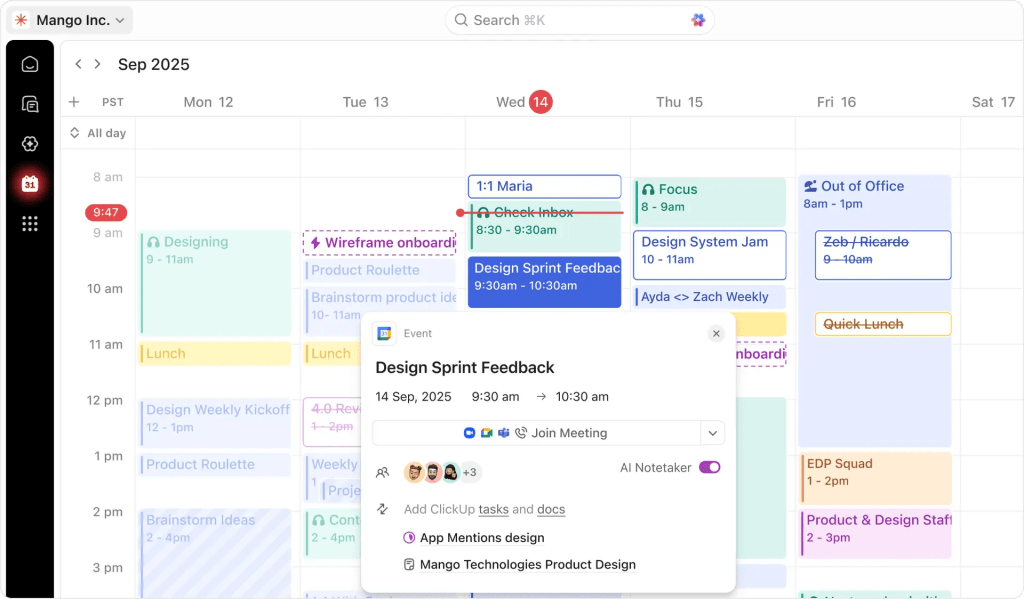
This is the most well-known visual productivity platform with an extensive set of backlog management tools. Moreover, it is designed to cover as many project management needs as possible by providing Kanban visual boards, prioritization features, and detailed charts. On the one hand, it mostly appeals to freelancers, small teams, agencies, and startups seeking a robust all-in-one project management platform but on the other hand fits companies of all sizes across different industries.
Best for:
Perfectly suitable for businesses of all sizes, as it offers an extensive set of pricing plans and features.
Key features:
- Prioritization.
- Time tracking.
- Kanban boards.
- Gantt charts.
- Budget and resource management.
- Product data management.
- Bug and issue tracking.
- AI assistant.
- Sprint planning and task management.
Pricing
The tool has a free plan. Paid plans start from $10 per user/month.
Pros:
- Has a free plan letting you try the software out.
- Enhances team collaboration with the help of real-time communication features.
- Has customizable dashboards.
- Has powerful project management capabilities.
- Excellent tool for task management.
Cons:
- The user interface may feel overwhelming for some users.
- Users report that it may be slow sometimes.
Integrations
Supports a huge variety of integrations, such as Slack, Google Workspace, Asana, OneDrive, Zapier, GitHub, Miro, Microsoft Office, and so on.
5. Productboard
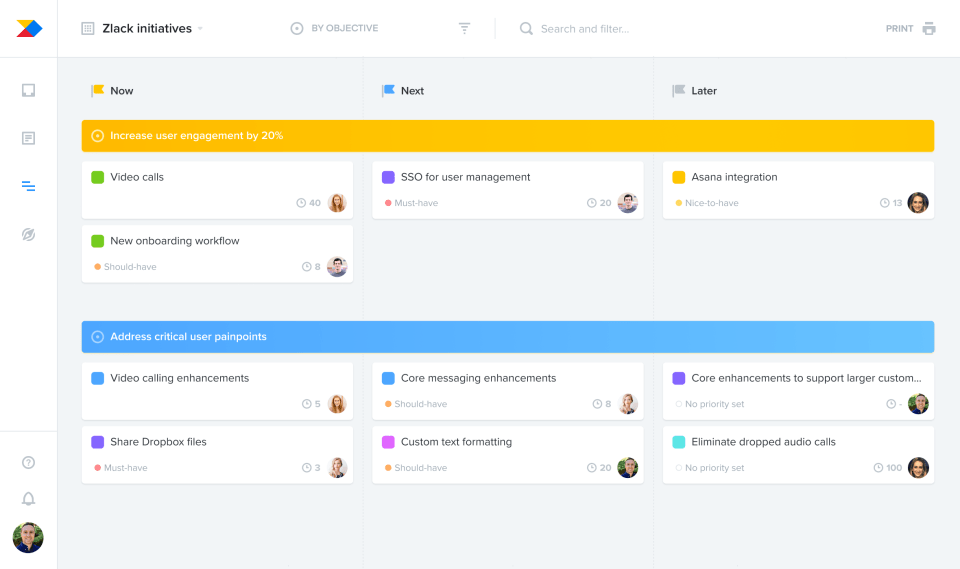
Among the established tools for backlog management, this vendor provides a reliable product management platform focused on customer-driven prioritization. What does it mean? In simple words, it helps agile teams gather user feedback, align it with business goals on a roadmap, and create a well-structured product backlog that the engineering team can execute.
Best for:
Product managers and product teams whose purpose is to align their work with the market requirements.
Key features:
- Features prioritization matrix.
- User feedback portal.
- Collaboration features.
- Idea management.
- Product roadmapping.
- Task management.
- Reporting and analytics.
Pricing
The tool has a free plan and a free trial. Paid plans start from $25 per user/month.
Pros:
- Has a huge variety of integration capabilities.
- Workflow management helps to minimize risks.
- Visualization of the product roadmap.
- Strong prioritization that ensures that teams are focused on the most valuable work.
- Feedback management.
Cons:
- Does not fit for small teams or teams with limited resources.
- Lacks customization and robust collaboration features.
- Has a steep learning curve.
Integrations
Has extensive integration capabilities with lots of well-known tools like Jira, Slack, Zapier, Microsoft Azure, Trello, GitHub, and more.
6. Microsoft Planner
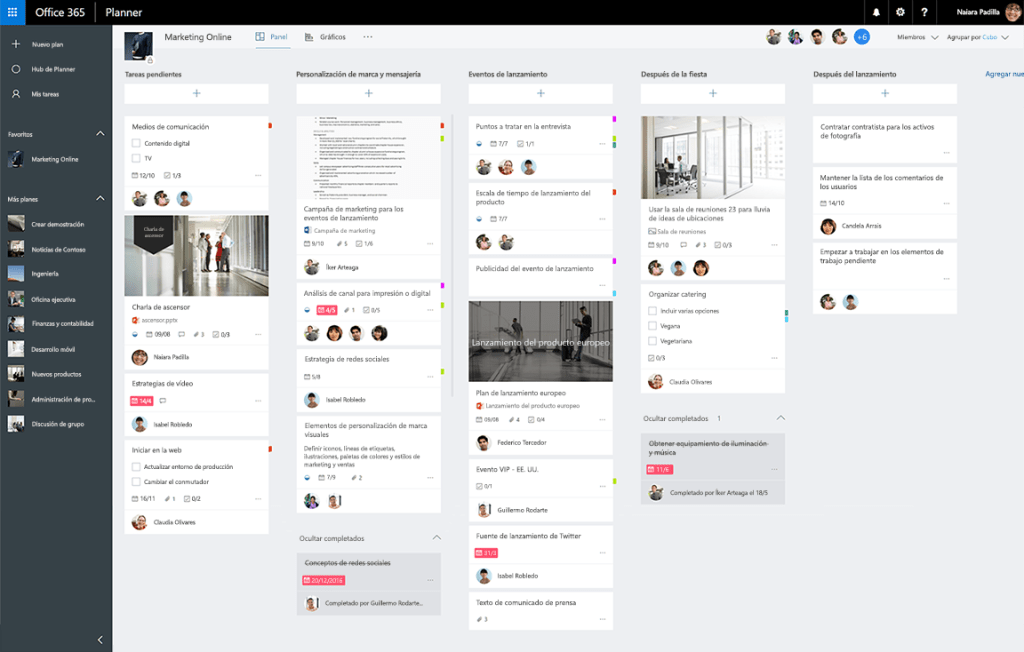
As a lightweight task and work management app, Microsoft Planner stands out for being a part of the Microsoft ecosystem. Furthermore, it can be used for backlog management, as it offers features for tracking tasks and their prioritization. Thus, it is a perfect choice for teams that don’t have much experience using backlog tools.
Best for:
Teams that are already using Microsoft 365 software and need a simple task and backlog management.
Key features:
- Collaboration tools.
- Prioritization.
- Project and progress tracking.
- Task management and scheduling.
- Real-time notifications.
- Visual workflow management.
Pricing
Has a free version. Paid plans start from $10 per user/month.
Pros:
- Has a user-friendly interface.
- Seamless integration with other Microsoft 365 tools.
- Intuitive and simple task assigning and tracking.
- Lightweight and easy to use.
Cons:
- Not suitable for managing complex workflows and large teams.
- Lacks advanced reporting and customization options.
Integrations
Seamlessly integrates with any software from the Microsoft ecosystem.
7. Quickbase
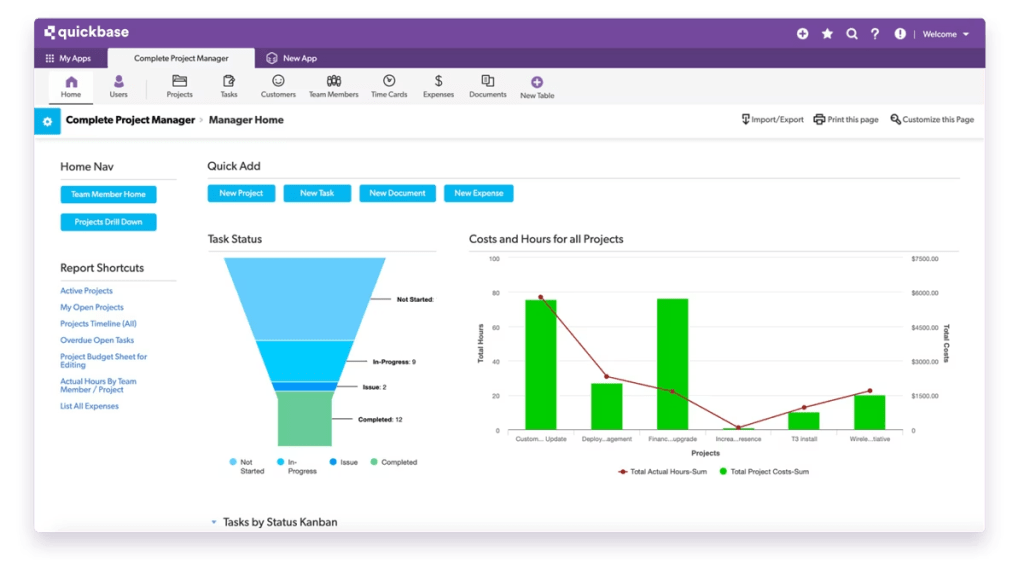
To start with, this is a no-code project management solution that lets teams build custom applications to manage complex workflows, tasks, and projects without heavy development. While it’s not a product backlog tool itself, you can tailor Quickbase to support backlog tracking and task management due to your company’s specific needs.
Best for:
Organizations with complex workflows or unique backlog needs that off-the-shelf tools can’t handle.
Key features:
- Kanban board.
- Gantt chart.
- Prioritization.
- Budget and resource management.
- Access controls and permissions.
- Collaboration tools.
- Customizable reports and templates.
Pricing
Has a free trial. Paid plans start from $35 per user/month.
Pros:
- Strong customer support.
- Highly customizable.
- Scalable and suitable for large enterprises.
- Huge diversity of seamless integrations.
- Advanced reporting.
Cons:
- Has a steep learning curve.
- User interface and navigation may not feel that intuitive.
- For small companies the pricing may be too high.
Integrations
Supports a huge variety of integrations with tools like Google Drive, Slack, Dropbox, Zapier, Workato, Asana, Jira, and so on.
8. Yodiz
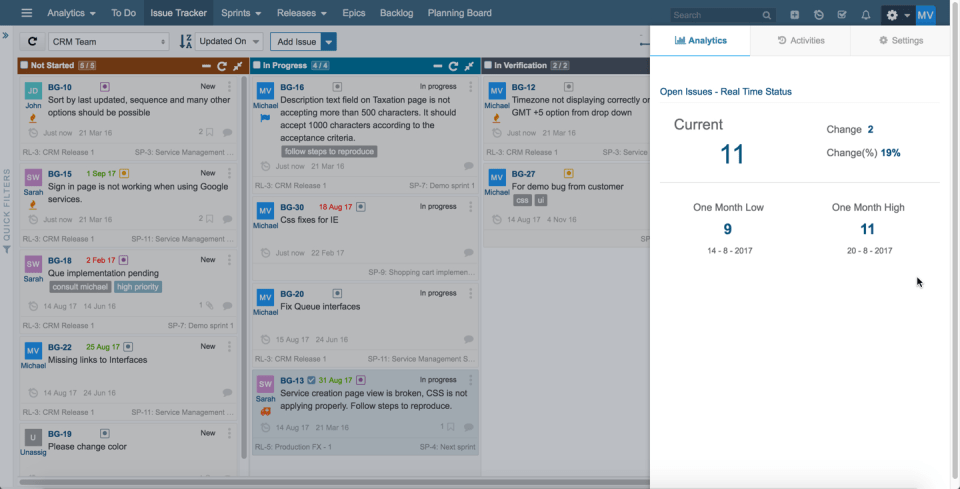
Yodiz positions itself as an Agile project management tool designed for teams of all sizes. Therefore, it helps to streamline workflows and brings flexible features like task or backlog management to support Scrum and Kanban methodologies. One of the distinguishing features is its extensive feature set and low pricing simultaneously, which makes it affordable for almost any company.
Best for:
Small to medium Agile teams looking for a lightweight backlog management tool with lots of useful features.
Key features:
- Progress tracking and collaboration tools.
- Customizable workflows.
- Real-time updates.
- Task and backlog prioritization.
- Creation of user stories.
- My To-Do board with customizable fields.
- Issue tracking and release boards.
Pricing
Has a free plan for starters, while the paid one costs $5 per user/month.
Pros:
- Comprehensive project management platform.
- Helps to plan development releases.
- Strong backlog management capabilities.
- Strong support for Scrum and Kanban boards.
- Affordable pricing.
- Simple UI and easy onboarding.
Cons:
- The user interface may feel dated compared with some competitors.
- Feature depth isn’t as large as enterprise tools.
- Some advanced features may be limited.
Integrations
Offers extensive integration options with Jira, Slack, GitHub, and others.
9. Backlog
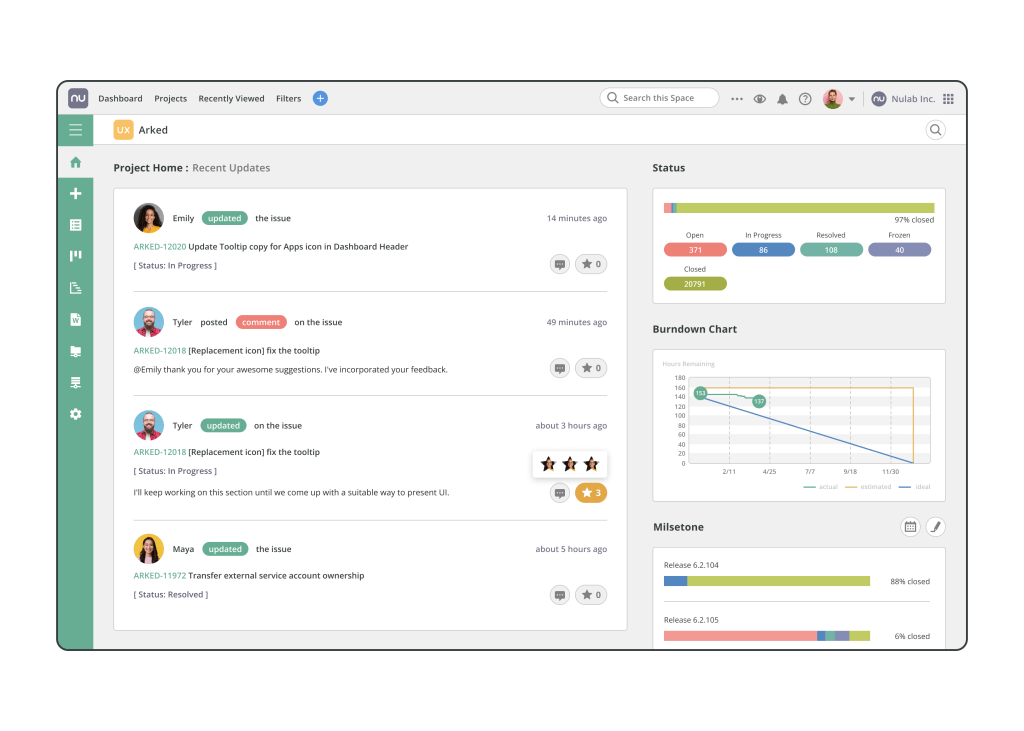
Backlog is another tool for backlog management aiming to help teams streamline their project management activities such as backlog items, tasks, user stories, bugs, code changes, etc. Therefore, by combining traditional project management functions with issue tracking and version control, it as a result creates a unified platform for team collaboration and backlog management.
Best for:
Cross-functional teams that need features for backlog tracking and sprint planning in one place.
Key features:
- Gantt chart.
- Kanban board.
- Resource management.
- Advanced reporting and analytics
- Sprint planning.
- Backlog management.
- Issue tracking.
Pricing
Has a free trial and a free version. Paid plans start from $35 flat rate per month.
Pros:
- Simple bug identification.
- Offers robust collaboration tools.
- Easy to use.
- Task management is pretty straightforward.
- Create project visibility.
Cons:
- The system performance may become slower with a rising number of projects.
- Reporting features might be less customizable compared to other tools.
Integrations
Supports a huge variety of integrations with tools like LambdaTest, Jira, Redmine, Cacoo, Microsoft Excel, Slack, Copilot Professional, and others.
10. Trello
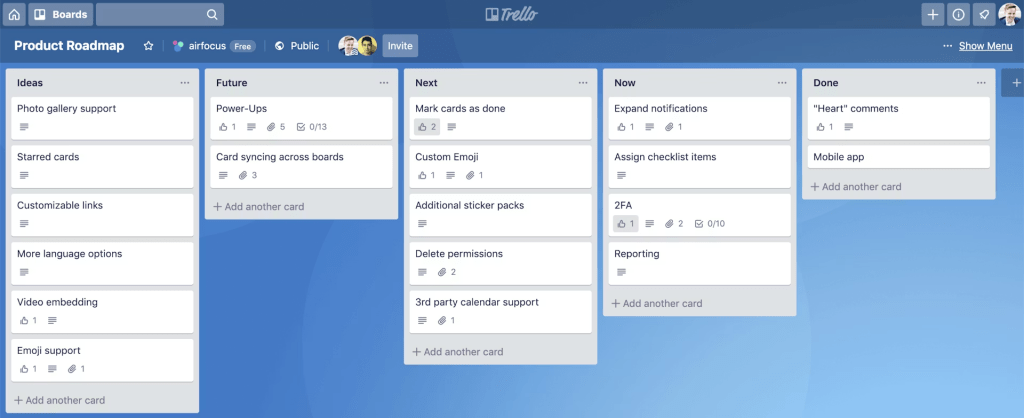
The final pick introduces one of the product backlog tools that almost everyone is familiar with – Trello. It describes itself as a productivity powerhouse that provides intuitive Kanban and task boards to organize activities from the product backlog. Moreover, it also offers integrations with essential PM tools to streamline complex workflows and create your own corporate ecosystem.
Best for:
Small teams and enterprises that need a simple and easy-to-use backlog management tool.
Key features:
- Customizable dashboards, lists, and task cards.
- AI assistant.
- Backlog management.
- Collaboration tools.
- Customizable templates.
- Kanban board.
Pricing
Has a free trial and a free version. Paid plans start from $5 per user/month.
Pros:
- Has efficient Kanban boards.
- Affordable for the vast majority of companies.
- Has a user-friendly interface.
- Simple member addition.
- Easy to use and get used to.
Cons:
- Has limited security and permissions.
- Limited customizability.
- Hard to manage multiple boards without a Premium plan.
Integrations
Offers integrations with Jira, Microsoft, Slack, Dropbox, Google, Confluence, Clockify, etc.
Backlog Management Tools Table of Comparison
Draw the table
| Tool | Best for | Pricing | Integrations |
| Jira Service Management | Teams that are already using Jira and other Atlassian tools for corporate project management. | Has a free plan and trial. Paid plans start from $19.04 per user/month. | Has integrations with diverse tools, for instance, Slack, Confluence, GitHub, Asana, Dropbox, Microsoft Office, OneDrive, etc. |
| Confluence | Suits best for teams that prioritize robust documentation and cross-department collaboration. | Has a free plan. Paid plans start from $5.16 user/month. | Has integrations with lots of solutions like Jira, Trello, Microsoft, Google, Miro, Figma, Slack, and so on. |
| monday dev | Teams that want to manage sprint planning, product roadmaps, release workflows, and bug tracking all in one place. | The platform has a free trial and a free plan. Paid plans start from $9 per user/month. | Integrates with GitHub, GitLab, Jira, Microsoft Outlook, Slack, Trello, etc. |
| ClickUp | Perfectly suitable for businesses of all sizes, as it offers an extensive set of pricing plans and features. | Has a free plan. Paid plans start from $10 per user/month. | Supports integrations with Slack, Google Workspace, Asana, OneDrive, Zapier, GitHub, Miro, Microsoft Office, and so on. |
| Productboard | Product managers and product teams whose purpose is to align their work with the market requirements. | Has a free plan and a free trial. Paid plans start from $25 per user/month. | Has integrations with Jira, Slack, Zapier, Microsoft Azure, Trello, GitHub, and more. |
| Microsoft Planner | Teams that are already using Microsoft 365 software and need a simple task and backlog management. | Has a free version. Paid plans start from $10 per user/month. | Seamlessly integrates with any software from the Microsoft ecosystem. |
| Quickbase | Organizations with complex workflows or unique backlog needs that off-the-shelf tools can’t handle. | Has a free trial. Paid plans start from $35 per user/month. | Supports integrations with Google Drive, Slack, Dropbox, Zapier, Workato, Asana, Jira, and so on. |
| Yodiz | Small to medium Agile teams looking for a lightweight backlog management tool with lots of useful features. | Has a free plan for starters, while the paid one costs $5 per user/month. | Offers extensive integration options with Jira, Slack, GitHub, and others. |
| Backlog | Cross-functional teams that need features for backlog tracking and sprint planning in one place. | Has a free trial and a free version. Paid plans start from $35 flat rate per month. | Supports integrations with LambdaTest, Jira, Redmine, Cacoo, Microsoft Excel, Slack, Copilot Professional, and others. |
| Trello | Small teams and enterprises that need a simple and easy-to-use backlog management tool. | Has a free trial and a free version. Paid plans start from $5 per user/month. | Offers integrations with Jira, Microsoft, Slack, Dropbox, Google, Confluence, Clockify, etc. |
How to Choose a Backlog Management Tool
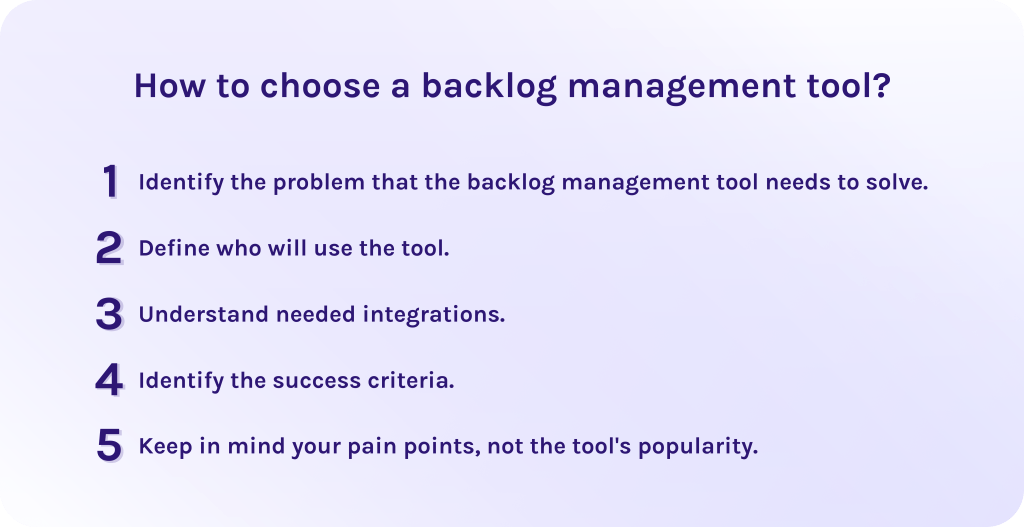
1. Identify the problem that the backlog management tool needs to solve.
Begin with identifying what gaps in product backlog management your new tool should address. Consequently, it will help to understand the most important features and functions you must look for.
2. Define who will use the tool.
Then, understand the target audience of the tool. Will it be just the company’s management, or will all employees have access? Decide whether you need access control and permissions and how intuitive the user interface must be. Eventually, evaluate the needed speed of work for advanced users.
3. Understand needed integrations.
Define whether the tool can connect to your existing software or not. Should it replace some of your tools or support them? It is important to seamlessly fit it into your processes but not ruin them entirely.
4. Identify the success criteria.
How do you know that the backlog management tool is integrated successfully? Identify specific metrics that will help you to measure the efficiency and results of integration. For example, it can be improving the performance visible in the percentage of completed tasks per sprint. Moreover, criteria should be clearly defined and achievable.
5. Keep in mind your pain points, not the tool’s popularity.
Finally, evaluate the tools according to your particular needs, not by the beauty of the interface or the tool’s popularity. In fact, many popular platforms may not fit your business strategy, while that one less famous might cover all your pain points.
Final Words about Backlog Management Tools
In conclusion, let’s briefly summarize the main points of the article.
- Backlog management tools are the software platforms that allow project managers to streamline and continuously monitor backlog items (e.g., user stories, bugs, various chores) to avoid manual lists and spreadsheets.
- The importance of backlog management tools lies in helping organizations build more efficient workflows, meet the deadlines, and reach better outcomes within the limited budget.
- The right backlog management software should be scalable and customizable enough to grow further with your business and fit your specific needs. Also, it should support reporting and analytics to allow you to identify the bottlenecks and improve workflows. You should look for task prioritization and tracking, automation of some manual processes, and collaboration features as well. And finally, the proper software must be secure and easy to navigate to integrate it into your workflows quickly and efficiently.
- Adapting the backlog management software pays off in better strategic alignment, decision-making, and higher outcomes while time and cost spending become lower.
FAQs about Backlog Management Tools
What is the product backlog?
Product backlog is a list of all desired work on a product. It is continuously updated by the Product Owner and includes prioritized features, bug fixes, improvements, technical work, and so on depending on their strategic value.
What is backlog management?
Backlog management is a strategic practice of maintaining and refining a list of work items so that it reflects up-to-date priorities and is ready for execution. It ensures that the team always works on the most valuable tasks.
What is a backlog tool?
A backlog tool is software that helps teams collect, organize, prioritize, and monitor backlog items (improvements, bugs, features, tasks, requirements). It enables project management teams, especially those who use Agile methodology, to manage their work in a transparent and structured way throughout a project lifecycle.
What’s the difference between a sprint and a backlog?
- A backlog is a list of all potential work items for the product, as it includes the ongoing activities as well as planned ones.
- A sprint is a fixed time period where the team commits to delivering a set of backlog items.
The main point here is that the sprint is usually planned from the backlog.
How to choose a backlog management tool?
To choose the right backlog management tool, consider the following factors:
- Identify the problem that the backlog management tool needs to solve.
- Define who will use the tool.
- Understand needed integrations.
- Identify the success criteria.
- Keep in mind your pain points, not the tool’s popularity.
What are the core features of backlog management tools?
Essential features include:
- Scalability.
- Automation capabilities.
- Task prioritization and tracking.
- Integration capabilities.
- Customization.
- Reporting and analytics.
- User-friendly interface.
- Access control and permissions.
- Security safeguards.
- Collaboration features.
What are the benefits of backlog management tools?
Product backlog tools enable companies to align project activities with strategic business goals, make more informed decisions, and scale the tool efficiently as business develops. They also help to automate repetitive tasks, saving time and money for more important initiatives. All of this results in better organization and higher outcomes.
