
Top AI Project Management Tools List: Short and Sweet
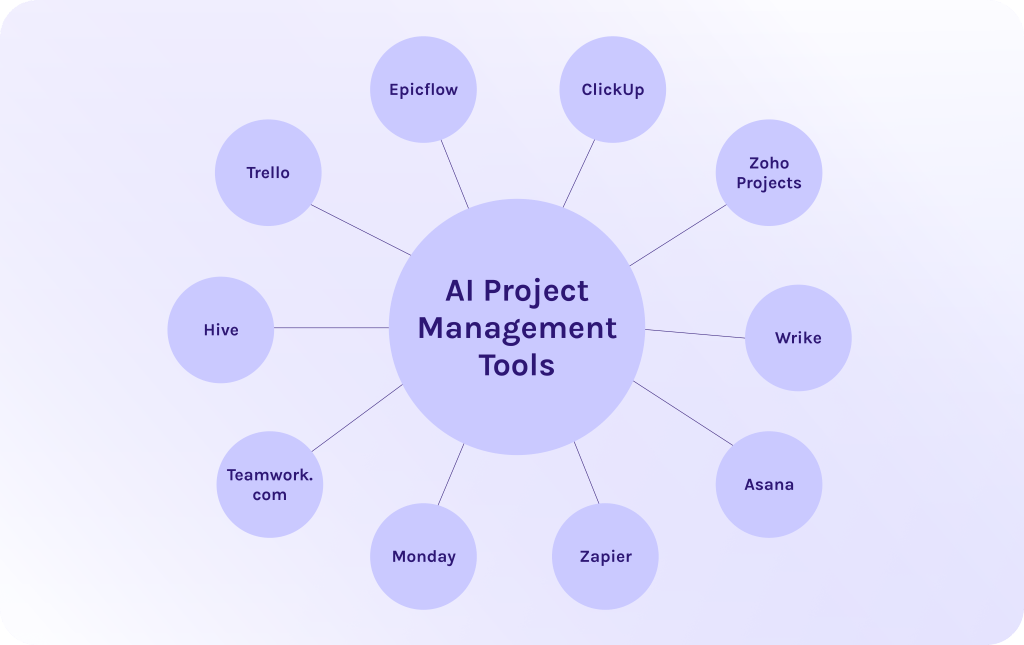
Before we proceed to the main part of the article, I’ll give you a short review of each tool so that you can answer the question: “What are the best AI project management tools?”
- Epicflow – AI-based software for managing multiple concurrent projects and entire project portfolios thanks to intelligent prioritization and resource optimization.
- ClickUp – Famous productivity platform that leverages artificial intelligence to enhance productivity of your team.
- Zoho Projects – The perfect part of the Zoho ecosystem that uses AI to make intelligent suggestions and improve your workflows.
- Wrike – Popular work management platform that comes in handy thanks to its AI capabilities for risk prediction and workflow automation.
- Asana – One of the most well-known AI project management tools which uses AI for intelligent task prioritization and progress tracking [4].
- Zapier – The platform which is primarily focused on workflow automation and uses AI to, first of all, connect apps and, secondly, automate workflows across tools.
- Monday – Flexible work OS with AI features for process automation and customizable workflows.
- Teamwork.com – One of the best AI project management tools designed for client work.
- Hive – Collaboration and project tool with AI for workflow automation and team productivity insights.
- Trello – Visual project management tool enhanced with AI-powered automation and task organization features [5].
What Is AI Project Management Software?
In a nutshell, AI project management tools are a type of project management software that leverages different types of artificial intelligence to optimize your project processes. It uses not only machine learning (ML), but predictive analytics, scenario modeling, natural language processing, sentiment analysis, and other technologies to help you prioritize projects properly and optimize resources due to demand, which is especially important in multi-project environments [6].
Are you unsure which AI architecture is right for your unique business needs? Contact HYS Enterprise experts today to get a professional assessment and build a custom roadmap for your digital transformation.
What Features to Look For in AI Project Management Tools?
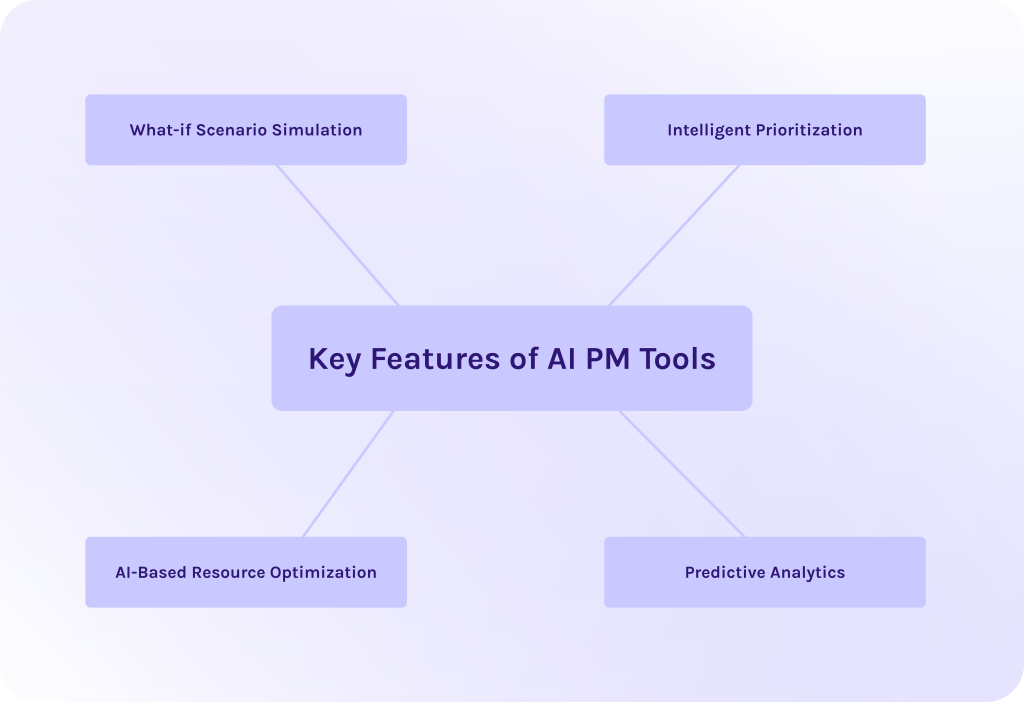
So, what features are as necessary as breathing in terms of AI tools for project management? From our perspective and experience, companies now are searching for the following capabilities:
What-if Scenario Simulation
This feature isn’t that popular yet but quickly gains traction among the community experts. It is the ability to test different decisions in a risk-free environment before applying them in reality [19].
What are the benefits of scenario simulation?
- You’ll be able to evaluate the impact of changes and decide to apply them or not to your current projects.
- Test different scenarios of resource allocation to find the optimum way of resource utilization.
- You’ll understand how changes in one project or workflow will affect the entire portfolio: delivery dates, resource availability, etc.
Thus, think twice when selecting AI software for project management without this capability.
Read More: Best Scenario Planning Tools to Consider in 2026
Intelligent Prioritization
When you have 10 simultaneously ongoing projects, here is the question: how to understand which ones are more important than others? In traditional project management, you would use frameworks like the important-urgent matrix [7] or weighted shortest job first [8]. However, the newest AI project management tools automate this process, thanks to real-time data monitoring and predefined success metrics [9].
How does it actually work?
These systems continuously evaluate:
- The impact of each task on overall flow efficiency.
- Dependencies between tasks and projects.
- Current and future resource availability.
- The position and load of the system bottleneck.
Based on this, AI dynamically ranks tasks and projects to ensure that work progresses in a way that maximizes overall throughput.
AI-Based Resource Optimization
Poor resource allocation is one of the biggest challenges in modern projects. The statistics say that:
- 11.4% of investment is wasted due to poor project performance caused by poor resource management and allocation [1].
- 39% of projects fail due to inadequate planning [2].
- Over 30% of projects fail due to a lack of planning or resources [3].
However, if we’re talking about modern AI-driven project management automation software, it can automatically allocate the most important and qualified resources to the most important projects to ensure their successful completion.
For example, Epicflow project management software even has the world’s first AI portfolio optimizer that helps you avoid overbooking and get more with the same resources. Want to know more? Read about AI-powered portfolio optimization and how it can boost your project portfolio.
Read More: Best Free ERP Software: Open Source and Free ERP Systems Compared
Predictive Analytics
Can you gather data from all your current projects, analyze it and then predict possible bottlenecks or inefficiencies? I think yes, but being as efficient as an intelligent algorithm might take days or even months of work and your mental abilities. In this case, predictive algorithms built-in AI tools for project management can do this in minutes instead of months [17].
What can these algorithms do?
- Analyze the entire portfolio to detect patterns and potential constraints.
- Identify emerging bottlenecks before they impact project delivery.
- Highlight resource inefficiencies such as overload or underutilization [18].
- Simulate multiple scenarios to suggest the most effective adjustments [16].
What Are the Benefits of Best AI Project Management Tools?
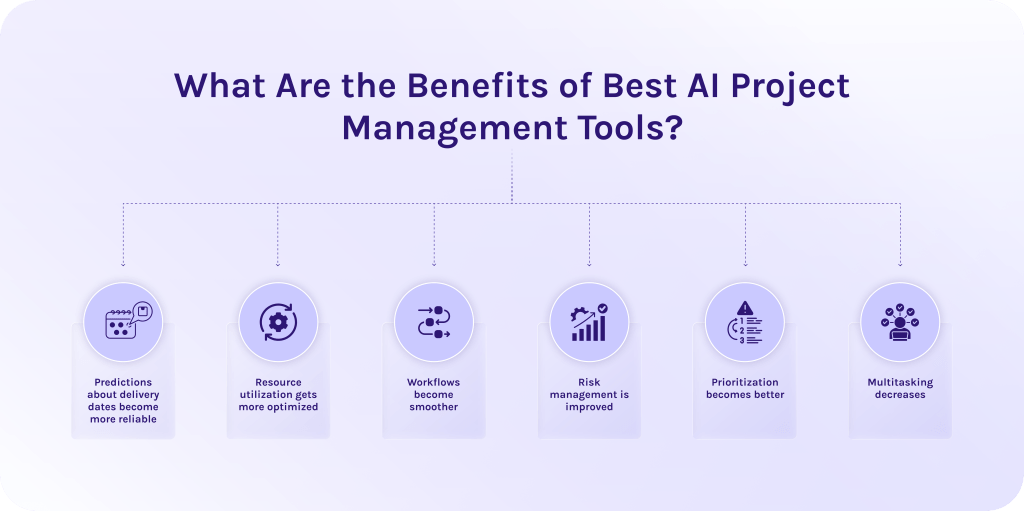
Here are the reasons why companies implement such AI project management tools:
- Predictions about delivery dates become more reliable. Thanks to predictive algorithms, deadlines become more realistic and consistently met.
- Resource utilization gets more optimized. AI eliminates resource overload and ensures balanced workloads across all projects.
- Workflows become smoother. When the system sees all dependencies between projects and tasks, it can automatically allocate resources where needed and alert about occurring bottlenecks to solve them as quickly as possible.
- Risk management is improved. If the system can detect problems early, it enables proactive intervention before problems escalate.
- Prioritization becomes better. Intelligent prioritization ensures all teams focus on tasks that maximize overall throughput.
- Multitasking decreases. Clear priorities and optimized workloads minimize context switching and improve productivity.
Read More: The Best Backlog Management Tools in 2026
How to Select the Best AI-Powered Project Management Software?
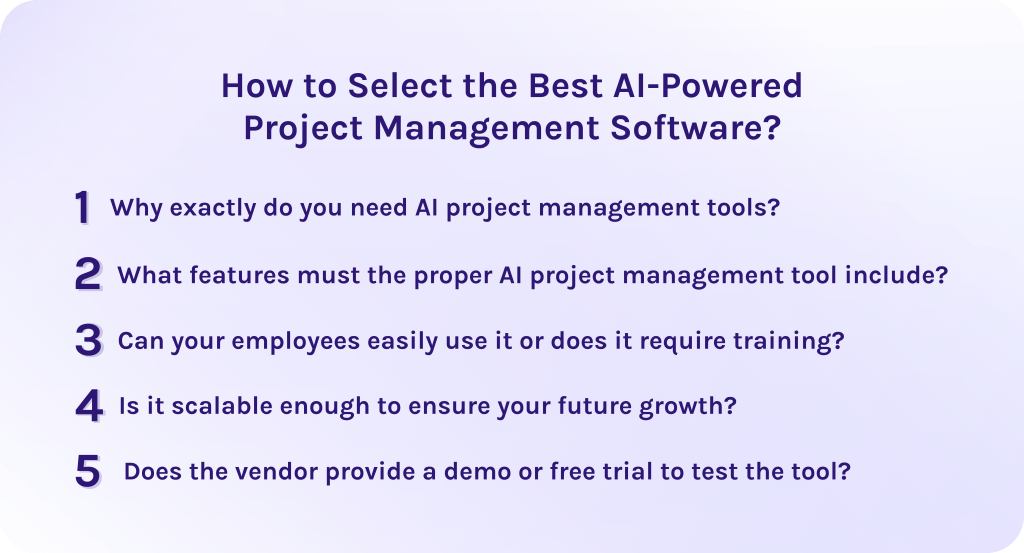
1. Why exactly do you need AI project management tools?
It’s a common situation when companies implement AI project management tools in their workflows without exactly knowing why they need them. This often leads to disappointment, as AI becomes just another unused feature rather than a real driver of improvement. Thus, before taking any action, you need to clearly understand which problems the software should solve. It can be [11]:
- Too many projects running simultaneously.
- Shared resources causing resource conflicts and overload.
- Constant firefighting and shifting priorities.
- Lack of reliable forecasts.
2. What features must the proper AI project management tool include?
Then, when you have clearly defined your challenges, the next step is to evaluate whether the tool provides the right capabilities to address them effectively. Not all AI features deliver real value, so it’s essential to focus on capabilities that directly improve flow efficiency, resource utilization, and delivery predictability [12].
3. Can your employees easily use it or does it require training?
Evaluate the usability of the user interface and how long it will take to learn how to use the AI project management tools. In some cases, it may take a week to get used to, but sometimes, it may require training to get used to the features faster [10].
4. Is it scalable enough to ensure your future growth?
Make sure that your chosen AI project management tools can grow together with your organization and support increasing complexity over time. The number of users will grow with time, as will the number of projects. Thus, the tool must be able to handle this growth without compromising performance or decision quality [13].
5. Does the vendor provide a demo or free trial to test the tool?
This step is often underestimated, but it’s extremely important to test the artificial intelligence project management software before actual implementation. A demo or free trial allows you to validate whether the tool actually delivers on its promises in a real-world setting [14].
During this phase, you should focus on evaluating how well the system handles your specific challenges. It’s not enough to explore features – you need to see how they perform with your data and workflows.
Read More: A Guide to the Best Risk Management Software
Best AI Project Management Tools Comparison Table
| Tools | Distinguishing feature | Pros |
| Epicflow | Uses AI to prevent bottlenecks and optimize resources across the entire portfolio. | Excellent for multi-project industries.
High predictive accuracy. |
| ClickUp | A unified AI that writes docs, summarizes, and predicts task dates. | Highly customizable “all-in-one” tool. |
| Zoho Projects | Conversational AI that provides project health summaries and forecasts task anomalies. | Seamless integration with the Zoho ecosystem. |
| Wrike | Predictive risk alerts that flag potential project delays and budget overruns before they happen. | Enterprise-grade security; robust “what-if” scenario planning. |
| Asana | A no-code builder that allows teams to create custom “AI Teammates” for automated triage. | Best-in-class goal/OKR tracking. |
| Zapier | Autonomous AI workers that monitor your PM tools and take actions across 8,000+ other apps. | Almost infinite flexibility. |
| Monday | Builds entire project boards, automations, and complex formulas from a simple text prompt. | Extremely visual and flexible dashboards. |
| Teamwork.com | AI that predicts project margins and revenue based on real-time billable time data. | Built-in financial tools. |
| Hive | Automatically converts meeting transcripts and chat threads into actionable task lists. | Strong real-time collaboration. |
| Trello | Summarizes card activity and suggests automations based on your usage patterns. | Fast setup for small teams or individuals. |
Top 10 AI Project Management Tools in 2026: AI Project Management Tools Comparison.
1. Epicflow
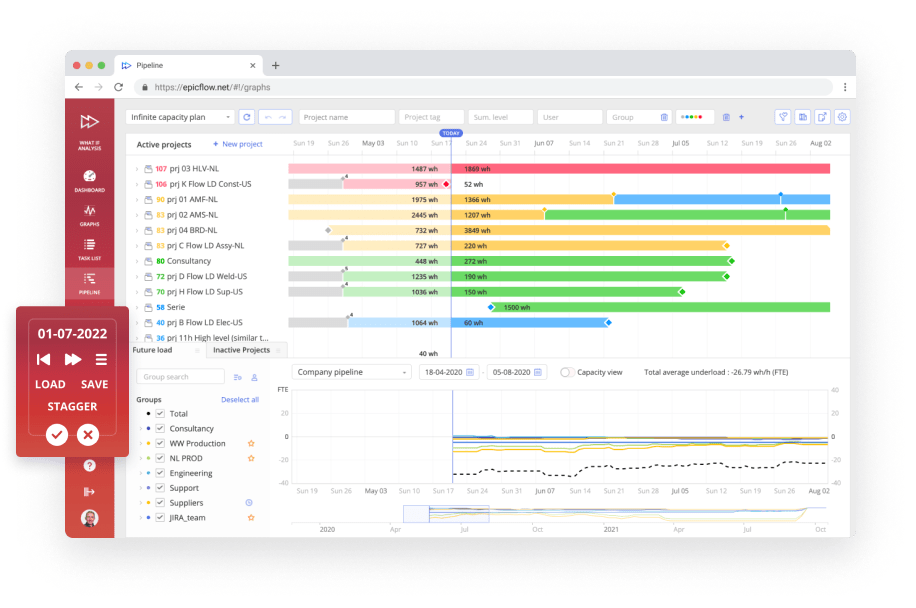
Outstanding Epicflow features
- Smart prioritization across the entire portfolio. It continuously monitors tasks and projects within the portfolio, evaluating their impact on the company’s strategic goals [15].
- Predictive algorithms and analytics. Continuously forecasts project completion dates and identifies potential delays.
- AI-driven resource optimization. Detects and resolves resource overload to maximize efficiency.
- What-if scenario modeling. Provides ability to test changes in project scope before exact implementation.
- Pipeline management. Controls active projects to maintain a stable and predictable flow.
- Bottleneck identification. Identifies constraints that limit overall throughput.
- Epica AI assistant. Your virtual project manager that helps to detect bottlenecks and alerts about inefficiencies.
Best for
Best AI project management software for companies that manage heavy project portfolios or multiple concurrent initiatives with shared resources and complex dependencies.
Pros:
- AI-driven prediction and simulation capabilities.
- Effective resource optimization across multiple projects.
- Real-time system-wide prioritization.
- Improves flow efficiency and reduces multitasking.
- Scalable for growing organizations.
Cons:
- May have a learning curve.
- Some advanced features may require training.
Ready to eliminate resource conflicts that lower your project throughput? Book a consultation with Epicflow experts to see how AI-driven prioritization can transform your multi-project environment.
2. ClickUp
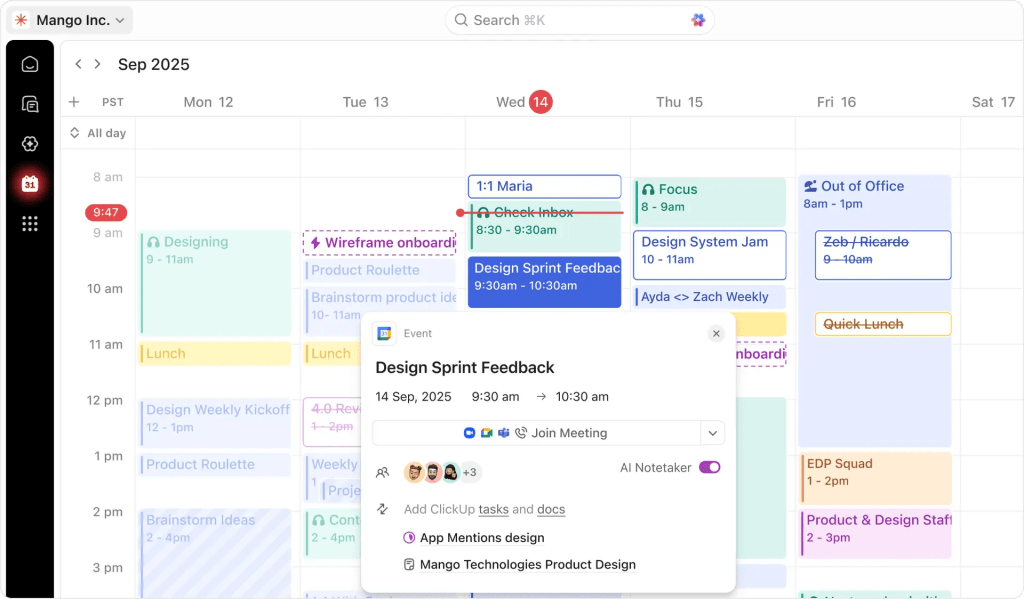
Best for
All-in-one teams looking to replace multiple apps.
Key AI features
- ClickUp Brain. Instant answers from tasks and connected apps.
- AI Project Manager. Auto-generates project plans and subtasks.
- AI Writer. Drafts technical specs and emails using project context.
Pros:
- Replaces 3-4 separate tools in one interface.
- Highly flexible for any workflow or industry.
Cons:
- Has a steep learning curve due to feature density.
- AI is a paid add-on atop the base plan.
3. Zoho Projects
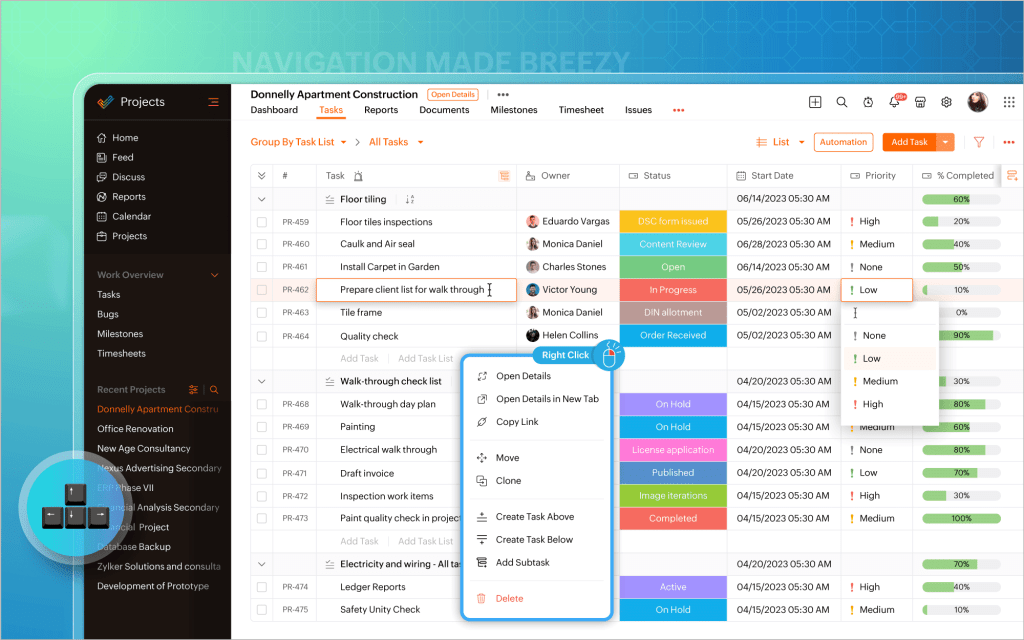
Best for
Small businesses already using the Zoho ecosystem.
Key AI features
- Zia assistant. Summarizes project health and converts complex charts into text insights.
- Task predictions. Forecasts anomalies in task completion based on historical speed.
Pros:
- One of the most affordable tools.
- Seamlessly syncs with tools from the Zoho ecosystem.
Cons:
- Interface may feel dated compared to other platforms.
- Limited customization for complex projects.
4. Wrike
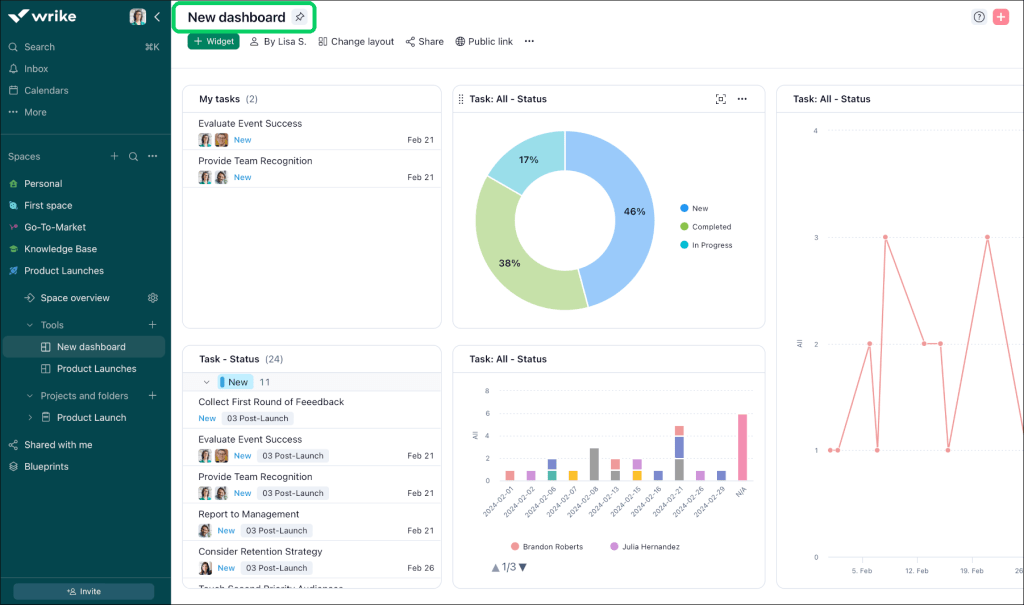
Best for
Enterprise teams needing advanced risk and resource management.
Key AI features
- Work intelligence. Throws risk alerts for project delays and budget overruns.
- Mobile AI. Dictate tasks via voice and use AI to transform paper notes into digital tasks.
Pros:
- Top-tier encryption and admin controls for large organizations.
- Excellent proofing tools for creative approvals.
Cons:
- High entry price.
- Advanced AI locked behind top tiers.
5. Asana
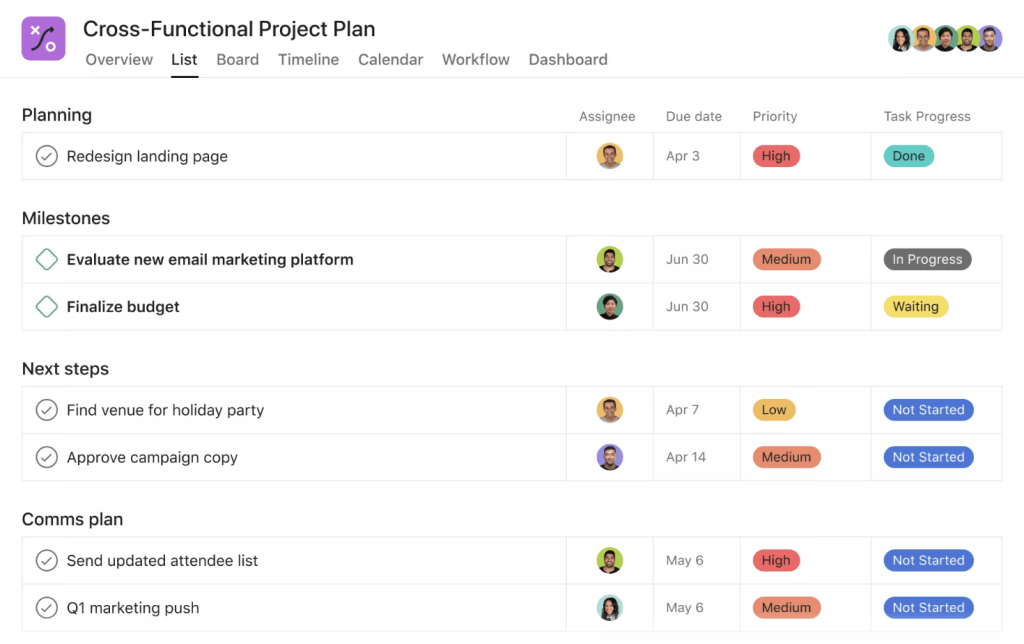
Best for
Cross-functional teams and mid-to-large organizations that operate on goals and OKRs.
Key AI features
- AI Studio. Build custom AI teammates to automate task routing.
- Smart status. Instant one-click reporting and thread summarization.
Pros:
- Has an intuitive and visually clean interface.
- Superior portfolio views for executive oversight.
Cons:
- Lacks native time tracking and billing found in competitors.
6. Zapier
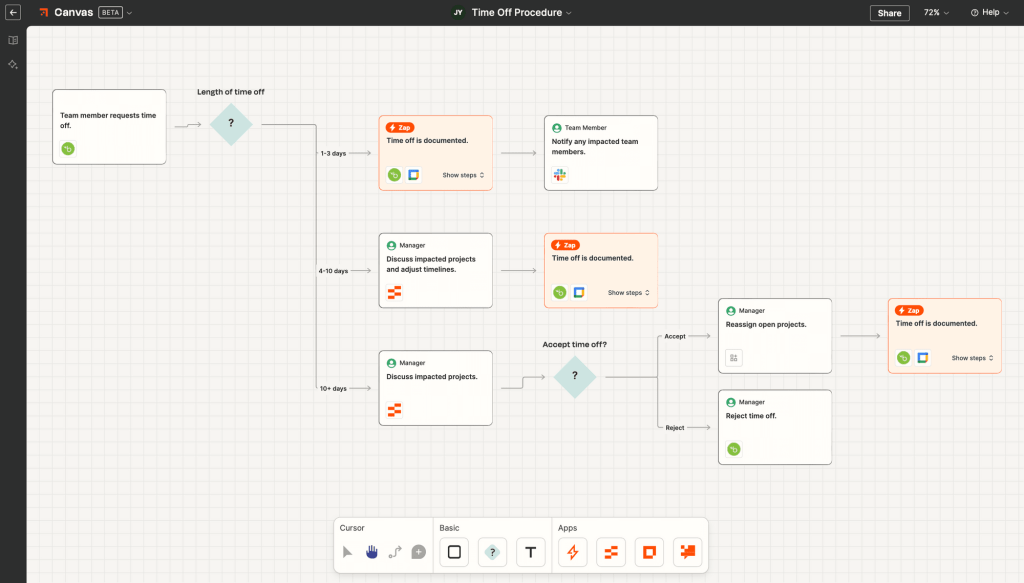
Best for
Cross-platform automation.
Key AI features
- AI agent orchestration. Autonomous AI agents that monitor apps and take action on their own.
- Natural language logic. Build 8,000+ app connections using simple text prompts.
Pros:
- Automates multiple workflows at once.
Cons:
- Requires time to set up logic flows.
- Can become expensive as task volume increases.
7. Monday
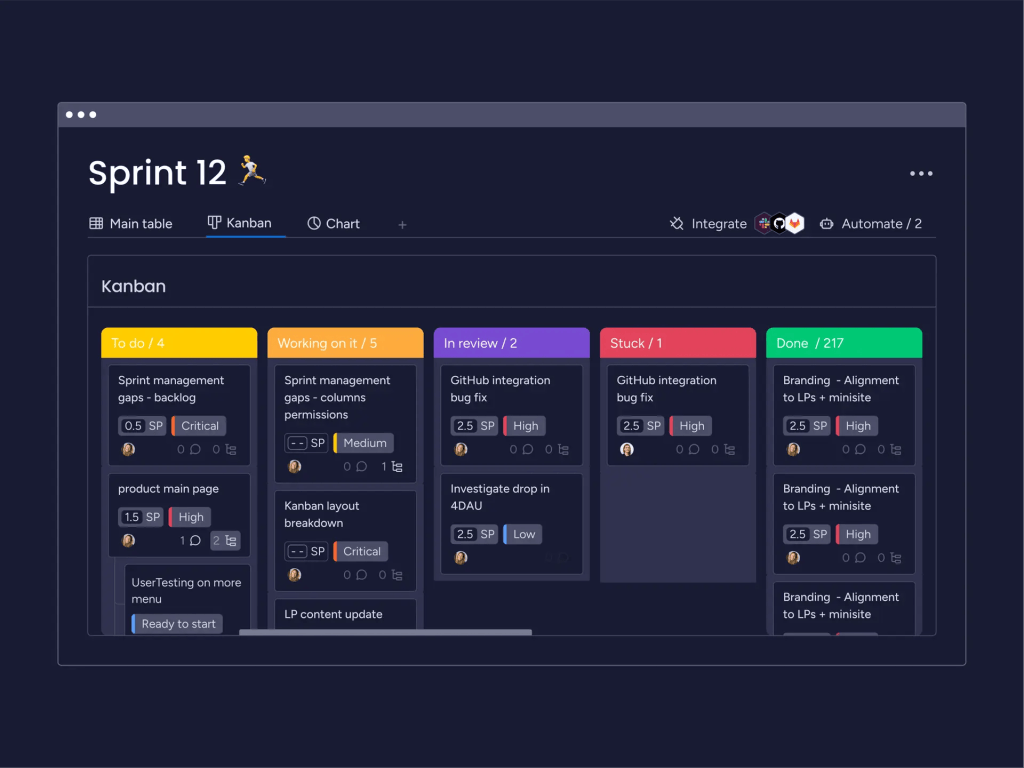
Best for
Organizations that are already using other tools from the Monday ecosystem.
Key AI features
- Monday Magic. Builds boards, automations, and complex formulas from a text prompt.
- AI summaries. Create bullet points from meetings to show the most important moments of conversation.
Pros:
- Easiest tool to get a team up.
- Has a massive library of third-party apps and templates.
Cons:
- Minimum seat requirements.
8. Teamwork.com
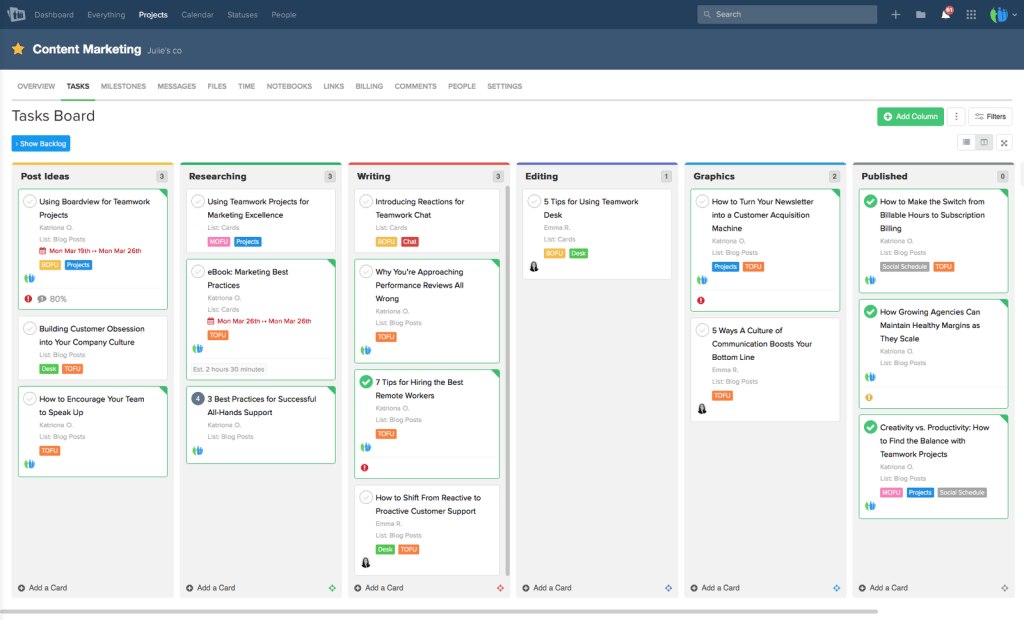
Best for
Client-facing agencies requiring billable time and profitability data.
Key AI features
- AI teammates. Automates meeting summaries and professional client status updates.
- Predictive profitability. Forecasts margins and costs for projects before they are won.
- Smart resource assigning. Matches tasks to the best available team member based on skills and capacity.
Pros:
- Offers unlimited free client access with granular privacy controls.
- Includes native invoicing, quotes, and retainer management in one place.
Cons:
- The dense interface can be overwhelming.
- Can experience lag when managing very large portfolios.
9. Hive
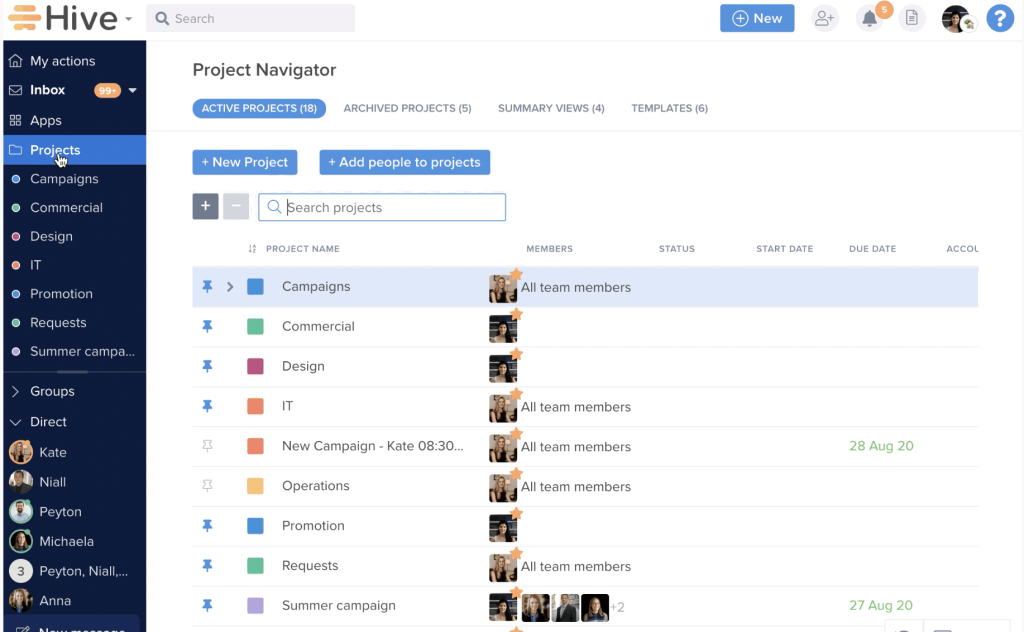
Best for
Collaborative teams who prioritize real-time chat and notes.
Key AI features
- HiveMind. A generative AI assistant that drafts project plans, emails, and blog posts directly in the app.
- Buzz AI. Automatically converts meeting transcripts and chat threads into actionable tasks.
Pros:
- Features are built based on user voting, ensuring practical utility.
- Easily toggle between Gantt, Kanban, Table, and Calendar views.
Cons:
- The mobile experience is less robust than the desktop version.
- Many advanced features require separate paid apps or extensions.
10. Trello
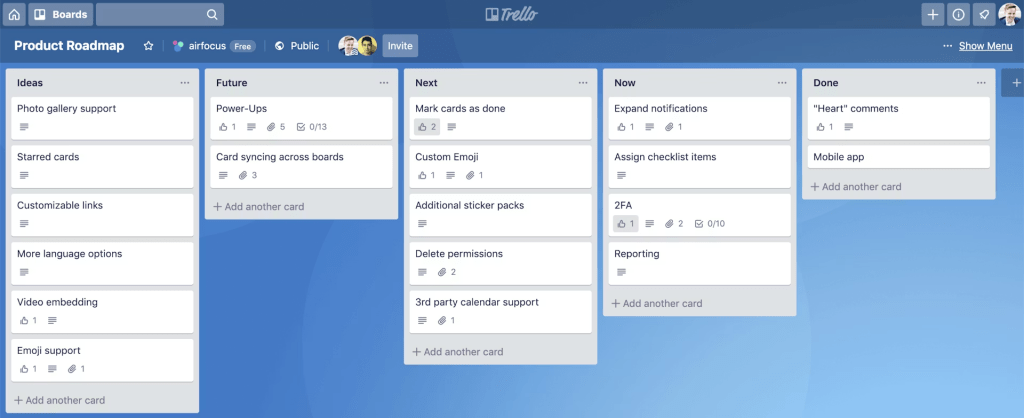
Best for
Individuals and small teams needing simple Kanban.
Key AI features
- Atlassian intelligence. Summarizes card activity and suggests automations for repetitive tasks.
- Smart labels. AI suggests tags and categories based on card content to maintain board organization.
Pros:
- Virtually zero learning curve.
- Hundreds of integrations allow you to add only the features you need.
Cons:
- Boards become cluttered and difficult to manage as project complexity grows.
Read More: What Is Business Process Automation?
Final Thoughts
While you’re waiting to adopt AI project management tools, companies that did it are far ahead of you. Their market position strengthens with each passing day, making you fall behind. That is why leveraging AI is not just a fad; it’s a strategic need.
I can summarize everything we were talking about today with a perfect quote about expert reviews of AI project management tools:
“I imagine a world in which AI is going to make us work more productively, live longer, and have cleaner energy.” – Fei-Fei Li, Professor of Computer Science at Stanford University.
FAQs about AI project management tools
1. How does AI improve project management?
- Automation. It handles routine administration like status updates and meeting summaries.
- More confident decision-making. With the help of such tools you’ll receive insights about the performance of each project and the portfolio overall to optimize processes and make informed decisions.
- Prioritization becomes smarter. If there are some changes in the project schedule or scope of work, AI can automatically recalculate due dates and adjust timelines according to limited resources, not to lose efficiency.
- Forecasting. The system can forecast bottlenecks months ahead to help teams minimize risks or prevent them.
2. What are the key features of AI project management software?
- Predictive analytics. Forecasting completion dates, budget overruns, and possible bottlenecks in advance.
- Smart resource allocation. Identifying which team member is best suited for a task based on past performance, skills, and current workload.
- Generative AI assistants. Writing project briefs, summarizing long comment threads, or creating task lists from a single prompt.
- What-If analysis. Managers can simulate different scenarios of changes in projects and get immediate possible consequences.
3. Can AI project management tools handle multiple projects?
Sure, moreover, the best AI tools for project management are created to handle multiple projects at once, not for a single one. In fact, this is where AI excels. It can analyze cross-project dependencies and identify when a delay in Project A will starve Project B of necessary resources. Tools like Epicflow use AI to provide a high-level portfolio view, helping managers balance resources across dozens of simultaneous initiatives.
4. What is AI project management software?
In simple English, AI project management software is an IT solution powered with artificial intelligence, machine learning, natural language processing, and predictive algorithms that includes functions necessary for managing projects in different industries. Usually, it can handle a whole portfolio of projects, and not limited to only one project.
5. How to choose the best AI tool for project management?
Here are some useful tips on how to choose your perfect AI tool for project management.
- Identify your pain point. Where are your processes getting stuck and you want to make them more efficient?
- Check for needed features. Choose a tool that will cover the pain points identified earlier.
- Integration. Ensure it plugs into your existing tech stack.
- Data security. Verify the tool’s AI model is compliant with your company’s data privacy policies.
6. What is the best AI project management software?
It depends on what problem you’re trying to solve. Most tools labeled as “AI project management” focus on assistance, while others apply AI directly to planning and execution control across multiple projects. Epicflow is one of those solutions which uses AI to continuously optimize project flow, taking into account resource availability, task priorities, and system-wide constraints.
7. Which industries benefit most from adopting AI project management tools?
In fact, all industries benefit from intelligent AI-powered project management tools, but the most important is its impact on highly regulated industries:
- Software development.
- Telecom.
- Healthcare.
- Finance.
- Logistics.
- Aerospace and defense.
8. Can AI predict project risks?
Absolutely. AI models look at thousands of historical data points to identify risks and patterns that humans might miss, such as a specific vendor consistently delivering 2 days late or a scope creep pattern starting to emerge in a new project.
9. Are there any AI solutions that can integrate with Jira?
Epicflow, for instance, is one of the AI-powered project management tools that seamlessly integrates with Jira, helping project teams achieve optimal resource allocation across multiple projects without burning out their workforce. By syncing with Jira’s task data, Epicflow’s AI-driven predictive analytics can prioritize tasks in real-time and identify potential bottlenecks before they impact delivery dates.
10. Do AI based project management tools replace project managers?
No, AI project management tools do not replace project managers. Even on the contrary, they act like high-powered assistants to help teams make strategic decisions more confidently, predict risks, and allocate constrained resources as efficiently as possible. But they still cannot replicate human-centric skills such as leadership, conflict resolution, and strategic stakeholder negotiation.
References:
- https://www.pmi.org/learning/thought-leadership/pulse/pulse-of-the-profession-2020
- https://www.finemediabw.com/blog/project-management-statistics
- https://wifitalents.com/project-statistics/
- https://www.researchgate.net/publication/348198153_Asana_Product_Review
- https://www.researchgate.net/publication/350608649_Trello_product_review
- https://www.researchgate.net/publication/395889535_A_Comprehensive_Review_of_AI-Driven_Project_Management_Techniques_in_Software_Development
- https://www.researchgate.net/figure/The-urgency-importance-matrix-or-the-Eisenhower-box-Based-on-this-matrix-normally_fig10_346894951
- https://www.researchgate.net/publication/277776520_FUZZY_ANALYSIS_OF_SHORTEST_JOB_FIRST
- https://www.researchgate.net/publication/390733891_Evaluating_the_Impact_of_AI-Driven_Project_Prioritization_on_Program_Success_in_Hybrid_Cloud_Environments
- https://www.researchgate.net/publication/3247702_Usability_Basics_for_Software_Developers
- https://www.researchgate.net/publication/397466565_Overview_of_artificial_intelligence-based_project_management_tools_for_business_representatives
- https://www.researchgate.net/publication/395385546_The_Role_of_Artificial_Intelligence_in_Modern_Project_Management_Trends_and_Implications_for_2025
- https://www.researchgate.net/publication/389153960_Trends_and_Applications_of_Artificial_Intelligence_in_Project_Management
- https://www.researchgate.net/publication/384266056_The_Impact_of_Artificial_Intelligence_on_Project_Management_Enhancing_Efficiency_Risk_Mitigation_and_Decision-Making_in_Complex_Projects
- https://www.researchgate.net/publication/267599159_Prioritization_of_a_Portfolio_of_Projects
- https://www.researchgate.net/publication/24055488_Scenario_Simulation_Theory_and_Methodology
- https://www.researchgate.net/publication/326435728_Predictive_Analytics_A_Review_of_Trends_and_Techniques
- https://www.researchgate.net/publication/333459139_Resource_allocation_problem_in_project_management
- https://www.researchgate.net/publication/220769597_Web-based_what-if_scenario_analysis_tool_for_performance_improvement_of_IT_support_organizations
