
What is Project Cost Management and Why Is It Critical in 2026?
Project cost management is the process of planning, estimating, financing, managing, and controlling costs so that a project can be completed within the approved budget. It forms a fundamental pillar of traditional project management alongside scope and schedule management [3].
The Anatomy of Project Costs and Budgeting
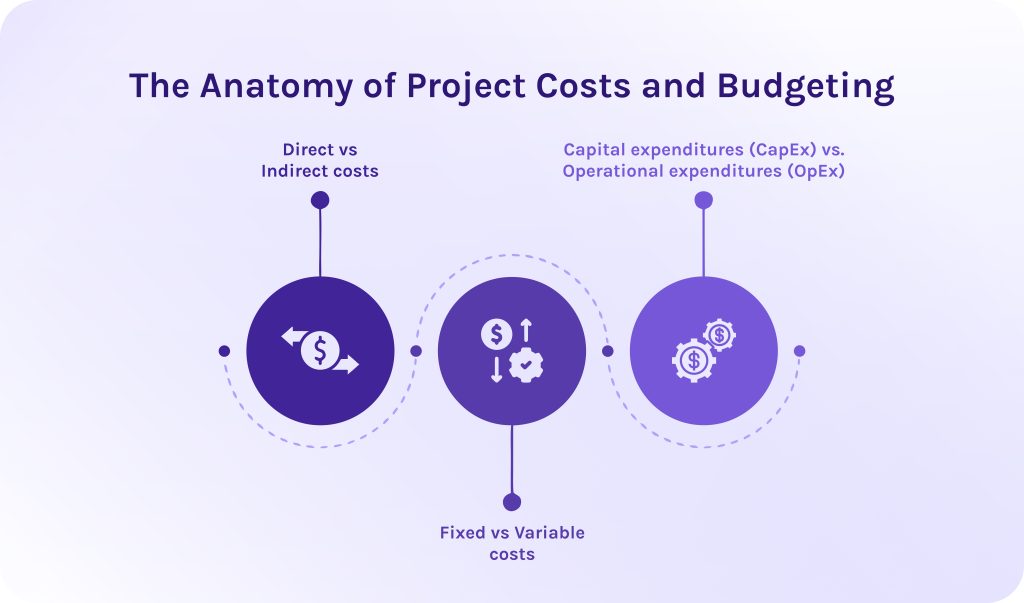
To build a resilient project budget, project managers categorize financial outlays across multiple variables:
- Direct vs. indirect costs: Direct costs are those that describe project deliverables, like working hours, cost of raw materials for manufacturing, cost of software license, or production supplies. On the other side, indirect costs support the whole business but cannot be tied to an exact product or service. For example, it can be office rent or medical insurance for employees.
- Fixed vs. variable costs: Fixed costs remain static regardless of project volume or execution length. However, if we’re talking about variable costs, they fluctuate based on different factors.
- Capital expenditures (CapEx) vs. Operational expenditures (OpEx): CapEx represents major long-term investments, whereas OpEx covers day-to-day operational costs incurred during project execution.
Combining these cost factors creates the total project budget, which is anchored to a baseline schedule.
Read More: The 15 Best Manufacturing Capacity Planning Tools in 2026
Why Is Cost Management Critical in 2026?
Modern economic conditions, marked by persistent wage inflation and fluctuating vendor rates, have made financial visibility non-negotiable.
Industry research indicates that over 40% of enterprise projects finish over budget, with scope creep accounting for an average budget overrun of 27%. Across all industries, approximately 11% to 12% of total project investment is lost due to poor performance and financial mismanagement [2].
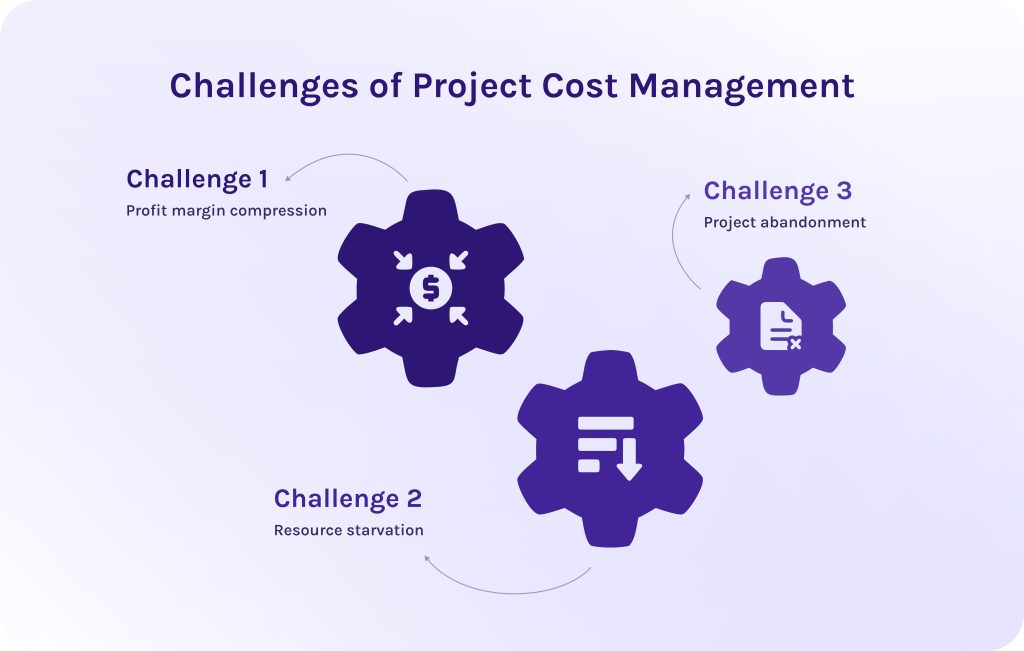
When project costs run over baseline, the downstream consequences severely impact an organization:
- Profit margin compression. Unplanned project cost overruns directly erode client margins or consume operational budgets.
- Resource starvation. Projects exceeding their budget limits often draw capital and personnel away from other strategic initiatives, consequently destabilizing broader portfolio performance.
- Project abandonment. Severe overruns frequently trigger outright project cancellations, causing companies to lose their initial sunk costs without receiving any functional deliverables.
However, modern project cost management tools unify resourcing and finance into a single operational interface:
- Cost estimating tools in project management automatically calculate project burn rate when employees log time against a project task, multiplying those hours by their specific billable rate.
- Cost control tools in project management dynamically forecast capacity and project cost needs.
- Project management software with cost management features allows companies to sync directly with corporate ERP and accounting software.
Ready to eliminate manual tracking delays and protect your project margins? Contact HYS Enterprise today to learn how our software integration and custom development experts can unify your resourcing and financial systems into a seamless, high-performance solution.
Read More: 3 Essential Types of Capacity Planning Strategies and When to Use Them
Essential Project Cost Management Tools and Techniques
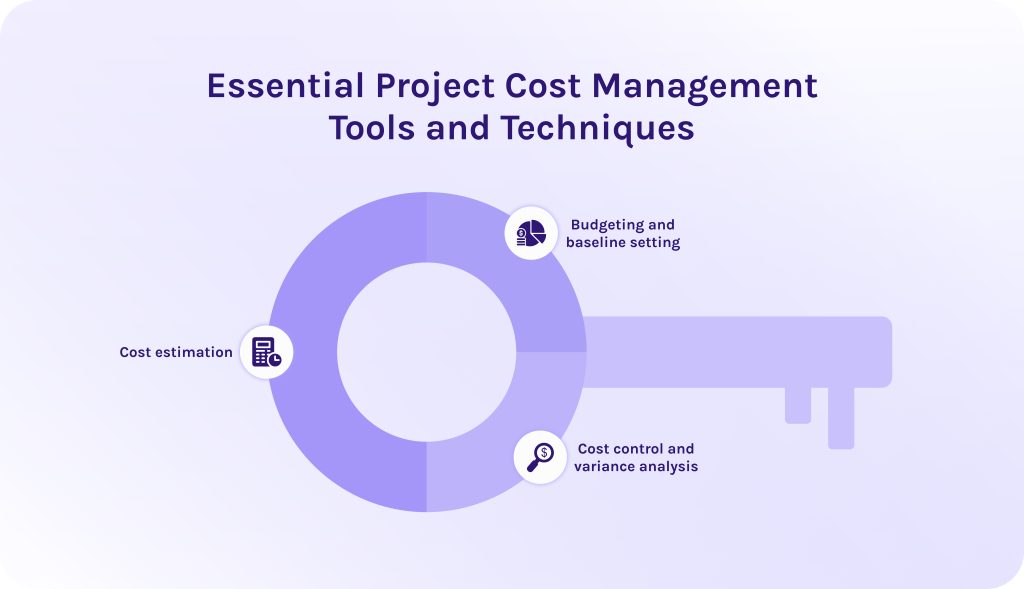
To manage project costs effectively, you need to master balancing between:
- strategic estimation,
- baseline budgeting,
- real-time control.
In this regard, if you combine specialized cost management tools in project management with proven analytical techniques, it’ll keep projects on track financially throughout their execution lifecycle.
1. Cost estimation.
Cost estimation is an essential process of predicting what financial resources are required to complete all project deliverables, which occurs in the early project planning phase. Selecting the right cost estimating tools in project management depends on how much project data and scope detail are available.
2. Budgeting and baseline setting.
Once estimates are complete, project budgeting software aggregates cost items into a time-phased cost baseline that sets approved project funding limits over time. Accordingly, modern budget management tools allow PMs to lock in approved baselines and visualize projected cash-flow curves against actual spend targets over time.
3. Cost control and variance analysis.
Cost control tracks actual expenditures against the cost baseline. It is used to detect performance variations early and execute timely corrective actions. So, in this case, cost analysis tools project management frameworks rely on continuous data monitoring.
Thanks to dedicated cost estimation tools in project management, teams can aggregate all needed information automatically. These tools trigger immediate alerts when variance thresholds are breached, preventing budget overruns before they escalate.
Read More: The Definitive Guide to Enterprise Project Management Software for 2026
Key Features to Look For in Cost Management Software
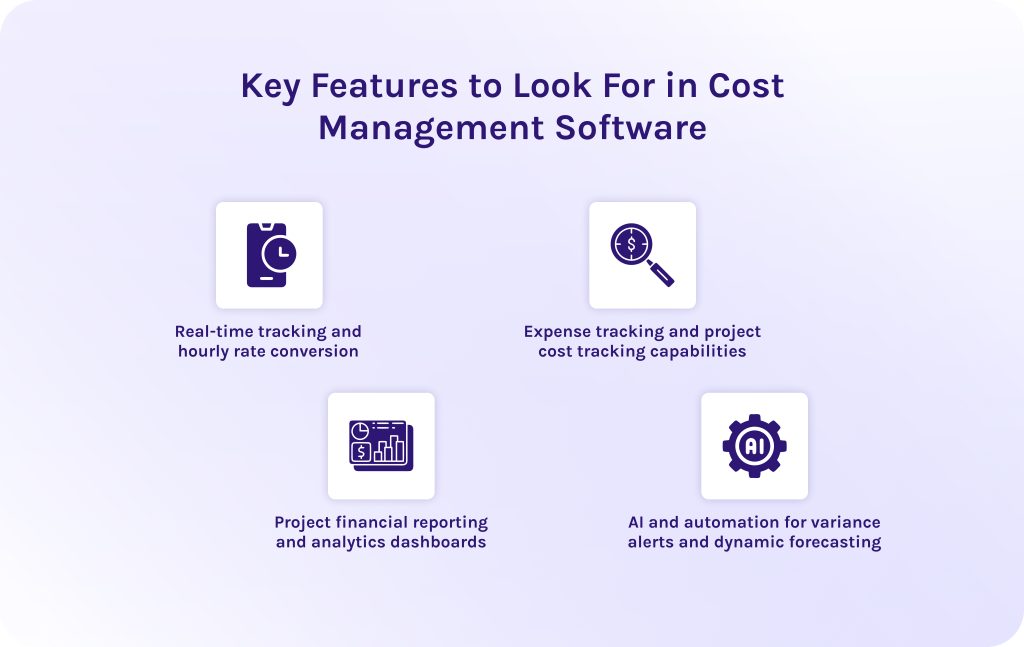
Selecting effective project cost management tools requires looking beyond basic task management. Robust platforms bridge day-to-day project execution with live financial oversight, ensuring core project management features directly support budget health.
1. Real-time tracking and hourly rate conversion.
Labor is often the single largest variable expense in any project budget. Cost management features like dynamic rate cards and automated skill multipliers instantly calculate gross margins while accounting for internal costs and overtime rules. As team members log hours via mobile or desktop apps, live burn tracking updates cumulative spending against the budget baseline to catch cost overruns immediately.
2. Expense tracking and project cost tracking capabilities.
Dedicated cost tracking features help companies monitor spending and ensure that non-labor expenses do not silently erode project profit margins. For instance, capabilities like direct receipt capture and purchase order tracking log committed funds and physical outlays instantly. This, in turn, prevents unexpected budget depletion before vendor invoices are even paid.
Additionally, tagging expenses as CapEx or OpEx at entry simplifies tax compliance and guarantees clean synchronization with corporate accounting systems.
3. Project financial reporting and analytics dashboards.
The proper project cost management tools translate massive data sets into clear reports for both project managers and C-suite executives. Portfolio-level rollups aggregate metrics across departments to give leadership macro-level visibility into overall company financial health.
4. AI and automation for variance alerts and dynamic forecasting.
Advanced project management software powered with cost tracking features uses artificial intelligence to automate complex but repeatable workflows and simplify decision-making. Features like predictive algorithms calculate realistic final costs based on historical team velocity. Additionally, AI-powered scenario planning models the financial impact of scope shifts and resource changes, allowing teams to evaluate trade-offs instantly before making costly decisions.
Read More: Tired of MS Project? 16 MS Project Alternatives for Modern Teams
Top Project Cost Management Tools 2026 (Detailed Comparison)
Obviously, there is no best cost management software as all these tools are suitable for different companies in different cases. We gathered seven leading cost analysis tools for project management and created a detailed review of each solution.
1. Microsoft Project
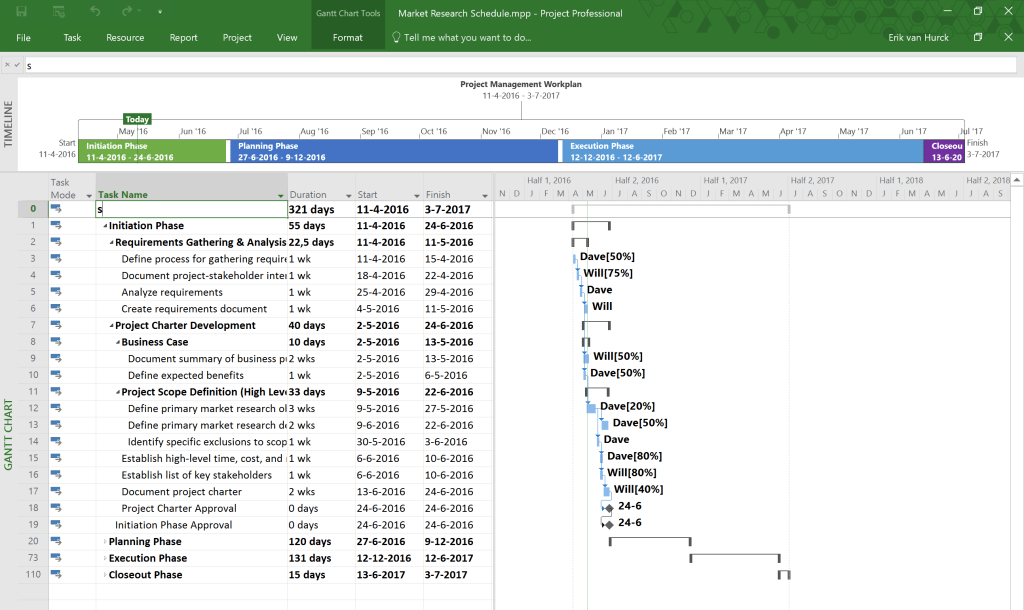
Microsoft Project is one of the most widely known project management tools present in the market. It has become so popular thanks to a combination of portfolio management and financial control into a centralized environment. Developed by Microsoft, this project and cost management software is an inevitable part of the Microsoft ecosystem and will be the best choice for teams deeply integrated into it.
Best use case
This software for project cost management will be a decent choice for enterprise organizations in completely different sectors, from government to IT, that manage multi-million-dollar programs and demand advanced budget management tools.
Key cost control features
- Baseline vs. actual cost comparisons.
- Custom resource cost rates.
- Rate-table shifts over time.
- Native EVM metrics ($CPI, SPI, EV, PV, AC$).
Time tracking & resourcing capabilities
- Detailed resource assignment sheets with work contouring.
- Integration with enterprise resource planning (ERP) timesheet modules.
Pros
- Users value its depth for enterprise reporting and financial baseline control.
- Native integration with the Microsoft 365 ecosystem.
Cons
- Has a steep learning curve.
- Rigid structure makes it over-engineered for lightweight workflows.
Pricing
- Planner Plans (Cloud) start at ~$10/user/month (Plan 1) up to $55/user/month (Plan 5).
- Desktop/on-premise licenses available separately.
2. Epicflow
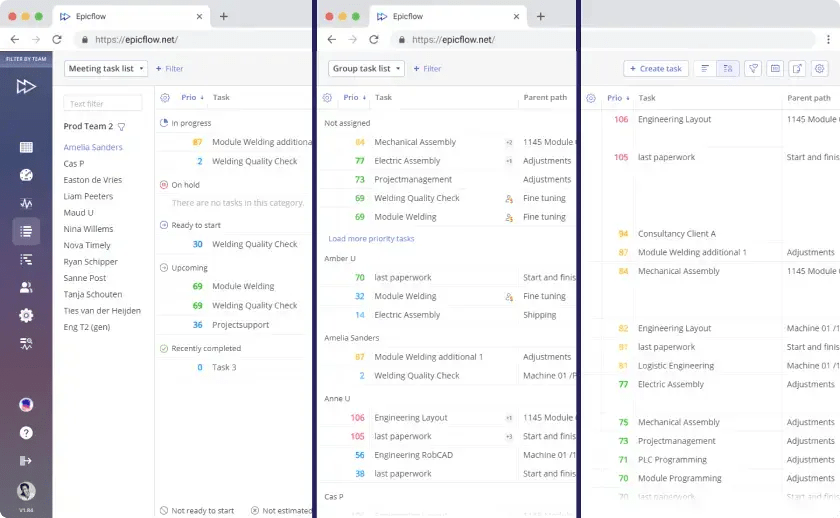
The next solution on our list of project cost management tools is Epicflow. It is a multi-project resource management and capacity planning platform powered by artificial intelligence. It aims to help companies handle their complex project portfolios. It is built on principles of critical chain project management (CCPM). It continuously balances workload distribution across shared resource pools to keep multi-project operations flowing efficiently.
Best use case
Suits perfectly large PMOs and complex multi-project organizations (e.g., in defense, aerospace, or software) where multiple teams draw from shared, finite resource pools and demand predictive bottleneck resolution.
Key cost control features
- Predicts budget overruns through AI-powered predictive analysis.
- “What-If” financial impact simulations.
- Dynamic load balancing.
Time tracking & resourcing capabilities
- Skill- and role-based resource scheduling.
- Advanced capacity forecasting.
- Automatic task prioritization based on load.
- Third-party time-tracking integrations.
Pros
- It allows companies to solve resource bottlenecks easily.
- It helps allocate budget to the highest value initiatives.
- It prevents costly delays before they impact budgets.
- Seamlessly connects with Jira and MS Project.
Cons
- Primarily focuses on resource constraints.
- Custom enterprise setup required.
Pricing
Has custom pricing for the enterprise plan. However, it also has a growth plan for smaller teams, at a price of €22.5 monthly/billed annually.
Reach out today to schedule a consultation and transform your complex budgeting processes into a scalable competitive advantage.
3. Harvest
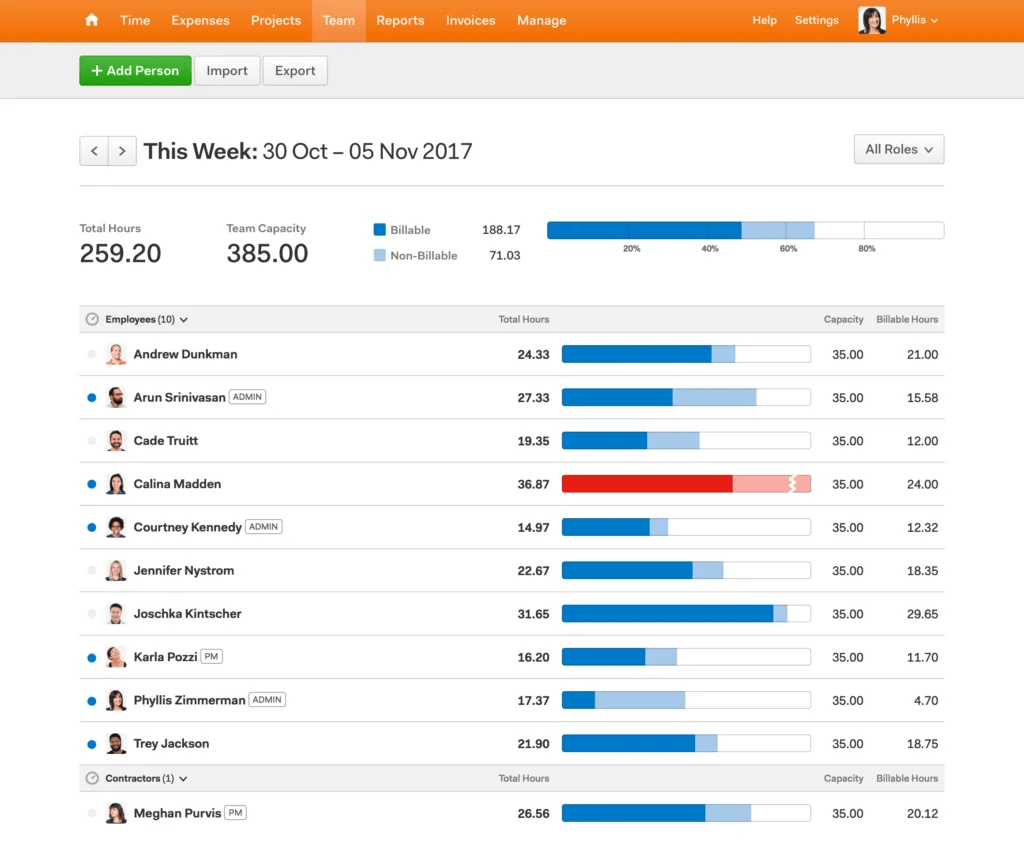
Harvest is a cloud-based project budget management platform designed to translate tracked labor into actionable project billing data. It focuses on simplicity, enabling individual contributors to seamlessly record hours and providing managers with real-time financial reporting.
Best use case
This cost and project management software is the best solution for operations teams and small-to-midsize service businesses that bill clients on an hourly or fixed-fee basis.
Key cost control features
- Project cost tracking.
- Real-time visual progress bars.
- Fixed-fee vs. time-and-materials budget monitoring.
- Quick receipt/expense logging.
Time tracking & resourcing capabilities
- Intuitive desktop/mobile timers.
- Integrated timesheet approval workflows.
- Synergy with sister tool Forecast for capacity planning.
Pros
- Extremely easy to adopt.
- Direct integration with Stripe and QuickBooks for immediate client invoicing.
Cons
- Lacks deep project scheduling tools.
- Critical path analysis and advanced financial modeling are absent.
Pricing
- Free plan (1 seat, 2 active projects).
- Pro plan is ~$10.80/user/month (billed annually).
4. Wrike
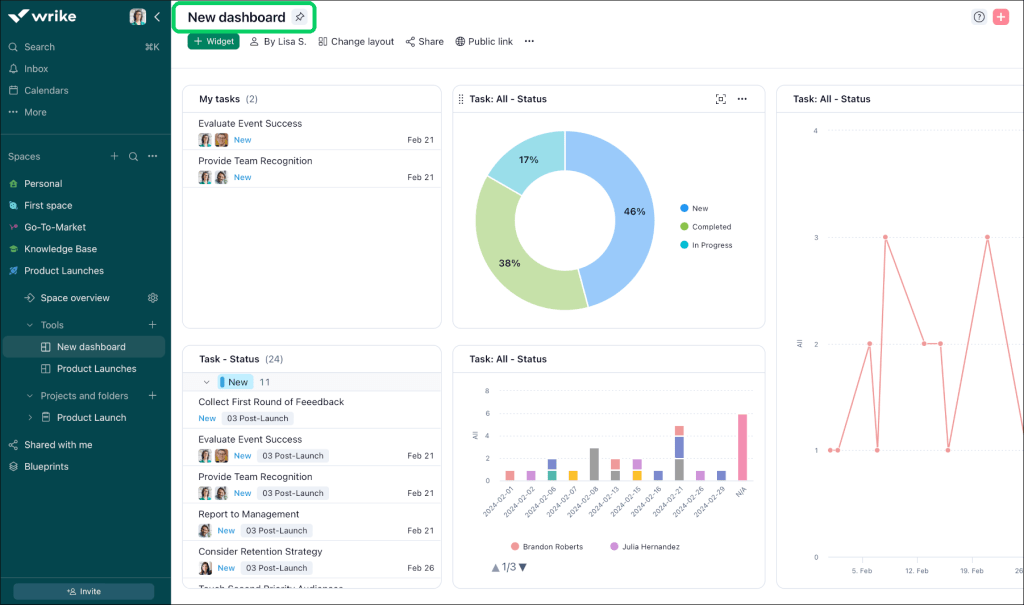
Among other project cost management tools, Wrike is a highly flexible work management platform designed to connect cross-functional teams. Moreover, it helps streamline work processes through customized workflows.
Best use case
Wrike is the best fit budgeting software for mid-to-large enterprises and cross-departmental operations that require centralized project management alongside real-time budgeting.
Key cost control features
- Project budget fields.
- Custom financial formulas.
- Real-time cost burn-up/burn-down reporting charts.
- Automated budget alerts.
Time tracking & resourcing capabilities
- Built-in task timers.
- Role-based billable/cost rates.
- Workload balancing views.
- Aggregated team timesheets.
Pros
- Highly adaptable dashboards and automation engine.
- Users value its strong cross-departmental collaboration features.
Cons
- Advanced financial calculations and full resource workload management require higher-tier subscriptions.
Pricing
- Free plan available.
- Team plan starts at $10/user/month.
- Business plan at $25/user/month.
- Higher enterprise tiers (Pinnacle/Apex) are custom-quoted.
5. NetSuite OpenAir
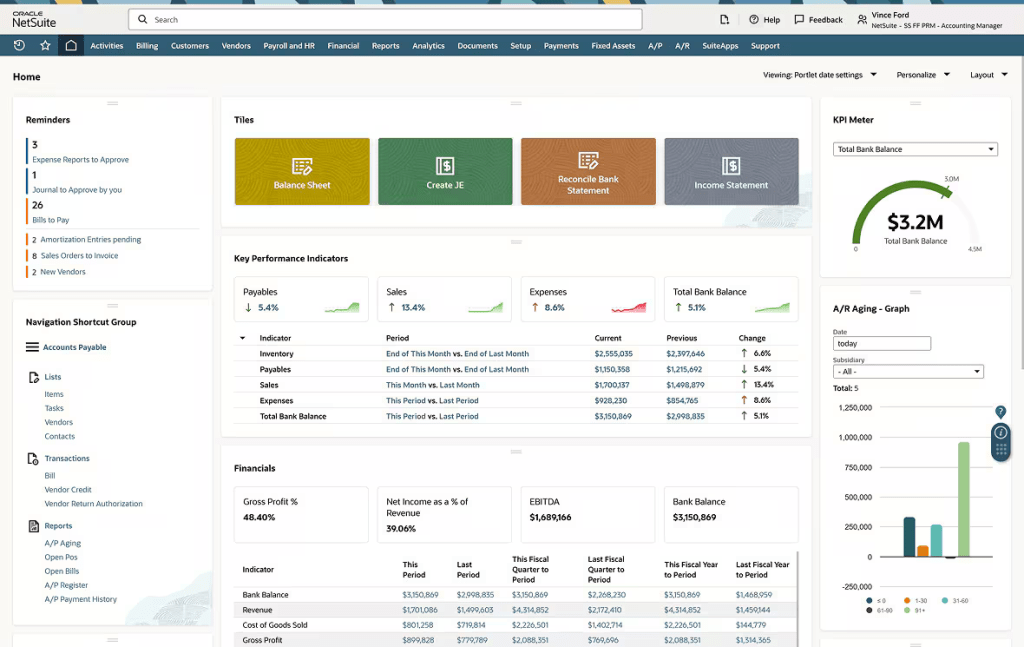
The next solution on our list of project cost management tools is an enterprise professional services automation (PSA) solution. It is designed to manage end-to-end professional services operations, from initial opportunity through project execution to automated billing.
Best use case
NetSuite OpenAir will be an ideal choice for organizations that operate multi-currency and multi-entity environments that demand strict regulatory compliance and deep ERP accounting integration.
Key cost control features
- Advanced project accounting.
- Complex billing rules.
- Real-time margin visibility.
- Foreign currency conversion.
Time tracking & resourcing capabilities
- Global resource scheduling.
- Skill matrix matching.
- Utilization tracking.
- Detailed mobile timesheets with receipt photo-capture.
Pros
- Effortlessly handles complex corporate taxation and multi-entity global operations.
- Deep ERP-level financial management.
Cons
- Has a dated user interface compared to modern SaaS products.
- Complex setup.
- Expensive implementation.
Pricing
Quote-based enterprise licensing (typically starting with a base platform fee around 999–2,500+/month plus per-user fees around 129–199/user/month, with discounted self-service seats for time and expense entry).
6. ClickUp
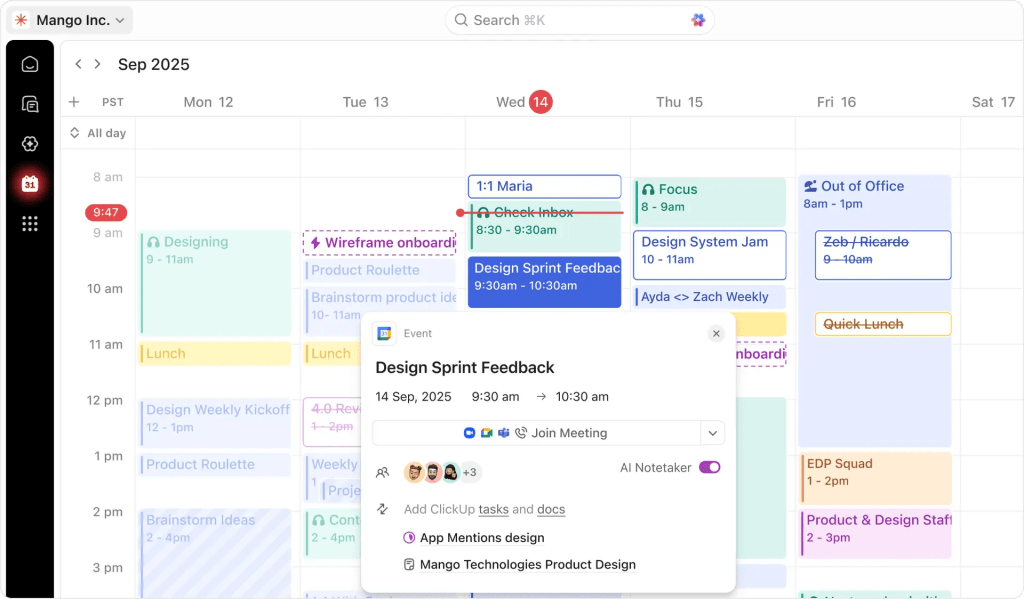
The penultimate project budgeting software on our list is ClickUp. It is an all-in-one productivity and work management platform that unifies project planning and customizable financial dashboards into a single flexible workspace.
Best use case
This project cost management tool is ideal for fast-growing startups and mid-sized tech teams seeking a highly configurable solution that unifies tools for project and cost management into a single system.
Key cost control features
- Formula-based custom fields for automatic budget calculations.
- Spend metrics tracking.
- Project targets.
- Customized dashboard widgets for real-time burn analysis.
Time tracking & resourcing capabilities
- Global native time tracking.
- Billable/non-billable time flags.
- Real-time comparison of estimated vs. actual hours logged.
- Capacity and workload allocation views.
Pros
- Highly customizable platform.
- Low entry cost for small-to-mid teams.
- Combines budget monitoring with extensive task automations.
Cons
- Granular flexibility can cause configuration bloat.
- According to user reviews, performance can lag when running complex dashboards on massive workspaces.
Pricing
- Free forever plan.
- Unlimited plan starts at $7/user/month.
- Business plan at $12/user/month (annual billing).
- ClickUp Brain AI available as an optional add-on.
7. Scoro
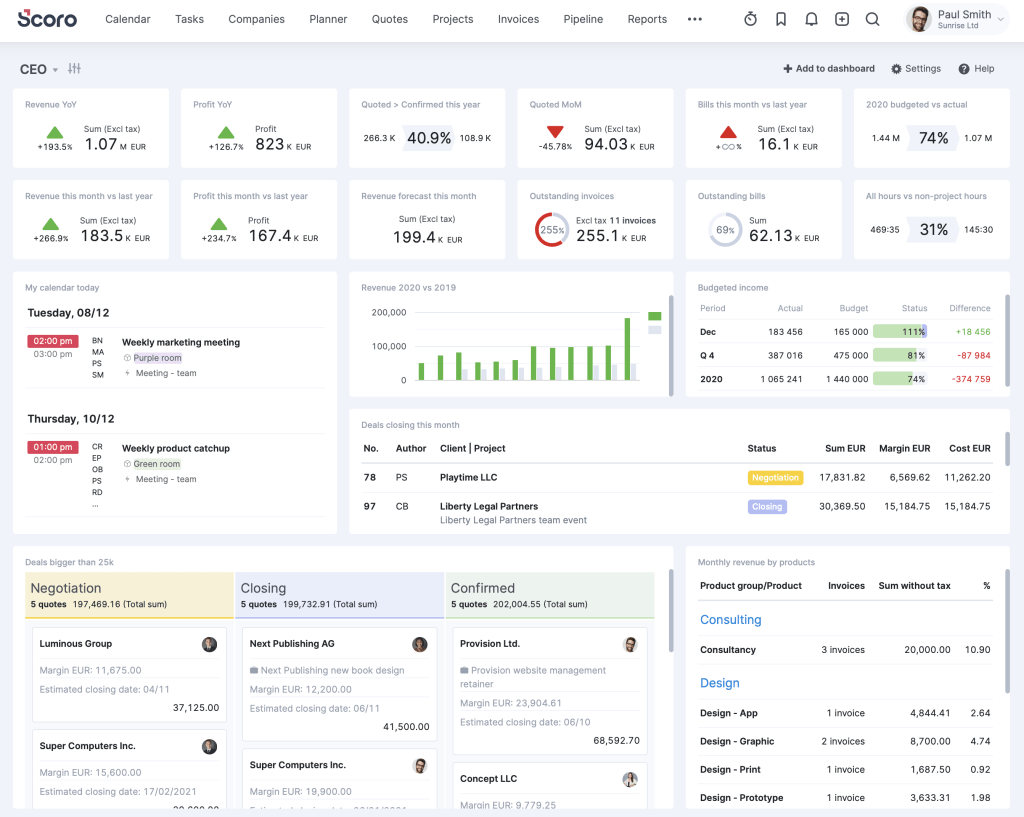
The last but not least solution on our project management cost tools is Scoro, which is an end-to-end professional services automation (PSA) platform. This cost management software connects every step of the quote-to-cash workflow, from initial sales proposals to live project accounting.
Best use case
Among other cost control tools in project management, this solution suits professional services firms that need end-to-end operational alignment.
Key cost control features
- Quoting-to-budget transformation tools.
- Internal labor cost rates.
- Real-time profitability tracking.
- Supplier purchase order management.
- Detailed budget vs. actual analytics.
Time tracking & resourcing capabilities
- Built-in time recording.
- Automatic timesheet creation.
- Dynamic utilization rates.
- Advanced capacity planning.
Pros
- Unifies project management and core financial controls into a unified interface.
- Provides immediate clarity on client and project profit margins.
Cons
- Higher baseline expense due to a mandatory 5-user minimum across standard tiers.
- Steeper onboarding curve compared to other tools.
Pricing
- Core/Essential plan starts at ~19.90-26/user/month.
- Growth/Standard at ~32.90-37/user/month.
- Performance/Pro at ~49.90-63/user/month.
All plans are subject to a 5-user minimum requirement.
Read More: Top 7 Best Strategic Portfolio Management Tools for Your Organization
How We Selected the Best Project Cost Management Tools 2026: Our Methodology
We evaluated 7 project cost management tools based on five common standards:
- Pricing transparency.
- Ease of adoption.
- AI and automation features.
- Integration ecosystem.
- Depth of financial capabilities.
Our analysis of top project management tools for 2026 cost management has been done based on deep research of verified user reviews from Capterra, G2, and SoftwareAdvice to understand if what marketing says is any different from reality. Secondly, we studied official documentation of each software solution and pricing pages to estimate transparency of offered capabilities and pricing.
Read More: Best Engineering Project Management Tools: Complete Guide & Comparison
Top Project Cost Management Tools Comparison
| Tool | Target audience | Primary strength | Pricing |
| Microsoft Project | Enterprise and large PMOs | – Native EVM metrics. – Baseline vs. actual. – Rate-table shifts over time. |
Planner Plans start at $10/user/mo. |
| Epicflow | Multi-project PMOs | – CCPM principles. – AI-driven overrun prediction. – “What-If” financial simulations. |
€22.50/user/mo Growth tier |
| Harvest | Small-to-mid services | – Simple project cost tracking. – Real-time budget bars. |
Free plan available;
Paid from $9/user/mo. |
| Wrike | Mid-to-large cross-functional teams | – Custom budget fields. – Formulas. – Real-time burn-up/down charts. – Automated alerts. |
Free plan available;
Paid from $10/user/mo. |
| NetSuite OpenAir | Global enterprise and professional services | – Advanced project accounting. – Multi-currency complex billing rules. |
Quote-based (~$399–$899 base + ~$49/user/mo). |
| ClickUp | Fast-growing startups | – Formula-based custom fields. – Target tracking. – Customizable financial dashboards. |
Free plan available;
Paid from $7/user/mo. |
| Scoro | Mid-to-large professional services | – End-to-end quote-to-cash workflow. – Labor cost rates. – Supplier PO management. |
Paid from $17/user/mo (5-user minimum). |
Read More: AI in Project Portfolio Management: 7 Key Trends & Features
How to Choose the Right Project Cost Management Tools for Your Business
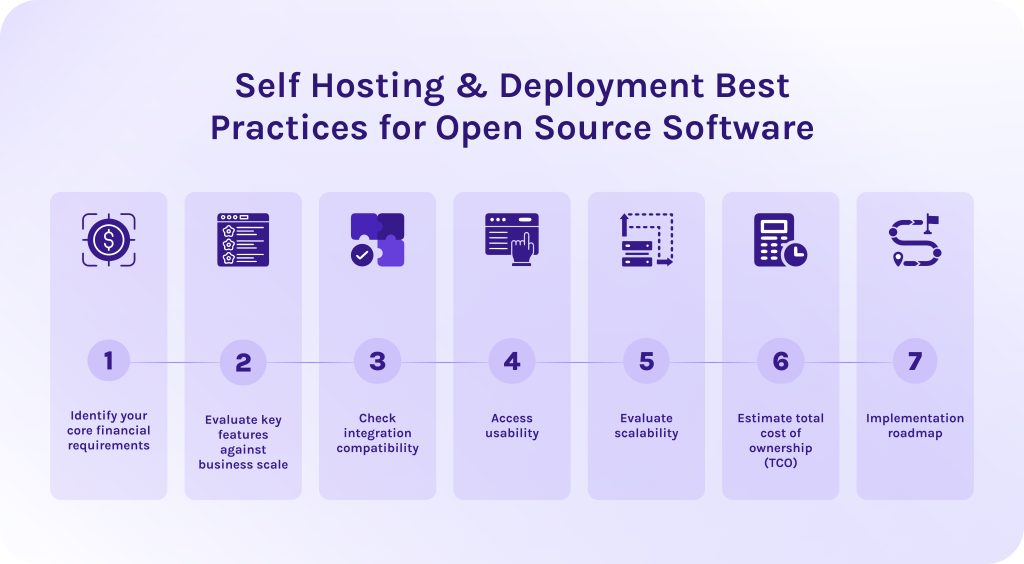
To select the right cost management tools in project management, you need to change the mindset of your team, not only the software. Now, you need to think about strategy rather than about tracking past expenses. Effective budget management requires software that protects profit margins and gives complete visibility over your project budget management.
Step #1 – Identify your core financial requirements.
This step focuses entirely on what your financial processes look like internally, independent of any software product. You are auditing how your business currently handles money on projects and identifying the specific functional capabilities you need to manage project finances accurately.
Step #2 – Evaluate key features against business scale.
The next step of choosing budgeting software is matching candidate software features to your requirements. Here, you evaluate feature depth against your operational scale.
Step #3 – Check integration compatibility.
This step ensures your cost control software connects directly with your existing software ecosystem. It’ll eliminate manual data entry and all errors connected to it.
- First of all, check for native integrations embedded into the cost management software. It can be ERP systems, accounting platforms such as SAP, tools for time tracking and human resources needs. No less important is to look for integrations with CRM systems and standard project management tools.
- Also, check for the ability to connect with third-party vendors through APIs and middleware like Zapier.
Step #4 – Access usability.
Then, look for the project budgeting software that your team can easily adopt and use further. The most mathematically sophisticated cost management tool is useless if team members bypass it because features are too complex.
- The cost control tool must possess an intuitive user interface that reduces friction.
- Each operation should include as few clicks as possible.
- The learning curve shouldn’t be steep.
Step #5 – Evaluate scalability.
Seamless scalability is a must-have for growing companies as well as for huge market players, as their project portfolios will also grow and develop. Scalability ensures the project cost management tools software grows seamlessly alongside your organization without suffering performance degradation. The proper tools shouldn’t require complete architectural overhauls to be efficient.
Step #6 – Estimate total cost of ownership (TCO).
The price listed on the official vendor’s website rarely reflects the true spending you’ll need to make. Thus, calculating TCO helps you avoid costly surprises. Here, you need to calculate all direct and indirect expenses over a 3 to 5 year lifecycle. Take into account paid tiers, licensing, spending on the implementation and training, the possibility of paid integrations, and further customization of the cost management tools in project management.
Step #7 – Implementation roadmap.
To minimize possible risks while implementing cost management software, the last thing you should do is create a structured deployment plan. Below, we’ve listed the main steps that it should include:
- Align stakeholders and define success criteria. Assemble an implementation team and define explicit KPIs.
- Configure workflows and clean legacy data. Before using your new project budgeting software, set up your basic accounting rules. Then, clean up your old spreadsheets. Remove all duplicate or outdated numbers so you transfer only accurate data into the new software.
- Build and test critical integrations. Connect your new project cost management tool to already existing apps so they can automatically share information. Run test transactions to verify bidirectional sync accuracy.
- Test with a controlled project group. Roll out the software to a single department or 2-3 representative active projects for 30 days. After this period, gather feedback from PMs and finance personnel to improve workflows before further scaling.
- Execute role-based training and go-live. Conduct tailored training sessions by role. Decommission legacy tools and make the new software the official system of record.
Read More: Value Management Office (VMO): The Complete Guide to Lean Portfolio Management
Conclusion
There are no “best” project cost management tools. The main secret is to define your operational bottlenecks and choose the software accordingly.
- If your main struggle is to manage budgets across too many multiple concurrent projects, choose Epicflow, Microsoft Project, or NetSuite OpenAir.
- If you’re struggling with managing cross-functional teams, Wrike will help you to get your second wind.
- If you need to manage finances across small teams or faster-growing startups, think about taking a closer look at Harvest, ClickUp, or Scoro.
Whatever your choice will be, remember that no software can fix an undefined process. The ultimate success of your project cost management platform depends on the clarity of your core financial workflows and consistent team adoption.
Contact HYS Enterprise experts to build custom project cost management software tailored specifically to your financial workflows.
Frequently Asked Questions (FAQs)
1. What is project cost management?
Project cost management is an essential activity for any business as it helps companies plan and monitor their budget. It gives team leaders clear visibility into spending at every project phase, preventing overruns and maximizing overall resource efficiency at the same time.
2. What are some effective tools for managing project budgets?
During our research, we highlighted 7 top project cost management tools: Microsoft Project, Epicflow, Harvest, Wrike, ClickUp, Scoro, NetSuite OpenAir.
3. How to manage budgets as a project manager?
To manage project budget effectively, you need to:
- Establishing a realistic baseline.
- Continuously track actual costs against that baseline using real-time project management software.
- Identify financial variances early.
- Use techniques like earned value management (EVM).
- Managing scope creep.
- Keeping open communication with stakeholders.
4. What is the 70-10-10-10 budget rule?
This rule dictates how an individual should distribute their resources. It says that 70% of take-home income goes to living expenses, 10% to short-term savings, 10% to long-term investments (or debt payoff), and 10% to giving or fun money.
5. What are project cost management tools?
Project cost management tools are specialized software that helps companies allocate and monitor their budget. More advanced cost estimation tools for project management even allow businesses to forecast expenditures throughout a project’s lifecycle, thanks to integrated predictive algorithms, detecting cost overruns before they breach the approved budget.
6. How does project cost tracking software differ from general business accounting software?
- Cost tracking tools are focused on real-time spending tied specifically to individual projects.
- business accounting software, in turn, manages overall company-wide financial health and taxes.
7. What key features should I look for in project cost management tools?
- Real-time tracking.
- Hourly rate conversion.
- Expense tracking.
- Project cost tracking.
- Project financial reporting.
- Analytics dashboards.
- AI and automation.
- Variance alerts.
- Dynamic forecasting.
8. How do AI and automation improve project cost control?
AI and automation significantly enhance cost control, thanks to the ability to forecast budget variances in real time. Furthermore, these advanced technologies can automatically track expenses as team members log hours or submit invoices. It eliminates manual data entry errors, making your corporate data more accurate and reliable.
9. What is earned value management (EVM), and why do software tools use it?
Earned value management (EVM) is a project management methodology that integrates different metrics connected to the project schedule and scope of work to objectively measure a project’s performance and progress. Modern project cost management tools use EVM to give teams early visibility into budget variances and timeline delays.
10. Can project cost management tools integrate with existing accounting systems?
Yes, project cost management tools often integrate with modern accounting systems. They can do it through APIs or pre-built connectors. This helps companies avoid work duplication by syncing real-time data from different tools directly into a single source of truth.
References
- https://arxiv.org/pdf/1304.4476
- https://speakwiseapp.com/blog/project-management-statistics
- https://www.researchgate.net/publication/283210199_Project_Cost_Management
- https://www.researchgate.net/publication/270846677_Project_Cost_Management_-_Global_Issues_and_Challenges
- https://www.researchgate.net/publication/340031558_Project_Cost_Management
- https://www.researchgate.net/publication/363053257_Project_Cost_Management
- https://www.researchgate.net/publication/379982301_Cost_Management_Practices_and_Performance_of_Ministry_of_Education_Funded_School_Construction_Projects_in_Marigat_Sub_County
- https://www.researchgate.net/publication/329380727_Elements_of_project_cost_management
- https://www.researchgate.net/publication/308801931_SOFTWARE_SUPPORT_IN_PROJECT_COSTS_MANAGING
- https://www.researchgate.net/publication/396930146_The_Principles_and_Practices_of_Project_Cost_and_Financial_Management
- https://www.researchgate.net/publication/282853561_Cost_management_of_projects_using_a_standard_PMBOK_in_engineering_projects
- https://www.researchgate.net/figure/Cost-management-through-the-project-lifecycle_fig1_287400855