
What Is Microsoft Project?
Microsoft Project is a project management software developed by Microsoft to help project managers manage limited resources, plan and execute projects, monitor progress, and control project health. Moreover, it helps to manage not only just single projects, but large project portfolios and align them in order to match strategic business objectives [2].
What Is the Pricing of MS Project?
As I said earlier, in this article we’ll cover different pricing categories of alternatives for MS Project from free to large-scale ones to offer affordable options for everyone. However, Microsoft Project itself isn’t free. In fact, it can be but only if you purchase the full Office Suite.
Pricing plans of Microsoft Project as of May 2026:
One-time purchase:
- Project Standard 2024: $679.99
- Project Professional 2024: $1,129.99
- Project Server – the pricing isn’t publicly available. You should request an individual plan that will include specifically the features that you need.
Cloud-based subscription plans:
- Microsoft Planner – basic plan included in Microsoft 365.
- Planner Plan 1 – $10 user/month, paid annually.
- Planner and Project Plan 3 – $30 user/month, paid annually.
Also, there is a free trial available but only on the Planner Plan 1 and Planner and Project Plan 3.
Do You Need to Learn Guides to Use an MS Project?
Yes, you need to make time to learn how to use MS Project. But how much time you need to invest depends entirely on which version you’re using and what you’re trying to build. And when you ultimately learn everything you need, MS Project will become the game-changing tool for your projects [3].
But, if it is so powerful, why do companies tend to search for MS Project alternatives?
Read More: 10 Zapier Alternatives You Should Be Using
The Top Reasons Organizations Seek MS Project Alternatives
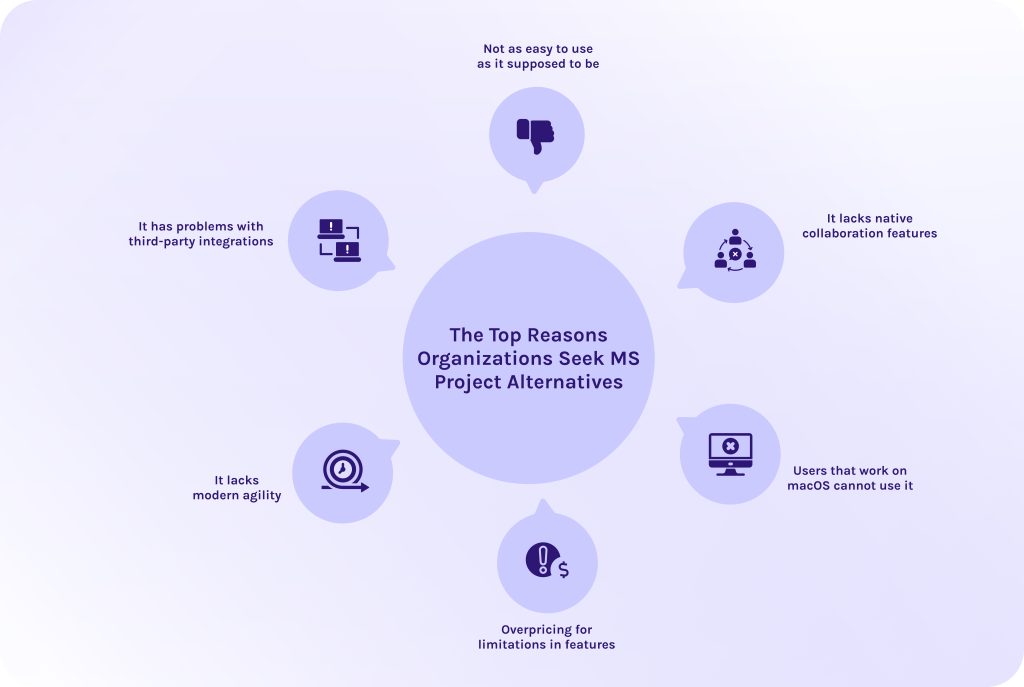
Usually, the need to switch from MS Project to another tool occurs not because the tool stopped working, but because the way companies work changes over the years and evolves faster than the software does.
1. Not as easy to use as it supposed to be.
Users now search for alternatives to MS Project, if we don’t take into account its retirement, firstly, because the software was built directly for professional project managers with specialized training. However, today, not only project managers need to use it: marketing leads, software devs, and HR heads need to manage work without taking a six-week certification course.
The main challenge that occurs because of the MS Project’s high entry point is that team members stop updating their status because the interface is too intimidating.
2. It lacks native collaboration features.
Microsoft Project was originally a “single-player” desktop application. While Microsoft has added cloud features, it still lacks the communication features found in other modern tools. Thus, teams have to leave the project tool to go to Teams or elsewhere to discuss a task which creates information silos and high risk of miscommunication.
3. Users that work on macOS cannot use it.
In 2026, a huge percentage of the creative and tech workforce uses macOS. The lack of a native MS Project desktop app for Mac is often a big problem. It makes workers use workarounds like virtual machines or web-only versions that feel clunky and limited compared to native apps or users abandon MS Project completely, switching to the reliable MS Project alternatives.
4. Overpricing for limitations in features.
No one wonders why MS Project is so expensive. It has been a gold standard for decades. However, today, many organizations realize they are paying for enterprise features (like earned value management or complex resource leveling) that 90% of their staff never actually use. So, why do you need to pay for them if you can opt for a MS Project alternative that delivers exactly what your team needs – and nothing they don’t.
5. It lacks modern agility.
MS Project is built for Waterfall (linear) planning. But modern businesses are increasingly Agile and need to adjust fast to changing environments. Trying to run a fast-moving software sprint in a tool designed for building a bridge feels like wearing a tuxedo to a marathon. It creates another reason for companies to look for MS Project alternatives.
6. It has problems with third-party integrations.
While it is a part of the Microsoft 365 ecosystem, MS Project doesn’t always play nice with third-party apps like Jira, Salesforce, or Google Workspace without complex APIs or middleware. Thus, the project schedule remains disconnected from the other data the company relies on, making organizations turn their attention to MS Project alternatives [4].
Transitioning away from Microsoft Project doesn’t have to mean losing years of critical project data. Our team at HYS Enterprise specializes in seamless platform migrations and custom software integrations, so you can be sure that your data will be moved safely from legacy systems. Contact our team today to get a migration consultation.
Read More: What Are the Top 10 n8n Alternatives to Watch This Year
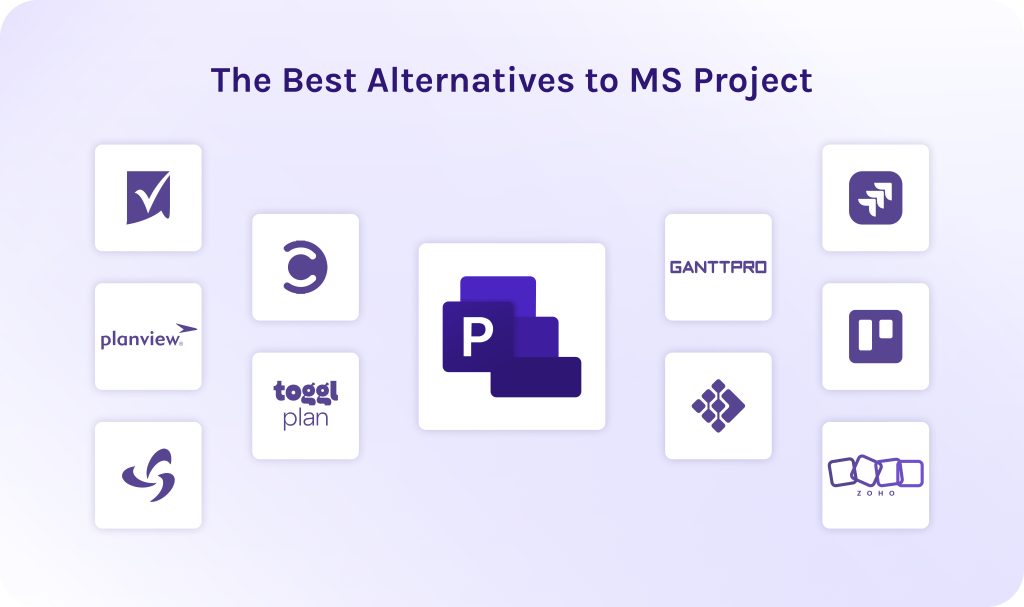
The Best Alternatives to MS Project
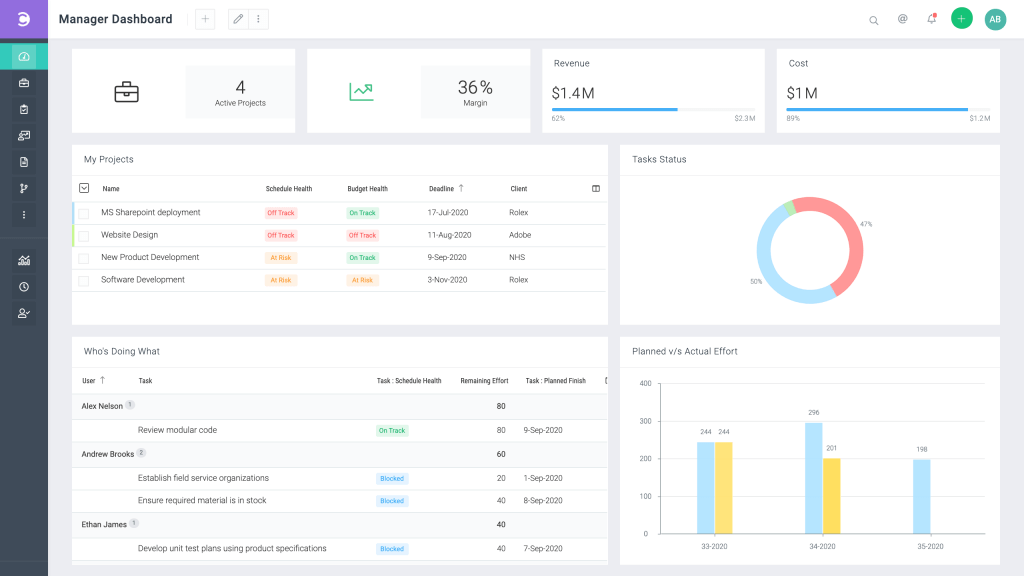
1. Celoxis
Best for
Medium-to-large enterprises that need an all-in-one project management and resource scheduling tool.
Key features
- Project planning and scheduling.
- Task management.
- Collaboration tools.
- Management of multiple projects at the same time.
- Budgeting and financial forecasting.
Pricing
- Core: $10 per user/month.
- Essentials: $25 per user/month.
- Professional: $35 per user/month.
- Business: $45 per user/month.
- Enterprise: Custom pricing.
User reviews
“I like how powerful Celoxis in as it brings together project management, resource planning and reporting all in one place.”
Review from Capterra, BI Analyst.
“My overall experience with Celoxis has been positive, as it offers strong project tracking and reporting features. However, it takes some time to learn, especially for first-time users.”
Alan V., Campus ambassador.
2. Toggl Plan
Best for
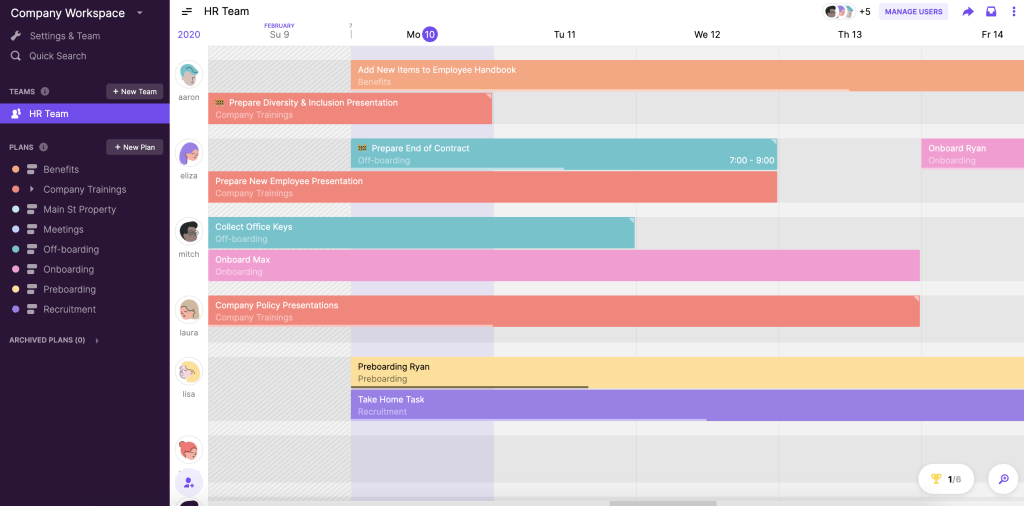
Small-to-medium teams that find Gantt charts too intimidating and want a drag-and-drop visual timeline.
Key features
- Task creation and assignment.
- Project planning and mapping.
- Resource management.
- Generative and agentic AI.
- Natural language processing.
Pricing
- Free: Free for a limited number of users.
- Starter: $9 per user/month.
- Premium: $18 per user/month
- Enterprise: Custom pricing. You should request the vendor.
User reviews
“I love that Toggl Plan is also connected to Toggl Track! This way, I can create projects and leave the scheduling to my team in a simple, straightforward way.”
Kelly R., Art Producer.
“I like Toggl Plan for its simplicity and the ease of use that comes with its browser integration.”
Carmen P., review from G2.
3. Smartsheet
Best for
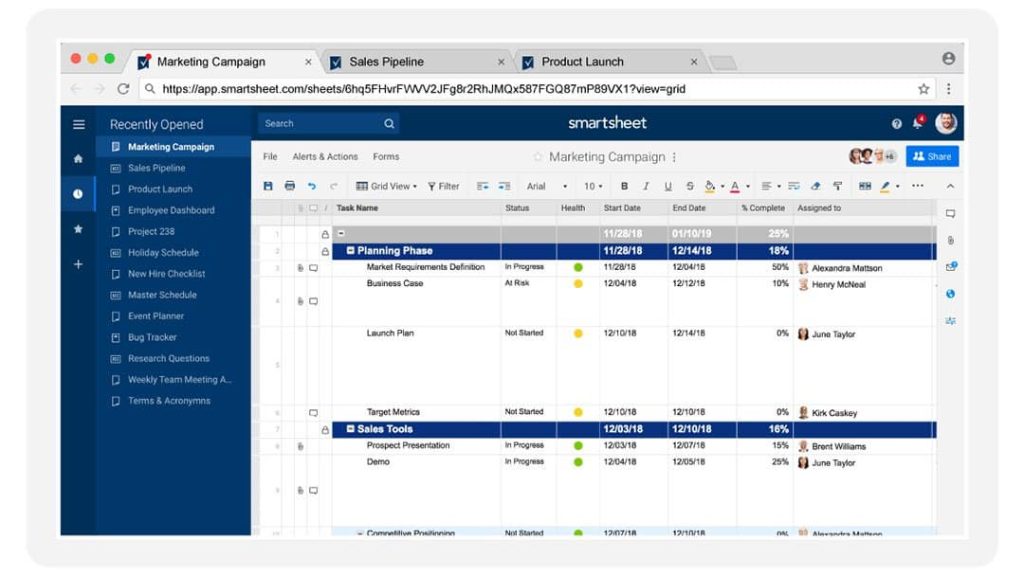
One of the best alternatives to MS Project for organizations that want the power of a database with the familiar interface of a spreadsheet.
Key features
- Task and project management.
- Prioritization.
- Resource management and scheduling.
- Risk management.
- Role-based permissions.
- Third-party integrations.
Pricing
- Pro: $9 per user/month.
- Business: $19 per user/month.
- Enterprise: Custom pricing.
- Advanced Work Management: Custom pricing.
User reviews
“The software has very effective work automation systems and secure file sharing systems. Integration of the software with other platforms is seamless and its design is friendly.”
Clement M., Production officer.
“Versatile and effective for company-wide workflow management”
Caleb C., Estimating and Project Manager.
4. Planview Portfolios
Best for
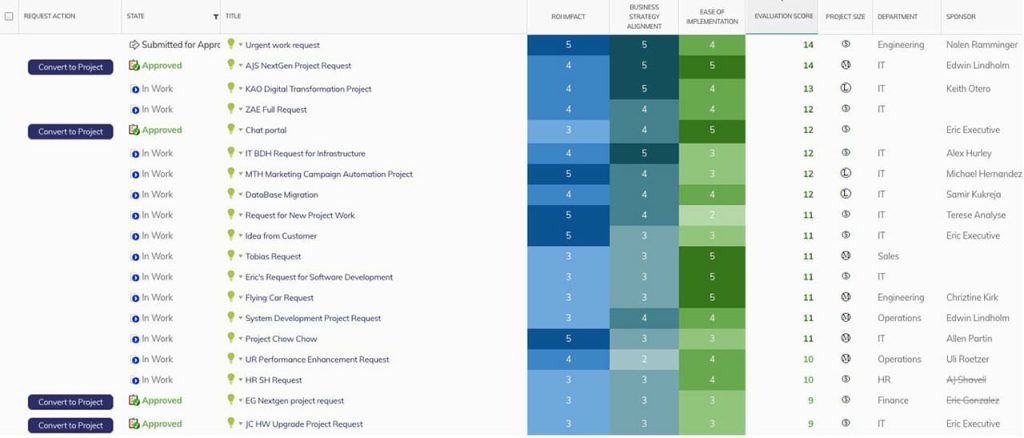
Ideal Microsoft Planner alternative for global corporations that need to align project execution with strategic business goals and financial forecasting.
Key features
- Project and portfolio management.
- Collaboration tools.
- Prioritization.
- Budgeting and financial forecasting.
- Customizable templates.
Pricing
Pricing details are not available publicly. You should request the vendor.
User reviews
“I like that it allows us to create and deliver meaningful dashboards and reporting. The versatility and ability to customize views and extract data, as well as manage all project details within one project entry, really stand out for me.”
Lynette P., review from G2.
“Strong portfolio planning tools, but a challenging interface for project managers”
Kym G., review from G2.
5. Triskell Software
Best for
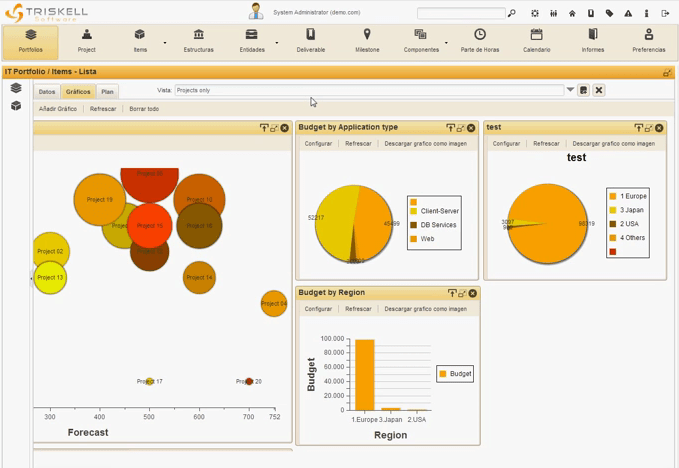
Will be a decent choice of MS Project alternative for enterprise strategy execution management (SEM) and advanced portfolio management.
Key features
- Gantt chart.
- Ability to manage multiple projects at once.
- Kanban board.
- Prioritization.
- Resource management.
- Budgeting.
Pricing
Pricing isn’t available publicly. You should request the vendor.
User reviews
“The implementation of the Triskell solution has been easy. The skills upgrade phase and the parameter automnomy have been reached.”
Kapil M., sR. Consultant, Information Technology and Services.
“Triskell enables comprehensive portfolio management, allows users to align projects with business objectives.”
Joel T., Senior Legal Recruiter.
6. GanttPRO
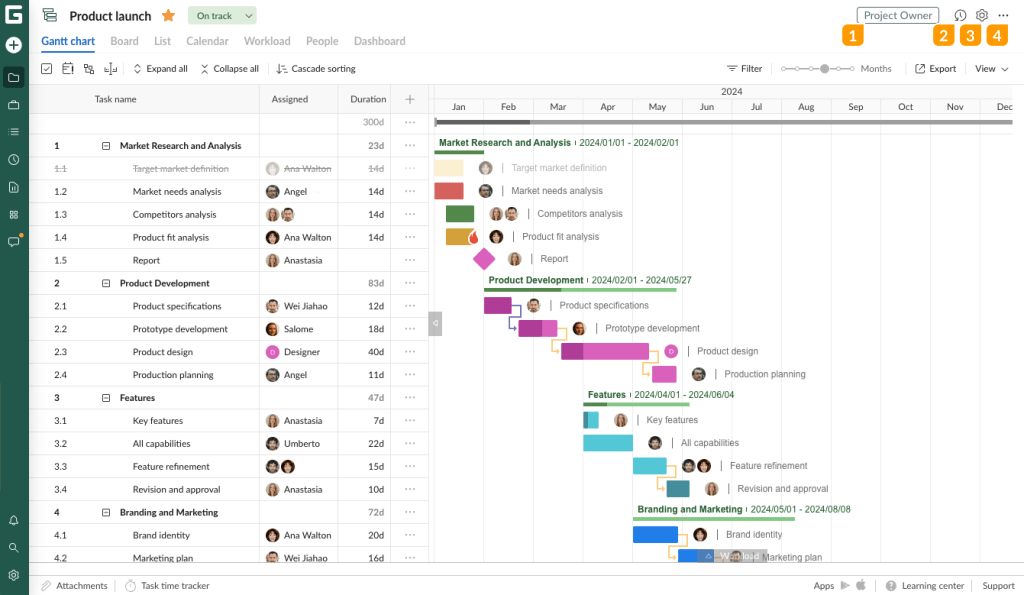
Best for
Would be one of the best MS Project alternatives for teams specifically looking for a modern, intuitive, and visually beautiful Gantt Chart software.
Key features
- Task and project management.
- Gantt chart.
- Project budgeting.
- Critical path.
- Resource and capacity management.
- Monitoring dashboards.
Pricing
- Core: $7 per user/month.
- Advanced: $10 per user/month.
- Business: $17 per user/month.
- Enterprise: $30 per user/month.
User reviews
“It is one of the most user-friendly Gantt chart tools I have used so far. Even as a student, I was able to quickly learn how to use it without any training.”
G2 review, Prashansa M., Associate Software Engineer.
“The Gantt chart layout makes it easy to organize tasks, set dependencies and track progress in a structured way.”
G2 review, Sati K., Aero Design Deputy Team Leader (DMU Merlin).
7. Businessmap
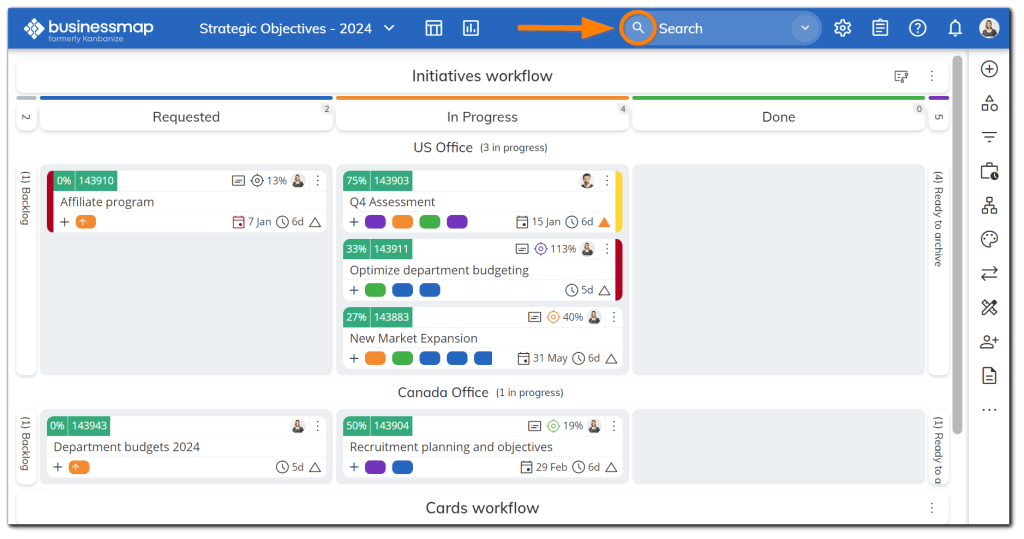
Best for
Might be one of the most suitable alternatives to MS Project for teams trying to combine Agile/Kanban with high-level timeline management.
Key features
- Task management.
- Ability to manage multiple projects at once.
- Customizable templates.
- Business process automation.
- Collaboration tools.
Pricing
- €160/month – 15 users per month (€9.20/ per user/month).
- €381/month – 40 users per month (€8.70/ per user/month).
- €446/month – 50 users per month (€8.30/ per user / month).
- €635/month – 75 users per month (€8/ per user / month).
- €773/month – 100 users per month (€7.40/ per user / month).
User reviews
“Easy to integrate and to use platform, easy to organize tasks, write up comments on them, follow progres, come back to something older and view what’s happened.”
G2 review, Marieta B.
“Fairly easy to set up, simple design, open API allows for easy integration with other apps.”
Truong P., Manager, Special Projects.
8. Jira
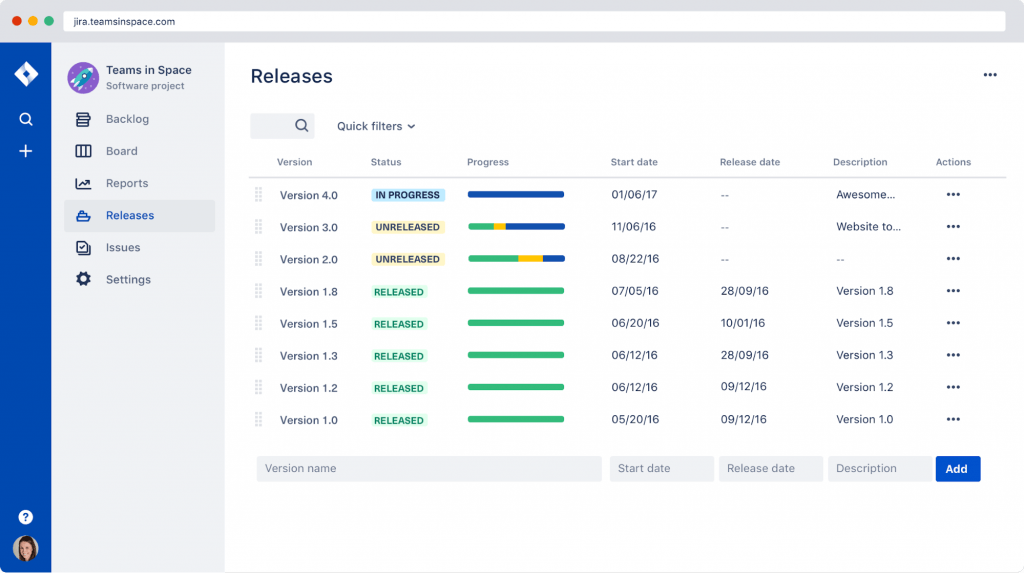
Best for
Best Microsoft Project competitor for software development teams and IT departments using Scrum or Kanban.
Key features
- Project management.
- Portfolio management.
- Predictive analytics.
- Ability to manage multiple projects at once.
- Kanban board.
- Gantt chart.
- Customizable templates.
Pricing
- Free: Free forever for 10 users.
- Standard: $7.91per user / month.
- Premium: $14.54 per user / month.
- Enterprise: custom pricing.
User reviews
“The industry standard for dev teams: incredibly powerful but sometimes overwhelmed”
Denis M., Recruiter.
“We were able to stick to our sprint schedules using Jira.”
Aarti B., HRIS Manager.
9. Trello
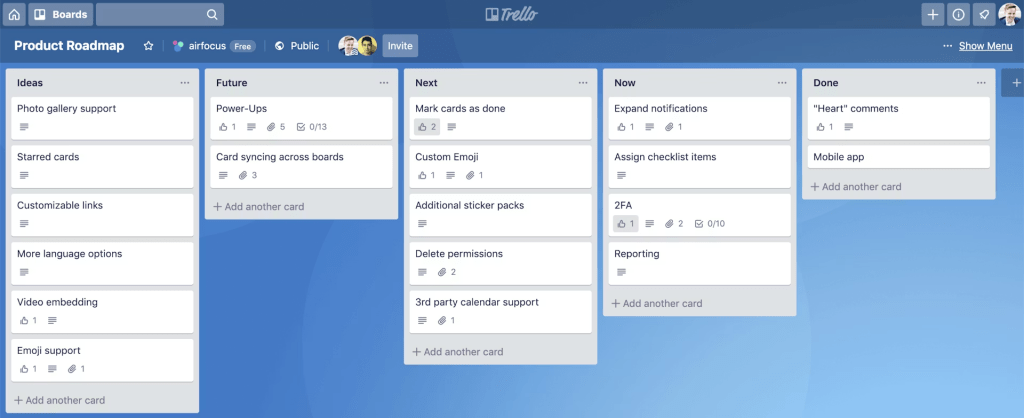
Best for
Individuals and small teams who need a Microsoft Planner alternative for simple, non-technical project tracking.
Key features
- Backlog management.
- Collaboration tools.
- Customizable dashboard.
- Financial management.
- Gantt chart.
- Kanban board.
Pricing
- Free: free for up to 10 collaborators per workspace.
- Standard: $5 per user/month.
- Premium: $10 per user/month.
- Enterprise: contact sales for exact pricing.
User reviews
“I recommend it if you’re having trouble managing group activities or established businesses.”
Jose Augusto U., Art Director.
“Good way to stay organized!”
Kate W., Office Manager.
10. Zoho Projects
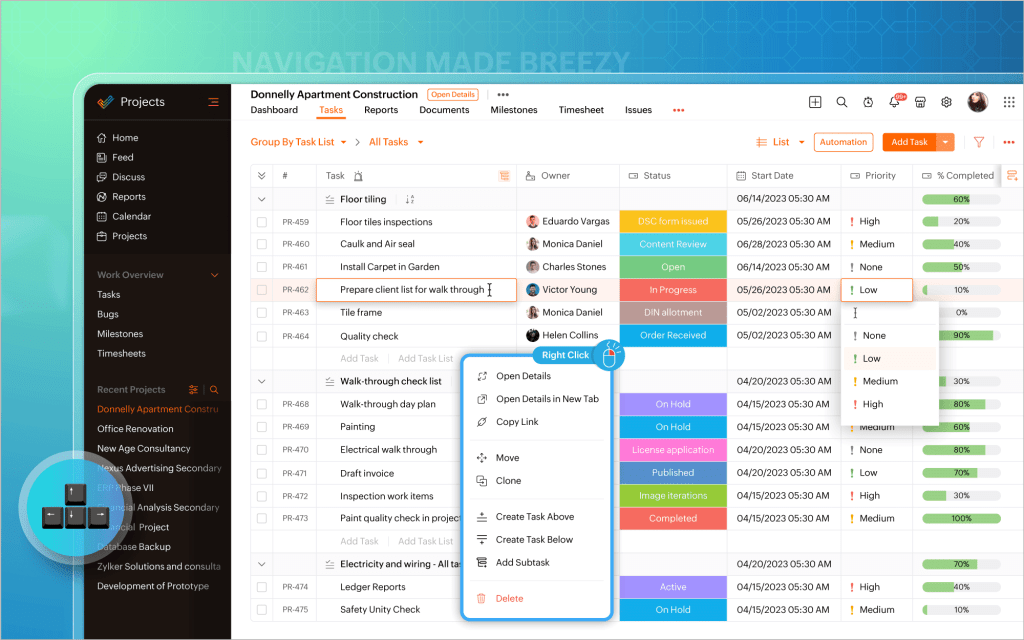
Best for
One of the best MS Project alternatives for small-to-medium businesses already using the Zoho ecosystem who want a low-cost alternative.
Key features
- Task and time tracking.
- Role-based access.
- Critical path.
- Resource and capacity management.
- Customer ideation.
Pricing
- Free: Up to 5 users.
- Premium: €4 per user/month.
- Enterprise: €9 per user/month.
- Ultimate: €14 per user/month.
- Zoho Projects Plus: custom pricing depending on needed tools.
User reviews
“Managing and keeping track of daily tasks is really helpful, especially when I’m dealing with corporate clients and high-ticket tasks.”
Shadrack K., CEO.
“I use Zoho Projects for timesheets and task tracking. It’s easy to use, especially because there’s plenty of video content available that helps me understand everything on my own.”
Ashwani K., CO Founder.
Read More: Product Portfolio Management Tools: Complete Guide to Choosing the Best Solution in 2026
Table of Comparison of the Best MS Project Alternatives
| Tool | Best for | Pricing |
| Celoxis | Medium-to-large enterprises that need an all-in-one project management tool. | Paid plans start from $10 per user/month. |
| Toggl Plan | Small-to-medium teams that want a drag-and-drop visual timeline. | Has a free plan for a limited number of users. Paid plans start from $9 per user/month. |
| Smartsheet | Organizations that want the power of a database with the familiar interface of a spreadsheet. | Paid plans start from $9 per user/month. |
| Planview Portfolios | Global corporations that need to align project execution with strategic business goals. | Request the vendor. |
| Triskell Software | Enterprise strategy execution management (SEM) and advanced portfolio management. | Request the vendor. |
| GanttPRO | Teams specifically looking for a modern, intuitive Gantt Chart software. | Paid plans start from $7 per user/month. |
| Businessmap | Teams trying to combine Agile/Kanban with high-level timeline management. | Paid plans start from €160/month – 15 users per month (€9.20/ per user/month). |
| Jira | Software development teams and IT departments using Scrum or Kanban. | Free forever for 10 users. Paid plans start from $7.91per user / month. |
| Trello | Individuals and small teams who need a simple, non-technical project tracking. | Free for up to 10 users in the workspace. Paid plans start from $5 per user/month. |
| Zoho Projects | Small-to-medium businesses that are already using the Zoho ecosystem. | Free up to 5 users. Paid plans start from €4 per user/month. |
With dozens of gold standard tools available, finding the one that matches your specific industry is a challenge. Talk to our specialists today to audit your current tech stack and select the tool that will actually drive ROI and team adoption.
Read More: 10 AI Project Management Tools to Pay Your Attention to in 2026
Top-Rated Free Alternatives to MS Project for 2026
1. GanttProject
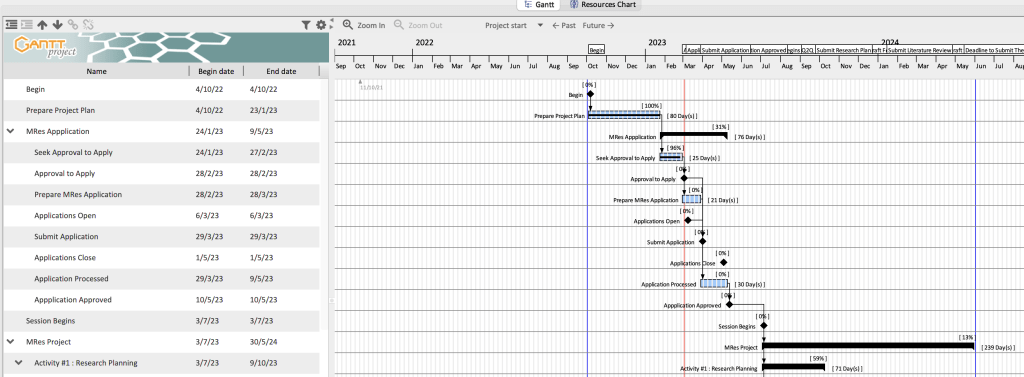
Best for
Individuals and small teams who need a completely free and offline desktop tool that has similar to MS Project planning style.
Key features
- Gantt chart.
- Task planning.
- Project scheduling.
- Milestone tracing.
- Prioritization.
User reviews
“Excellent working with it, very helpful for tracking the progress of any project. Has a lot of features.”
Roberto A., Business Developer, Executive Office.
“Offers essential features for effective project planning and scheduling”
atul m., senior software engineer.
2. Agantty
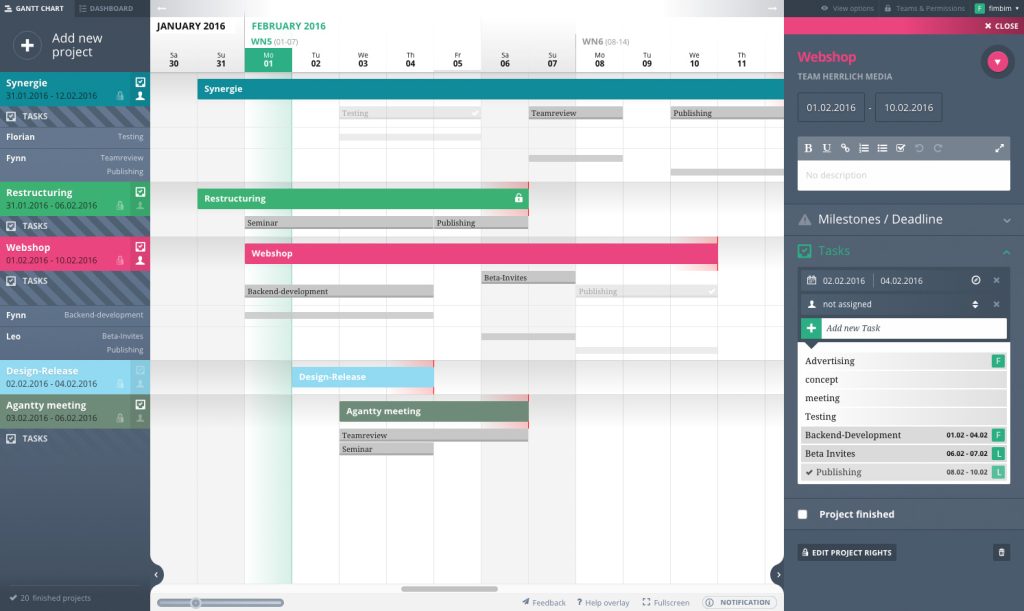
Best for
The best free Microsoft Project alternative for teams looking for a visually clean web tool that focuses exclusively on Gantt charts without the clutter of enterprise software.
Key features
- Gantt chart.
- Forever free tool.
- Highly intuitive interface.
- Collaborative dashboards.
- Project planning and scheduling.
User reviews
“Agantty is really good and easy to use for simple projects. It is intuitive and allows to have a fast overview of the current stage of a project.”
Kaspars P., CEO, Consumer Electronics.
“I like it and it isn’t outrageous in it’s pricing.”
Jennifer D., Graphic Designer.
3. Ganttic
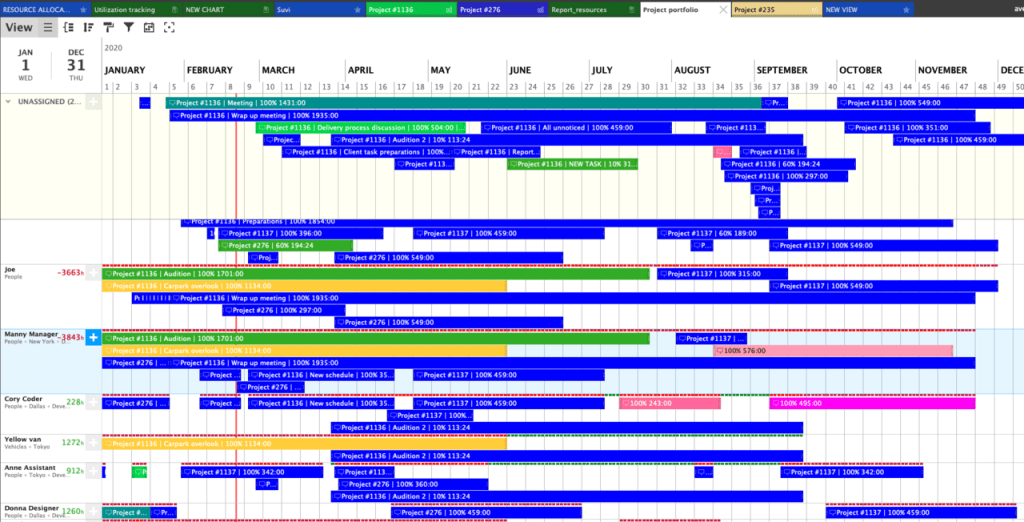
Best for
Perfect free MS Project alternative for organizations that need high-level resource management and scheduling rather than just a simple task list.
Key features
- Capacity planning.
- Forever free.
- Resource scheduling.
- Calendar sync.
- Real-time scheduling.
User reviews
“Ganttic is great for scheduling and tracking multiple projects & resources. “
Dave H., Company owner.
“I like the ability to see at a glance my resource scheduling and what is in the pipeline in a simple and easy to use interface.“
Bevan C., Regional Practice Director Performance Testing.
Read More: Best Critical Path Software and Modern CPM Tools for Project Management
Table of Comparison of the Best Free Microsoft Project Competitors
| Tool | Best for |
| GanttProject | Individuals and small teams who need a completely free and offline MS Project alternative. |
| Agantty | Teams looking for a visually clean web tool that focuses exclusively on Gantt charts. |
| Ganttic | Organizations that need high-level resource management and scheduling. |
Read More: Low Code Platform: Complete Guide to Low-Code Development Platforms in 2026
Top Open-Source MS Project Alternatives for 2026
1. OpenProject
Best for
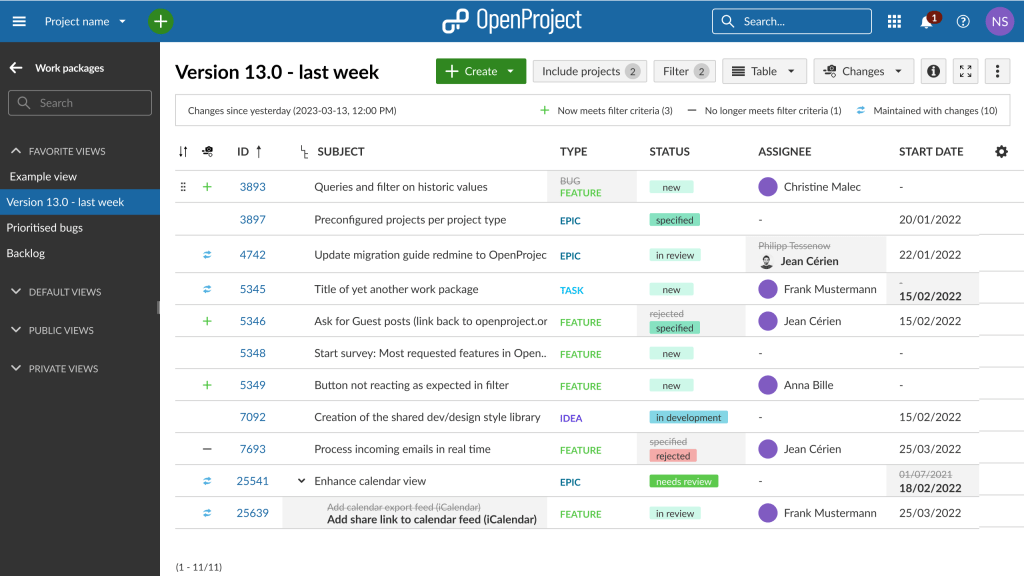
A decent choice for enterprise-level teams needing a hybrid of Waterfall (Gantt charts) and Agile (Kanban/Scrum) methodologies in a secure environment.
Key features
- Real-time dashboards.
- Project time tracking.
- Project and portfolio management.
- Powerful Gantt charts.
- Collaboration tools.
- Two-factor authentication.
User reviews
“To add to its fantastic project planning tools, OpenProject also makes it easy for us to track the progress our projects in real time which help discover which tasks are lagging behind schedule.“
Kevin J, Operations Project Coordinator.
“It has been a fundamental tool in eliminating the confusion that would arise especially when dealing with complex projects”
Duncan N., Senior Account Manager.
2. ProjectLibre
Best for
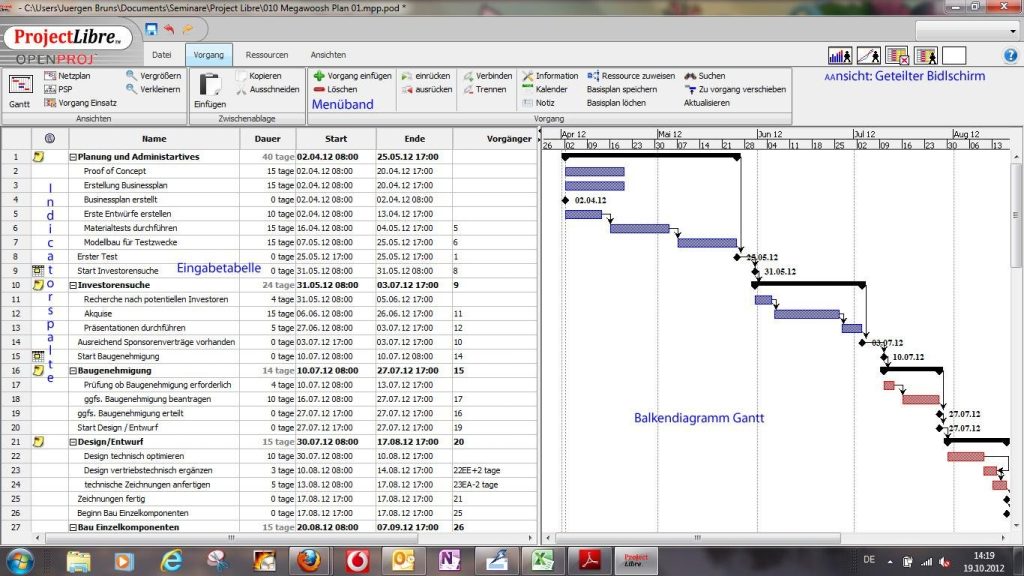
One of the best MS Project free alternatives for project managers who need a direct desktop replacement for Microsoft Project without the learning curve or the subscription fee.
Key features
- Highest compatibility with MS Project.
- Can open and export .mpp files with ease.
- Gantt charts, Network Diagrams, and WBS charts.
User reviews
“One best feature that it is free to use. It is a cost effective amd a user friendly project management software.”
Yuvraj L.
“Free, easy to get started with it to aid in project management, lightweight in terms of memory footprint, it has major functionalities and features of similar project management tools.”
Babu R., Senior R&D Project Manager.
3. LibrePlan
Best for
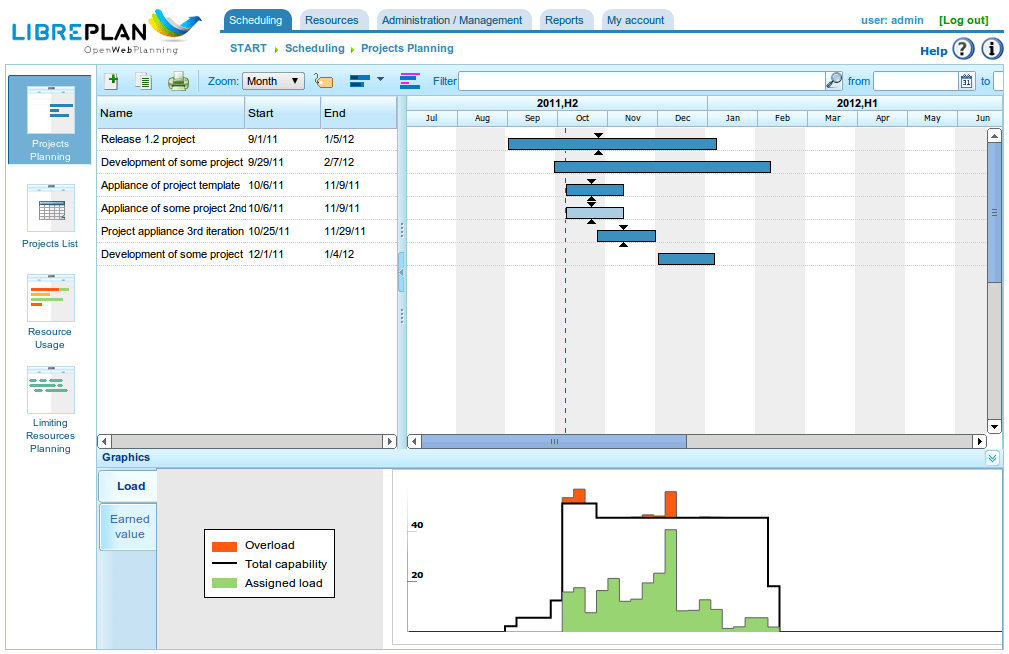
Might be the best Microsoft Planner alternative for large-scale manufacturing or engineering projects that require intense resource leveling and planning across multiple global teams.
Key features
- Real-time progress tracking.
- Web-based interface.
- Resource allocation.
- Capacity planning.
- Critical path visualization.
User reviews
“Everything you need for a project is include on Libreplan, forget about expensive licenses”
Licex D., Manager en Recursos Humanos.
“Manage your project in the right way and for free”
Cesar A S., Analista.
Read More: What Is Business Process Automation?
Table of Comparison of the Best Open-Source Microsoft Project Alternatives
| Tool | Best for |
| OpenProject | Enterprise-level teams needing a hybrid of Waterfall and Agile methodologies. |
| ProjectLibre | Project managers who need a direct desktop replacement for Microsoft Project. |
| LibrePlan | Large-scale manufacturing or engineering projects. |
Read More: AI Agent Management Platform: A Guide to Enterprise AI Agent Orchestration and Governance
How to Choose the Right Alternative to MS Project To Increase ROI
-
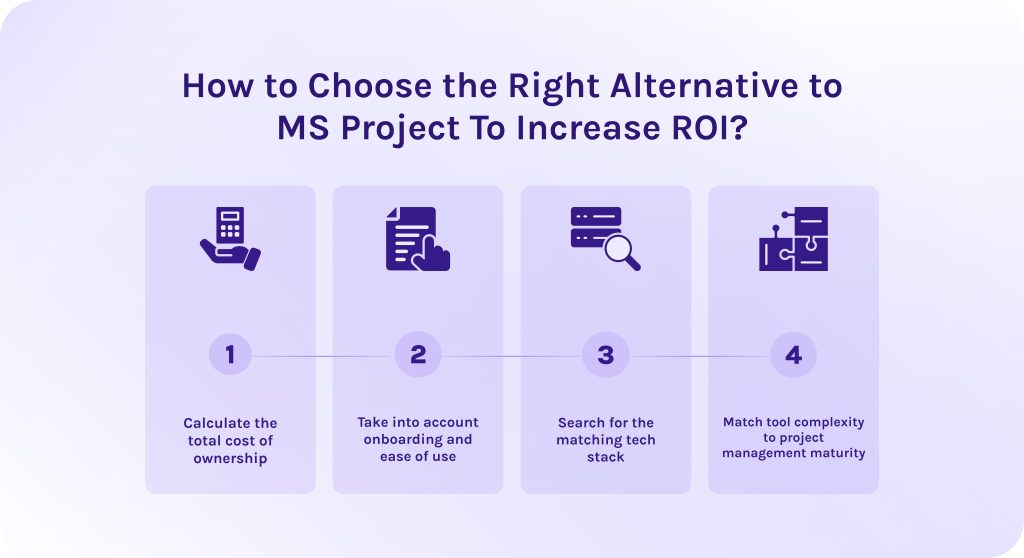
- Calculate the total cost of ownership. Take into account direct costs like license fees and add-on premium features of MS Project alternatives. Then think of indirect costs for onboarding or, for instance, training.
- Take into account onboarding and ease of use. Recent studies show that organizations often realize only 52% of their software’s value because of poor adoption. If a Microsoft Project competitor is too complex, employees will revert to spreadsheets, creating shadow IT risks [1].
- Search for the matching tech stack. If you have to pay developers to build custom bridges to Slack or Salesforce, your ROI drops.
- Match tool complexity to project management maturity. Buying a high-end portfolio management (PPM) tool for a team that only needs task tracking is a guaranteed way to lose money.
Read More: Best Scenario Planning Tools to Consider in 2026
Conclusion
When Microsoft officially announced the retirement of Project Online (on September 5, 2025), set for September 30, 2026, many companies began to ask themselves: “What happens to our years of legacy project data, and is Microsoft’s new alternative actually powerful enough to replace it?”
As we’ve explored, the move toward MS Project alternatives is driven not only by MS Project retirement, but also by a need for agility and cross-platform accessibility. Whether you choose the spreadsheet-like power of Smartsheet, the visual simplicity of Toggl Plan, or the robust open-source flexibility of OpenProject, the goal remains the same: finding a tool that aligns with your specific technical maturity and budget.
Sometimes, even the best alternatives need a custom touch to fit your unique business logic. HYS Enterprise delivers the technical expertise you need to scale. Thus, become our partner today and create your own custom solutions.
FAQs
1. What are MS Project alternatives?
MS Project alternatives are software applications that solve problems and critical bottlenecks of MS Project. They might have an extended feature set or, for instance, can be tailored to the specific industry workflows, such as Agile software development, creative agency management, or construction-specific field coordination.
2. Which are the top Microsoft Project alternatives?
We highlighted the following 10 best MS Project alternatives: Celoxis, Toggl Plan, Smartsheet, Planview Portfolios, Triskell Software, GanttPRO, Businessmap, Jira, Trello, and Zoho Projects.
3. What is replacing MS Project?
Microsoft is now replacing its MS Project with “new” Microsoft Planner which combines To Do, Planner, and the power of Project for the Web into one interface inside Microsoft Teams. It removes the steep learning curve while keeping users within the Microsoft 365 ecosystem.
4. Why are companies looking for Microsoft Project alternatives?
Despite being a gold industry standard for years, MS Project now is a bit outdated. While working with it, companies understand that:
- The interface isn’t as intuitive as it supposed to be.
- Users with MacOS are forced to find cunning ways to work with MS Project because they cannot directly install it on their Mac or MacBook.
- You pay for features you don’t use.
- It lacks features for collaboration and seamless third-party integrations.
5. What are MS Project open source alternatives?
In our list of top Microsoft Project alternatives, we highlighted such open-source alternatives as:
- OpenProject: Best for enterprise-level teams needing a hybrid of Waterfall and Agile methodologies.
- ProjectLibre: Best for project managers who need a direct desktop replacement for Microsoft Project without the learning curve.
- LibrePlan: Best for large-scale manufacturing or engineering projects that require intense resource leveling.
6. What are free MS Project alternatives?
From our perspective, the best free Microsoft Project alternatives are the following:
- GanttProject: Best for individuals and small teams who need a completely free and offline desktop tool similar to MS Project design.
- Agantty: Best for teams looking for a tool that focuses exclusively on Gantt charts.
- Ganttic: Best for organizations that need high-level resource management.
7. What are the benefits of MS project alternatives?
The benefits of switching to an MS Project alternative often are centered around accessibility, team adoption, and modern agility.
- Faster team adoption due to better user interface and simpler onboarding.
- Alternatives MS Project have robust collaboration features, allowing teams to communicate and edit files in real time.
- Such tools often support a wide range of third-party integrations.
- They are much more cost-effective.
8. Can MS Project alternatives handle the project portfolio?
In fact, yes, alternatives to MS Project can successfully handle project portfolio management. They have a full picture of all ongoing initiatives visualized in dashboards and Gantt charts that don’t require manual file syncing to show how exactly each separate project contributes to strategic business goals.
9. Do people still use MS Project?
The short answer is yes, but their number decreases constantly with each passing year. Microsoft Project is no longer the default choice for the average office team, but it remains a dominant force in specific high-stakes environments. It’s still a decent choice for sectors like construction, aerospace, defense, and civil engineering.
10. Do I need to train my team to use Microsoft Project alternatives?
In a nutshell, yes, your team might still need training to use MS Project alternatives, but in a completely different way than gaining a multi-day certification course to master Microsoft Project itself.
- They require much less effort to learn, allowing teams to start working in minutes rather than weeks.
- Alternatives replace messy email threads with real-time file sharing and chat embedded directly inside the platform.
- Modern tools are cloud-native and work seamlessly on any operating system and usually have a mobile version, as well.
References
- https://www.walkme.com/blog/software-adoption-roi/#:~:text=WalkMe’s%20The%20AI%20Reality%20Check,of%20broader%20enterprise%20software%20value.
- researchgate.net/publication/377746945_Navigating_Project_Success_-_A_Deep_Dive_Into_The_Influence_Of_MS_Project
- https://www.researchgate.net/publication/393403281_Getting_Started_with_Microsoft_Project
- https://www.researchgate.net/publication/392016335_SWOT_Evaluation_of_Project_Management_Software_MS_Project_Vs_Primavera
- https://www.academia.edu/87526990/Study_of_MS_Project_Software_and_Its_Application_in_Construction_Project_and_Case_Study_at_Anand
- https://www.researchgate.net/publication/393880611_Practical_Construction_Planning_and_Control_Using_Microsoft_Project_An_Illustrative_Guide
- https://www.researchgate.net/publication/309747233_Open_Source_and_Proprietary_Project_Management_Tools_for_SMEs
- https://www.researchgate.net/publication/358234055_Gantt_Chart_An_Important_Tool_of_Management