
What Is Critical Path Software?
To understand what critical path software is, we need, first of all, pay our attention to the term critical path analysis in project management.
As was said in the research “Critical path method (CPM)” critical path method or critical path analysis (they are the synonyms) is a project management technique for scheduling a sequence of tasks within the project. The concept is simple enough for understanding: you need to identify the critical path which is a longest sequence of dependent tasks that you need to complete to execute a project as fast as possible [1].
The research also indicates that this methodology can be used in project management in almost any industry. It shows measurable results in aerospace and defence, manufacturing, software development, and the others.
In turn, critical path software are tools that support the application of the critical path method (CPM). These tools automatically calculate the critical path and highlight activities that directly impact the project deadline. If any task on the critical path is delayed, the entire project is delayed as well [4].
Read More: 10 AI Project Management Tools to Pay Your Attention to in 2026
How Does Critical Path Analysis Work?
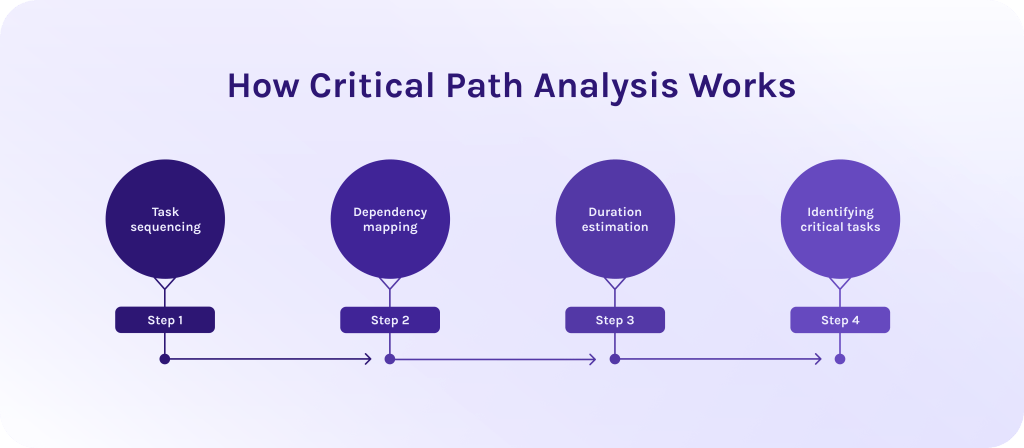
Well, now we are aware of the definition, but the question “How does the critical path method actually work?” is still left hanging in the air. So, let’s discuss every step in great detail.
Step #1: Task sequencing.
The first step is to identify every individual activity required to complete the project. This is often pulled from a work breakdown structure (WBS) – the framework that breaks down a big project into a set of smaller, achievable tasks to complete everything on time. At this stage, you don’t need to be worried about due dates, you need to be focused on defining what needs to be done and in what logical order.
Step #2: Dependency mapping.
The next step in the critical path method is to determine the relationships between tasks, specifically, which tasks must be completed before others can begin [11].
- Finish-to-Start (FS). Task B cannot start until Task A finishes (the most common type) [5].
- Start-to-Start (SS). Task B cannot start until Task A starts. It allows parallel execution with staggered start times.
- Finish-to-Finish (FF). Task B cannot finish until Task A finishes, forcing concurrent completion.
- Start-to-Finish (SF). Task B cannot finish until Task A starts (a rare transitional dependency, such as an old system shift remaining active until a new system goes live).
- Parallel tasks. Tasks that can happen at the same time because they don’t rely on each other [11].
Step #3: Duration estimation.
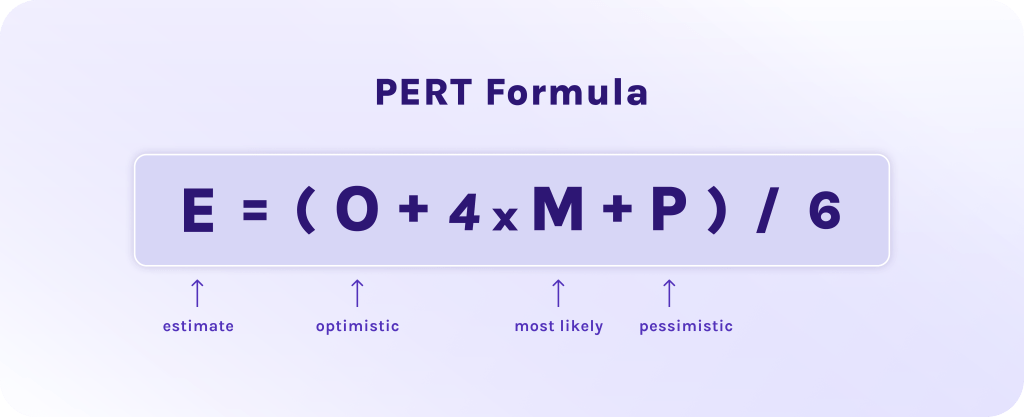
For every task in your sequence, you must assign a time value (days, weeks, or hours). To get an accurate critical path, project managers often use the PERT formula to calculate the “expected time” based on optimistic, pessimistic, and most likely scenarios [6].
Step #4: Identifying critical tasks.
Once the durations and dependencies are set, you perform two key calculations:
- Forward pass. Determines the earliest possible start and finish dates for each task, assuming everything begins as soon as possible.
- Backward pass. Determines the latest possible start and finish dates without delaying the overall project [7].
When you compare these values, you calculate total float – the amount of time a task can be delayed without affecting the project deadline. If a task has zero float, it means there is no room for delay [8].
Read More: What is Program Management? A Deep Dive into Strategic Success and Program Leadership
How does the best CPM software automate this?
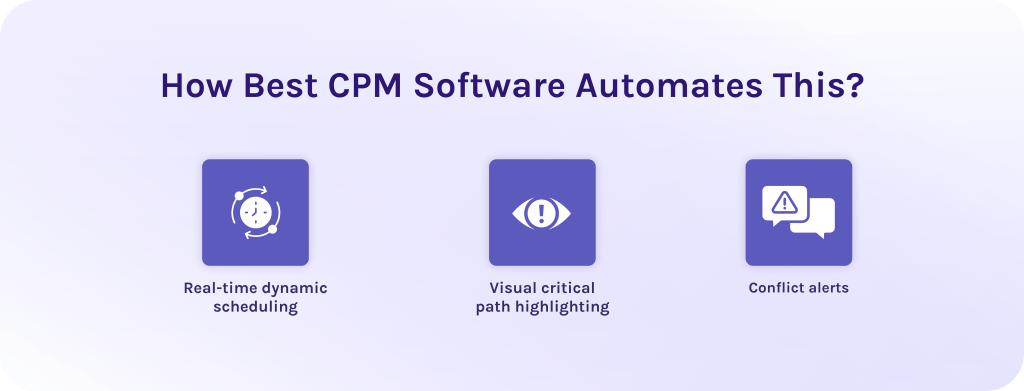
In the past, a single change in a task’s duration meant hours of manual recalculation. Today, best CPM software handles this in milliseconds through:
- Real-time dynamic scheduling. As soon as a team member marks a task as “delayed” or “completed,” the software instantly ripples that change through the entire project network. It identifies if a non-critical task has suddenly become critical [9].
- Visual critical path highlighting. Most tools utilize Gantt charts to provide a full picture of your project portfolio. The software automatically colors the project’s critical path (usually in bright red) to distinguish it from tasks with floats (usually in blue or green).
- Conflict alerts. If a dependency is broken, the software flags the logic error immediately, preventing planning disasters before they happen.
Read More: The Best Backlog Management Tools in 2026
Why Does Traditional CPM Software Fall Short?
Today, companies are rapidly adopting new solutions with artificial intelligence and other innovative features. But why can’t they continue relying on the old, familiar systems?
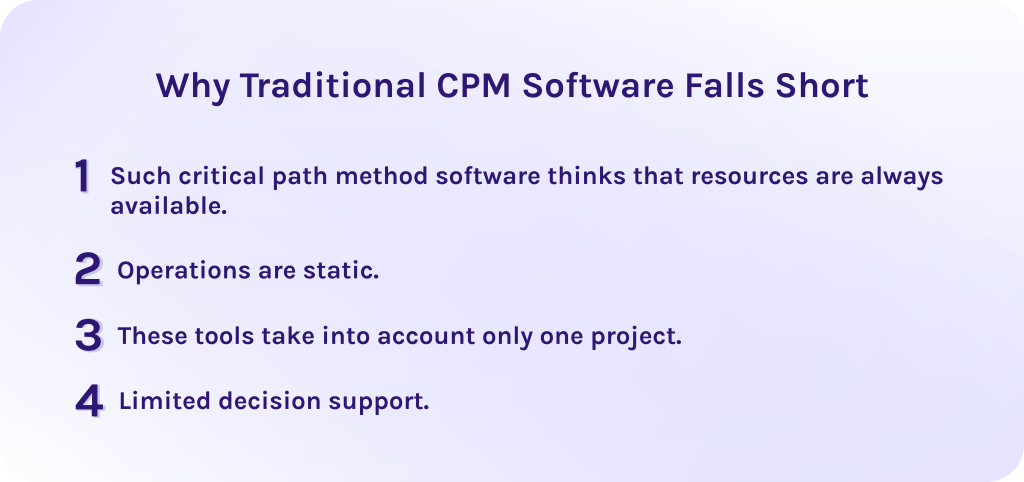
Such critical path method software thinks that resources are always available.
Traditional critical path analysis calculates timelines based solely on task duration and logical dependencies. It assumes that if the logic says four tasks can happen at once, they will happen at once. However, in reality, you don’t have infinite staff. If those four parallel tasks all require the same senior developer, they cannot happen simultaneously. This creates a schedule that looks perfect but is physically impossible to execute.
Operations are static.
Critical path software was originally designed for large-scale construction and manufacturing, which means it was designed for industries where the plan rarely changes once the foundation is poured. But, in software engineering or creative fields, requirements shift quickly, needing more adaptive tools.
These tools take into account only one project.
Most legacy critical path method tools were designed to manage a single project, while modern teams share resources across dozens of projects simultaneously. What do we get in this case? Traditional software simply can’t see that a delay in project A has stolen the specialist needed for the critical path of project B.
Limited decision support.
Traditional tools can’t predict delays and, moreover, they can’t tell you how to solve occurring problems. Thus, critical business decisions are made based on gut feeling rather than data-driven scenarios.
So, what features should the software critical path have to cover all your pain points?
Read More: A Guide to the Best Risk Management Software: Top ERM Tools
Key Features of the Best Critical Path Software
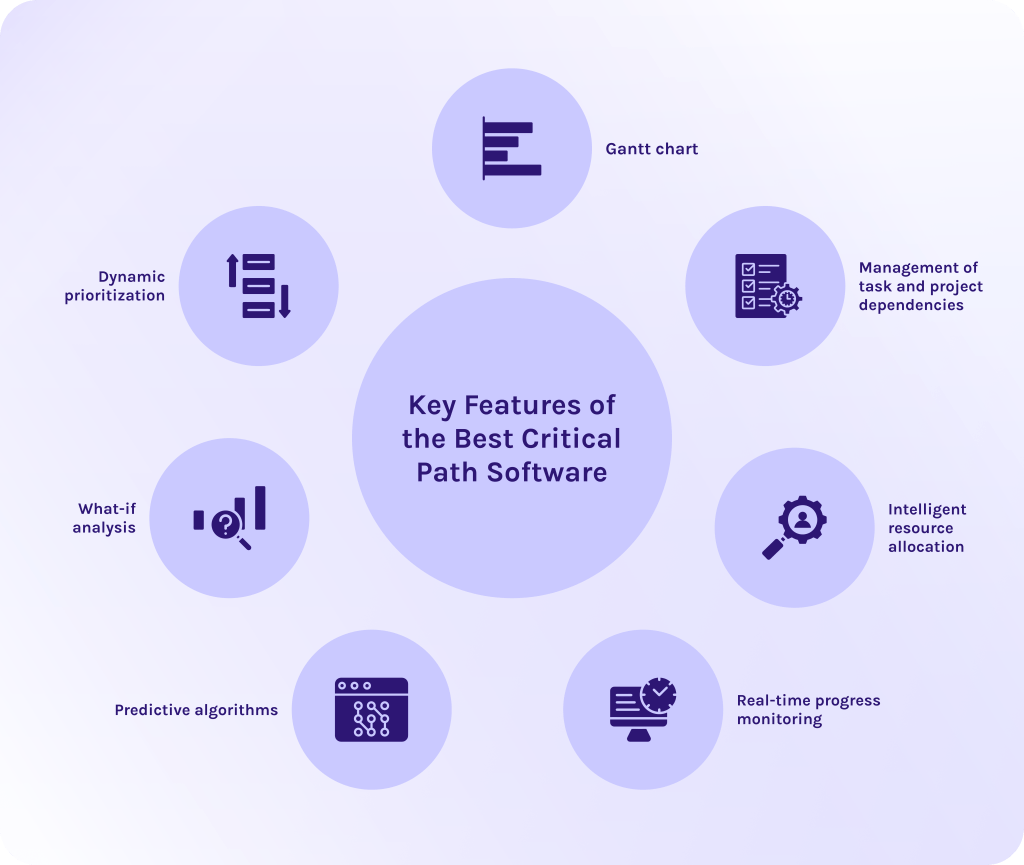
Usually, critical path project management software is equipped with the following functions:
- Gantt chart. This feature provides a clear visual timeline of tasks to show their duration and dependencies. Consequently, it makes it easier for managers and team members to track project progress and identify delays as early as possible [10].
- Management of task and project dependencies. It enables accurate modeling of relationships between tasks to ensure proper sequencing and reliable scheduling.
- Intelligent resource allocation. Assigns tasks based on resource availability and capacity, thus, helping to prevent overload and maintain smooth workflow execution.
- Real-time progress monitoring. The tool continuously updates task status and project timelines, allowing teams to detect deviations early and respond as quickly as possible.
- Predictive algorithms. The system uses data-driven calculations to forecast realistic completion dates and assess the impact of changes.
- What-if analysis. Allows you to test different scenarios to evaluate potential outcomes. For example, it allows you to assess whether delays will occur if a resource is reassigned from Project A to Project B [12].
- Dynamic prioritization. Continuously adjusts task priorities based on current conditions.
Read More: Stop Guessing, Start Scaling: Top 8 Capacity Planning Software [2026]
Epicflow: a Smarter Alternative to Traditional Critical Path Software
The Best Critical Path Software Tools in 2026
Best for construction and engineering
Primavera P6
Best for: Capital construction together with large-scale infrastructure engineering projects.
Pros:
- Exceptional CPM scheduling depth.
- Robust multi-project database.
- Advanced Earned Value Management (EVM).
Cons:
- Extremely steep learning curve.
- Outdated UI.
- Lack of field-friendly mobile collaboration tools.
- High cost.
Key features:
- Multi-level WBS.
- Resource/cost loading.
- Baseline tracking.
- Critical path analysis.
- Complex dependency network checks.
Planera
Best for: Modern construction scheduling and office-to-field CPM alignment.
Pros:
- Seamless P6/MS Project file exchanges.
- Fast onboard adoption for field teams.
- Collaborative interface.
Cons:
- Lacks full financial/job-costing modules.
- Has a custom pricing model.
- Requires a stable cloud connection.
Key features:
- CPM engine.
- AI-assisted risk analysis.
- Collaborative visual whiteboard.
- Procore/Autodesk integrations.
- DCMA quality checks.
Best for enterprise portfolios
Microsoft Project
Best for: Traditional enterprise PMOs and complex corporate portfolio management.
Pros:
- Deep native integration with Microsoft 365.
- Familiar enterprise desktop interface.
- Highly detailed critical path calculations.
Cons:
- Steep learning curve for non-PMs.
- Expensive licensing.
- Limited native real-time collaboration.
Key features:
- Baselining.
- Interactive Gantt charts.
- Enterprise resource pooling.
- Power BI report integration.
- Financial tracking.
Wrike
Best for: Cross-functional enterprise teams that require configurable PPM workflows.
Pros:
- Scalable request forms.
- Dynamic workload balancing.
- Versatile custom item types.
- Rich executive-level dashboard reporting.
Cons:
- Advanced enterprise reporting functions sit behind high-tier plans.
- Setup complexity can slow initial deployment.
Key features:
- Interactive Gantt charts.
- Custom workflows.
- Real-time proofing.
- Automated request routing.
- Portfolio resource management.
Epicflow
Best for: Multi-project resource management and bottleneck resolution.
Pros:
- Outstanding predictive resource analytics.
- Dynamic priority management.
- Seamless integration with existing tools like Jira or MS Project.
Cons:
- Steep initial onboarding curve.
Key features:
- Multi-project resource balancing.
- “What-If” scenario planning.
- Priority-based task sequencing.
- Workload forecasting algorithms.
Best for software and product teams
ProjectManager
Best for: Hybrid product teams bridging traditional Gantt planning with Agile execution.
Pros:
- Seamless synchronization between Gantt schedules and Kanban boards.
- Real-time portfolio dashboards.
- Strong time tracking.
Cons:
- Mobile app capabilities are basic.
- Advanced resource management features require higher pricing tiers.
Key features:
- Interactive Gantt charts.
- Agile task boards.
- Resource costing.
- Workload management.
- Automated status reports.
ClickUp
Best for: Product and dev teams looking to centralize all data in one tool.
Pros:
- Extremely customizable.
- Has lots of features even on lower plans.
- Excellent native docs and whiteboard capabilities.
Cons:
- Interface can feel overwhelming due to feature density.
- Occasional cloud performance lags on large data sets.
Key features:
- Custom views (Gantt, Kanban, List).
- Native Docs/Whiteboards.
- Automated custom workflows.
- Sprint management.
- Nested subtasks.
Best for visual planning and diagramming
GanttPRO
Best for: Teams that need fast and visually clear Gantt chart creation.
Pros:
- Intuitive, modern visual design.
- Short learning curve.
- Easy client schedule sharing.
- Affordable seat pricing.
Cons:
- Lacks advanced enterprise portfolio risk management.
- Basic integration options compared to broader PM suites.
Key features:
- Drag-and-drop Gantt creation.
- Auto-scheduling.
- Workload tracking.
- Exportable PDF/Excel reports.
- Baseline comparisons.
Lucidchart
Best for: System architecture mapping and creating engineering diagrams.
Pros:
- Industry-leading diagramming tools.
- Real-time multi-user editing.
- Deep Microsoft/Atlassian integrations.
- Extensive template library.
Cons:
- Static diagramming tool which means that it lacks native task management or, for example, automated schedule tracking.
Key features:
- Dynamic data linking.
- Auto-visualization from datasets.
- Real-time collaboration.
- Vast shape libraries.
Creately
Best for: Visual brainstorming and infinite canvas project mapping.
Pros:
- Flexible infinite canvas.
- Ability to transform visual shapes into trackable database items.
- Real-time workspace.
Cons:
- Performance can stutter with massive canvases.
- Scheduling capabilities lack the depth of dedicated CPM software
Key features:
- Infinite visual canvas.
- Dynamic items/databases.
- Multi-perspective views.
- Custom connectors.
- Real-time cursor tracking.
Managing a complex portfolio shouldn’t feel like a game of Tetris where the pieces never fit. If your traditional CPM software can’t handle needed capacity, contact Epicflow experts for a personalized demo and discover how to optimize your project flow.
Read More: The Definitive Guide to Enterprise Project Management Software for 2026
Critical Path Software: Table of Comparison
| Tool | Segment | Concrete specific to name | Honest limitation |
|---|---|---|---|
| Primavera P6 | Construction / mega-projects | .XER is the industry schedule-exchange format; resource-loaded schedules at very high activity counts | Steep learning curve; typically needs a dedicated scheduler |
| Planera | Construction | Whiteboard-style schedule building; DCMA 14-point quality check; Procore and Autodesk Construction Cloud integrations | Construction-focused; project-based custom pricing, no published per-user rate |
| Epicflow | Enterprise | Advanced resource management, risk prediction, what-if scenario planning, integration with MS Project and Jira | Steep learning curve, interface may feel overwhelming for new users. |
| Microsoft Project | Enterprise | Resource levelling, multiple baselines, EVM, Power BI and Microsoft 365 integration, native .MPP | Advanced scheduling gated to higher tiers; verify current Project Online lifecycle status before publishing (§12) |
| Wrike | Enterprise | Interactive Gantt with critical path mapping; portfolio reporting; Salesforce and SAP integrations | Configuration overhead; strongest features are enterprise-tier |
| Smartsheet | Enterprise / spreadsheet migrators | Grid, Gantt, Card and Calendar views; natural landing spot for teams leaving Excel | Spreadsheet paradigm strains on very large task networks |
| ProjectManager | Software / general | Automatic critical path filter on the online Gantt; baseline tracking; real-time dashboards | Lighter portfolio-level CPM than P6 or MS Project |
| ClickUp | Software / all-in-one | Critical path and slack visualisation in Gantt view, plus network diagrams, WBS and PERT charts | Breadth over depth; scheduling is one module among many |
| GanttPRO | Visual / small teams | One-click critical path toggle; imports from Excel, MS Project and Jira Cloud; PNG/PDF/XML/Excel export | Thin on portfolio-level and probabilistic analysis |
| Lucidchart | Visual / diagramming | Formula-driven shapes for an automated critical path in a CPM diagram; conditional formatting; layers | A diagramming tool, not a scheduling engine — no live schedule of record |
| Creately | Visual / free tier | Free plan; CPM templates; drag-and-drop dependency mapping; PDF/PNG/SVG export | No automatic critical path calculation — you identify the path manually |
Data is relevant on 04.09.2026. Check for details on the vendor’s official website.
How to Choose the Right Critical Path Software?
When you want to choose the right critical path software don’t just look at the pretty Gantt chart. The perfect tool is that matches the complexity of your projects and the actual capacity of your team. Use these criteria to evaluate your options:
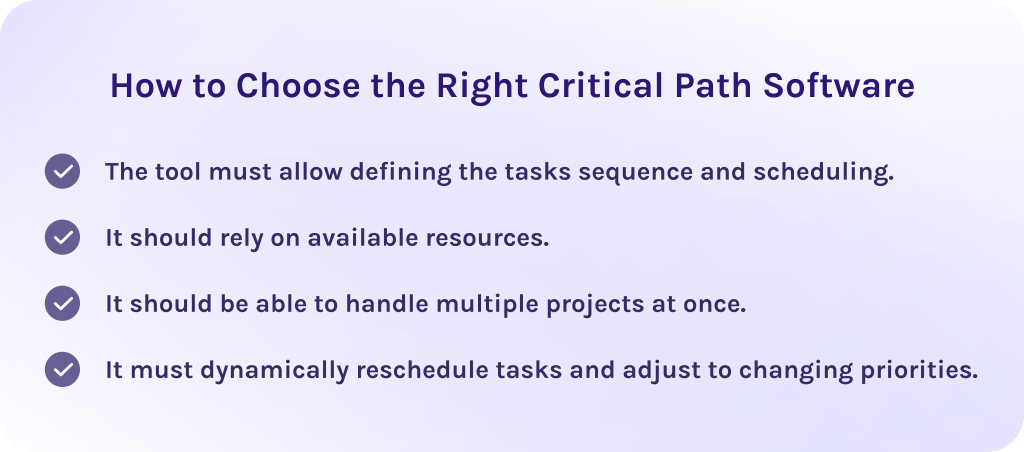
The tool must allow defining the tasks sequence and scheduling.
The critical path software should allow you to define task sequences (FS, SS, etc.) and automatically calculate timelines. Clear visualization (e.g., Gantt charts) helps understand how tasks are connected and how delays affect all dependent activities [15].
It should rely on available resources.
A reliable CPM software must go beyond basic task dependencies and consider resource availability as well. It should highlight resource overload to help prevent bottlenecks that can disrupt execution even if the schedule looks correct at the first sight.
It should be able to handle multiple projects at once.
Lots of problems in multi-project environments are primarily connected to conflicts between shared resources and their availability. Thus, the CPM software tools must take into account real resource availability and skills rather than think that they are always available.
It must dynamically reschedule tasks and adjust to changing priorities.
The project’s critical path analysis (CPA) software should continuously adapt to changes (delays, new tasks, shifting priorities) and provide up-to-date schedules and predictions, instead of relying on static critical path calculations [14].
Read More: Best Free ERP Software: Open Source and Free ERP Systems Compared
Conclusion
Project management specialists are indebted to the critical path method as it has always been a helpful technique in traditional single project management. However, as project environments become more complex, traditional critical path in software project management reveal significant limitations:
- They can’t handle resource constraints.
- They can’t dynamically adapt to changes.
- Ultimately, they can’t manage multi-project pipelines.
Taking into account all those difficulties, Epicflow helps companies address challenges, focusing primarily on resource constraints and dynamic adaptation to changes. It tracks resource availability and dependencies between projects to optimize your workflows and allow companies to do more with the same resources.
If you’re ready to implement a multi-project resource management tool that actually works, contact us today and learn all the innovative capabilities that Epicflow offers.
FAQs
1. What is critical path in software engineering?
In software engineering, the critical path is the specific sequence of development stages that determines the shortest possible time to complete a project. If any task on this path is delayed, the entire product launch or release date will slip by that same amount of time.
2. What software helps with critical path analysis?
Several software categories support critical path analysis depending on scale:
- Enterprise & heavy scheduling: Primavera P6 and Microsoft Project offer deep critical path method (CPM) engines for complex, high-task schedules.
- Mid-market & agile teams: ProjectManager and GanttPRO provide intuitive, automated CPM Gantt charts for smaller teams.
- Visual Diagramming: Lucidchart maps network flows visually.
For multi-project environments facing shared resource constraints, specialized software like Epicflow overlays these platforms to dynamically recalculate the critical path based on live availability.
3. How to generate a critical path?
Critical path method tools functions as a mathematical engine that calculates project timelines through the following steps:
To generate a critical path you need to:
- Identify every required project task.
- Define their sequential dependencies.
- Estimate task durations.
- Calculate the longest chain of dependent activities with zero slack.
4. What’s the difference between CPM software and general project management tools?
Generally speaking, main differences between traditional project management tools and CPM software tools are the following ones:
- CPM software focuses on calculating the critical path based on task dependencies and durations to identify tasks that directly impact the project deadline.
- Traditional project planning tools focus on basic task tracking and scheduling, often without advanced dependency analysis or automatic identification of critical tasks.
5. Why is it called a critical path?
It is called a “critical path” because it shows the sequence of dependent tasks that dictates the minimum timeframe required to complete the entire project. Any delay to a single task along this specific path immediately causes a cascading delay to the project’s final delivery date.
6. Can CPM software integrate with existing tools?
Yes, critical path management software can seamlessly integrate with your current tech stack via APIs and native connectors. This automatically syncs project schedule dependencies directly with real-time information needed for efficient project management.
7. What are the disadvantages of CPM?
Taking into account all its benefits, the critical path method comes with several inherent disadvantages.
- Critical path method in software project management assumes that resources are always available when needed. In reality, shared resources across projects create resource overload, which can delay tasks.
- Once the critical path is calculated, it tends to remain fixed unless manually updated.
- CPM is built around task sequences and durations, but doesn’t take into account resource availability, multitasking effects, or, for instance, workflow interruptions.
- Because it ignores resource limitations and assumes ideal conditions, CPM often produces overly optimistic timelines that are difficult to achieve in practice.
8. Can you create a critical path in Excel?
Yes, you can create a critical path method diagram in Excel. However, its capabilities will be limited, compared to other modern critical path management software. It lacks real-time overview of project dependencies and connections between shared resources. Thus, if you want more intelligent software, pay attention to tools like Epicflow powered with AI and predictive algorithms.
9. What are the pros and cons of CPM?
- Pros: Highlights essential deadline-critical tasks and gives project managers a clear timeline overview.
- Cons: Requires precise time estimates up front and can create overly complex network charts for large projects.
10. What does Microsoft use for critical path things?
There is a Microsoft Project (including Project for the Web and MS Project desktop) that can be used for critical path management inside Microsoft ecosystem. It automatically calculates schedule floats and highlights critical path tasks in red on Gantt chart views.
11. Is critical path analysis still used?
Yes. Developed in the late 1950s, critical path analysis still remains an essential industry standard in industries connected to construction and manufacturing. Modern project management software embeds CPM scheduling engines into its core back-end. However, classic CPM assumes unlimited resources, making it less suitable for real-world conditions.
12. What is the best PMO tool?
The ideal PMO platform depends on your organization’s specific portfolio requirements. Enterprise needs range from multi-project capacity planning to high-level strategic alignment. To explore a detailed breakdown of top enterprise options, feature criteria, and architecture models, read our comprehensive guide on the best PMO tools.
References:
- https://www.researchgate.net/publication/357166876_Critical_path_method_CPM
- https://wifitalents.com/project-failure-statistics/
- https://www.apollotechnical.com/51-project-management-statistics-that-every-manager-should-know/
- https://www.researchgate.net/publication/381108248_The_Critical_Path_Method_General_study
- https://www.researchgate.net/publication/326394589_Modeling_Task_Dependencies_in_Project_Management_Using_Petri_Nets_with_Arc_Extensions
- https://www.researchgate.net/publication/367732250_Development_of_a_Pert_Model_for_Project_Management
- https://www.researchgate.net/publication/394872901_Effectiveness_Analysis_of_the_Critical_Path_Method_in_Project_Management
- https://www.researchgate.net/publication/374786735_TOTAL_FLOAT_MANAGEMENT_TECHNIQUE_UNDER_THE_FLOAT_AND_RESOURCE_LOADING
- https://www.researchgate.net/publication/279349122_Project_Management_with_Dynamic_Scheduling
- https://www.researchgate.net/publication/381604056_The_Gantt_Chart_in_Modern_Project_Management_An_Empirical_Analysis_from_Developing_Countries
- https://www.researchgate.net/publication/352762085_Dependency_Analysis_and_Parallel_Planning_of_Projects_in_Project_Portfolio_Dependency_Analysis_and_Parallel_Planning_of_Projects_in_Project_Portfolio_Management
- https://www.researchgate.net/publication/392738261_SCENARIO_PLANNING_AND_WHAT-IF_ANALYSIS_FOR_MANAGING_UNCERTAINTY_IN_COMPLEX_INFRASTRUCTURE_PROJECTS
- https://www.researchgate.net/publication/260789000_PROJECT_PLANNING_UNDER_UNCERTAINTY_USING_SCENARIO_ANALYSIS
- https://www.researchgate.net/publication/220811618_Full-System_Critical_Path_Analysis
- https://www.researchgate.net/publication/327027395_Critical_path_analysis_programming_method_without_network_diagram
- https://zipdo.co/project-management-statistics/