
What Is a Low Code Platform?
Let’s begin with the basics so you can better navigate the topic. In simple English, low code platform is a visual software development environment that allows people to create applications by dragging and dropping components instead of writing thousands of lines of complex manual code [2].
“Low-code platforms enable rapid delivery of business applications with a minimum of hand-coding and minimal upfront investment in setup, training, and deployment.“
— Forrester
You can imagine a low code automation platform as if you’re building a house but without creating bricks from scratch. You already have ready-to-use bricks and can configure any house planning you want. You are still the architect and the builder, but the heavy, repetitive labor is already done for you [3].
If this example wasn’t expository enough, now we’ll figure out how it actually works.
Read More: Best Scenario Planning Tools to Consider in 2026
How a Low Code Development Platform Works?
As you don’t need to always write code, here is the engine behind the scenes that automatically creates code instead of you. However, in some cases, for large customizations, you might need to ask the dev team for help, but in common situations, like for building custom CRM or internal operational tools, the platform handles the heavy lifting through a few core mechanisms.
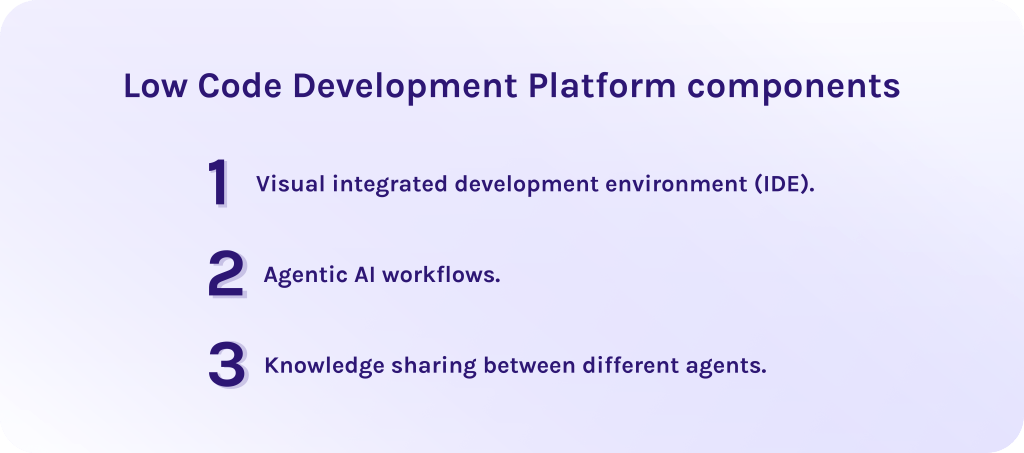
1. Visual integrated development environment (IDE).
Low code app development platform provides a drag-and-drop canvas where you select different components like nodes or conditions and place them where you want. The system automatically creates new functions and relationships as you add new functionality so that you don’t have to manually map out every database table or API call. In systems like EpicStaff, for instance, you can create multiple AI agents, assign them to different tasks, and build the workflow chain depending on your own needs.
2. Agentic AI workflows.
Instead of writing complex “if/then” scripts, you define the app’s behavior using visual flowcharts. In an agentic system, you build a workflow using different autonomous AI agents, assigned to specific roles.
- Roles and goals. You assign a role to each specific agent and clarify the final goal. Agents on their own can decide which actions to take to achieve what you want, communicating with each other and negotiating about problem-solving.
- Decentralized orchestration. Because the orchestration is decentralized, there is no single point of failure. If one agent node goes offline, the other agent can automatically reroute the workflow to a healthy peer, ensuring 100% uptime for your custom tools [4].
- Declarative logic. You define “Triggers” (e.g., a new lead signs up) and “Actions” (e.g., the system automatically assigns a salesperson and sends a personalized email). You don’t write the integration code.
3. Knowledge sharing between different agents.
Let’s agree that some agents don’t need information that for others is mandatory. Extra data can cause, first of all, hallucinations – the situation when an agent attempts to connect the dots between unrelated variables, leading to confident but entirely fabricated logic. As well, one agent can share sensitive data with the other, if not managed properly, leading to data breaches.
Thus, in modern systems, agents only access the specific part of company data they need to perform their task. A system ensures that sensitive data is only used within clearly defined contexts, even if the application logic is being triggered globally.
Don’t let your best automation ideas gather dust in a backlog. Use EpicStaff’s AI agents to build your first autonomous workflow today.
Read More: Enterprise Workflow Automation: The Key to Scalable Operations
Key Features of a Low Code Application Development Platform
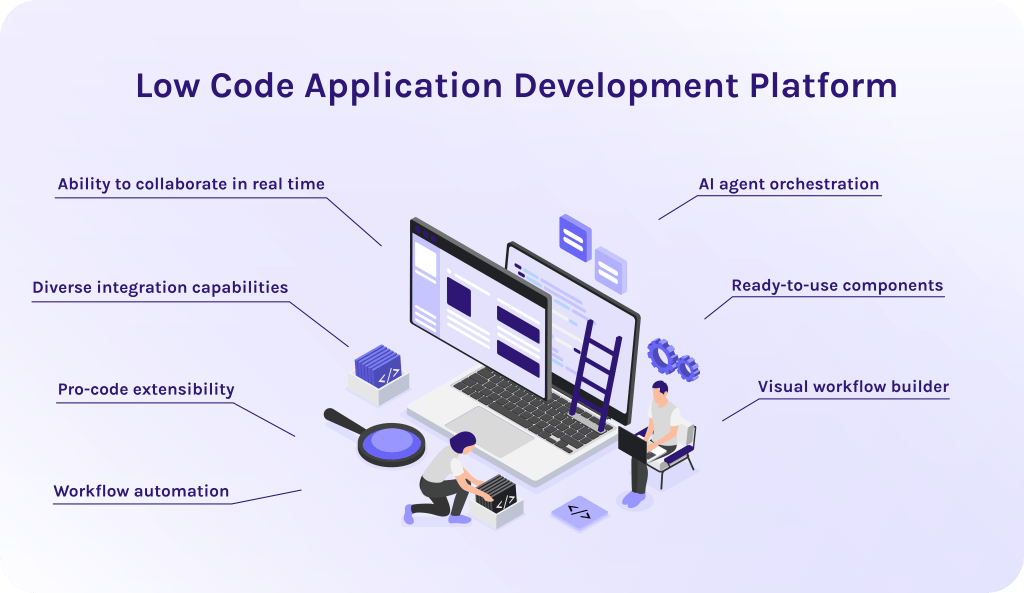
What features should you look for in a low code application development platform? We’ve analyzed over 20 solutions and review platforms where users shared their impressions about particular software systems and are ready to present to you functionalities that are the most sought-after among the target audience.
- Visual workflow builder. The main function of any low code platform is the ability to create a workflow without extensive coding experience (or even without any coding experience.) A high-quality visual builder allows users to map out complex business logic using a drag-and-drop interface rather than traditional scripting.
- Ready-to-use components. Ready logical or conditional nodes help you not to waste time on writing everything from scratch. You can just take an already existing item and use its functionality again.
- AI agent orchestration. Most modern low-code platforms enable the creation of autonomous agents that can reason, access private company data via RAG (retrieval-augmented generation) that gives an AI agent “eyes” to see your company’s private files without needing to retrain the underlying model, and collaborate to solve multi-step problems without constant human intervention.
- Pro-code extensibility. The ability to diversify the functions of your low code platform with custom code nodes is especially important for scaling and future modernization. This ensures that when a highly specific or proprietary business rule is required, the platform remains flexible enough to accommodate it rather than becoming a bottleneck [5].
- Diverse integration capabilities. You need to look for a platform that allows you to seamlessly incorporate it into your workflows and not ruin this perfectly built chain.
- Workflow automation. Top-tier platforms function as automation engines that handle repetitive background tasks like document processing, data syncing, and alert triggering. This reduces manual overhead by ensuring that the right data reaches the right person at precisely the right time [7].
Read More: Top 10 AI Software Development Companies
Benefits of Low Code Platform Adoption
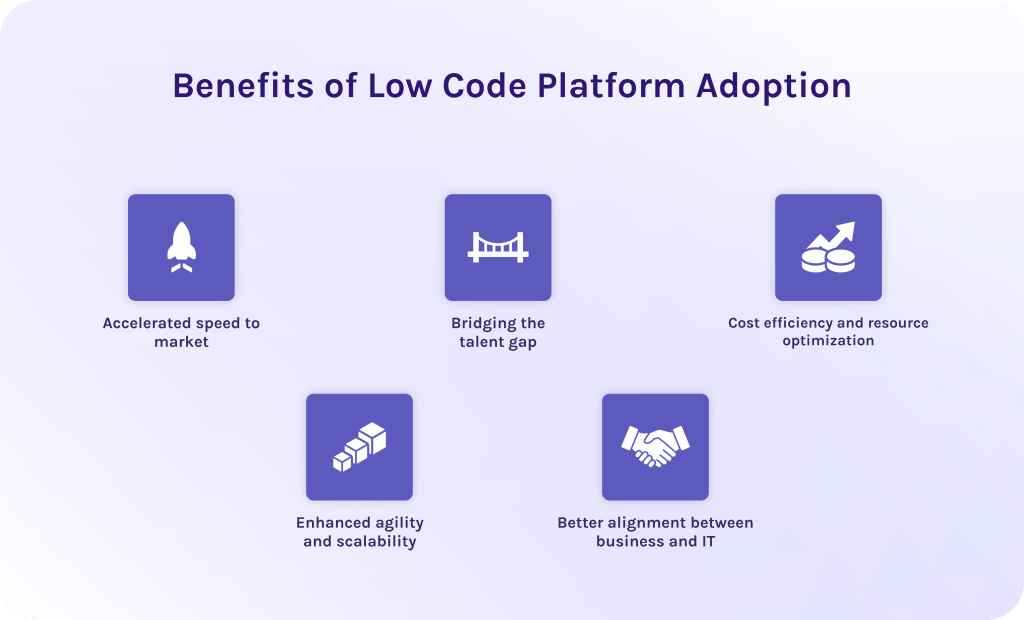
- Accelerated speed to market. When you use traditional approaches to software development, it can take months or even years to build the system, which may possibly end up being outdated. While low code platforms allow you to implement your idea in life in weeks or even days.
- Bridging the talent gap. If you want to find a senior developer for your team, it will be time-consuming and expensive for sure. Low code tools, instead, allow your existing staff to build functional tools without hiring extra employees.
- Cost efficiency and resource optimization. Low-code reduces the total cost of ownership by automating the repetitive parts of coding. This frees up your capital to be spent on marketing or product development rather than maintaining legacy code.
- Enhanced agility and scalability. If a new regulation drops or a competitor launches a feature, you can go into your platform and update your logic in real time. As well, whether you have 10 users or 10,000, the infrastructure grows with you without you needing to buy more servers.
- Better alignment between business and IT. In a low-code environment, the visual workflow becomes the common language. You can sit with a developer, look at the same screen, and say, “Move this logic block here.” There are no misunderstandings, meaning the final product actually solves the business problem you started with.
Read More: The Expert’s Eye: The Value of Architects
Best Low Code Platforms in 2026
Here is our list of the best low code platforms:
1. EpicStaff
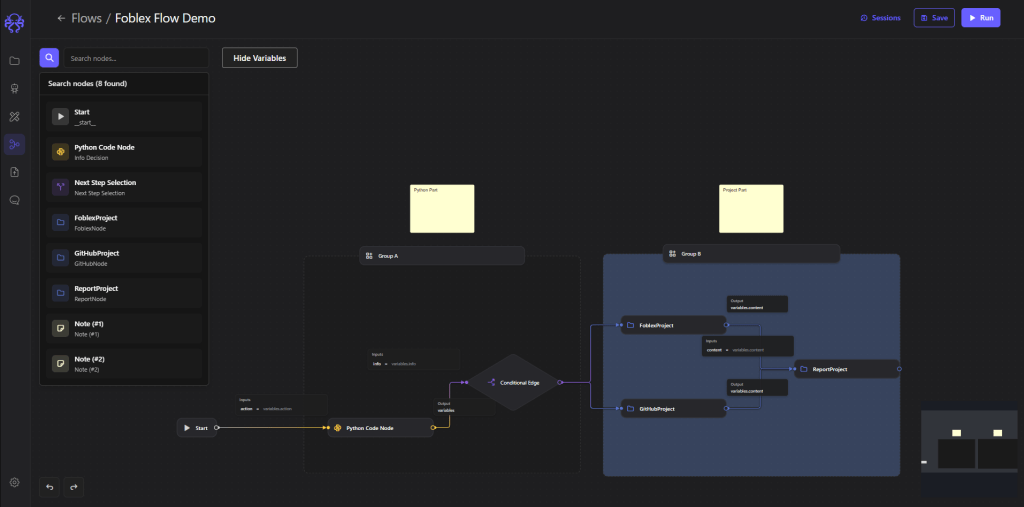
EpicStaff is a low code automation platform that emphasizes multi-agent AI orchestration and production-ready persistence. It is designed to bridge the gap between simple no-code tools and complex custom coding by offering a visual agentic user interface that hides technical complexity without sacrificing logic control.
Key features:
- AI agent orchestration. Ability to create your own specific AI agents, assign different roles, and set goals for how the task must be executed and what you need to get at the end.
- Visual workflow builder. With EpicStaff you can build your own workflows and change the logic any time needed, using a graphical interface.
- Reusable components. You can use different agents, conditions, and functions multiple times in different projects.
- Customizations via code. To extend the system’s functionality or build more complex logic, your IT team can create not only custom Python code, but can build your own custom tool. This means you have almost unlimited possibilities in how you design and structure your workflow.
- Multi-agent collaboration. All your agents will act like an autonomous team of employees, communicating with each other to solve problems.
Best for:
Best low-code platform for non-technical users as well as for coders. Also, this solution will be suitable for companies from different industries and of all sizes.
Pros:
- Oriented towards the dual audience so that both business and IT professionals can work together.
- This low code platform is open-source, which means it has open code that you can get access to and check for security. Usually, such models allow maximum data protection.
- The open-source origin allows you to avoid a vendor lock-in problem.
- Uses agentic AI that reasons through tasks rather than just following scripts.
- Completely free to use.
Cons:
- Newer and less known system compared to market giants.
- May require minimal technical knowledge for initial setup.
Ready to build your own autonomous digital workforce? Explore EpicStaff on GitHub to start your open-source journey or book a personalized demo to see how agentic AI can transform your specific business workflows.
2. Mendix
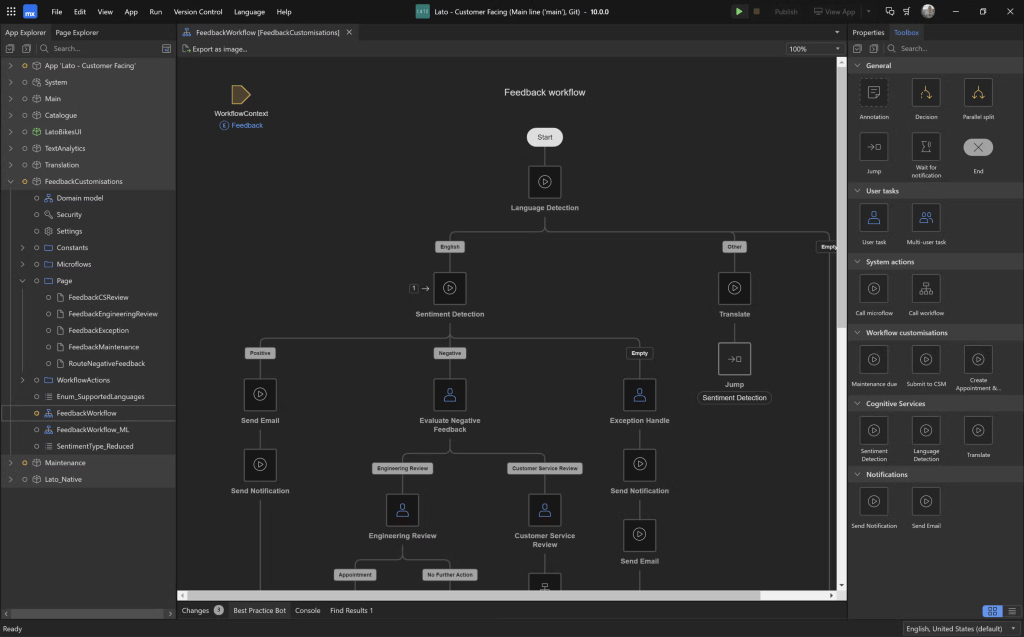
Mendix enterprise low code application platform remains the gold standard for business-IT collaboration. It allows non-technical stakeholders to map out processes while developers handle heavy-duty Java extensions, making it ideal for massive industrial IoT and ERP projects [9].
Best for:
Massive industrial enterprises and Siemens ecosystem users.
Pros:
- Extreme scalability.
- Best-in-class visual modeling for complex logic.
- Unified mobile/web codebase.
Cons:
- Don’t have AI agent orchestration, only AI chatbots and assistance.
- High barrier to entry.
- Pricing is often prohibitively expensive for startups.
3. Creatio
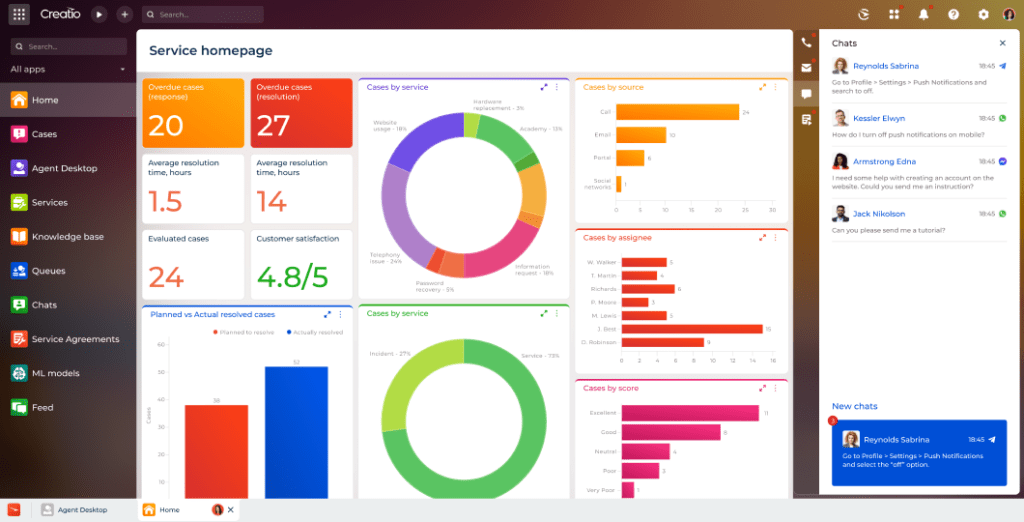
Creatio is a leader in no-code CRM and process management. It allows users to snap together business modules (marketing, sales, service) like LEGO blocks, backed by a powerful AI engine that automates routine customer interactions.
Best for:
Sales and marketing teams need to build their own CRM.
Pros:
- Very high user adoption due to intuitive UI.
- Strong CRM features.
Cons:
- Custom UI branding can be limited on lower tiers.
- Total cost can be hard to predict with various module add-ons.
4. Appian
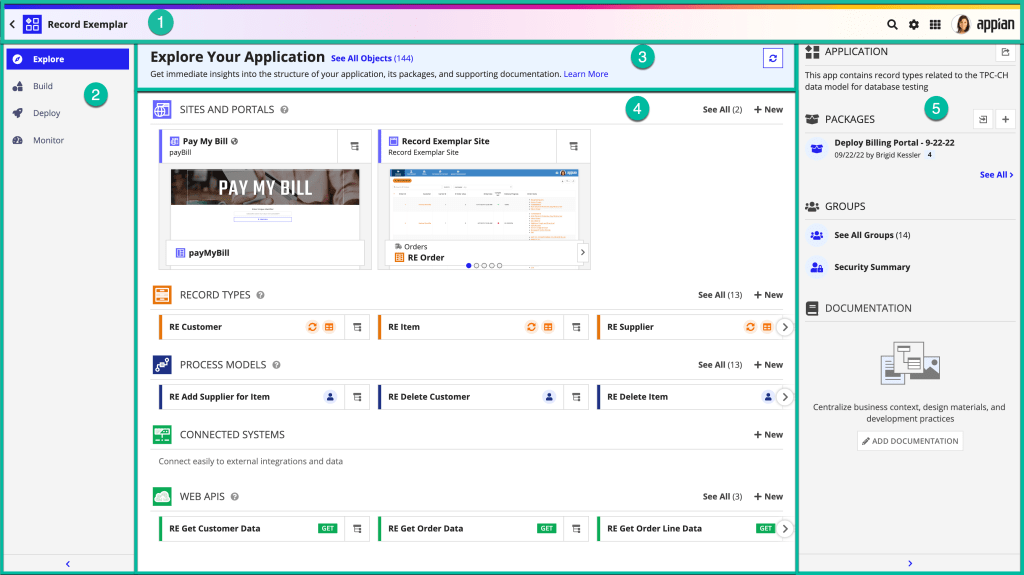
Appian is the go-to for complex process automation in highly regulated sectors. It unifies data fabric, RPA, and case management into a single workflow, ensuring that every automated step is fully auditable and compliant [9].
Best for:
High-security industries like banking and government.
Pros:
- Military-grade security.
- Handles massive document workflows.
Cons:
- Not intended for client-facing apps (B2C).
- Has a steep learning curve.
5. Quickbase
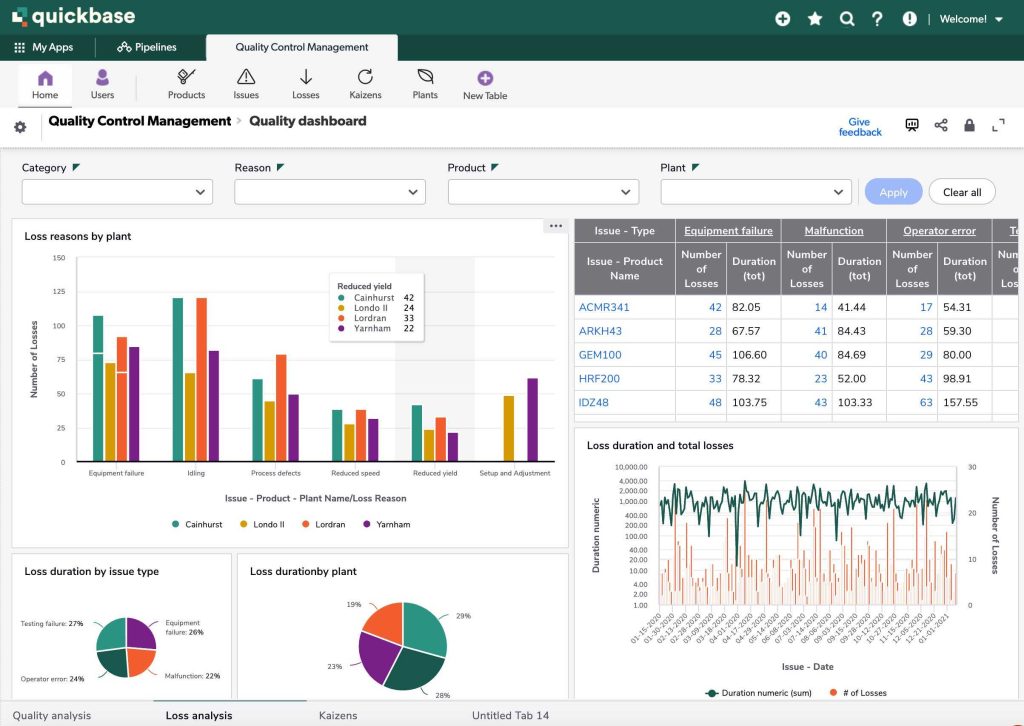
Quickbase excels in dynamic work management, particularly for “heavy” industries like construction and healthcare. It allows field teams to build custom tracking apps on the fly, focusing on AI pipelines that predict project bottlenecks.
Best for:
Complex project management in construction, telecom, and field services.
Pros:
- Excellent for tracking real-time data from the field.
- Highly customizable dashboards without any code.
Cons:
- Interface can feel dated.
- Permission settings and access controls can be complex to set up.
6. OutSystems
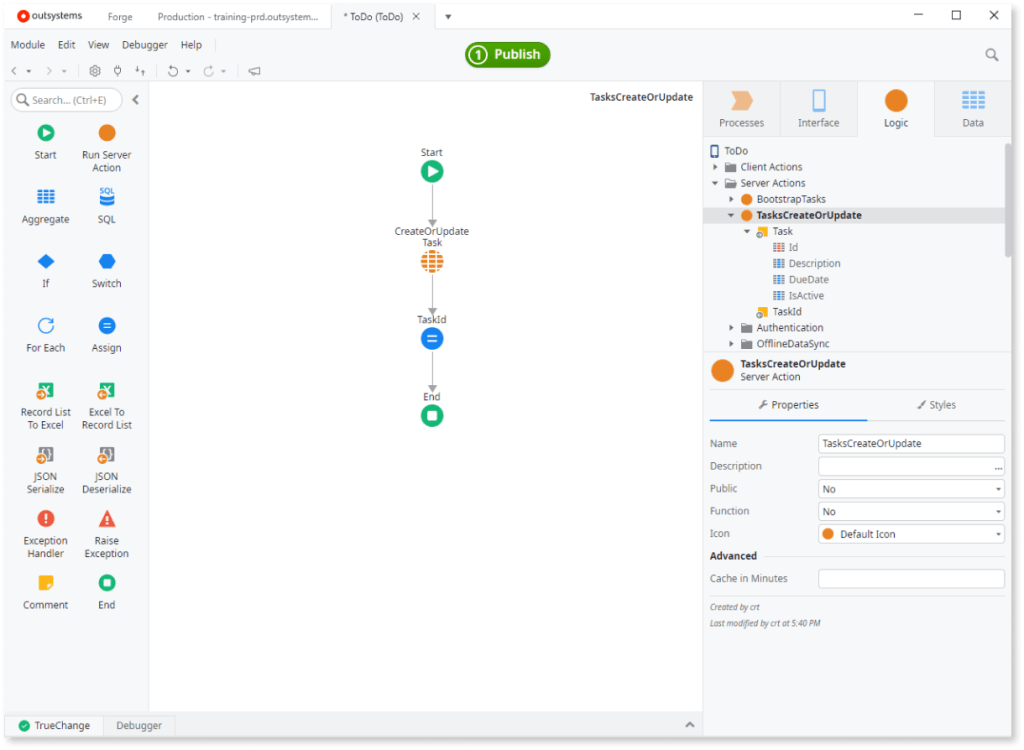
OutSystems is built for high-performance low-code applications. It is the choice for companies building mission-critical apps that need to scale to millions of users, offering the most robust DevSecOps and security guardrails in the industry [10].
Best for:
Professional developers building high-performance apps.
Pros:
- Fastest time-to-market for native mobile apps.
- Robust CI/CD and AI-assisted performance monitoring.
Cons:
- It’s difficult to migrate your app away once built.
- High entry cost.
7. Budibase
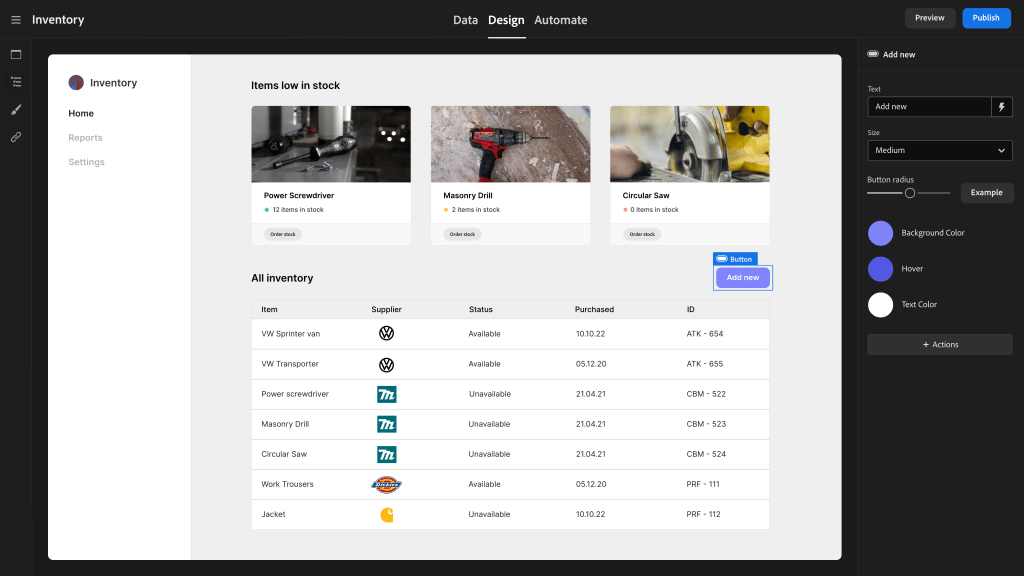
Budibase is an open-source platform that has consolidated its position as the AI workflow toolkit for developers. As an open-source favorite, it allows IT teams to self-host their tools, recently adding agent nodes that allow you to embed AI assistants directly into internal forms and portals.
Best for:
IT teams building internal tools quickly on their own servers.
Pros:
- Open-source and self-hostable.
- Clean, modern IDE.
- Includes a built-in database and automation engine.
Cons:
- Still expanding its native mobile app capabilities.
8. Appsmith
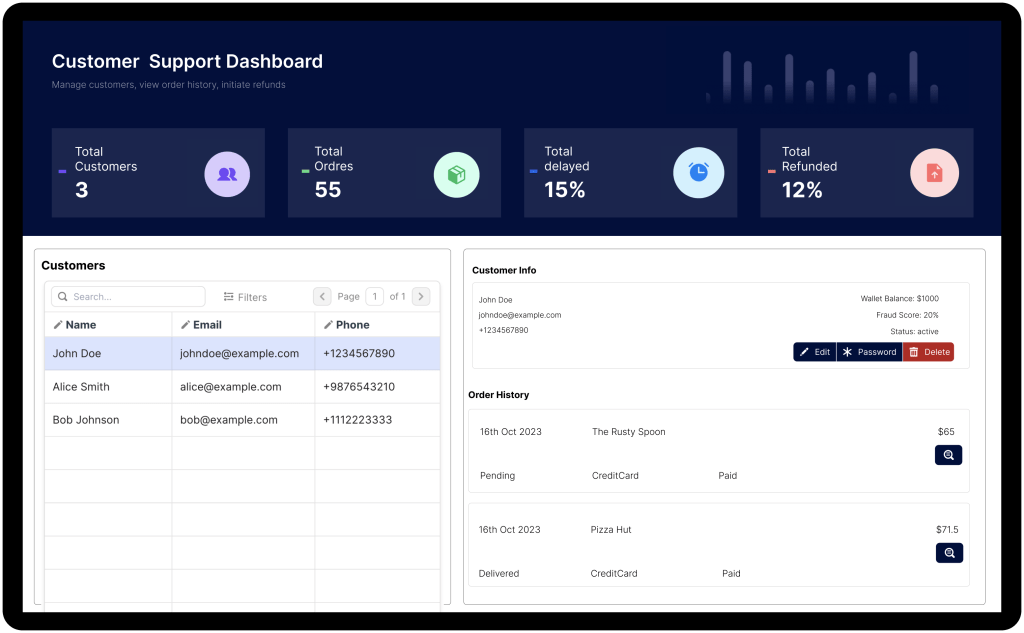
Appsmith is the leading open-source choice for internal admin panels. It allows developers to write custom JavaScript anywhere. It is widely used for building secure dashboards on top of private databases like Snowflake and MongoDB.
Best for:
Data-heavy internal admin panels and dashboards.
Pros:
- Dev-first approach.
- Allows JavaScript everywhere.
- Connects directly to databases without API middleware.
Cons:
- Not for non-technical users.
- Performance can dip with extremely large datasets if not optimized.
9. Retool
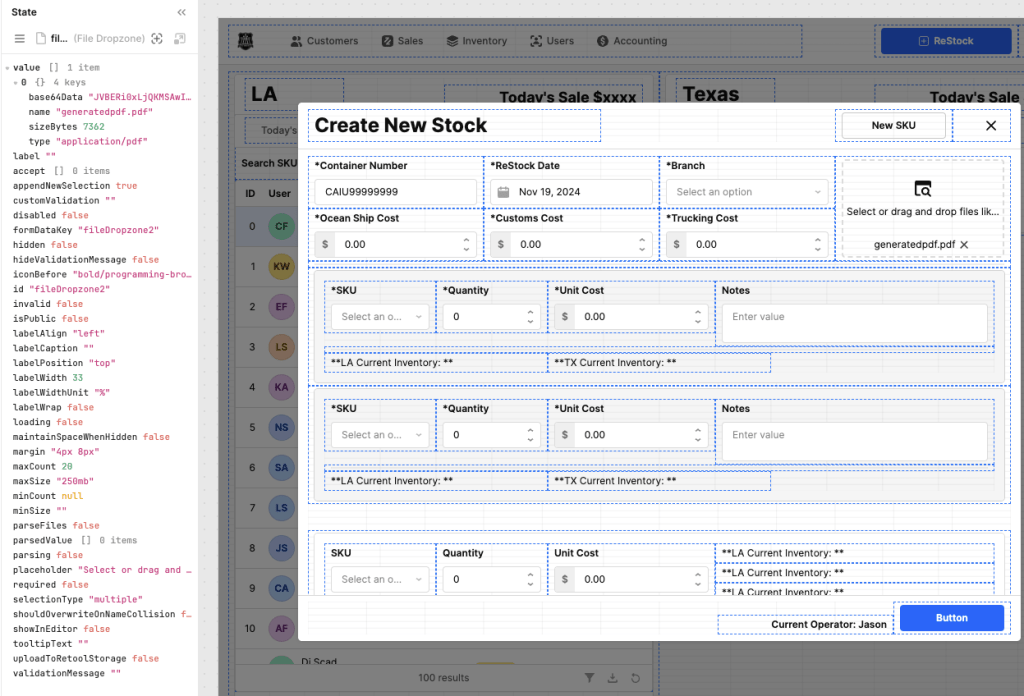
Retool is the fastest way to build internal software if you already know a bit of SQL and JavaScript. Its AI assistant can generate entire dashboards and backend queries from a single prompt, making it the favorite for fast-moving engineering teams.
Best for:
Engineering-led startups and high-growth tech companies.
Pros:
- Incredibly fast prototyping for anyone who knows SQL.
- Excellent pre-built component library.
- Very polished user interface.
Cons:
- Per-seat pricing gets very expensive as the team grows.
- High vendor lock-in.
10. Zoho Creator
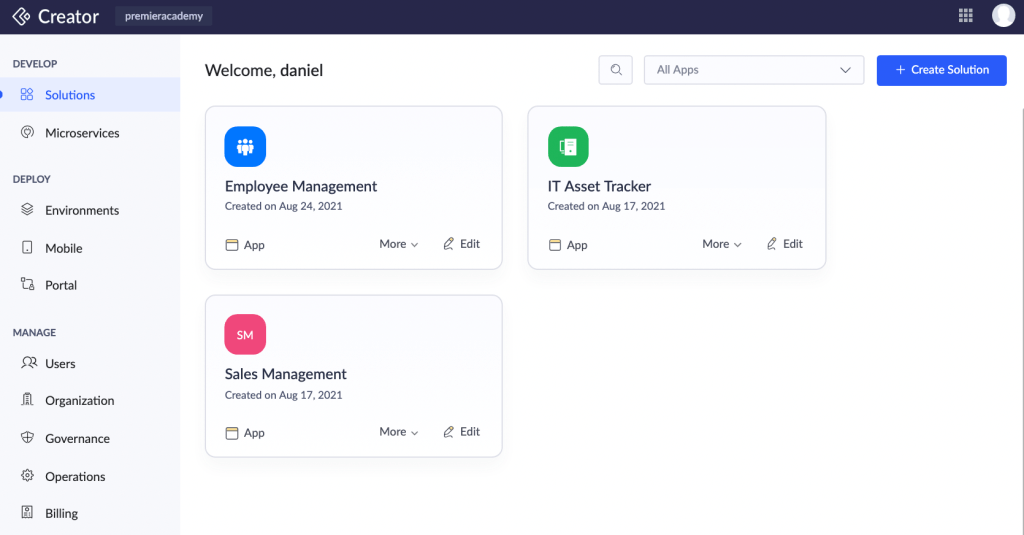
Zoho Creator remains the best value for SMB business applications. It offers an incredibly low barrier to entry for small teams who need to digitize their operations, providing a vast library of pre-built templates for everything from HR to inventory management, which makes it the best low-code platform for small business apps.
Best for:
MBs looking for a cost-effective, all-in-one business low code platform.
Pros:
- Great value for the price.
- Massive library of pre-built app templates.
- Integrates perfectly with the Zoho suite.
Cons:
- UI can feel cluttered compared to modern tools.
Low Code Platform Comparison
| Platform | Best for | Primary user | Key feature |
| EpicStaff | AI agent orchestration and flexible workflows | Both technical and non-technical teams | Ability to create a virtual team of specialized agents to automate processes |
| Mendix | Heavy industrial workflows | Mixed teams: both business and technical users | Industrial IoT logic |
| Creatio | For sales and HR | Non-technical users | Unified modules for marketing operations |
| Appian | Complex process automation in highly regulated sectors | IT specialists | Process mining |
| Quickbase | For industries like construction and healthcare | Operations managers | Real-time AI-powered pipelines |
| OutSystems | B2C high performance | Professional devs | AI Mentor (Optimization) |
| Budibase | Internal tools | IT teams building internal tools | AI workflow toolkit for developers |
| Appsmith | Internal admin panels | Developers | Ability to write everything in JavaScript |
| Retool | Building internal software using JavaScript and SQL | Developers | AI app generation |
| Zoho Creator | SMB business applications | Small businesses or teams | A part of Zoho ecosystem |
Our Methodology: How We Evaluated Enterprise Low Code Platforms
We analyzed each tool upon specific and generally accepted metrics:
- Best for: We looked for industries and users’ pain points that the tool can cover.
- Primary user: We identified the specific user persona the platform serves.
- Pros: We highlighted the strengths that give each platform its unique ROI.
- Cons: Every low-code platform has problems and inefficient moments. We honestly identified where these tools struggle so you aren’t surprised six months into a project.
- Features: We ignored marketing buzzwords and looked for features that are mandatory for the modern enterprise.
Read More: Empowering Your Workflow: Unveiling the Surprisingly Diverse Uses of Large Language Models
How to Choose the Best Low Code Development Platform
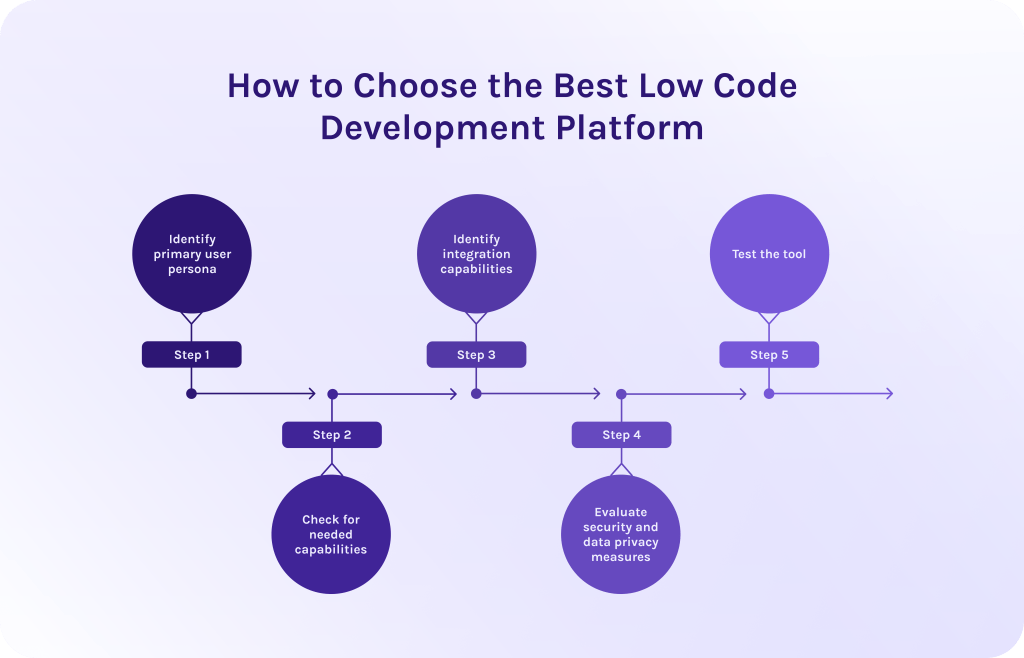
Below, we’ve prepared for you some useful tips on how to choose the best low code automation platform from those that are present on the market:
1. Identify primary user persona.
Not all platforms are oriented towards the same audience. The most common mistake is choosing a platform that is too complex for business users or too restrictive for developers.
- For non-technical teams: Prioritize no-code or low-code systems where employees don’t need to have coding experience. Look for natural language processing features where the AI handles the database schema and UI layout.
- For mixed teams: Look for platforms that offer separate functionality for different skill levels, such as EpicStaff. These allow business users to build the front end while developers handle complex integrations.
- For dev teams: Choose developer-first platforms or those that combine visual + code architecture like EpicStaff. These tools assume knowledge of SQL and APIs but automate the tedious UI work.
2. Check for needed capabilities.
Identify top-priority features for immediate ROI and additional ones that might possibly be needed in the future. To decide which ones you need right now and which are additional, identify where your processes are getting stuck the most and what features can solve those problems.
3. Identify integration capabilities.
Check if the tool supports integration with your current tools. It can be done through built-in seamless connections or via custom integrations with third-party tools.
4. Evaluate security and data privacy measures.
Check if the low code development tool is compliant with international security and data privacy standards like GDPR. Open-source tools are secure as well, as they were tested and verified by many contributors on GitHub and if there were some problems, people would notice it.
5. Test the tool.
Make a request for the demo version or free trial, if the tool isn’t free. If it’s open-source, you can install it using instructions from the software vendor. Hands-on experience will help you evaluate the ease of use and offered features, and you will understand if the tool aligns with your team’s actual technical proficiency and long-term project requirements.
Read More: Best Free ERP Software: Open Source and Free ERP Systems Compared
Conclusion
Let’s briefly sum up everything said above:
- A low code platform is a software for business process automation that allows no-code users to build their own applications using just a graphical interface and reusable components but, on the other hand, retains the possibility of customization via code for programmers.
- The most significant evolution is the move from static “if/then” workflows to AI agent orchestration. Platforms like EpicStaff allow you to build digital workforces of autonomous agents that can reason and solve complex problems independently.
- Low-code platforms are oriented towards a dual audience – non-technical users and coders at the same time.
- To choose the right low code platform, identify who will use the tool, what capabilities and integrations they need, check if the tool is secure, and, ultimately, test it before actual deployment.
Reading about digital workforces is one thing; seeing them negotiate and solve problems in real-time is another. Book a personalized demo to see how EpicStaff handles your most complex logistics or CRM challenges.
FAQs
1. What is low code platform?
A low code platform is a visual environment for software development where non-technical users can build their own workflows without the need to write code. This ability is provided through a graphical interface with lots of pre-built functionalities so that users don’t even need to refer to traditional programming. However, if needed, such tools can be customized by professional developers and custom code functions.
2. How to choose a low-code platform?
To find the right fit, evaluate your options against these four critical pillars:
- First of all, define personas that will use the platform, their skills and pain points to avoid problems connected to frustration or shadow IT.
- Then, identify which platform the software should integrate with to improve and upgrade your business processes, not vice versa.
- Check if the platform allows you to export your code to avoid a vendor lock-in problem.
- Choose the one that provides an extensive set of modern AI features like AI agent orchestration and automation.
- Evaluate ease of use and the total cost of ownership.
- Check if it meets your industry standards and security requirements.
3. When to use low code platform?
The most efficient way to use low-code development platform is:
- To automate internal business processes and operations like HR or create a custom CRM platform.
- For rapid prototyping to test your ideas and make quick changes without waiting for the developers team.
- To bridge old legacy systems.
- And, ultimately, for high-volume workflows like sending emails or updating spreadsheets.
4. Who offers the best low-code platform?
The Dutch software development company HYS Enterprise, with its EpicStaff low code AI platform demonstrates rapid growth and is among the most promising solutions in 2026. If we compare this platform to the others, EpicStaff focuses on AI agent orchestration, allowing organizations to build a “digital workforce” that automates up to 80-90% of manual tasks in complex sectors like logistics and supply chain management.
5. What is the best low code platform?
Honestly, the best low code application platform is one that matches the best with your particular needs. EpicStaff has emerged as a disruptive leader, specifically for organizations that want to move beyond simple app building into the realm of AI agent orchestration.
6. How does a low code development platform work?
It sits between your human logic and the complex machine code.
- Visual integrated development environment (IDE). You select pre-made components and place them where you want to build your own custom workflows.
- Declarative logic and workflows. In traditional coding, you write imperative code, telling the computer every single step. In low-code, you use declarative logic, drawing the lines between the actions to highlight a needed sequence.
- The hidden code generator. As you move elements on the screen, the platform is writing high-quality code in the background.
7. What are the benefits of low code platform solutions?
Such platforms have significant advantages for different businesses:
- They provide speed and agility of platform development needed to stay competitive and quickly adjust to changes.
- Low-code platforms help companies to address the problem of a global shortage of senior developers.
- They are definitely more cost-effective than traditional software development as you need less time and resources to build the platform.
- These platforms don’t adapt to AI, they have it in their core; thus, they are more intelligent and autonomous from the very beginning.
8. What is the difference between low code and no code platforms?
- No-code platforms are designed primarily for business staff like marketers and managers and don’t require any coding skills.
- Low-code platforms, on the other hand, are somewhere in the middle between no-code software and software for dev teams, as it provides visual builder for business teams and ability to create customizations via code at the same time.
9. Are there open-source low-code platforms?
Of course, the most promising open source low-code application development platform is EpicStaff. It was released in 2024 and since then has gained traction not only within the GitHub community but also has collaborated with huge market players like Dutch logistics company Move Your Machine (MYM) and is scaling further to help teams automate various business processes.
10. Are low-code development platforms secure?
Indeed. Modern low-code platforms are secure and compliant with the newest data privacy rules. However, every invitation comes with obstacles. When we talk about low code AI platforms, these obstacles might be:
- Shadow IT. Because it’s so easy to build apps, employees might create tools that handle sensitive customer data without the IT department’s knowledge.
- Insecure API connections. If a user connects a low-code app to an external service using a weak or hard-coded API key, that becomes a backdoor for hackers.
- Broken access control. A not that experienced developer might accidentally set an app’s permissions to “Public,” exposing internal company data to the internet.
References:
- https://lowcodeday.de/wp-content/uploads/2024/10/Session-LC-Day_valantic.pdf
- https://www.researchgate.net/publication/388931508_Impact_of_Low-CodeNo-Code_Platforms
- https://www.researchgate.net/publication/362018892_Low-Code_Development_Platforms_A_Descriptive_Study
- https://www.researchgate.net/publication/401911972_Decentralized_Orchestration_Architecture_for_Fluid_Computing_A_Secure_Distributed_AI_Use_Case
- https://www.researchgate.net/publication/400783079_Low-CodeNo-Code_Web_Platforms_Opportunities_and_Limitations
- https://www.researchgate.net/publication/392434106_Digital_Transformation_with_Low-Code_and_No-Code_Platforms
- https://www.researchgate.net/publication/391323495_AI_agents_and_workflow_automation_optimizing_daily_life_for_efficiency_and_personal_growth
- https://www.researchgate.net/publication/329488415_A_Case_Study_on_Using_the_Mendix_Low_Code_Platform_to_support_a_Project_Management_Course
- https://www.researchgate.net/publication/394968543_Appian_Applications_in_Supply_Chain
- https://www.researchgate.net/publication/350450798_Best_Practices_for_OutSystems_Development_and_Its_Influence_on_Test_Automation